SDR-J Decoding DAB Radio in Software using RTL-SDR
Digital Audio Broadcasting (DAB) is a digital method for broadcasting radio stations. The rtl dongles official driver has DAB decoding capabilities. But when the rtl dongle is used as a software radio, this capability from the original drivers can not used.
SDR-J is a SDR package for Windows and Linux which is capable of receiving FM radio and decoding DAB radio completely in software. YouTube user Superphish shows a video of SDR-J decoding and playing DAB music with a rtl-sdr dongle.
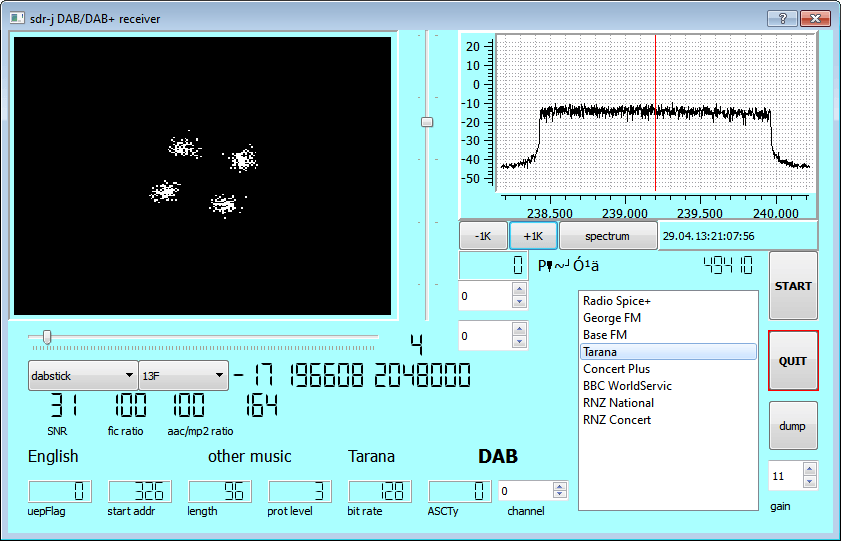
Download the latest version of SDR-J here. To use it on a Windows system, simply unzip the file, and run “dabreceiver.exe”. Select dabstick on the left most drop down box and click start.
Next you will need to find out what frequency block DAB radio is assigned to in your area. Note that not all countries have DAB radio. In my area, block 13F has DAB radio assigned to it. Use the second drop down menu to select the correct block. Once that is done you should see a flat topped signal in the spectrum graph, and some white dots in the left box. Adjust the sliders if you can not see everything and also adjust the gain setting in the bottom right corner. Radio stations should begin to populate in the list on the right. Click on one to listen to it.
Check out the SDR-J manual here for more instructions and more information about the options available.