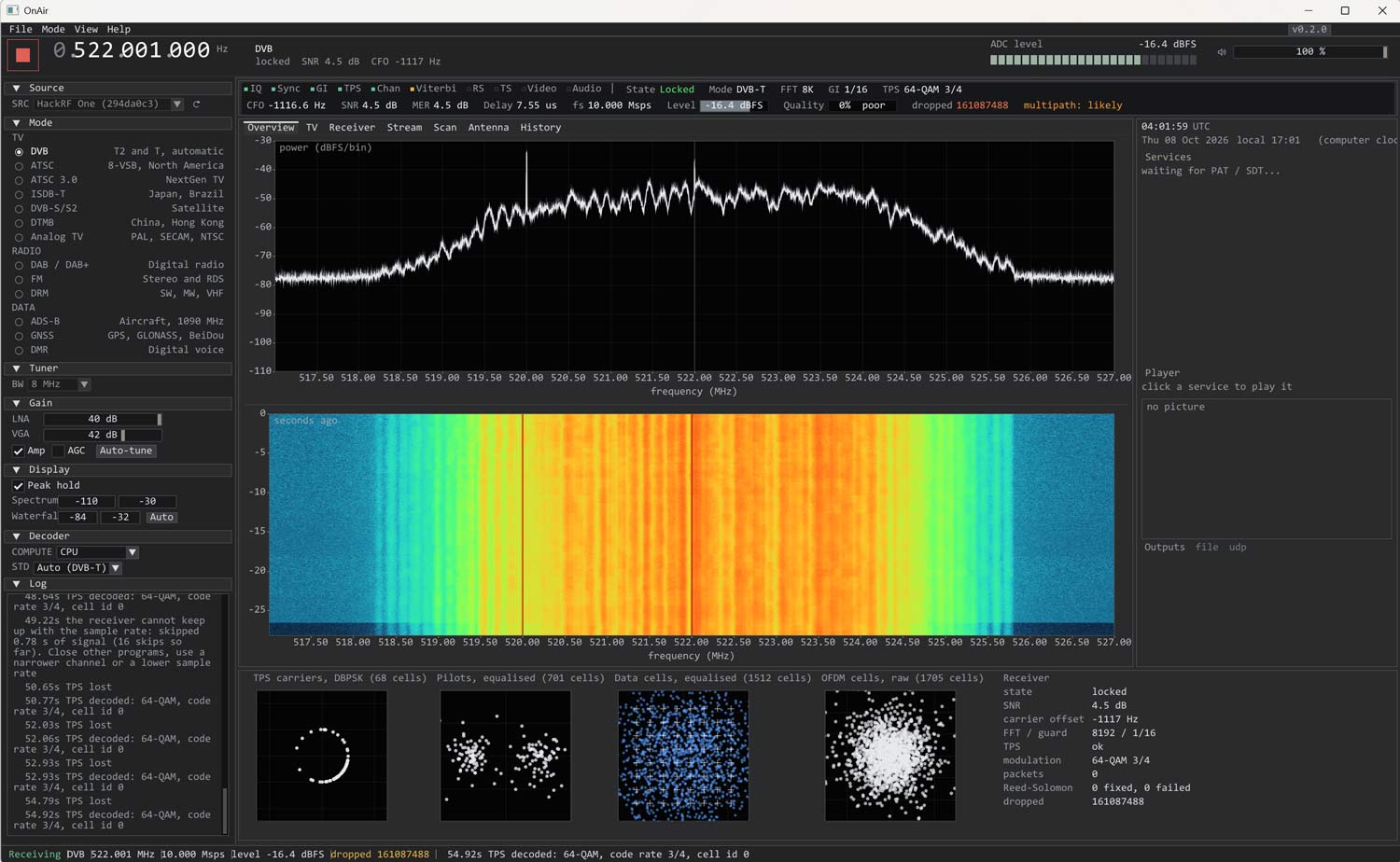
Thank you to Kristijonas for writing in and sharing with us his project, OnAir. OnAir is an easy-to-use digital TV decoder for DVB-T2, DVB-T, ATSC 1.0, ATSC 3.0, ISDB-T, and a digital audio decoder for DAB / DAB+ and FM Radio. It also supports Analog TV modes such as PAL, SECAM, and NTSC, and data modes like ADS-B, GNSS (GPS, GLONASS, BeiDou), and DMR.
It supports various wideband SDRs, including HackRF, PlutoSDR, BladeRF, LimeSDR, USRP, Airspy R2, and SDRplay. RTL-SDRs unfortunately do not have enough bandwidth to decode digital TV channels in SDR mode, but the software still supports RTL-SDRs for narrowband signals.
The software is easy to install, with an installer .exe being available for Windows, a .deb file for Debian Linux, and a .dmg file for macOS.
OnAir Screenshot
AI Disclaimer: This software lists Claude as a contributor.
Back in May, we posted about the release of OpenWXSDR, an open-source Python framework that turns one or more RTL-SDR or Airspy SDRs into a fully automated radiosonde ground station running on a Raspberry Pi 4/5 or Linux x86 machine.
Recently, OpenWXSDR creator Mike (DL2MF) wrote in to share that V1.0.62 has been released, bringing improvements to decoder quality and stability. The update also improves the software's setup and configuration stages and adds a radiosonde statistics page.
Another development is that the sondehub.org aggregation site has verified the OpenWXSDR telemetry data and now allows the upload of DFM06, DFM09, DFM17, M10, M20, RS41, and RS92 radiosonde data to its network via OpenWXSDR.
Thank you to Kevin Murphy (ZL1UJG) (aka Tech-ni-shn) for writing in and submitting some RTL-SDR and Airspy sensitivity measurements that he has recently done over on his YouT ube channel. In his tests, Kevin measures an RTL-SDR Blog V4, RTL-SDR Blog V3 + SpyVerter, Airspy HF+ Discovery, and Airspy Mini using a signal generator, attenuators, and SDR#.
His results show that the RTL-SDRs and Airspy devices have very similar minimum discernible signal (MDS) levels, all measured around ~-133 dBm. Kevin has provided a PDF summary of his results, and the video below.
A couple of weeks ago we posted about "WebSpy", a new web client for Airspy software defined radios. Developer @lambdaprog, (aka Youssef Touil) has kindly provided us with an early beta of the server to test.
WebSpy is built into SpyServer, and SpyServer is an existing program that streams data from Airspy and RTL-SDR devices directly to SDR#. This new beta SpyServer now incorporates WebSpy into it, so once SpyServer is running on the server, all you need to do is run the binary and browse to https://SERVER_IP_ADDR:5555 in a browser, and the WebSpy interface will show.
As SpyServer supports RTL-SDR dongles, WebSpy also works as intended with RTL-SDRs. So in our test, we used a remote RTL-SDR connected to a networked Pi 5 and started up WebSpy. As the default includes self-signed certificates, you will get an unsecured warning from your browser, but this is safe to ignore. If you were to share your WebSpy publicly, you would want to generate your own certificates. Youssef recommended using acme.sh for that.
Clicking the power icon in the web interface starts the SDR connection, and then you can tune to frequencies using the top tuning interface like you would with SDR#. Audio is extremely clear, as if you were running the SDR directly. As Youssef explained in our earlier post, WebSpy uses some proprietary IQ compressors that preserve spurious-free dynamic range, and it does all the IQ decoding directly in the browser to avoid audio codec compression artifacts.
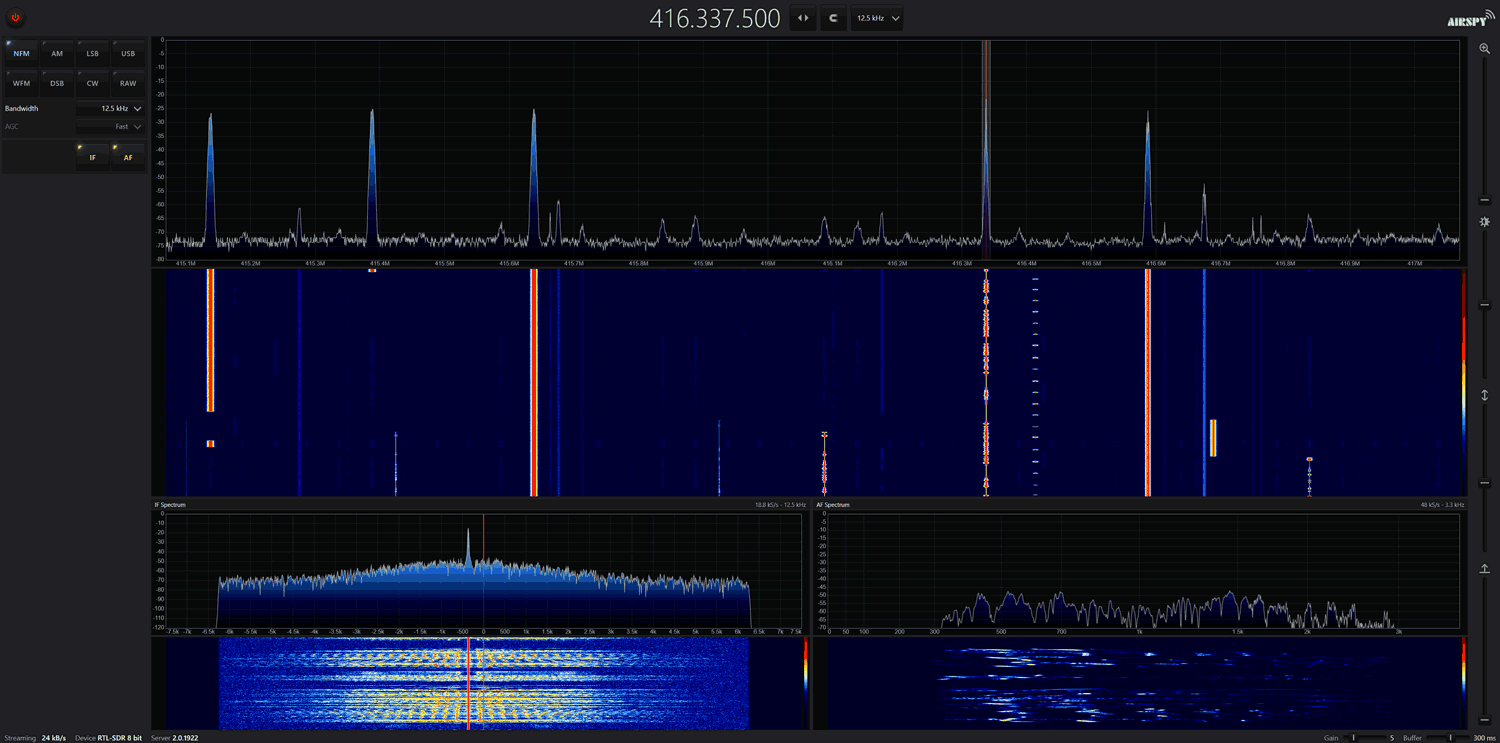
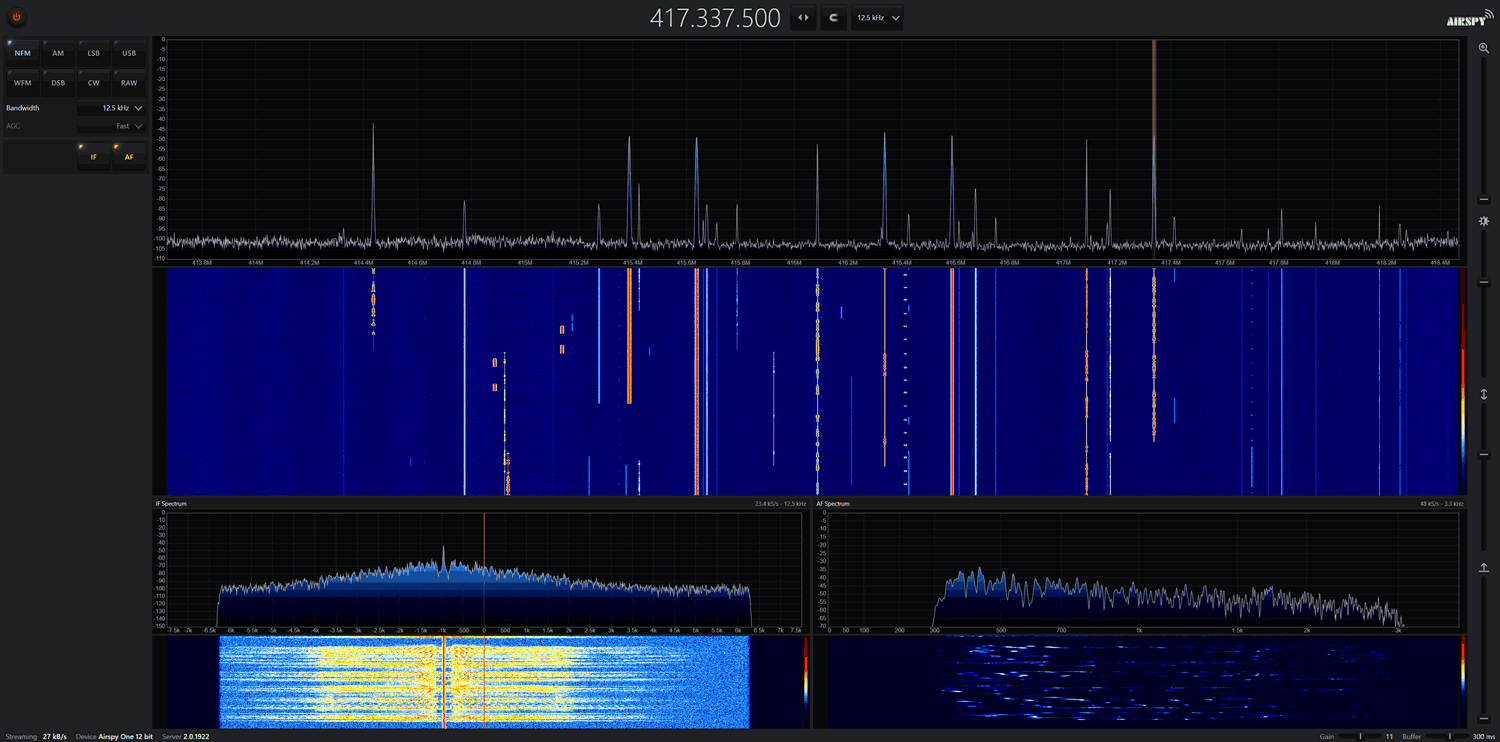
With an Airspy and RTL-SDR receiving a narrowband 12.5 kHz voice channel, we got about 25 kb/s network usage. Reducing the channel size to 2.4 kHz LSB reduces the usage to around 13 kB/s. A wideband FM signal at 200 kHz uses about 240 kB/s. Of course, expanding the channel size to the max 2.4 MHz of the RTL-SDR results in a much higher network bandwidth of 1.2 MB/s, but there are not many situations that would require that.
We tested in Chrome, Edge, and Firefox, and all browsers worked fine. In terms of CPU usage, it barely touched 10% on any core with a single user. Youssef mentioned that a single Pi 5 should be able to serve up to 40 simultaneous sessions for WFM users, and hundreds for SSB/AM users (and we suspect NFM too).
WebSpy CPU Usage
The implementation of WebSpy is still pretty bare in this beta. Most of the features present in SDR# are not there, but Youssef mentioned that these are being worked on, and plugin support may even be added in the future. You also can't tune individual frequency digits with the mouse wheel like you can in SDR#, and there are no squelch or bias-tee controls. But as this is still in development, we expect more features and tweaks in the future.
Over on YouTube, Sarah from the SignalsEverywhere YouTube channel has uploaded a new video showing a new open-source program she's developed called CellScope, which is used for LTE sniffing. She notes that CellScope is essentially LTE Sniffer, but ported for Windows. CellScope needs a wideband SDR, and it currently supports LibreSDR B210 Clone, HackRF and the Airspy R2/Mini
LTE (aka 4G) is a modern mobile wireless standard used by cellphones for data. While it is encrypted, there is still some data transmitted in the clear, such as the devices connected to the cell site and how much data they are pulling down, if there is an active call on the cell site, and of course the data activity can be useful to monitor too.
In the video Sarah shows CellScope in action, demonstrating it detecting a call from her phone and visualizing the data transfer activity from her device when pulling down data.
CellScope is open-source and available on GitHub. If you don't want to compile it yourself, the Windows executable can be purchased from her site for a minimum $0.00 donation.
Over on X @lambdaprog, (aka Youssef Touil), the developer of SDR#, has been teasing development of a new web client called "WebSpy" for Airspy software-defined radios. The web client allows users to tune in to a remote Airspy SDR via a web browser interface that mimics the SDR# Windows software. Before WebSpy, it has only been possible to access Airspy devices remotely via the SpyServer server software and the SDR# Windows application.
While the software is still in development and not yet available for download, you can access a demo version (HF server) (Broadcast FM server) that Youssef has currently set up on his own server in France. From the X posts on the development of the software, it seems that WebSpy boasts some impressive efficiency in terms of the low 6 kB/s network bandwidth required. This means that even over slow connections, the FFT and audio should be smooth and clear. The web interface also works well on mobile, providing a touch-optimized interface.
Youssef wrote in and wanted to share some additional information about how SharpIQ and SharpFFT work:
Under the hood, WebSpy streams both the radio signal and the spectrum display using two purpose-built compression codecs: SharpIQ for the channel data and SharpFFT for the FFT display.
A key design choice is what gets streamed: unlike most web receivers, which demodulate on the server and send you compressed audio, WebSpy sends the raw IQ signal of the tuned channel and does all the demodulation right in your browser — the same DSP chain as the gold standard SDR#. This matters more than it might sound: with server-side audio you're listening to a lossy rendition of what the server decided to demodulate, with voice-codec artifacts baked in; with local IQ, the actual signal arrives at your machine, so demodulation, filtering and mode changes happen instantly and the audio quality is limited only by the signal itself, not by an audio codec.
Unlike general-purpose compressors, SharpIQ and SharpFFT were designed from the ground up for radio: they adapt in real time to what's actually happening on the band, spending bits only where there is information worth keeping, while preserving the weak-signal fidelity that SDR users care about — a CW signal buried near the noise floor comes through intact.
The result is that a complete listening session — channel IQ, live spectrum, waterfall and all — typically fits in about 5 kB/s, a fraction of what conventional audio streaming would need. That's low enough to comfortably operate a remote receiver over a modest mobile connection, which is precisely what makes a full SDR experience in a browser tab practical — nothing to install, nothing left behind, just a tab you can close; and at 5 kB/s the stream itself hides in the noise of ordinary web traffic. Discreet SIGINT, if you're so inclined.
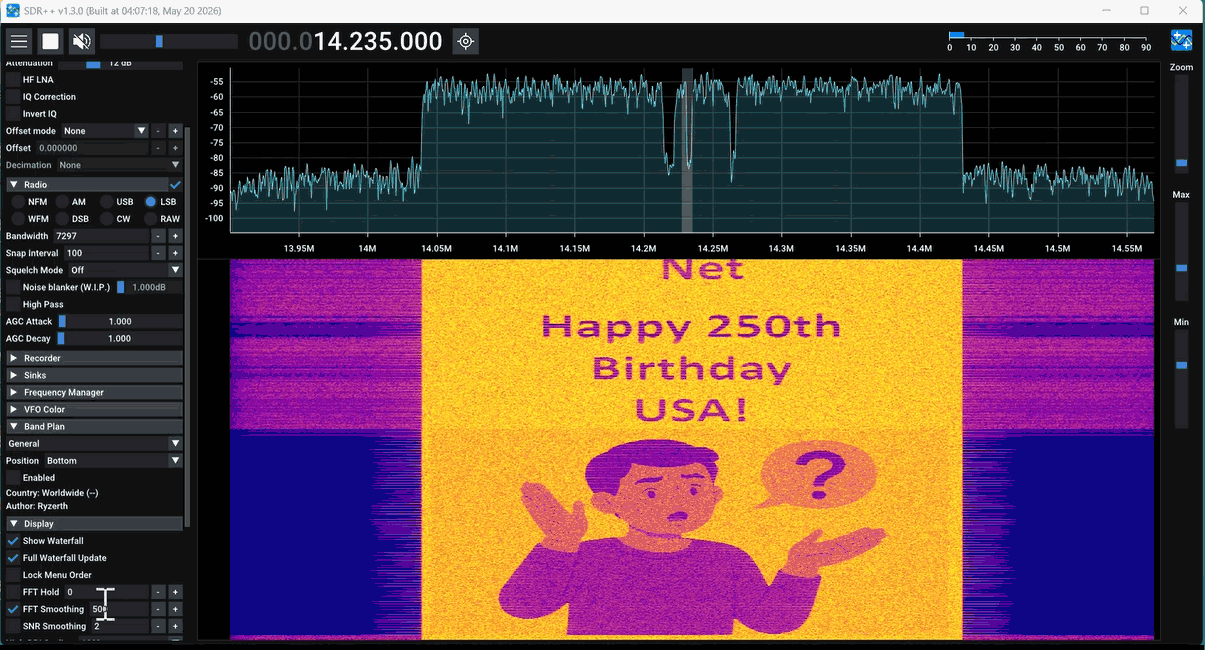
Thank you to Paul Maine, who wrote in and wanted to share some experiments he and Gary Schafer have been doing with spectral painting. Spectral painting is the art of drawing pictures directly on the spectrum waterfall, which a software-defined radio makes visible. Paul has written the post below:
What happens when radio technology meets digital artwork? The result is something fascinating called Spectral Painting—the ability to create images that appear inside the radio frequency spectrum.
Gary Schafer (@signalgalaxiesunlimited) and Paul “The SDR Guy” Maine (@paulmaine6433) have teamed up to explore this unique combination of software-defined radio, signal processing, and creativity. Together, they have created companion videos on Spectral Painting and released them at the same time, each approaching the topic from a different perspective. For the best experience, it is recommended to watch Gary’s video first, followed by Paul’s practical demonstration.
Gary begins the journey by diving into the theory behind Spectral Painting. Using GNU Radio flowgraphs and GNU Octave scripts, he explains how images can be transformed into signals and displayed within the frequency spectrum.
Paul then takes Gary’s GNU Radio flowgraph and GNU Octave scripts from theory into practice. Using multiple SDR platforms, he demonstrates how to transmit spectral images using both the HackRF and TRX-DUO SDRs. He then completes the process by receiving and displaying the images using several different SDR receivers, including the RTL-SDR V3, RTL-SDR V4, and Airspy HF+.
Together, these videos provide a complete journey—from understanding the science behind Spectral Painting to seeing it come alive on real SDR hardware.
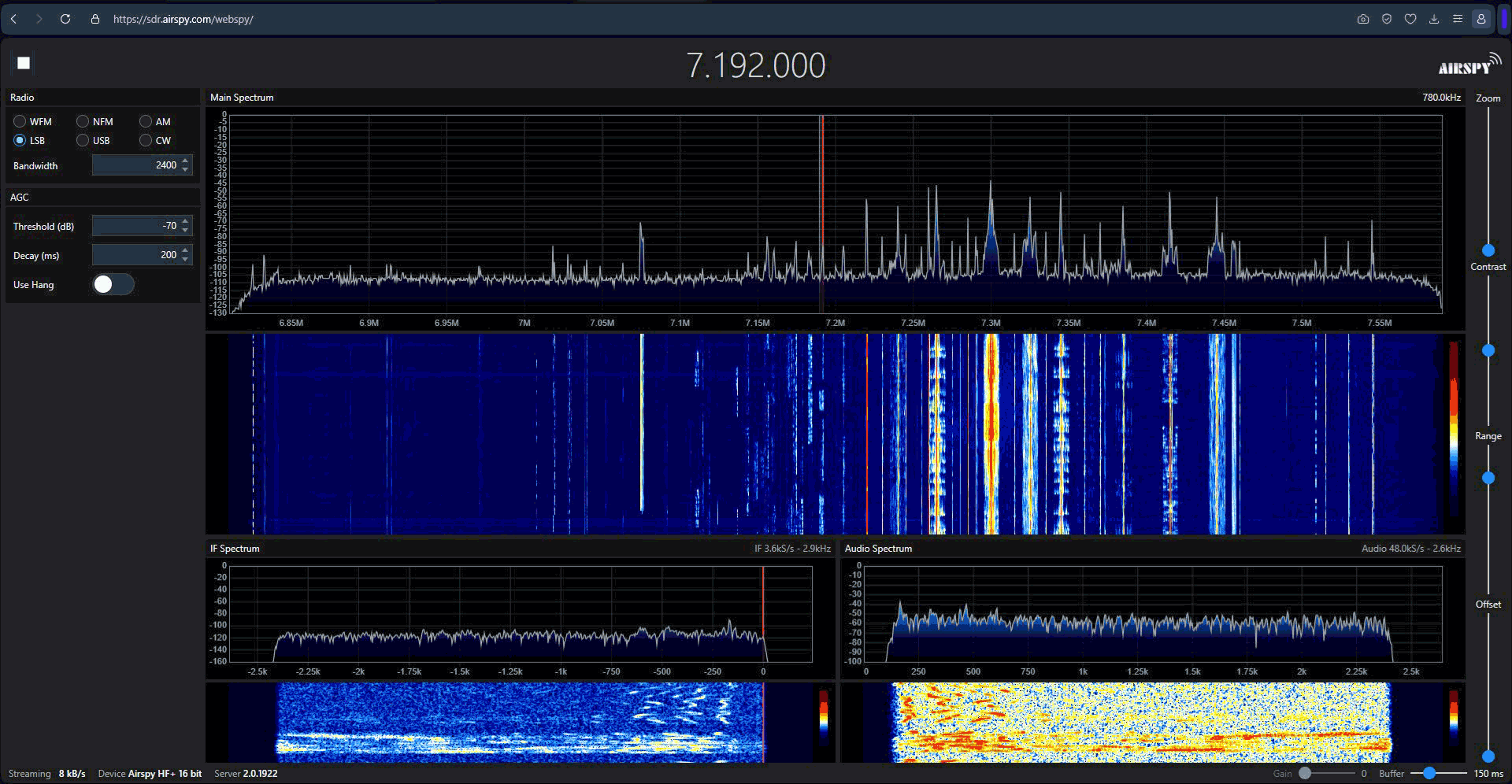
Below is an example screen capture of Spectral Painting in action.
Spectral Painting Example
Start with Gary’s video to learn the concepts and signal processing techniques:
Creating Spectral Paintings using Gnu Radio Companion (and other open source tools)
Then watch Paul’s video to see Spectral Painting transmitted and received using real SDR equipment:
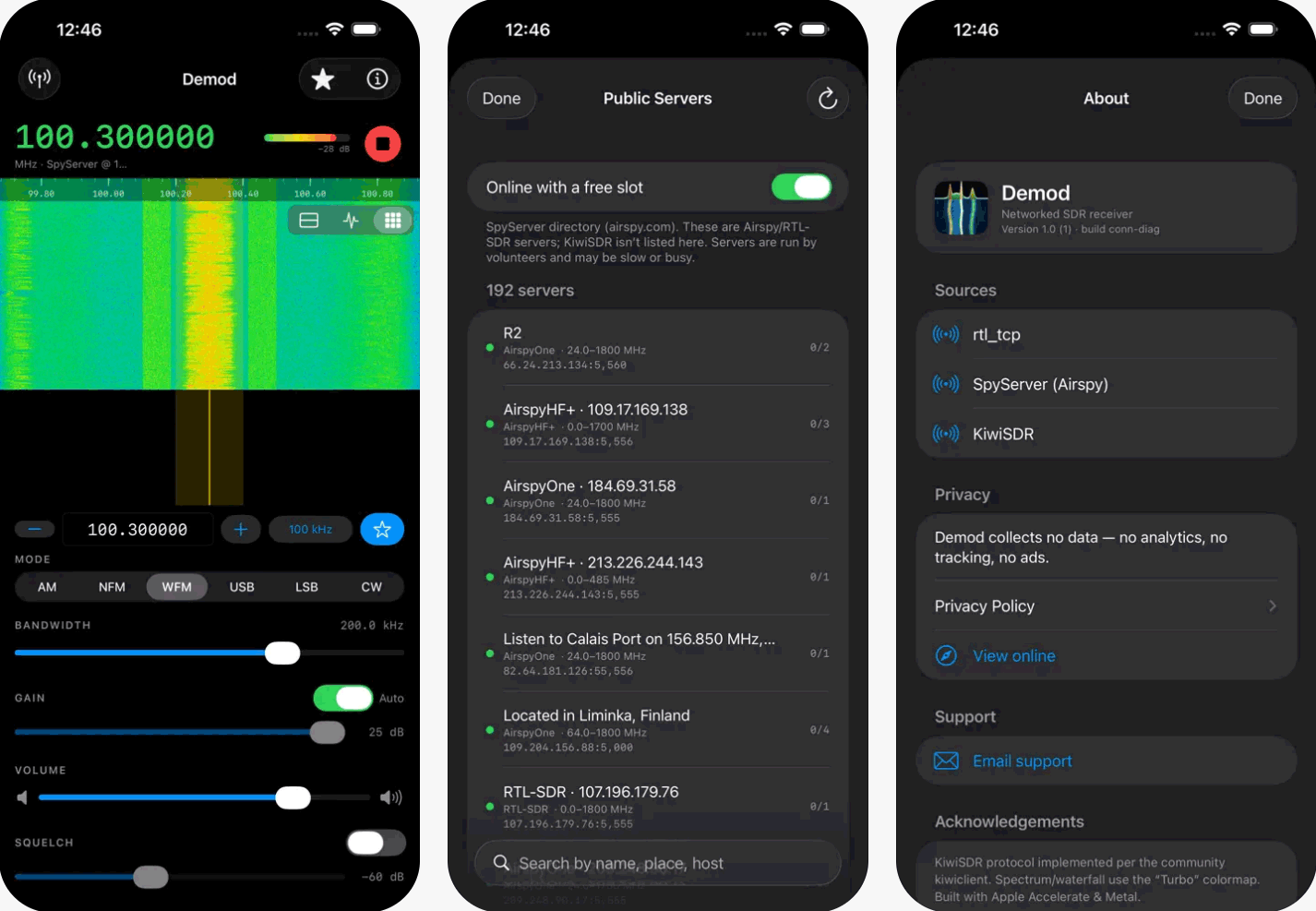
Thank you to Alphonse Romero for submitting news about the release of his new iOS and iPadOS SDR receiver app called Demod. Demod is a network client that connects to remote SDR servers, so it can be tried out immediately with no dongle needed at all.
The app works as a client for rtl_tcp, SpyServer (Airspy and RTL-SDR), and KiwiSDR, all in a single app. It features a Metal-accelerated waterfall and spectrum display, AM/NFM/WFM/USB/LSB/CW demodulation, and adjustable bandwidth, gain, and squelch. Other features include frequency memories with CSV import and export, AirPlay and Lock Screen controls, and native layouts for both iPhone and iPad. It can also browse and connect to public SpyServers directly from within the app, which is how it can be used with no hardware of your own. The developer notes that it collects no data, with no ads or tracking.
Alphose writes that Demod is a solo project and is available on the US App Store for US$9.99. More information and screenshots can be found on the project website, and the app itself is available on the App Store.
The developer has also provided us with 15 free codes that we will be giving away in one week. To enter the giveaway, simply comment on this post (make sure to include your email address in the comment so that we can send you the code), the X post, or the Facebook post. (UPDATE: ALL CODES HAVE BEEN ALLOCATED NOW, THANKS!)