Tagged: P25

P25-Survey: A Tool for Scanning and Logging P25 Control Channels with an SDR

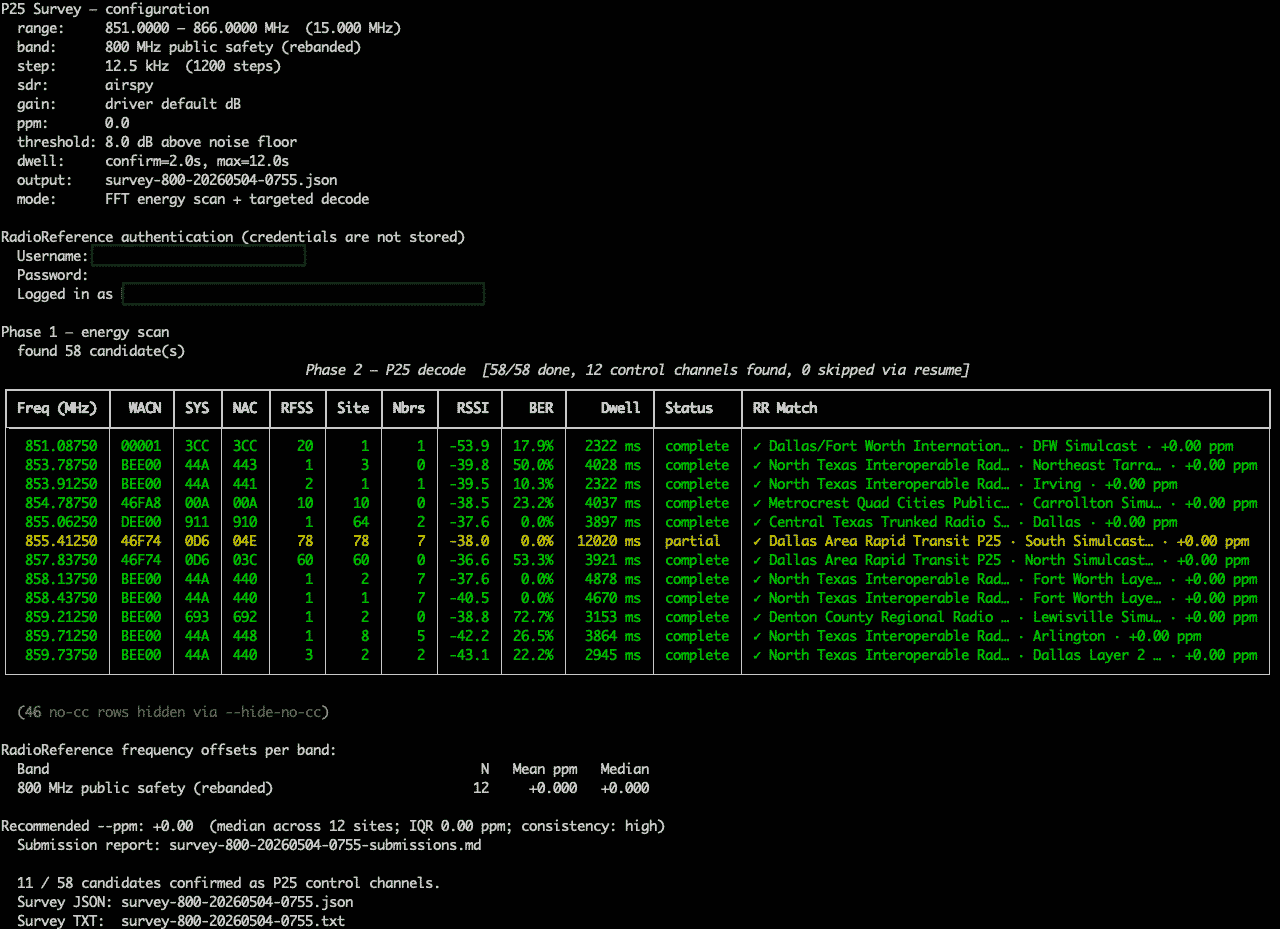
Over on GitHub, programmer blantonl has released p25-survey, a Python tool that scans a frequency range with an RTL-SDR, Airspy or HackRF and identifies any P25 control channels present. For each one found, it logs the WACN, System ID, NAC, RFSS ID and Site ID, the full IDEN_UP band plan, neighbor sites with resolved frequencies, and signal quality metrics including RSSI, BER and decode rate.

The tool also has an optional RadioReference cross-reference mode that annotates results with the RR system name and site description, flags frequency offsets versus the database, and generates a Markdown submission report for data not yet in RadioReference. An auto-gain feature sweeps gain values on each confirmed control channel and recommends the optimal setting for your SDR and location based on BER.

P25 Survey Tool
P25 Survey Tool

Frugal Radio: Beginners Guide to P25 Decoding with the Latest DSD Plus Release

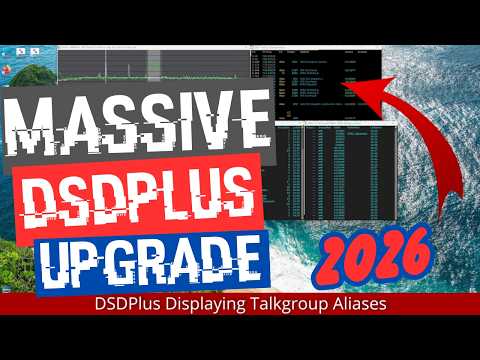
Over on his YouTube channel 'Frugal Radio', Rob has uploaded a comprehensive video detailing how to set up the latest DSD Plus release for P25 Public Safety decoding.

Back in December 2025, we posted about how the DSD Plus team released version 2.547. The release had already been available to DSD Fastlane customers, but it is now available to the public. The new version brings various improvements and features, but it also changes the software signal flow that was used in previous versions.

In the video, Rob explains how to set up the new DSD Plus version, including how to use the new FMP24 demodulator with an RTL-SDR. He then goes on to show the various features, like control channel monitoring mode, getting P25 system data, holding and IDing talkgroups, and setting talkgroup aliases.

HUGE free DSDPlus Update 2026 : Decode P25 Public Safety with your SDR and this beginner guide!

Pocket 25: An Android P25 Phase 1 Digital Voice Radio Decoder

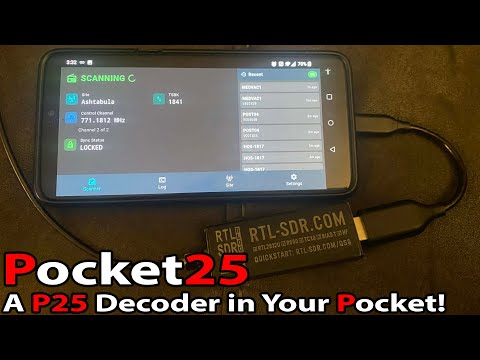
Thank you to reader "EN53" for submitting news about a newly released open source Android app called Pocket 25. Pocket 25 is an Android-based APCO Project 25 (P25) phase 1 digital voice decoder based on the DSD-Neo decoder engine. It was developed by Sarah Rose (aka SignalsEverywhere), whose other software we have posted about in the past.

APCO P25 phase 1 trunked digital voice systems are commonly used in the United States, Canada, Australia, and other countries by emergency services. As long as the P25 network is unencrypted, it is commonly decoded to audio with an RTL-SDR and decoding software such as DSDPlus or SDRTrunk.

Pocket 25 allows users to now decode P25 signals on portable Android devices. An RTL-SDR can be connected to an Android device via a USB-OTG cable, or a remote networked RTL-SDR can be used via an rtl_tcp connection. The app also supports RadioReference accounts, automatic GPS site hopping, smart filtering, and logging.

In the readme, Sarah also notes that, because Pocket 25 is based on the DSD-Neo engine, it supports additional digital voice protocols, including DMR, NXDN, and others. However, the interface is designed around P25, so non-P25 systems may show incorrect metadata.

The software is open source and code can be found on the GitHub. There is also an active discussion about the app on RadioReference.

Pocket25 | Running DSD-Neo on Android!

Building a P25 Police Scanner with an RTL-SDR Blog V3 and ZimaBoard 2

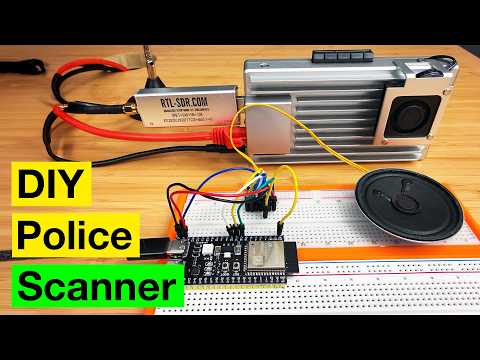
Over on YouTube, creator "MostlyBuilds" builds a networked digital police scanner using an RTL-SDR Blog V3 dongle and a compact x86 single-board computer called the ZimaBoard 2. The system receives over-the-air police radio signals, decodes digital P25 voice traffic, and turns it into an audio stream that can be listened to from any device on the home network, such as a phone, tablet, or computer.

The video walks through the hardware setup, ZimaBoard 2 features, and software configuration using ZimaOS and Docker. The open-source OP25 decoder handles the digital radio decoding, while containerized services stream the audio using Icecast and MediaMTX. MostlyBuilds also explains how to find local police frequencies, avoid encrypted channels, and verify signals using a handheld radio.

To make the stream more usable, a custom Python script inserts silence during gaps in transmissions, creating a continuous audio feed. Finally, MostlyBuilds ends the video by showing a small ESP32-based client prototype that plays the stream through a speaker, plus a breakdown of the full audio pipeline.

DIY Digital Police Scanner With ZimaBoard 2

TechMinds: Testing the SDR++ Brown Fork with Built-In DSD and Remote KiwiSDR Support

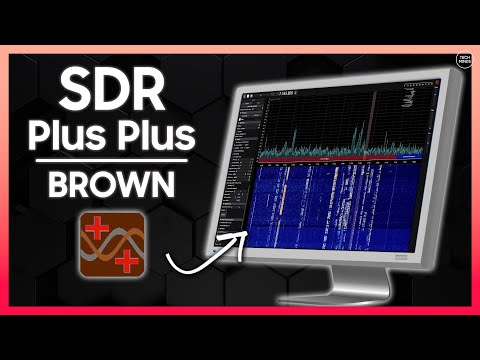
Over on YouTube, Matt from Tech Minds has uploaded a video in which he demonstrates and tests an unofficial fork of the popular SDR++ software called "SDR++ Brown."

SDR++ Brown has some unique features such as the ability to connect to remote KiwiSDR WebSDRs directly within the UI, built-in FT8 and FT4 decoders with PSK reporter, a built-in DSD decoder allowing for DMR, P25 and NXDN to be decoded directly in the software, Hermes Lite 2 support, and various Android UI improvements for small screens.

Matt also notes a few bugs with the software, such as PSK Reporter and Multi-WebSDR waterfall display features being broken.

Over on X, Alexandre Rouma, creator of the original SDR++, has expressed concern about this fork. He notes that this is an unofficial fork that is not up to his standards and that support requests for SDR++ Brown should not be made to him. Instead, support requests should be made directly to the fork owner, Sanny Sanoff.

SDR Plus Plus - Brown Edition Adds New Features Including DSD!

SignalsEverywhere: Build an RTL-SDR Based OP25 Radio Scanner with a Mobile Control Head Android App

Welcome back to Sarah from the SignalsEverywhere YouTube channel who has recently returned to producing videos from a hiatus. In her latest video, Sarah shows off her new OP25 Mobile Control Head Android App which allows you to implement a full P25 digital radio scanner at a fraction of the cost of a commercial digital scanner. In the past, Sarah had released a similar application written for the Raspberry Pi but has decided to shift her focus to writing an equivalent Android app that is less clunky and can be deployed for a lower cost. 

The app controls and displays information from the OP25 software that runs on a Raspberry Pi with RTL-SDR connected. It works by using a server application on the Raspberry Pi that manipulates the OP25 instance and its configuration files.

Sarah writes:

The application is a wrapper for OP25 that uses a raspberry pi and an android device to provide users with a mobile control head for their OP25 P25 scanner setup. Currently it's just a basic application but I'll be adding features like automatic site switching, etc.

OP25MCH: https://github.com/SarahRoseLives/OP25MCH

There is also a separate application I call the OP25Display which is just a display for a users existing OP25 instance.

OP25Display: https://github.com/SarahRoseLives/op25display

Build Your Own Digital Radio Scanner With OP25 Mobile Control Head App

A Low Cost P25 Police Scanner with RTL-SDR, Raspberry Pi 5 and SDRTrunk

Thank you to Mike for writing in and sharing with us his video detailing how he makes use of a Raspberry Pi 5, touch LCD Screen and RTL-SDR to create a portable and low cost P25 police scanner. Mike notes that the cost of his system is $250, which is a lot cheaper than a comparable $600 P25 scanner. 

Here is my latest weekend project; a Raspberry Pi 5 with an RTL-SDR dongle running SDRTrunk software. It is configured to listen to the local LAPD channels and runs great! The chip gets a bit hot so I think I need to add a fan.

Building a $600 P25 Police Scanner for $250!!! (SDR-Pi)

Frugal Radio: Experimenting with Rdio-Scanner and Trunk Recorder on P25 LSM

In his latest video Rob from the Frugal Radio YouTube channel has uploaded a video where he experiments with a SDR web interface and smartphone App called "Rdio-scanner". Rdio-scanner is an interface that tries to reproduce the user experience of using a real hardware scanner with an SDR and RF voice decoding/recording software like Trunk Recorder being used in the background. Rob writes:

rdio-scanner creates a customizable web interface from which to control your software defined radio. Using it, you can turn a computer, phone or tablet into something that closely resembles a hardware scanner!

Trunk Recorder is the software that decodes the unencrypted P25 signals and records them to disk. Here is it demonstrated working on a large Simulcast (LSM) site.

rdio-scanner reads the audio files. Through the rdio-scanner interface, you are basically choosing which audio files to play.

Rob runs the rdio-scanner software on his Panasonic Toughbook, noting that the interface looks really great in Tablet mode and works well with the touchscreen. He also notes that his toughbook has a SIM card socket, so a data SIM would enable him to access his P25 monitoring system at home from anywhere. 

SDR experiments with Rdio-scanner, Trunk Recorder, Airspy Mini & Panasonic Toughbook on P25 LSM