Category: HackRF

OnAir: A Digital TV and DAB Decoder for SDRs

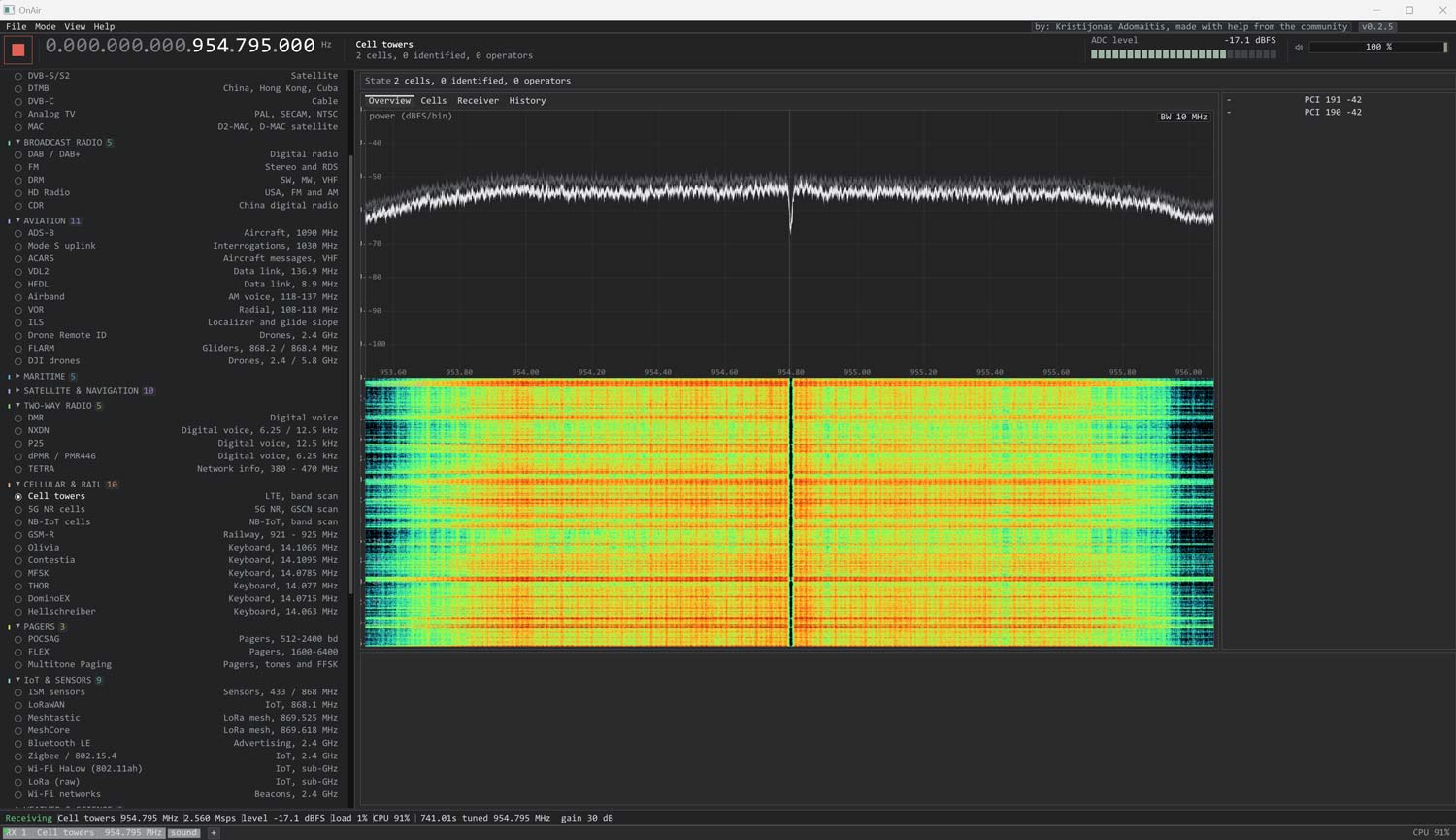
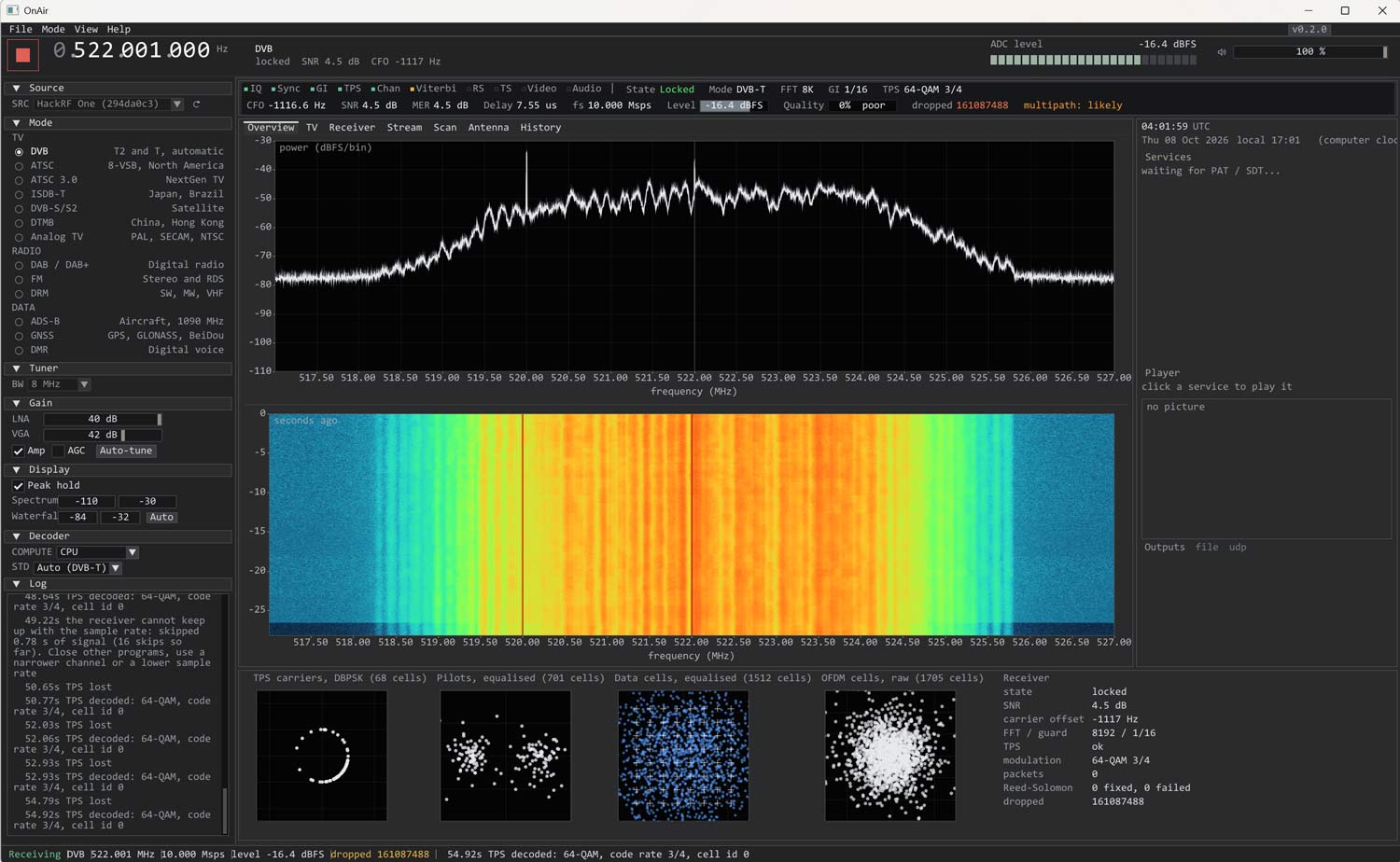
Thank you to Kristijonas for writing in and sharing with us his project, OnAir. OnAir is an easy-to-use digital TV decoder for DVB-T2, DVB-T, ATSC 1.0, ATSC 3.0, ISDB-T, and a digital audio decoder for DAB / DAB+ and FM Radio. It also supports Analog TV modes such as PAL, SECAM, and NTSC, and data modes like ADS-B, GNSS (GPS, GLONASS, BeiDou), and DMR.

It supports various wideband SDRs, including HackRF, PlutoSDR, BladeRF, LimeSDR, USRP, Airspy R2, and SDRplay. RTL-SDRs unfortunately do not have enough bandwidth to decode digital TV channels in SDR mode, but the software still supports RTL-SDRs for narrowband signals.

The software is easy to install, with an installer .exe being available for Windows, a .deb file for Debian Linux, and a .dmg file for macOS. 

OnAir Screenshot
OnAir Screenshot

AI Disclaimer: This software lists Claude as a contributor.

FernSDR: An Open-Source WebSDR Server

Thank you to 'magicint1337' for writing in and sharing with us a new program he's created called FernSDR. The author writes that FernSDR is an open-source WebSDR server rebuilt from scratch, based on feedback from WebSDR operators. It replaces his two previous programs, NovaSDR and PhantomSDR, the latter of which we covered in 2024.

A WebSDR program like FernSDR allows users to set up an SDR receiver on a remote device, such as a Raspberry Pi or PC, and access that SDR's data from anywhere in the world via a network connection. The author explains why FernSDR stands out:

What's different: a single binary with no dependencies and a one-line install on any Linux, an admin panel for everything (bands, updates with rollback, modules), day/night band switching by sunrise at the station, and modules for RTL-SDR (incl. Blog V4), RX-888 MkII and SDRplay, plus an FT8 decoder with PSK Reporter spots. In my lab tests against ten other WebSDR servers it had the lowest delay and memory use; the method and raw data are public.

A live demo of FernSDR is available at demo.fernsdr.org. The code is open-source and available on GitHub.

FernSDR: A New WebSDR Server

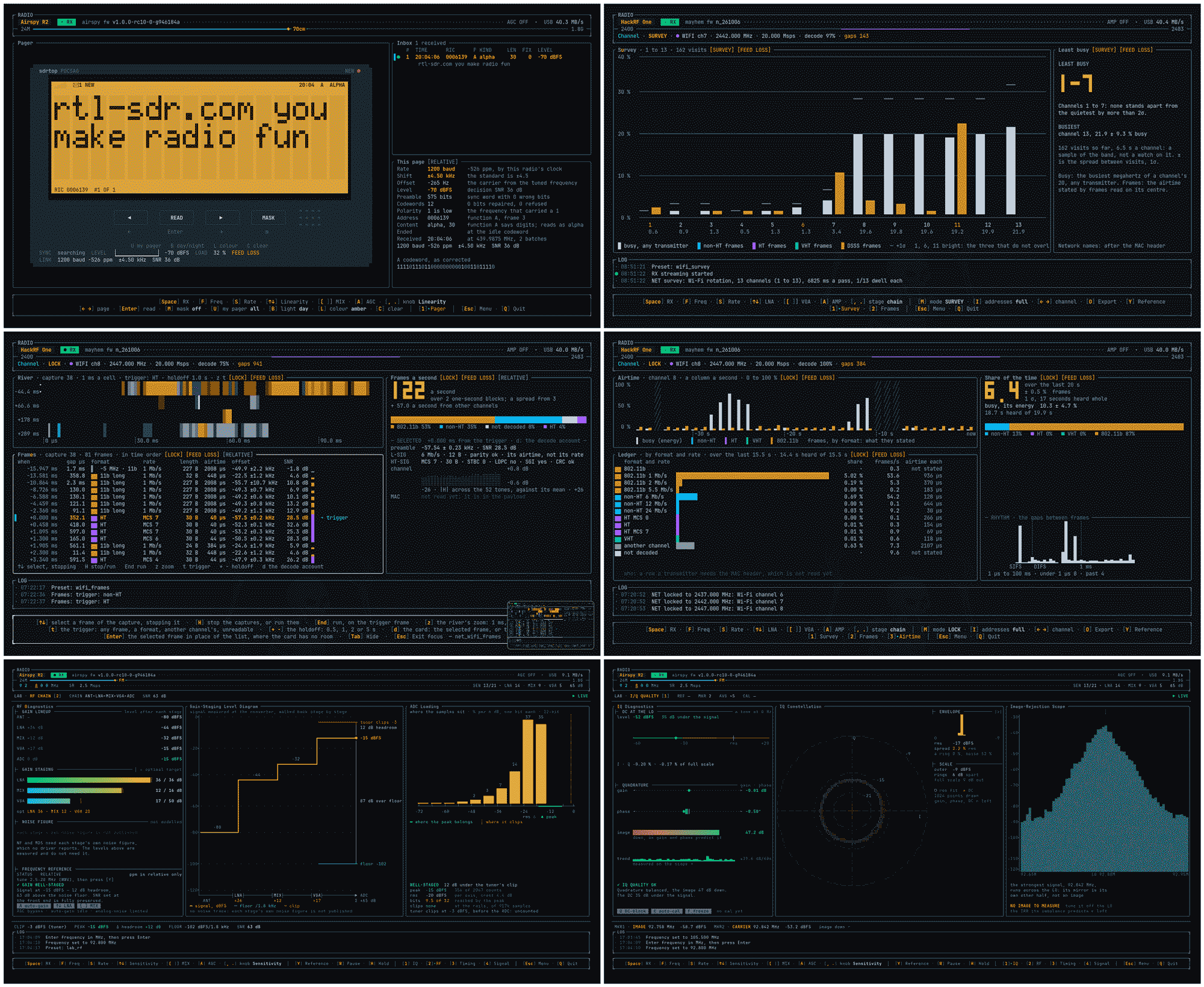
sdrtop: A Terminal-Based SDR Bench Tool

Thank you to Viktor László (MusiThang on GitHub), for writing in and sharing with us his new project called sdrtop. sdrtop is a terminal-based SDR tool that is compatible with the HackRF and RTL-SDR. Viktor writes:

I bought a HackRF because I was curious how SDR works and found the whole topic interesting.

Later I wanted to understand what was actually in the radio signals, and I ended up writing a terminal tool for that. Along the way it grew RTL-SDR support too.

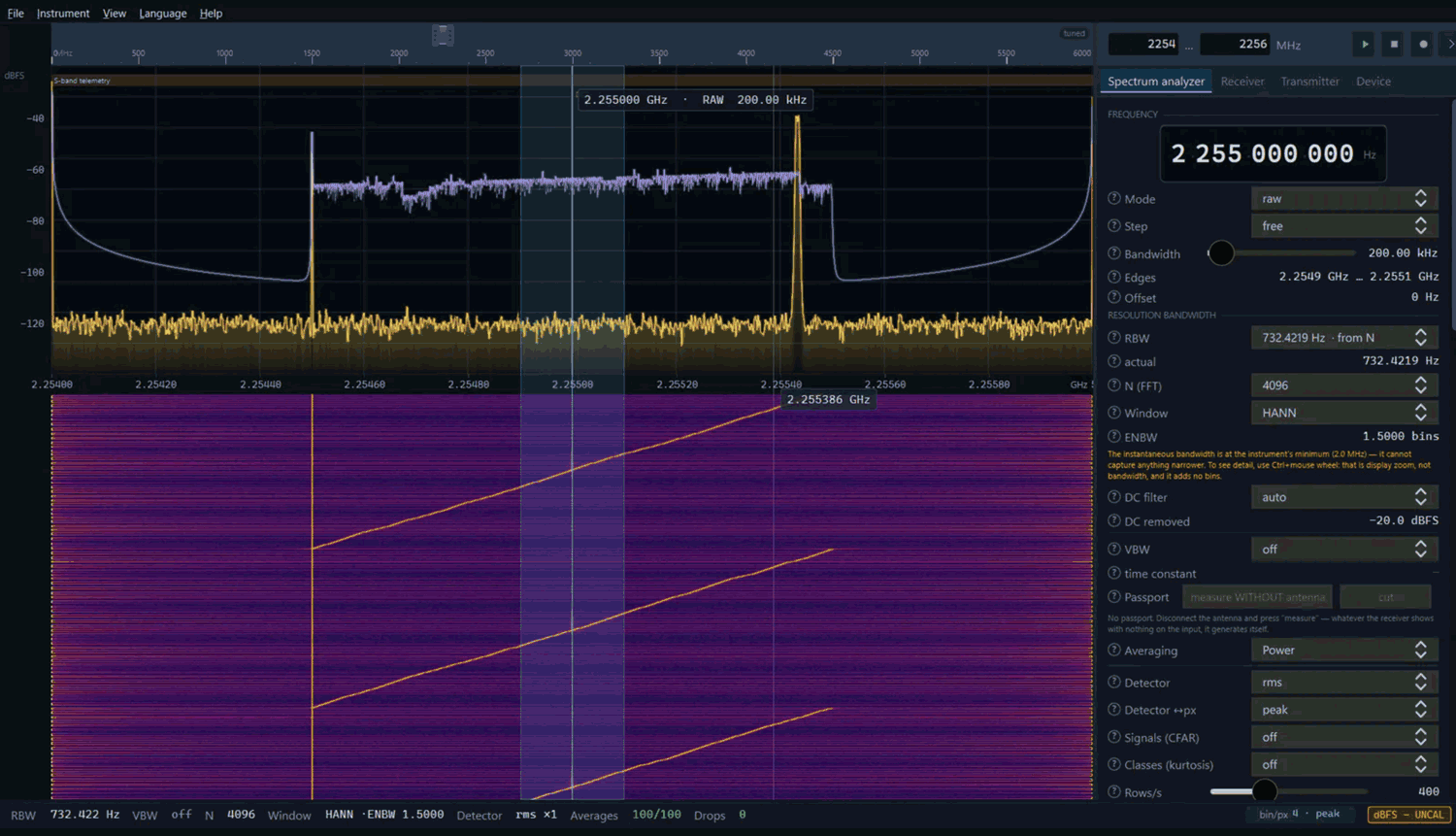
sdrtop is a bench instrument in a terminal: spectrum, waterfall, gain and clipping, lab-style readouts, and digital demodulation for measurement, not for listening.

I started it to learn the signal path. What it turned into is a gap I kept hitting: cheap SDRs used for real measurements over SSH, in tmux, or on a cyberdeck, where a heavy GUI just slows you down.

No audio on purpose. If RX stops, the numbers go stale instead of looking fine forever.

I care about being able to trust the numbers, so the signal path is written in Rust from scratch rather than sitting on a DSP library. The only external piece in that chain is the FFT crate. (rustfft).

On RTL-SDR it has native full support (R820T, E4000, R828D): single tuner gain + AGC, spectrum, waterfall, and the measurement panels the dongle can actually back.
HackRF and tinySA are supported as well; Soapy is available in beta for other devices.

Written in Rust, open source, one-person hobby project, and still very much in active development. Classic Bluetooth is in progress; spectrum and lab are what I use every day.

sdrtop reminds us of a few previous terminal-based SDR programs such as sdrrat, as well as terminal-based ADS-B radar displays such as radar-tui and coole-radar.

SDRtop Terminal Based SDR Tool Screenshots

RF-Traffic-Monitor: Track Aircraft, Ships, Drones and Radiosondes in One Program

Thank you to Stefanos (Steeod) for sharing a new program he created, "RF-traffic-monitor." Stefanos created this program because he initially wanted to install adsb.im (an ADS-B feeder image that also tracks ships, radiosondes, and ACARS/VDL2/HFDL) on Windows 10, but was unsuccessful in doing so, as adsb.im is written for Linux machines.

So, to get around this, Stefanos decided to fire up ChatGPT to write his own similar Windows program. The end result was RF-traffic-monitor, which is capable of tracking aircraft, ships, and radiosondes using an RTL-SDR or HackRF. It can also use the SDR to decode ACARS, VDL2, and HFDL. With a compatible WiFi adatper the software is also capable of tracking drones via Wi-Fi Remote ID.

RF-Traffic-Monitor Screenshot

AI Disclaimer: The author notes that this program was written by ChatGPT.

KhanfarRX: Mayhem External App for the PortaPack H4M with Band Plan Tuning, Band Lock, EIBI “On Air Now” and FT8 Geo Map

Thank you to M Khanfar for writing in and sharing his new app for the HackRF PortaPack H4M, KhanfarRX. The program aims to make listening to HF on the PortaPack a much better experience. Khanfar writes:

KhanfarRX: Never get lost in the HF bands! A free external app for the HackRF PortaPack H4M (Mayhem firmware).

In this video I show KhanfarRX, an app that makes HF listening on the PortaPack H4M much easier.

It has an easy band plan, a band lock that keeps you inside the band you choose, and a live EIBI browser that shows which shortwave stations are on the air right now.

WHAT KHANFARRX GIVES YOU

  • Easy band plan: HAM HF/VHF, broadcast, airband and marine bands in one clean menu
  • Stay in the band: tuning wraps around inside the band edges, so you can't drift out. One tap on DisableHF returns to free tuning
  • EIBI "On Air Now": see which shortwave stations are broadcasting at this moment and tune in with one touch
  • Correct mode automatically: AM/LSB/USB for HF, NFM for marine, AM for airband, WFM for FM broadcast
  • Full receiver: live waterfall, RSSI, recorder, gain and squelch, like the stock Mayhem Audio app

Not mentioned in Khanfar's notes is that KhanfarRX also comes with an FT8 Geo map. This plots every received FT8 message on a map displayed by the PortaPack's screen.

PortaPack H4M · Mayhem External KhanfarRX App


Sn0ren Tests the HackRF Pro Portapack H4M Pro

Over on YouTube, RF enthusiast sn0ren has posted a video reviewing the new 'HackRF Pro Portapack H4M Pro'. The HackRF Pro is the latest official version of the popular HackRF software-defined radio. It started shipping to customers back in January 2026, and it includes improvements such as improved noise figure measurements, a USB-C port, increased frequency limits, a TCXO, and an improved, flatter frequency response.

The Portapack H4M is currently the most recommended portapack product for the HackRF. A Portapack is a separate PCB board that piggybacks on a HackRF board and turns the HackRF into a portable device that can receive and transmit various signals in the field.

In the video, sn0ren starts by showing a performance comparison between the HackRF and HackRF Pro, noting increased signal strength with the HackRF Pro. The Portapack H4M Pro appears to mostly be a change in order to fit the new HackRF Pro PCB layout, but there are some minor improvements that sn0ren finds in the video, such as better buttons, a slightly larger case, a removable battery lid, metal screws, and a lanyard hole. 

The Biggest HackRF Upgrade in Over a Decade

Building a Homemade Weather Radar with a HackRF or PlutoSDR and Salvaged Automatic RV Dish

After nearly being hit by a tornado that NEXRAD didn't see coming, Koakno decided to build his own DIY self-contained mobile weather radar built from a $5 salvaged RV satellite dome, a HackRF or PlutoSDR, and open-source software. 

Koakno notes that NEXRAD (the US weather radar system) data is typically 4-6 minutes old, and from a radar station that is often 100+ miles away, resulting in warnings coming in too late or not being detected at all. Only professional local mobile Doppler radar trucks have the capability of detecting local tornadoes rapidly enough to take action. Koakno set out to recreate this capability on a budget.

His antenna consists of a salvaged Winegard Carryout Anser GM-5000 automatic satellite dome built for RV motor homes. The dish carries an LNB that radiates an 850 MHz signal at 10.4 GHz, which is a perfect wavelength for weather radar. The SDR hardware can either be a HackRF or PlutoSDR. As the HackRF is only half-duplex, it uses pulsed timing, whereas the full-duplex PlutoSDR uses a continuous FMCW chirp. Open-source Python software processes the results, producing a live radar display showing color-scaled reflectivity.

Importantly, Koakno addresses the licensing concerns around this project. He notes there are clauses in the amateur radio FCC legislation that support the use of automatically controlled beacons for the observation of propagation, and experimental activities in the 3cm 10.0 - 10.5 GHz amateur radio band, but he is not an attorney, so this activity may still exist in a grey area.

The screenshot below was generated via the simulation the software provides for testing the UI.

A Demo of the Weather Radar Display

CellScope: LTE Sniffing on Windows

Over on YouTube, Sarah from the SignalsEverywhere YouTube channel has uploaded a new video showing a new open-source program she's developed called CellScope, which is used for LTE sniffing. She notes that CellScope is essentially LTE Sniffer, but ported for Windows. CellScope needs a wideband SDR, and it currently supports LibreSDR B210 Clone, HackRF and the Airspy R2/Mini

LTE (aka 4G) is a modern mobile wireless standard used by cellphones for data. While it is encrypted, there is still some data transmitted in the clear, such as the devices connected to the cell site and how much data they are pulling down, if there is an active call on the cell site, and of course the data activity can be useful to monitor too. 

In the video Sarah shows CellScope in action, demonstrating it detecting a call from her phone and visualizing the data transfer activity from her device when pulling down data.

CellScope is open-source and available on GitHub. If you don't want to compile it yourself, the Windows executable can be purchased from her site for a minimum $0.00 donation.

CellScope: LTE Sniffing on Windows