Category: PlutoSDR

OnAir Adds Decoder Support for Almost Every Signal

Just last week we posted about OnAir, a new open-source program that started out as an easy-to-use digital and analog TV decoder for software-defined radios. It also had support for a few digital modes like ADS-B, GNSS and DMR.

In the last week, with the obvious help of Claude AI, OnAir has added experimental support for almost every single analog and digital signal and application out there. Support ranges from digital voice modes like P25 and NXDN, to HF digital modes like HFDL, to aircraft signals like ACARS and VOR/ILS, to ocean radar, to a radio astronomy integrator, to satellite decoders like Iridium and Inmarsat, to cell tower metadata decoders to Wi-Fi and many many more.

Obviously, with these decoders all being vibecoded so quickly, there is no guarantee yet that they will all work as expected. However, we did give some decoders in the program a test with an RTL-SDR. A DMR control channel was successfully decoded, and it read the calls; ADS-B showed aircraft; LTE PCI values were detected with the LTE decoder; and POCSAG messages came in cleanly.

From our own experience with Claude, Opus 5.5 is very capable of vibe-coding decoders, so there is a high chance that most, if not all, of the decoders implemented in this software will work. 
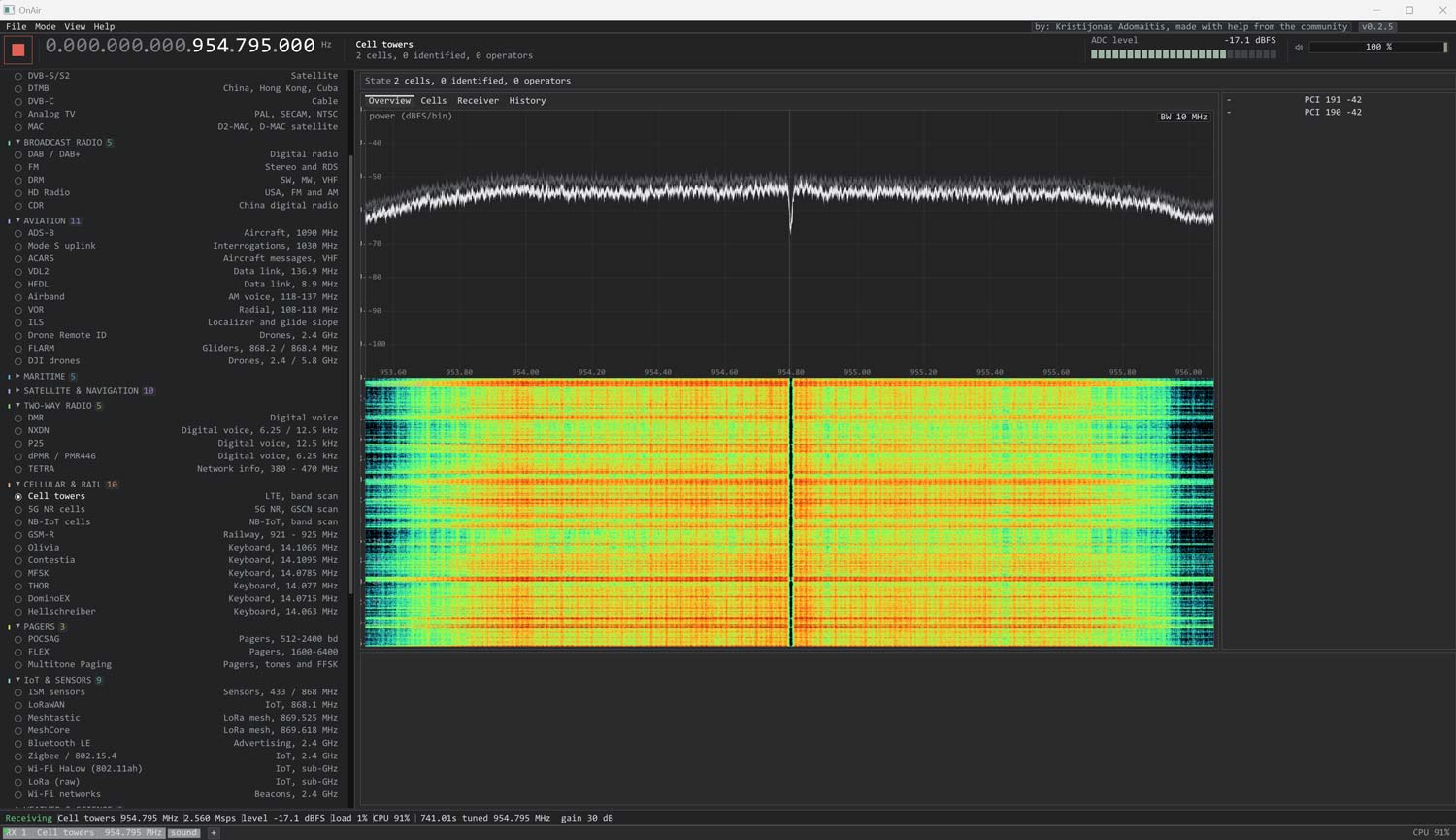
OnAir Updated to Add Almost Every Decoder Possible

AI Disclaimer: This software was coded with Claude AI.
SDR Signal Analyzer: A Windows Spectrum Analyzer for HackRF, RTL-SDR and tinySA

Thank you to RTL-SDR.COM reader Sunny for writing in and submitting a program he's found called 'SDR Signal Analyzer'. This spectrum analysis program lets you use a HackRF, RTL-SDR, or tinySA to scan the entire spectrum between 1 MHz and 6 GHz. Like other spectrum analysis software that offes wideband sweeps, it does this by rapidly returning across the live spectrum, stitching together a wideband picture of the spectrum.

The software also offers IQ demodulation of the common modulation schemes, as well as CTCSS decoding and video decoding from FPV and PAL analog video systems. 

The software is free; however, a pro version exists that supports the BladeRF, PlutoSDR, and FobosSDR, and adds markers, OBW, ACPR, calibration in dBm, a scanner mode, a table, neural network signal classification, and other features. The pricing of the Pro version is only available on request.

The program appears to be open source under LGPL-3.0; however, the website notes that you will need to contact them for the source code.

SDR-SA Screenshot
SDR-SA Screenshot

AI Disclaimer: While the authors do not disclose it, it is our opinion that this software may be coded entirely or with the help of AI.

OnAir: A Digital TV and DAB Decoder for SDRs

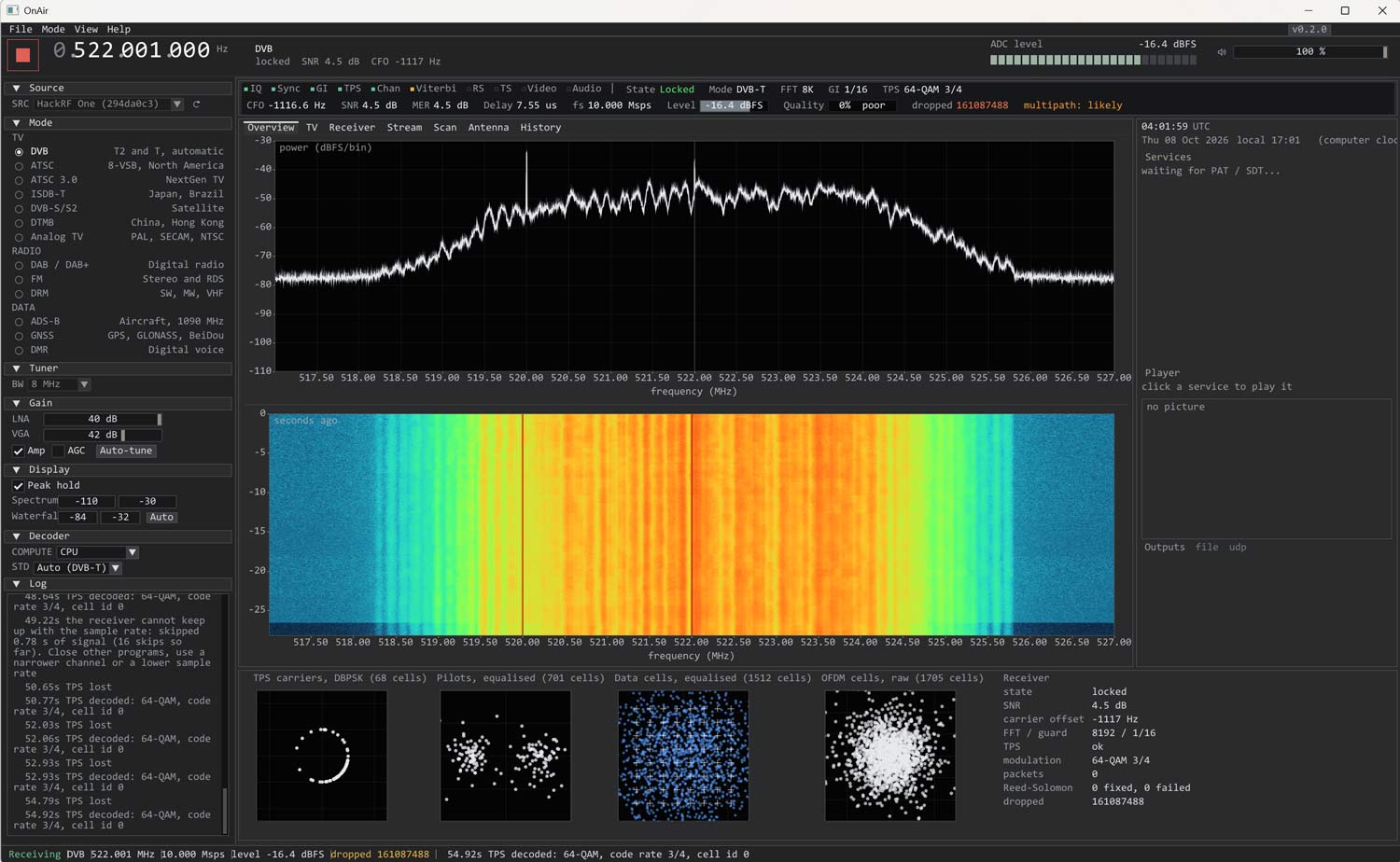
Thank you to Kristijonas for writing in and sharing with us his project, OnAir. OnAir is an easy-to-use digital TV decoder for DVB-T2, DVB-T, ATSC 1.0, ATSC 3.0, ISDB-T, and a digital audio decoder for DAB / DAB+ and FM Radio. It also supports Analog TV modes such as PAL, SECAM, and NTSC, and data modes like ADS-B, GNSS (GPS, GLONASS, BeiDou), and DMR.

It supports various wideband SDRs, including HackRF, PlutoSDR, BladeRF, LimeSDR, USRP, Airspy R2, and SDRplay. RTL-SDRs unfortunately do not have enough bandwidth to decode digital TV channels in SDR mode, but the software still supports RTL-SDRs for narrowband signals.

The software is easy to install, with an installer .exe being available for Windows, a .deb file for Debian Linux, and a .dmg file for macOS. 

OnAir Screenshot
OnAir Screenshot

AI Disclaimer: This software lists Claude as a contributor.

Automating Indoor RF Heatmapping with a PlutoSDR, Raspberry Pi 5 and LiDAR SLAM

Researchers at Tokyo City University in Japan recently showed in an academic paper how indoor mapping via LiDAR SLAM (simultaneous localization and mapping) and SDR can be combined to generate accurate indoor RF heatmaps. Mapping WiFi reception in indoor spaces can be challenging because accurate indoor localization is often lacking (GPS doesn't work), so it is usually done through manual measurements.

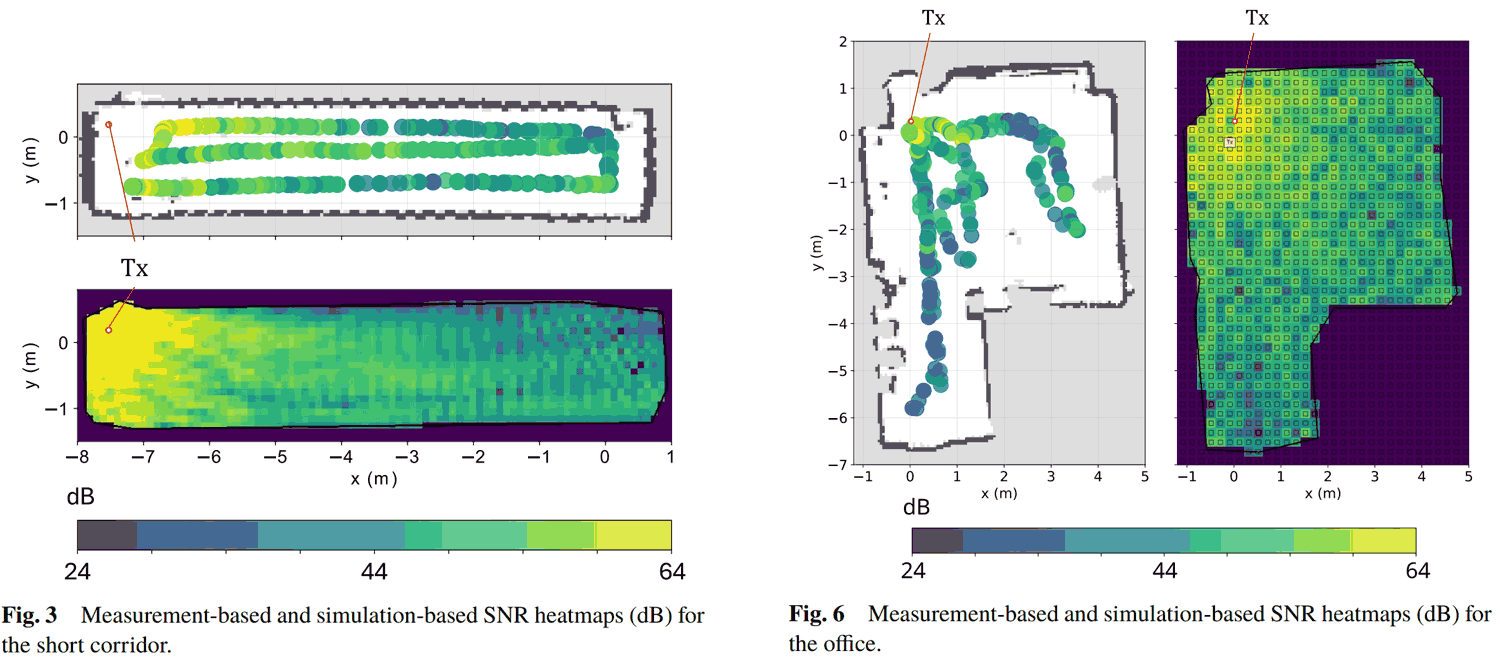
In this system, the researchers used a Raspberry Pi with a LiDAR sensor and Google Cartographer SLAM running on a connected PC to automatically locate and map out the indoor space. At the same time, a PlutoSDR measures the WiFi SNR. The result is a relative SNR WiFi heatmap.

They then derive a 3D model from the collected LiDAR SLAM data and put it into an RF ray-tracing simulation. Finally, they compared their real-world results with the ray-tracing simulation and found the results matched.

Combining LiDAR SLAM + WiFi SNR Measurements for Indoor Signal Strength Mapping

Building a Homemade Weather Radar with a HackRF or PlutoSDR and Salvaged Automatic RV Dish

After nearly being hit by a tornado that NEXRAD didn't see coming, Koakno decided to build his own DIY self-contained mobile weather radar built from a $5 salvaged RV satellite dome, a HackRF or PlutoSDR, and open-source software. 

Koakno notes that NEXRAD (the US weather radar system) data is typically 4-6 minutes old, and from a radar station that is often 100+ miles away, resulting in warnings coming in too late or not being detected at all. Only professional local mobile Doppler radar trucks have the capability of detecting local tornadoes rapidly enough to take action. Koakno set out to recreate this capability on a budget.

His antenna consists of a salvaged Winegard Carryout Anser GM-5000 automatic satellite dome built for RV motor homes. The dish carries an LNB that radiates an 850 MHz signal at 10.4 GHz, which is a perfect wavelength for weather radar. The SDR hardware can either be a HackRF or PlutoSDR. As the HackRF is only half-duplex, it uses pulsed timing, whereas the full-duplex PlutoSDR uses a continuous FMCW chirp. Open-source Python software processes the results, producing a live radar display showing color-scaled reflectivity.

Importantly, Koakno addresses the licensing concerns around this project. He notes there are clauses in the amateur radio FCC legislation that support the use of automatically controlled beacons for the observation of propagation, and experimental activities in the 3cm 10.0 - 10.5 GHz amateur radio band, but he is not an attorney, so this activity may still exist in a grey area.

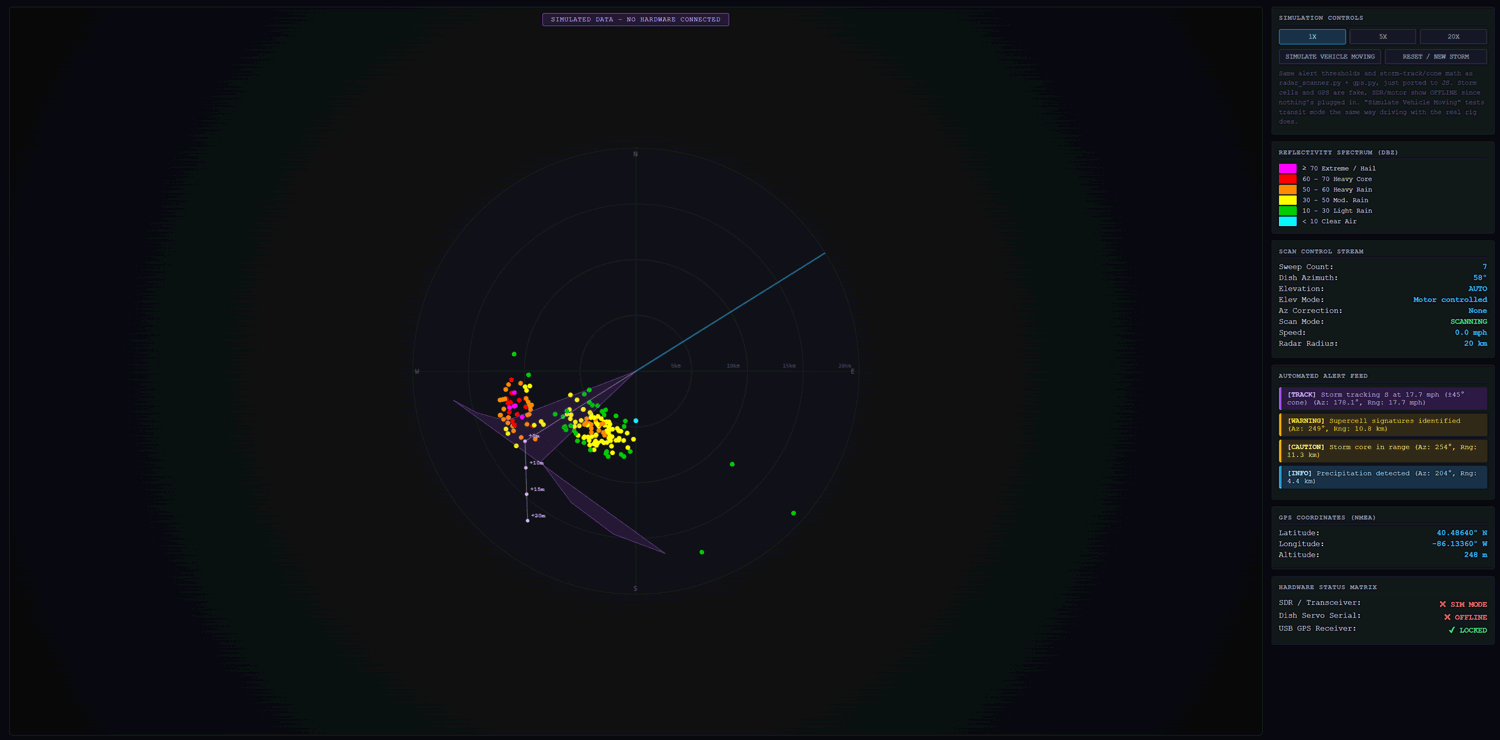
The screenshot below was generated via the simulation the software provides for testing the UI.

A Demo of the Weather Radar Display

NyxScope: A Windows Multi-Protocol SDR Decoder Program with Multiple Digital Native Decoders

WARNING: Multiple people have noted that this program is not working as expected and may be overly buggy.

Recently, we've learned about NyxScope, a multi-protocol SDR receiver program for Windows that comes with multiple native decoders built right into the software. Their own description describes this all-in-one program best:

You get spectrum and waterfall, multiple concurrent VFOs, trunked-radio following, digital voice, aviation and marine tracking, paging, ISM sensors, HD Radio, and transcription, in one binary.

NyxScope includes decoders for P25 Phase 1 and Phase 2 voice, EDACS and NXDN control channels, ADS-B, AIS, ACARS, POCSAG, FLEX, LoRa CSS PHY + LoRaWAN MAC, Morse, RDS, CTCSS/DCS, Iridium decoding (with voice), and also includes a signal classification tool, Bluetooth LE scanner, and Whisper voice-to-text transcriber. It also outsources decoding of other protocols to mature decoding software such as multimon-ng, rtl_433, dsd-neo, nrsc5, direwolf, dumpvdl2, dump978, rs41mod where required, noting that the outsourced decoders are bundled with the software, meaning no extra installation work is required.

The software supports RTL-SDR, HackRF, Airpsy, bladeRF, SDRplay, Fobos and PlutoSDR. It also supports using multiple SDRs used in parallel.

The software does not appear to be open source, but it is provided for free with a limitation of 3 concurrent VFOs and a limitation on recording, transcribing, and pager messages. A perpetual per-machine license for $89.95 can be purchased to lift these restrictions and add access to their FCC frequency lookup database.

AI-Disclaimer: While the developers have not noted any use of AI tools, we suspect that AI was used in the creation of this software.

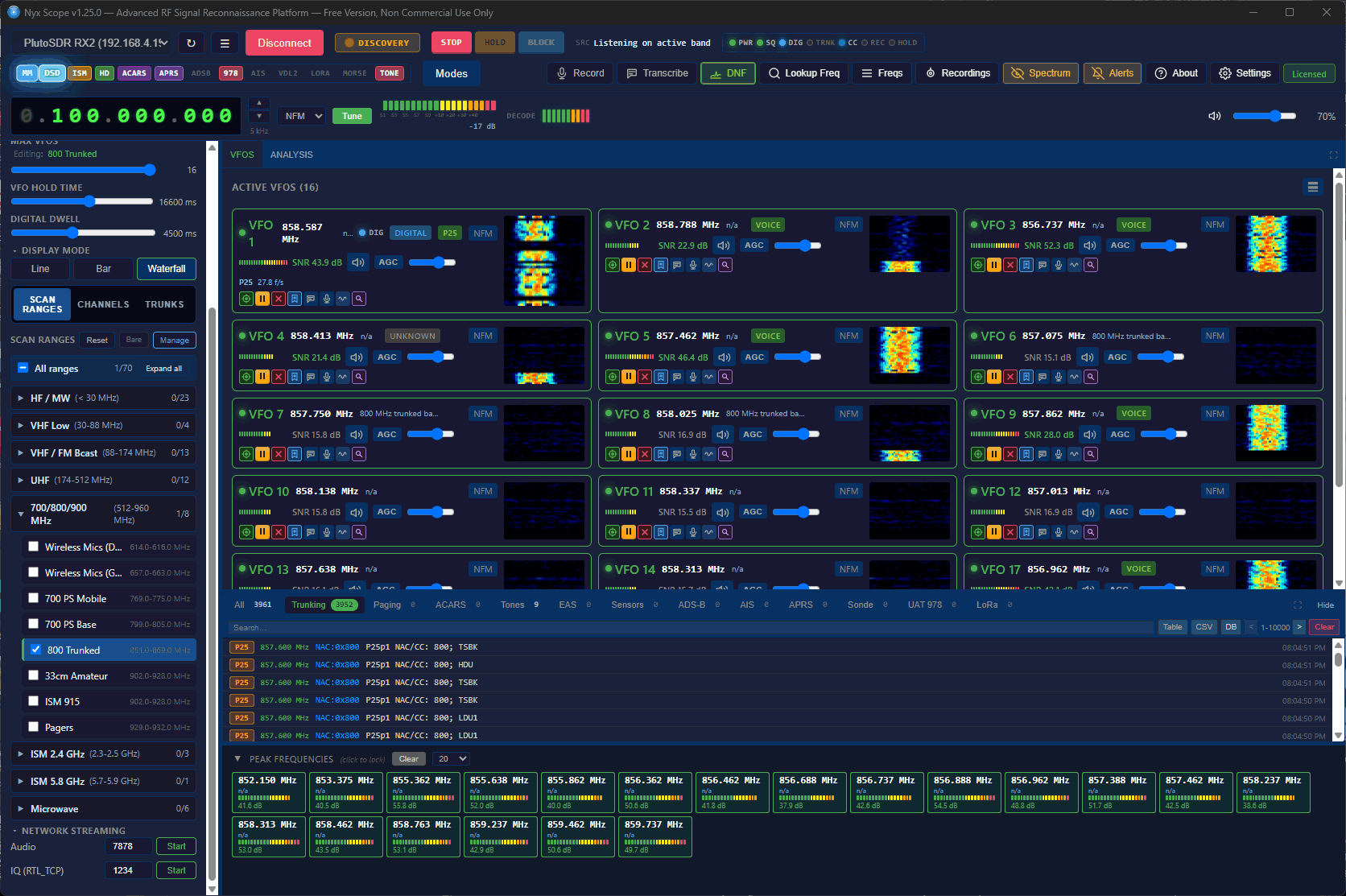
NyxScope Screenshot Scanning the 800 MHz Band

Testing a $100 “Fishball” Pluto+ PlutoSDR Clone

Over on YouTube, TheGmr140 has uploaded a video reviewing a Pluto+ clone SDR that he picked up for around US$100. He refers to it by its community nickname, the "Fishball", a name that appears to be used for Pluto+ clones sold specifically by HamGeek and OpenSourceSDR Lab, as distinct from other generic Pluto+ boards available on AliExpress.

Setup was straightforward: plug the OTG port into a PC, wait for it to appear as a USB drive, edit the config file to set the Ethernet IP address - no drivers required. Works immediately as a PlutoSDR in GNU Radio or GQRX. He's been running it at up to 13 MSPS and notes TX and RX coverage from 70 MHz to 6 GHz.

What is the "Fishball" and how does it differ? The tezuka firmware project (the main community alternative firmware) lists the Fishball as a distinct target from the generic Pluto+, identifying it as the HamGeek and OpenSourceSDR Lab boards specifically. It comes in Zynq7010 and Zynq7020 variants; the developer F5OEO notes a preference for the Fishball over the LibreSDR on build quality grounds.

Open-Source 0.1–3 GHz Network Analyzer using ADALM Pluto SDR

Thank you to RTL-SDR.COM reader MAKA for writing in and sharing his project with us, an open-source 0.1 - 3 GHz network analyzer using an ADALM PlutoSDR and a $15 RF bridge. The system allows you to measure S21 (insertion loss/gain) and S11 (return loss) with real-time visual feedback. MAKA writes:

Key features include:

  • FFT-based FIR filter for precise measurements
  • Simple S21 and S11 calibration workflows (LOAD & OPEN)
  • Real-time plots with smoothing and raw-data toggles
  • Interactive markers for easy dB/frequency annotations
  • Automatic export of calibration data to .xlsx for offline analysis
  • Fully open-source

The complete open-source code for the project is available on GitHub at  https://github.com/fromconcepttocircuit/pluto-network-analyzer

Over on his YouTube channel, MAKA has also uploaded a video demo and walkthrough.

RF Bridge Turns Your Pluto SDR into 0.1-3GHz Network Analyzer(Pt.1: S11/S21 Fund. & Filter Test)

Pluto Network Analyzer Pt. 2: S11 Calibration, Python Code & RF Bridge Performance