Tagged: speech to text

RadioTranscriber: Real-Time Public Safety Radio Transcription with Whisper AI

Over in our new forums, user Nite has shared a new open-source project that he's created called RadioTranscriber, a real-time speech-to-text tool for public safety radio feeds using OpenAI’s Whisper large-v3 model. The idea is to take live scanner audio, such as authenticated streams from Broadcastify, and continuously turn it into readable text with minimal babysitting. The project grew out of earlier experiments with Radio Transcriptor, which we posted about back in June, but quickly evolved into a more robust, long-running setup with better audio conditioning and fewer of Whisper’s common hallucinations.
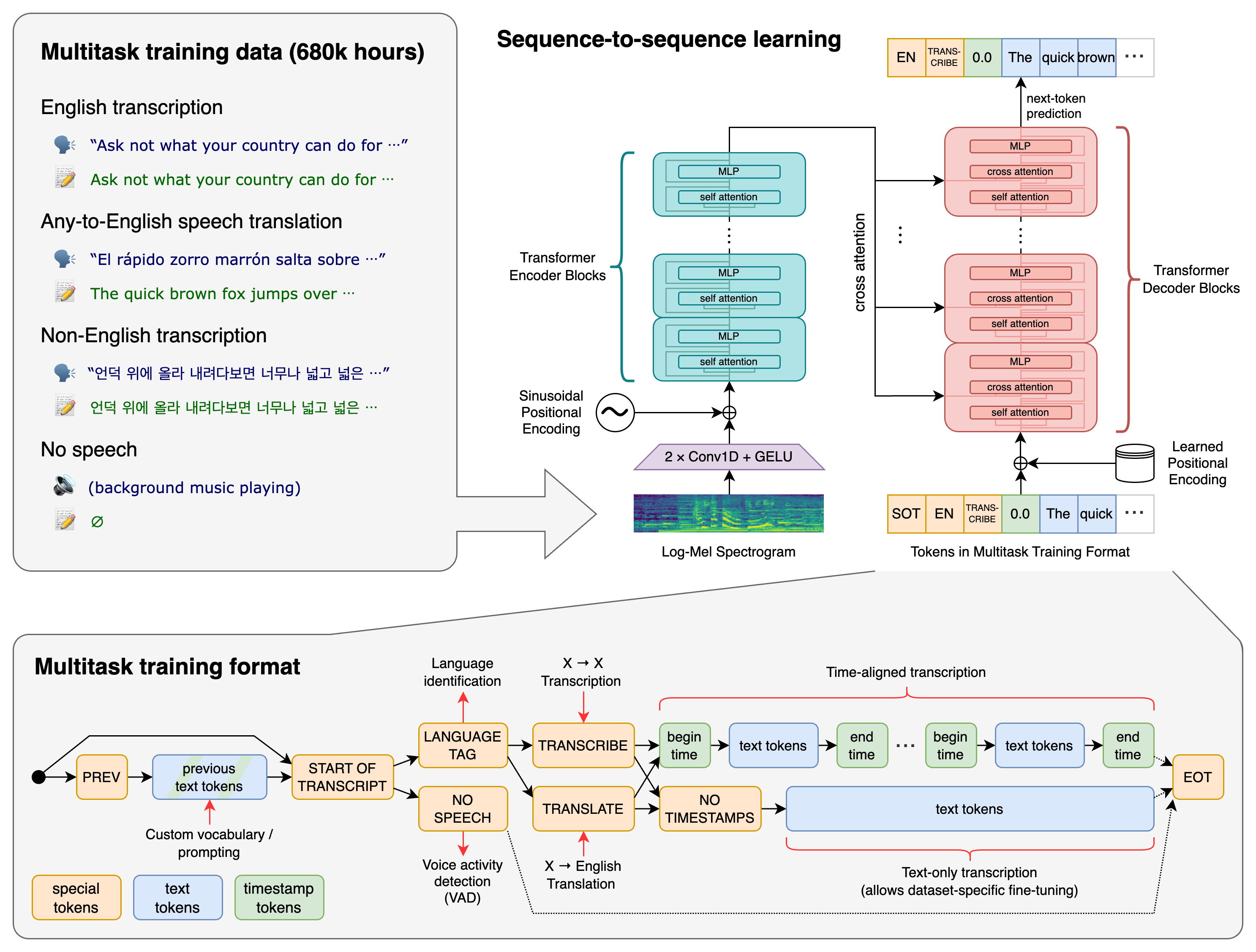
Under the hood, RadioTranscriber is a Python script that pulls in a live stream, cleans it up with filtering, normalization, and WebRTC VAD, then runs Whisper large-v3 with beam search for transcription. A set of custom “hallucination guards” strips out common junk text and replaces alert tones with simple markers, while daily log rotation and basic memory management let it run unattended for long periods, even on a modest CPU-only machine. Although it’s tuned to the author’s local dispatch style, the config and prompt are easy to adapt, and the full code is available on GitHub for anyone who wants to experiment or build on it.

How OpenAI's Whisper Works

RadioTransciptor: Real Time Radio Speech to Text Transcriptor using AI

Thank you to user theckid from our forums for submitting news about the release of his latest project called "RadioTranscriptor". RadioTranscriptor can be used for real-time speech-to-text transcription, which is especially useful when you want to log radio communications and create searchable text files. theckid writes:

I just released an open-source Python tool that does real-time radio transcription using OpenAI’s Whisper model. It uses voice activity detection to only transcribe when speech is actually happening — great for monitoring radio chatter or voice nets on HF/VHF/UHF.

It’s designed for use with SDRs (Software Defined Radios) where audio is routed into the script. It performs:

  • Live microphone or SDR audio monitoring
  • RMS-based voice activity detection (VAD)
  • Automatic transcription with Whisper
  • Timestamped logs saved per session
  • It’s perfect for:
  • Ham radio operators
  • Emergency scanners
  • Broadcast archiving
  • Signal analysis enthusiasts

The AI model used is Whisper by OpenAI. The software uses NVIDIA CUDA GPUs when available and defaults back to CPU if none are available.

RadioTranscriptor Block Diagram

Using an RTL-SDR and Speech To Text to Create Alerts on Specific Phrases

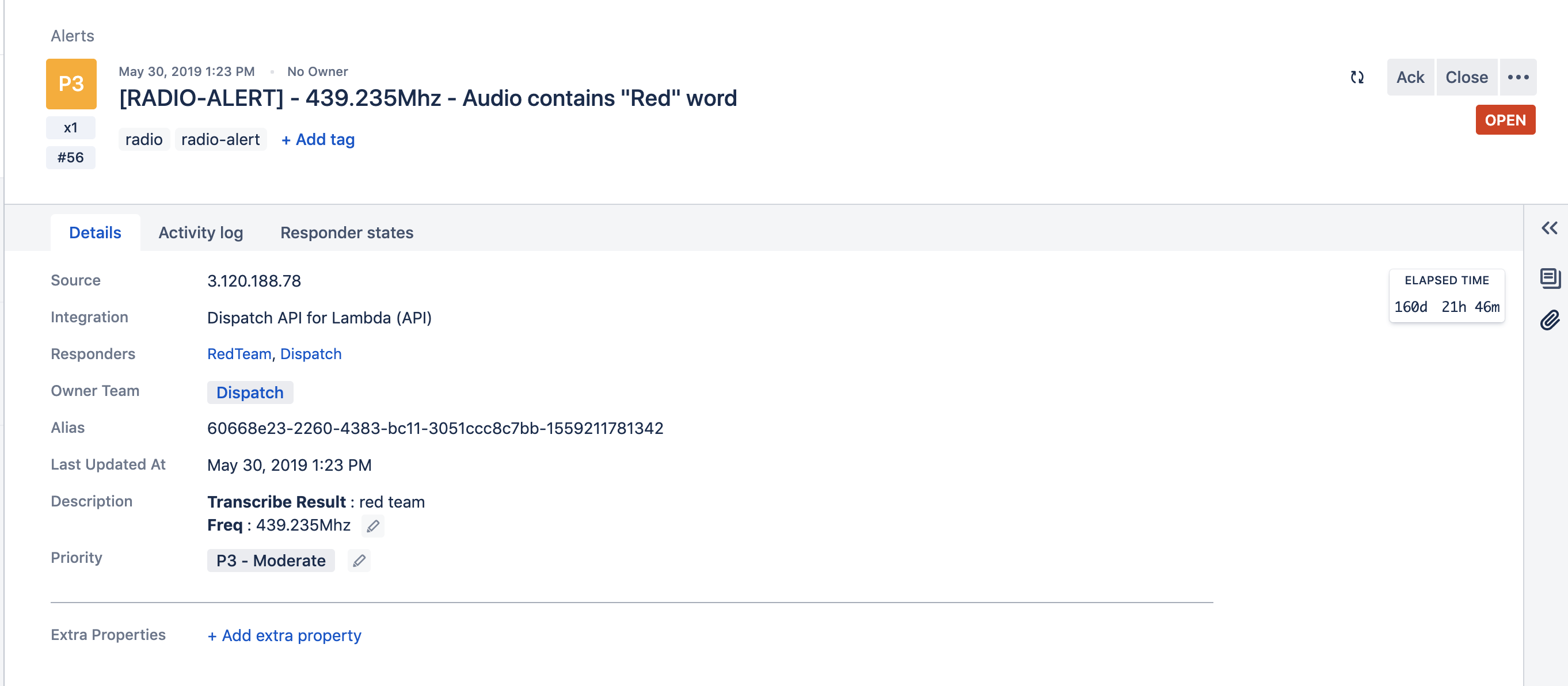
Atlassian Opsgenie Engineer Fahri Yardımcı has recently written up an interesting post that details how he's using Opsgenie and Amazon Transcribe to automatically create alerts when specific voice phrases are mentioned on a radio channel. For example, if the words "blue team" are heard on the radio, the system can automatically issue an alert with the spoken words to members of the blue team in an organization. Amazon Transcribe is a cloud based speech to text service and Opsgenie is a platform that is used for managing and delegating alerts from multiple IT or other computer systems.

The system works by using an RTL-SDR and the ham2mon software to scan, receive and record voice from multiple voice channels. Fahri notes that he modified ham2mon slightly in order to allow it to upload the .wav files to an AWS S3 server which then runs the Amazon Transcribe service to convert the voice into a text file.

To make an interesting use case, we have imagined this scenario: When we detect a phrase in predefined words, like “Help”, “Execute Order 66”, “North outpost is compromised”, “Eggs are boiled”, we want to create an alert in Opsgenie. Opsgenie can send notifications to users via various ways such as push notifications and calls.

Amazon Transcribe uses advanced machine learning methodologies, to convert an audio stream to a text. As mentioned before, ham2mon uploads to .wav files to S3 and a Lambda is triggered from S3 Events. Lambda calls Transcribe API and depending on the result, Lambda creates an Opsgenie Alert through API.

Fahri writes that his system also filters out small files that may just be noise, and files with voice less than 3 second long. He's also added a custom vocabulary to Amazon Transcribe with words commonly heard on the radio, as this improves the transcription algorithm, especially in the presence of radio noise.

The rest of the post goes into further detail about the specific cloud services used and the flow of the system.

Flow Graph of the Radio to Transcription System
An example alert from Opsgenie when the phrase "red team" was heard.