FoxSDR Adds Airports & Navaids Plugin
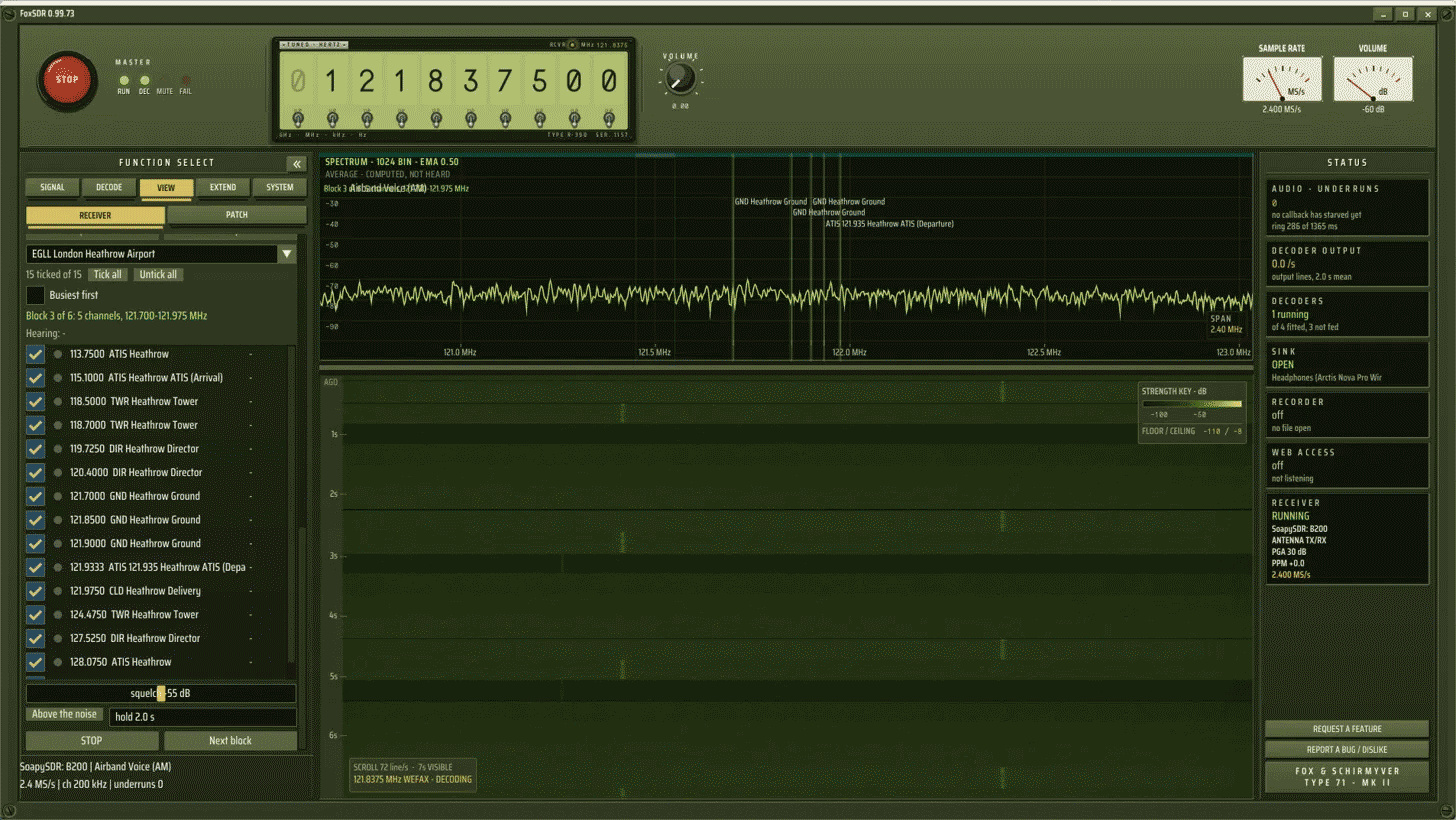
Thank you to Steven, the developer of FoxSDR, for writing in and sharing that he has added a new plugin called "Airports & Navaids", which improves the airband listening experience. Steven writes:
- Type an airport, hear its tower. Enter a code such as EGLL, KORD, LHR or ORD and press LISTEN. FoxSDR loads that airport’s tower, ground, clearance, approach and departure frequencies from a built-in table, so the lookup needs no internet connection. “Nearest airports” lists the six closest to you.
- Every channel at once. Each ticked frequency plays at the same time with its own squelch. Every channel is levelled, so a tower 5 km away and an aircraft 80 km away come out at the same loudness.
- Scans when it has to. If the airport spans more than your radio can hear in one go, FoxSDR scans between blocks and stops where the talking is.
- Your own frequencies, AM and NFM. Add channels by hand, so marine, business and public-service channels can play in the same mix at a matching level.
- Presets. Build lists by hand or import a CSV or an SDR# frequencies.xml, and export them again as CSV.
- A spectrum that shows who’s talking. Each monitored channel is shaded at its own frequency and brightens while someone is transmitting.
- Busiest first. FoxSDR records how long each frequency has been heard at your aerial, so after an evening you know which ones are worth ticking.
It’s available in FoxSDR 0.99.66 and later on Windows and Linux, under VIEW › Airband. You can download it at https://foxsdr.com.
AI Disclaimer: FoxSDR is an AI-generated vibe-coded software.