RTL-SDR SDRSharp Scanner Video Tutorial
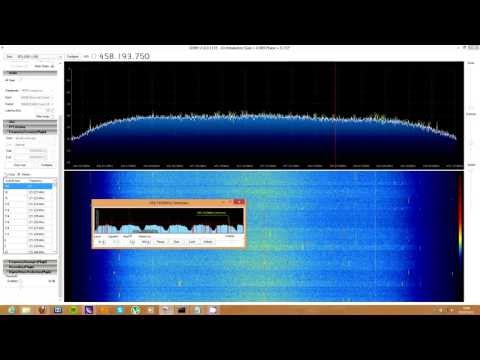
If you’ve been having trouble figuring out the use of SDRSharp plugins, YouTube user radiosification has put up a useful video tutorial showing the installation steps required to get set up with the popular SDRSharp fast scanner plugin (old link), which was also recently updated.
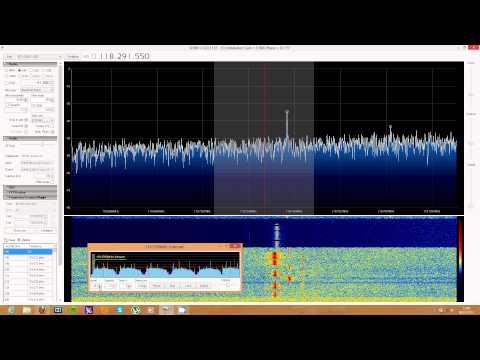
In the second video he shows the fast scanner in action on the airband.





























The video is almost 13 years old. I downloaded the plugin file (in the net_4.6 folder) and it did not work properly.
Which version of SDR# are you using? It is quite possible that you are running a newer version (e.g., 1921 or 1922). These versions are sometimes unable to work with these older plugins.
Theoretically, you could use JETBrains to decompile these DLL files into source code, modify the relevant code sections using Visual Studio, and then recompile them into a DLL—or rather, Visual Studio will automatically generate a DLL for you when running in Debug mode.
The actual code changes are minor, but the overall effort involved is significant. If you—or anyone else—would like to give it a try, I recommend checking out this forum board.
//teknokoodiradio.vuodatus.net/search/query/tags/?tag=SDRSharp
Welche SDRsharp Version verwendest du? Es ist durchaus möglich, dass du eine neue Version (zB. 1921/ 1922) verwendest. Diese Versionen können teilweise mit diesen alten Plugins nichts mehr anfangen.
Theoretisch kann man diese DLL Dateien mit JETBrains in einen Quelltext umwandeln, relevante Code Passagen per VisualStudio ändern und wieder eine DLL compilieren, bzw. Visual Studio erstellt im Debug-Modus automatisch eine DLL her.
Der Änderungen sind gering, der Aufwand schon größer. Wenn du, oder jemand anders es versuchen möchte, dem empfehle ich dieses Board.
://teknokoodiradio.vuodatus.net/search/query/tags/?tag=SDRSharp
Hier findet man ein paar Tips und Hinweise, aber weniger komplette Lösungen. Immerhin ein Ansatz. Auch diese Hinweise sind schon ein paar Jahre alt, aber behandeln genau dieses Thema.
https://teknokoodiradio.vuodatus.net/search/query/tags/?tag=SDRSharp
PS
Bei neuen SDRsharp Versionen gehört das Plugin in den Plugin Ordner, Bei alten Versionen muß ein Hinweis per Magicline in die Plugin-Liste
Gruß Micha
Hi. I from Brazil. Congratulations for this video.Thank you.
Well I’ll be the first to say, “this is a great start” to an sdr scanner. Keep up the good work.
These videos are not correct.
For proper operation of the plug should be set filter bandwidth and step size in accordance with the scanned range.