Demod Updates: Adds Support for OpenWebRX, FT8 Decoding, CarPlay and an Android Version
Back in July, we posted about Demod, an iOS and iPadOS SDR receiver app that works as a client for rtl_tcp, SpyServer, and KiwiSDR. The developer, Alphonse, recently wrote in again to share updates. Alphonse writes:
Since the launch, Demod has added:
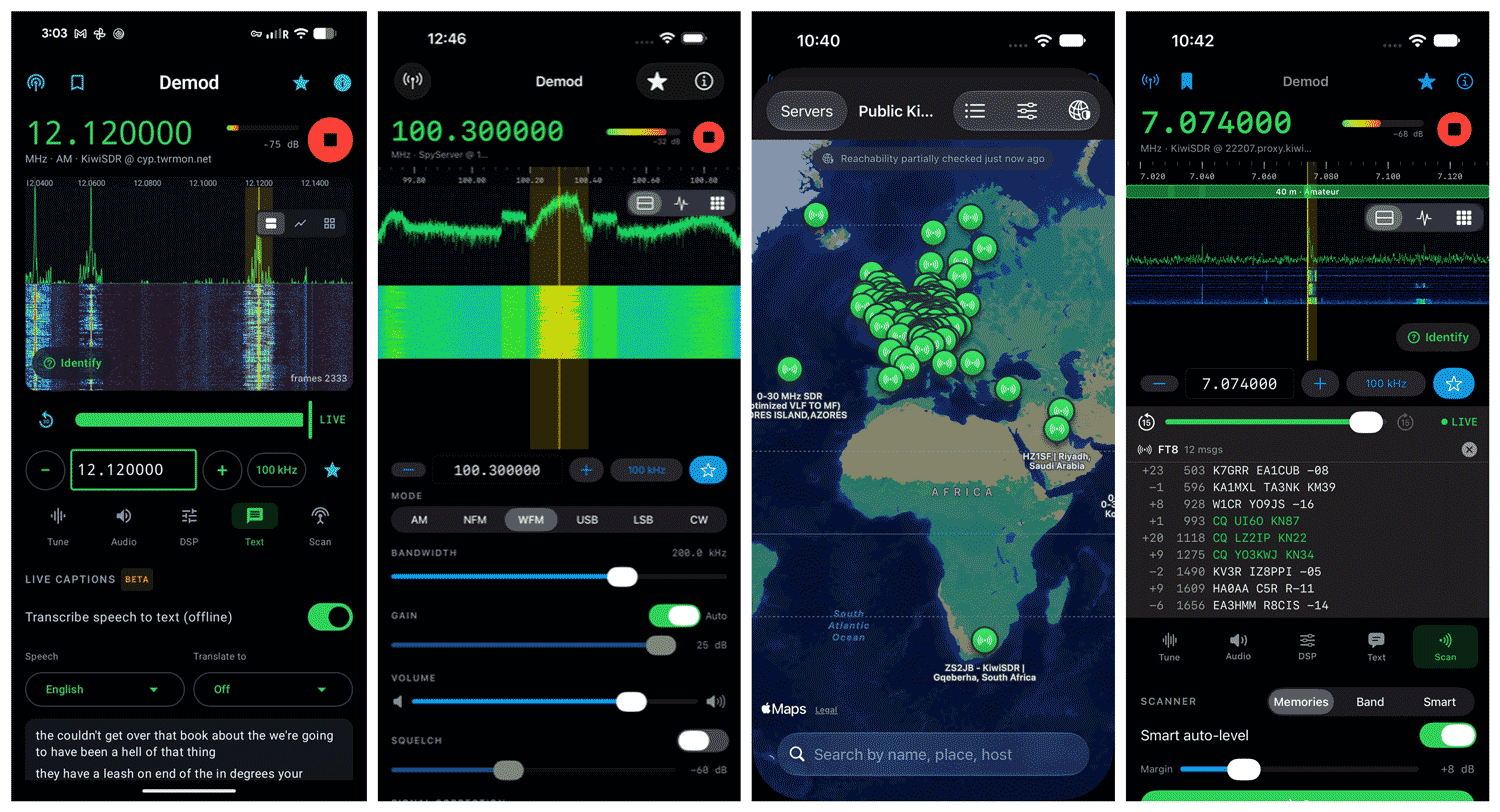
- OpenWebRX support on top of KiwiSDR, SpyServer and rtl_tcp. Public receivers are browsable on a built-in map, so it can be tried without any hardware.
- FT8, CW and RTTY decoding on the phone.
- Identify. Tap an unknown signal and it measures it, checks the shortwave broadcast schedules against the receiver's location and the time, and names the likely station and how far away it is.
- Live on-device transcription and translation of what you're listening to.
- CarPlay, and a "car radio" Seek that jumps to the next real signal for the current mode and stops there (the next AM station, SSB voice or CW signal). It also works from headphones and the steering wheel.
- A band scanner, recording and 15-second rewind of live radio, and Siri ("Tune Demod", "Ask Demod what this signal is").
- A three-pane iPad layout, a mains-hum filter, an auto-contrast waterfall and squelch that works on every source.
Android: Demod is now on Google Play, with the same receiver support and decoders. Android Auto support coming soon.
- App Store (iPhone/iPad, $9.99): https://apps.apple.com/app/
id6782193839 - Google Play ($9.99): https://play.google.com/store/
apps/details?id=com.demod.app
Alphonse has also decided to share with the community 15 free codes for each platform that let you download the app for free. These codes are first come, first served, so if a code no longer works, it will have already been claimed.
iOS (iPhone/iPad) — redeem in the App Store app: tap your profile photo → Redeem Gift Card or Code. Or tap the link directly: https://apps.apple.com/redeem?
KTKAWEXFT36F, LWPN4RNLTFMK, HMJKF39KLPN9, FM7JEHP7H7XA, 3F9PALW93KYM, MJ7TH3E9E3W9 ,P7P3NJR66XKT, K7WKYKNNRPMY, 94WLYNRLKNFR, 4XE7WAYHX4PN, 3KLPHAE9TTHX, MY64T9JWW3HA ,TXWWHNPMNYAX, LPJALTHR966K, EMRLANKKF7L6
Android — redeem in the Play Store app: profile icon → Payments & subscriptions → Redeem code. Or tap the link: https://play.google.com/
3SD4H680XKNUGNP9V6SXT8U, 68XKMWQEGUXLW2T6W41XEUR, 2N8E2KY22V9L49D92NQ86DX, VHG4UJPUJ6DGRVZGYGA331Z, 3N48JPPJ8F5RUA9S2E55C2N, 7N4BMSA3X1J893QQGC9H6ZM, VVQBLBGFBJED9GU7Y3UZQZK, NTC82UE8KT1RMSFF9GW1LVA, LBLKS33KUG3PQML1KYVK2P2, 9THCT76YXV61HAFK9ZY22J7, CMF62T6LA46V6PVCUZ4BYZG, S895G4U1E5FZ3QZA255FPU1, QQR944S4BUCA1XKCEBAJPPU, PDYWFXGWUJBV9C9UACTJ065, EXZRMG3RB3XJUEB42Z6KTZH