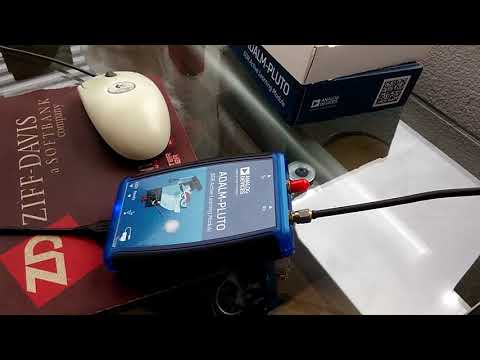
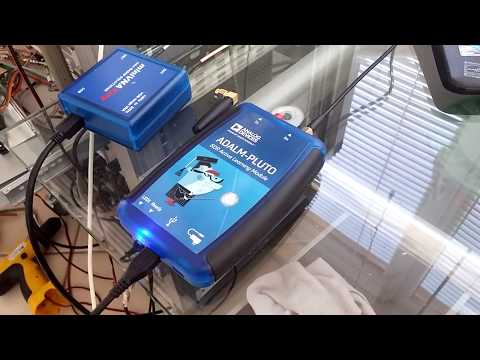
Analog Devices has recently released a new text book for free called "Software-Defined Radio for Engineers, 2018". This is an advanced university level text book that covers communication systems theory as well as software defined radio theory and practice. The book uses the PlutoSDR as reference hardware and for practical examples. The PlutoSDR is Analog Devices $150 RX/TX capable SDR that was released about a year ago.
The objective of this book is to provide a hands-on learning experience using Software Defined Radio for engineering students and industry practitioners who are interested in mastering the design, implementation, and experimentation of communication systems. This book provides a fresh perspective on understanding and creating new communication systems from scratch. Communication system engineers need to understand the impact of the hardware on the performance of the communication algorithms being used and how well the overall system operates in terms of successfully recovering the intercepted signal.
This book is written for both industry practitioners who are seeking to enhance their skill set by learning about the design and implementation of communication systems using SDR technology, as well as both undergraduate and graduate students who would like to learn about and master communication systems technology in order to become the next generation of industry practitioners and academic researchers. The book contains theoretical explanations about the various elements forming a communication system, practical hands-on examples and lessons that help synthesize these concepts, and a wealth of important facts and details to take into consideration when building a real-world communication system.
The companion site for the book which contains links to complimentary online lectures, slides, and example MATLAB code can be found at https://sdrforengineers.github.io. MATLAB is a very powerful programming language and toolset used by scientists and engineers. MATLAB is not a cheap tool, but there is a home user licence available for a more reasonable price. To do some of the exercises in the book you'll probably at least require the core MATLAB plus the Communications System Toolkit which is an extra add on.
The ADALM-Pluto (aka PlutoSDR) is a US$149 TX/RX capable SDR that we have posted about several times in the past. It has a tuning range from 70 MHz to 6000 MHz with a bandwidth of up to 56 MHz (with software hack applied). One additional useful feature on the PlutoSDR is it's built in ARM CPU, which can be used to run programs on board the SDR itself.
Over on his blog Mike has shown how he implemented simple passive radar code on the PlutoSDR's ARM processor. This means that no PC or other hardware is required to process the data, the entire script can be run via a SSH connection to the PlutoSDR. Mike doesn't seem to have shared his script anywhere, but one of his previous posts explains the process. The script creates the video in real time on board the PlutoSDR's ARM CPU, which is then streamed via ffplay to a PC with a screen. On his second post Mike shows some extra videos of passive radar working with FM Broadcast and DVB-T signals.
Passive radar is a radio technique allows you to detect and track RF reflective objects such as aircraft using strong signals from already existing transmission towers, such as broadcast FM or DVB-T signals.
Over on YouTube Christopher Bridges has uploaded a video showing him using a PlutoSDR and a GNU Radio program to transmit a DVB-S signal, which is then received with an RTL-SDR. DVB-S is a digital video broadcasting standard designed for satellite transmissions and digital amateur television video (DATV) also uses DVB-S in the 1.2 GHz amateur band. In this example the PlutoSDR transmits at 1.28 GHz.
Chris uses the rtl_sdr command line software to receive the raw IQ data at 1 MSPS, and then uses the leandvb software to decode the raw IQ file directly into a video file.
If you’re interested in TXing DVB-S/DATV but don’t have a transmit capable SDR, then we note that even a Raspberry Pi just by itself can be used to transmit it with rpidatv.
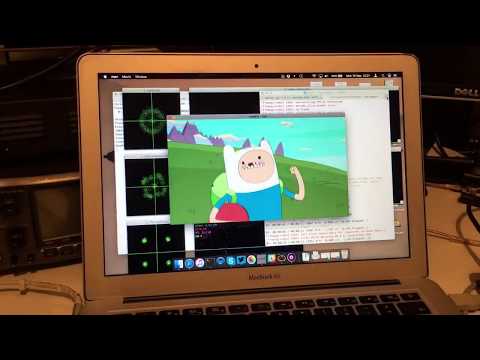
Linux gnuradio QPSK DVBS PlutoSDR + rtl MacBook leansdr
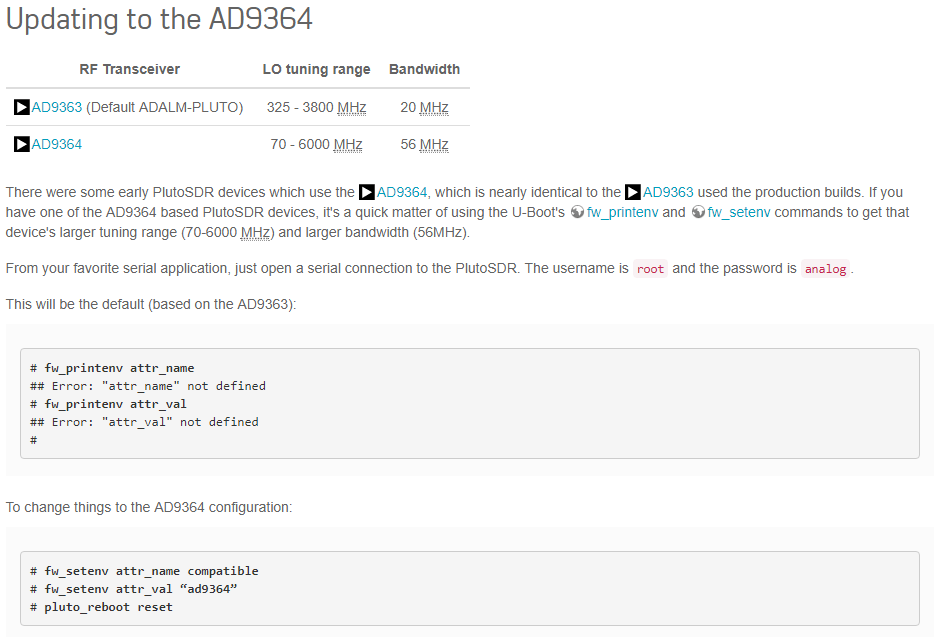
This guide is intended to get you set up with your PlutoSDR quickly and easily on either Linux or Windows. We also show how to apply a simple software 'hack' to your PlutoSDR to extend its frequency range to about 70 MHz to 6000 MHz and bandwidth to 56 MHz.
Applying the Frequency + Bandwidth Expansion Hack
Note that the Windows SDR# plugin requires this hack to be performed first, which is why we put this hack at the top. This hack tricks the PlutoSDR firmware into thinking is has the AD9364 chip. As the AD9363 and AD9364 chips are very similar this works. Note that you do this at your own risk, but we feel that the risk is very low.
This tutorial is for Windows and PuTTY, but could be applied to any OS and terminal software
If you don't have it already, download the terminal emulator software PuTTY from putty.org.
Plug in your PlutoSDR on the USB port.
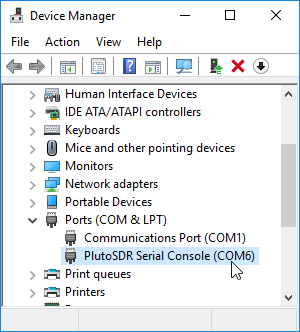
Open Windows Device Manager, and expand the Ports (COM & LPT) entry. Take a note of what COM port the PlutoSDR Serial Console is using. In the screenshot ours is using COM6. Close device manager after.
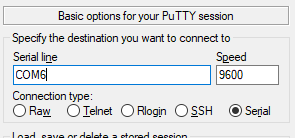
Open PuTTY and select the 'serial' button.
Under 'Serial line' type in the COM port the PlutoSDR is using. In our case we type COM6.
Press Open and you should be greeted with a login screen.
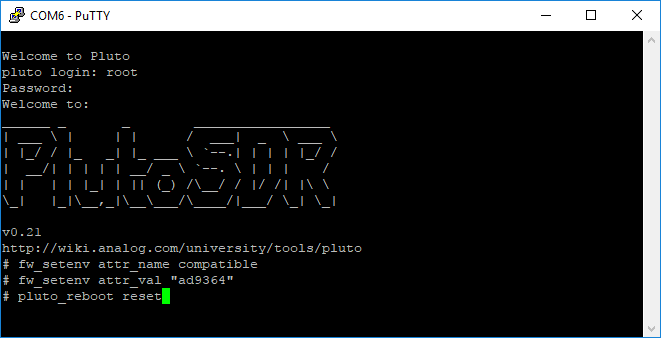
Login with the credentials username: root, password: analog.
Now follow the instructions in the following screenshot image, typing in the three commands as they appear.
An example of the commands being entered in PuTTY
After doing a reset your PlutoSDR should now be upgraded to the full frequency range and bandwidth.
Windows PlutoSDR SDR# Setup
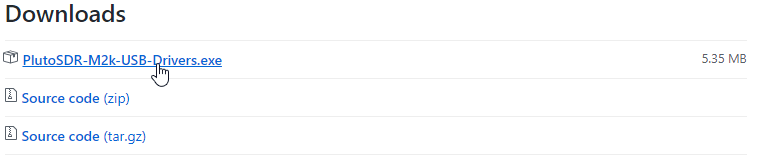
Download the Windows Drivers from here. Choose the latest version of the PlutoSDR-M2k-USB-Drivers.exe download.
Run the installer and complete the installation by clicking through the prompts.
Plug in your PlutoSDR. Windows should automatically recognize the PlutoSDR and a folder containing the PlutoSDR config file may pop up. PlutoSDR creates a USB disk drive, USB network connection and a USB serial port. You can confirm in Windows Device Manager if these interfaces have been added.
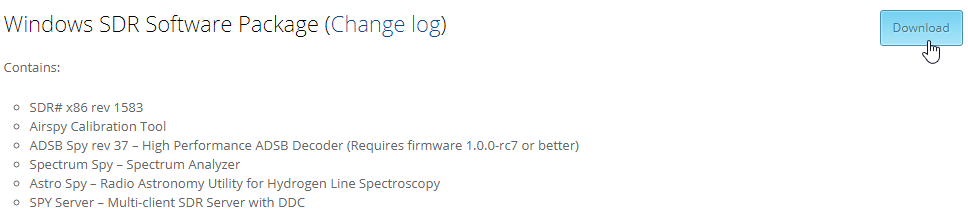
Download and extract SDR# into a folder of your choice from airspy.com/download. Make sure that you download the x86 version, do NOT download the x64 version.
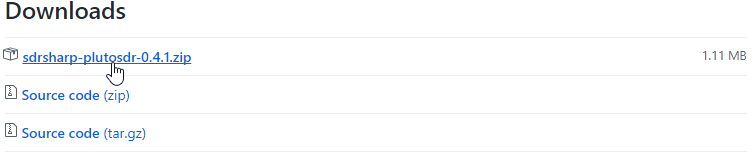
Grab the current release of the SDR# PlutoSDR plugin from here. Download the sdrsharp-plutosdr-x.x.x.zip file.
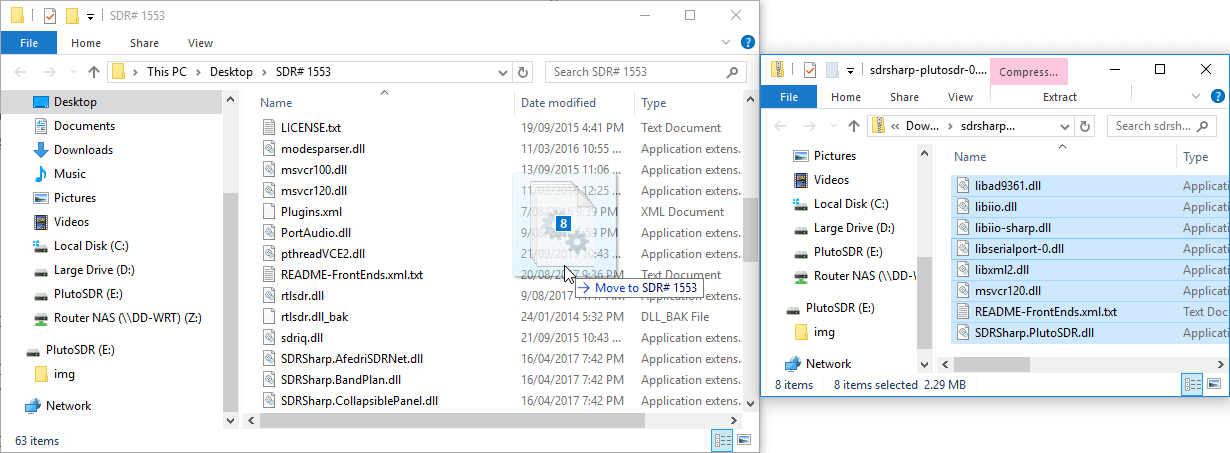
Extract the contents of the PlutoSDR SDR# plugin zip file into your SDR# folder.
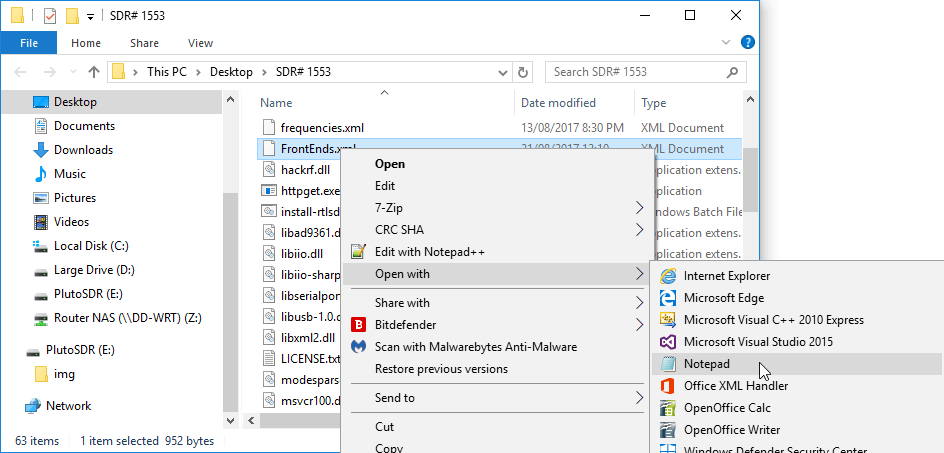
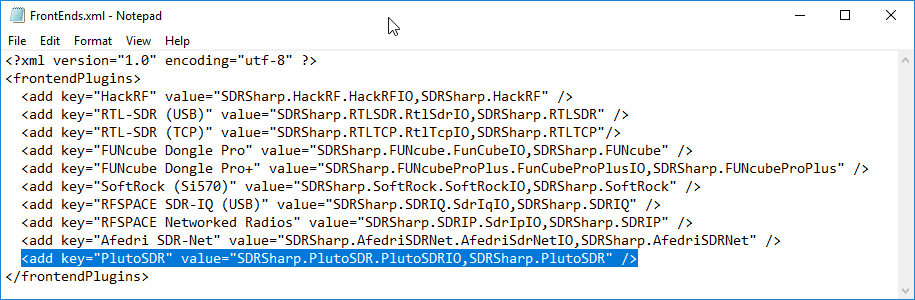
In the SDR# folder find the "FrontEnds.xml" file. Right click it and go to "Open With" open it with Notepad, or any other text editor of your choosing.
Before the </frontendPlugins> closing tag, add the PlutoSDR key below, and then save and close Notepad. NOTE: If you are copy and pasting, please double check that your browser is not converting the double quotes (") into backquotes.
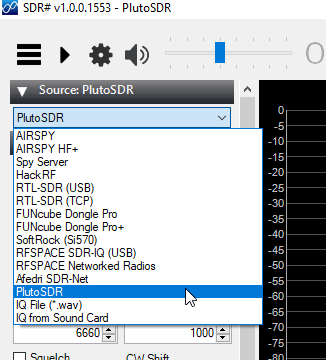
Open SDR# and under the Source pull down box choose PlutoSDR.
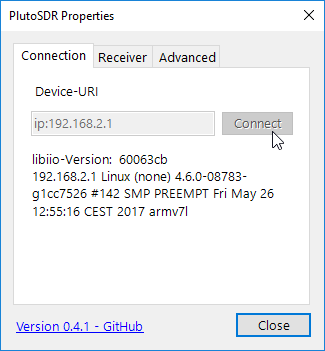
Open the properties box by clicking on the cog icon which is next to the play button. In the default Connection tab ensure the Device-URI is "ip:192.168.2.1", and then click on "Connect".
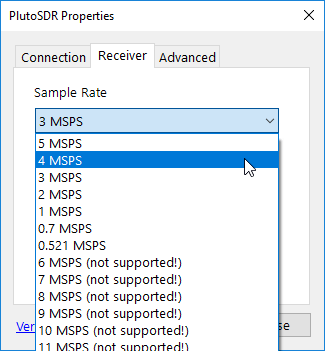
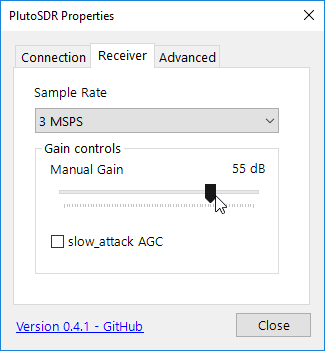
Still in the properties box go to the "Receiver tab". Choose a sample rate up to or below 4 MSPS. Higher sample rates can be selected if desired, but note that you will have dropped samples (e.g. choppy audio). This is a hardware limitation of the PlutoSDR. (Note that there currently seems to be a bug where if you mouse over the FFT or waterfall parts of SDR# then the PlutoSDR config box will be sent to the background. Move the config box to the very left to avoid this. If it disappears just click the cog icon to get it back. If you can't move it because you've moved it too far to the right, minimize SDR# and frag it back to the left.)
Press close the configuration box, and then press the Play button in SDR#. The PlutoSDR should now be running.
Open the configuration box again to adjust the gain.
Over on his YouTube channel Tysonpower (aka Manuel) has uploaded a video showing how he was able to use his PlutoSDR to perform some simple replay attacks that open his garage and car doors. To do this he records the signal from the wireless keyfobs with the PlutoSDR, and then uses a GNU Radio program to replay that signal again at a later time. From the tests he concludes that the PlutoSDR can be a great cheaper alternative to a HackRF, with the PlutoSDR coming in at $100 vs $300 for the HackRF.
To get around the rolling code security on his car he records the keyfob with the PlutoSDR while it’s out of the wireless range of his car, so that the rolling code will not be invalidated. Then later closer to the car the PlutoSDR is used to replay the car keyfob signal which opens the door.
Note that Tysonpower’s video is narrated in German, but English subtitles are available through the YouTube interface.
[EN subs] Hacken eines Autos und Garagentors - AdalmPluto Replay Attacke
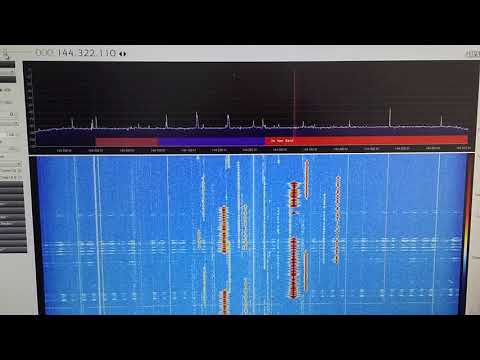
Over on his YouTube channel Adam 9A4QV has been testing his ADALM-PLUTO SDR in the 2M ham band at around 144 MHz. In one of his videos he shows a 2-tone test. A 2-tone test is used to determine how well an SDR can handle two strong narrowband signals at once, without causing intermodulation and imaging problems. The two tones in his video occur with real world signals on the 2M band when two amateur radio operators are transmitting strong signals at the same time.
The video shows that the Pluto SDR has some intermodulation problems occurring when the two strong signals transmit at once. No problems are noticed when only one signal transmits.
Problems like this with the PlutoSDR may be expected as it was never designed to be a high performance receiver, but rather a tool for learning and experimentation. But it is still possible to use it as a more general purpose receiver if you are aware of the limitations.
Over on YouTube user Tysonpower has uploaded a video showing how he was (almost) able to receive the HRPT signal from NOAA18 with an ADALM-PLUTO, LNA4ALL and a WiFi grid antenna.
Most readers will be familiar with the low resolution 137 MHz APT weather satellite images transmitted by the NOAA weather satellites. But NOAA 15, 18, 19 and well as Metop-A and Feng Yun satellites also transmit an HRPT (High Resolution Picture Transmission) signal up in the 1.7 GHz region. These HRPT images are much nicer to look at with a high 1.1 km resolution. If you follow @usa_satcom on Twitter you can see some HRPT images that he uploads every now and then.
However HRPT is quite difficult to receive and decode because the bandwidth is about 3 MHz so something with more bandwidth than an RTL-SDR is required. The signal also needs a ~1 meter or larger dish antenna as it is very weak, and you also need a motorized pointing system to track the satellite with the dish as it passes over.
Despite the difficulty in his video Tysonpower showed that he was able to at least receive a weak signal using a non-optimal 2.4 GHz WiFi grid dish antenna, LNA4ALL and his ADALM-PLUTO. The signal is far too weak to actually decode, but it’s still pretty surprising to receive it at all. In the future Tysonpower hopes to be able to improve his system and actually get some image decodes going. Note that the video is in German, but there are English subtitles available.
[EN subs] Empfang von HRPT mit dem ADALM-PLUTO SDR - NOAA18
Over on YouTube Adam 9A4QV has uploaded two videos that show his tests with the ADALM-PLUTO SDR on the L-band and up at 6 GHz. In his first video the L-band test shows that the receiver is quite sensitive in this region, managing to receive L-band satellites without any LNA. Although he also tests reception with an LNA4ALL in the receive chain, and this still does improve reception even more.
In the second video Adam confirms that reception is available up to 6 GHz using a PlutoSDR with frequency extension hack enabled.


![[EN subs] Hacken eines Autos und Garagentors - AdalmPluto Replay Attacke](https://www.rtl-sdr.com/wp-content/plugins/wp-youtube-lyte/lyteCache.php?origThumbUrl=https%3A%2F%2Fi.ytimg.com%2Fvi%2FgLbwd8otX3A%2F0.jpg)
![[EN subs] Empfang von HRPT mit dem ADALM-PLUTO SDR - NOAA18](https://www.rtl-sdr.com/wp-content/plugins/wp-youtube-lyte/lyteCache.php?origThumbUrl=https%3A%2F%2Fi.ytimg.com%2Fvi%2FrMhMhz0pwD8%2F0.jpg)