Tagged: spectrum analysis

AEDA: Crowd Sourced RTL-SDR Spectrum Analysis and TDoA Direction Finding Platform

Recentlywe've seen posts on X about a new service called "AEDA" (Advanced Electromagnetic Detection Application). This crowd-sourced web service utilizes RTL-SDR dongles as the RF reception hardware. The software can use multiple RTL-SDRs distributed around a city area for spectrum analysis and TDoA (Time Difference of Arrival) radio direction finding.

The service uses RTL-SDR dongles connected to Raspberry Pis as RF monitoring hardware. In the web UI, a user can initiate a spectrum scan using any of the distributed RTL-SDR nodes available to them. It can also automatically detect popular modulation types such as WBFM, NBFM, DMR, and P25.

A user can also initiate a TDoA scan to localize the source of a particular signal. This requires at least three RTL-SDR nodes to be distributed with good geometry around the signal source. The service synchronizes time via external wideband noise-like signals such as TV signals, cell towers, and DAB, so one of these signals must be available to be received by all RTL-SDRs used in the TDoA calculation.

For now, the service and features appear to be free. However, it looks like they will monetize the platform in the future by renting the crowdsourced RTL-SDR nodes to companies and persons that need to do band studies, radiolocation, and interference detection. They also hope to pay node owners for any time the nodes are rented.

More information about the AEDA service is available on their documentation page.

AEDA Scan with Modulation Detection
AEDA TDoA Hyberbolas from Three Distributed RTL-SDRs

DragonOS: Automated Spectrum Analysis with SDR4Space.lite

Over on YouTube Aaron has uploaded a video showing how he is using the SDR4Space.lite package in DragonOS to do some interesting experiments with automated spectrum analysis using a PlutoSDR or RTL-SDR. As a reminder, Aaron is responsible for DragonOS which is a Linux OS with many SDR software programs preinstalled (including SDR4Space.lite).

This video shows how to use the RTLSDR/PlutoSDR with some of the prebuilt SDR4space.lite javascript examples preinstalled in DragonOS Focal.

I start out showing the new IQ recording script w/both the RTLSDR or the PlutoSDR. After a recording is triggered, the saved file can be looked at with inspectrum, SigDigger, etc. The javascript itself can be modified to produce desired results, but by default it's setup to record POCSAG.

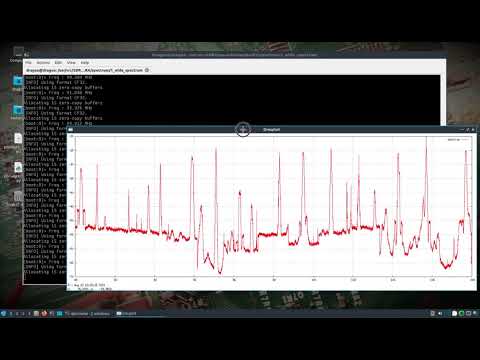
The second half of the video shows how to use the wide spectrum analysis javascript to look at 88-108Mhz. The script produces a graphical representation of the RF spectrum along with a spreadsheet containing the corresponding RF information.

Any of these scripts can be modified, new ones can be built, and cron jobs or other scripts could call upon them as needed. I hope to do more videos once I figure out how to take the data and put it into some sort of database.

DragonOS Focal Automate Spectrum Analysis + IQ recording w/ SDR4space.lite (RTLSDR, PlutoSDR) part 1