Mykola: A New Fast Multichannel Scanner Application for RTL-SDR, Airspy and HackRF
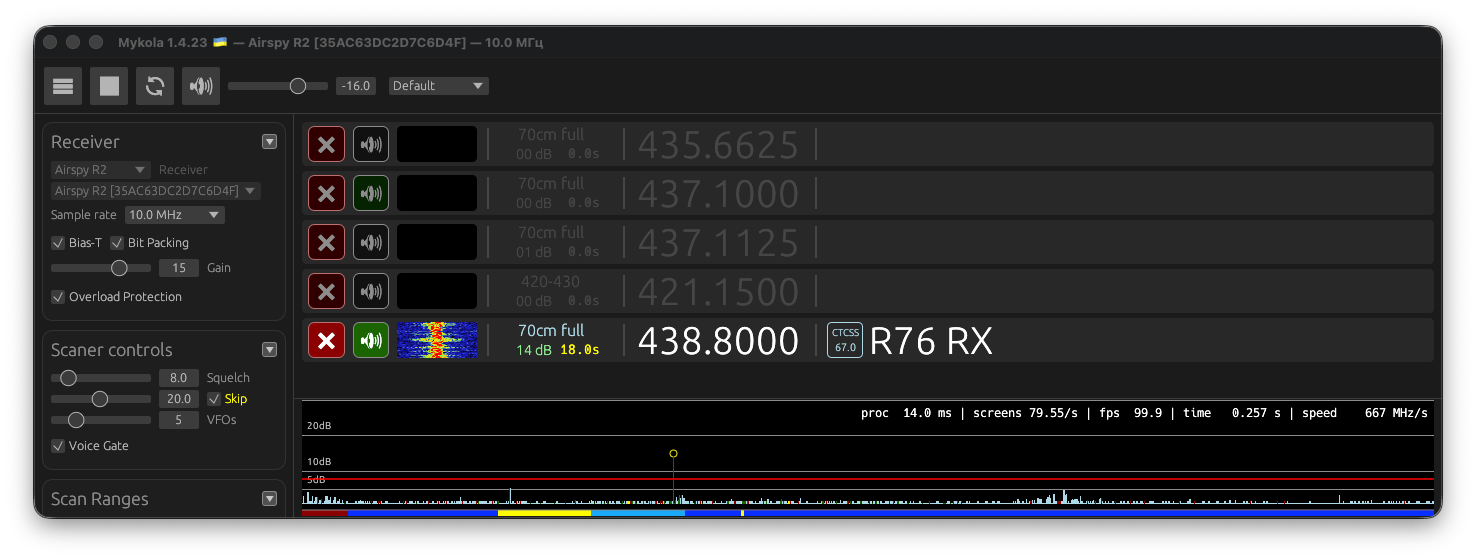
A new multichannel SDR scanner application called 'Mykola' has recently been released by a Ukrainian programmer with the same name as the application. A scanner application allows users to scan a much wider bandwidth than the SDR's instantaneous bandwidth, while automatically searching for active signals.
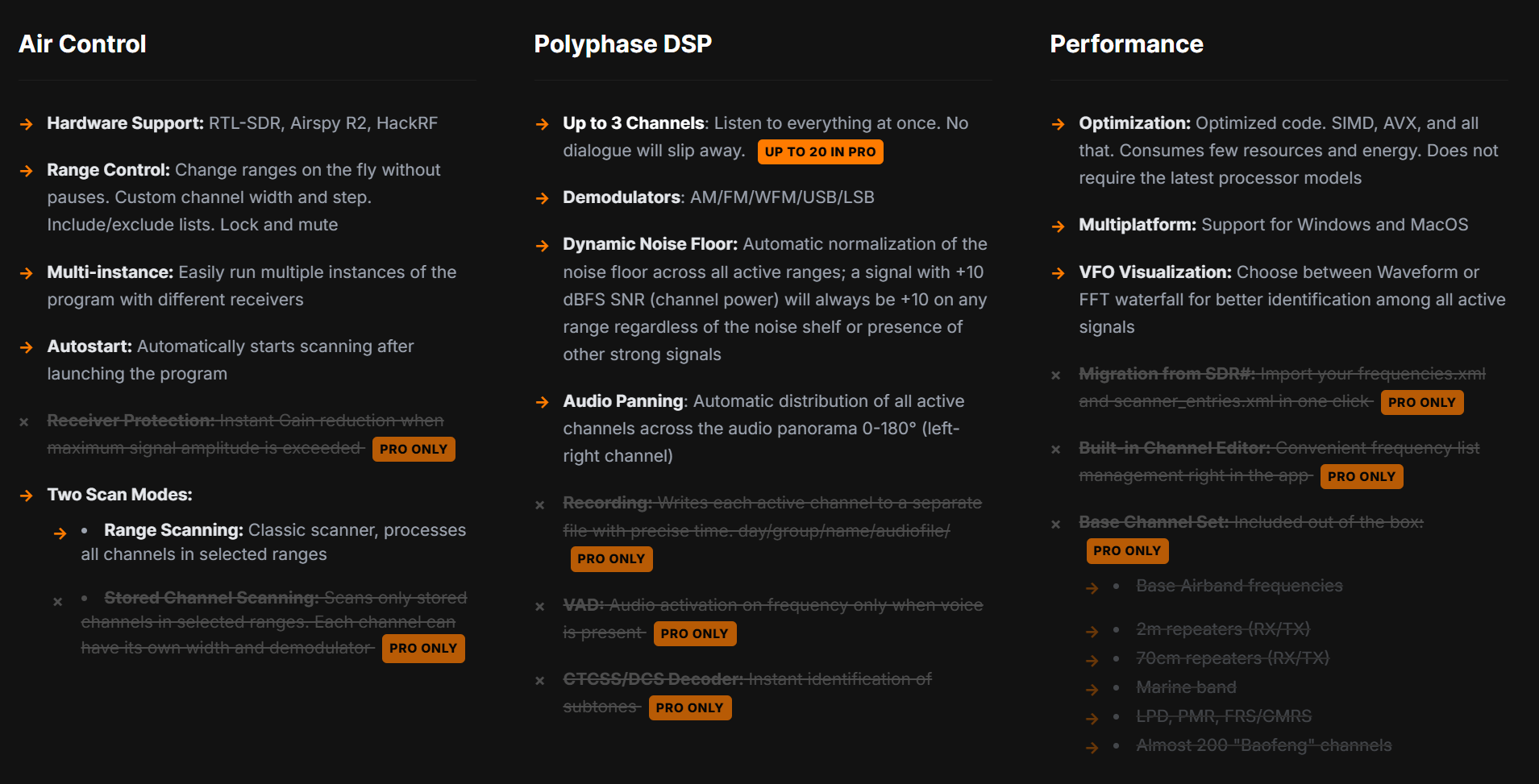
Mykola advertises extreme scanning speed abilities, adaptive noise floor, and simultaneous demodulation of 3 channels (20 in the paid pro version). It currently supports RTL-SDR, Airspy R2, and HackRF SDR devices. Some of the other features include automatic normalization of the noise floor, audio panning, and support for Windows and macOS.
The application is free, but a pro version will be available in the future, which enables additional features such as stored channel scanning, recording, voice activation, CTCSS/DCS decoder, SDR migration, channel editor, and a base channel set. The pro version is not yet available, and pricing has not been announced.






























no problems my end ! great piece of software.
In addition to the comment below, I downloaded it originally on Friday, 1/30 and it was an amazing scanner app. Used it all weekend with no issues with an Airspy Mini. Then today, it began to act strange and eventually would not even load. That’s when I decided to delete, fresh download, and try again. That’s when Defender tagged the .exe file as infected with a Trojan.
Same here, worked great for a month then downloaded a trojan on startup. Tagged by Windows Security as “Severe” risk.
I began having trouble with it today. I deleted the directory and did a fresh download. Windows Defender tagged the .exe file as infected with a Trojan and has removed it. Continue at your own risk
This is not a “fast” scanner, it is extremely fast!
Running it on Mil Air is an amazing experience. It finds signals almost instantly.
With my Airspy mini I see speeds of 270MHz/sec, and it is not exaggerating.
Looking forward to the pro version!
Right now the free version is pointless – unless I’m missing something major. It doesn’t store any frequencies. Once the timer runs out they’re gone…
It needs to log the frequencies it receives.
An installation guide would be very helpful for someone new to RTL SDR. Thanks so much
can I use it over tcp/udp (to feed DSD etc)
Does not support Win7
It’s brilliant when it’s working, but it seems to be a bit touchy about its configuration. I tried resizing the window while it was running and it started jumping around as if it was trying to resist being resized, then eventually it ended up with the top border missing so I had to use Task Manager to close it. Unfortunately it had memorized the new window size, so I deleted the folder and extracted a new copy. This time it let me resize the window, but I noticed that it wasn’t receiving anything. I shut it down and restarted and this time it wouldn’t even detect my Airspy. Neither would anything else in the system. I had to physically unplug it to reset it, rebooting Windows didn’t do it.
It’s been running fine ever since, including letting me resize the window, so I have no idea why it was acting so badly on the first run. But I wanted to say something about it in case someone else has the same issue.
How can I set the language to english?
Dropdown menu at the very bottom of the configuration panel (you’ll have to scroll down to it at the default window size.)
Elite