Category: Broadcast Radio

Using an RTL-SDR and Broadcast FM Radio RDS Signals to improve WiFi Networking

The performance of WiFi networks can depend heavily on how crowded the WiFi channels are in your area. For example when your neighbours start streaming a movie over their own separate WiFi network, it can cause your own WiFi connection to slow down. This happens because generally separate WiFi networks do not collaborate with one another, and when two packets are sent on the same channel at the same time, they collide causing no packets to get through.

There are several methods that attempt to stop collisions, but none are very efficient because WiFi nodes are not synchronized to one another. If each WiFi node could be synchronized to a common reference time, then avoiding collisions is made easier.

Marcel Flores, Uri Klarman, and Aleksandar Kuzmanovic from Northwestern University have been working on this idea and have come up with a system they have termed Wi-FM which is based on FM RDS signals. Many FM radio stations transmit a digital Radio Data System (RDS) subcarrier on their broadcast frequency. This RDS signal is often used to simply display information on the radio such as the station name and current song playing.

Since each nearby WiFi node should be able to receive the same RDS signal at the exact same time, it can be used as a common synchronization signal. Then once synchronized each WiFi node can listen to the other nodes and work out what their transmit scheduling is like and then optimize their own transmit schedule.

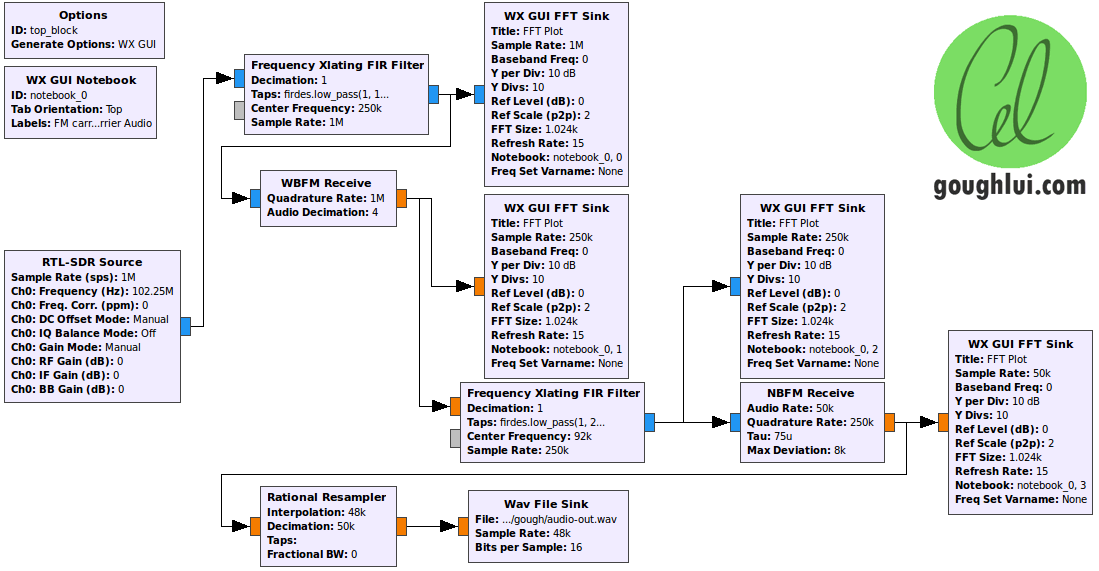
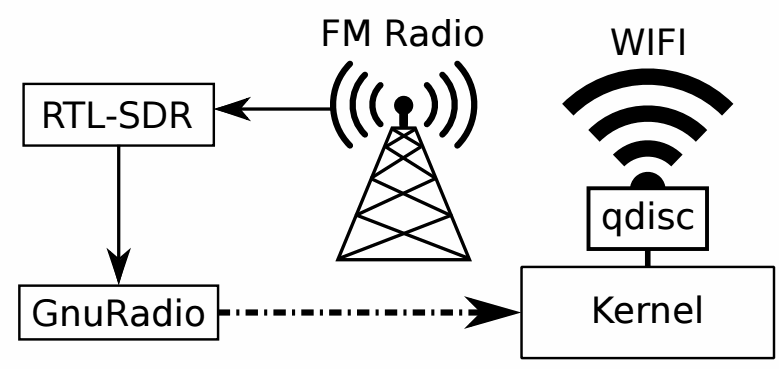
In their prototyping they used an RTL-SDR dongle connected to a PC running GNU Radio. The GNU Radio program decodes the RDS signal and the resulting information is sent to the Linux kernel which handles the WiFi transmit schedule processing.

This story was also covered on Hackaday.

WiFM radio processing path.

Watching ATSC TV with an SDRplay SDR and GNU Radio

ATSC is the digital HD TV standard used within the United States and Canada. It is 6 MHz wide so the RTL-SDR with its maximum bandwidth of about 2.8 MHz cannot decode this signal. However, higher end SDR’s such as the SDRplay, Airspy and HackRF have larger bandwidths that can easy cover 6 MHz.

One SDRplay owner was able to figure out a way to decode ATSC by using a decoder written in GNU Radio. With the process the author used we note that other wide band SDR’s such as the Airspy and HackRF should also be capable of achieving the same results.

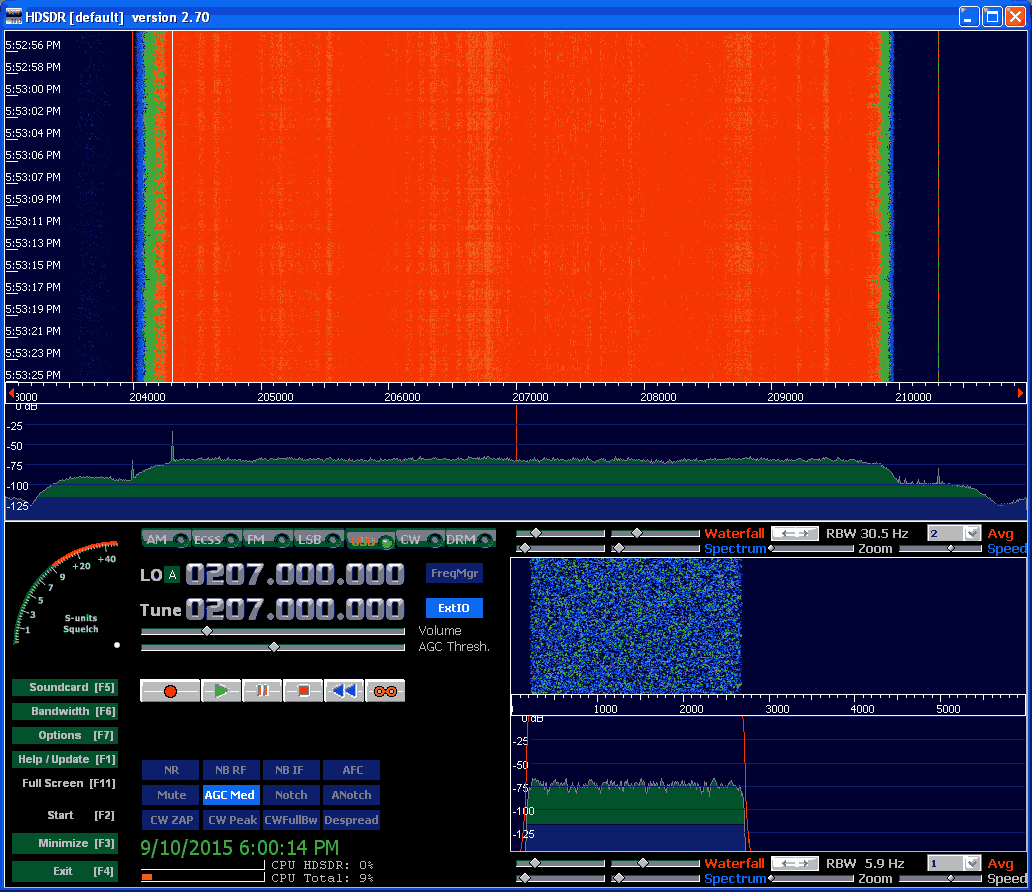
The process the author used was to first record a RAW IQ WAV file in HDSDR in Windows, making sure that any DC spike correction is applied. The WAV file is then opened in a premade GNU Radio flow graph in Linux and processed into an MPEG file. The process is not real time. The authors article shows a step by step tutorial on how its done.

In an update post to his results the author also notes that to successfully do a recording at the maximum SDRplay bandwidth of 8 MHz a RAM disk or perhaps SSD is required so that samples are not dropped.

An ATSC signal shown in HDSDR received with an SDRplay

SDR-J Now Compatible with the Raspberry Pi 2

The popular software DAB (Digital Audio Broadcast) decoder SDR-J has recently been updated and can now run on the Raspberry Pi 2. In addition the author has also added experimental DRM decoding capabilities to his shortwave receiving software. The author writes about the Raspberry Pi 2:

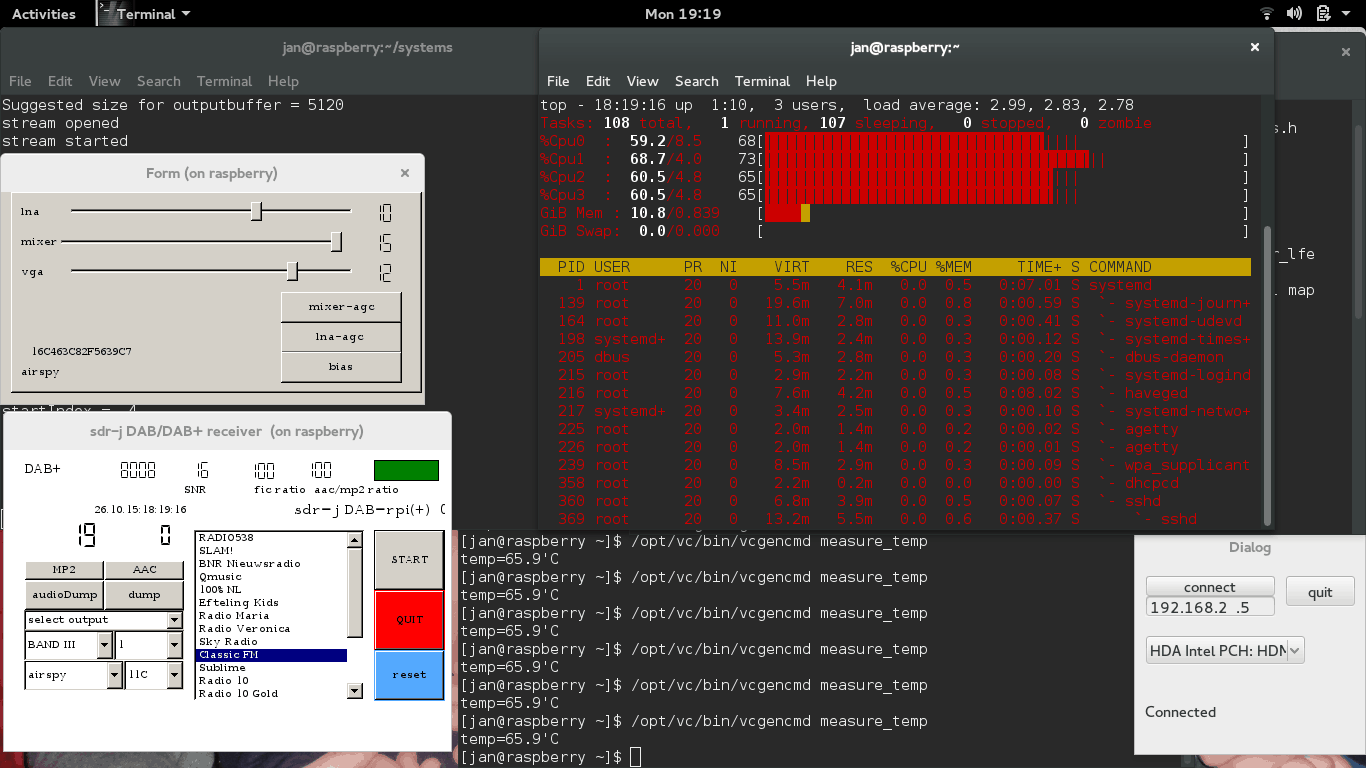
The Raspberry PI 2 has a processor chip with 4 computing cores. By carefully spreading the computational load of the handling of DAB over these cores it is possible to run the DAB software on the Raspberry PI 2.

In my home situation the – headless – Raspberry PI 2 is located on the attic and remotely controlled through an SSH connection using the home WiFi on my laptop in my “lazy chair”. To accomodate listening remotely, the DAB software on the Raspberry PI 2 sends – if so configured – the generated PCI samples (rate 48000) also to an internet port (port 100240). On the laptop then runs a very simple piece of program reading the stream and sending it to the soundcard

DAB is a digital audio protocol that is used in some countries as a digital alternative to broadcast FM (music stations). SDR-J is a suite of programs that includes the ability to decode DAB, FM, and several shortwave modes such as AM, USB, LSB, PSK, RTTY, WeatherFax, SSTV, BPSK, QPSK, CW, NavTex (Amtor-B), MFSK, Domino, Olivia, Hell, Throb and now DRM. It can directly connect to RTL-SDR receivers as well as other hardware such as the Airspy and SDRplay.

Screenshot of SDR-J running on the Raspberry Pi 2.

SDR-J Updated to Version 0.98

The RTL-SDR compatible DAB Radio receiving software SDR-J has recently been updated to version 0.98. DAB stands for digital audio broadcasting and is a type of digital radio signal used in some countries for transmitting broadcast radio stations in digital audio.

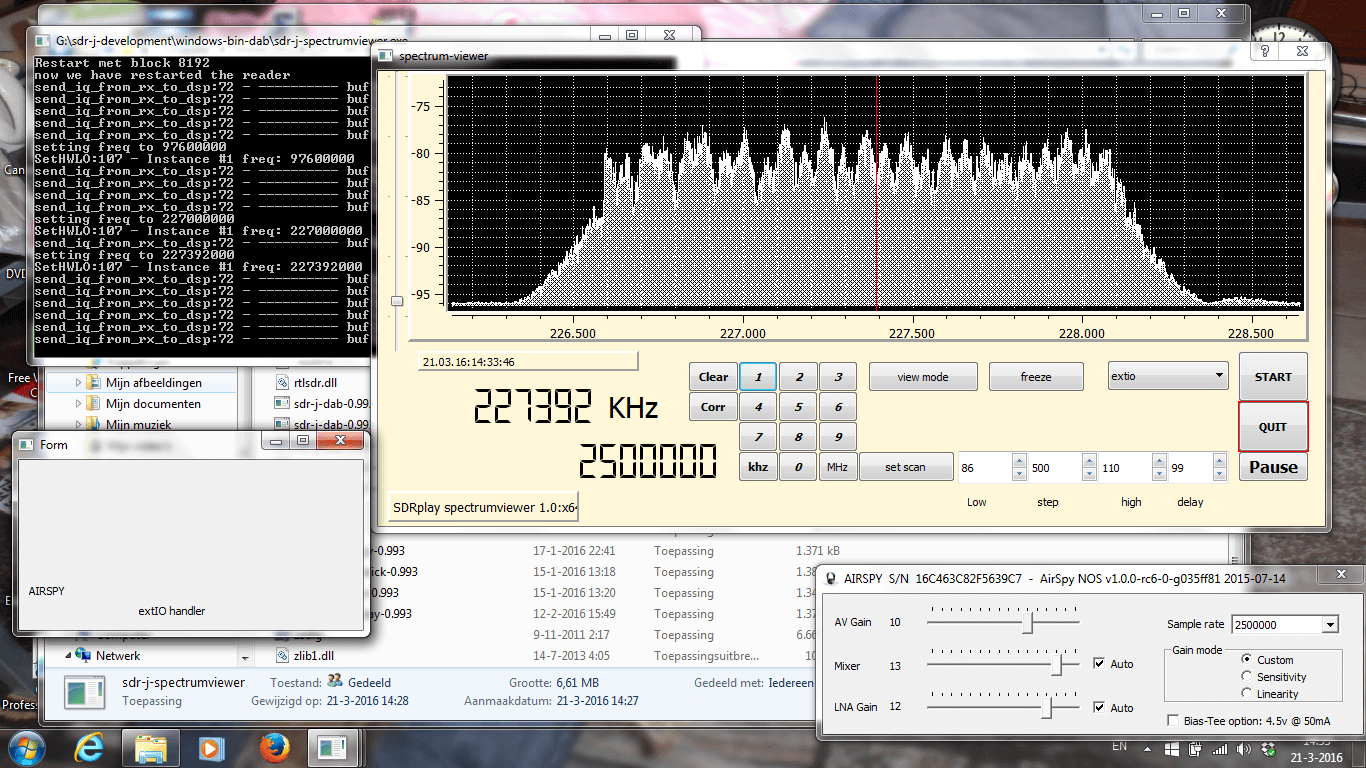
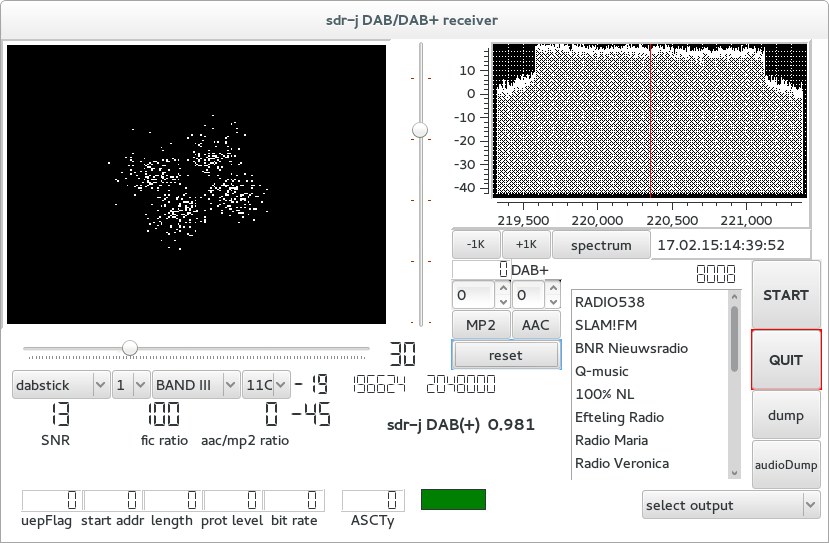
The new versions fixes some minor errors, brings back their ‘spectrum viewer’ software and also comes with a ‘DAB mini’ receiver which is simply a smaller windowed version of the regular DAB receiver. The new version also now supports the sdrplay and Airspy software defined radios.

SDR-J DAB Receiver
SDR-J DAB Receiver

New RTL-SDR Radio Data System (RDS) Decoder: Redsea

Signals hacker Oona Räisänen has released on GitHub a new software tool for the RTL-SDR called Redsea. On her blog she explains that Redsea is a Linux and OSX compatible perl based command line Radio Data System (RDS) decoder that uses the rtl_fm tool. Oona’s post explains a little about how RDS works and also explains how her software actually decodes RDS.

The Radio Data System (RDS) is a digital data subcarrier built into some broadcast FM signals. It usually carries information such as the station name and the song currently playing.

RDS Waveforms
RDS Waveform Decoding Steps

Beaglebone Black FM/Internet Radio Combo Receiver using an RTL-SDR

Last year we missed this interesting project by Frederick Vandenbosch where he created a FM/internet radio combination receiver using a BeagleBone Black mini embedded PC and an RTL-SDR dongle.

The idea is that the system will receive FM radio through the RTL-SDR normally, but when reception is poor or unavailable you can switch to internet radio which is received through WiFi. The radio is controlled through an LCD screen attached to the BeagleBone Black.

Frederick used Linux on the BeagleBone and created a custom GUI that allows for easy tuning using rtl_fm as the RTL-SDR back end, setting channel presets and for switching between internet and live FM radio.

BeagleBone Blade FM/Internet Radio Combo Receiver
Beaglebone Black Digital Radio with RTL-SDR and Wifi

SWSCAN – A Console Based Shortwave Broadcast Scanner for the RTL-SDR

Over on the Reddit discussion boards user gat3way has posted about his newly released software project called swscan. Swscan is a Linux console based program that can be used to scan and listen to shortwave broadcast stations. It has a built in database of shortwave station frequencies as well as their broadcast schedules and it will even show you the stations power level and distance you are from the transmitter. Swscan is based on GNU Radio 3.7, so you will need to have that installed first.

As shortwave stations exist at frequencies below the normal tuning range of the RTL-SDR, you will need an upconverter or be using the latest R820T experimental driver which can tune down to around 1 MHz.

Swscan can be downloaded from http://www.gat3way.eu/poc/swscan.tgz.

Console GUI for swscan.

Receiving NTSC Analogue TV with GNU Radio and an RTL-SDR

Over on GitHub user kik has uploaded a tutorial and code showing how to decode NTSC analogue TV in GNU Radio and an RTL-SDR. The tutorial is in Japanese, but Google translate should be good enough to understand the text. Kik shows us what GNU radio blocks to use and provides the python code needed to display the images on a simulated scope.

If you just want to receive analogue TV signals, try TVSharp.

gnuradiontsc
GNU Radio Decoding NTSC and showing images on a Scope