Tagged: plutosdr

ADALM-PLUTO SDR Hack: Tune 70 MHz to 6 GHz and GQRX Install

Yesterday we posted an unboxing and a few tests with the PlutoSDR. On that post user rlwsdr commented and informed us that’s it’s actually possible to do a quick hack that changes the frequency range and bandwidth from 325 – 3800 MHz and 20 MHz up to 70 MHz to 6000 MHz and 56 MHz bandwidth. All that is needed to perform this hack is setting a device string on the PlutoSDR via a USB serial connection. This hack has been confirmed by Alex Csete and others on Twitter and ourselves. It works for both RX and TX.

Alexander Csete (programmer of GQRX) also posted instructions in a comment on our last post that explained how to get GQRX running with the PlutoSDR. 

Also in the last post we mentioned that all distributors were out of stock, but a few hours after that post went out Digikey restocked and they now have (at the time of this post) 184 units left at the $99 USD price.

Frequency and Bandwidth Hack

Thanks to ‘rlwsdr’ and Alexandru Csete for bringing attention to this hack.

It seems that the current shipping version of the PlutoSDR uses the AD9363 chip which is restricted to a frequency range of 325 – 3800 MHz and bandwidth of 20 MHz. However, the higher end AD9364 chip which can support 70 MHz to 6000 MHz and 56 MHz of bandwidth is supposedly nearly identical to the AD9363 chip. The PlutoSDR can be tricked into seeing a AD9364 chip simply by changing a device string on the unit, but it’s not guaranteed to give the full tuning range and bandwidth for every single unit. It’s possible that the AD9363 chips are actually AD9364 chips that failed performance QC checks and have just been rebranded as a lower end model, or that a cheaper silicon process is used with the lower end chip.

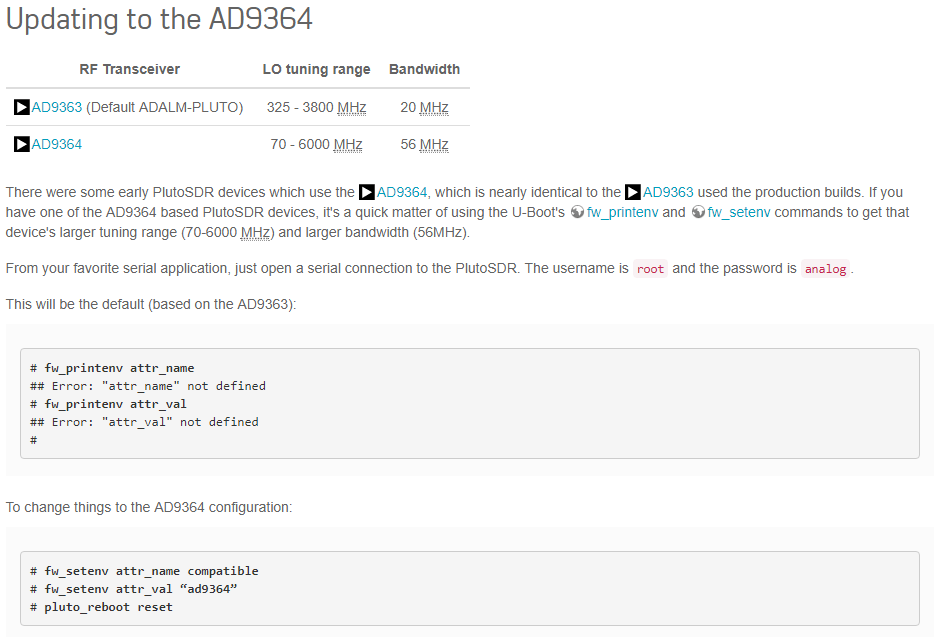
The instructions for performing this hack are actually detailed by the official Analog.com PlutoSDR wiki on the customization page. Just search for the heading “Updating to the AD9364”. The instructions state that this is only for older PlutoSDR units which actually came with the AD9364 chip, but it seems to work with the newer PlutoSDR units that have the AD9363 chips as well.

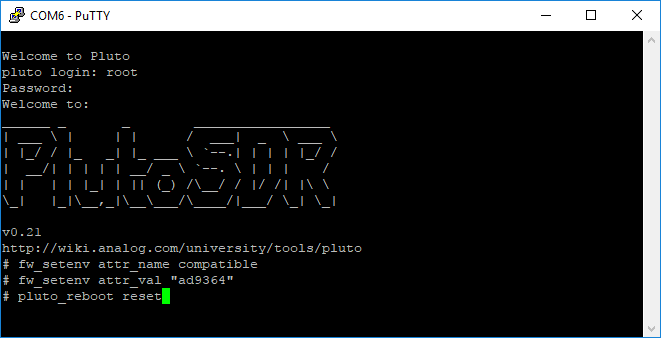
Simply plug the PlutoSDR in, and connect to it via a serial connection. On Windows you can use a program like PuTTY for this purpose. First search in device manager for the COM port assigned to your PlutoSDR, and then input this into PuTTY leaving the speed at 9600. You can then log in and set the environment variables using the lines provided in the wiki. Now in GNU Radio, GQRX etc you should be able to tune down to 70 MHz and up to 6 GHz and set the bandwidth to 56 MHz.

PlutoSDR Upgrade instructions

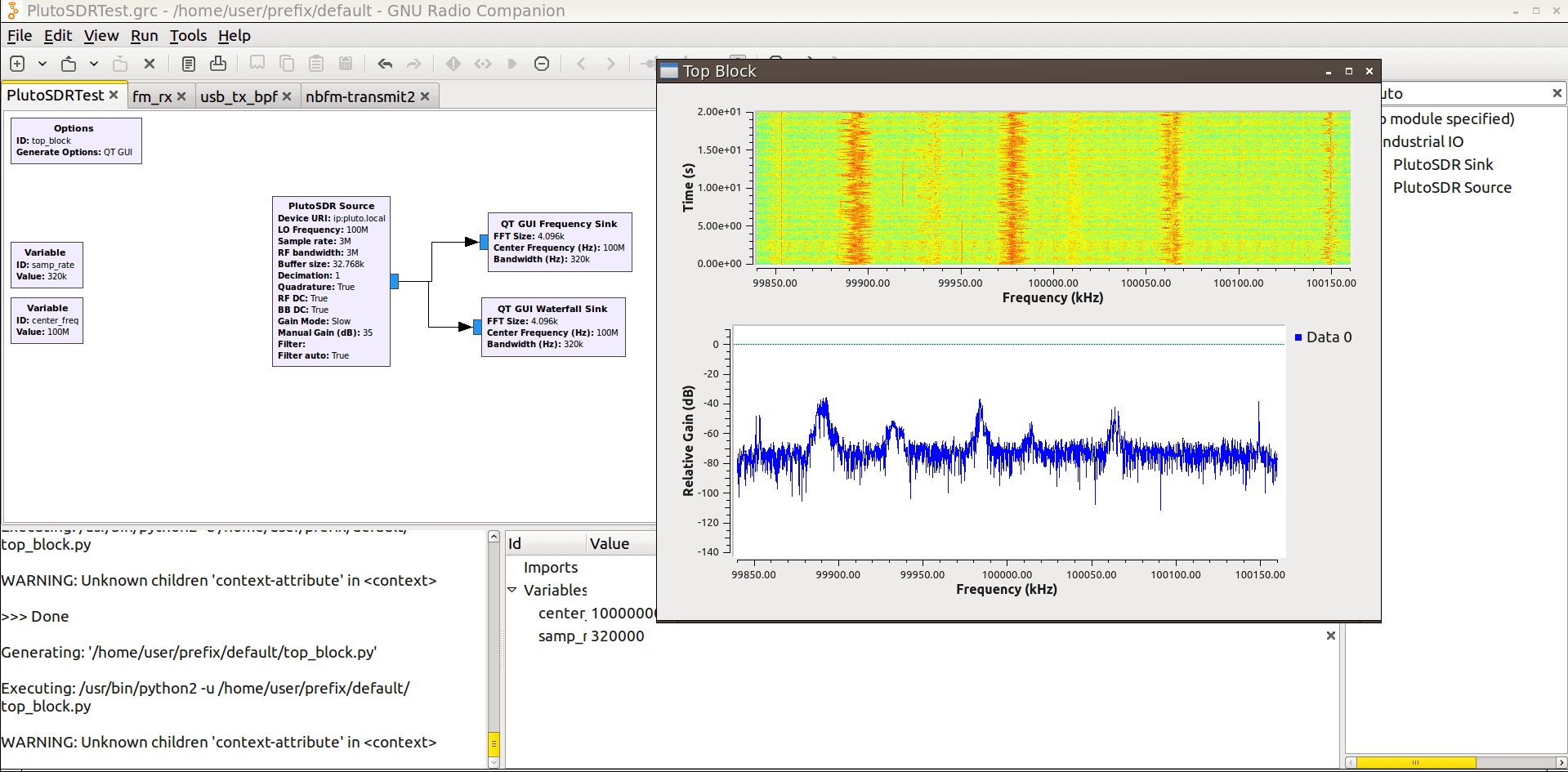
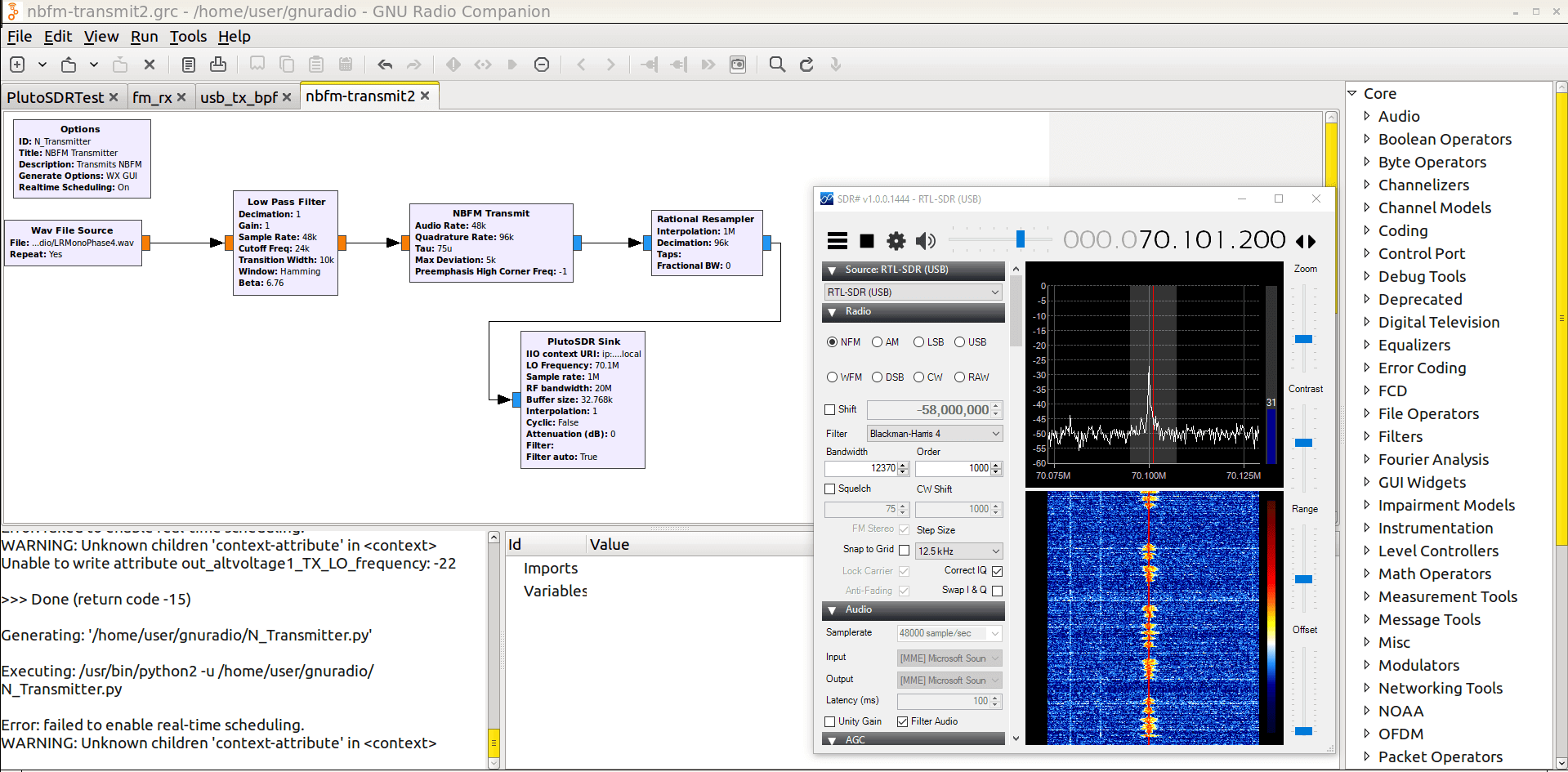
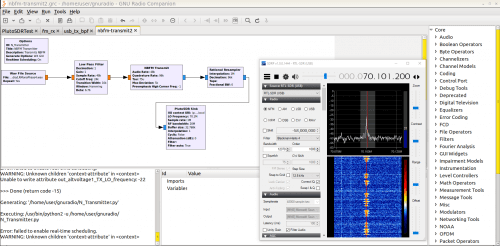
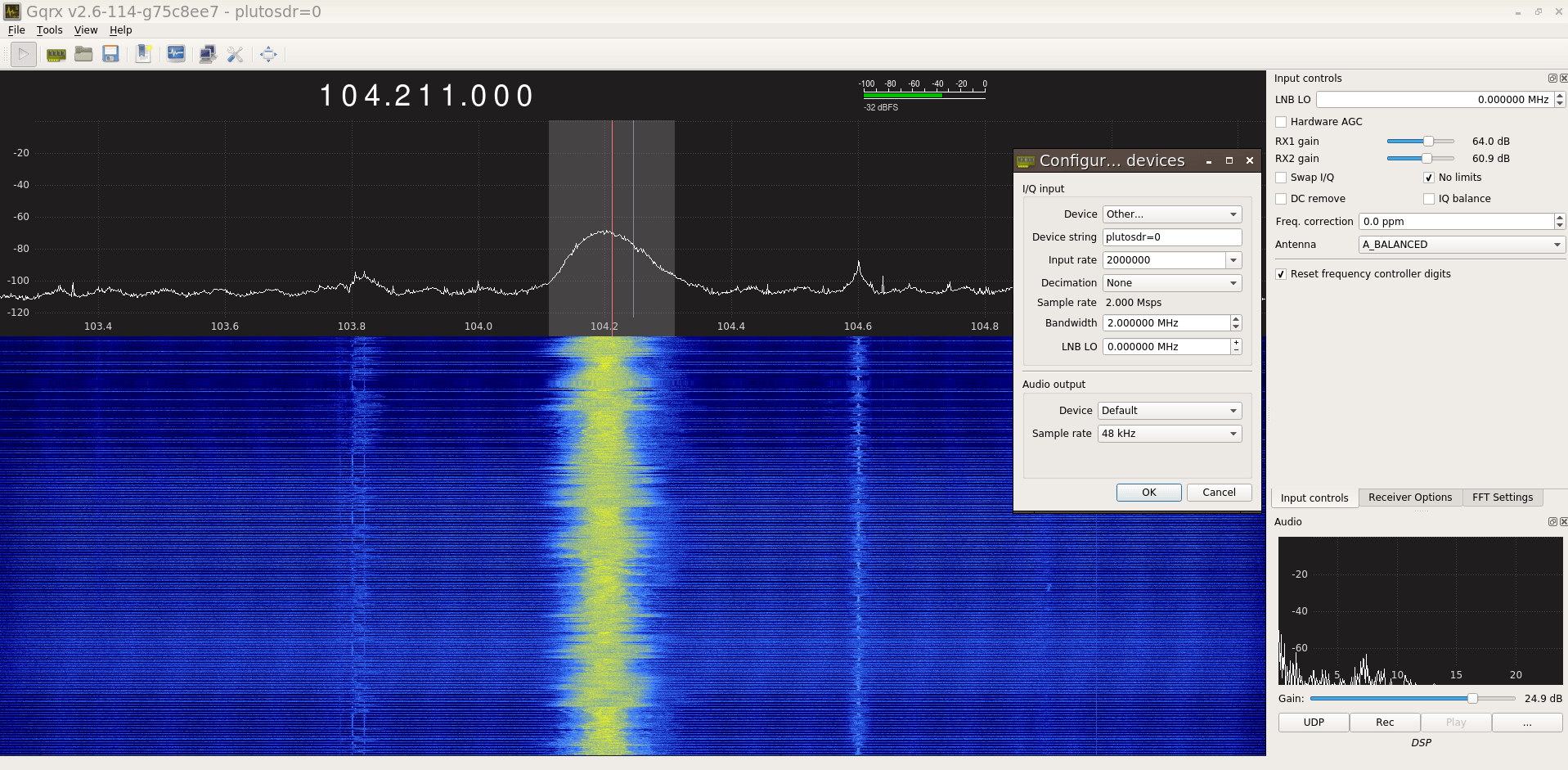
The images below show the PlutoSDR serial connection screen and the commands you need to type, the PlutoSDR tuning down to broadcast FM frequencies at 100 MHz, and a TX test at 70.1 MHz. It was found that the strength of the TX is a bit lower outside the official range, but can be increased by turning off the attenuation setting.

Setting up the GQRX Experimental Branch for the PlutoSDR

First set up GNU Radio and gr-iio using the instructions from this Reddit thread.

Now install gr-osmosdr-gqrx with the iiodev branch.

git clone https://github.com/csete/gr-osmosdr-gqrx
cd gr-osmosdr-gqrx/
git checkout plutosdr
mkdir build
cd build/
cmake ../
make
sudo make install
sudo ldconfig

Install the GQRX prerequisites

sudo apt-get install git build-essential cmake qtbase5-dev qt5-default qtscript5-dev libssl-dev qttools5-dev qttools5-dev-tools qtmultimedia5-dev libqt5svg5-dev libqt5webkit5-dev libsdl2-dev libasound2 libxmu-dev libxi-dev freeglut3-dev libasound2-dev libjack-jackd2-dev libxrandr-dev libqt5xmlpatterns5-dev libqt5xmlpatterns5 libqt5xmlpatterns5-private-dev pulseaudio

Install GQRX

git clone https://github.com/csete/gqrx.git gqrx.git
cd gqrx.git
mkdir build
cd build
cmake ..
make
sudo make install

Now GQRX should be ready to use the PlutoSDR. In the GQRX confiuguration screen select the device as Other or PlutoSDR and set the device string as “plutosdr=0”. Then you can set your sample rate and RF bandwidth, decimation etc. If you’ve done the frequency range hack then remember to select “No limits” in GQRX so that you can actually tune down further.

Note that in VMWare Lubuntu we were only able to get stable audio from the PlutoSDR and GQRX at a maximum of 3 MHz. Anywhere between 3 – 60 MHz bandwidth the PlutoSDR and GQRX spectrum and waterfall runs smoothly, but the audio is crackly. Might be a VMWare problem, or maybe something that can be fixed in later GQRX releases.

We also tested the PlutoSDR together with the SpyVerter upconverter for HF reception. It seemed to work well.

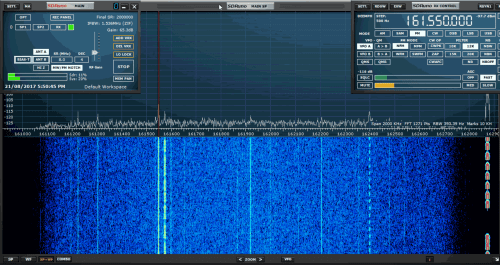
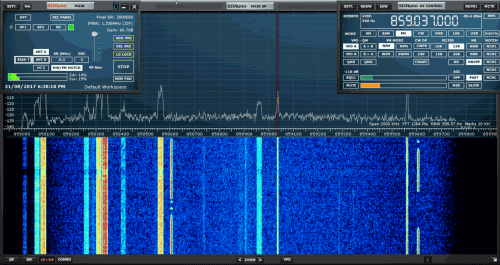
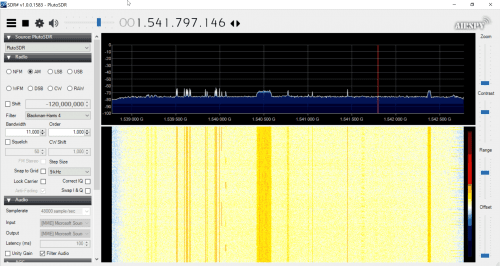
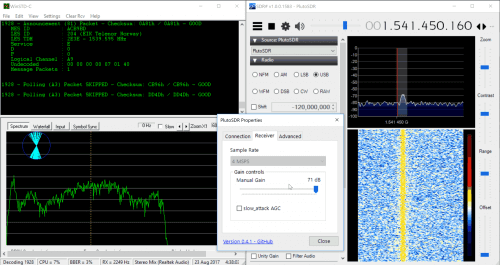
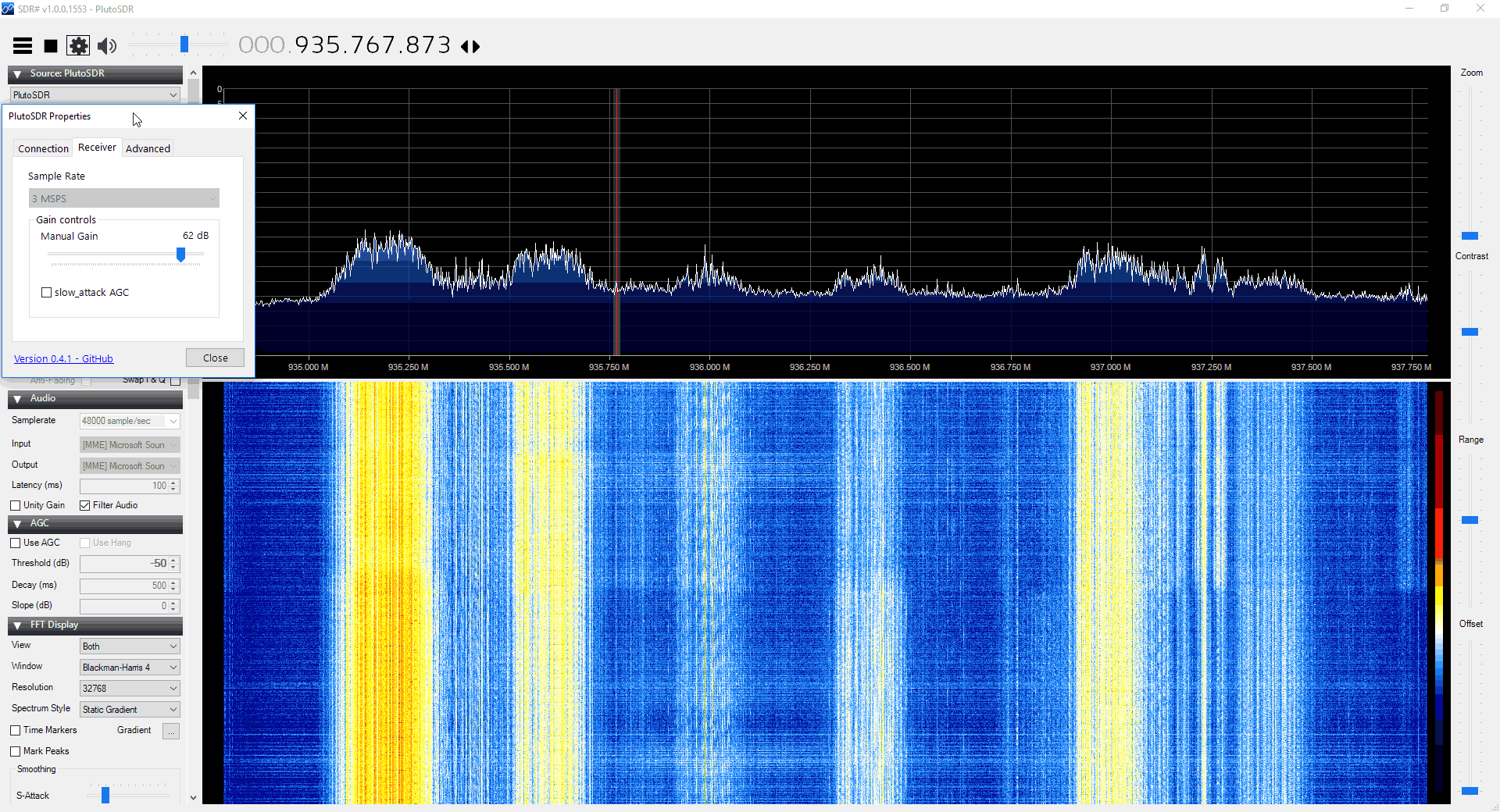
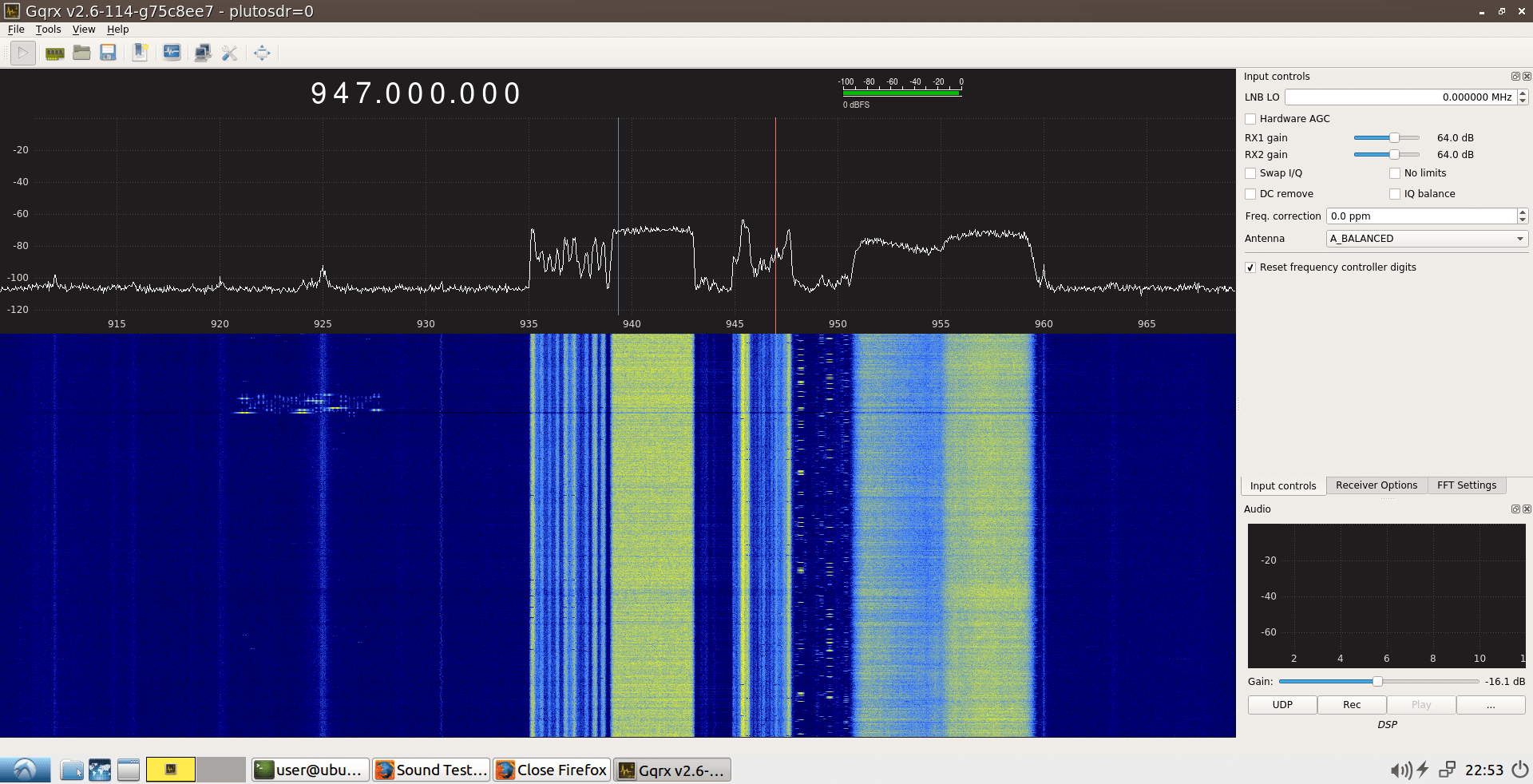
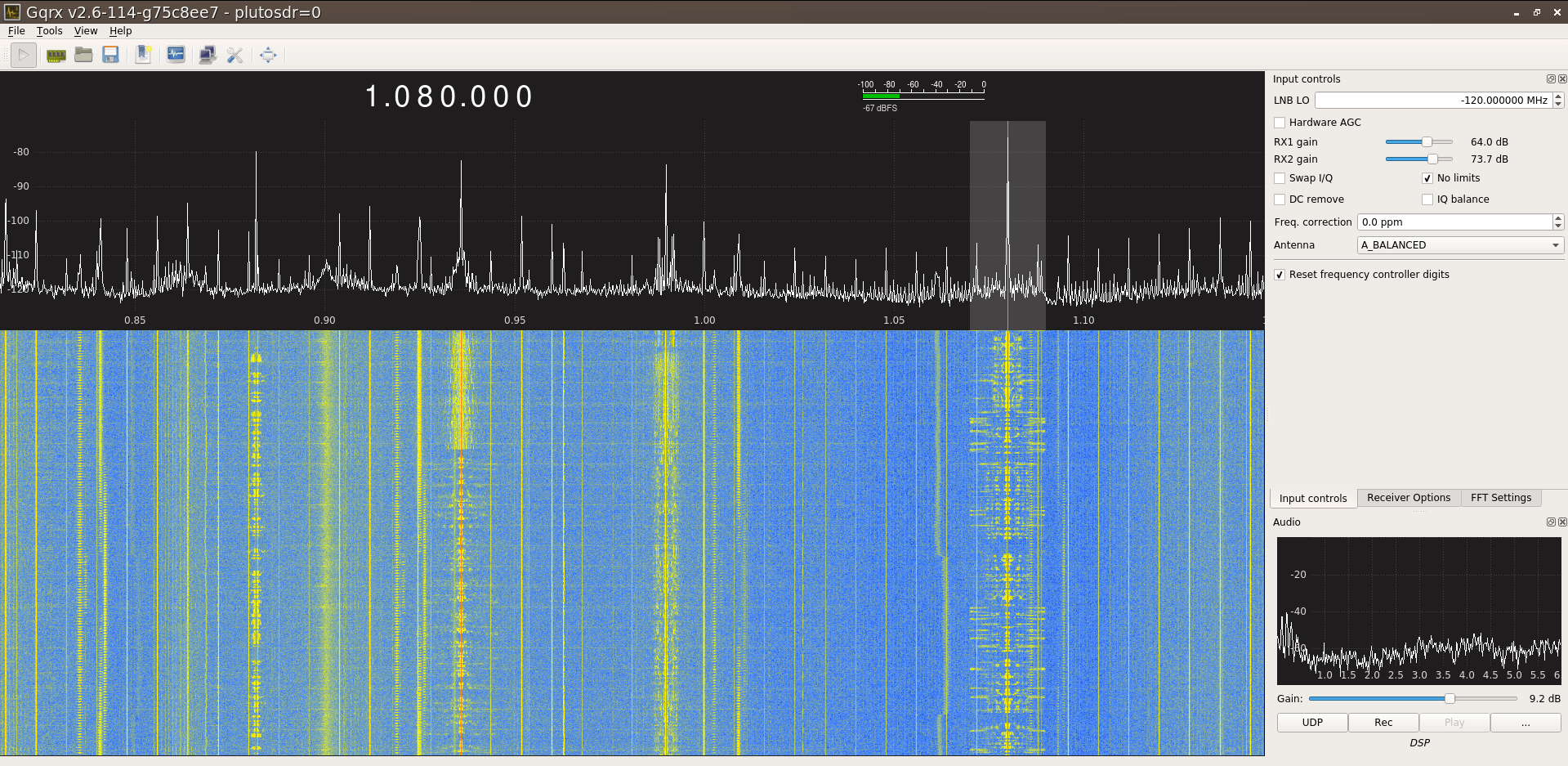
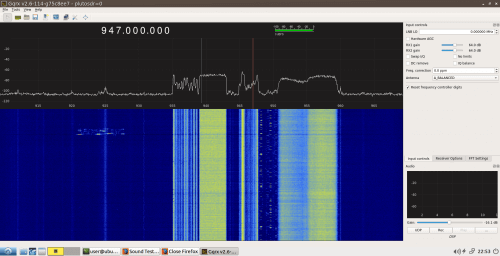
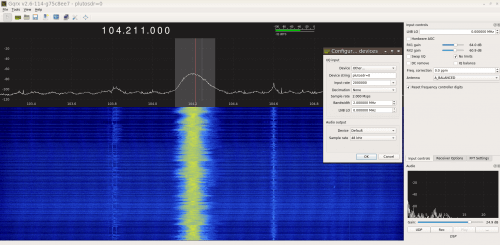
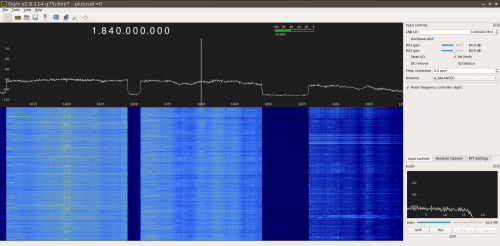
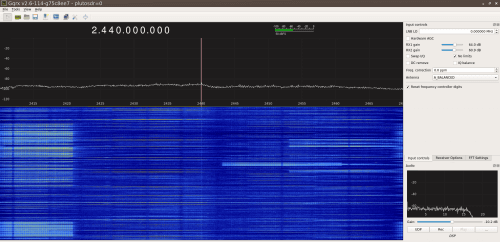
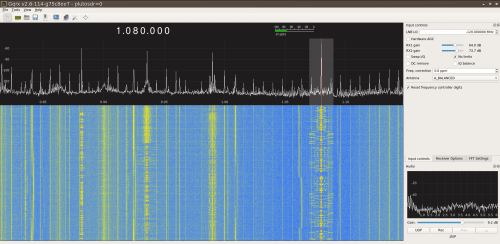
The images below show the PlutoSDR working in GQRX. The images of the 2.4 GHz and 1.8 GHz bands show that there is little to no attenuation at the edges of the 60 MHz bandwidth, so the upgrade from 20 MHz to 60 MHz is working well.

900 MHz GSM Band
Broadcast FM
1800 MHz Cellular
2.4 GHz WiFi
PlutoSDR + SpyVerter Receiving Broadcast AM
900 MHz GSM Band Broadcast FM 1800 MHz Cellular 2.4 GHz WiFi PlutoSDR + SpyVerter Receiving Broadcast AM

Conclusion

So with this hack the PlutoSDR is a much nicer unit that really makes an interesting and affordable choice for those wanting to upgrade from the RTL-SDR. Combined with a SpyVerter upconverter the unit should also be able to receive HF signals quite easily, so this gives a total cost of $148 for a DC to 6 GHz receiving system with TX capability, 12-bit ADC resolution and up to 56 MHz of bandwidth.

Of course we still need to confirm what the performance of the unit is like, especially in the frequency ranges opened up by the hacks and in regards to strong signal handling. We will test those in the coming weeks. If it handles those well and other software developers support it in their software then despite the unit being advertised as a learning module for students, it might become one of the best and most affordable general purpose SDRs available.

ADALM-PLUTO SDR: Unboxing and Initial Testing

The PlutoSDR (aka ADALM-PLUTO) is a new RX and TX capable SDR from Analog Devices who are a large semiconductor manufacturer. The PlutoSDR covers 325 – 3800 MHz, has a 12-bit ADC with a 61.44 MSPS sampling rate and 20 MHz bandwidth. It is also priced at the bargain price of only $99 USD over on Digikey, although it seems they only produced a small batch as at the moment they seem to be already sold out. This may also be a promotional price, with the normal price $149 USD as that is the price we see on the analog.com store. But even at $149 the value for what you get is very high.

A few months ago we preordered a PlutoSDR from the analog.com store, and it was received it a few days ago.

Unboxing

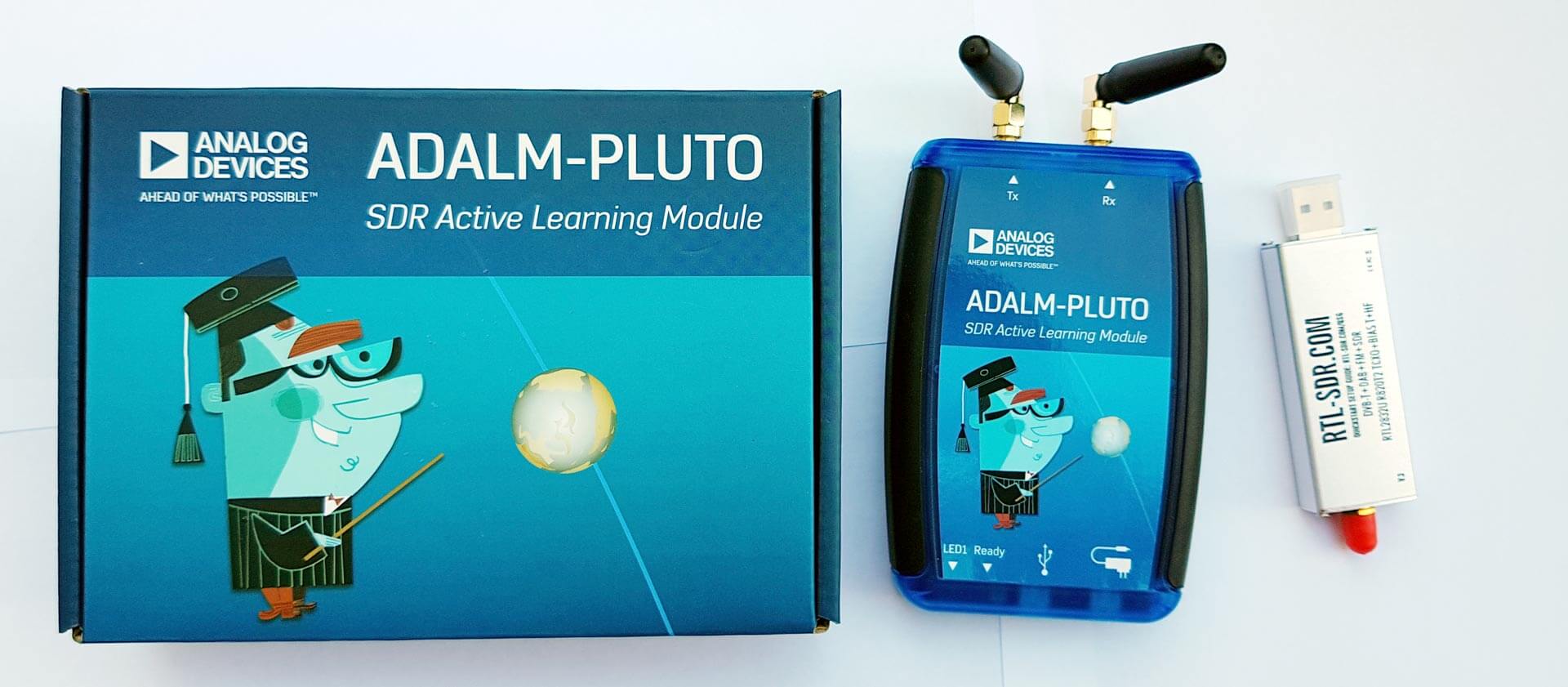
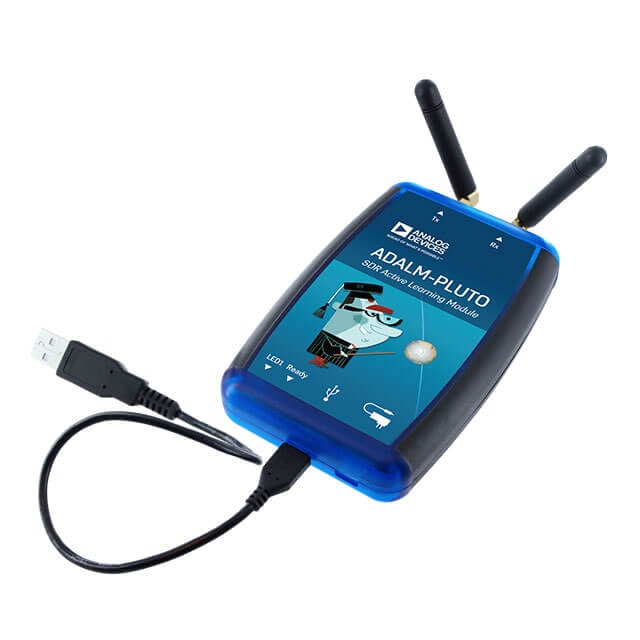
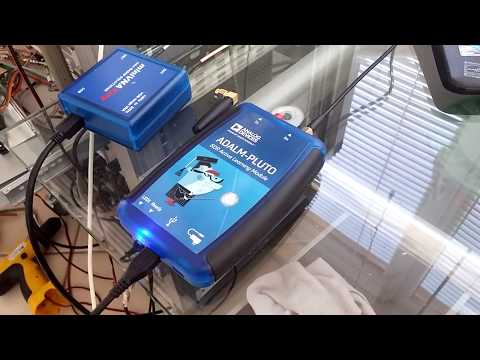
The unit comes in a nice professionally designed cardboard box. Inside is the unit itself, two small 4cm long whip antennas a short 15 cm SMA cable and USB cable. The PlutoSDR unit itself comes in a blue plastic box which measures 11.7 x 7.9 x 2.4 cm and weighs 114 g in total. Two SMA ports are available, one for RX and one for TX. At the other end are two LEDs, a USB port and a power only USB port.

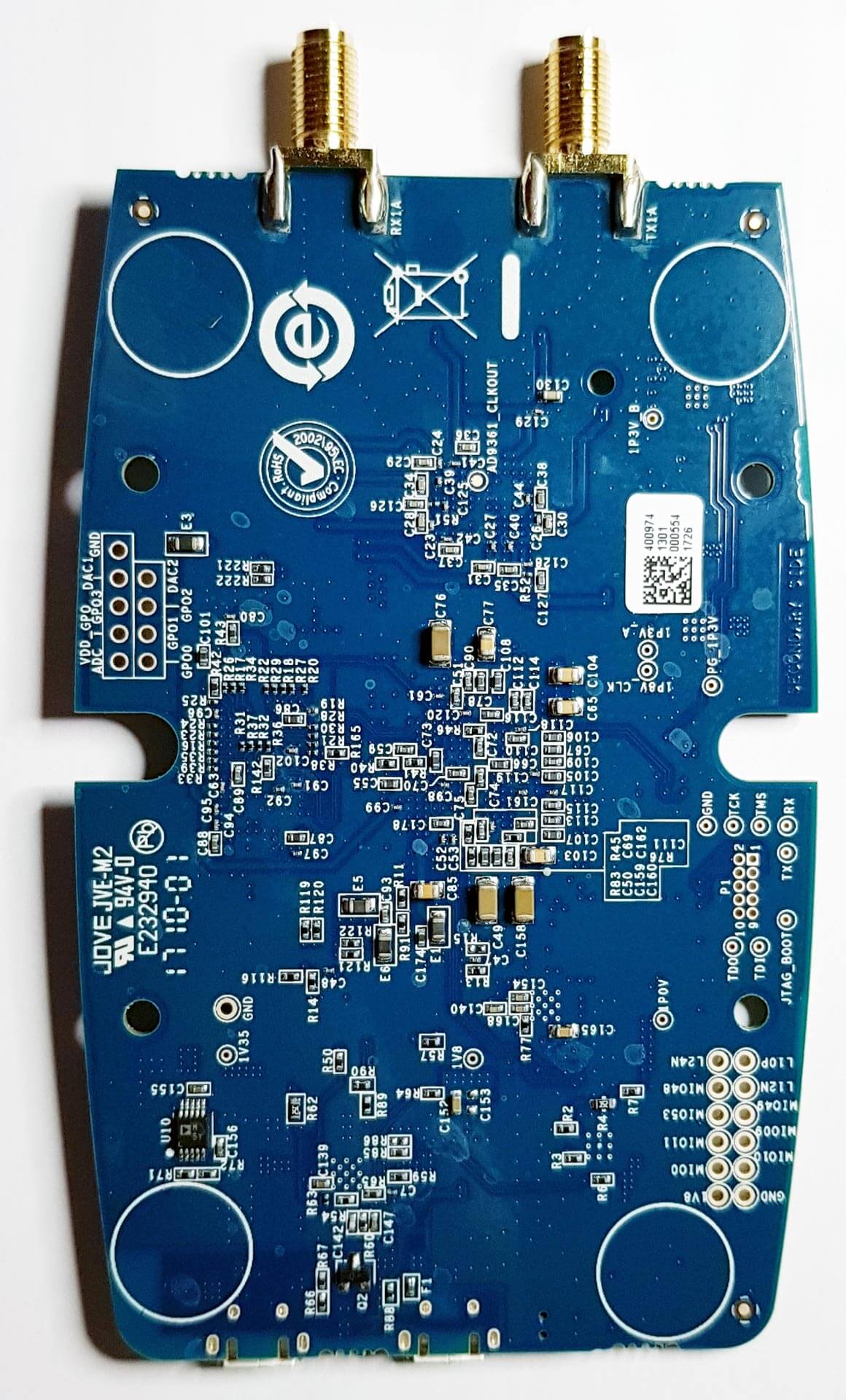
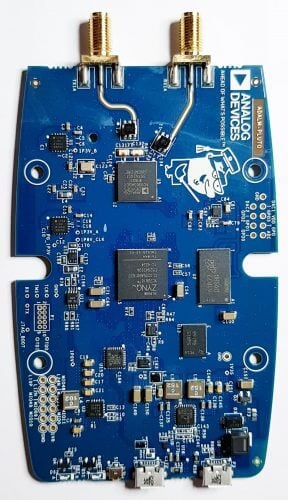
The PCB itself looks to be designed nicely. On the PCB you can see the main AD9363 front end chip, which is actually a 2 x 2 transceiver chip. It supports a tunable channel bandwidth of up to 20 MHz. The other chip is the ZYNQ XC7Z010 which is an ‘All Programmable SoC’. This is an FPGA, processor and ADC for the unit.

Hardware

The PlutoSDR can tune from 325 to 3800 MHz. It has an ADC which can sample at up to 61.44 MSPS with a resolution of 12-bits. There is no TCXO used, so the frequency accuracy is only 25 PPM. Although the maximum sample rate is 61.44 MSPS, the front end AD9363 only has a maximum signal bandwidth of 20 MHz, so that limits the available bandwidth.

For TXing, a claimed TX power of up to 7 dBm is available which is comparable to the TX power of the HackRF.

The unit has no shielding on it via PCB cans or a metal box, so may pick up spurious signals. However, for the intended purpose of learning and testing, no shielding is fine.

Software

Unfortunately software for the PlutoSDR is quite lacking. At the moment there is only really support for MATLAB and GNURadio.

That’s quite understandable however as the PlutoSDR is designed and promoted as a ‘learning module’ or in other words a device for students to learn with. However, if software support for SDR#, HDSDR, SDR-Console, GQRX etc was available it would also make a great unit that could not only compete with the HackRF and LimeSDR SDRs, but also perhaps the Airspy and SDRplay RSP RX only units, at least for UHF applications above 325 MHz.

In a previous post in February we’ve seen on Twitter that Alex Csete (programmer of GQRX) has had his PlutoSDR running on GQRX, but it seems the current public release does not yet support the PlutoSDR (please correct me if i’m wrong!).

The documentation is mostly all available on the PlutSDR wiki. However documentation for setting the unit up with MATLAB and GNURadio, and examples for actually using it is also still quite poor. There is a quickstart guide, but this barely helped. Presumably once more units ship out the documentation will be enhanced. 

To install the PlutoSDR drivers on Linux we used the instructions kindly provided by xavier_505 in this Reddit thread. Once GNU Radio was installed, installation of the gr-iio driver was as simple as running the two lines provided in the thread.

Testing

We’ve given the PlutoSDR a few tests in Linux with GNURadio, and very quickly with the ADI IIO Oscillioscope software for Windows.

In GNU Radio the PlutoSDR source can be found under the “Industrial IO” heading in the block menu on the right, or simply by doing CTRL+F “Pluto”.

One important note is that when using the source you need to set the “Device URI” to ip:pluto.local. This feature presumably allows you to control multiple devices via the network, but for now we’re just using it locally. Also, this may have been a problem related to running Linux in VMWare, but PlutoSDR creates new “Wired Connection” in Linux and we had to always remember to set the network connection to the PlutoSDR using the the network selector in the Linux taskbar for the network to be able to see it.

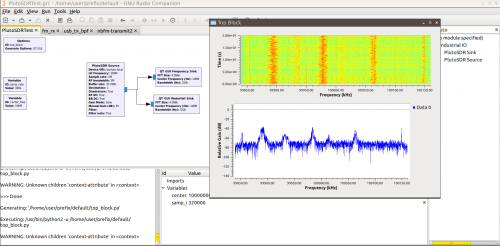
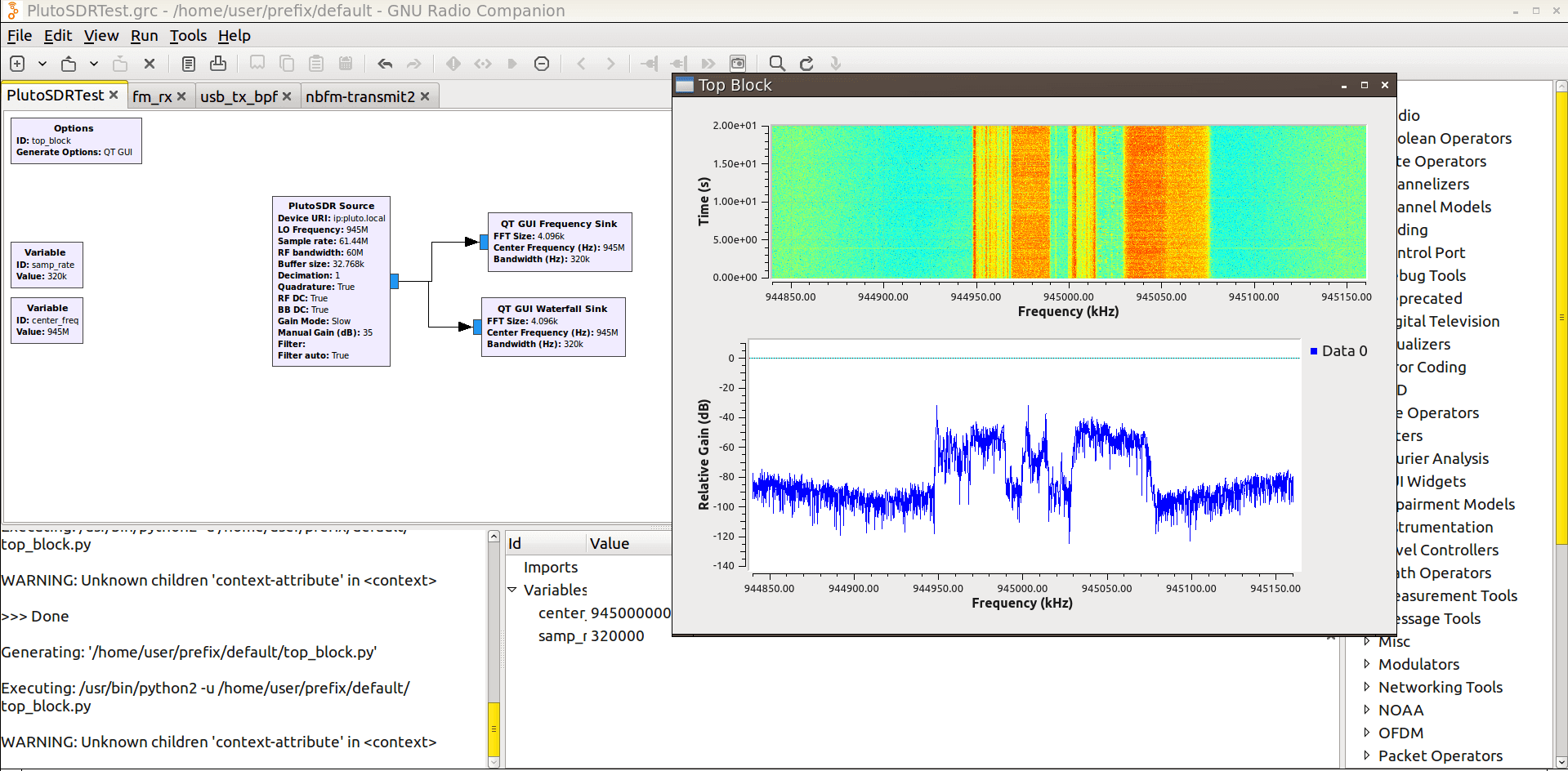
First we tested a simple FFT and Waterfall sink using the PlutoSDR source. We set the sample rate to the maximum of 61.44 MSPS, and the RF bandwidth to 60M (although the max is 20 MHz). The demo ran well and we were able to see the 900 MHz GSM band. It seems the max sample rate is not used as the output is only 30 MHz, or perhaps it’s only one ADC.

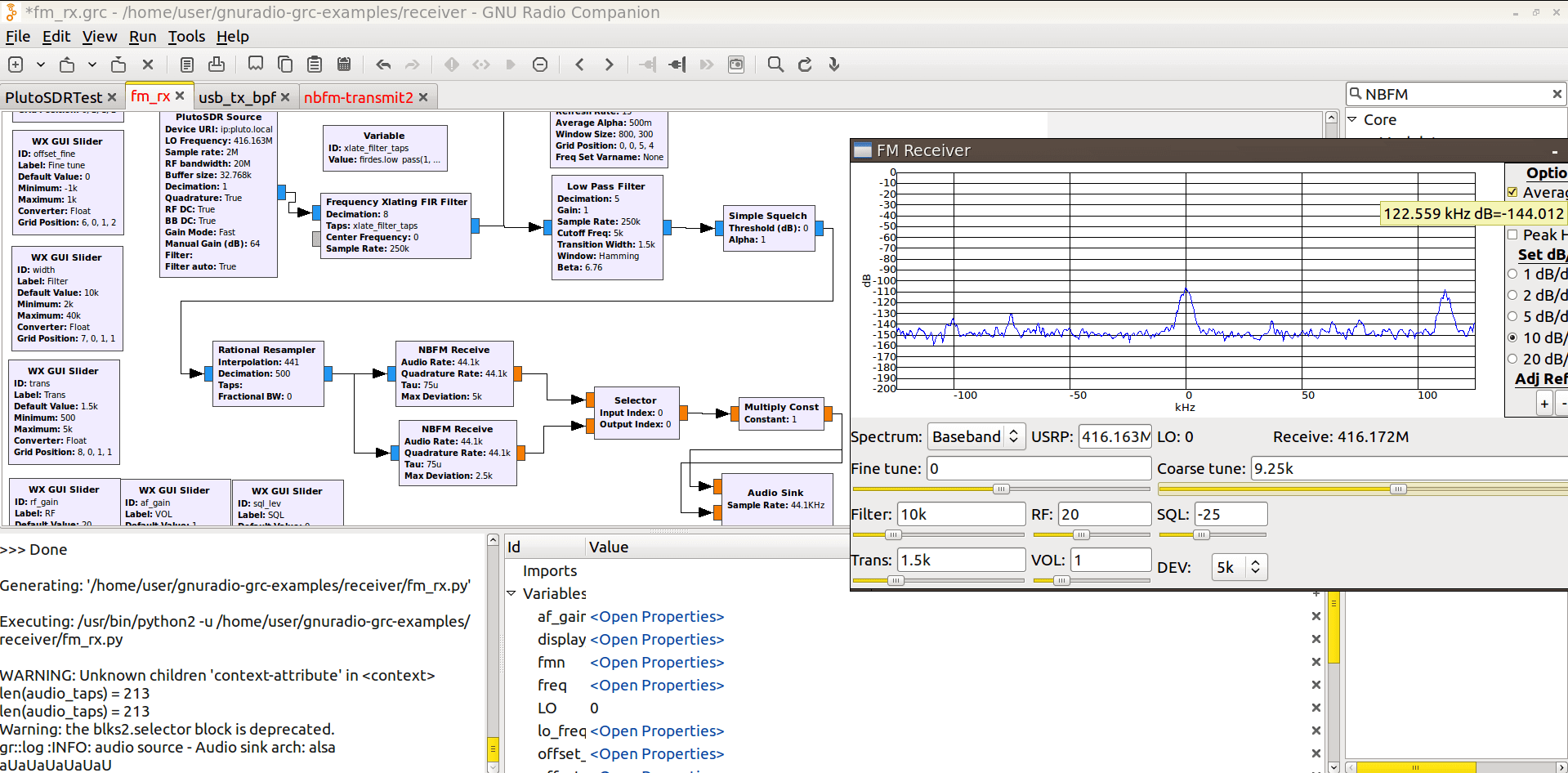
Next we adapted a simple FM receiver from csetes GNU Radio examples by replacing the USRP source file with the PlutoSDR. After adjusting the decimation we were able to receive NBFM clearly.

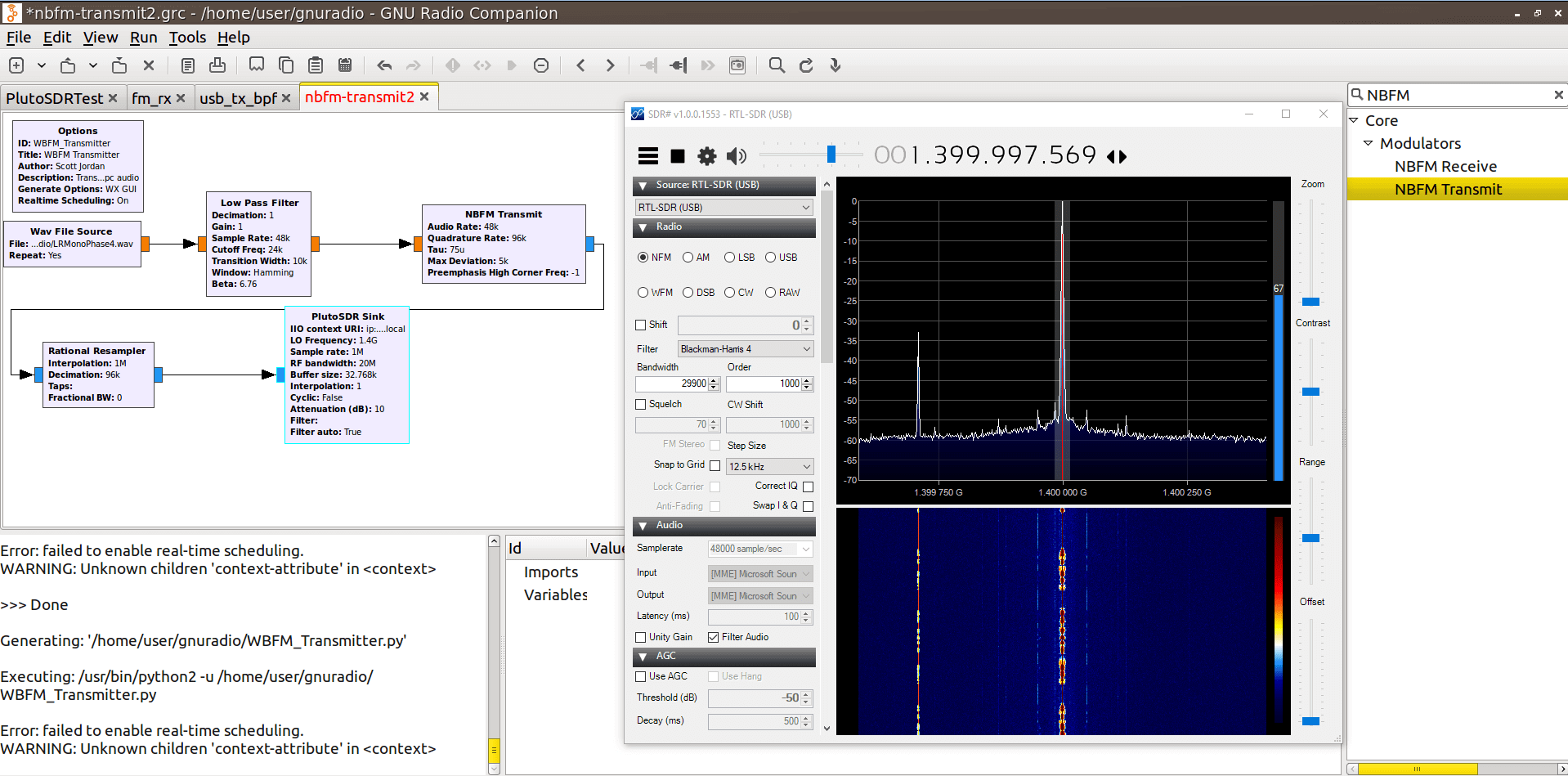
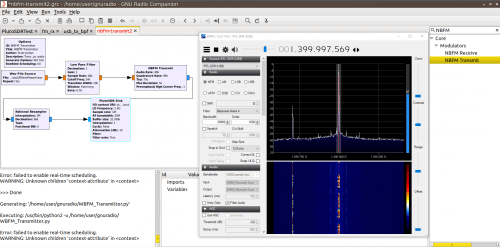
Next we tried adapting a simple transmit test by creating a flowgraph that would transmit a .wav file in NBFM mode using the PlutoSDR Sink. Again this ran easily and we were able to verify the output in SDR# with an RTL-SDR. No harmonics were found (the one seen in the screenshot is a harmonic from the RTL-SDR).

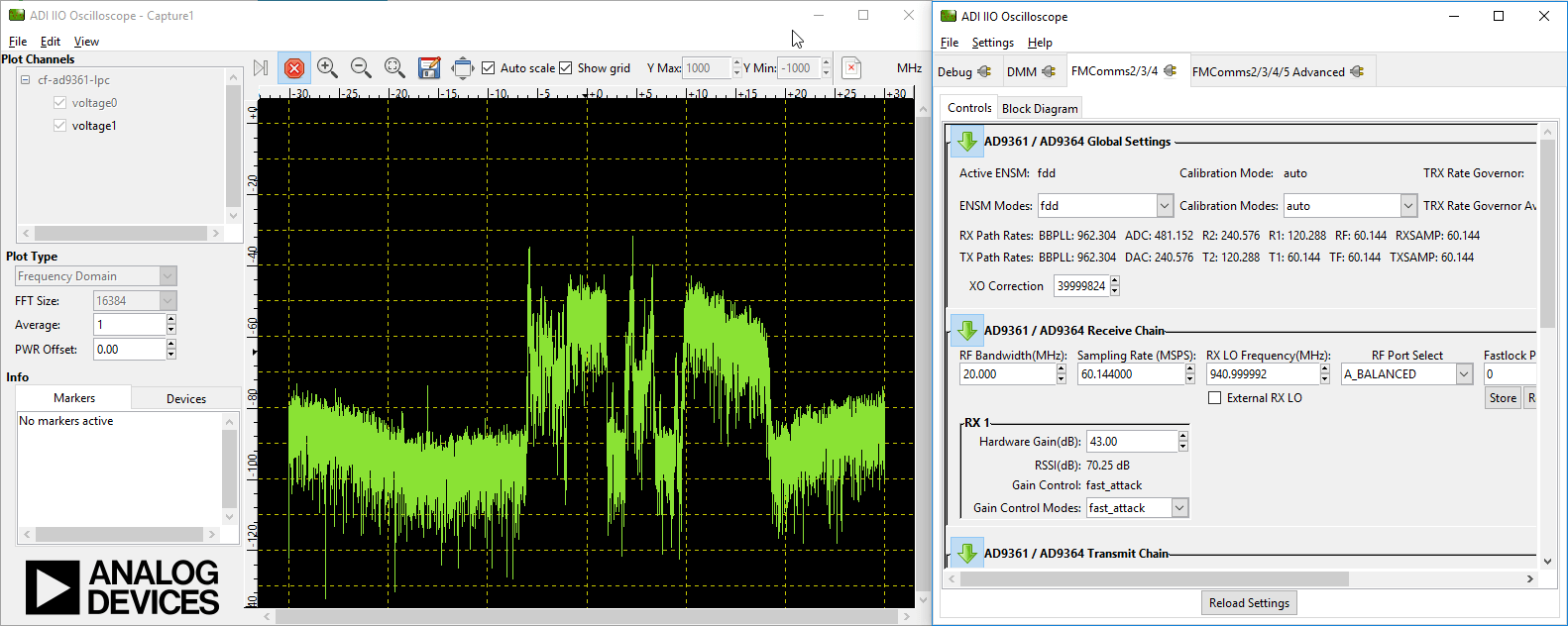
Finally we tested using the PlutoSDR ADI IIO Oscilloscope software and were able to generate a FFT spectrum of the GSM band.

Conclusion

This is a very nice SDR with good specs and a very very attractive price. However, it is mostly aimed at experimenters and students and you’ll need to be comfortable with exploring GNU Radio and/or MATLAB to actually use it. If you’re okay with that, then adapting various GNU Radio programs to use the PlutoSDR is quite easy.

In the future hopefully some programmers of general purpose receiving programs like SDR#/GQRX etc will release modules to support this unit too.

This is a good alternative to more expensive experimenter TX/RX SDR units like the HackRF and LimeSDR, although you do lose out on frequencies below 325 MHz.
ADALM-PLUTO: A New $149 TX Capable SDR with 325 – 3800 MHz Range, 12-Bit ADC and 20 MHz Bandwidth

Recently we’ve heard about the ADALM-PLUTO (a.k.a PlutoSDR) which is an up and coming RX/TX capable SDR that covers 325 – 3800 MHz, has a 12-bit ADC and a 61.44 MSPS sampling rate. All this and it is currently priced at only $149 USD on Digikey (but note that it is not shipping yet). This makes it the lowest price general purpose TX capable SDR that we’ve seen so far.

Regarding the features and specs they write:

ADI’s ADALM-PLUTO is the ideal learning tool/module for radio frequency (RF), software defined radio (SDR), and wireless communications. Each ADALM-PLUTO comes with two antennas, one for frequencies of 824 HMz to 894 HMz and the other for 1710 MHz to 2.170 GHz. Each unit comes with one 15 cm SMA cable with both transmitter and receiver capabilities and is powered via USB. The self-contained RF learning module supports both half and full duplex communications and uses MATBAB and GNU Radio sink source blocks, Libiio, A C, C++, C#, and Python API.

The internal components of ADALM-PLUTO include, AD936x RF Agile Transceiver™ and Power, Micron DDR3L and QSPI Flash, Xilinx® Zqynq® programmable SoC and USB 2.0 PHY. The firmware PlutoSDR is open source and comprises technology from Das U-Boat, the Linux Kernal and Buildroot. The ADALM-PLUTO is the ideal wireless, SDR learning tool for students, hobbyists, and educators.

Features

  • Portable self-contained RF learning module
  • Cost-effective experimentation platform
  • RF coverage from 325 MHz to 3.8 GHz
  • Flexible rate, 12-bit ADC and DAC
  • One transmitter and one receiver (female SMA, 50 Ω)
  • Half or full duplex
  • MATLAB, Simulink support
  • GNU radio sink and source blocks
  • Libiio, a C, C++, C#, and Python API
  • USB 2.0 interface
  • Plastic enclosure
  • USB powered
  • Up to 20 MHz of instantaneous bandwidth (complex I/Q)

The PlutoSDR appears to be mainly advertised as a learning module for electrical engineering students (see the promotional PDF pamphlet here), but it there seems to be no reason why it could not be used as a general purpose SDR. In fact it seems that @csete the author of GQRX has already made his PlutoSDR work in GQRX

The PlutoSDR is also more than just an SDR. On board is a full SoC (‘System on Chip’) which includes an FPGA and ARM processor that allows Linux to run directly on the device. The processor and Linux can access the SDR and run applications on the device itself. Over on the PlutoSDR wiki there are already a few tutorials that show how to use the SDR with MATLAB, Simulink and GNU Radio.

From the specs of this SDR the main limitation seems to be the tuning range with the lowest frequency tunable being only 325 MHz. But a simple upconverter could easily solve this limitation. As it is designed to be a learning tool for University students we also expect that there will be a lot of documentation and applications eventually built for it.

At the moment the PlutoSDR does not appear to be for sale. It only seems that several early model units have been sent out to developers. But it looks like the PlutoSDR will be available on Digikey for $149 USD. We’re not sure if this is the exact pricing, as a few days earlier a lower price was shown, but even at $149 USD it seems to be a good deal.

The PlutoSDR
The PlutoSDR