Over on his YouTube channel Kris Occhipinti has uploaded some videos where he shows how he is able to send text data over FM radio frequencies by using an MP3 audio file that encodes the text data, an FM transmitter connected to an Android phone or MP3 player to transmit the file and an RTL-SDR on the receiving side to receive the FM signal from the FM transmitter. The software used to encode the text into an MP3 is Minimodem, and on the receiving side Minimodem is also used which can easily decode the received audio. Minimodem is a command line program which can generate FSK modem tones from data.
These two videos are part of a series that Kris has been working on that includes many videos about using Minimodem to transfer data like text, files and images between computers via radio.
12 Minimodem an FM Transmitter and a USB SDR Dongle
Thanks to Dr. Celalettin Uçar from Turkey for submitting a video of the work done by a PhD student who as part of his research created an RTL-SDR based ground penetrating radar simulation and metal detector. He writes:
This apparatus (YAĞRIN) was created with rtlsdr in a phd work. We achieved detecting a metal gasoline tube from the depth of aproximately 1 meters. Furthermore, we created the time domain signal and ploted the reflaction from the metal with using the matlab (simulink) model.
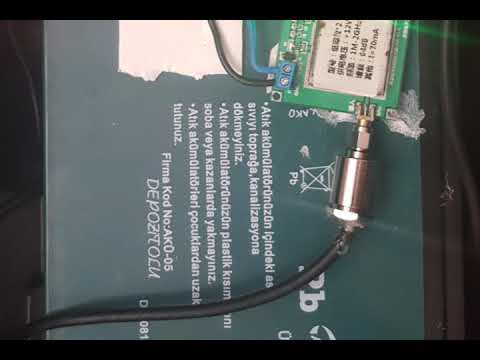
A video on YouTube is linked which we display at the end of the post. They write that the system consists of a 12V DC supply, step down voltage regulator, ADF 4350 programmable signal generator, 25W power amplifier (470 MHz, 45 dBm signal power), Philips omnidirectional antennas (RX,TX), a 64 dB low noise amplifer and an RTL-SDR and computer to display the output. The software he uses is SDR# which appears to simply listen for a tone and detect any changes that occur when something metal moves near it. The PC also runs a MATLAB Simulink model which we believe helps detect metal signatures by plotting the reflection.
In the past we posted about a similar but simpler metal detector implementation by Ancient Discoveries.
RTL-SDR BASED GPR (Simulation) & METAL DETECTOR (YAĞRIN) - Dr. Celalettin UÇAR
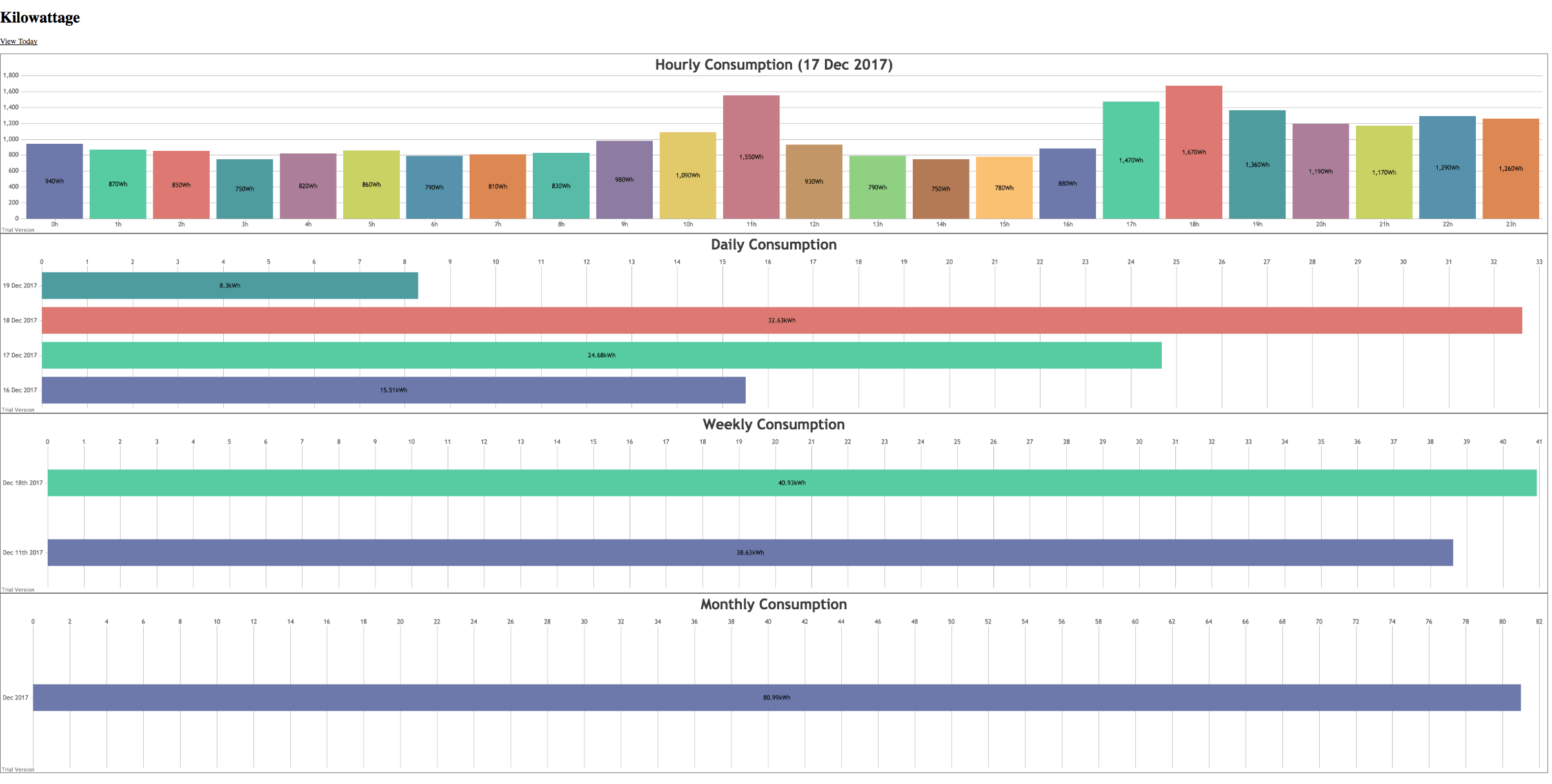
Many homes in the US and elsewhere no longer require meter reader personnel to come onto the property to read a physical meter at the back of the house. Instead the meter transmits wireless data in the 900 MHz ISM band about electricity usage, and all the meter reader has to do is turn up outside the house and take a reading from the street.
These electricity usage signals are unencrypted and can easily be decoded and displayed with an RTL-SDR and a ready to use program called rtl_amr. The signals even travel quite far, and there have been reports of receiving neighbours signals up to 600m away. K-roy took his RTL-SDR and rtl_amr and wrote on top of it a program that creates a JSON output of the data for easy processing, a PHP, SQLite3 and JQuery based database system for storing the data, and an HTML5 based page for graphing and displaying the data.
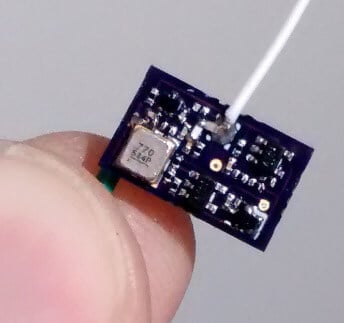
Over on Hackaday.io we've come across a project by "Tom" who has created a small tracking device which is located using an RTL-SDR dongle and directional Yagi antenna. The tracking device itself is a simple fingernail sized low power UHF transmitter that transmits short pulses about every second or so in the 915 MHz ISM band. Tom writes that the range is about 400m (line of sight) and with a small button cell battery the device lasts a couple of days with its 180 uA current draw. Presumably longer operation could be achieved by significantly reducing the pulse rate of the circuit.
To receive the tracking device an RTL-SDR is combined with a high gain directional Yagi antenna, a three level 10 - 30 dB attenuator and an Android phone running the RF Analyzer app. The idea is to simply use the attenuator and directional Yagi antenna to determine the direction in which the signal is strongest. That direction with the strongest signal will indicate where the transmitter is. Tom's video below shows an example of the transmitter and RTL-SDR based tracking setup.
If you are in the USA, you might recognize HD Radio (aka NRSC-5) signals as the rectangular looking bars on the frequency spectrum that surround common broadcast FM radio signals. These signals only exist in the USA and they carry digital audio data which can be received by special HD Radio receivers. Earlier in the year in June a breakthrough in HD Radio decoding for SDRs like the RTL-SDR was achieved by Theori when he was able to piece together a full HD Radio software audio decoder that works in real time.
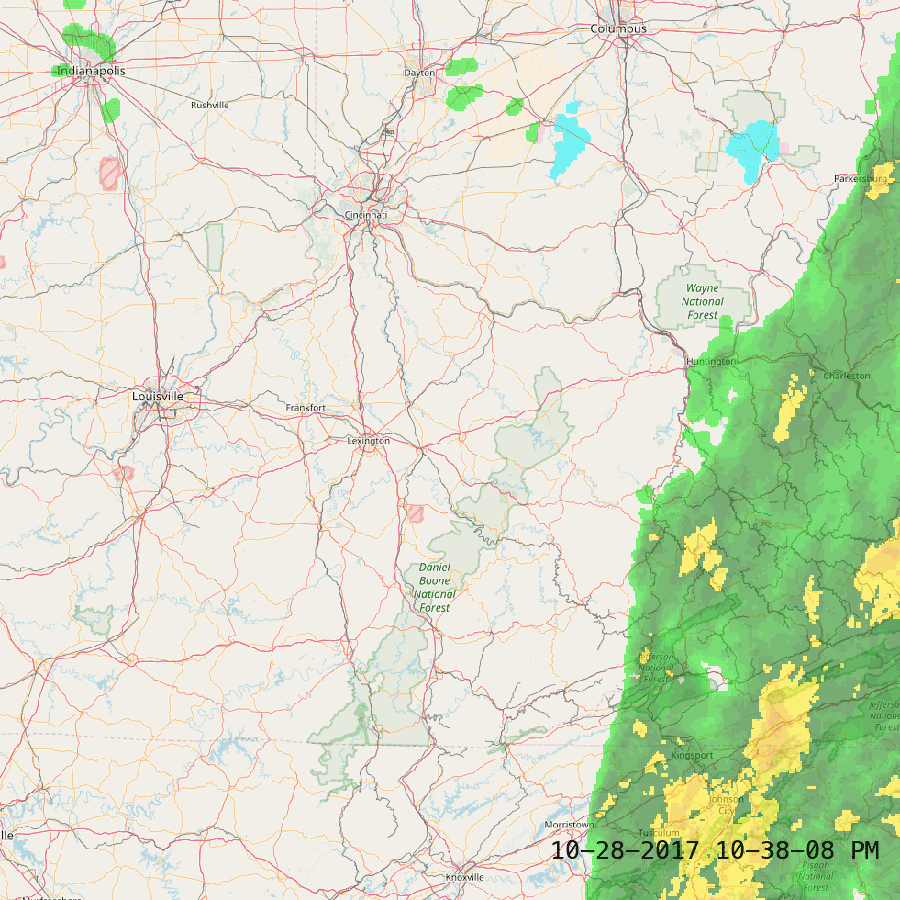
It turns out that some of these HD Radio signals run by iHeartRadio also contain other data streams such as live weather and traffic data that is consumed by HD Radio based car GPS receivers or audio head units in US vehicles. HDRadio.com also write that they can embed other data such as sports scores and emergency messages into the data stream as well.
KYDronePilot's Python script utilizes Theori's decoder to save all received weather and traffic data maps for a folder. Below is an example of traffic and weather data that he received.
HD Radio Received Traffic DataHD Radio Received Weather Data
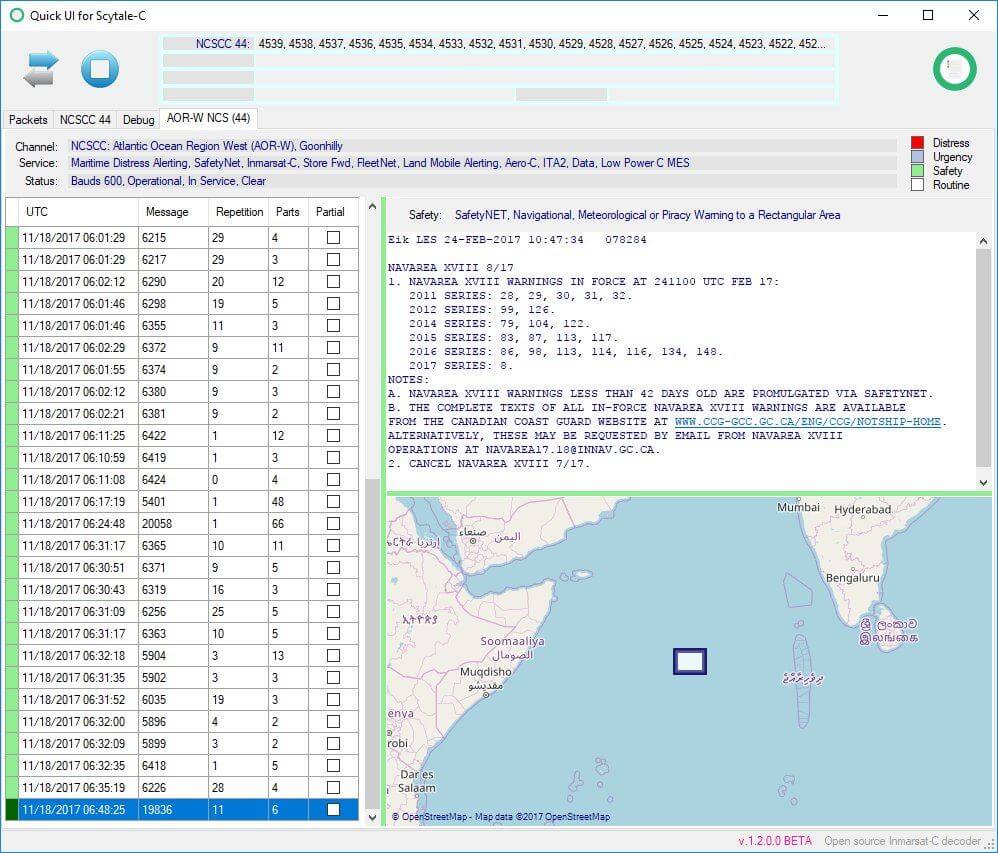
Inmarsat STD-C is an L-band geosynchronous satellite signal that transmits at 1.541450 GHz. This means that the signal can be received with a simple patch antenna, LNA and RTL-SDR dongle. The satellite is geosynchronous (stationary in the sky), so no tracking is required. On the STD-C channel you'll see messages mainly for mariners at sea such as weather updates, military operational warnings, pirate sightings/reports, submarine activity, search and rescue messages and more. If you are interested we have a tutorial based on other software packages available here which also shows some STD-C message examples. The tutorial can easily be adapted for use with Scytale-C instead.
We've also seen on Twitter that Scytale-C beta tester @otti has noted that a SDR# plugin based on Scytale-C seems to be in the works.
An Important Note on the Coding Ethics of Scytale-C + Tekmanoid Decoder Updates
We feel that it is responsible to make a note on coding and licencing ethics about this software. Originally the software was illegally decompiled by 'microp11' from the closed source Tekmanoid STD-C decoder written by Alex and re-released in a different programming language with a different GUI as the 'open source' B4000Hz software. After Alex took action and micrcop11 realized what he did was wrong he took B4000Hz down. Since then microp11 notes that he has written Scytale-C fully from scratch without the closed source code knowledge. But to be unquestionably legal a full two man clean-room rewrite would probably need to be done as once knowledge of source code is acquired it can be difficult to think of a separate implementation (a somewhat related post discussing this on StackExchange).
However, Alex has noted microp11's passion, and microp11's remorse at the initial decompilation and release of B4000Hz, and has decided to take the higher road and not pursue any further DMCA complaints. Instead he has kindly decided to allow the software to exist, but with acknowledgement of Tekmanoid included. We're glad that the matter was resolved amicably, but still if you use the Scytale-C software we would urge you to still consider the free or paid version of the Tekmanoid STD-C decoder to support Alex.
Recently Alex has updated his software to include a spectrum analyzer and more appealing method of displaying EGC messages. Alex writes regarding his Tekmanoid STD-C decoder:
This software [Tekmanoid STD-C Decoder] is closed source and has been since it was first released around 2009. At that time I made a choice to keep the source private but share the executable EGC app for free with the public, so that others could have some fun on the L-band!
The "pro" EGC-LES version was developed in parallel the same year but kept private, nobody even knew it existed. Although I recognized its potential financial value I didn't take "advantage" of it. Firstly because it was a personal hobby project (can't put a price on intellectual property) and second, because I didn't want to help to further expose people's private communications to the open public.
In February 2017 a raw clone of my de-compiled code was made public, to be later withdrawn with an apology. That is the moment I decided to release the PRO version as payware to the public. Many new features present in today's PRO version have been proposed by users and my aim is to satisfy everyone's wishes.
Recently another similar project was released from the same author, with lots of documents to support the code and only minute traces of the initial de-compilation. This time one could indeed claim to have built it "from scratch" - codewise at least. The fact still remains that *part* of the knowledge (not 'code' necessarily) required to put it together was obtained from this initial reverse engineering process.
Despite the negativity surrounding this case, I decided to withdraw my takedown request on the project in exchange for an acknowledgement to the original Tekmanoid decoder, as this person himself wished to include from the start anyway.
To end it with another positive note, I can only hope this newcomer will bring something new to the scene, and that we will see some interesting things!
Below is a video of the updated Tekmanoid decoder.
Tekmanoid EGC+LES pro decoder
Update: Microp11 wrote to us after this post went out and wrote the following:
I just want to let you know that scytalec is not a re-write. It is another solution of solving the problem of decoding the Inmarsat-C. Written from scratch. Inadvertently any Inmarsat-C decoder in the 1.5GHz band will have the same the building blocks and they are now documented in detail in the bibliography published with my code. The information is hard to find. All the information is from publicly available sources only. Such that the code will be able to withstand the obstacles or remaining open source. The majority of the documentation is technical manuals, as they each in part reveal a piece of the puzzle, and collectively they contain an almost complete communication protocol. Some are books and they must be the specific revision mention within the bibliography. Moreover if any coder will read the documentation they will actually be able to write a better decoder as I found parts of it too late for a more elegant code writing. And this is the whole idea of scytalec, that anyone can do it if they put their mind to it. There is enough documentation to tackle the C-band as well. And giving enough time, I might be planning on doing that after the sdr# plugin I’m working at. Not alone, as I was and I am being helped by others to which I am grateful and their names were and will be mentioned within the code. Just so you will have an idea of how deep the documentation correctness went for this project, even if a code comment was incorrect, say I was referring to a frame as a “block” or “part” I would get an admonishing email on that. So yes, I have high reasons to stand by this code originality.
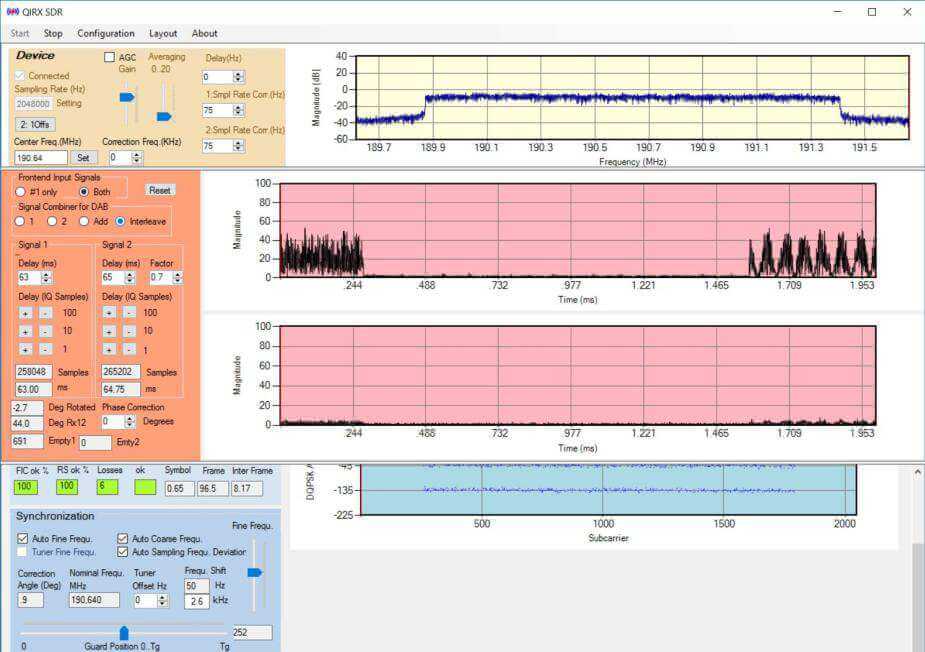
Over on their website the team behind the QIRX SDR software have written up an investigation into the feasibility of using RTL-SDR for phase coherent experiments. Phase coherent receivers can allow for experimenters such as interferometry, passive radar, direction finding, etc. In their experiment they connected the clocks of two RTL-SDR dongles together so that each dongle is running from a common clock. They then used their software to check if there was coherence on a DAB signal that they were receiving. To do this they used the null symbol present in DAB signal data to trigger the IQ display for each dongle. One display shows the difference in IQ data between the two dongles. If there is phase coherence then the graph should display zero. Their results found the following:
It has been possible to achieve phase-coherent operation of two I/Q data streams.
It has NOT been possible to achieve phase-coherent operation on every run of the system.
The system showed sub-sample time delay between the two receivers (if the interpretation of the observed behaviour is correct), varying randomly between different runs. A time delay of the two receivers sufficiently small for DAB demodulation of interleaved signals could only be achieved by pure chance. No attempts have been made to solve this problem during the experiments.
The system showed varying phase differences between the two receivers, changing at a constant rate. Three different changing rates have been observed during the experiments. A working solution has been found for this phenomenon, consisting in an continuous permanent correction of the phase angles of every sample. This imposes a considerable enhanced processing load. The occurrence of three different relative phase angle rotation speeds seemed strange. With the lack of documentation any attempt to interpret this behavior seems pure speculation.
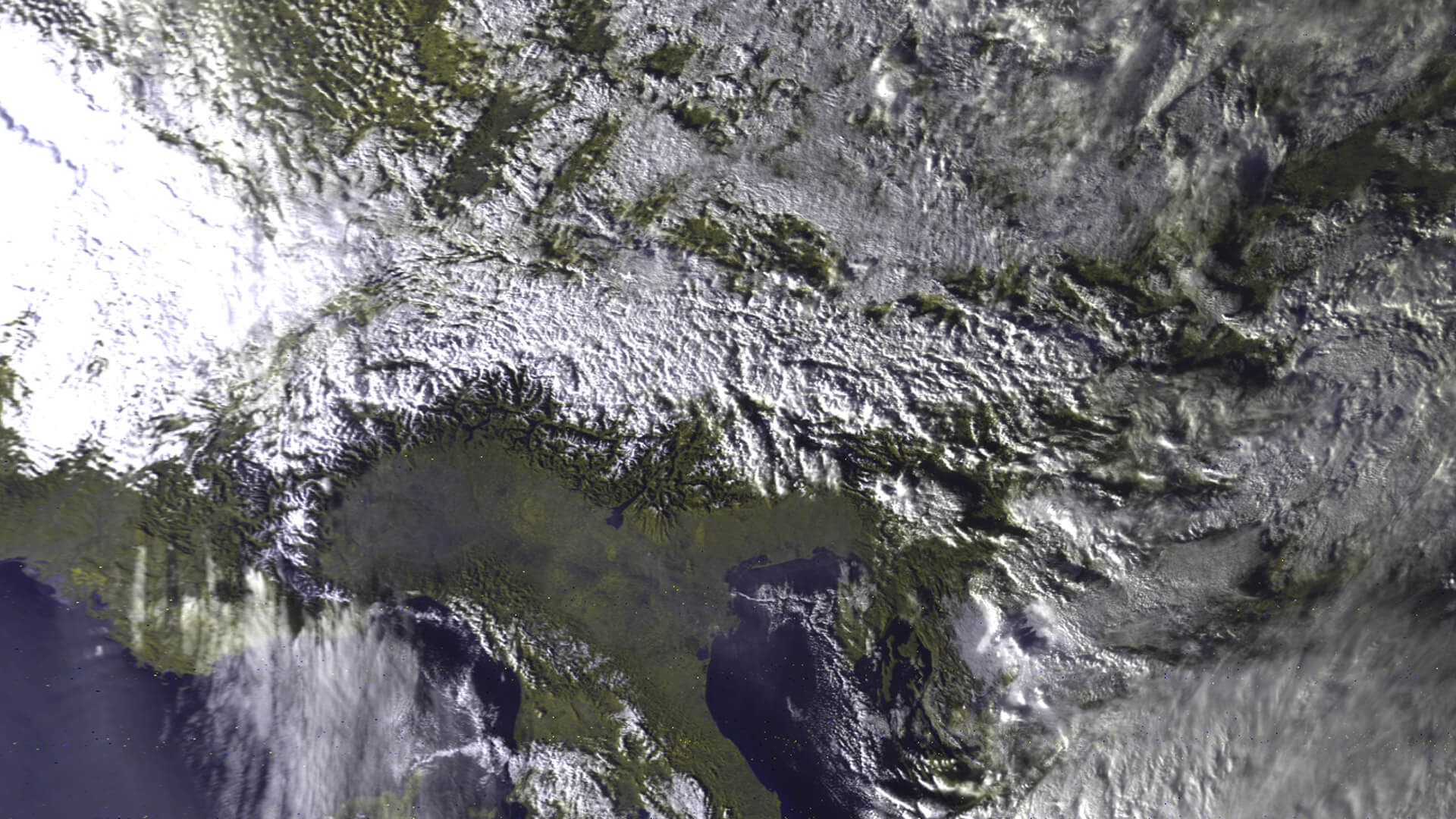
Most readers of this blog are probably familiar with the more commonly received APT images that are broadcast by the NOAA satellites at 137 MHz, or perhaps the LRPT images also broadcast at 137 MHz by the Russian Meteor M2 satellite. HRPT signals are a little different and more difficult to receive as they are broadcast in the L-band at about 1.7 GHz. Receiving them requires a dish antenna (or high gain Yagi antenna), L-band dish feed, LNA and a high bandwidth SDR such as an Airspy Mini. The result is a high resolution and uncompressed image with several more color channels compared to APT and LRPT images.
In his video Tysonpower shows how he receives the signal with his 3D printed L-band feed, a 80cm offset dish antenna (or 1.2m dish antenna), two SPF5189Z based LNAs and an Airspy Mini. As L-band signals are fairly directional Tysonpower points the dish antenna manually at the satellite as it passes over. He notes that a mechanised rotator would work a lot better though. For software he uses the commercial software available directly from USA-Satcom.com.


![[EN subs] HRPT - Erste Bilder! und mein Setup](https://www.rtl-sdr.com/wp-content/plugins/wp-youtube-lyte/lyteCache.php?origThumbUrl=https%3A%2F%2Fi.ytimg.com%2Fvi%2FxuqsLo48eWg%2F0.jpg)