Tagged: sdr#

Receiving the ‘Hidden’ Broadcast FM SCA Audio Subcarrier with an RTL-SDR and SDR#

Broadcast FM channels can often contain additional subcarriers hidden within the bandwidth. A common subcarrier is Radio Data System (RDS), and this is what provides song and radio station text information to your radio.

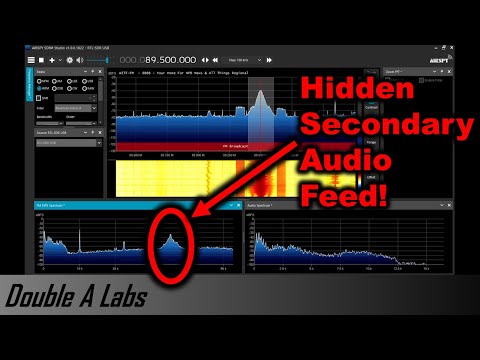
Another less commonly seen subcarrier is the Subsidiary communications authority (SCA), which is a separate audio channel hidden within the broadcast FM signal. SCA is typically used for niche radio programs, elevator music, music for doctors offices, and niche services such as reading for the visually impaired. In the past you needed a special hardware SCA radio to receive these channels, however receiving these channels with an SDR is relatively simple. Not all broadcast FM stations will have an SCA service, but the video shown below explains how to find one.

Over on YouTube channel Double A has uploaded a video showing how to decode these SCA subcarriers using an RTL-SDR, two SDR# instances and the MPX Output plugin. The idea to to use a virtual audio cable to pipe the FM Multiplex (MPX) audio output from one instance of SDR# to another. In the second SDR# instance you can then directly tune into the SCA channel. In his video he also explores the FM MPX spectrum, showing the different components, and also how to install and use RDS Spy for decoding RDS.

Tuning an FM Audio Subcarrier (SCA) & Decoding RDS Data with RTL-SDR USB

SDRSharp Guide V3.0 Released

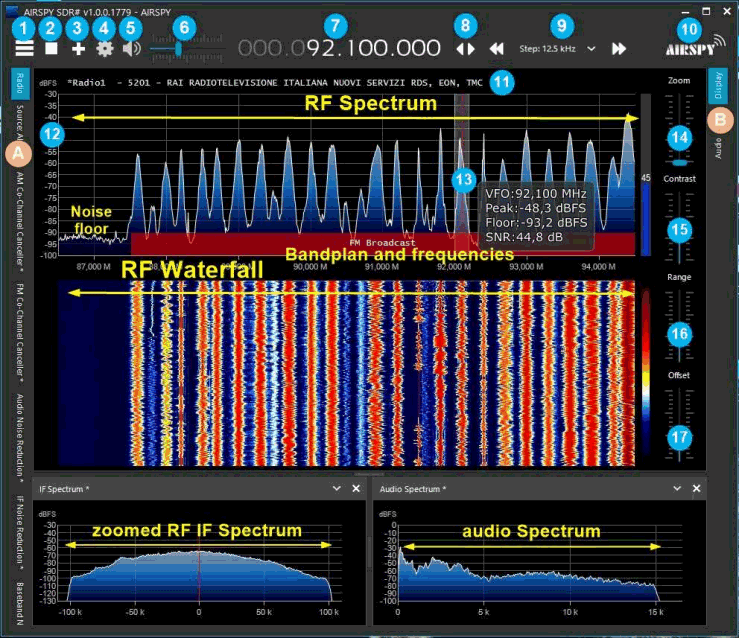
Paolo Romani (IZ1MLL) has recently released version 3.0 of his SDRSharp PDF Guide which we posted about last in March of this year. As before the document is a detailed guide about how to use SDRSharp, which is the software provided by Airspy. While intended for Airspy devices, SDRSharp also supports a number of third party SDRs, including the RTL-SDR, and it is the software we recommend starting with when using an RTL-SDR.

The guide is now 61 pages long, and covers all the settings, UI customization, included and third party plugins, and use of some external decoders.

SDRSharp Guide

SignalsEverywhere: Testing SDR++ A Hands on Overview

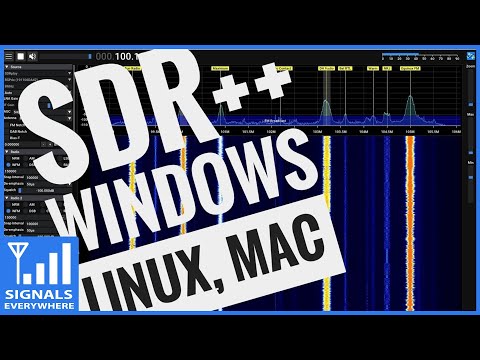
On on YouTube on the SignalsEverywhere channel Sarah has uploaded a new video where she gives a hands on overview of the SDR++ software. Last week we posted about the release of SDR++ V1.0.0, which is an open source, cross platform, C++ based GUI general receiver program for various SDRs including the RTL-SDR.

In the video Sarah shows it's basic usage in action and highlights many of the great features that SDR++ has. Overall Sarah notes that she is very impressed with SDR++, praising it as one of the best SDR applications released in a while, and we agree.

SDR++, The Cross-Platform bloat-free SDR software | A Hands on Overview

SDR++ Version 1.0.0 Released

SDR++ is an open source, cross platform, C++ based GUI general receiver program for various SDRs including the RTL-SDR. Since it's alpha release in mid 2020, it has undergone huge amount of development, and is quickly becoming the main program of choice for many users due to it's efficiency, cross platform and multi-SDR hardware support and increasing feature set. And with an easy GUI very similar to that of SDR#, it's easy for most users to learn.

Recently version 1.0.0 of the SDR++ software has recently been released. This is the first non-beta stable version, so represents a major milestone in development. Over on Reddit programmer u/xX_WhatsTheGeek_Xx summarizes the latest developments.

After over a year of work, I'm proud to released version 1.0.0 of SDR++!

For those who don't know, SDR++ is a crossplatform (Windows, Linux, MacOS, BSD) and open-source (https://github.com/AlexandreRouma/SDRPlusPlus/releases) general purpose receiver software meant to be simple and easy to use. It has advances features like multi-vfo and uses a fully custom DSP making it very efficient.

Here are the following additions compared to the last version:

  • Support for the SpyServer protocol
  • Support for all SDRplay devices
  • Support for all BladeRF devices
  • Support for all LimeSDR devices
  • Optional IQ correction
  • Optional Decimation
  • Broadcast FM Stereo
  • Frequency manager to create lists of frequency and optionally display them directly on the FFT/Waterfall
  • Network sink to stream the audio output via TCP or UDP
  • Options to set the FFT framerate, FFT size and FFT window.
  • Theming with Dark and Light themes supplied by default
  • RigCTL server module to control SDR++ from, for example, gpredict.
  • A bunch of keyboard shortcuts (see wiki on the github page)
  • SNR meter
  • More info when hovering a VFO
  • Colored VFOs to easily identify which is which at a glance
  • Meteor M2 demodulator compatible with LRPTOfflineDecoder and Satdump
  • Ability to resize VFOs by directly dragging the sides on the FFT and waterfall
  • Module manager to easily add or remove any module on the fly without having to restart or edit the config manually
  • File dialogs to select directories in the recorder or files in the file source (instead of having to type in the path)
  • Ability to disable modules that support it (Radio and Meteor M2 demodulator) with one click (to save CPU power or just if they're not needed)
  • Lots of performance improvements
  • Ludicrous amounts of bugfix :)

I'd like to thank the many contributors, patrons and companies (SDRplay, Airspy, Nuand, LimeMicro) who helped make this project possible!

If you have any issue with the software, please open a github issue or contact me directly on the SDR++ discord (see readme on github)

I hope this software comes in useful to at least some of you ;)

We also wanted to highlight the fact that SDR++ runs smoothly with about 50% CPU usage on a Raspberry Pi 4 with an RTL-SDR.

Also according to @cemaxecuter who created DragonOS, if rtaudio is installed on Linux , then an easy to use virtual audio sink becomes usable from SDR++, allowing audio to be easily passed to other programs such as WSJT-X just like on Windows.

A ready to use zip file for Windows is available on the GitHub Releases page, as well as amd64 .deb and .pkg install files for Ubuntu, Debian and MacOS systems. For other systems the compilation instructions are available on the readme or Git main page.

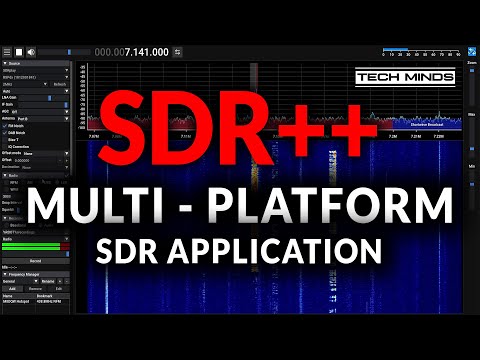
SDR++ V1.0.0 Screenshot

Lessons Learned Using SDR in the Classroom

Recently SDR-Boston hosted an online panel titled "Lessons Learned – Using SDR in the Classroom", and the video is now up on YouTube. A presentation was given by three panelists and moderator on the topic of how software defined radio has been used in University curriculum. Many of the courses make use of RTL-SDR dongles, as well as more advanced transmit capable SDRs.

Software-defined radio (SDR) technology is extensively being used across a wide range of research activities to help demonstrate feasibility of new algorithms and approaches that are rapidly defining the new current state-of-the-art in emerging wireless technologies (e.g., 5G/6G, drone networks) as well as providing new opportunities to explore the electromagentic (EM) spectrum world around us (e.g., radio astronomy, satellite communications, radar). Although SDR has become mainstream in research activities, it has not been widely used in the classroom environment to help students leap from theoretical concepts to practical hands-on learning.

The following presentations were given (more information available on the panel website):

1,024 ways to teach with SDR: Dr. Fraida Fund, New York University

Educators who are considering using software defined radio in the classroom face a dizzying array of choices, including hardware, software, and curriculum decisions. In this presentation, I will describe my experiences using software defined radio in different ways for a range of audiences, from high school to graduate school. I will share the decisions I made in designing each course or curriculum module, and the tradeoffs associated with those decisions.

Teaching SDR and DSP to Undergrads within CS: Dr. Marc Lichtman, University of Maryland

Dr. Lichtman will briefly discuss the course he designed and taught at The University of Maryland within the CS dept, introducing students in their senior year to SDR and DSP, as an elective. The first half of the course acts as a DSP and wireless comms primer, essentially condensing several courses that are normally taught at the graduate level within ECE, providing students with the necessary background by teaching DSP theory using diagrams, animations, practical demos, and code examples rather than a mathematically rigorous theoretical approach. The remainder of the course focuses on using SDRs to implement the DSP techniques they had learned. He has recently created a free online textbook based on his course, teaching SDR and DSP with Python, https://pysdr.org.

Teaching Introductory Communication Systems using SDR: Challenges, Benefits, and Lessons Learned: Dr. Cory J. Prust, Milwaukee School of Engineering

Exposure to software-defined radio (SDR) technology is a valuable experience for undergraduate electrical and computer engineering students. Decreasing hardware costs and easy-to-use software tools have made SDR experimentation readily available to the undergraduate laboratory setting. However, especially for students who are still learning the fundamentals of communication systems, laboratory exercises must be carefully designed to reinforce foundational concepts, meaningfully engage and motivate students, and be presented at an appropriate technical level. This presentation will describe the development and deployment of hands-on SDR-based laboratories used in an introductory communication systems course. Lessons learned from multiple offerings of the course will be discussed.

Hands-On Wireless Communications Education: It’s More Than I/Q Representation: Dr. Alexander M. Wyglinski, Worcester Polytechnic Institute

In most undergraduate and graduate courses focusing on digital communication systems engineering, the concept of representing all information in terms of in-phase (I) and quadrature (Q) comes up and becomes the foundation for many other concepts taught throughout the rest of the course. However, the treatment of I/Q tends to be over idealized and the real-world effects affecting this very important source of information is saved “for the next course”. With SDR technology, those real-world effects that are impacting the successful recovery of I/Q samples are experienced right away and the true challenges of digital communication systems engineering are experienced first hand. This introduction will provide some initial insight on the practical considerations when extracting I/Q samples from over-the-air and attempting to decode them for the purposes of recovering binary information.
SDR-Boston Panel Event: "Lessons Learned - Using SDR in the Classroom"

RTL433 Plugin for SDR# Now Available

UPDATE 19 Feb 2024: Marc has released an updated version of the plugin at https://github.com/marco402/plugin-Rtl433-for-SdrSharp

Recently Marc has released his RTL433 plugin for SDR# over on GitHub and his Wixsite. RTL433 is a commonly used RTL-SDR command line program that provides decoders for a wide range of 433.92 MHz, 868 MHz, 315 MHz, 345 MHz, and 915 MHz ISM band devices. Examples of such devices include weather stations, alarm sensors, utility monitors, tire pressure monitors and more.

To install the plugin, go to the GitHub page and click on the green Code button, and select Download Zip. In the zip file open the "install" folder and extract the three .dll files into the SDR# folder. Now open the Plugins.xml file in Notepad and add the following line between the <sharpPlugins></sharpPlugins> tags.

<add key="RTL_433" value="SDRSharp.Rtl_433.Rtl_433_Plugin, SDRSharp.Rtl_433" />

Now you can add the plugin to the SDR# screen using the hamburger menu within SDR# on the top left. When a device is discovered it will open up a window for that device, logging data from it over time.

RTL433 SDRSharp Plugin
RTL433 SDR# Plugin Device Windows

Feeding Audio from SDR# To Multiple PCs over TCP

Thank you to M Khanfar for submitting his latest video that shows us how to use a launcher that he's created called "GUI SDR TCP STREAMER" (which is actually a combination of several freeware Windows programs including Advanced IP Scanner and TCP Streamer) to stream demodulated audio from SDR# to other PCs over a network connection.

TCP Streamer takes the audio from SDR# via VB-Cable, streams it over TCP to the client PC, then plays the audio on the client side speakers. We note that TCP Streamer should also work with any other SDR program that can output audio to VB-Cable.

SDR Audio TCP Streamer

SDR# Updated: Improved Performance and Better RTL-SDR Compatibility

SDR# (SDRSharp) is one of the most popular free software defined radio programs available with RTL-SDR support. Recently it has been updated to version 1811 and the new version brings improved performance and also improves RTL-SDR compatibility with some systems. The changelog reads:

Date:   Mon Mar 29 15:03:09 2021 +0200
Commit: d5cb6c3

More DSP optimizations;
Many fixes for RTL dongles (mainly workraounds for old libs);
Revert to libusb 1.0.20.11004 for backward compatibility;
Revert to portaudio 2016 for backward compatibility;
Code cleanup.

@lambdaprog (the SDR# programmer) has also tweeted showing how well SDR# can run on a 10 year old i7 4700 laptop with the new performance improvements. With a huge 160 MSPS baseband IQ file, the software is seen to be using very minimal CPU.