Tagged: sdr#

RTL433 Plugin for SDR# Now Available

UPDATE 19 Feb 2024: Marc has released an updated version of the plugin at https://github.com/marco402/plugin-Rtl433-for-SdrSharp

Recently Marc has released his RTL433 plugin for SDR# over on GitHub and his Wixsite. RTL433 is a commonly used RTL-SDR command line program that provides decoders for a wide range of 433.92 MHz, 868 MHz, 315 MHz, 345 MHz, and 915 MHz ISM band devices. Examples of such devices include weather stations, alarm sensors, utility monitors, tire pressure monitors and more.

To install the plugin, go to the GitHub page and click on the green Code button, and select Download Zip. In the zip file open the "install" folder and extract the three .dll files into the SDR# folder. Now open the Plugins.xml file in Notepad and add the following line between the <sharpPlugins></sharpPlugins> tags.

<add key="RTL_433" value="SDRSharp.Rtl_433.Rtl_433_Plugin, SDRSharp.Rtl_433" />

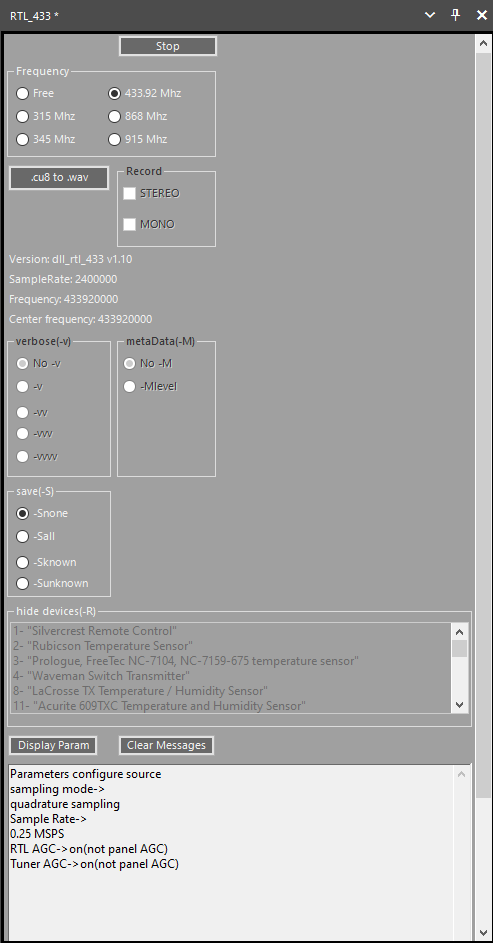
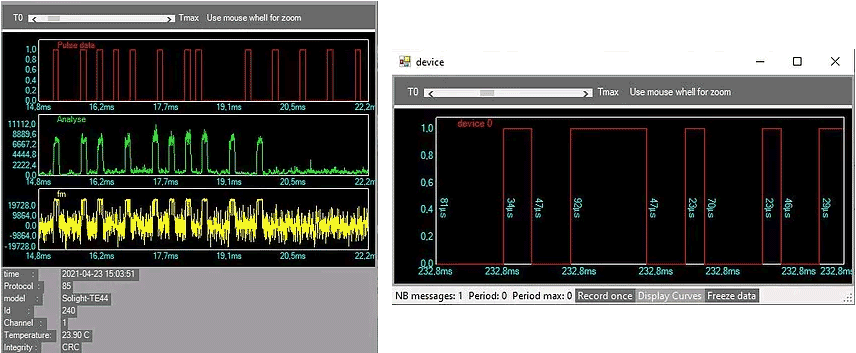
Now you can add the plugin to the SDR# screen using the hamburger menu within SDR# on the top left. When a device is discovered it will open up a window for that device, logging data from it over time.

RTL433 SDRSharp Plugin
RTL433 SDR# Plugin Device Windows

Feeding Audio from SDR# To Multiple PCs over TCP

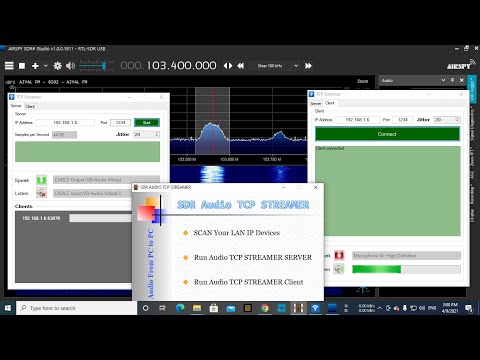
Thank you to M Khanfar for submitting his latest video that shows us how to use a launcher that he's created called "GUI SDR TCP STREAMER" (which is actually a combination of several freeware Windows programs including Advanced IP Scanner and TCP Streamer) to stream demodulated audio from SDR# to other PCs over a network connection.

TCP Streamer takes the audio from SDR# via VB-Cable, streams it over TCP to the client PC, then plays the audio on the client side speakers. We note that TCP Streamer should also work with any other SDR program that can output audio to VB-Cable.

SDR Audio TCP Streamer

SDR# Updated: Improved Performance and Better RTL-SDR Compatibility

SDR# (SDRSharp) is one of the most popular free software defined radio programs available with RTL-SDR support. Recently it has been updated to version 1811 and the new version brings improved performance and also improves RTL-SDR compatibility with some systems. The changelog reads:

Date:   Mon Mar 29 15:03:09 2021 +0200
Commit: d5cb6c3

More DSP optimizations;
Many fixes for RTL dongles (mainly workraounds for old libs);
Revert to libusb 1.0.20.11004 for backward compatibility;
Revert to portaudio 2016 for backward compatibility;
Code cleanup.

@lambdaprog (the SDR# programmer) has also tweeted showing how well SDR# can run on a 10 year old i7 4700 laptop with the new performance improvements. With a huge 160 MSPS baseband IQ file, the software is seen to be using very minimal CPU. 

Scanner School Podcast + Webinar: This is Why You Need an SDR

Scanner School is an online site providing tutorials, podcasts and reviews all about the radio scanning hobby. They are currently planning a Webinar for February 23, 2021 titled "Why Every Scanner User Needs an SDR: The #1 Underrated Tool that should be in your setup". You can sign up to the webinar here. In addition to the upcoming webinar they have also already released episode 165 of their podcast titled "This is Why You Need an SDR". The topics covered in the podcast are listed below.

  • An SDR means that anything normally handled by the hardware of the radio is now handled by the computer, and the physical hardware serves as an interface.
  • The only limitation on the SDR hardware you buy is the frequency range and the amount of RF it can digest.
  • SDR receivers have come a long way since they were first hacked into existence.
  • SDRs used to be difficult to set up, but that’s no longer true.
  • You don’t need advanced computer skills to run SDR software.
  • SDR software can run on PC, Linux, Mac, Raspberry PI, and even Android.
  • An SDR is more flexible and less expensive than a traditional radio.
  • You can turn a $30 USB stick into something as powerful as an SDS200 in an afternoon.
  • All you need to get started is an SDR USB stick, a computer, and the free starter software SDR Sharp.
  • Once you get set up with FM broadcast stations, aviation, and other analog systems, Phil’s SDR course will go into how to set up digital reception.
  • If you download DSD+ Fast Lane or Unitrunker you can monitor trunking systems.

Getting Started with Developing Plugins for SDR# on .NET 5

Recently we posted about how SDR# was updated to the latest .NET 5 framework, and this brought with it a new plugin SDK for developers. If you're wanting to get started with plugin development, Petri-Veikko Alajärvi (OH1GIU) has uploaded a tutorial showing how to get started with the free Visual Studio 2019 Community IDE. His post shows how to create a new project, how to add references to the SDRSharp plugin files and how to set up and test a basic GUI via an RDS information display example.

Creating a new SDR# Plugin with the .NET5 Plugin SDK

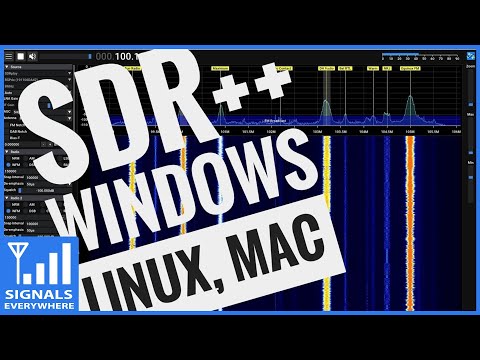
SDR++ Recent Updates: Plugins, Multi-VFO, Multi-Platform, Native RTL-SDR and More!

Back in July 2020 we first posted about the alpha release of "SDR++" which back then was a new project by "Whatsthegeek" that was determined to bring an open source, cross platform, C++ based GUI general receiver program for various SDRs including the RTL-SDR to the community. Over the past few months the author has been working hard on updating the software, and it's looking a lot more mature today. Recently he has released the following updates as mentioned on his Reddit post:

As some of you might remember, I posted back in june about my SDR++ project. During the past 6 months, I've been hard at work to make it into usable software! The versions I released in june and july were extremely buggy and unusable. All of those issues have now been fixed. It's now simple to build and install. Here's a small rundown of the features it now has:

  • Fully modular architecture (plugins)
  • Multi-VFO
  • Support for most SDRs through dedicated modules or SoapySDR
  • Both baseband and audio recording with a level meter and volume adjust
  • Multiple bandplans available (very easy to write your own)
  • Switchable waterall colormap
  • Low CPU usage (lower than GQRX, CubicSDR, SDRConsole and in some cases SDR#)
  • Full waterfall update when zooming or changing min/max level

Also, SDR++ now runs on Windows, Linux, OSX and BSD!
Do note that it still has a few quirks and misses some features (see https://github.com/AlexandreRouma/SDRPlusPlus/projects/2 for the todo list)
In addition to what's in the todo list, decoders for common satellites will be written very soon. They will allow decoding of Meteor and NOAA with no external software needed!

I'd like to thank Airspy, Analog Devices, SDRplay and Howard Su for sending samples of their hardware for development! Would never have been able to add support for their hardware without it!

I hope this software will be useful to the community :)

SDR++ GUI

Releases for Debian Linux and Windows can be found over on the GitHub Releases page

We note that over on Twitter Whatsthegeek (@ryzerth) has been releasing further updates. He notes that some of the latest code updates for SDR++ add a native RTL-SDR module including bias tee support, and that it is also now available as a package for Arch Linux users over on the user Repository. However these latest updates are not yet available as binaries on the releases page.

In a recent tweet he also demonstrates the very useful looking multi-vfo feature allowing him to decode three AERO signals with Jaero simultaneously on a single RTL-SDR dongle.

SDRSharp Upgraded to .NET5 with New Plugin SDK For Developers

The popular SDR# (SDRSharp) software has recently been updated to version 1788, and now runs on the .NET5 SDK. Most of the upgrades are behind the scenes, but generally the new version appears to be more memory efficient and loads faster. The new version also brings more theme and layout customizations and as explained further below an improved plugin SDK for developers. 

In order to install the latest version you will need to download .NET5 runtime from Microsoft which may not already be on your system. For RTL-SDR users you can then run install-rtlsdr.bat then start the software as usual.

One of the most exciting new developments is the new .NET 5 plugin SDK that is now available. This allows third party developers to easily code up plugins for SDR#. While a plugin SDK already existed before, the new version appears to make development much simpler, and also comes with a few examples to help get developers started quickly. The result is that we should start to see more plugins appearing in the future with more features.

SDR# .NET5 Plugin SDK Example Code

One plugin called Scytale-C for Inmarsat STD-C channel decoding has already been updated to the new SDK. The developer notes that the plugin now works great with the SDR# "slicer" feature, which allows users to decode multiple STD-C signals within the received bandwidth at the same time. 

We've also recently seen reports of Twitter users having success with running this new SDR# version on WINE under Linux. Unfortunately direct USB still doesn't work under WINE, but it would still function via SpyServer or rtl_tcp.

New SDR# User Guide Available

Paolo Romani IZ1MLL has recently created a SDR# users guide document which comprehensively explains all the features and settings available in the program. SDR# (aka SDRSharp) from Airpsy.com is designed for Airspy SDRs, however it is one of the most popular SDR receiver programs used with RTL-SDRs as well.

Paolo's guide appears to build on our own guide at www.rtl-sdr.com/sdrsharp, providing new information and updates since many changes and new features have been released in SDR# since we wrote that guide a few years ago.

The guide can be found on the airspy.com/download page and is available in English, Italian and Spanish.

SDRSharp Guide