Over on YouTube user max30max31 aka IZ5RZR has uploaded a video that shows a faster method for decoding Meteor M2 weather satellite images on a Windows system. The Meteor-M N2 is a Russian weather satellite that transmits images using the LRPT protocol at around 137.1 MHz with can be received with an RTL-SDR. Compared to NOAA satellite APT images, LRPT images are much higher in resolution.
Normally, decoding Meteor M2 LRPT images requires a post processing step which involves the use of Audacity, an audio editing suite to reduce the recorded IQ files sample rate. However, with the recently released decimation SDR# drivers the Audacity step can be avoided by using a an appropriate decimation factor (8 at 1.024 MSPS) when recording the LRPT signals IQ data.
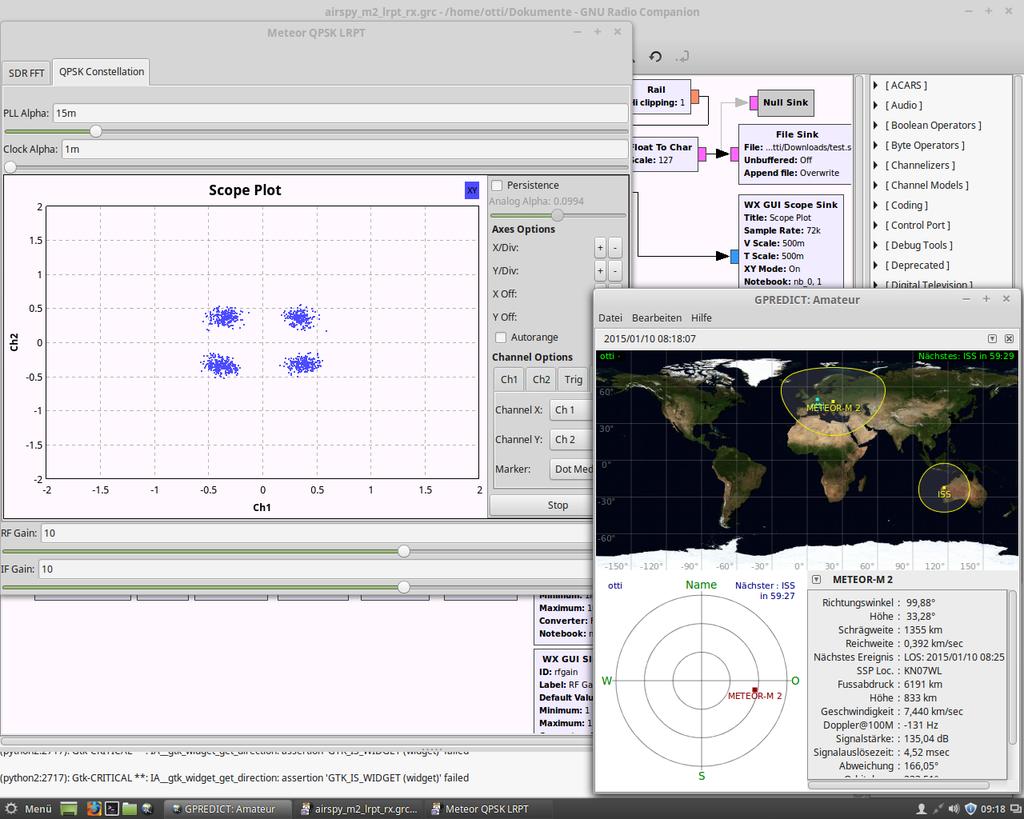
Previously we posted about receiving LRPT weather satellite images from the Russian Meteor-M2 weather satellite using the RTL-SDR. Now on GitHub, developer otti-soft has uploaded a LRPT decoder GNU Radio script for the Airspy. The script appears to be a modified version of the GNU Radio based real time decoder for the RTL-SDR, but optimized for the Airpsy and it’s 10 MSPS or 2.5 MSPS sampling rates. Note that although this is a real time receiver, the final image still needs to be processed on a Windows PC using LRPToffLineDecoder.
The reception process is to essentially record an IQ file of an LRPT transmission using SDR#, reduce the sample rate of the IQ file using audacity and then decode the file using LRPTrx.exe. Then finally the decoded data can be imported into LRPTofflineDecoder to produce an image.
With the launch of Meteor M2-3, the loss of all prior Meteor M satellites and the release of new software, this tutorial is now outdated. We will eventually update this tutorial, but for now we will reference this post which has a brief high level overview of how to receive and decode images from the Meteor M2-3.
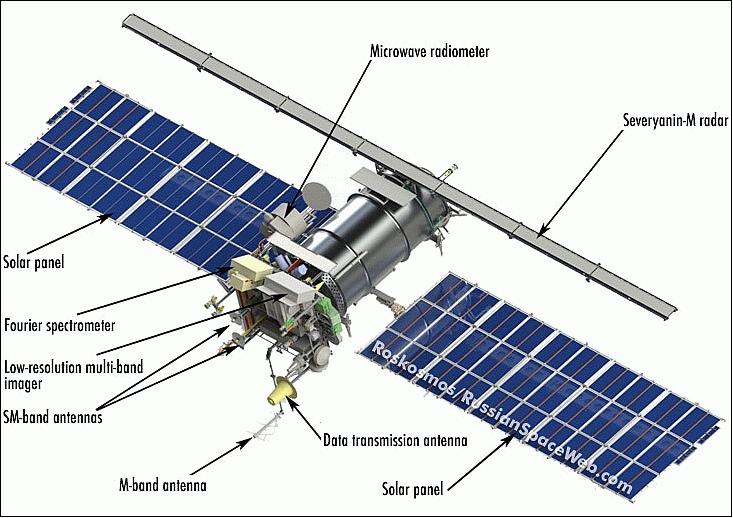
The Meteor-M N2 is a polar orbiting Russian weather satellite that was launched on July 8, 2014. Its main missions are weather forecasting, climate change monitoring, sea water monitoring/forecasting and space weather analysis/prediction.
The satellite is currently active with a Low Resolution Picture Transmission (LRPT) signal which broadcasts live weather satellite images, similar to the APT images produced by the NOAA satellites. LRPT images are however much better as they are transmitted as a digital signal with an image resolution 12 times greater than the aging analog NOAA APT signals. Some example Meteor weather images can be found on this page and the satellite can be tracked in Orbitron or online.
The RTL-SDR and other SDRs like the Funcube along with some free software can be used to receive and decode these images. LRPT images from the Meteor-M N2 are transmitted at around 137.925 MHz, so any satellite antenna like those commonly used with the NOAA weather satellites can be used.
NOTE:Meteor M1 has come alive, (now offline again), so the frequency of Meteor M2 was changed from 137.1 MHz to 137.9 MHz.Meteor M1 is now at 137.1 MHz and can be received using the same steps as in this tutorial, though please note that images from Meteor M1 are not perfect since the satellite is tumbling.
Happysat, a satellite monitoring enthusiast has emailed us with a comprehensive tutorial showing how the RTL-SDR can be used to receive and decode these LRPT images (pdf warning) (txt file). The procedure is not quite as simple as with the NOAA satellites as it involves first pre-recording the transmission as a baseband I/Q file in SDR#, changing the sample rate in Audacity, processing the file with the Lrptrx.exe software, and then using Oleg's LRPToffLineDecoder (now called M2_LRPT_Decoder) to finally produce the image (in case the link is down for LRPToffLineDecoder/M2_LRPT_Decoder), try mirror here or here).
The tutorial also shows an alternative and faster Linux based method using some GNU Radio scripts, but with the final processing still done with Oleg's decoder in Windows.
Update:This newer post now shows a slightly faster way for receiving and decoding LRPT images on a Windows PC which does not require the use of Audacity.
Basic idea on Linux is to record an IQ wav file using:
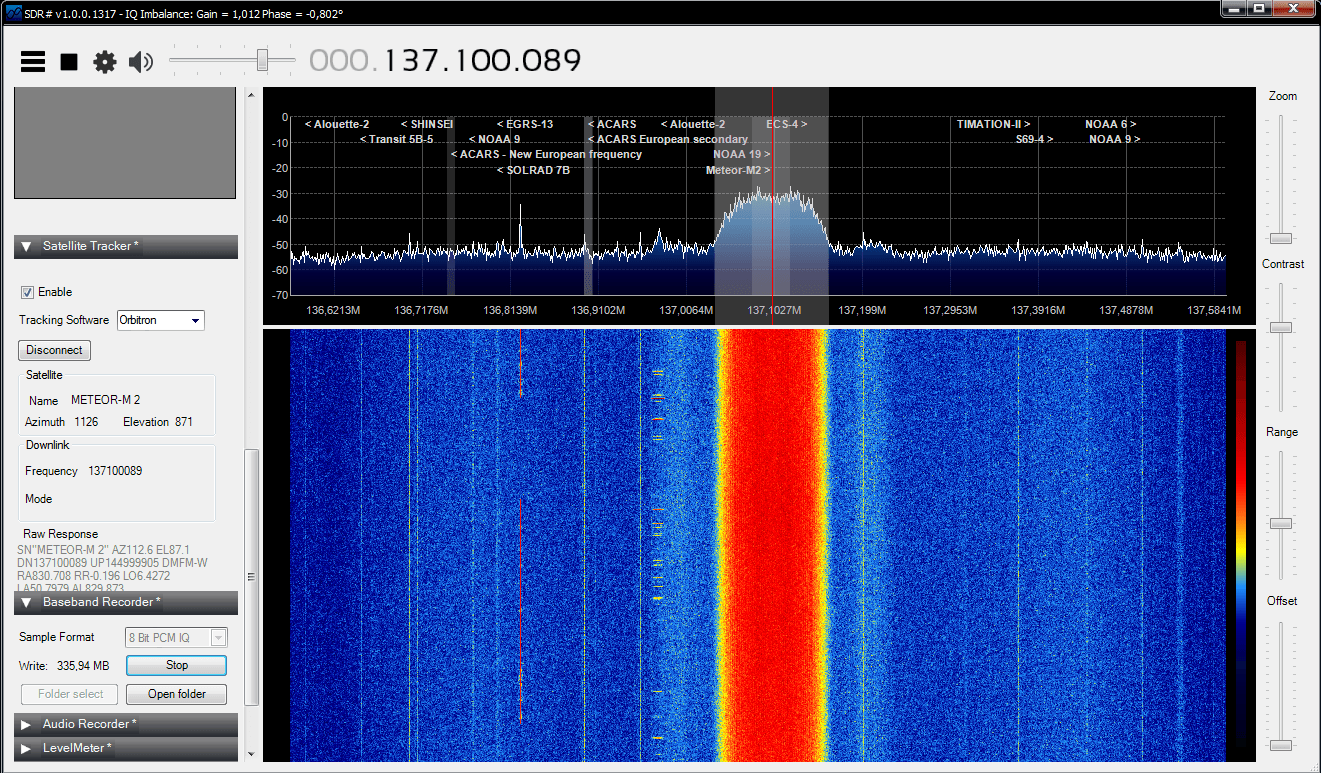
The Meteor-M2 SatelliteAn Example LRPT Image Received with an RTL-SDR from the Meteor-2 M2.Another Sample LRPT ImageWhat a LRPT signal looks like in SDR#
For a comprehensive book about the RTL-SDR you may be interested in our eBook available on Amazon.