According to various reports the Russian Meteor M-N2 satellite appears to be active again once more. The Meteor M N-2 is a polar orbiting Russian weather satellite that was launched in July 2014. It transmits with the LRPT protocol which allows us to receive weather satellite images with an RTL-SDR that are of a much higher resolution than the NOAA APT satellites.
Unfortunately late last year Meteor M N-2 had some problems and LRPT transmissions were turned off for the time being. During this downtime the Russian space agency switched the LRPT transmitter on the older Meteor M N-1 satellite back on, even though the satellite was tumbling in orbit. Currently people are not reporting any signal from Meteor M N-1, so this may have been turned off, perhaps temporarily.
Now however, it seems that Meteor M N-2 has been switched back on again and various people have already successfully received its signal. If you want to receive these Meteor M N-2 weather images with an RTL-SDR dongle or other SDR then you can view the tutorial written by Happysat here.
In order to optimally receive NOAA weather satellite images a special satellite antenna tuned for 137 MHz should to be built. Generally either a QFH or turnstile antenna is recommended as these receive signals coming from the sky very well. If you are interested in receiving weather satellite images from NOAA satellites with an RTL-SDR dongle then we have a tutorial available here.
While QFH and turnstile antennas are not difficult or expensive to build, they still do require a small amount of electrical and construction skills. Over on YouTube user Wanderlinse shows us a possible alternative NOAA antenna that is simply made out of an old umbrella (the video is narrated in German, but it is easy to understand from the visuals). He uses a short BNC cable with crocodile clips, and connects one clip to the spines of the umbrella, and the other to the central metal shaft. For some reason this seems to create a good antenna that receives NOAA APT signals very well. To prevent wind issues he also cuts out some holes in the umbrella fabric.
Wanderlinse also shows that he can receive other signals with this umbrella antenna too, such as long wave, medium wave, shortwave, aircraft radio and ham radio.
Regenschirm Antenne NOAA APT Umbrella Antenna (quick n dirty)
The Meteor M N-2 is a polar orbiting Russian weather satellite that was launched in July 2014. It transmits with the LRPT protocol which allows us to receive weather satellite images that are of a much higher resolution than the NOAA APT satellites. For a while since the launch RTL-SDR users had a good time receiving beautiful images from Meteor M-N2, but unfortunately since late last year the N2 LRPT transmitter has been turned off, due to technical problems with the IR sensors as cited by Russian meteorologists.
Fortunately for Meteor N2 enthusiasts the old Meteor M N1 satellite which was thought to be dead sprung back into life around November 2015. Recently Matthew A., a reader of our blog wrote in to let us know that while N2 is still not transmitting, N1 is still transmitting, albeit with somewhat distorted images. Matthew also mentions this link: http://homepage.ntlworld.com/phqfh1/status.htm, which contains up to date info on the status of all weather satellites. He also writes:
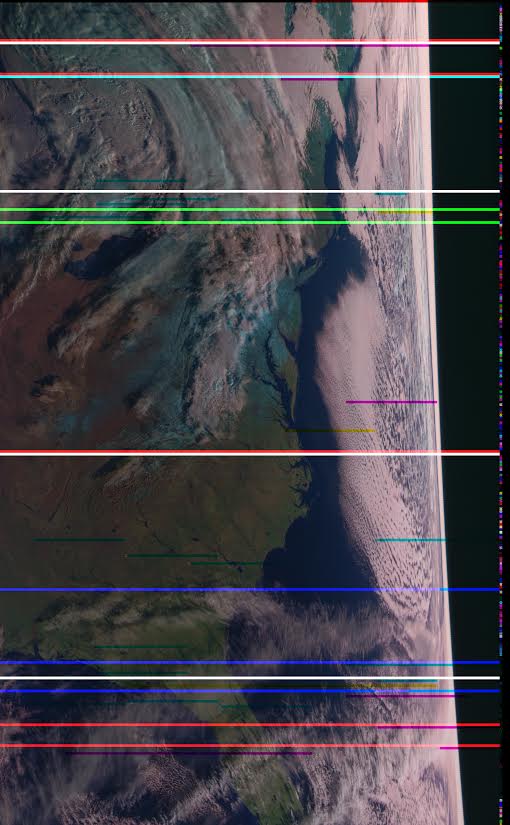
While transmissions are readily detectable and decodable at night, it seems that M N-1’s infrared sensors are not functioning. Yielding only black, with the typical noise bars of Red, Green, or Blue
As has been previously mentioned, Meteor MN-1’s stabilization system has obviously failed, and the horizon is clearly visible. Perhaps not of scientific value, but certainly beautiful.
We also note that there are several comments over on the Meteor-M N2 news and support website regarding receiving images from N1 and N2. It seems that sometimes N1 also has some problems with transmission, but they are usually quickly fixed.
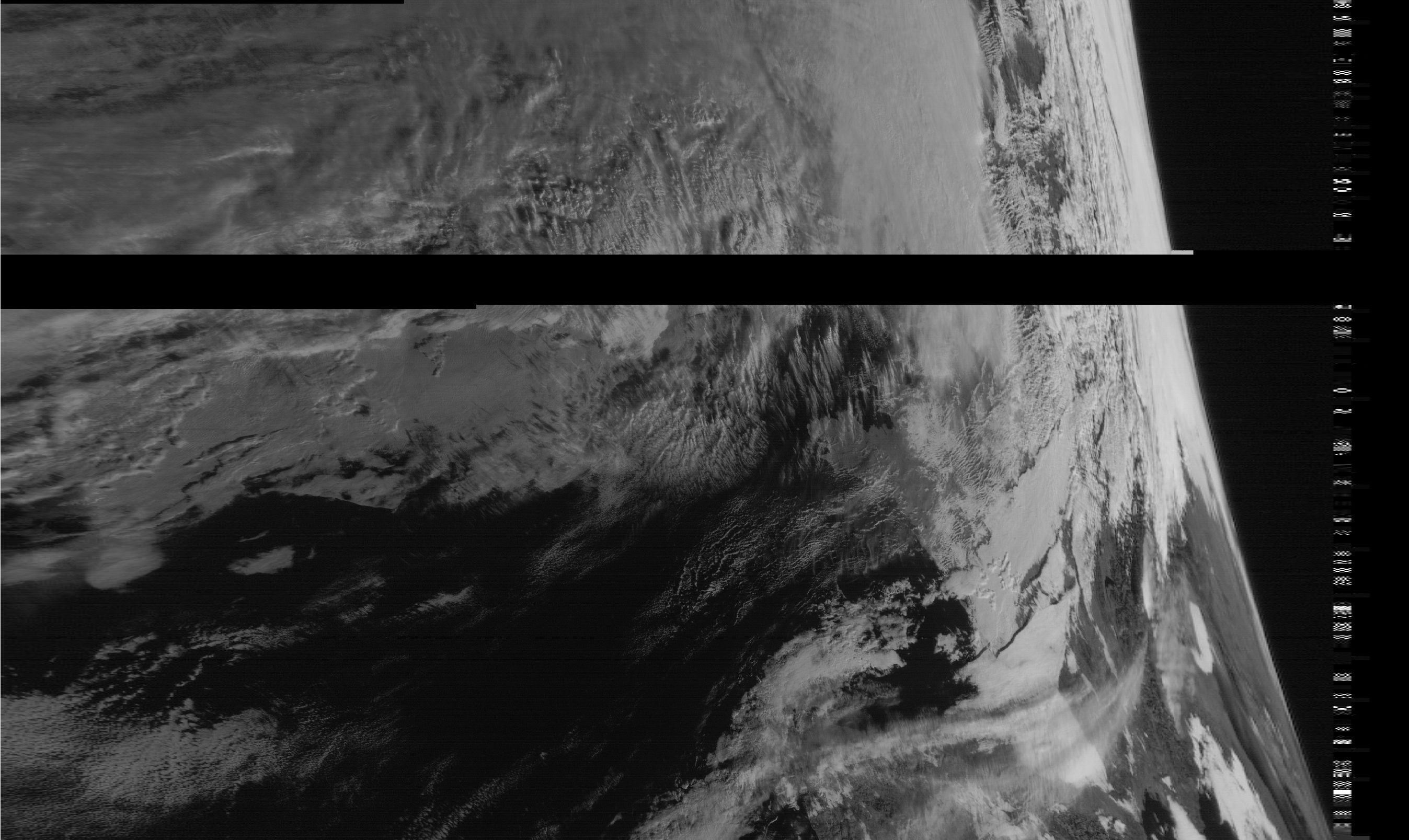
RTL-SDR.com reader Happysat recently wrote in with some news. A few days ago a weather satellite image decoding enthusiast from Argentina was waiting for a pass of the Russian Meteor M-N2 satellite when he discovered a strong LRPT signal at 137.1 MHz, even though the Meteor M-N2 satellite was not in sight yet. It turns out that the signal was coming from the old Meteor M-N1 satellite which was supposed to have been shut down in September 2014 due to several problems it had. The received signal is strong enough to produce a good black and white weather image, but because the satellite is not longer physically stable, sometimes the Earth’s curve can be seen in the images.
Recent images received from the resurrected Meteor M-N1 weather satellite.Recent images received from the resurrected Meteor M-N1 weather satellite. The stabilization system has failed so the earth’s curve can be seen.
The exact reason as to why it is transmitting again is unknown, but it is speculated that it is due to a breakdown of the chemicals in the batteries. Last year we posted about how sometimes satellites which have been decommissioned and shut down can spontaneously begin transmitting again when their batteries undergo a chemical change due to thousands of failed recharge cycles. The chemical change allows the batteries to conduct electricity from the solar panels directly to the electronics, which on Meteor M-N1 could be reactivating the transmitters and imaging sensors. If this is what happened then the satellite will only be able to transmit during the day.
The Meteor M-N2 satellite is the currently official active satellite. It transmits weather satellite images with the LRPT protocol which can be received and decoded with an RTL-SDR dongle. We have a previous post on this showing an offline LRPT decoding tutorial and more recently a tutorial showing how to decode LRPT in real time. The same processes can now be adapted to the resurrected Meteor M-N1 satellite by choosing the 80K symbol rate option in the LRPT decoder.
Happysat who submitted this news originally writes:
A few days ago some guy in Argentina was waiting for the pass of Meteor M-N2 and on SDRSharp waterfall he did see LRPT Digital signals on 137.100MHz, but Meteor M-N2 was not in sight yet…
This relatively strong signal was coming from the defunct Meteor M-N1 satellite left out of control in September 2014 last year and was shutdown, although LRPT Transmissions in the past where very limited and sporadic.
Meteor M-N1 did suffer from many problems at this was the first Russian digital weather satellite in the M-series onboard many hardware in experimental stages.
After this report I tried also to capture some signals from Meteor M-N1 (some other amateurs already got small portions of images) but the satellite only transmits in direct sunlight, batteries are not charging any more.
Indicating maybe like the other older ‘deadsat’ some chemical reaction did occur inside the batteries so the power goes from the solar panels directly to the transmission parts. It did happen before, mostly on older satellite’s only a unmodulated carrier is present when the sunlight conditions are optimal.
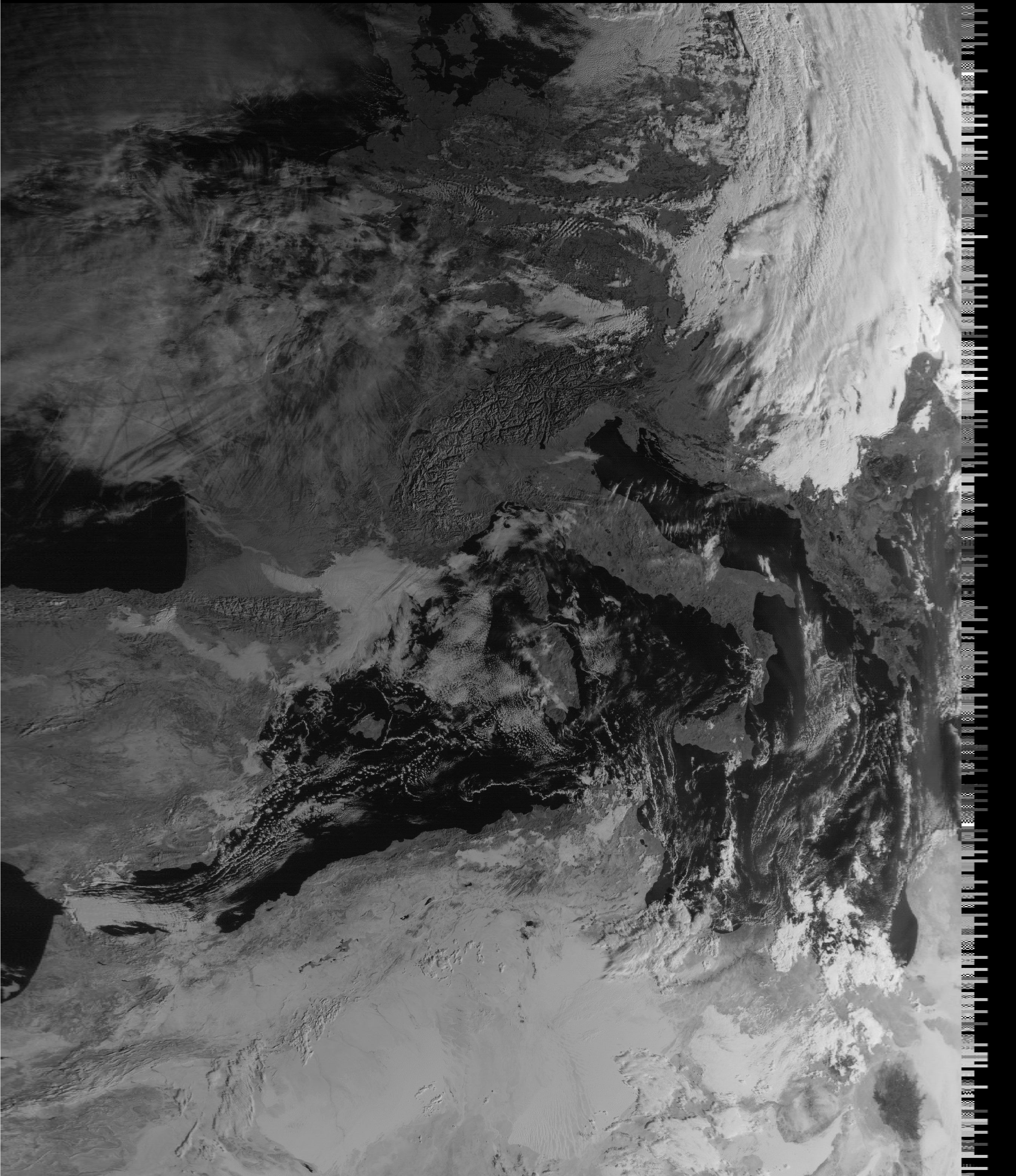
Surprisingly after I did record and process the 80K symbol rate QPSK signal from Meteor M-N1 with Vasili’s excellent QPSK Plugin a very nice image was generated!
Not only the sunlight provides power to the transmission part but also there is enough power to activate the imaging system which is quite amazing!
Visible channels 1-2-3 are fully working but the image is only Black and White Calibaration of the sensor are not okay so no color images can be created.
Nevertheless its a very nice addition for current LRPT weather amateurs and a big surprise its even working better when nobody controls it 😉
Because the stabilisation system failed there is no proper correction to orientate the camera and on some passes one can see the earths curve!
There are some conflicting reports about the status of Meteor M-N1 found on the internet:
Status Inactive Details on Status (as available)
MSU-MR was functional with limitations (calibration issues and higher noise level in the IR channels).
MTVZA-GY instrument was functional with limitations due to failures of on-board memory and atmospheric sounding channels.
Severjanin instrument non-operational.
DCS was functional with limitations due to interferences to signals from ground sources.
GGAK-M was operational with significant limitations.
LRPT was functional with limitations due to information compression errors.
Finally, the stabilisation system failed on 23 September 2014 and the instruments could longer be operated.
On October 1, 2014 Meteor-M No 1 was withdrawn from operational use and transferred to the study of the chief designer. The decision on further operation of the spacecraft will be taken upon completion of the research program.
Its not clear the problems did got solved, and I ‘think’ M-N1 started a second life on his own. Time will tell how long the satelitte will function.
Pete’s tutorial starts from a fresh install of Ubuntu and uses GQRX, GNU Radio Companion, WxtoIMG and the MeteorM2 decoding tools. He shows how to set up the audio piping within Linux, how to run the MeteorM2 LRPT Offline decoder Windows tool in Wine, a Linux Windows emulator and how to use WxtoIMG together with GQRX.
The NOAA and Meteor M2 weather satellites transmit images that they have taken of the earth. With an RTL-SDR and appropriate antenna you can receive these images. On this blog we have Windows tutorials on receiving NOAA and Meteor M2 satellites.
The Windows LRPTOfflineDecoder tool running in Linux with Wine.
The RTL-SDR software defined radio is often used to receive signals from NOAA APT weather satellites. Once decoded these signals produce a freshly captured image of the earth over your current location. We have a simple tutorial on setting this up here.
However, recently Marco Johansson wrote into RTL-SDR.com to explain an alternative method to the one described in our tutorial. His method uses rtl_fm as the receiver instead of the GUI based software SDR# and uses several other pieces of software to automate the whole process. Marco believes that his method may be useful for some people and his tutorial is presented below. Also, if you are interested Marco has a WxtoImg generated webpage which shows all his recently received images here wxsat.haastaja.net.
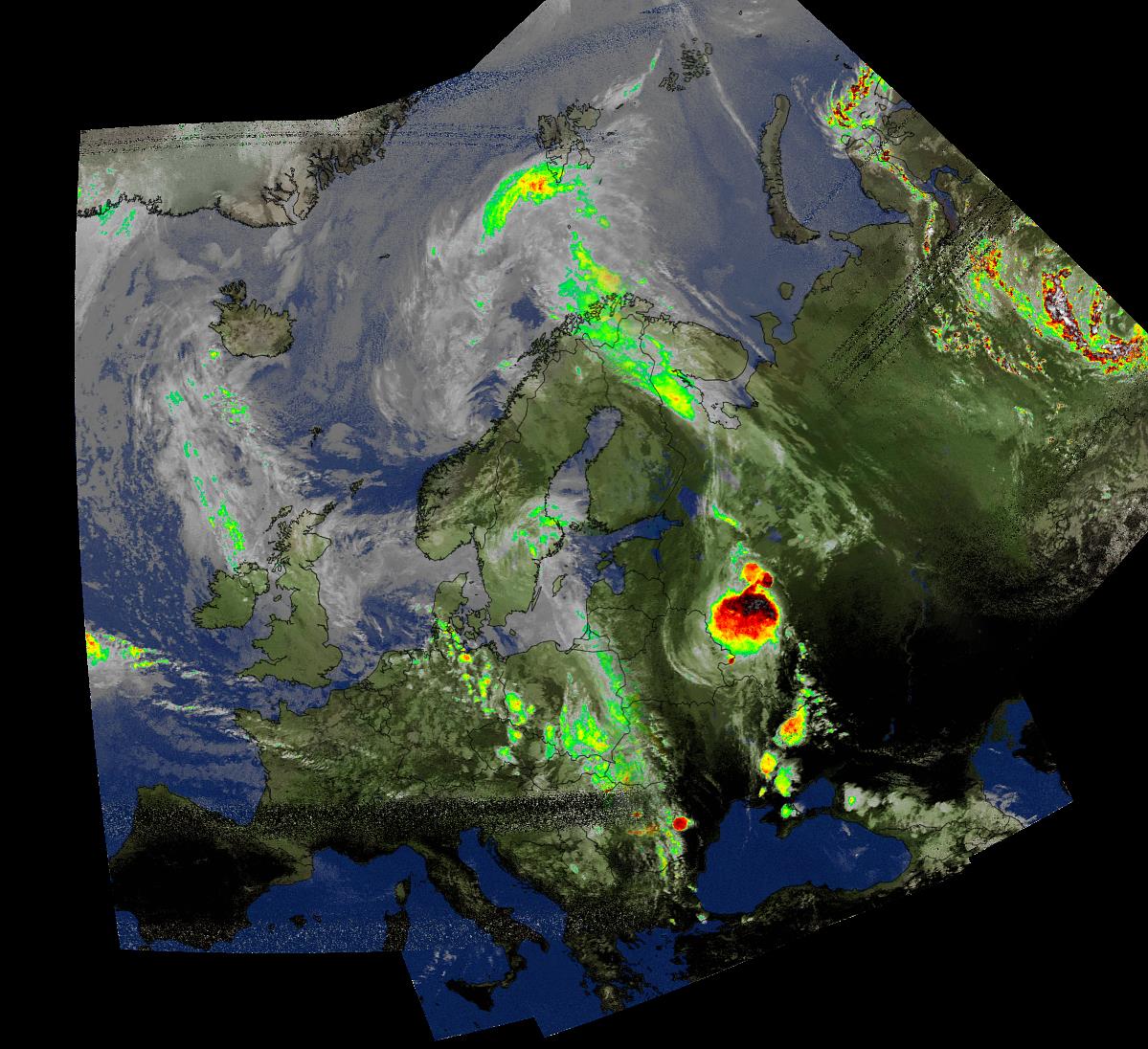
A composited weather satellite image made up of several images received from NOAA satellites by Marco Johansson
Note that the following tutorial is written by Marco Johansson.
Marco’s NOAA APT Decoding Tutorial
As a Windows user I had some serious problems using an RTL-Dongle as a receiver for WxtoImg. Signal drops, CPU load, and no receiver control. I had to use 5 different pieces of software to get automatic reception to work and every day one of the programs had some weird problems causing the whole system to stop working. I read several forum posts about similar problems. A huge bit of help came from WxtoImg’s own forum where a user told how he was able to use rtl_fm as a receiver. His system was Linux based, so I was not able to use his scripts, but it gave me enough information to find a Windows based solution.
I stumbled on to a software program that solves my problem totally. It is originally made to control Windows MCE (Media Center), but since it’s release it has been enhanced to work as a universal remote control for the Windows system.
In WxtoImg I selected “Baykal” receiver, port COM1 and 2400baud. The protocol for remote control is very easy to understand and after every command WxtoImg sends CR/LF to receiver, which is mandatory to get commands to work.
Control commands are handled with MCE controller. It listens to COM2 (bridged with COM1) and when it hears a valid command string (A Magic ‘word’) it activates a task. Tasks are .bat files, one for every satellite and a “kill” to stop receiver after the satellite pass.
When satellite is coming (one minute before it is over head) WxtoImg sends a command “MUA” that triggers “kill.bat”. Then WxtoImg sends a command “RF0xxxxxxx” where xxxxxxx is the frequency of the satellite, “1371000” for NOAA19 – this triggers “rec-noaa19.bat”. When the pass is over, Wxtoimg sends again “MUA” to kill the receiver program.
Now I can control recordings directly from WxtoImg without any other software (Orbitron, SDR#, DDE client etc).
.bat files and other configurations are provided below for others to use. I ended up to have separate .bat to start the tasks as in that way I can set the system start and stop recording in the background without a command prompt popping around my desktop every 90 mins 🙂
My system is Windows 8.1, I have not tested this in 7, 8 or 10 but I believe it should work without any modification. The HW ID of the RTL-Dongle I use for wx_rtl_fm.exe is “3” (‘-d 3’ in script). If you have only one RTL-Dongle, then this should be set to “0”. I use the bandwidth of 55 kHz that seems to be enough for good APT reception including doppler error as in this method the doppler error is not corrected in the receiver at all (no AFC).
NOTE! I have copied the original ‘rtl_fm.exe’ to ‘wx_rtl_fm.exe’ to be able to start other rtl_fm.exe instances without the risk that WxtoImg kills my other receiver accidentaly. And of course, remember that these are from my system and the correct path used in scripts will be different for you 🙂 Also, the original ‘sox.exe’ is copied to ‘play.exe’ as instructed in the SoX’s manual for Windows user. And because I’m lazy, I copied rtl_fm and SoX binaries to same directory so that I do not have to put so long path strings into my .bat scripts 🙂
Final words:
.bat’s used in this are very dirty hacks and there are lot’s of improvement available for sure – but it works! Also, the remote protocol for Baykal receiver actually sends two more commands, one is used for telling the modulation of the transmission (RM NFM) and second to do something I do not know (MUF).
The whole communication in my system goes like this:
1) “MUA” => Kill all wx_rtl_fm.exe processes currently running (if any). This happens one minute before satellite pass starts.
2) “RF0xxxxxxx” => Start wx_rtl_fm & SoX, xxxxxxx=frequency of the satellite and is used to select correct .bat for different satellites (see MCE Control XML-file for details). This happes when satellite pass starts.
3) “RM NFM” => Not used in my system. Could trigger something fun if needed :). This happens right after ‘RF0xxxxxxx’ command.
4) “MUF” => Not used in my system. Could trigger something fun if needed :). This happens right after ‘RM NFM’ command.
5) “MUA” => Kill all wx_rtl_fm.exe processes currently running. This happes right after satellite pass.
SoX is a very powerfull tool for audio manipulation. There are options that could greatly improve the audio quality of the received signal – denoice, better dynamics etc. I am not that keen to try everything SoX could do as the results are already very good in my system, but if there are someone who knows better ways to handle SoX then please do not hesitate to comment!
Used .bat Files
“Kill the receiver”:
kill.bat is triggered by MCE control and calls kill-wx_rtl_fm.bat to do the actual killing.
kill.bat
cd C:\Users\Mac Radio\ownCloud\SDR\rtl_fm_sox
start /min kill-wx_rtl_fm.bat ^& exit
This triggers;
kill-wx_rtl_fm.bat
taskkill /IM wx_rtl_fm.exe /F
“Start recording”:
Recording is started after MCE Control gets the correct ‘word’ from WxtoImg. For every satellite there are separate ‘words’ and separate .bat files.
rec-noaa15.bat
cd C:\Users\Mac Radio\ownCloud\SDR\rtl_fm_sox
start /min noaa15.bat ^& exit
This triggers;
noaa15.bat
cd C:\Users\Mac Radio\ownCloud\SDR\rtl_fm_sox
play -r 55k -t raw -e s -b 16 -c 1 "|wx_rtl_fm -d 3 -M fm -f 137.62M -s 55k -l 0" -t waveaudio
rec-noaa18.bat
cd C:\Users\Mac Radio\ownCloud\SDR\rtl_fm_sox
start /min noaa18.bat ^& exit
This triggers;
noaa18.bat
cd C:\Users\Mac Radio\ownCloud\SDR\rtl_fm_sox
play -r 55k -t raw -e s -b 16 -c 1 "|wx_rtl_fm -d 3 -M fm -f 137.9125M -s 55k -l 0" -t waveaudio
rec-noaa19.bat
cd C:\Users\Mac Radio\ownCloud\SDR\rtl_fm_sox
start /min noaa19.bat ^& exit
This triggers;
noaa19.bat
cd C:\Users\Mac Radio\ownCloud\SDR\rtl_fm_sox
play -r 55k -t raw -e s -b 16 -c 1 "|wx_rtl_fm -d 3 -M fm -f 137.1M -s 55k -l 0" -t waveaudio
And finally, the MCE Control magic ‘words’. By default, MCE Control understands over 200 separate commands originally meant to remote control Windows MCE (Media Center). Fortunately, one can create their own commands and get MCE Control to do much more – control Wx-system!
MCE Control uses an XML configuration file for these extra commands. The file is located in the same directory where the main executable is located. My system uses following XML file to be able to control ‘wx_rtl_fm.exe’:
<?xml version="1.0" encoding="utf-8"?>
<MCEController xmlns:xsd="http://www.w3.org/2001/XMLSchema" xmlns:xsi="http://www.w3.org/2001/XMLSchema-instance">
<Commands xmlns="http://www.kindel.com/products/mcecontroller">
<!-- Place command definitions here -->
<!--
==================================================================
StartProcess Commands
File: The full path to the executable you want to start.
==================================================================
-->
<StartProcess Cmd="RF01376200" File="C:\Users\Mac Radio\ownCloud\SDR\rtl_fm_sox\rec-noaa15.bat"/>
<StartProcess Cmd="RF01379125" File="C:\Users\Mac Radio\ownCloud\SDR\rtl_fm_sox\rec-noaa18.bat"/>
<StartProcess Cmd="RF01371000" File="C:\Users\Mac Radio\ownCloud\SDR\rtl_fm_sox\rec-noaa19.bat"/>
<StartProcess Cmd="MUA" File="C:\Users\Mac Radio\ownCloud\SDR\rtl_fm_sox\kill.bat"/>
</Commands>
</MCEController>
Over on YouTube user max30max31 (a.k.a IZ5RZR) has uploaded a video showing some of the steps in the tutorial as well as the real time result of decoding of the weather satellite image.
Back in September last year we posted a tutorial written by RTL-SDR.com reader Happysat which showed how to receive and decode high resolution Meteor-M2 LRPT satellite images. The tutorial required several offline manual processing steps to be performed and therefore could not decode the image in real time.
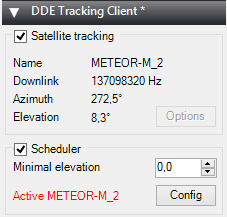
At the same time Vasili has also released another plugin called DDE Tracker which allows a satellite tracking program such as Orbitron to interface with and control SDR#. The plugin can be downloaded on the same page as the QPSK plugin. This is similar to the already existing DDE plugins, but now also comes with a scheduler which allows users to automatically schedule recordings of Meteor-M2 and NOAA satellite passings.
NOTE:Meteor M1 has come alive again, so the frequency of Meteor M2 was changed from 137.1 MHz to 137.9 MHz. Meteor M1 is now at 137.1 MHz and can be received using the same steps as in this tutorial, though please note that images from Meteor M1 are not perfect since the satellite is tumbling. Meteor M1 is gone again.
Tutorial
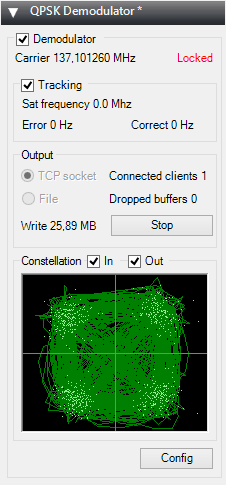
To help users get set up with this new method, Happysat has again come forth with another tutorial which can be downloaded here (.pdf) (.docx) (.txt w/ images in .rar). At first glance the tutorial may seem more complicated than the old method, but in the end it is a much faster and more efficient way at decoding LRPT images. The basic steps involve setting up Orbitron and the DDE plugin to automatically track the Meteor-M2 LRPT satellite and signal, and then setting up the QPSK plugin and the new version of Lrptdecoder (if that link is down, try this mirror) to talk to one another in real time via a local TCP connection.
Real time decoding of Meteor-M2 with two new SDR# Plugins.QPSK Demodulator SDR# PluginDDE Orbitron Interface SDR# Plugin.
AMIGOS
One more Meteor-M2 related thing to look forward to in the future is the AMIGOS project which stands for Amateur Meteor Images Global Observation System. This will be a system where users around the world can contribute LRPT images through the internet to create a worldwide LRPT receiver. Oleg of LrptDecoder writes:
There is an idea to merge LRPT receive amateur radio stations in a network through the Internet and create a super LRPT receiver.
I see the benefit of professionals from the control center in the operational monitoring of the condition of the equipment MSU-MR, and for fans of the fullest reception of images from Meteor-M.
All is in testing phase and need some setup for the servers, data is beeing shared thru a VPN connection to a central server which will have a continous flow of images from all over the world.
If you don't understand what all this is about: The Meteor-M N2 is a polar orbiting Russian weather satellite that was launched on July 8, 2014. Its main missions are weather forecasting, climate change monitoring, sea water monitoring/forecasting and space weather analysis/prediction.
The satellite is currently active with a Low Resolution Picture Transmission (LRPT) signal which broadcasts live weather satellite images, similar to the APT images produced by the NOAA satellites. LRPT images are however much better as they are transmitted as a digital signal with an image resolution 12 times greater than the aging analog NOAA APT signals. Some example Meteor weather images can be found on this page and the satellite can be tracked in Orbitron or online.
A software defined radio such as the low cost RTL-SDR, or the higher end Airspy and Funcube dongles can be used to receive these signals.
An Example LRPT Image Received with an RTL-SDR from the Meteor-2 M2.
Updates
The DDE plugin can also be used for tracking NOAA satellites. Some people have been having trouble with set up. Happysat writes a solution: