Category: RTL-SDR

A GNU Radio Based ISDB-T and RTL-SDR Compatible 1Seg Decoder

In most parts of the world the DVB-T standard is used to air digital HDTV. In the USA the ATSC standard is used, and in China DTMB is used instead. In other countries such as Brazil, Peru, Argentina, Chile, Honduras, Venezuela, Ecuador, Costa Rica, Paraguay, Philippines, Bolivia, Nicaragua and Uruguay a third standard called “ISDB-T International” is used which is based on the Japanese ISDB-T standard. 

Digital broadcast standards used in each country.

Recently a team from Uruguay has been working on creating a ISDB-T receiver in GNU Radio. With this decoder ISDB-T signals can be received with a wide bandwidth SDR (needs to be 6MHz or larger) and then decoded into a video file. Because ISDB-T is so similar to DVB-T they have based much of their code on gr-dvbt which is a GNU Radio based DVB-T decoder.

In addition to the ISDB-T decoder, they have also implemented a 1-seg decoder. 1-seg is a mobile HDTV service that exists in Japan, Argentina, Brazil, Chile, Uruguay and Peru. It runs on the ISDB-T system, and is called “1-seg” because it’s data occupies 1-segment of the 13-segment based ISDB-T bandwidth. It is used in small mobile TV receivers, many of which are now built directly into mobile phones sold in countries that use ISDB-T. Due to it’s much lower bandwidth requirement the 1-seg decoder can be used with an RTL-SDR dongle, and has already been tested to work.

A typical 1-seg capable Japanese mobile phone receiving digital mobile TV.
A typical 1-seg capable Japanese mobile phone receiving digital mobile TV. With the GNU Radio 1-seg decoder these transmissions can be received with an RTL-SDR.

Inspectrum: A New Tool for Analysing Captured Signals

Inspectrum is a Linux and OSX based tool that can be used for analysing captured signals. It is compatible with the IQ files generated from SDRs, such as the RTL-SDR or HackRF.

Over on YouTube user Mike has uploaded a video that demo’s the latest version of Inspectrum. He shows how the tool can be used to quickly browse the waveforms in a captured signal and how it can be used to determine various digital binary signal properties through an overlay that can be dragged to match the bit frequency of the captured signal.

This program looks like it is shaping up to be a very useful tool for those interested in reverse engineering digital signals. The Inspectrum code and installation procedure can be found at https://github.com/miek/inspectrum.

inspectrum tuner demo

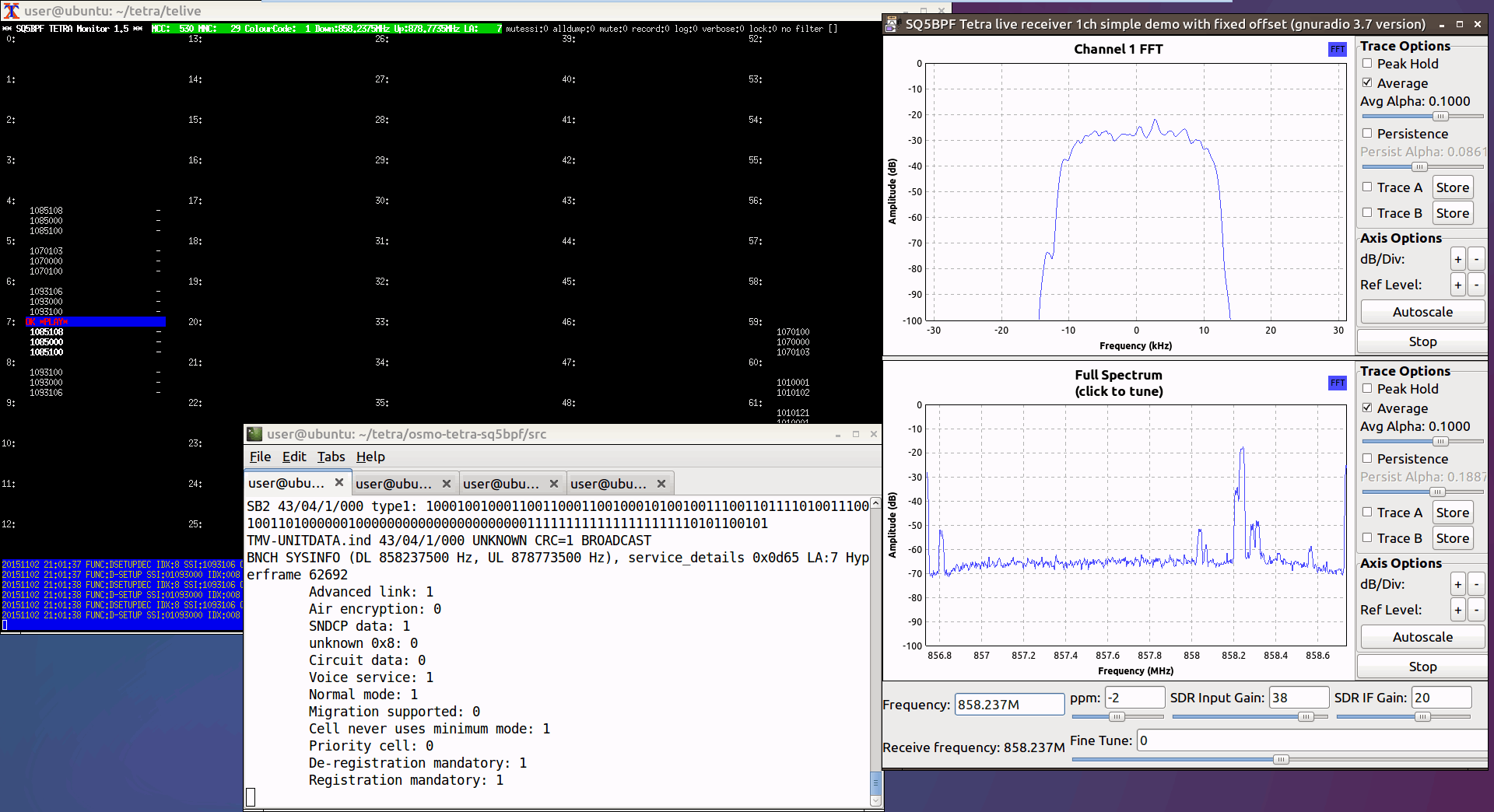
Bootable Linux image with the telive TETRA decoder now available

Back in 2014 the telive decoder by sq5bpf was released which allowed RTL-SDR users to decode and listen in to unencrypted TETRA radio. TETRA is a type of digital voice and trunked radio communications system that stands for “Terrestrial Trunked Radio”. It is used heavily in many parts of the world, except for the USA.

If you are interested in TETRA decoding we have a tutorial available here, which has just been made much easier thanks to this image.

Installation of the telive decoder involves simply running a script, but this can be fairly difficult for someone with no Linux knowledge to do. So to make life easier sq5bpf has recently made available for download a bootable telive Linux image. By writing this Linux image to a 16GB USB drive you can boot straight into the Linux operating system and access telive. A live image like this helps avoid the hassle of having to partition your hard drive and install Linux, or try and set up a Virtual Machine that could be slow. The image is also useful to users who want to play around with GNU Radio as it is aksi preinstalled.

TETRA Decoding Windows
Telive TETRA Decoder

RTLSDR4Everyone: Raspberry Pi guide & choosing your first dongle

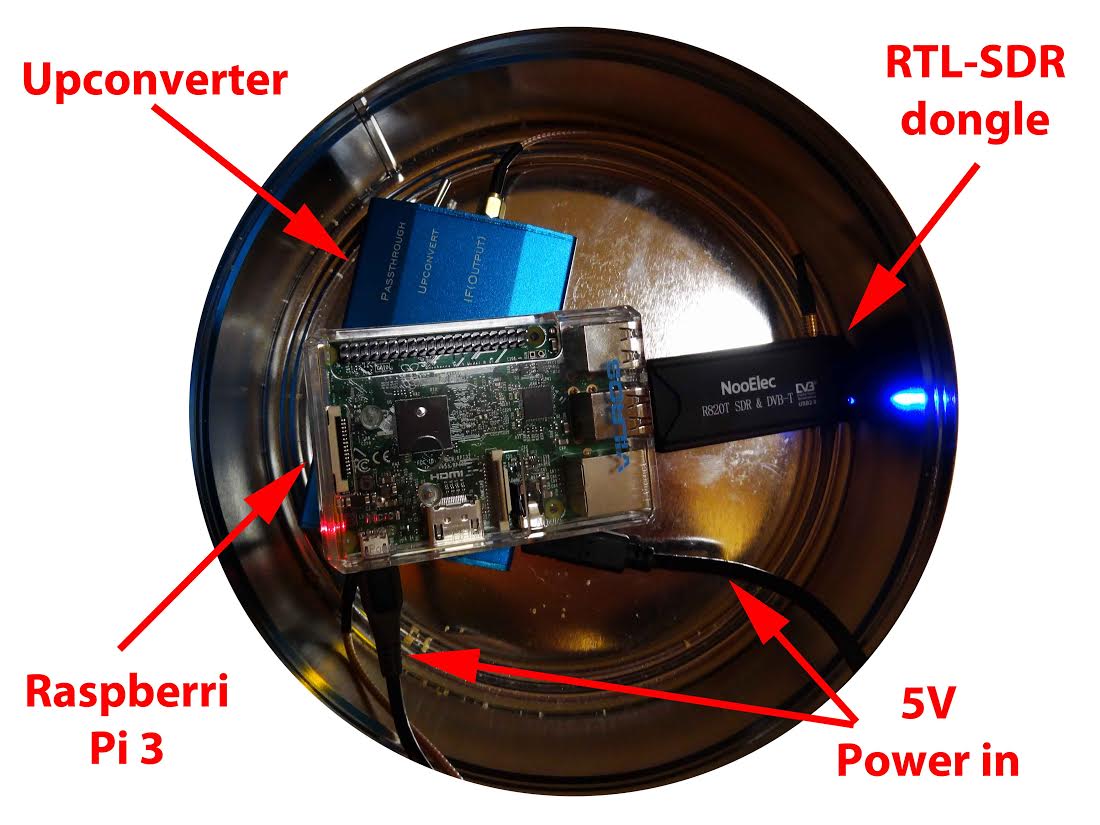
Over on his blog rtlsdr4everyone author Akos has recently uploaded three new posts. The first post is about the Raspberry Pi minicomputer and the post discusses the merits of using the Raspberry Pi with an RTL-SDR dongle. The second post provides information to help people new to RTL-SDR choose their first dongle, and weighs up options between dongles that cost $10, $20, $25, $35 and $50 dollars. Finally, the third post compares two dongles on HF performance.

Raspberry Pi3 and RTL-SDR dongles.

Creating a FSK SSDV data system for High Altitude Balloons

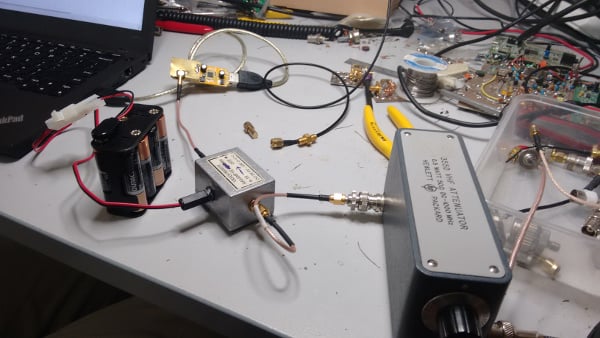
David and Mark are building a 115 kbit/s FSK SSDV (slow scan digital video) data system for high altitude balloons. In their system, on the balloon transmit side they use a Raspberry Pi, Raspberry Pi camera and a RFM22B wireless transceiver modulator board to transmit the SSDV FSK signal. On the receive side they use an RTL-SDR dongle, low noise preamplifier and a GNU Radio program to demodulate the SSDV images. The first video below demonstrates the hardware and GNU Radio program and shows them receiving the SSDV signal. In the second video they demonstrate that the images can be received at low signal levels (-106dBm) as well, by heavily attenuating the signal.

115.2kbaud FSK Modem Test

115.387kbaud FSK Modem Test - Part 2

If you are interested, all their code for the SSDV system has been uploaded to https://github.com/projecthorus/HorusHighSpeed.

While testing the RTL-SDR for use in this system they also measured the noise figure of an R820T RTL-SDR dongle. The noise figure at maximum gain comes out at around 5.6 dB. By adding a low noise amplifier they reduce the measured noise figure down to 2 dB.

Testing the attenuated SSDV signal reception with an RTL-SDR.

Building a simple NOAA APT Antenna out of an Umbrella

In order to optimally receive NOAA weather satellite images a special satellite antenna tuned for 137 MHz should to be built. Generally either a QFH or turnstile antenna is recommended as these receive signals coming from the sky very well. If you are interested in receiving weather satellite images from NOAA satellites with an RTL-SDR dongle then we have a tutorial available here.

While QFH and turnstile antennas are not difficult or expensive to build, they still do require a small amount of electrical and construction skills. Over on YouTube user Wanderlinse shows us a possible alternative NOAA antenna that is simply made out of an old umbrella (the video is narrated in German, but it is easy to understand from the visuals). He uses a short BNC cable with crocodile clips, and connects one clip to the spines of the umbrella, and the other to the central metal shaft. For some reason this seems to create a good antenna that receives NOAA APT signals very well. To prevent wind issues he also cuts out some holes in the umbrella fabric.

Wanderlinse also shows that he can receive other signals with this umbrella antenna too, such as long wave, medium wave, shortwave, aircraft radio and ham radio.

Regenschirm Antenne NOAA APT Umbrella Antenna (quick n dirty)

Finding GPS Signals from within the Noise Floor with an RTL-SDR

If you were to try to simply spot a GPS signal at 1.575 GHz in the spectrum on a waterfall in a program like SDR# you would probably fail to see anything. This is because GPS signals are very weak, and operate below the thermal noise floor. Only through clever processing algorithms can the actual signal be recovered.

Previously GPS and SDR enthusiast “e.p.” showed us on his blog how to use an RTL-SDR and the GNSS-SDRLIB and RTKLIB software to receive GPS and get a position lock.

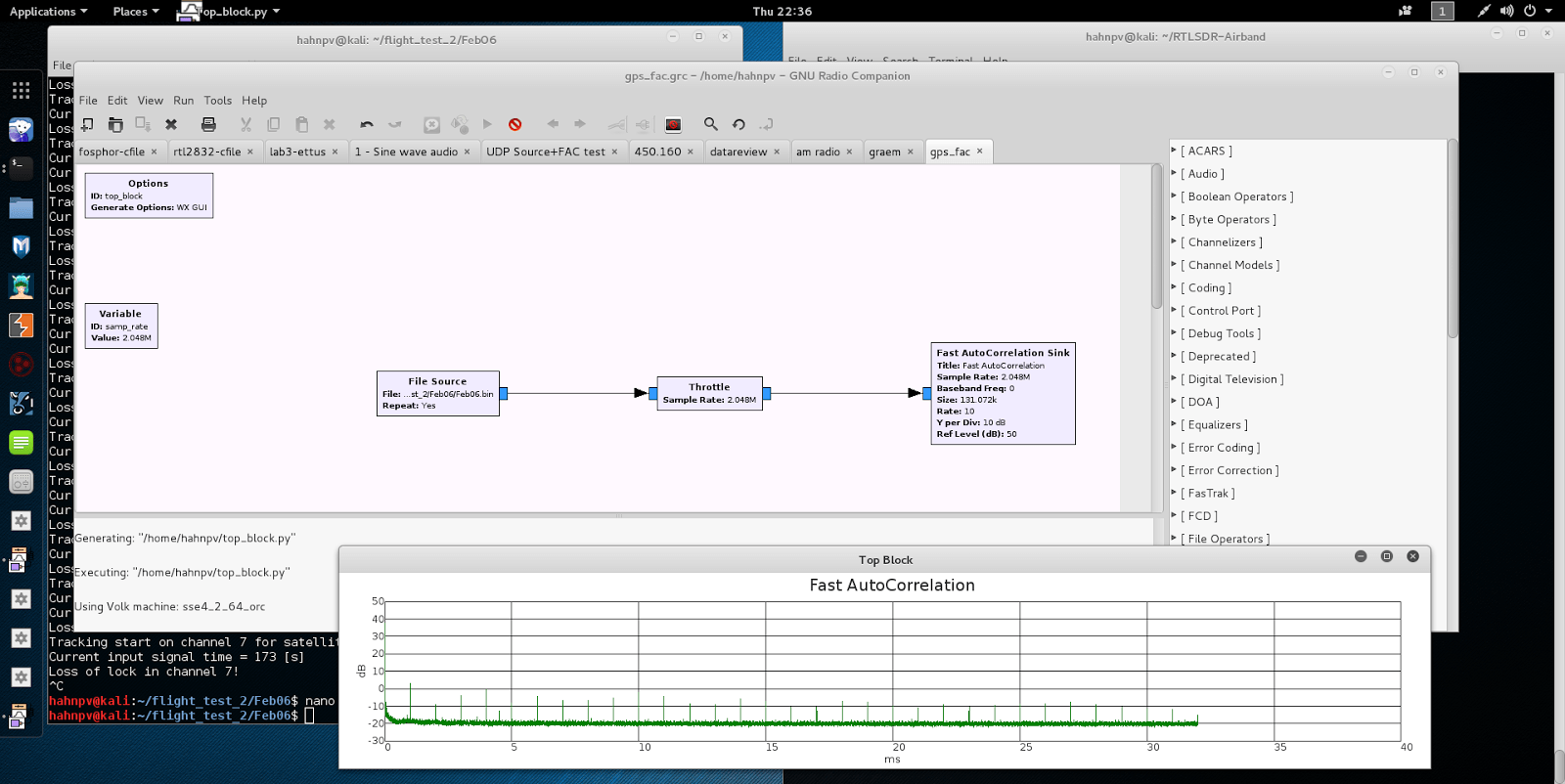
Now more recently e.p. has uploaded a post that explains a bit about how GPS signals are actually detected from below the noise floor. In his post he uses GPS data collected by his RTL-SDR dongle, and a fairly simple GNU Radio program consisting of a Fast AutoCorrelation Sink block.

With real data passed through the fast autocorrelation block he is able to observe GPS signal peaks that occur every millisecond. E.p. explains the reason for this:

Why every millisecond? The coarse/acquisition code for GPS (C/A) has a period of 1023 chips which are transmitted at a rate of 1.023 MBit/s. This results in period of 1 millisecond. BAM!

In a later post e.p. has also uploaded some sample GPS data collected with his RTL-SDR so anyone can play around with GPS decoding.

Autocorrelation of a GPS signal resulting in peaks every millisecond.

HamRadioScience Reviews the Elad FDM-DUO Software Defined Transceiver

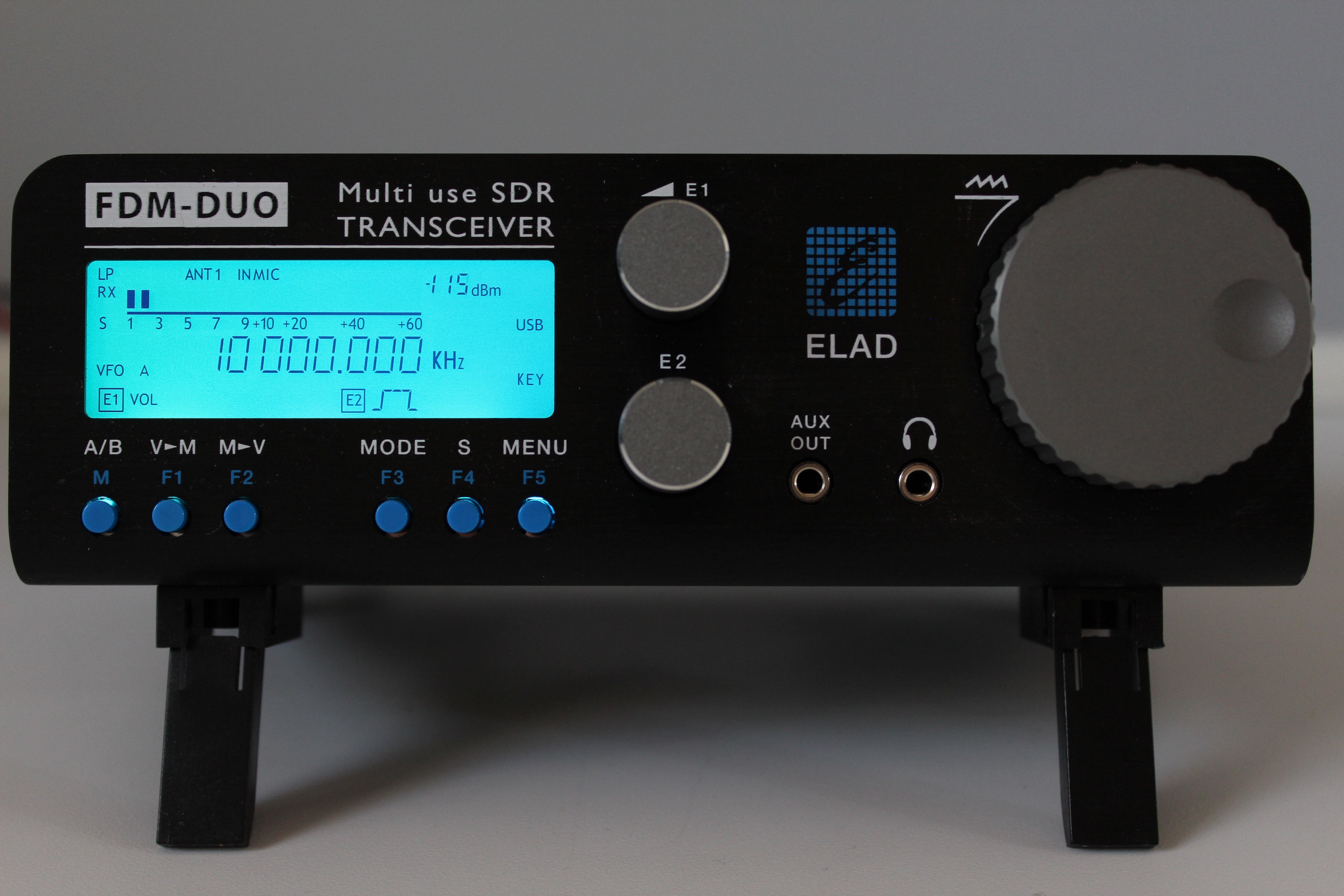
The Elad FDM-DUO is a high end $1149 USD Italian made software defined radio transceiver (transmit and receiver) with a frequency range of 10 kHz – 54 MHz, a 16-bit ADC, a bandwidth of up to 6 MHz and can transmit with up to 5 – 8 watts. It is a product targeted at ham radio enthusiasts who want a gradual transition into software defined radios. It can work in two modes: either as a standalone computer-less radio just like a regular hardware radio, or as a fully functional computer based SDR.

The front of the FDM-DUO.

Recently the admin of hamradioscience.com rather comprehensively reviewed the Elad FDM-DUO. His thoughts are that it is the perfect radio for those wanting to be slowly eased into the SDR world due to it’s dual mode operation. He writes:

The Italian made FDM-DUO has to be the most versatile, well designed, and well thought out SDR system currently on the market.

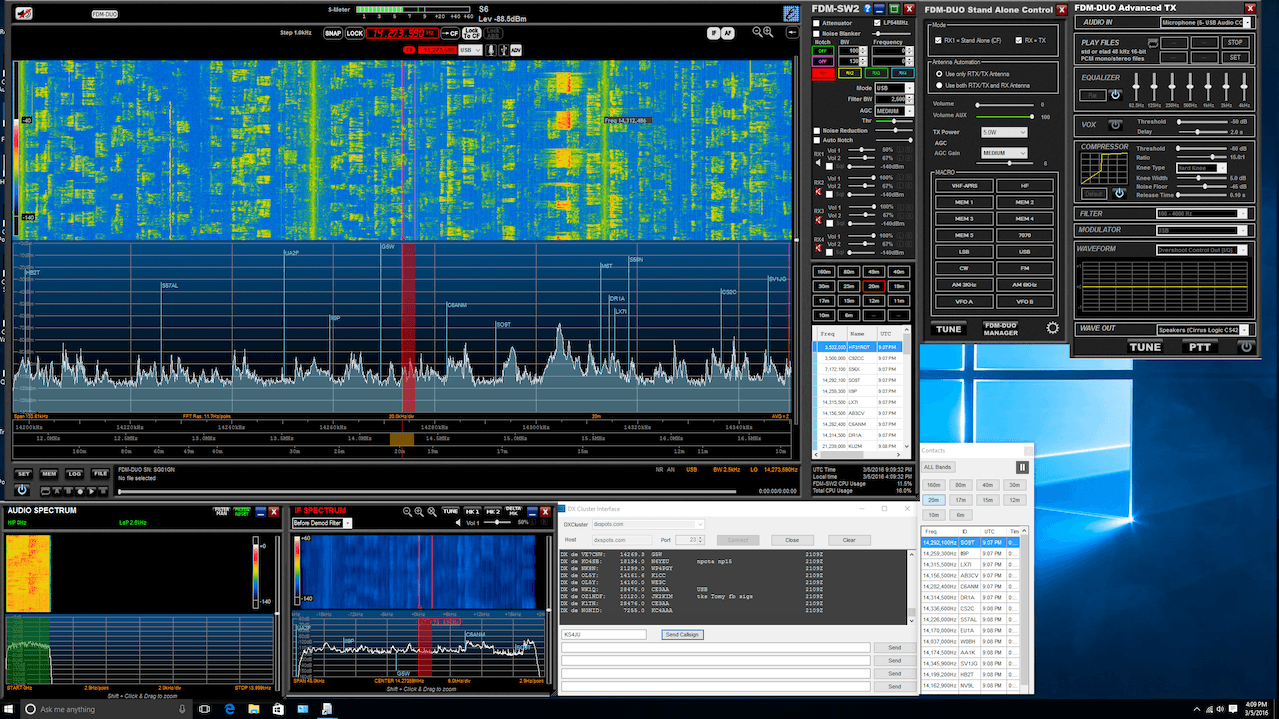
The review by hamradioscience goes over several points such as explaining what all the connectors on the radio are for, reviewing the ergonomics, reviewing the radio in standalone mode and in PC based SDR mode and he also reviews the companion software package. The reviewer is especially impressed with the included software, basically making the point that this system is a full SDR transceiver package (all you need in terms of hardware AND software).

Generally we recommend more general purpose and lower cost wideband VHF/UHF SDR’s like the Airspy, SDRplay RSP or HackRF (see our review on those SDRs here), but if you are not limited by budget and want to use an SDR mostly for HF amateur radio purposes then the Elad FDM-DUO looks like a winner. The author concludes with the following comment.

Elad got so many things right with the FDM-DUO that it is hard find much to criticize. Unlike so many SDR systems available today, the FDM-DUO SDR system feels like less of a “science project” and more of a finished consumer product. For those who wants a SDR radio system that “just works” and easy to use, the FDM-DUO is a great choice. Also, kudos to Elad for providing such a well done SDR program. The program was very stable over the review period. No, crashing at just the wrong time say during a contest. Heck even if it did, it wouldn’t matter much since you could just continue on using the FDM-DUO as a standalone rig. With some of the larger radio manufacturers dipping their toes in the SDR area, they should take note of what Elad has done with the FDM-DUO. Elad has truly created a very flexible multi-use system with the FDM-DUO and a darn fine SDR radio system at a very good value.

FDMDuo_SW
The Elad FDM software package.