Category: SDRplay

Using a 75 Year old Marconi CR100 Radio to Control an SDRplay RSP

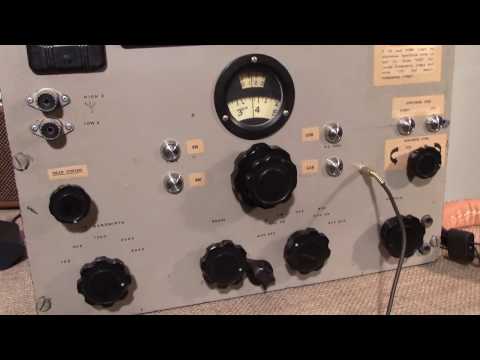
Over on YouTube Jon from SDRplay has uploaded a video showing how he’s used the knobs and interface from a 75 year old Marconi CR100 analogue radio to completely control an SDRplay SDR. This allows you have the feeling of tuning a vintage radio with the old fashioned knobs, whilst enjoying the features of a modern SDR.

Within the old radio enclosure they’ve managed to fit in a full Acer mini computer which runs the RSP on HDSDR. To allow the main tuning knob on the Marconi to tune the SDRplay they’ve used an Arduino controller, and an optical shaft encoder. As they intend for their hybrid to be completely keyboard-less, they’ve also added two UP/DOWN buttons to jump up and down the spectrum, buttons to choose the demodulation mode, and a new knob to control the zoom setting in HDSDR.

The project was sponsored by RS components and is intended to be used in the November 2016 Electronica event in Munich as an exhibit that celebrates the 80th anniversary of the expo. The idea is that the SDRplay-Marconi hybrid combines radio technology which would have been around during the first Electronica expo’s as well today’s modern SDR technology. There is a write up of the project available on the RS components designspark website.

SDRplayMarconiHybrid

Airspy vs SDRPlay: Two New Comparison Videos

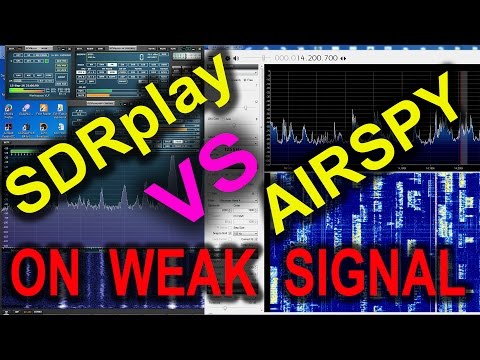
Over on YouTube two new videos comparing the reception on the SDRplay and Airspy have been uploaded. The first is by Mile Kokotov and he compares the reception on a very weak broadcast FM station, with several strong signals surrounding it. He writes:

In this video I am presenting Airspy+SDR# vs SDRplay+SDRuno in the real world, receiving very weak FM broadcast station in the terrible conditions, with very strong signals around.
The Weak signal was in the lower edge of the FM broadcast spectrum, with very strong local signals close to the weak one, in the upper frequencies of the FM broadcast spectrum.
The antenna for the both SDR receivers was the same – Vertical Dipole for FM BC band.

Both SDR receivers were tuned to maximum possible signal to noise ratio (SNR) of the weak FM broadcast signal.

In SDRuno RSP control panel (for SDRplay receiver) ZERO IF and 0.3/0.6 bandwidth were chosen, and the weak signal of interest was placed on the right edge of IF filter, so that the strong signals from other FM broadcast radio stations were placed right from the weak one in order to minimized the negative influence to the our weak signal.
LNA was switched off. When the LNA was on, there where high distortion level because LNA was overloaded from the strong signals, and SNR was deteriorated regardless of gain reduction.
The best results were achieved with gain reduction set to “0”, without LNA.

In SDR# software (for Airspy SDR receiver) 10 MSPS and Decimation was used.
From the version 1480, in SDR#, when decimation is choosed, there is tracking filter which allow better selectivity, so you can use more gain, increasing the SNR to maximum possible level depending of concrete situation.

The overall receiving conditions was extremely bad. The signals from local FM radio stations were too strong so the weak signal from this video can not be received at all, with many expensive FM tuners which I tried: Pioneer VSX 527, Denon AVR-1802, Marantz SR6300. I was tried RTL-SDR just for fun, but it can not receive weak signal too :-), not because SDR-RTL is not sensitive enough, but because its dynamic range is not so high and it is overloaded by too strong local signals.

The very sensitive receiver is not problem to design and produce. Much more difficult is to design a high dynamic range receiver. which will be able to receive very weak and very strong signals at the same time without overloading.

Overloaded receiver front end means that it is not linear any more, and produces many signals by itself, increasing its noise level.
Very strong signals at the receiver front end makes Desensitization of the receiver, so it could not receive weak signals any more.
We should not forget that the receiver front end “looks” all signals from the wide frequency range even if we want to receive only one signal at the time. The more wideband the receiver is, the higher dynamic range it has to be, for not been overloaded…

SDRplay and Airspy receiving Very WEAK FM broadcast signal

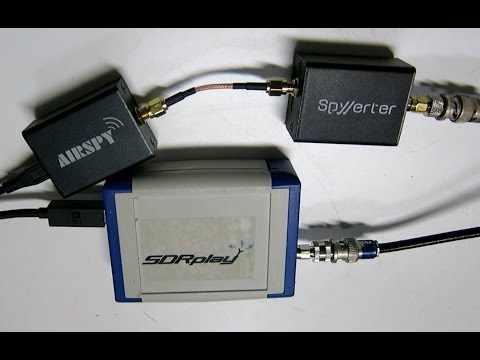
In the second video Leif sm5bsz compares the Airspy+SpyVerter with the SDRplay RSP on HF reception. He concludes that the difference between the two radios on HF is small. However, Youssef from Airspy has contested the result, noticing that Leif ran the Airspy at 2.5 MSPS, resulting is significantly less decimation being used. In response Leif updated his video adding an A/B comparison on HF with the Airspy correctly running at 10 MSPS in the last 8 minutes of the video. The results seem to show that the SDRPlay and Airspy+Spyverter have similar HF performance, but when comparing maximum decimation on the Airspy and the smallest bandwidth the SDRplay to obtain similar bandwidth’s, the results seem to show that the Airspy+SpyVerter is about 5 dB more sensitive at receiving weak signals.
SDRUno Updated to Version 1.03

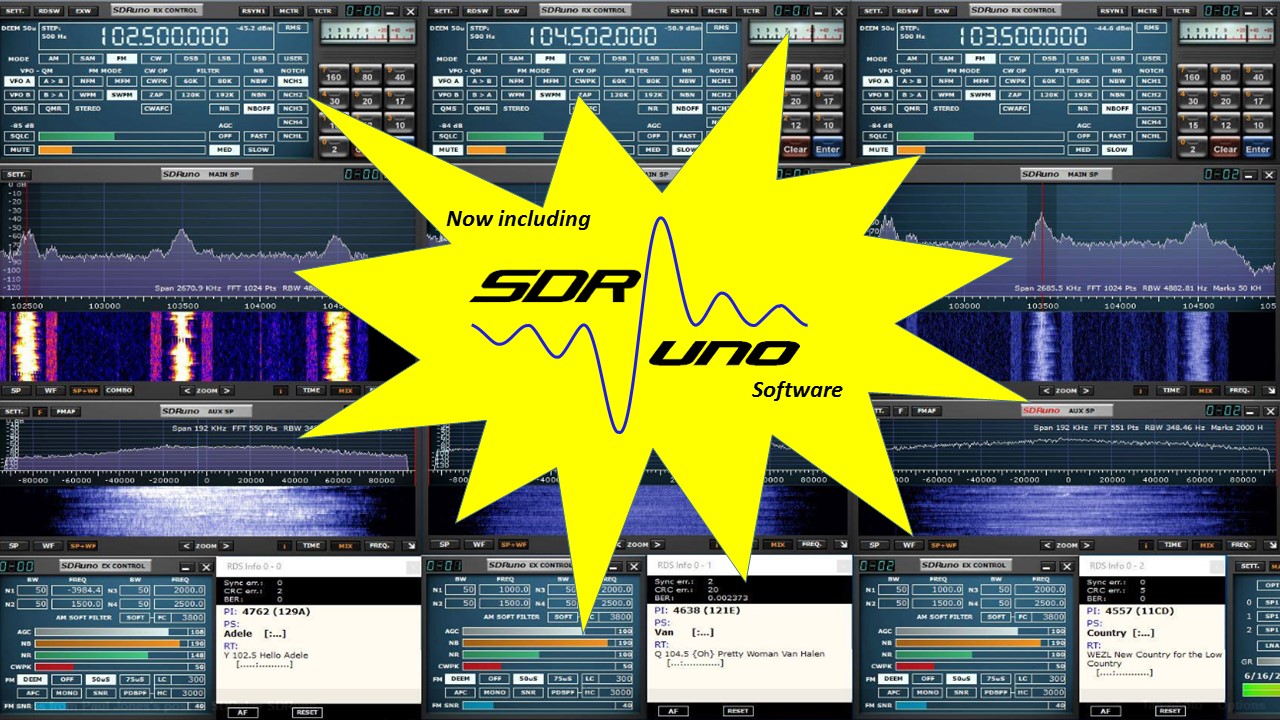
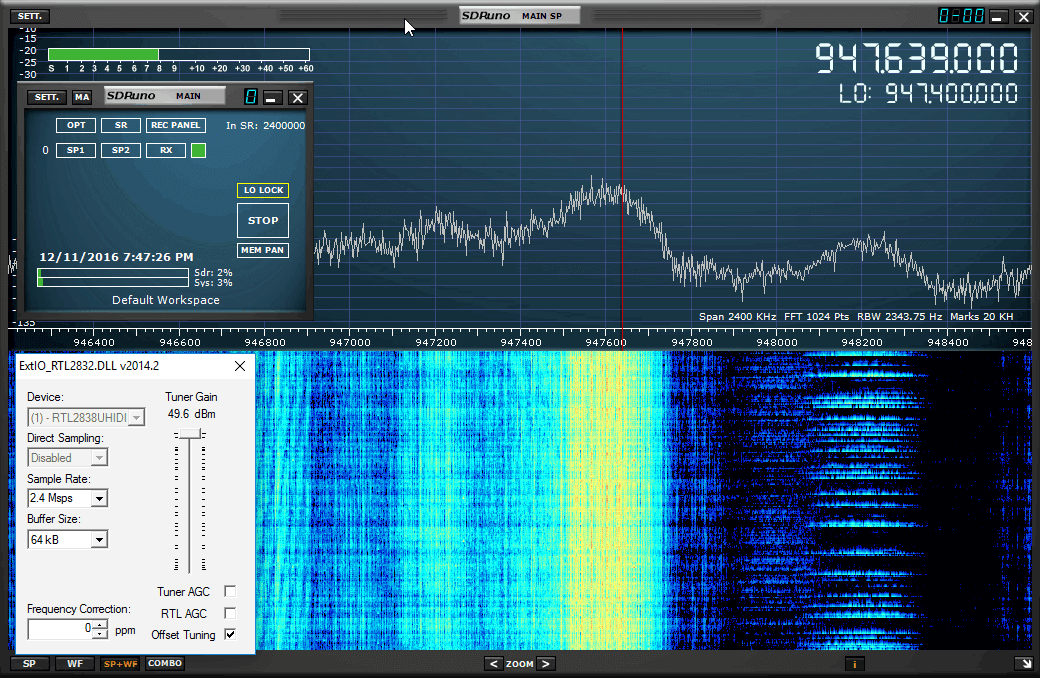
SDRUno, the official software for the SDRplay has recently been updated to version 1.03. SDRUno is the free SDRplay specific version of Studio1, and also supports other SDR’s like the RTL-SDR, with an artificial 1MHz bandwidth limit. The change log is shown below:

Bug Fixes

  • High DPI resolution issue.
  • Various minor bug fixes and typos

Updates

  • Reworked filter cutoffs
  • Separate out EXTIO functionality
  • RSP Ready indicator in Main Window/SETT/Input
  • Rename FM Stereo Noise Reduction button and slider to FMS-NR to avoid confusion with SNR (Signal Noise Ratio)
  • Improvements to tuner AGC scheme
  • Improvements to DC offset scheme
  • Removed unused buttons in SP1/SP2 windows
  • LO display in RSP advanced window and the SP1 window
  • Change defaults (LNA OFF / AGC ON)
  • Added RDS PTY support

sdruno_announcement

SDRplay RSP Price Reduced to $129USD

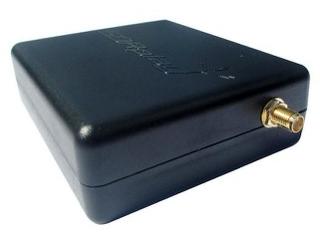
The SDRplay RSP is a software defined radio with a 10 kHz to 2 GHz tuning range, 12 bit ADC and up to 8 MHz of visible bandwidth. Usually the RSP costs buyers $149 USD, but thanks to good exchange rates they have now reduced this price down to $129 USD. This price is only for purchases coming directly from their website at www.sdrplay.com, and it appears that their local US resellers at HRO are keeping the original price (though it is still on sale until 30/09/2016 for $139 USD). SDRplay writes:

Thanks to the weakening of the GB Pound, the dollar exchange rate has changed significantly over the past few months. We have decided that we would like to pass on the benefit of this to our customers and so have reduced the price for which we sell the RSP to those customers who buy directly from us in US Dollars down to $129.

The SDRplay RSP
The SDRplay RSP

HamRadioScience: Why Apple’s iMac May be the Best PC for SDR Applications

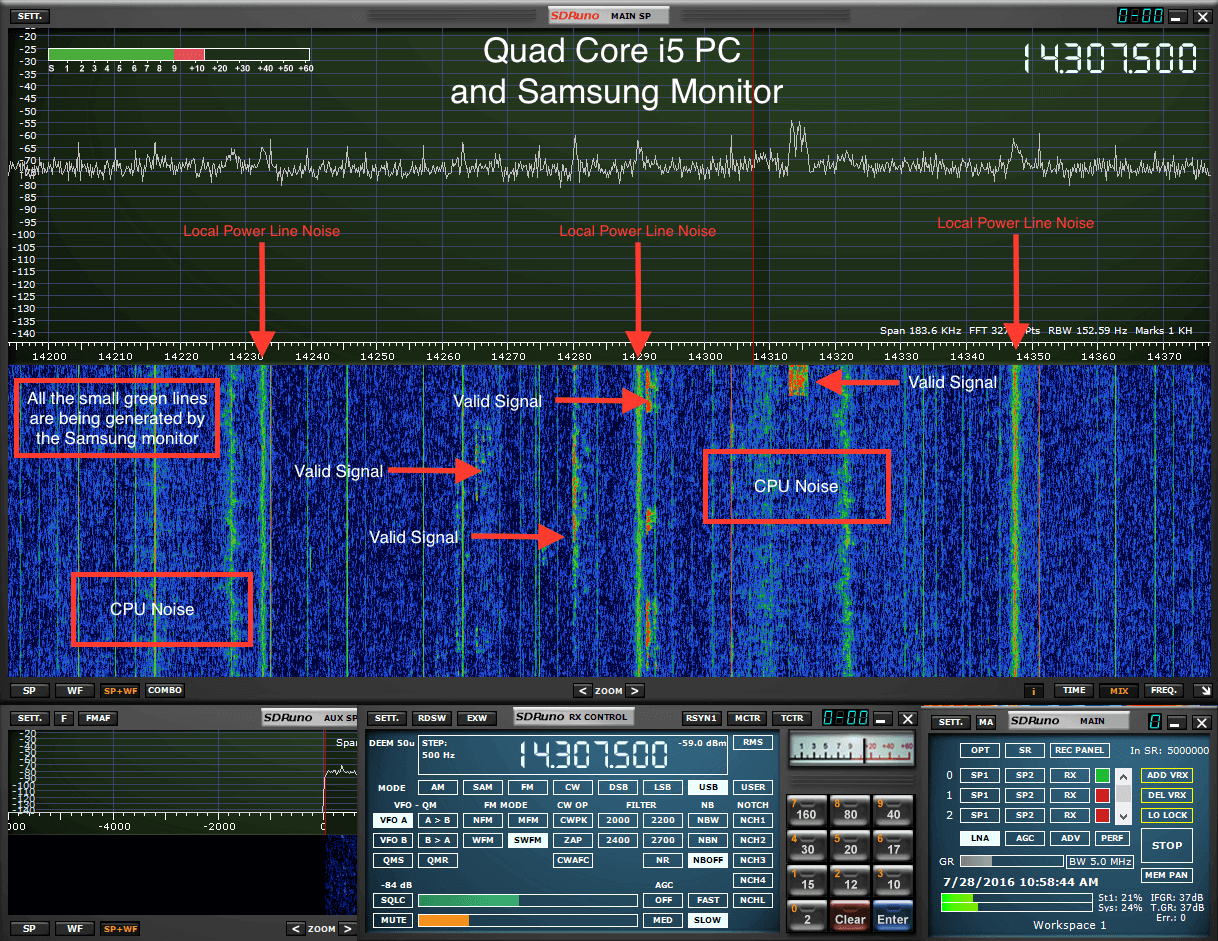
Over on on the HamRadioScience blog, the author has uploaded an article that makes the case on why Apple iMac PC’s may be the best choice for SDR receivers (at least for HF frequencies). In the testing he uses an SDRplay and Elad FM-Duo to show that the plastic case of the SDRplay does not affect the picked up RFI. He shows that when the SDR’s are connected to an iMac the interference from RFI on HF frequencies is minimal. However when connected to a Core i5 PC, there is significant amounts of CPU and monitor noise generated.

The differences in generated noise probably come from the fact that the iMac is probably much better shielded with an aluminum case and that they have high build quality standards for their monitors. The author suggests that an alternative to using an iMac could be to build your own PC, ensuring that dual chamber metal enclosures are used, which ensures that the power supply is isolated in its own separate steel compartment.

RFI is visible with the SDRplay in SDRuno when using the PC. But no RFI is seen with the iMac.

SDRplay and Airspy Sales Active Now

SDRplay and Airspy are currently holding sales for their software defined radio units. The SDRplay and Airspy are competing SDR’s that sell for similar prices. See our review for more information and a comparison between the two units.

The SDRplay RSP is currently on sale at HRO at a discounted price of $139.95 USD, giving a $10 saving. This is the first time that we have seen the RSP for sale, and the sale will last until 31 August 2016.

A few days ago the Airspy team also reduced their prices for their Airspy R2 and Spyverter upconverter products. The Airspy R2 now goes for $169 USD (at both the Chinese worldwide and US distributors) and the Spyverter now only goes for $49 USD (also at both Chinese worldwide and US distributors). This is a $30 saving for the R2 and a $10 saving for the Spyverter. The Airspy Mini remains at the previous price of $99 USD.

At this low cost we strongly suggest choosing the Spyverter over other upconverters like the ham-it-up which show slightly poorer performance and don’t come with a case. Check out our previous review of the Spyverter.

The SDRplay RSP
The SDRplay RSP
The Airspy R2
The Airspy R2

Radio-Sky Spectrograph now supports the SDRPlay

Radio-Sky Spectrograph is a radio astronomy software program that integrates data over long periods of time and displays it as a waterfall. It is described by the author:

Radio-Sky Spectrograph displays a waterfall spectrum. It is not so different from other programs that produce these displays except that it saves the spectra at a manageable data rate and provides channel widths that are consistent with many natural radio signal bandwidths. For terrestrial , solar flare, Jupiter decametric, or emission/absorption observations you might want to use RSS.

Radio Sky Spectograph is compatible with the RTL-SDR via an intermediary program called RTL Bridge, and now it is also compatible with the SDRplay via another intermediary program written by Nathan Towne called SDRplay2RSS

In previous posts we showed how some amateur radio astronomers were able to capture noise bursts from the sun and from Jupiter with an RTL-SDR. In the SDRplay software release post and documentation that comes with the software Nathan shows how he was able to capture solar emissions and Jupiter bursts with the SDRplay.

SDRPlay2RSS
SDRPlay2RSS
Solar emissions received with the SDRplay and Radio-Sky Spectograph.
Jupiter Noise Bursts with the SDRPlay and Radio-Sky Spectrograph.

rx_tools: RTL-SDR Command Line Tools (rtl_power, rtl_fm, rtl_sdr) Now Compatible With Almost Any SDR

Developer R. X. Seger has recently released rx_tools which provides SDR independent ports for the popular command line RTL-SDR tools rtl_power, rtl_fm and rtl_sdr. This means that these tools can now be used on almost any SDR, such as the bladeRF, HackRF, SDRplay, Airspy and LimeSDR. If you don’t know what the tools do, then here is a quick break down:

rtl_fm / rx_fm: Allows you to decode and listen to FM/AM/SSB radio.
rtl_sdr / rx_sdr: Allows you to record raw samples for future processing.
rtl_power / rx_power: Allows you to do wideband scans over arbitrarily wide swaths of bandwidth by hopping over and recording signal power levels over multiple chunks of spectrum.

rx_tools is based on SoapySDR which is an SDR abstraction layer. If software is developed with SoapySDR, then the software can be more easily used with any SDR, assuming a Soapy plugin for that particular SDR is written. This stops the need for software to be re-written many times for different SDR’s as instead the plugin only needs to be written once.

rx_power scan with the HackRF at 5 GHz over 9 hours.