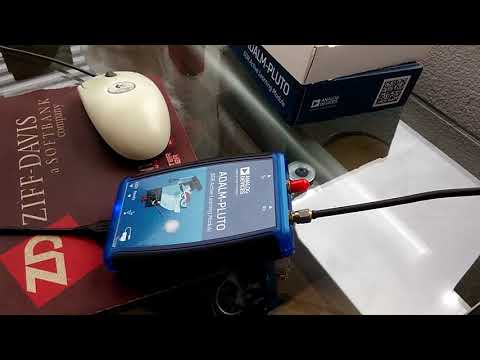
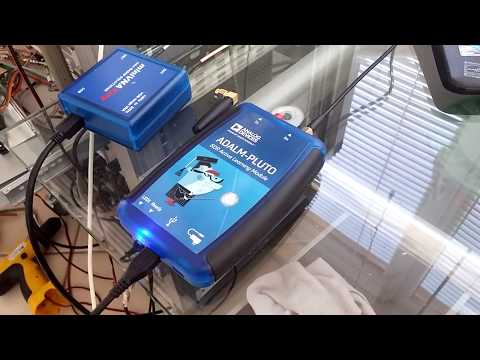
ADALM-Pluto 2-tone Test at 144 MHz

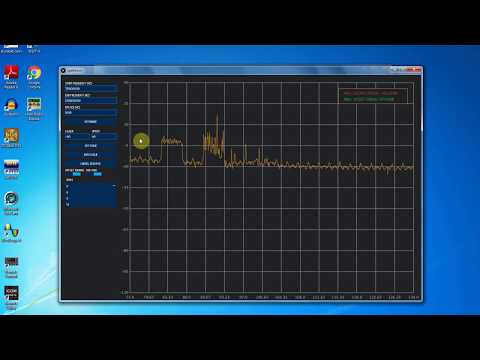
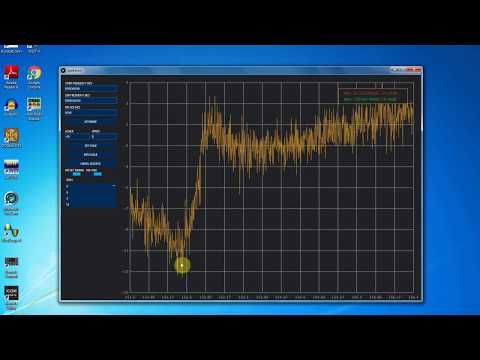
Over on his YouTube channel Adam 9A4QV has been testing his ADALM-PLUTO SDR in the 2M ham band at around 144 MHz. In one of his videos he shows a 2-tone test. A 2-tone test is used to determine how well an SDR can handle two strong narrowband signals at once, without causing intermodulation and imaging problems. The two tones in his video occur with real world signals on the 2M band when two amateur radio operators are transmitting strong signals at the same time.

The video shows that the Pluto SDR has some intermodulation problems occurring when the two strong signals transmit at once. No problems are noticed when only one signal transmits.

Problems like this with the PlutoSDR may be expected as it was never designed to be a high performance receiver, but rather a tool for learning and experimentation. But it is still possible to use it as a more general purpose receiver if you are aware of the limitations.
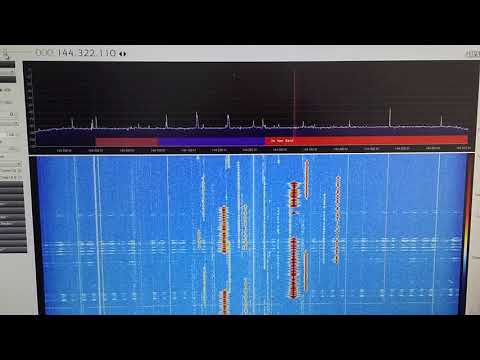
ADALM-PLUTO 2-tone test 144MHz

(Almost) Receiving HRPT with the ADALM-PLUTO and a WiFi Grid Antenna

Over on YouTube user Tysonpower has uploaded a video showing how he was (almost) able to receive the HRPT signal from NOAA18 with an ADALM-PLUTO, LNA4ALL and a WiFi grid antenna.

Most readers will be familiar with the low resolution 137 MHz APT weather satellite images transmitted by the NOAA weather satellites. But NOAA 15, 18, 19 and well as Metop-A and Feng Yun satellites also transmit an HRPT (High Resolution Picture Transmission) signal up in the 1.7 GHz region. These HRPT images are much nicer to look at with a high 1.1 km resolution. If you follow @usa_satcom on Twitter you can see some HRPT images that he uploads every now and then.

However HRPT is quite difficult to receive and decode because the bandwidth is about 3 MHz so something with more bandwidth than an RTL-SDR is required. The signal also needs a ~1 meter or larger dish antenna as it is very weak, and you also need a motorized pointing system to track the satellite with the dish as it passes over.

Despite the difficulty in his video Tysonpower showed that he was able to at least receive a weak signal using a non-optimal 2.4 GHz WiFi grid dish antenna, LNA4ALL and his ADALM-PLUTO. The signal is far too weak to actually decode, but it’s still pretty surprising to receive it at all. In the future Tysonpower hopes to be able to improve his system and actually get some image decodes going. Note that the video is in German, but there are English subtitles available.

[EN subs] Empfang von HRPT mit dem ADALM-PLUTO SDR - NOAA18

Tracking Wildlife with TDOA Direction Finding and RTL-SDR Dongles

At the North-West University in South Africa Masters student SW Krüger submitted his dissertation titled “An inexpensive hyperbolic positioning system for tracking wildlife using off-the-shelf hardware” back in May of this year. Recently it was found online and can be viewed here (large pdf warning).

In his thesis Krüger explains his experiments with using RTL-SDR dongles to set up a very low cost wildlife monitoring system using TDOA (Time Difference of Arrival) techniques, and very low power beacons on the animal tags. TDOA is a difrection finding technique which involves using multiple receivers spread out over a region and calculating the difference in time from when the signal arrives at each receiver. With this information the position of the transmitter can be determined. Typically to do this the system clock in the computing hardware and OS needs to be synchronized as perfectly as possible between receivers, otherwise timing difference will cause huge errors in the position. Krüger uses synchronization bursts from a beacon, but notes that a real-time clock or GPS module could also be used for accurate time keeping.

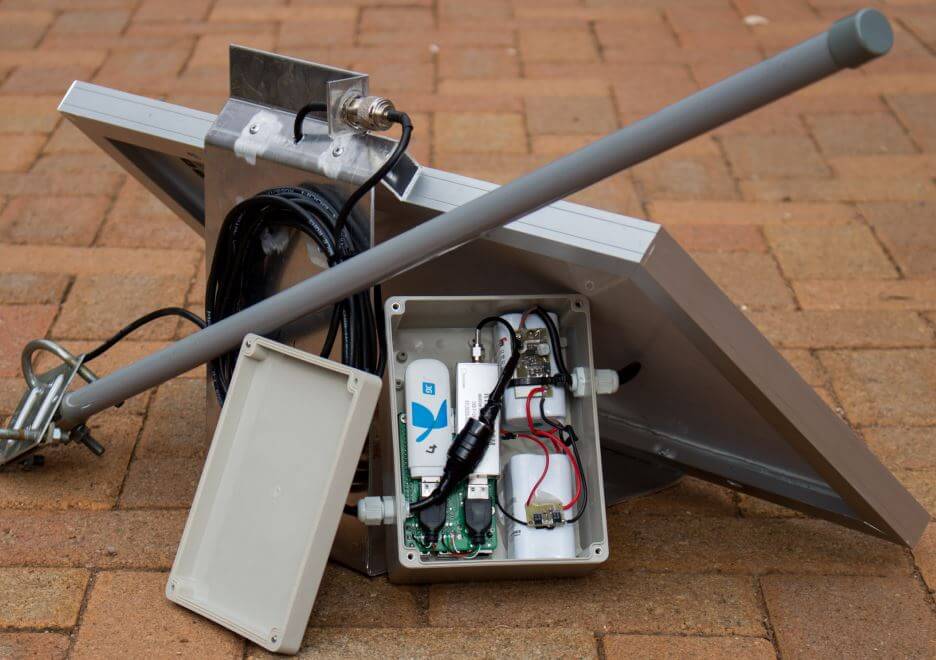
In his experiment he set up two RTL-SDR receivers spaced 9 km apart and was able to obtain an accuracy of about 3.5m, which he writes is similar to other wildlife positioning systems that use tags with much higher power consumption. The computing hardware used at the RX station is a Raspberry Pi 3 powered by a 20W solar panel and batteries. There is also a wireless 3G modem for communications. The DSP software produced for the project is all open source and available on GitHub.

The RX System with RTL-SDR, Raspberry Pi, Mobile Broadband Modem, Power Supply and Solar Panel.

dopplerscript: Getting Doppler Updates from GPredict into GNU Radio

Thanks to Dave for submitting news of his recent release of his Python script called dopplerscript. This is a tool that can help people automate the reception and decoding of the Meteor M2 weather satellite in Linux with GNU Radio by providing a tool for automatic Doppler correction. He writes:

gr-gpredict-doppler is an out-of-tree gnuradio block for getting doppler updates from gpredict into a flowgraph. I’ve written a small python script (based on pyephem) that replaces gpredict for generating  the doppler updates. This script allows one to automate scripting the  reception of Meteor M2 satellite transmissions while compensating for the doppler shift.

dopplerscript is a command-line tool to input satellite doppler shifts into a gnuradio flowgraph. The doppler.py script replaces gpredict as the source for doppler frequency updates in gr-gpredict-doppler, making it easy to script satellite reception.

As low earth orbit satellites fly very quickly overhead, the signal will be affected by the doppler effect, thus shifting the frequency as it moves towards and away from you. Tools like this can be used to predict and compensate for this effect and thus providing better signal processing. Meteor M2 is a Russian weather satellite in low earth orbit which transmits digital LRPT weather satellite images that can be received with an RTL-SDR or other SDR.

An Example LRPT Image Received with an RTL-SDR from the Meteor-2 M2.
An Example LRPT Image Received with an RTL-SDR from Meteor M2.

Akos’ ADS-B Performance Comparison of 19 Different RTL-SDR Dongles

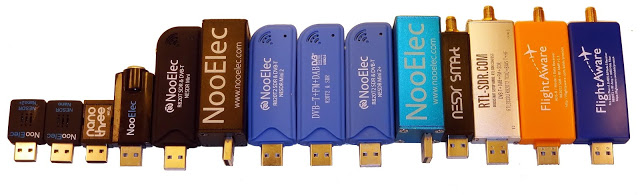
Over on his blog radioforeveryone.com author Akos has run a large comparative test of 19 different types and brands of RTL-SDR dongles on ADS-B reception. He takes multiple dongles from NooElecs Nano/Mini and SMArt range and our RTL-SDR Blog V3 unit and the FlightAware ADS-B optimized units. He also notes that E4000 based dongles such as the NooElec XTR are unable to receive ADS-B frequencies and excludes them from the test.

For his tests he used a Raspberry Pi 3 and compares two dongles at a time. The results are about as would be predicted. The tiny Nano dongles are usually the worst performers due to their trade off in size vs heat dissipation and internally generated noise. The standard sized dongles all perform about the same, but the dongles with heatsinking perform the best. Of course the FlightAware dongles still get the best ADS-B reception due to their significantly lower noise figure thanks to the built in ADS-B LNA.

One interesting finding is that Akos shows that heat does play a noticeable role in performance of these dongles at 1090 MHz. Akos noticed that the better heatsinking on the RTL-SDR Blog V3 or cooler days improved reception.

Some of the tested RTL-SDR dongles

LimeSDR Transmitting Voice and Data with SDRAngel

Over on the LimeSDR facebook group Marty Wittrock (KN0CK) has been experimenting with his LimeSDR and SDRAngel. SDRAngel is a general purpose SDR program similar to SDR#/HDSDR/SDR-Console etc, but with the key difference that it is designed to incorporate TX features as well. SDRAngel has releases available for Linux and Windows.

Marty writes that in early August SDRAngel programmer Edouard (F4EXB) resolved most of the issues with LimeSDR compatibility and now TX and RX in SDRAngel with the LimeSDR works great.

SDRANGEL/LIMESDR WINDOWS UPDATE – WORKING!: …For the first time in 18 months the LimeSDR has a working Windows transmit and receive application..! Check out the video for more, but for those that don’t use Linux, you can now experience full transmit and receive using the Win32 SDRAngel version 3.5.5 and Zadig 2.2 that loads the LimeSDR driver…Just load Zadig first as you normally would to select the LimeSDR (after you’ve initially installed it) and then launch SDRAngel…The application will allow you to operate ANYWHERE from 160m to 70cm using any demodulator and modulator you wish (AM, FM, SSB, CW, and more!). I tested it this evening from 40m to 10m to 2m tonight and it works EXCELLENT..!! Get in while the gettin’ is good – A full-up transceiver app now exists for the LimeSDR and this is just the beginning..! 73 de KN0CK

Posted by Marty Wittrock on Tuesday, 15 August 2017

LIMESDR/SDRANGEL UPDATE: Yours truly the mad scientist, playing with the LimeSDR on HF at 7.0 MHz here within the shack (no external antennas applied) TRANSMITTING NO DELAY ON HF LOWER SIDEBAND USING SDRANGEL AND THE LIMESDR..!! FINALLY, an app that supports receive and transmit for the LimeSDR is available free of charge and WORKS PERFECTLY..!! See it for yourself on the attached video…And I do have the recipe for this since it’s on Linux (Ubuntu 16.04) for now…A Windows 7/10 build IS planned…A RED LETTER DAY FOR THE LIMESDR..!! #LimeSDR #SDRAngel #HF 🙂 !!

Posted by Marty Wittrock on Saturday, 12 August 2017

Poor Mans Spectrum Analyzer with an RTL-SDR and Noise Source

Over on YouTube channel Bootstrap Workbench has been running a series on using an RTL-SDR and noise source to create a poor man’s spectrum analyzer. So far he has three videos available. The first shows how to install and setup Spektrum, his preferred Windows based wideband scanner for the RTL-SDR.

The second video shows how the RTL-SDR, noise source and Spektrum can be used to tune a cavity duplexer. A cavity duplexer is an adjustable set of filters that allows you to use a single antenna for TX and RX at different frequencies. It can be tuned by adjusting screws on the unit body.

In the third video he shows how to examine the response of a dual ferrite isolator/circulator which is a device that can be used to ensure RF only travels in one direction. This could be use for example to prevent damage to a TX power amplifier from reflected signals due to high VSWR or other nearby powerful signals.

Poor Man's Spectrum Analyzer - Installing Spektrum and Testing an RTL-SDR com 88-108 Bandstop Filter

Poor Man's Spectrum Analyzer - Tuning Cavity Duplexers

Poor Man's Spectrum Analyzer - Examining a Dual Ferrite Isolator/Circulator

If you’re interested in this we also have our own tutorial available about setting something like this up, but using alternative software.

L-Band and 6GHz Tests with the ADALM-PLUTO SDR

Over on YouTube Adam 9A4QV has uploaded two videos that show his tests with the ADALM-PLUTO SDR on the L-band and up at 6 GHz. In his first video the L-band test shows that the receiver is quite sensitive in this region, managing to receive L-band satellites without any LNA. Although he also tests reception with an LNA4ALL in the receive chain, and this still does improve reception even more.

In the second video Adam confirms that reception is available up to 6 GHz using a PlutoSDR with frequency extension hack enabled.

ADALM-PLUTO / LNA4ALL @ L-band

ADALM-PLUTO test on 6GHz