Tagged: NOAA

EAS Decoder for RTL-SDR

The Emergency Alert System (EAS) is a system used in the USA and is described by http://transition.fcc.gov/pshs/services/eas/ as follows.

The EAS is a national public warning system that requires broadcasters, cable television systems, wireless cable systems, satellite digital audio radio service (SDARS) providers, and direct broadcast satellite (DBS) providers to provide the communications capability to the President to address the American public during a national emergency. The system also may be used by state and local authorities to deliver important emergency information, such as AMBER alerts and weather information targeted to specific areas.

Reddit user rtlsdr_is_fun is working on software to automatically detect an EAS broadcast from a NOAA Weather Radio stream using an rtl-sdr (or any SDR, or even an internet stream) and then immediately play it and record it. This will allow the EAS alert to be heard up to 2 minutes faster than email/sms alerts, without the need to constantly listen to the NOAA WX Radio.

He stresses that his software is still in the very early alpha stages, but you can read about his project on his Reddit post here, which also contains a download link.
RTL-SDR Tutorial: Receiving NOAA Weather Satellite Images

----------------------------------------------------------------

2025 Update:

***NOTE*** Unfortunately, the NOAA 15/18/19 satellites have now all been decommissioned as of August 2025. Therefore, it is no longer possible to receive them.

We will leave this tutorial post up for archival and historical reasons.

2024 Update:

***PLEASE NOTE THAT THIS TUTORIAL IS OUTDATED.***

Currently, we recommend using the SatDump software instead. A modern tutorial for SatDump can be found at https://www.a-centauri.com/articoli/noaa-poes-satellites-reception.

----------------------------------------------------------------

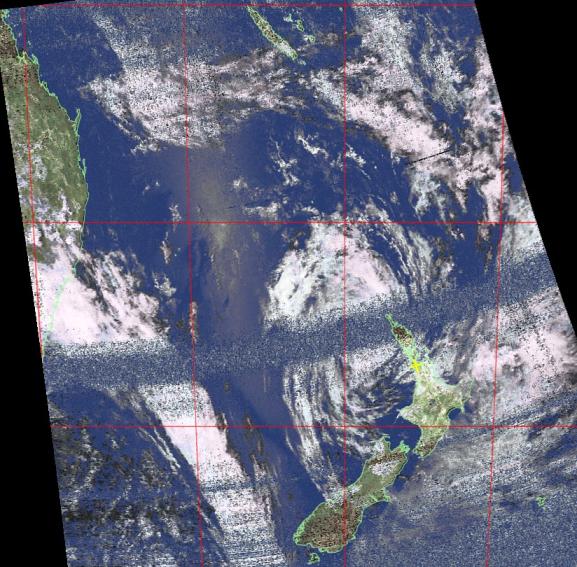
Everyday multiple NOAA weather satellites pass above you. Each NOAA weather satellite broadcasts an Automatic Picture Transmission (APT) signal, which contains a live weather image of your area. The RTL-SDR dongle combined with a good antenna, SDRSharp and a decoding program can be used to download and display these live images several times a day.

This tutorial will show you how to set up a NOAA weather satellite receiving station, which will allow you to gather several live weather satellite images each day. Most parts of this tutorial are also applicable to other software radios, such as the Funcube dongle and HackRF and Airspy, but the RTL-SDR is the cheapest option. Hardware radio scanners can also work, provided the radio has a large IF bandwidth (30 kHz +) and a discriminator tap.

Note that if you have success with this tutorial, you may also be interested in decoding Meteor M N2 weather satellites which provide much higher resolution images. Also, an alternative tutorial for decoding NOAA satellites that uses rtl_fm can be found here.

NOAA Weather Satellite Image

Examples

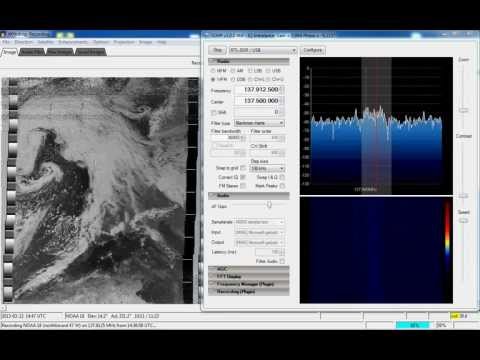
YouTube user GaitUutLiern shows an example of receiving NOAA satellite weather images with a RTL-SDR, SDRSharp, a decoding program called WXtoImg and a QFH antenna.

Receiving NOAA weather satellite using SDR# and WXtoImg

Continue reading