Over on YouTube user max30max31 (a.k.a IZ5RZR) has uploaded a video showing some of the steps in the tutorial as well as the real time result of decoding of the weather satellite image.
Back in September last year we posted a tutorial written by RTL-SDR.com reader Happysat which showed how to receive and decode high resolution Meteor-M2 LRPT satellite images. The tutorial required several offline manual processing steps to be performed and therefore could not decode the image in real time.
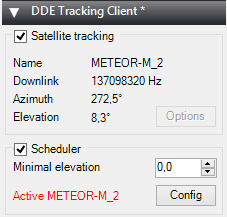
At the same time Vasili has also released another plugin called DDE Tracker which allows a satellite tracking program such as Orbitron to interface with and control SDR#. The plugin can be downloaded on the same page as the QPSK plugin. This is similar to the already existing DDE plugins, but now also comes with a scheduler which allows users to automatically schedule recordings of Meteor-M2 and NOAA satellite passings.
NOTE:Meteor M1 has come alive again, so the frequency of Meteor M2 was changed from 137.1 MHz to 137.9 MHz. Meteor M1 is now at 137.1 MHz and can be received using the same steps as in this tutorial, though please note that images from Meteor M1 are not perfect since the satellite is tumbling. Meteor M1 is gone again.
Tutorial
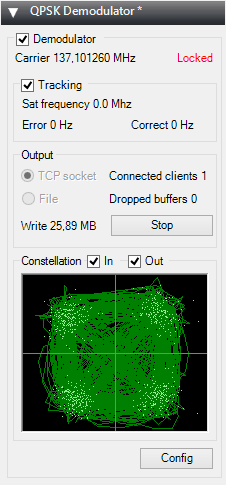
To help users get set up with this new method, Happysat has again come forth with another tutorial which can be downloaded here (.pdf) (.docx) (.txt w/ images in .rar). At first glance the tutorial may seem more complicated than the old method, but in the end it is a much faster and more efficient way at decoding LRPT images. The basic steps involve setting up Orbitron and the DDE plugin to automatically track the Meteor-M2 LRPT satellite and signal, and then setting up the QPSK plugin and the new version of Lrptdecoder (if that link is down, try this mirror) to talk to one another in real time via a local TCP connection.
Real time decoding of Meteor-M2 with two new SDR# Plugins.QPSK Demodulator SDR# PluginDDE Orbitron Interface SDR# Plugin.
AMIGOS
One more Meteor-M2 related thing to look forward to in the future is the AMIGOS project which stands for Amateur Meteor Images Global Observation System. This will be a system where users around the world can contribute LRPT images through the internet to create a worldwide LRPT receiver. Oleg of LrptDecoder writes:
There is an idea to merge LRPT receive amateur radio stations in a network through the Internet and create a super LRPT receiver.
I see the benefit of professionals from the control center in the operational monitoring of the condition of the equipment MSU-MR, and for fans of the fullest reception of images from Meteor-M.
All is in testing phase and need some setup for the servers, data is beeing shared thru a VPN connection to a central server which will have a continous flow of images from all over the world.
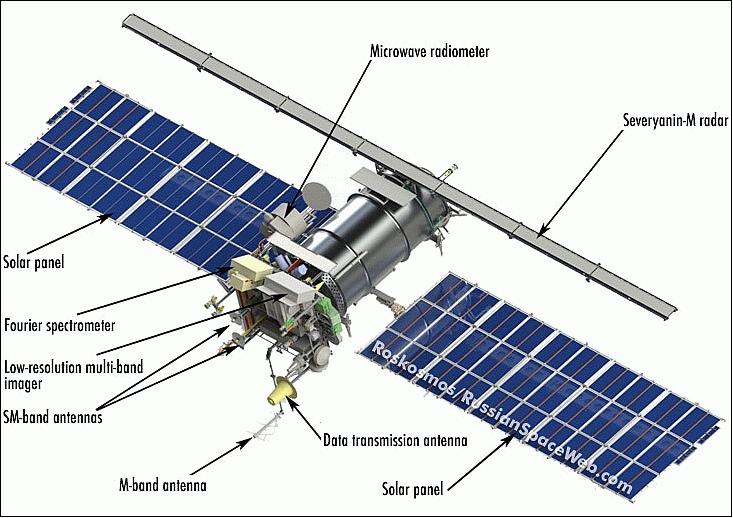
If you don't understand what all this is about: The Meteor-M N2 is a polar orbiting Russian weather satellite that was launched on July 8, 2014. Its main missions are weather forecasting, climate change monitoring, sea water monitoring/forecasting and space weather analysis/prediction.
The satellite is currently active with a Low Resolution Picture Transmission (LRPT) signal which broadcasts live weather satellite images, similar to the APT images produced by the NOAA satellites. LRPT images are however much better as they are transmitted as a digital signal with an image resolution 12 times greater than the aging analog NOAA APT signals. Some example Meteor weather images can be found on this page and the satellite can be tracked in Orbitron or online.
A software defined radio such as the low cost RTL-SDR, or the higher end Airspy and Funcube dongles can be used to receive these signals.
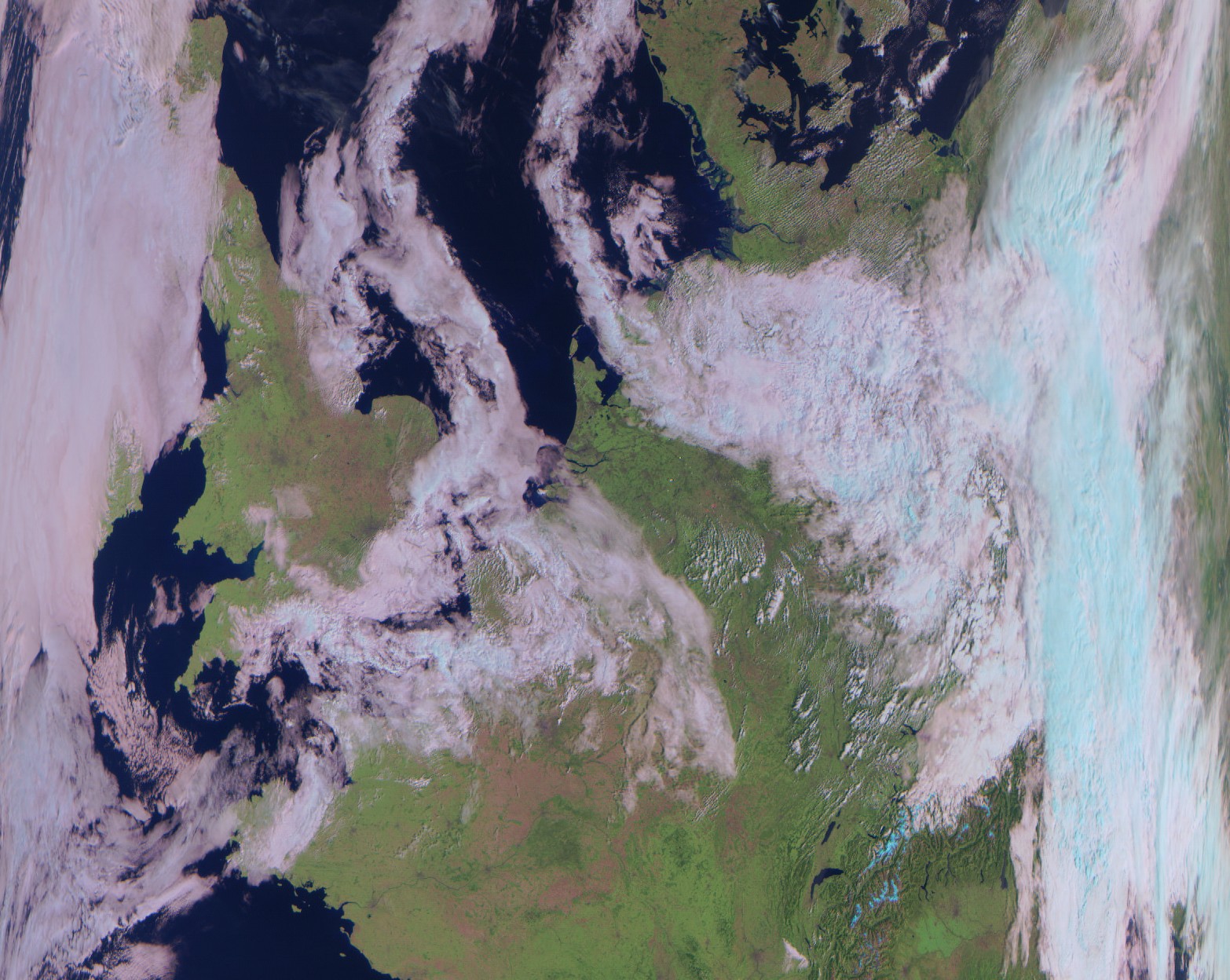
An Example LRPT Image Received with an RTL-SDR from the Meteor-2 M2.
Updates
The DDE plugin can also be used for tracking NOAA satellites. Some people have been having trouble with set up. Happysat writes a solution:
Over on YouTube user max30max31 aka IZ5RZR has uploaded a video that shows a faster method for decoding Meteor M2 weather satellite images on a Windows system. The Meteor-M N2 is a Russian weather satellite that transmits images using the LRPT protocol at around 137.1 MHz with can be received with an RTL-SDR. Compared to NOAA satellite APT images, LRPT images are much higher in resolution.
Normally, decoding Meteor M2 LRPT images requires a post processing step which involves the use of Audacity, an audio editing suite to reduce the recorded IQ files sample rate. However, with the recently released decimation SDR# drivers the Audacity step can be avoided by using a an appropriate decimation factor (8 at 1.024 MSPS) when recording the LRPT signals IQ data.
The reception process is to essentially record an IQ file of an LRPT transmission using SDR#, reduce the sample rate of the IQ file using audacity and then decode the file using LRPTrx.exe. Then finally the decoded data can be imported into LRPTofflineDecoder to produce an image.
With the launch of Meteor M2-3, the loss of all prior Meteor M satellites and the release of new software, this tutorial is now outdated. We will eventually update this tutorial, but for now we will reference this post which has a brief high level overview of how to receive and decode images from the Meteor M2-3.
The Meteor-M N2 is a polar orbiting Russian weather satellite that was launched on July 8, 2014. Its main missions are weather forecasting, climate change monitoring, sea water monitoring/forecasting and space weather analysis/prediction.
The satellite is currently active with a Low Resolution Picture Transmission (LRPT) signal which broadcasts live weather satellite images, similar to the APT images produced by the NOAA satellites. LRPT images are however much better as they are transmitted as a digital signal with an image resolution 12 times greater than the aging analog NOAA APT signals. Some example Meteor weather images can be found on this page and the satellite can be tracked in Orbitron or online.
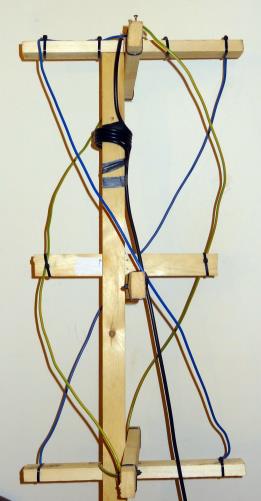
The RTL-SDR and other SDRs like the Funcube along with some free software can be used to receive and decode these images. LRPT images from the Meteor-M N2 are transmitted at around 137.925 MHz, so any satellite antenna like those commonly used with the NOAA weather satellites can be used.
NOTE:Meteor M1 has come alive, (now offline again), so the frequency of Meteor M2 was changed from 137.1 MHz to 137.9 MHz.Meteor M1 is now at 137.1 MHz and can be received using the same steps as in this tutorial, though please note that images from Meteor M1 are not perfect since the satellite is tumbling.
Happysat, a satellite monitoring enthusiast has emailed us with a comprehensive tutorial showing how the RTL-SDR can be used to receive and decode these LRPT images (pdf warning) (txt file). The procedure is not quite as simple as with the NOAA satellites as it involves first pre-recording the transmission as a baseband I/Q file in SDR#, changing the sample rate in Audacity, processing the file with the Lrptrx.exe software, and then using Oleg's LRPToffLineDecoder (now called M2_LRPT_Decoder) to finally produce the image (in case the link is down for LRPToffLineDecoder/M2_LRPT_Decoder), try mirror here or here).
The tutorial also shows an alternative and faster Linux based method using some GNU Radio scripts, but with the final processing still done with Oleg's decoder in Windows.
Update:This newer post now shows a slightly faster way for receiving and decoding LRPT images on a Windows PC which does not require the use of Audacity.
Basic idea on Linux is to record an IQ wav file using:
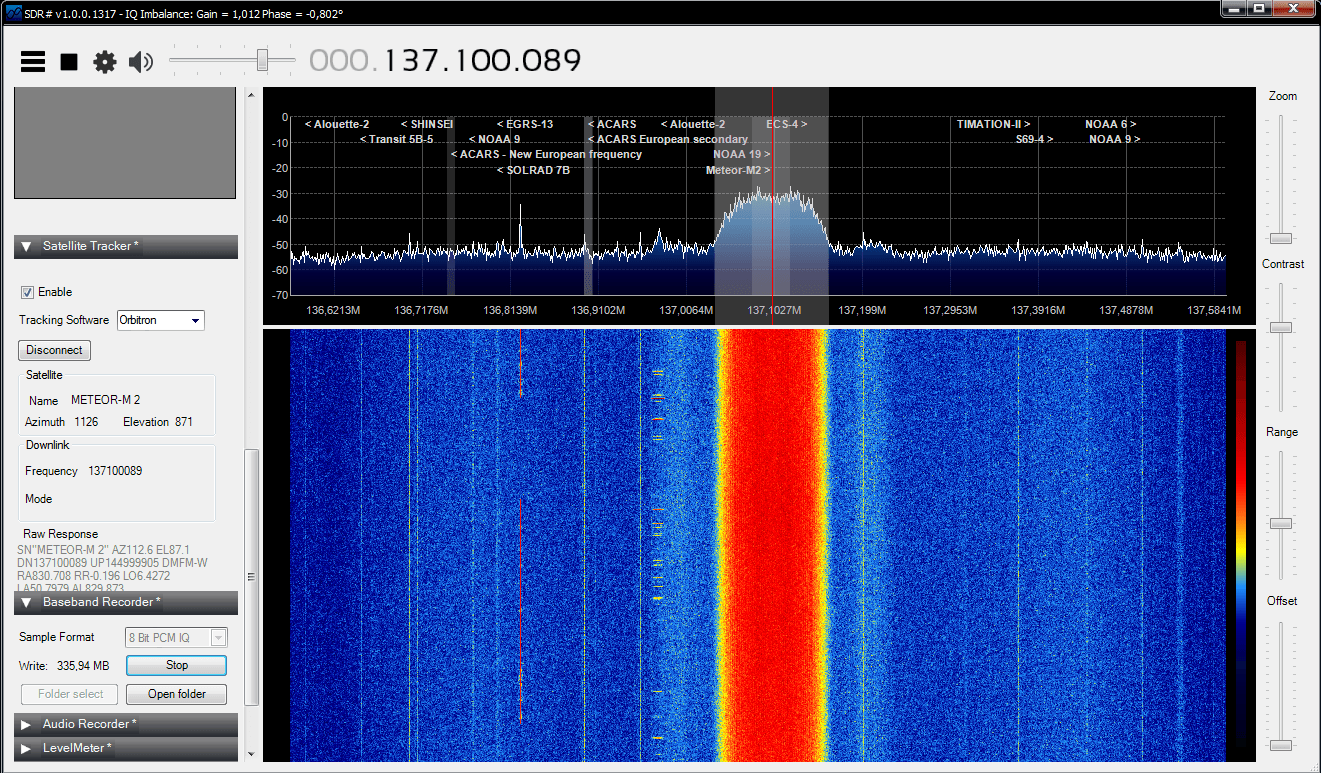
The Meteor-M2 SatelliteAn Example LRPT Image Received with an RTL-SDR from the Meteor-2 M2.Another Sample LRPT ImageWhat a LRPT signal looks like in SDR#
For a comprehensive book about the RTL-SDR you may be interested in our eBook available on Amazon.
There are now dozens of software defined radio packages that support the ultra cheap RTL-SDR. On this page we will attempt to list, categorize and provide a brief overview of each software program. We categorize the programs into general purpose software, single purpose software, research software and software compatible with audio piping.
If you know of a program that is missing please leave a comment in the comments section at the bottom of the page.
SDR# (pronounced "SDR Sharp") is the most popular free RTL-SDR compatible software in use at the moment. It is relatively simple to use compared to other SDR software and has a simple set up procedure. We have a full overview of the installation procedure on our Quick Start Page. SDR# is designed to be use with the $199 Airspy SDR, but works just fine with the RTL-SDR.
SDR# is a simple to use program that also has some advanced features. It has a useful modular plugin type architecture, and many plugins have already been developed by third party developers. The basic SDR# download without any third party plugins includes a standard FFT display and waterfall, a frequency manager, recording plugin and a digital noise reduction plugin. SDR# also decodes RDS signals from broadcast FM.
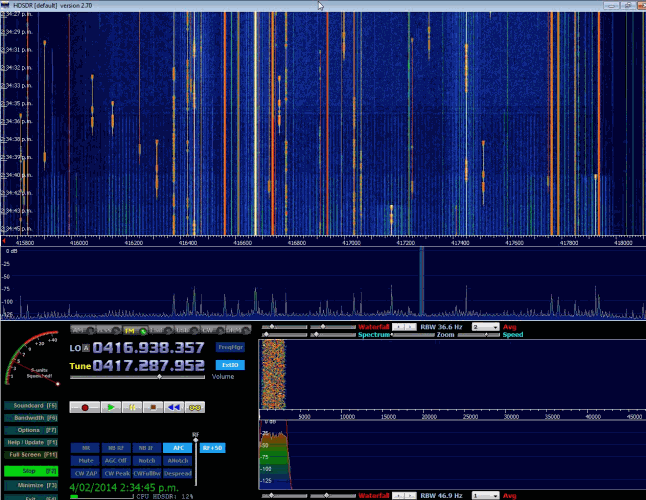
HDSDR is based on the old WinRAD SDR program. HDSDR supports the RTL-SDR through use of an ExtIO.dll module. To install HDSDR, download the program from the link on the main HDSDR page, then to use the RTL-SDR you will need to download the ExtIO_RTL2832.dll file an place it into the HDSDR folder. When opening HDSDR, select the newly copied ExtIO_RTL2832.dll. The other dlls that come with HDSDR will not work with the RTL-SDR, even though they have RTL-SDR in their filename. The official installation instructions can be found here.
Along with a FFT display and waterfall, HDSDR has some extra advanced features. Users will also find an Audio FFT and waterfall display on the bottom of the screen. The output audio can also be bandpass filtered by dragging the filter borders on the display. Bandpass filtering the audio can really help clean up a noisy signal. The audio processing also supports placing of notch filters either manually or automatically. There are also noise reduction and noise blanker features and an automatic frequency centering algorithm which will automatically center the signal, so you don't need to click exactly in the center of a signal. Traditional ham radio users will also enjoy the S-units signal strength meter and the built in frequency manager.
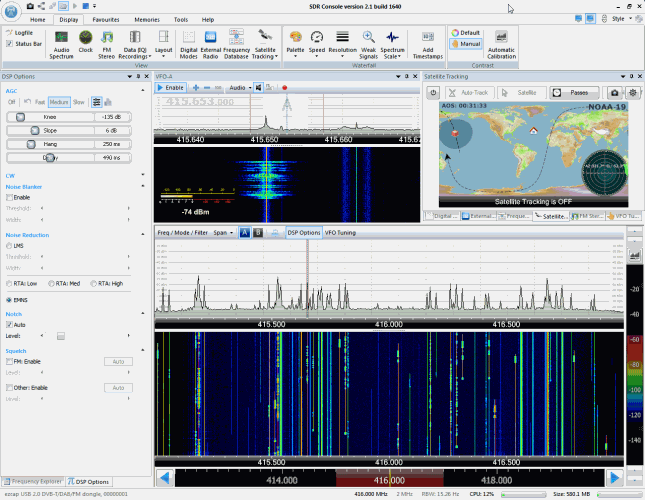
SDR-RADIO.COM V2 and the newer V3 is a popular SDR program with many advanced features. As such is it a fair amount more difficult to learn and use compared to SDR# and HDSDR. Be sure you install version 2 and not V1.5 as only V2 has RTL-SDR support.
Once sdr-radio is installed, to get it working with the RTL-SDR you will need to compile or download three .dll files (SDRSourceRTL2832U.dll, rtlsdr.dll and libusb-1.0.dll) and place them into the sdr-radio folder. To compile your own dlls see the instructions here, otherwise download the dlls directly from the bottom of this link. If the dlls were placed in the correct folder you will be able to add your RTL-SDR as a receiver by clicking on the +Definitions button, and then finding and adding the RTL SDR (USB) option under the search drop down menu.
Like HDSDR, not only does sdr-radio have a RF FFT signal and waterfall display, but also an optional audio spectrum FFT and waterfall display. Built in are also several DSP features like a noise blanker, noise reduction filter, notch filter and squelch options. The EMNS noise reduction filter is particularly good at automatically cleaning up and clarifying voice signals.
To add to the feature list, sdr-radio also has built in PSK, RTTY and RDS decoders, and also comes with a satellite tracker. Furthermore, sdr-radio V2 (not V3 yet) has an excellent remote server which will allow you to easily set up and connect to a remote RTL-SDR server over a network or the internet. Finally, sdr-radio is capable of listening to up to 6 signals in the same chunk of visible spectrum at a time.
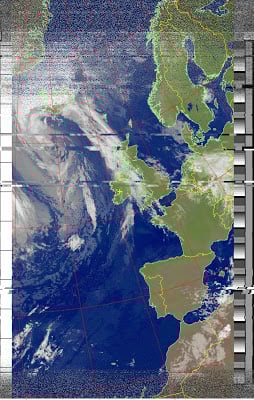
Over on the SDR for mariners blog, author Akos has written two new beginners posts on getting up and running with receiving and decoding NOAA weather satellite APT images.
On Twitter user @uhf_satcom has been using a HackRF software defined radio together with GNU Radio, a tracking L-Band antenna and this HRPT decoding software to receive and decode HRPT weather satellite images. He used GNU Radio to output to a .RAW16 file, which the HRPT decoding software was then able to use to produce an image.
Finally! HRPT via SDR; http://t.co/MvLWcByZfB – hackRF + GNUradio + tracking L-Band antenna, and HRPT decoder tool = great images 😉
HRPT is a picture transmission protocol which stands for High Resolution Picture Transmission. There are multiple satellites which broadcast weather images in this format including the NOAA, GOES, Metop-A and Feng Yun satellites. These satellites transmit HRPT at about 1.7 GHz.