Category: Airspy

Portable Shortwave Spectrum Capture with an Airspy + Spyverter and Tablet

Over on his blog London Shortwave writes how difficult it can be trying to listen to shortwave radio stations when you’re indoors and in a big city filled with RF noise. His solution is a portable lightweight shortwave travel kit that he can take to the park. The kit that he recommends using includes an Airspy SDR with SpyVerter upconverter, a Toshiba Encore 8″ Tablet and an OTG USB adapter. His antenna is a portable dipole made from two pieces of 6m copper wire connected to a balun, then connected to the SDR with 3m of coax. The whole kit easily fits into a small metal brief case.

For the software London Shortwave uses SDR# and he enjoys capturing large chunks of the HF spectrum for replay later using the base band recorder and file player plugins for SDR#. In his post he also shows how he runs the Airspy in debug mode to restrict it to 6 MHz which is the maximum bandwidth that his tablet’s CPU can handle.

His post shows various example videos of his setup receiving some nice shortwave signals.

London Shortwave's SDR Kit.
London Shortwave’s SDR Kit.

Mile Kokotov’s SDR Overview and Dynamic Range Explanation

Mile Kokotov (Z33T) has been working on creating an overview page of some of the most popular software defined radios and software applications. In the past we’ve featured Mile’s videos several times on our blog and his page ties all the videos together nicely with text. On his page he briefly reviews the different types of RTL-SDR dongles as well as the Airpsy and SDRplay.

One very useful page he’s put together is his explanation of the “dynamic range” concept, which is probably the most important characteristic when it comes to a radio. According to Miles description dynamic range measures the ability of a radio to “receive very weak and very strong signals at the same time, without overloading”. His page also explains how decimation in software can help improve the dynamic range without needing to improve the hardware.

Mile’s page is not yet 100% finished, so we advise you to keep an eye on it for new information.

Explaining dBFS (decibels relative to full scale)

Setting up a GOES Weather Satellite Antenna System

Many people with an RTL-SDR have had fun receiving NOAA and METEOR low earth orbit (LEO) weather satellite images. However, a step up in difficulty is to try and receive the geostationary orbit (GEO) weather satellites like GOES. These satellites are locked to a fixed position in the sky meaning there is no need to do tracking, however since they are much further away than LEO satellites, they require a 1m+ satellite dish or high gain directional antenna to have a chance at receiving the weak signal. The GOES satellites transmit very nice high resolution full disk images of the earth, as well as lots of other weather data. For more information see this previous post where we showed devnulling’s GOES reception results, and this post where we showed @usa_satcom’s presentation on GOES and other satellites.

Over on his blog and Twitter account (@lucasteske) Lucas Teske has been documenting his work in building a GOES receive system. The SDR he uses mostly is an Airspy, but recently he showed that our RTL-SDR Blog V3 dongle is also capable at receiving the GOES signal.

The nice thing about Lucas’ post is that he documents his entire journey, including the failures. For example after discovering that he couldn’t find a 1.2m offset satellite dish which was recommended by the experts on #hearsat (starchat), he went with an alternative 1.5m prime focus dish. Then after several failed attempts at using a helix antenna feed, he discovered that his problem was related to poor illumination of the dish, which meant that in effect only a small portion of the dish was actually being utilized by the helix. He then tried a “cantenna”, with a linear feed inside and that worked much better. Lucas also discovered that he was seeing huge amounts of noise from the GSM band at 1800 MHz. Adding a filter solved this problem. For the LNA he uses an LNA4ALL.

To position the antenna Lucas used the Satellite AR app on his phone. This app overlays the position of the satellite on the phone camera making it easy to point the satellite dish correctly. He also notes that to improve performance you should experiment with the linear feeds rotation, and the distance from the dish. His post of full of tips like this which is very useful for those trying to receive GOES for the first time.

In future posts Lucas hopes to show the demodulation and decoding process.

GOES received with the dish, LNA4ALL, filter and an Airspy.
GOES signals received with the dish, LNA4ALL, filter and an Airspy.

Leif (SM5BSZ) Compares Several HF Receivers

Over on YouTube well known SDR tester Leif (SM5BSZ) has uploaded a video that compares the performance of several HF receivers with two tone tests and real antennas. He compares a Perseus, Airspy + SpyVerter, BladeRF + B200, BladeRF with direct ADC input, Soft66RTL and finally a ham-it-up + RTLSDR. The Perseus is a $900 USD high end HF receiver, whilst the other receivers are more affordable multi purpose SDRs.

If you are interested in only the discussion and results then you can skip to the following points:

24:06 – Two tone test @ 20 kHz. These test for dynamic range. The ranking from best to worst is Perseus, Airspy + SpyVerter, Ham-it-up + RTLSDR, Soft66RTL, BladeRF ADC, BladeRF + B200. The Perseus is shown to be significantly better than all the other radios in terms of dynamic range. However Leif notes that dynamic range on HF is no longer as important as it once was in the past, as 1) the average noise floor is now about 10dB higher due to many modern electronic interferers, and 2) there has been a reduction in the number of very strong transmitters due to reduced interest in HF. Thus even though the Perseus is significantly better, the other receivers are still not useless as dynamic range requirements have reduced by about 20dB overall.

33:30 – Two tone test @ 200 kHz. Now the ranking is Perseus, Airspy + SpyVerter, Soft66RTL, BladeRF+B200, Ham-it-up + RTLSDR, BladeRF ADC.

38:30 – Two tone test @ 1 MHz. The ranking is Perseus, Airspy + SpyVerter, BladeRF + B200, ham-it-up + RTLSDR, Soft66RTL, bladeRF ADC. 

50:40 – Real antenna night time SNR test @ 14 MHz. Since the Perseus is know to be the best, here Leif uses it as the reference and compares it against the other receivers. The ranking from best to worst is Airspy + SpyVerter, ham-it-up + RTLSDR, BladeRF B200, Soft66RTL, BladeRF ADC. The top three units have similar performance. Leif notes that the upconverter in the Soft66RTL seems to saturate easily in the presence of strong signals.

1:13:30 – Real antenna SNR ranking for Day and Night tests @ 14 MHz. Again with the Perseus as the reference. Ranking is the same as in 3).

In a previous video Leif also uploaded a quick video showing why he has excluded the DX patrol receiver from his comparisons. He writes that the DX patrol suffers from high levels of USB noise.

Airspy vs SDRPlay: Two New Comparison Videos

Over on YouTube two new videos comparing the reception on the SDRplay and Airspy have been uploaded. The first is by Mile Kokotov and he compares the reception on a very weak broadcast FM station, with several strong signals surrounding it. He writes:

In this video I am presenting Airspy+SDR# vs SDRplay+SDRuno in the real world, receiving very weak FM broadcast station in the terrible conditions, with very strong signals around.
The Weak signal was in the lower edge of the FM broadcast spectrum, with very strong local signals close to the weak one, in the upper frequencies of the FM broadcast spectrum.
The antenna for the both SDR receivers was the same – Vertical Dipole for FM BC band.

Both SDR receivers were tuned to maximum possible signal to noise ratio (SNR) of the weak FM broadcast signal.

In SDRuno RSP control panel (for SDRplay receiver) ZERO IF and 0.3/0.6 bandwidth were chosen, and the weak signal of interest was placed on the right edge of IF filter, so that the strong signals from other FM broadcast radio stations were placed right from the weak one in order to minimized the negative influence to the our weak signal.
LNA was switched off. When the LNA was on, there where high distortion level because LNA was overloaded from the strong signals, and SNR was deteriorated regardless of gain reduction.
The best results were achieved with gain reduction set to “0”, without LNA.

In SDR# software (for Airspy SDR receiver) 10 MSPS and Decimation was used.
From the version 1480, in SDR#, when decimation is choosed, there is tracking filter which allow better selectivity, so you can use more gain, increasing the SNR to maximum possible level depending of concrete situation.

The overall receiving conditions was extremely bad. The signals from local FM radio stations were too strong so the weak signal from this video can not be received at all, with many expensive FM tuners which I tried: Pioneer VSX 527, Denon AVR-1802, Marantz SR6300. I was tried RTL-SDR just for fun, but it can not receive weak signal too :-), not because SDR-RTL is not sensitive enough, but because its dynamic range is not so high and it is overloaded by too strong local signals.

The very sensitive receiver is not problem to design and produce. Much more difficult is to design a high dynamic range receiver. which will be able to receive very weak and very strong signals at the same time without overloading.

Overloaded receiver front end means that it is not linear any more, and produces many signals by itself, increasing its noise level.
Very strong signals at the receiver front end makes Desensitization of the receiver, so it could not receive weak signals any more.
We should not forget that the receiver front end “looks” all signals from the wide frequency range even if we want to receive only one signal at the time. The more wideband the receiver is, the higher dynamic range it has to be, for not been overloaded…

SDRplay and Airspy receiving Very WEAK FM broadcast signal

In the second video Leif sm5bsz compares the Airspy+SpyVerter with the SDRplay RSP on HF reception. He concludes that the difference between the two radios on HF is small. However, Youssef from Airspy has contested the result, noticing that Leif ran the Airspy at 2.5 MSPS, resulting is significantly less decimation being used. In response Leif updated his video adding an A/B comparison on HF with the Airspy correctly running at 10 MSPS in the last 8 minutes of the video. The results seem to show that the SDRPlay and Airspy+Spyverter have similar HF performance, but when comparing maximum decimation on the Airspy and the smallest bandwidth the SDRplay to obtain similar bandwidth’s, the results seem to show that the Airspy+SpyVerter is about 5 dB more sensitive at receiving weak signals.

Airspy Dynamic Range Improved in the Latest SDRSharp

In a previous post we posted about how SDR# had been updated to vastly improve on the CPU usage. The author has been hard at work once again, and has now released a new update which significantly improves the dynamic range with the Airspy SDR. The new update gives a boost of up to 12dB in dynamic range when using decimation. This means that the gains can be turned up further without overloading occurring, and that weaker signals can come in much stronger without strong signals overloading and drowning them out.

The example images show some examples of the dynamic range improvements.

An example of the improved dynamic range for the Airspy on the latest SDR#.
Using decimation removes overload.

Cloud-SDR: A Tool for Remotely Accessing SDR’s like the RTL-SDR and Airspy

Cloud-SDR is a new tool currently in beta testing which enables remote streaming access of SDR receivers, such as the RTL-SDR and Airspy. In a way it is similar to rtl_tcp in that it allows IQ samples to be streamed over the network, however Cloud-SDR appears to be a much more developed solution that can support more SDR’s and has many more features, as well as better performance. Cloud-SDR is not free, and during these beta stages of release the pricing does not appear to be public. However they have licences for personal/hobbyist use, which we assume will be reasonably priced. 

In this interesting post they describe various solutions for remote SDR access, and show why their Cloud-SDR solution is useful.

They describe their software in the following blurb:

Cloud-SDR can collect real-time IQ complex samples from an SDR hardware device connected on one machine, stream the samples to a second machine for demodulation or analysis, then send the resulting stream to third machine for storage.

In standalone mode, Cloud-SDR can execute signal processing tasks described with embedded JavaScript DSP engine.

Because network bandwidth is limited compared to SDR receiving bandwidth, the core concept of Cloud-SDR is to move the processing along the cloud to where it is required or possible : the DSP chain is divided in sub-tasks that are spread between computers interconnected through Internet.

For example a “signal scanner” application can be programmed with a script and stored on the SDR server for execution. Only found signals will threshold stream transmission through the TCP/IP network. Remote Client will only receive the IQ stream if a signal is detected by the DSP task. In “cloud mode”, the same script can be broadcasted to several SDR nodes located at different places, enabling parrallel signal search.

Server software SDRNode receives IQ streams from the different SDR hardwares, extracts the different bands, processes them and transmits the RF data using compression algorithms to limit TCP/IP network bandwidth.

Cloud-SDR-Big

Currently the hardware supported includes:

  • RTL SDR dongles
  • Perseus SDR
  • BladeRF x40 or x120
  • HackRF
  • AirSpy
  • SDRPlay (under work)
  • USRP UHD (Pro version only)
  • LimeSDR (Pro version only)

On their site they have some tutorials uploaded already. One tutorial shows how to remotely listen to airport radio with a remote Airspy, and one shows how to set up a dual-RTLSDR remote access system. This allows two RTL-SDR’s to be used together, with one streaming directly from the antenna, and the second streaming via an upconverter.

Sharing Two RTL-SDR's with CloudSDR.
Sharing Two RTL-SDR’s with CloudSDR.

There are also several examples of the Cloud-SDR in action over on the authors YouTube channel.

Several Performance Upgrades Made to the Latest Versions of SDR#

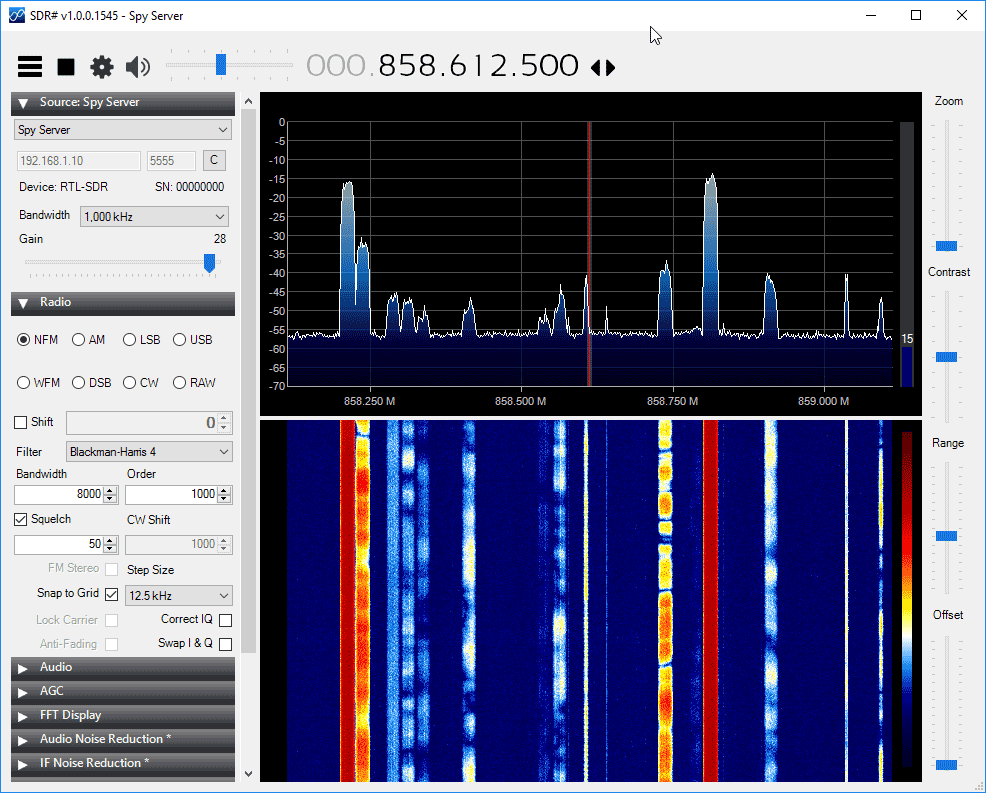
Recently the popular SDR# (SDRSharp) software has had several improvements made to it (changelog). One of the most noticeable improvements is a decent reduction in the amount of CPU usage required by the software. We tested the new version on an i7 CPU and compared it against an older version using an Airspy. We saw 12% CPU usage on the older version and 7% on the newer version. With the RTL-SDR the older version showed 5% CPU usage which reduced to 3% on the newer version. Using an older i5 PC resulted in even larger improvements, going from about 35% CPU on the older version down to 25% or lower usage on the new version with the Airspy. The improvements are especially noticeable when decimation is used with the Airspy. These performance updates may help users on older PC’s and tablets run the software, or help users who run many programs at one time. The SDR# author is also testing out a 64 bit version of SDR#, which may be released in the future.

Recent versions over the past few months have also made improvements to the included noise blanker plugins and they have also added a default band plan plugin which shows the various frequency bands visually on the FFT spectrum.

Showing the very low CPU usage obtainable with the latest SDR# versions.