Category: Satellite

RTL-SDR Tutorial: Decoding Meteor-M2 Weather Satellite Images in Real-Time with an RTL-SDR

Update 02 August 2019: Please use Happysats tutorial which is available here. Happysats tutorial will work for Meteor M-N2-1 and Meteor M-N2-2.

Back in September last year we posted a tutorial written by RTL-SDR.com reader Happysat which showed how to receive and decode high resolution Meteor-M2 LRPT satellite images. The tutorial required several offline manual processing steps to be performed and therefore could not decode the image in real time.

Now Vasili, a SDR# plugins programmer, and Oleg who is the coder of Lrptdecoder have combined ideas to create a new QPSK demodulator plugin for SDR# that allows the real time reception and decoding of Meteor-M2 LRPT images (in Russian use Google translate). The demodulator also offers the advantage of faster and longer signal locking, and also works much better with weak signals compared to the old method. 

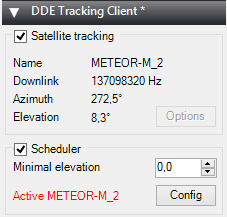
At the same time Vasili has also released another plugin called DDE Tracker which allows a satellite tracking program such as Orbitron to interface with and control SDR#. The plugin can be downloaded on the same page as the QPSK plugin. This is similar to the already existing DDE plugins, but now also comes with a scheduler which allows users to automatically schedule recordings of Meteor-M2 and NOAA satellite passings.

NOTE: Meteor M1 has come alive again, so the frequency of Meteor M2 was changed from 137.1 MHz to 137.9 MHz. Meteor M1 is now at 137.1 MHz and can be received using the same steps as in this tutorial, though please note that images from Meteor M1 are not perfect since the satellite is tumbling. Meteor M1 is gone again.

Tutorial

To help users get set up with this new method, Happysat has again come forth with another tutorial which can be downloaded here (.pdf) (.docx) (.txt w/ images in .rar). At first glance the tutorial may seem more complicated than the old method, but in the end it is a much faster and more efficient way at decoding LRPT images. The basic steps involve setting up Orbitron and the DDE plugin to automatically track the Meteor-M2 LRPT satellite and signal, and then setting up the QPSK plugin and the new version of Lrptdecoder (if that link is down, try this mirror) to talk to one another in real time via a local TCP connection.

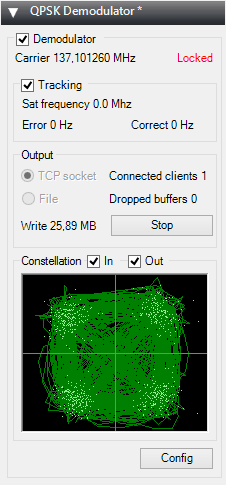
Real time decoding of Meteor-M2 with two new SDR# Plugins.
QPSK Decoder SDR# Plugin
QPSK Demodulator SDR# Plugin
DDE Orbitron Interface SDR# Plugin.

AMIGOS

One more Meteor-M2 related thing to look forward to in the future is the AMIGOS project which stands for Amateur Meteor Images Global Observation System. This will be a system where users around the world can contribute LRPT images through the internet to create a worldwide LRPT receiver. Oleg of LrptDecoder writes:

There is an idea to merge LRPT receive amateur radio stations in a network through the Internet and create a super LRPT receiver.

I see the benefit of professionals from the control center in the operational monitoring of the condition of the equipment MSU-MR, and for fans of the fullest reception of images from Meteor-M.

All is in testing phase and need some setup for the servers,  data is beeing shared thru a VPN connection to a central server which will have a continous flow of images from all over the world.

Users can join and share in realtime the data more info on:
http://meteor.robonuka.ru/for-experts/amigos/

What is Meteor-M2?

If you don't understand what all this is about: The Meteor-M N2 is a polar orbiting Russian weather satellite that was launched on July 8, 2014. Its main missions are weather forecasting, climate change monitoring, sea water monitoring/forecasting and space weather analysis/prediction.

The satellite is currently active with a Low Resolution Picture Transmission (LRPT) signal which broadcasts live weather satellite images, similar to the APT images produced by the NOAA satellites. LRPT images are however much better as they are transmitted as a digital signal with an image resolution 12 times greater than the aging analog NOAA APT signals. Some example Meteor weather images can be found on this page and the satellite can be tracked in Orbitron or online.

A software defined radio such as the low cost RTL-SDR, or the higher end Airspy and Funcube dongles can be used to receive these signals.

An Example LRPT Image Received with an RTL-SDR from the Meteor-2 M2.

Updates

The DDE plugin can also be used for tracking NOAA satellites. Some people have been having trouble with set up. Happysat writes a solution:

Download TLE from: http://www.celestrak.com/NORAD/elements/noaa.txt. Make sure the names are the same in DDE Sat Tracking Client schedule. https://dl.dropboxusercontent.com/u/124465398/NOAA_Setup.jpg. Same one as i post in the howto - https://dl.dropboxusercontent.com/u/124465398/DDESchedule.rar

A Crude Skew Planar Wheel Antenna for Receiving GPS L1 with an RTL-SDR

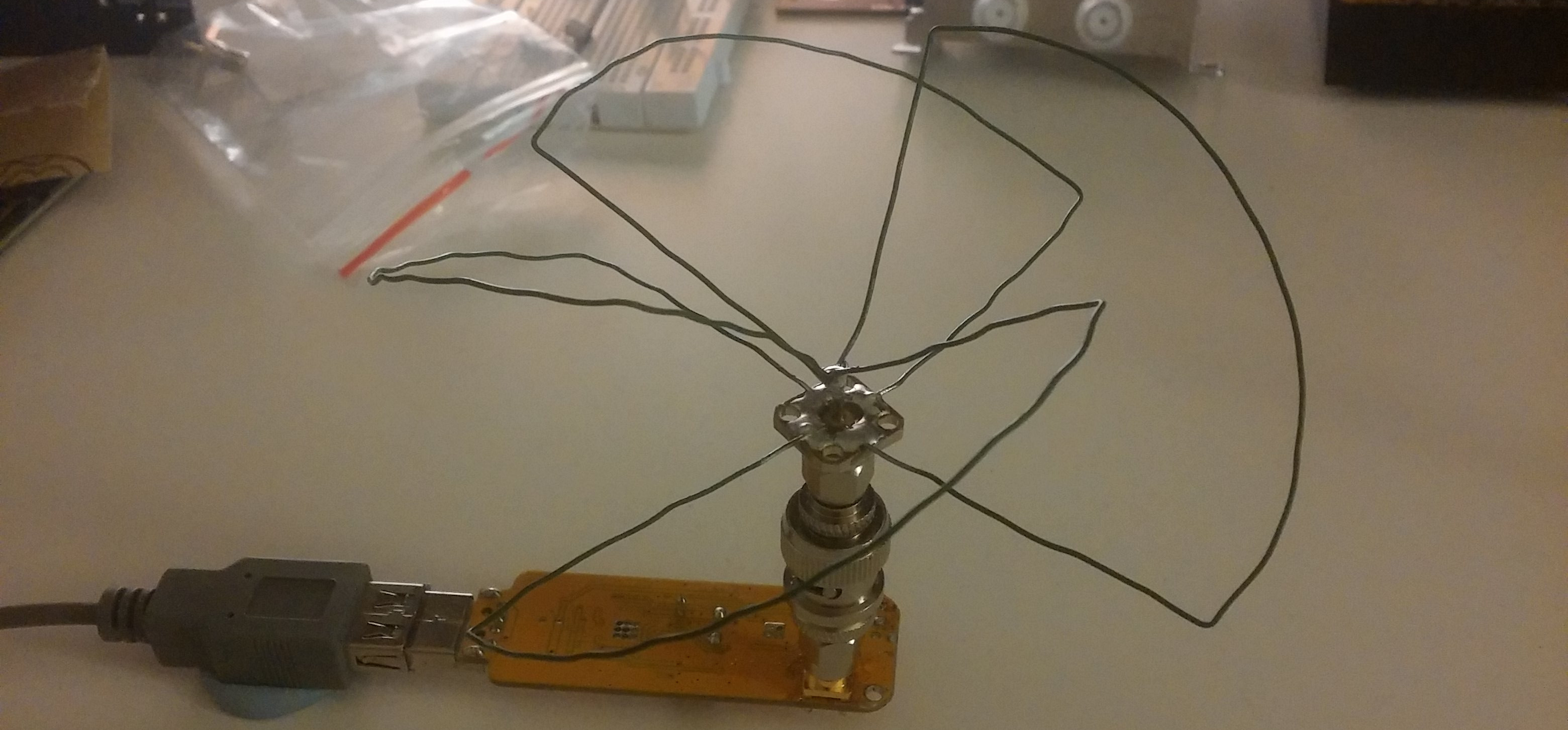
Over on his blog /dev/thrash RTL-SDR experimenter Elia has been attempting to build an antenna to receive Global Positioning System (GPS) signals with his RTL-SDR. After doing some research he decided to build a Skew Planer Wheel antenna which he tuned for the GPS L1 frequency at 1575.42 MHz. A Skew Planar Wheel antenna is circularly polarized omnidirectional antenna which can be built out of wire. It is well suited to receiving signals from low earth orbiting (LEO) satellites such as the GPS satellites.

Elia later tested his antenna with a commercial GPS receiver circuit and was able to obtain a GPS fix.

Skew Planar Wheel Antenna on the RTL-SDR for receiving GPS.

ThumbNet – A Low Cost Satellite Groundstation Network using modified RTL-SDRs

The ThumbNet project is a project that is aiming to provide low cost satellite receivers to students and any other interested communities in order to promote worldwide education in science, technology and engineering.

In addition to ThumbNet, there is also the ThumbSat project which hopes to launch it’s own satellites sometime next year. However, at the moment the focus is on ThumbNet where the team are currently building their ground station network by supplying customized RTL-SDR dongles to schools and interested communities all around the world for free.

Once the satellites are launched the receive stations will be used to download data from the ThumbSat satellites, creating a large network of receivers. To raise the incentive for participation, in the future they also hope to provide a small amount of money to each actively participating school or organisation. They write that the RTL-SDR’s could also be used for receiving other educational signals such as communications from the ISS. More information about the project can be found on their website www.thumbsat.com, and in this white paper (pdf).

As generic RTL-SDR dongles were not up to their specifications they decided to develop their own. Their RTL-SDR receivers are custom made to have a 1 PPM accuracy Temperature Controlled Oscillator (TCXO), a R820T2 tuner chip and a F-Type connector. The Type-F connector was chosen as they found that it was the most commonly found connector around the world and would be the easiest for students in remote areas to have access to.

If you are interested in getting one of these dongles and you meet their criteria (school or similar), you can either ask to participate in the ThumbNet program for free, or alternatively if you just want a dongle for your own use you can buy one through us. We have decided to help with the ThumbSat project by helping them advertise and sell off some of their surplus units through our blog.

In their official blurb ThumbSat writes:

Scoutek LTD, in the United Kingdom and ThumbSat Inc, in the United States are proud to have partnered together to provide an opportunity for schools and educational groups around the globe to promote radio science, technology, engineering and mathematics to their students and attempt to influence the next generation of scientists and engineers.  By donating small radio kits to each school or educational group, the project has already begun making a positive change in the lives of hundreds of students.

ThumbSat has been working with schools and educational groups around the globe and to date, more than 20 groups have committed to volunteering where students and staff members will operate the satellite monitoring stations as part of their science courses!  As a few examples, stations are being operated in diverse areas the Cook Islands, Christmas Island, Singapore, Ecuador, Tanzania and Botswana. One individual in Micronesia was operating the station by himself at 12 years old!

ThumbNet is open to anyone who is interested in participating and has a desire to setup and operate a small ground based radio listening station. No permits or licenses are required, since there is no transmission of any sort and no permanently installed antenna systems.

ThumbSat and Scoutek encourage education for everyone and is looking for anyone young, old, educated or uneducated, individuals or groups to participate.

Questions can be directed to [email protected], or by visiting the company websites: www.thumbsat.com or www.scoutek.com .

ThumbNet SDR Dongles
ThumbNet SDR Dongles with Wade, one of the people behind the project.

Decoding Differential GPS Beacons with an RTL-SDR, Speclab and SDR#

Over on his blog “RTL-SDR DX” dewdude has been exploring the reception and decoding of Differential GPS (DGPS) signals. DGPS signals are transmitted by government authorities in the long wave band at around 300 kHz. These beacons are used to dramatically improve the accuracy of GPS (Global Positioning System) devices from their default accuracy of about 15 m down to about 10 cm. Unlike GPS signals which originate from satellites, the DGPS signal is terrestrial based and is broadcast from multiple known fixed positions. The signal itself contains information about the difference between the DGPS stations received GPS position and it’s known exact position. These differences can be used to correct other GPS receivers that receive DGPS signal.

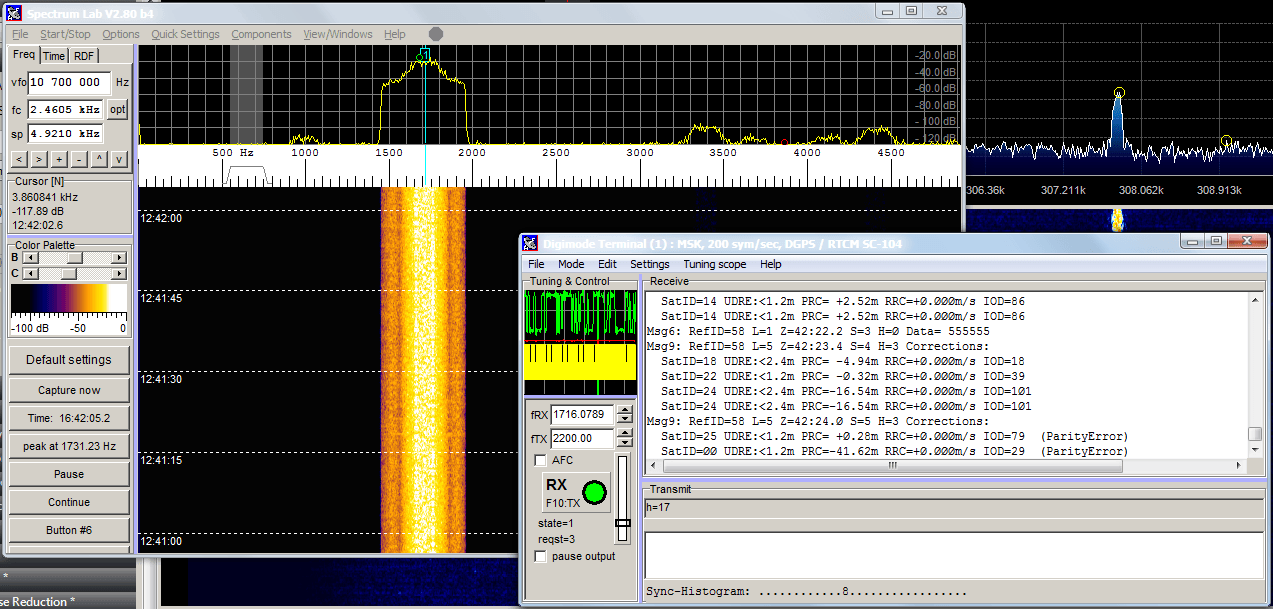
By using his RTL-SDR (with upconverter or HF modification) dewdude was able to receive the DGPS beacon in SDR#. Then by piping the output audio into SpectrumLab’s DGPS decoder he was able to decode the data contained within the DGPS signal. His post contains a tutorial showing how to set up SpectrumLab to decode DGPS. If you’re interested in hearing what a DGPS signal sounds like, dewdude has uploaded a sound sample at the bottom of another post of his.

Decoding Differential GPS (DGPS) signals in SpectrumLab

Linux Command Line based Doppler Correction and Demodulation Tools

Programmer Andres has recently been working on creating a toolset for receiving AX.25 packets (FSK 9600) from satellites with an RTL-SDR or other software defined radio. The AX.25 protocol is commonly used for APRS packet radio or telemetry in amateur radio satellites. Andres’ programs focus on using a true UNIX philosophy of piping data between different programs. The toolset consists of doppler correction and demodulation tools and the piping philosophy is demonstrated in the following example:

rtl_sdr | doppler | demod | multimon-ng

Andres writes…

rtl_sdr receives raw IQ data from satellites which is then piped to “doppler” which corrects doppler offset. Zero centered baseband signal is piped to “demod” which outputs demodulated audio suitable for multimon-ng to do actual AX.25 packet decoding.

Such pipeline is intended for resource constrained embedded platforms like RaspberryPi or BeagleBoneBlack where running full blown SDR software would be too much.

The doppler corrector tool works by using the same libraries for calculating satellite positions as those used in Gpredict and the demod tool uses the liquid-dsp library to demodulate the IQ stream.

More information about Andres’ project can be found in these three blog posts that he has written.

Andres also writes that he would be interested in hearing any feedback or pull requests on GitHub for these tools.

How to Receive the Funcube Satellite with an RTL-SDR

Over on the Hamspirit.de blog author Jan as written a post explaining how to receive the FUNcube satellite with an RTL-SDR dongle (note in German, use Google translate). The FUNcube is a CubeSat (a low cost miniature 10 cm cube sized satellite) which is intended mainly for educating young people about radio, space, physics and electronics, but has also piqued the interest of amateur radio hobbyists.

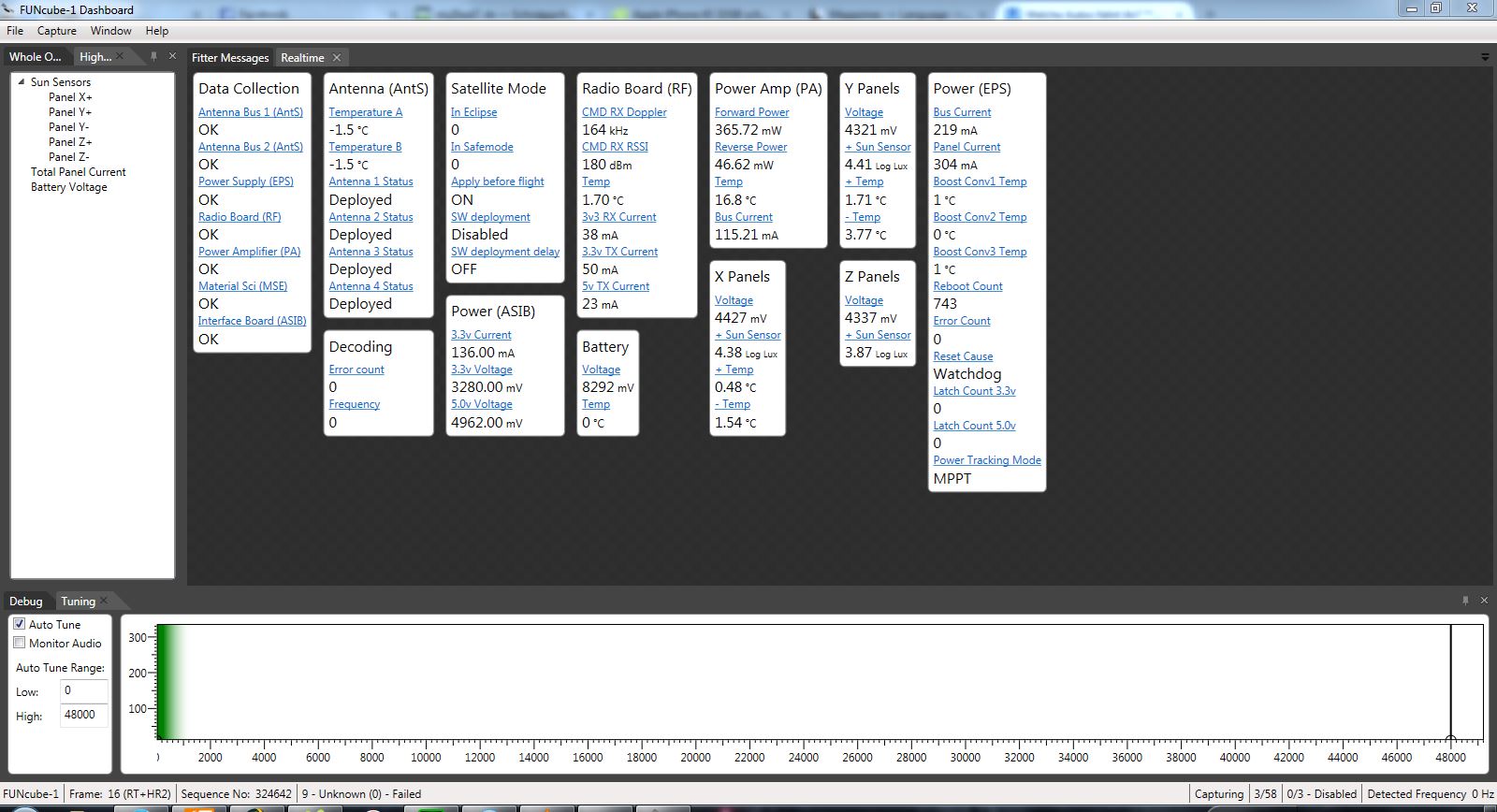
Jan first writes how the Funcube Dongle was originally invented as a low cost means of receiving the FUNcube satellite, but now there are the even lower cost RTL-SDR dongles. Jan’s post then goes over how to receive the FUNcube at a frequency of 145.935 MHz using software such as SDR-Radio or SDR# and how to decode the telemetry data using the FUNcube dashboard. He also explains a bit about the FUNcubes operating modes which change the satellites transmission strength depending whether or not its solar panels are in sunlight or not.

Funcube Telemetry Dashboard

The International Space Station is Transmitting SSTV Images

Happysat, a reader of RTL-SDR.com has written in to remind us that the International Space Station (ISS) is currently transmitting slow scan television (SSTV) images out of respect of the 80th birthday of Russian cosmonaut and first man to go to space Yuri Gagarin. The images will be transmitted continuously until 24 February 21.30 UTC.

SSTV is a type of radio protocol that is used to transmit low resolution images over radio. A RTL-SDR dongle and satellite antenna (QFH, turnstile, even terrestrial antennas like random wire antennas and monopoles have been reported to work) can be used to receive and decode these images. Happysat writes that it is expected that the ISS will continuously transmit 12 images at a frequency of 145.800 MHz FM using the SSTV mode PD180, with 3 minute off periods between each image.

To decode the images it is recommended to use SDR# and pipe the audio into MMSSTV, a freeware SSTV decoding software program. To get the best results out of MMSSTV happysat recommends enabling “Auto slant” and “Auto resync” under Options->Setup MMSTV->RX.

To know when the ISS is overhead you can track it online using http://spotthestation.nasa.gov/sightings/, http://www.isstracker.com/ or http://www.mcc.rsa.ru/English/trassa.htm.

Received SSTV images can be submitted to the ARISS Gallery, and Happysat has also uploaded a collection of his own personal received images here.

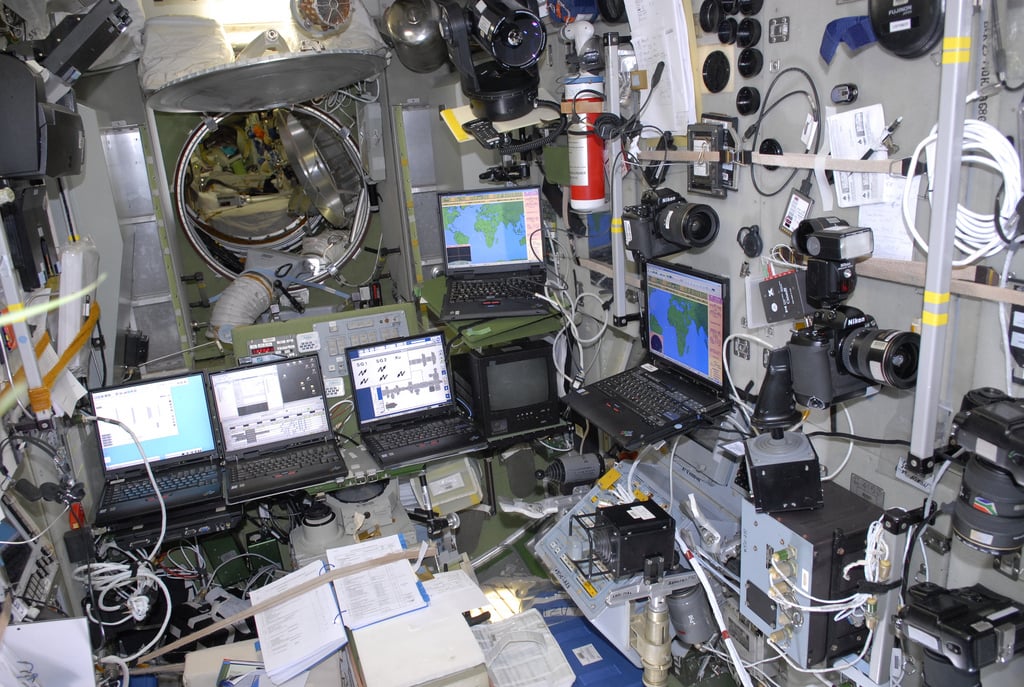
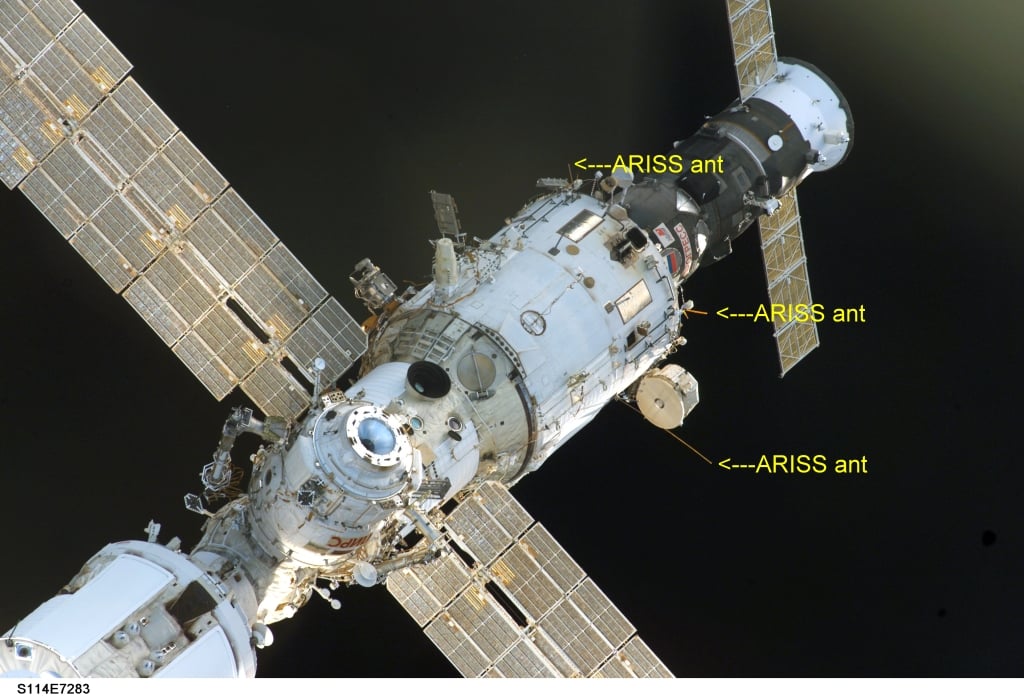
Happysat also shows us some images from the ISS showing the Kenwood D710 transceiver located in the Russian service module, the computers used to generate the SSTV signal and the antennas used for amateur radio transmission.

One of the broadcast SSTV images from the ISS
One of the SSTV images broadcast from the ISS
Computers on the ISS used to transmit SSTV images
Antennas on the ISS used to transmit SSTV images

The SatNOGS Story

In a previous post we talked about the SatNOGS project which aims to provide low cost satellite ground stations (where one critical component is currently an RTL-SDR dongle) along with free networking software in order to create a crowd sourced satellite coverage network. The SatNOGS project was also recently the grand prize winner of the Hackaday prize which saw them take almost $200k US dollars of prize money.

Today Hackaday has written a post promoting their project and explaining what it is all about. Check out their post here http://hackaday.com/2015/02/19/ground-stations-are-just-the-beginning-the-satnogs-story and go and support this project by checking out the SatNOGS community.

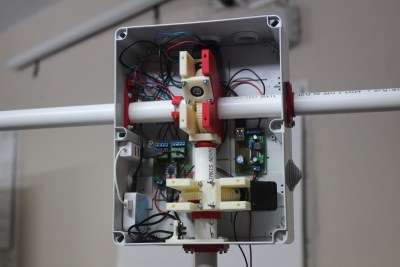
The internal of the current SatNOGS ground station.