Back in early 2016 we posted about a journalist who used an RTL-SDR to gather ADS-B data about the type of aircraft used at the world economic forum in Davos. The idea was to help highlight the vast wealth and power of the attendees by showing off their heavy use of private aircraft.
Now more recently Laurent Bastien Corbeil has published a similar article in Motherboard (a Vice News tech magazine) explaining how he tracked police and military planes at this years G7 summit which was held in Canada in early June. Laurent used an RTL-SDR Blog V3 with the small dipole antenna attached to a window to gather ADS-B data from all the aircraft activity during the summit.
ADS-B is a radio system used on modern aircraft which broadcasts the aircraft's current GPS location and other data such as aircraft identifiers. It is now used extensively by air traffic controllers as it is significantly more reliable than traditional radar. With a simple RTL-SDR it is possible for anyone to track and plot ADS-B data on a map, and this is how tracking sites like flightradar24.com and flightaware.com work.
From his collected data he was able to spot several interesting aircraft such as Canadian Air Force Chinooks, C130 Hercules', RCMP Pilatus', a military Bombardier jet, and a coast guard Bell 427. He also notes that while he was able to spot Donald Trumps Marine One helicopter with his own eyes, the ADS-B data was not present, indicating that more important military aircraft do not broadcast ADS-B for security reasons.
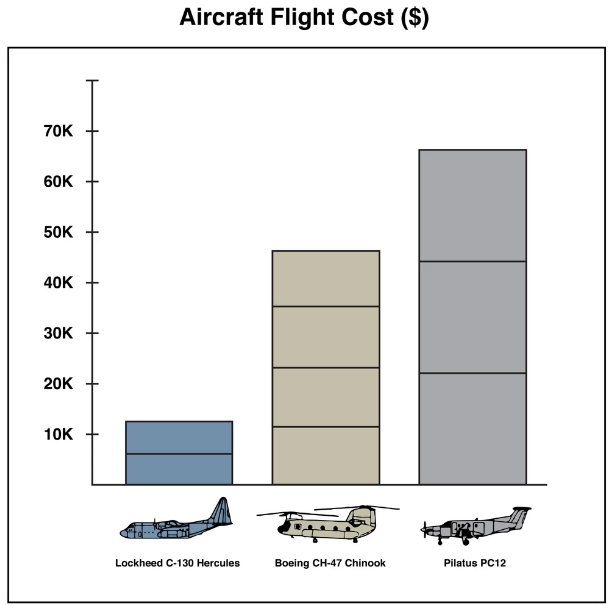
In the article Laurent makes estimates of the costs of operating these aircraft, and makes some guesses on the type of mission flown by some of the aircraft.
G7 Aircraft Flight Costs (Data by Laurent Bastien Corbeil, Graphics by Marvin Lau)
Inspired by a low flying aircraft that kept waking his cat in the morning, Simon Aubury decided to use an RTL-SDR and ADS-B tracking software dump1090 to determine which plane was the culprit. This is all now standard stuff, however, Simon's software implementation and management of the received ADS-B data is quite unique, as he uses Apache Kafka, KSQL and Kibana as his tools for processing and visualizing the ADS-B data.
Apache Kafka is a 'distributed streaming platform', and KSQL enables real time processing of the data from Kafka. Kibana is a data visualization tool. Essentially these technologies are just ways to manage, process and digest in a human readable way large amounts of real time data coming into a database.
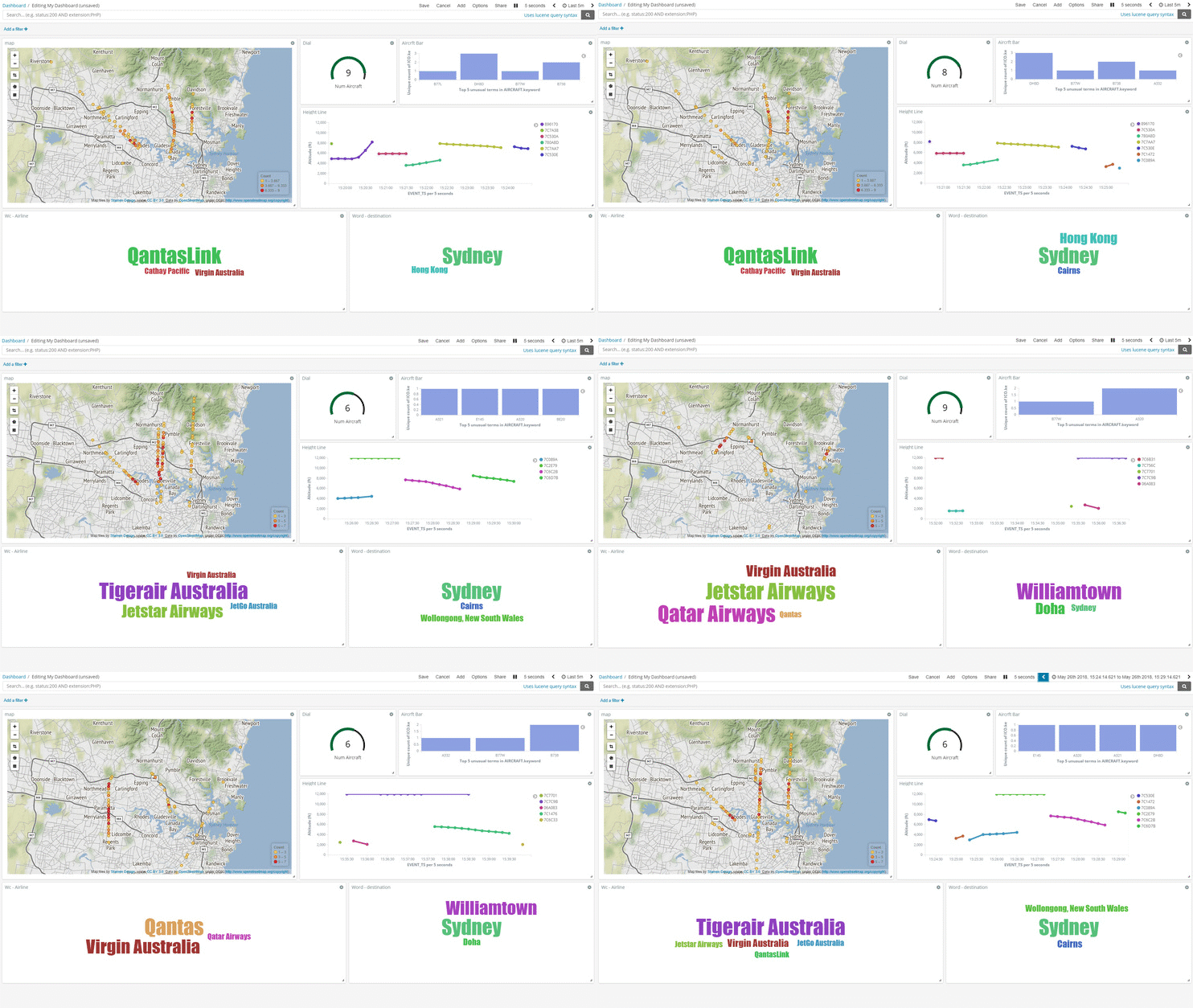
So with some clever database coding Simon was able to create a constantly updating dashboard in Kibana that plots aircraft positional heat maps, displays data such as spotted airlines and destination frequencies in a text cloud, and displays aircraft height data in a line graph. Finally using a database lookup and his gathered data Simon was able to determine that an A380 aircraft flying over his house was waking his cat in the morning.
A few owners of our RTL-SDR V3 and/or our Triple Filtered ADS-B LNA (or other bias tee powered LNAs) have been having trouble getting the V3 bias tee to activate on the FlightAware PiAware Raspberry Pi image. The core stumbling point is that the PiAware image activates the dump1090 ADS-B decoder immediately upon boot. To activate the bias tee, the bias tee software requires access to the dongle which it cannot get since dump1090 is blocking it. So to get around this the bias tee must be activated first before dump1090 runs.
PiAware is FlightAware's Raspberry Pi image which feeds their flightaware.com flight tracking service using RTL-SDR dongles. By using our Triple Filtered ADS-B LNA, users can expect increased range and decoded messages, especially when using long runs of coax cable, and/or in environments with strong interfering signals.
In the instructions below we'll explain how to set up a PiAware image that automatically enables the Bias Tee upon boot.
Downloading the V3 Bias Tee Software onto PiAware
First we assume that you're starting fresh from a new PiAware image, so we need to enable WiFi and SSH connections which is part of the standard set up for PiAware. See the following links for instructions.
Download and install the RTL-SDR V3 Bias Tee software.
cd ~
git clone https://github.com/rtlsdrblog/rtl_biast
cd rtl_biast
mkdir build
cd build
cmake .. -DDETACH_KERNEL_DRIVER=ON
make
Testing the Bias Tee
Over on his blog Akos has created a short guide to activating the bias tee manually, by first stopping dump1090, activating the bias tee, then restarting dump1090. It's a simple one line copy and paste job.
So after installing the rtl_biast software above you can use the following line to test the bias tee. After running this line the FlightAware service should be up and running again, with the bias tee and LNA activated.
sudo service dump1090-fa stop && cd ~/rtl_biast/build/src && ./rtl_biast -b 1 && sudo service dump1090-fa start
Automatically Starting the Bias Tee on Boot
Ideally we don't want to have to reactivate the bias tee manually every time the Raspberry Pi reboots. To make it automatic use the following instructions:
First create a service directory and configuration file
Finally press Ctrl+X then Y to close and save. Now whenever PiAware reboots the bias tee should be automatically activated as this service runs before dump1090 is activated.
Thank you to YouTuber 'Tysonpower' who is known for making various RF related videos as he has recently reviewed our Triple Filtered ADS-B LNA on his blog and on YouTube. Note that his video is in German, but it contains English subtitles. In the review he compares our LNA against a more expensive ADS-B LNA and found that it performs just as good, if not better in some cases.
Our ADS-B LNA uses a triple filter design, as well as a two stage LNA which aims to significantly cut out interference from out of band signals which could overload the LNA and/or SDR dongle. It also has a low noise figure and high output gain of 27dB which is great for reducing losses on long runs of coax cable. More information about our LNA on the release post, and it can be purchased from our store.
[EN subs] Top ADSB LNA für nur 25€ - RTL-SDR Blog LNA
Airspy have recently released an update to their ADSBspy decoder, which is an Airspy One/R2 compatible decoder for 1090 MHZ ADS-B signals. According to 'prog', the software developer of ADSBSpy, his setup can see almost double the number of aircraft and with fewer false positives when using the updated software. Prog writes that the secret to the improvement is some reworked DSP code that aims to exploit oversampling in the Airspy to the maximum.
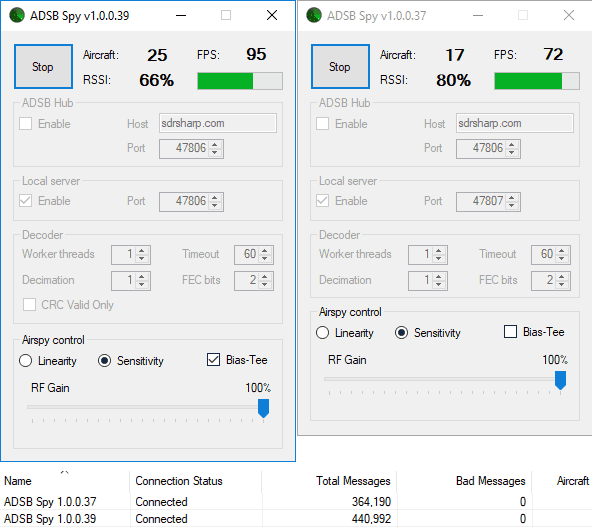
We compared the new (1.0.0.38/39) decoder against the old decoder (1.0.0.37) which used to get similar performance to dump1090. The test setup was two Airspy dongles connected to a dipole antenna via a splitter, with our Triple Filtered ADS-B LNA used by the antenna. One Airspy was used to power the LNA via it's bias tee, and both units received the same amplified signal. We found indeed that the new version of ADSBSpy receives a good number more aircraft in our set up, and an increased number of ADS-B messages too.
It seems that most of the additionally received aircraft must be from extremely weak signals, because when looking in Virtual Radar Server the extra aircraft usually only show their ICAO and maybe altitude and speed until they get closer.
So far this software appears to provide the best performance on ADS-B that we've seen so far, so if you are using an Airspy for ADS-B tracking we'd like to hear results from anyone who upgrades.
The New ADS-B Spy Receives More Aircraft and Messages
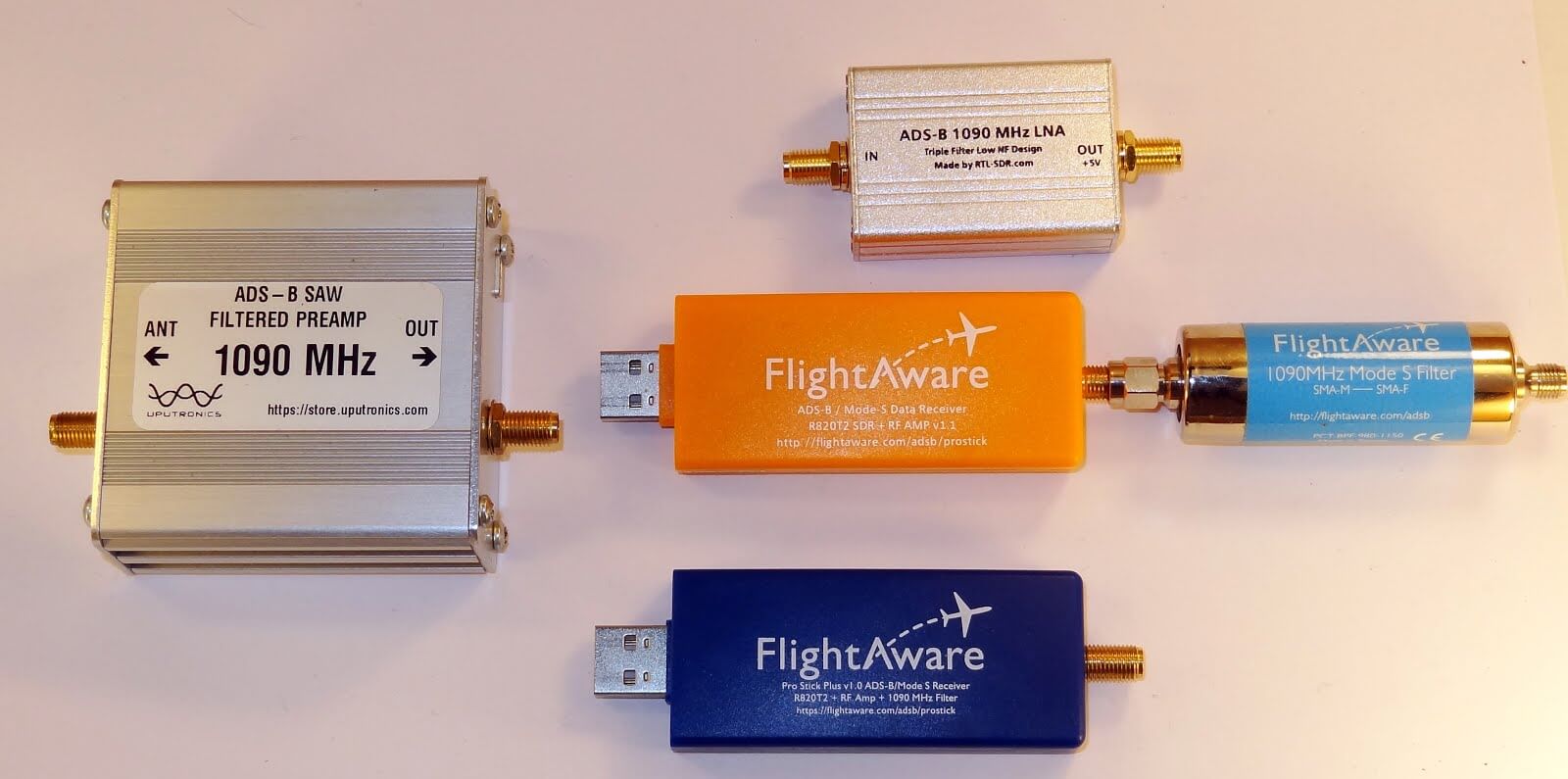
Akos, author of his blog 'Radio for Everyone' has recently reviewed our new RTL-SDR.com Triple Filtered ADS-B LNA. In the review he compares our ADS-B LNA against another external ADS-B LNA by Uputronics and against the FlightAware Prostick and Prostick+. The tests use the external LNA's plugged directly into the dongle in order to more fairly compare against the FlightAware dongles which have LNA's built in to the dongles themselves. From his results the RTL-SDR.com ADS-B LNA appears to have near identical results with the Uputronics LNA, and slightly better results compared to the FlightAware dongles. Akos has not yet tested the main use-case of the LNA, which is to use it at the end of a run of coax cable, however he plans to do this in a future test. Also in his second post Akos shows how to build a simple amplified Coketenna using our ADS-B LNA.
On the subject of ADS-B performance we note that there are two ways to set up a system for optimal reception (apart from the antenna). The first is to place the computing and radio devices (such as a Raspberry Pi and RTL-SDR) as close to the antenna as possible (leaving a ~1m coax run to avoid local interference from the Pi). For this type of setup it is cheaper to use a FlightAware Prostick Plus RTL-SDR dongle since this has an ADS-B LNA built into it. However, the disadvantage is that you may need to set up a Power over Ethernet system, or find a remote power source, and possibly place the Pi in a difficult to service location such as in an attic or up a mast.
The second option is to use an external ADS-B LNA close to the antenna, and run coax down to the computing device which is positioned in a more accessible location. The LNA will negate any losses in the coax cable, and with high enough gain on the LNA, using quality coax is not such a high requirement since those losses are negated by sufficient LNA gain. Both methods will yield similar excellent performance.
Most readers are familiar with the Raspberry Pi 3 and how it can be used with RTL-SDR applications such as ADS-B reception. However, one does not need to dedicate an entire Pi 3 to a single task as they are more than powerful enough to run multiple applications at once.
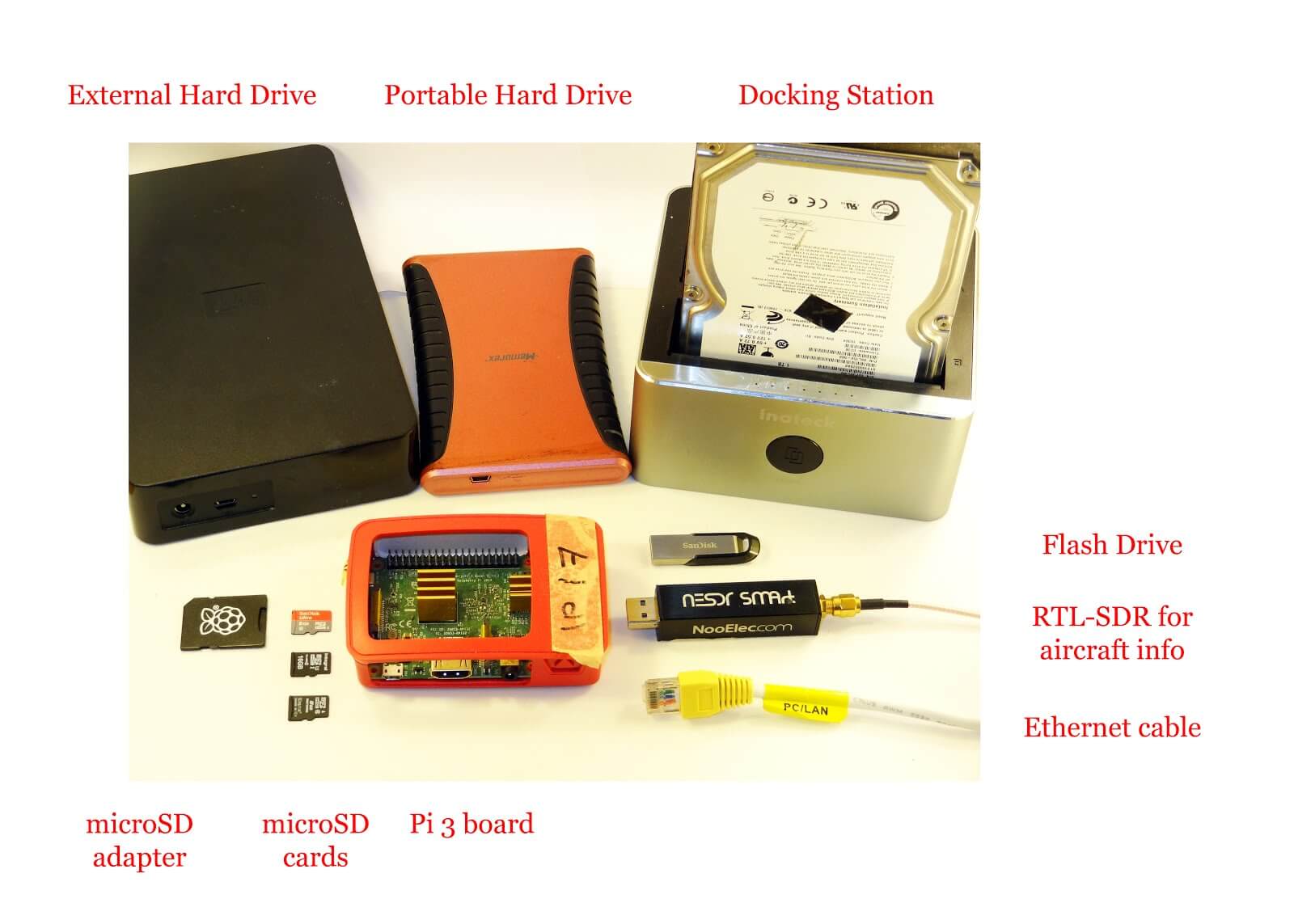
Over on his blog 'Radio for Everyone' Akos has uploaded a tutorial that shows how he set his Raspberry Pi 3 up as a simultaneous Network Attached Storage (NAS), Torrentbox and ADS-B server. A NAS is simply a hard drive or other data storage device that can be accessed easily over a network instead of having to be connected directly to a PC. A torrentbox is a device such as a Raspberry Pi 3 running torrent software so that you can download torrent files 24/7 without needing a PC on all the time.
Akos' tutorial shows how to set everything up from scratch, starting from writing the Raspbian SD Card and connecting to it via SSH. He then goes on to show how to install the torrent software, set up the NAS and finally set up ADS-B reception.
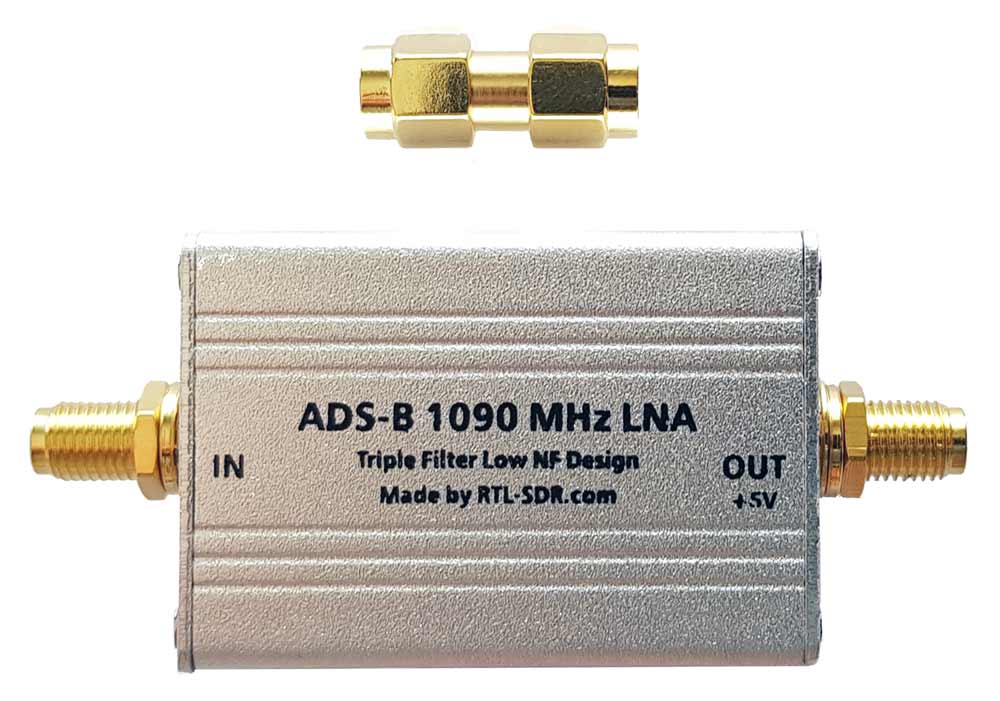
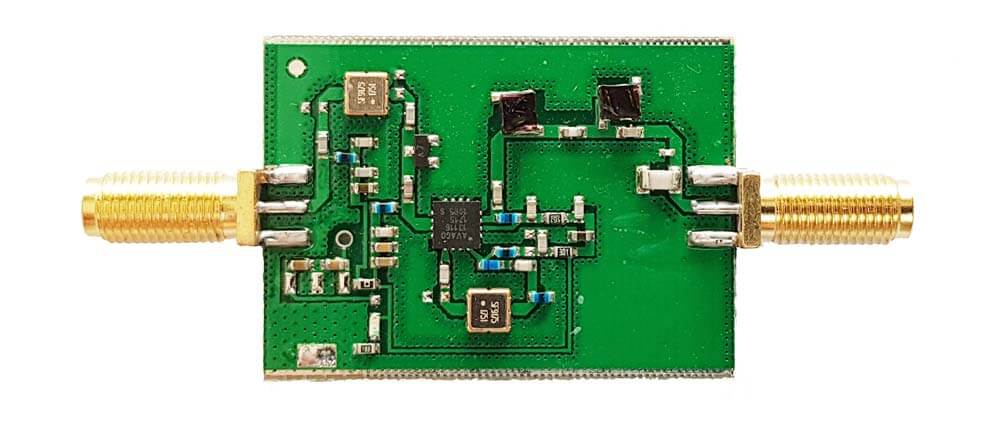
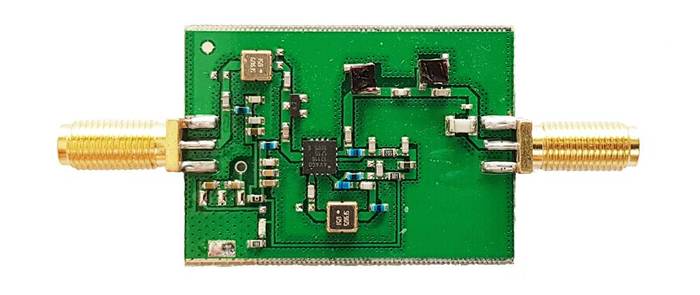
We're happy to announce the release of our new high performance low noise amplifier (LNA) for improving 1090 MHz ADS-B reception. The LNA uses a low noise figure high linearity two stage MGA-13116 amplifier chip and three stages of filtering to ensure that strong signals or interference will not overload either the amplifier or SDR dongle.
The LNA is currently only available from our Chinese warehouse, and costs US$24.95 including shipping. Please note that the price may increase slightly in the future, and that Amazon USA may not be stocked until March.
An LNA can help improve ADS-B reception by reducing the noise figure of the system and by helping to overcome losses in the coax cable and/or any other components such as switches and connector in the signal path. To get the best performance from an LNA, the LNA needs to be positioned close to the antenna, before the coax to the radio.
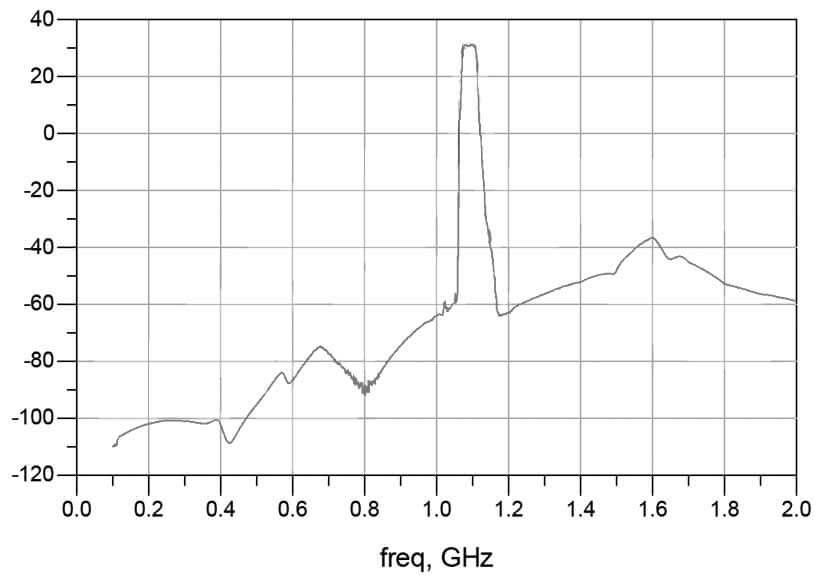
The gain of the RTL-SDR Blog ADS-B LNA is 27 dB's at 1090 MHz, and out of band signals are reduced by at least 60 - 80 dB's. Attenuation in the broadcast FM band and below 800 MHz is actually closer to over 100 dB's. In the LNA signal path there is first a low insertion loss high pass filter that reduces the strength of any broadcast FM, TV, pager or other similar signals that are usually extremely strong. Then in between the first and second stage of the LNA is a SAW filter tuned for 1090 MHz. A second SAW filter sits on the output of the LNA. The result is that strong out of band signals are significantly blocked, yet the LNA remains effective at 1090 MHz with a low ~1 dB noise figure.
The LNA is also protected against ESD damage with a gas discharge tube and low capacitance ESD diode. But please always remember that your antenna must also be properly grounded to prevent ESD damage.
Please note that this LNA requires bias tee power to work. Bias tee power is when the DC power comes through the coax cable. The RTL-SDR V3 has bias tee power built into it and this can be activated in software. See the V3 users guide for information on how to activate it. Alternatively if you don't own a dongle with bias tee built in, then an external bias tee can be used and those can be found fairly cheaply on eBay. Finally, if you are confident with soldering SMT components, then there are also pads and a 0 Ohm resistor slot on the PCB to install an LDO and power the LNA directly.
In addition please remember that this is a high gain LNA. It is expected to be used at the antenna side, with some 3+ db loss expected on the coax. However, if desired, it can still be used on the receiver side. If used on the receiver side or with a low loss run of coax, you will need to tune the RF gain on the RTL-SDR dongle. By default most software sets the RF gain to maximum. We recommend turning the RTL-SDR RF gain down to about 32 dB if connecting it directly to the dongle, otherwise the high input power may overload the dongle causing poor performance.
Specification Summary:
Frequency: 1090 MHz
Gain: 27 dB @ 1090 MHz
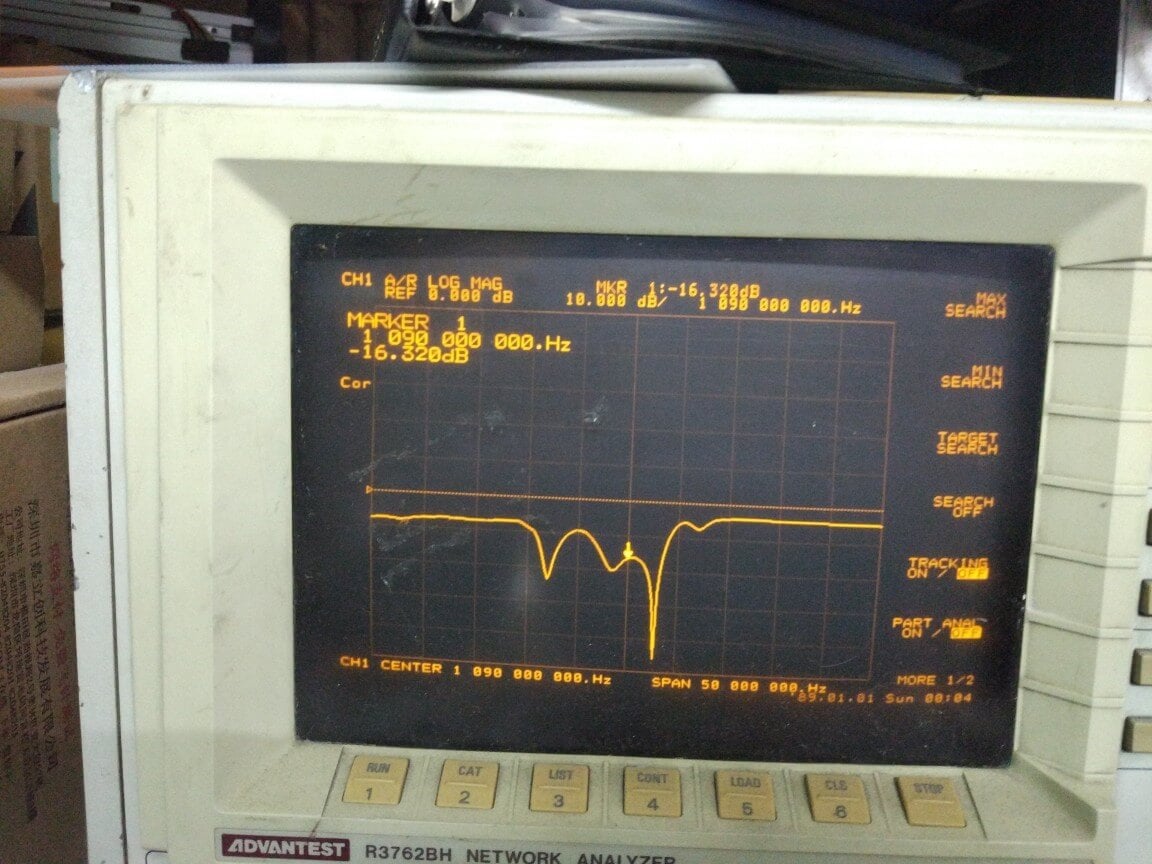
Return Loss: -16 dB @ 1090 MHz (SWR = 1.377)
Noise Figure: ~1 dB
Out of band attenuation: More than 60 dB
ESD Protection: Dual with GDT and ESD Diode
Power: 3.3 - 5V via bias tee only, 150 mA current draw
Enclosure: Aluminum enclosure
Connectors: Two SMA Female (Male to Male adapter included)
Dimensions:
46.5 x 32 x 15.6 mm (not including the SMA).
Including the SMA the length is 69.8 mm.
Testing
We tested our new LNA against another ADS-B LNA with filter built in that is sold by another company and the FlightAware Prostick+ dongle in an environment with strong out of band signals such as pagers, broadcast FM, DVB-T and GSM signals. The results showed that the RTL-SDR Blog ADS-B LNA gathered the most ADS-B packets. In the tests both LNA's were connected on the receiver side to be fair to the FA dongle. Improved performance could be achieved by moving the LNA to the antenna side.
Other ADS-B LNA vs RTL-SDR Blog ADS-B LNA Received MessagesFlightAware Prostick+ vs RTL-SDR Blog ADS-B LNA Received Messages
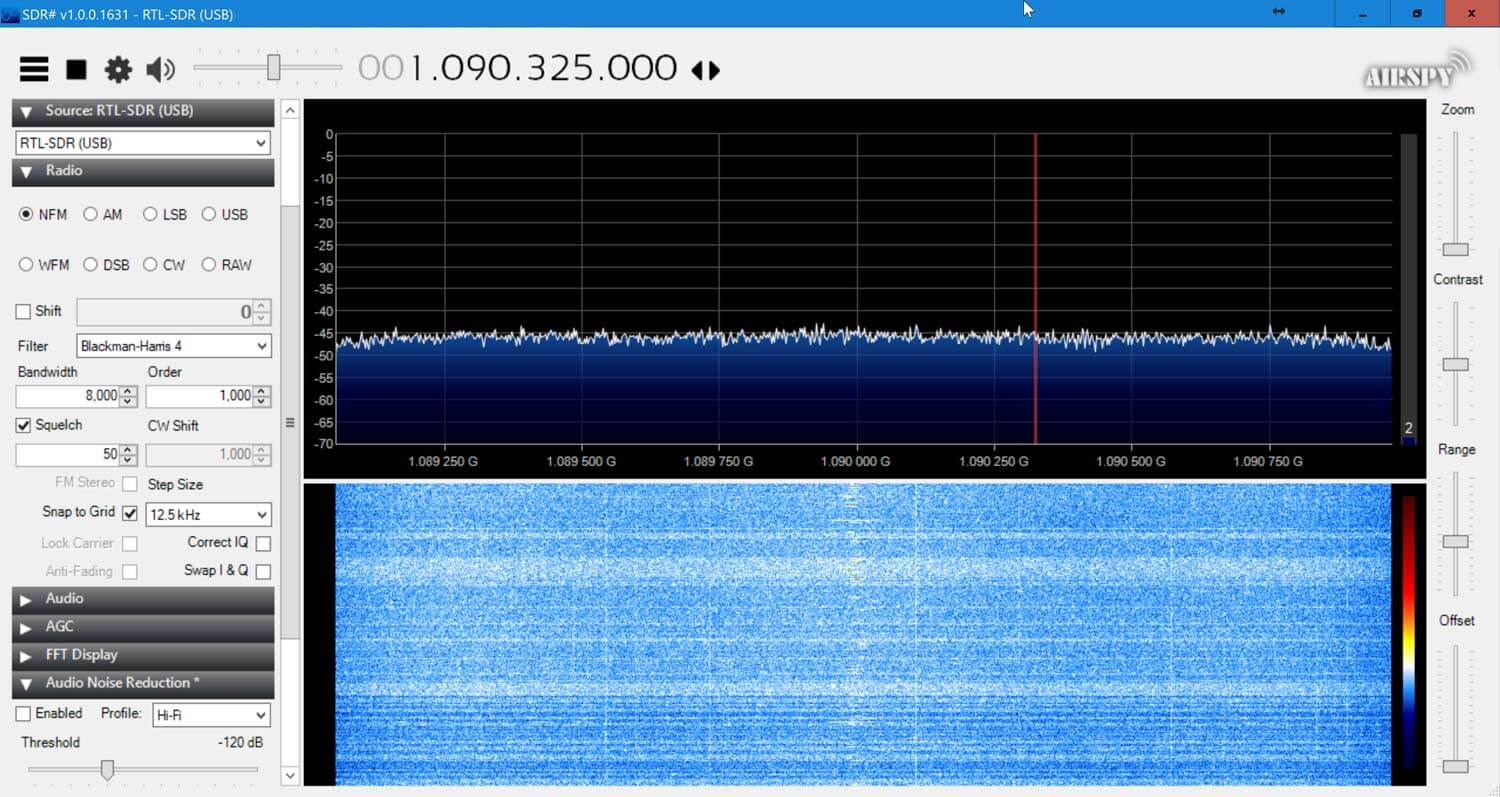
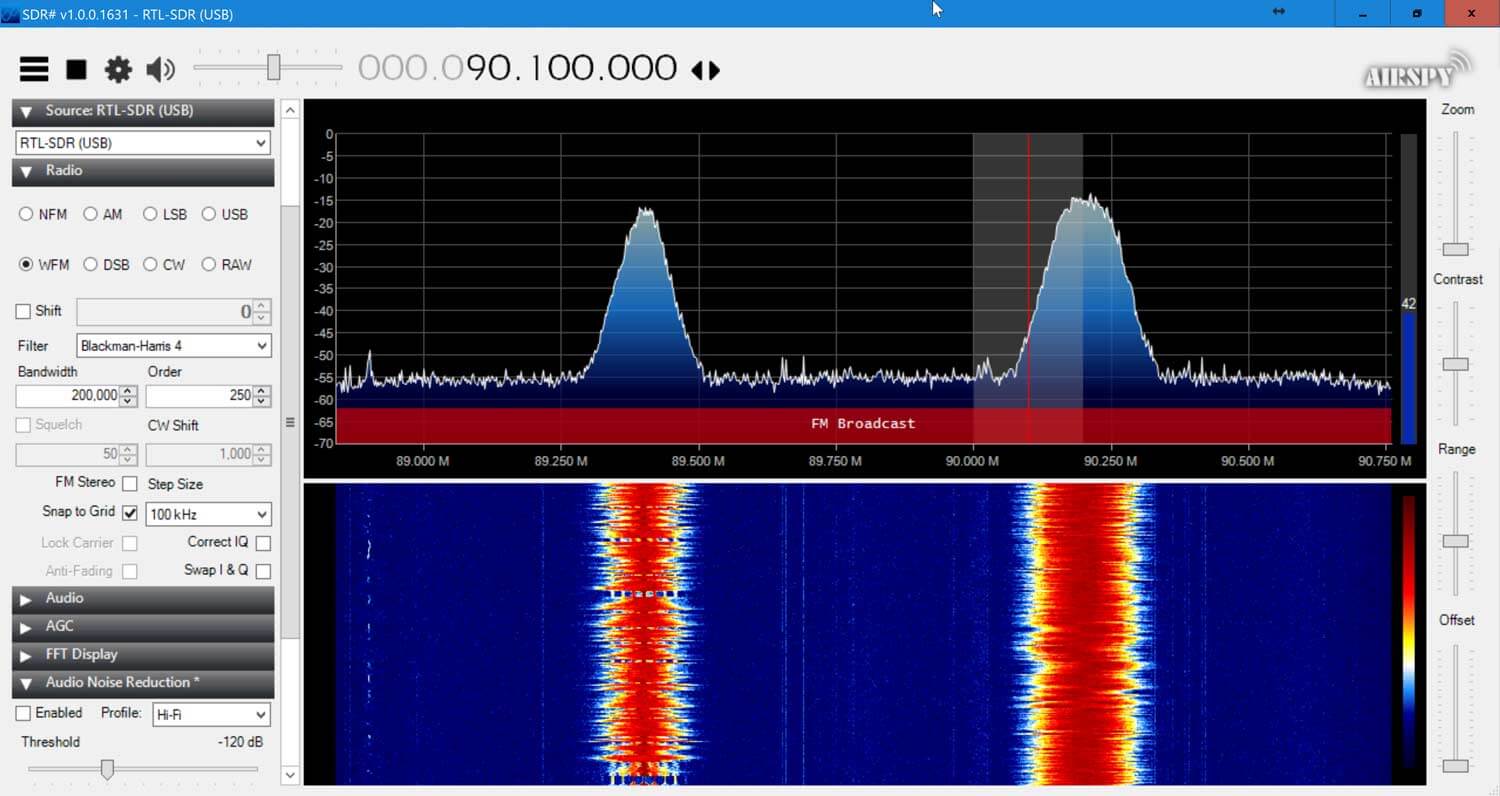
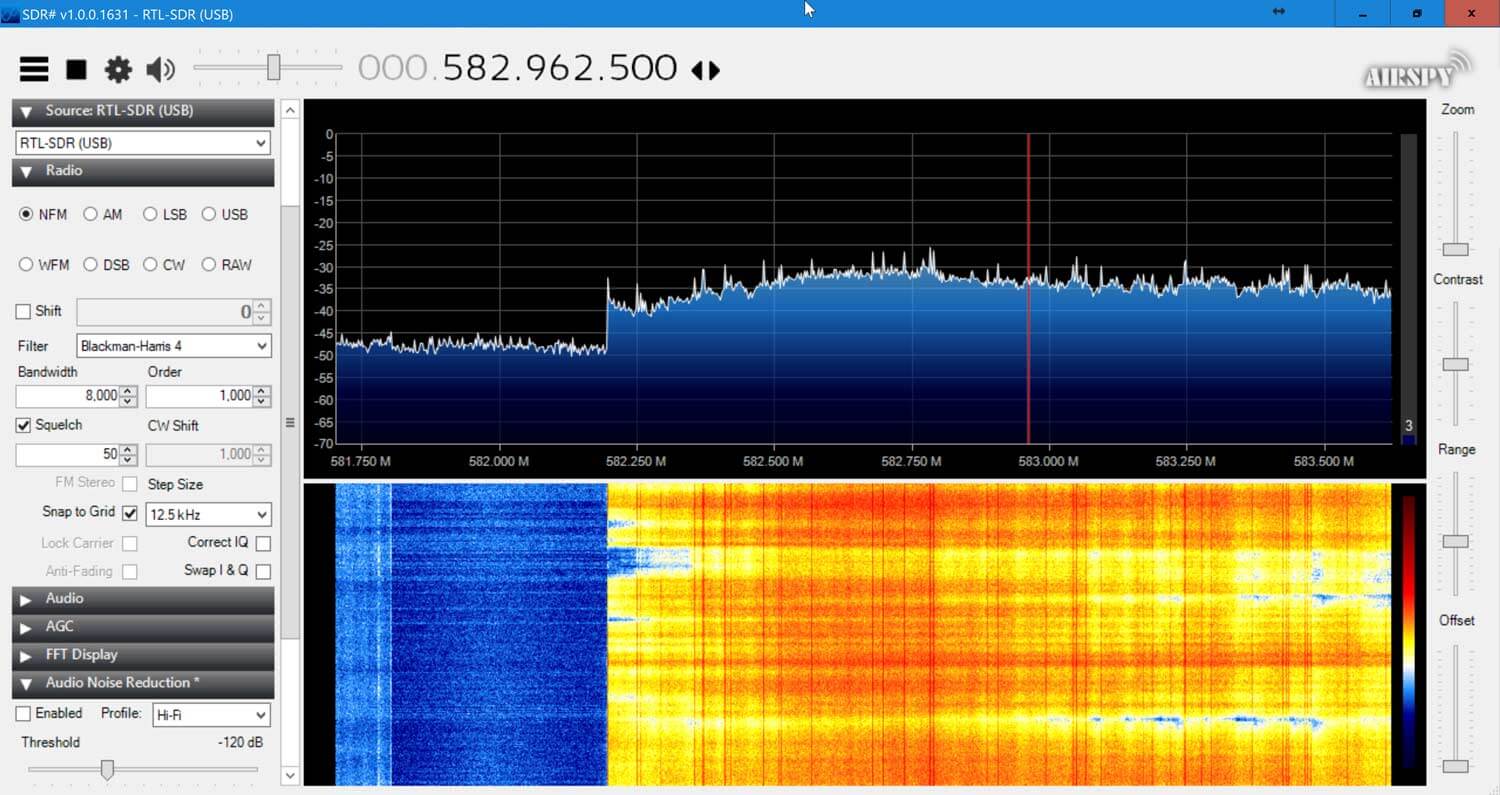
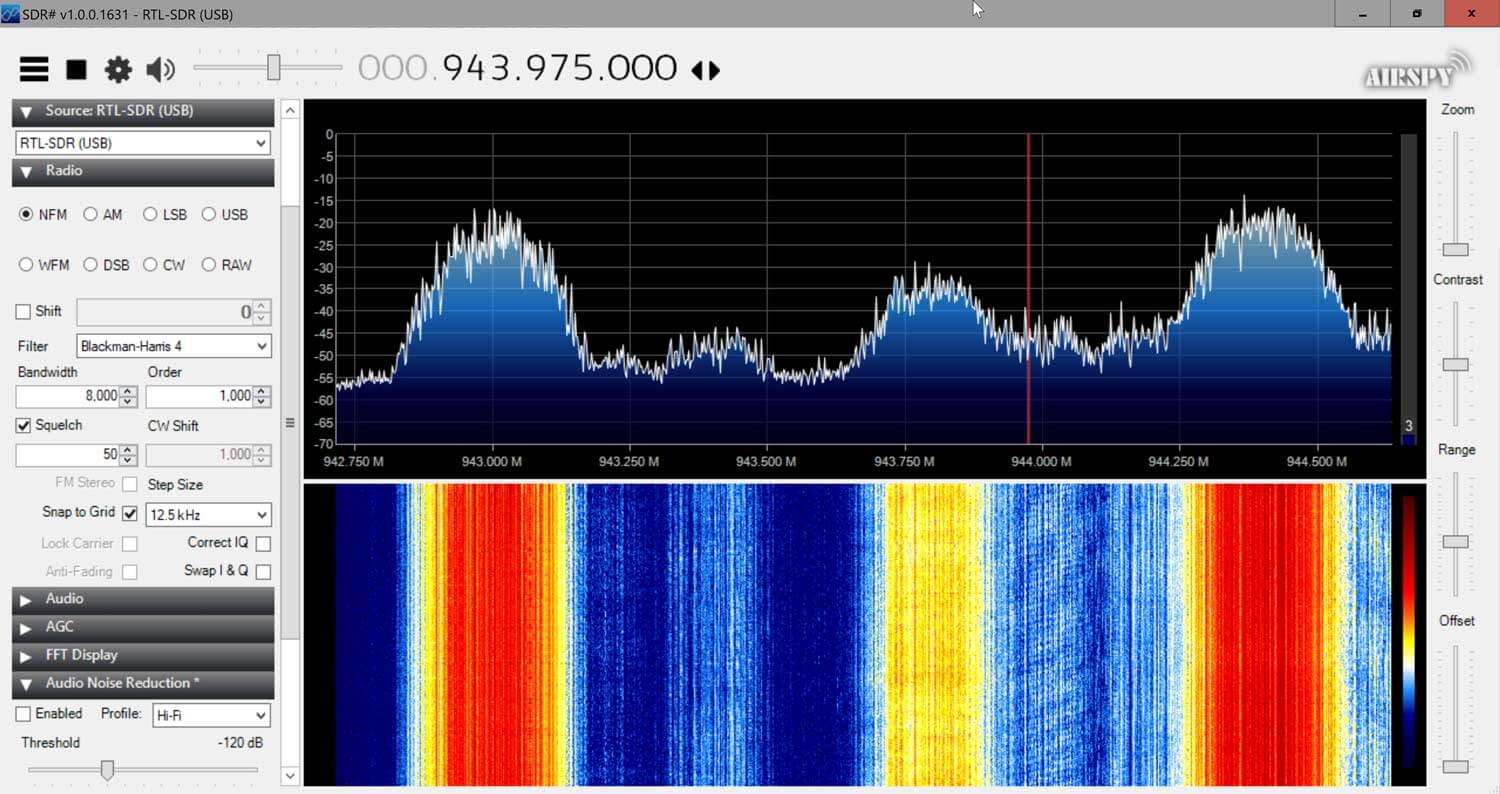
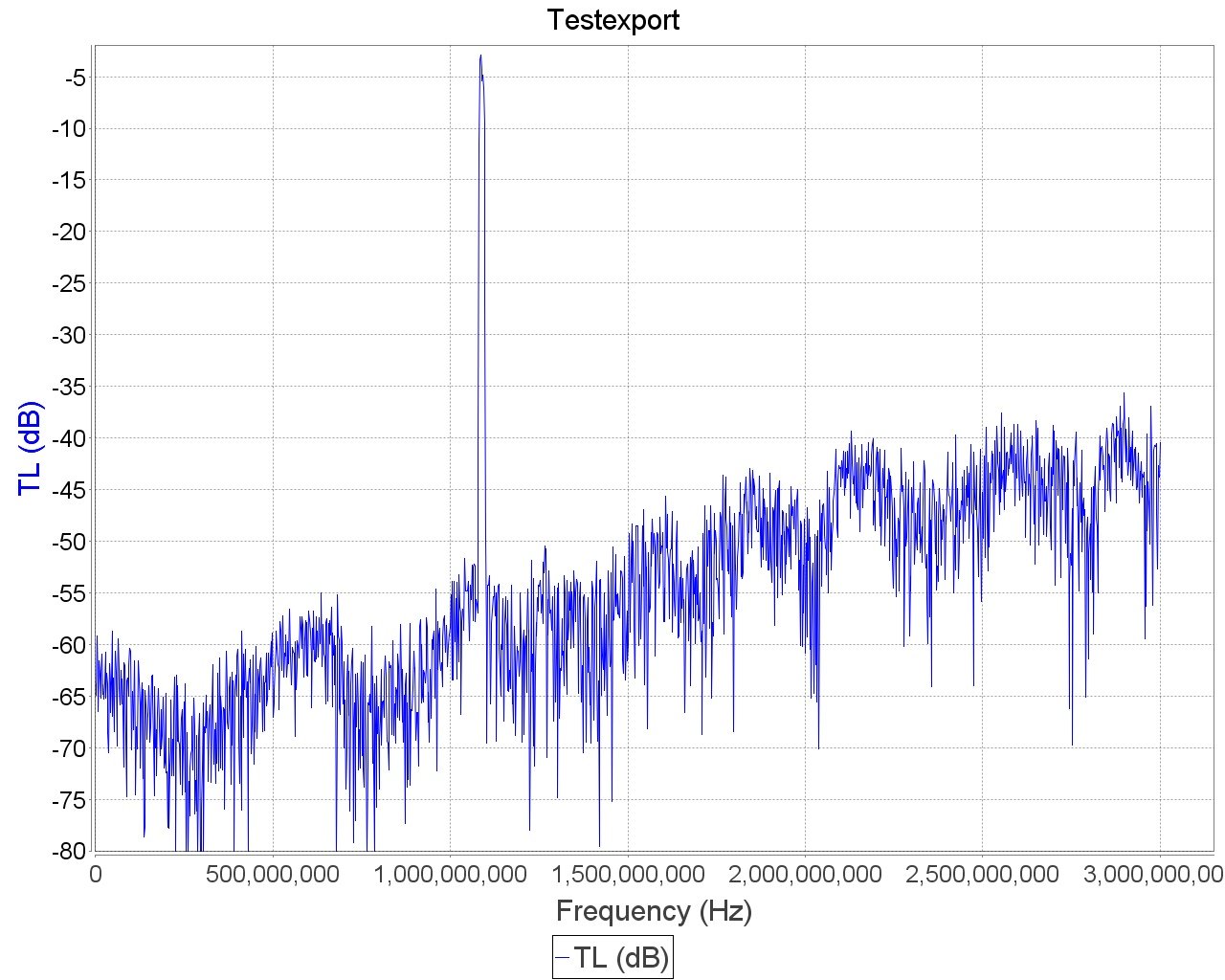
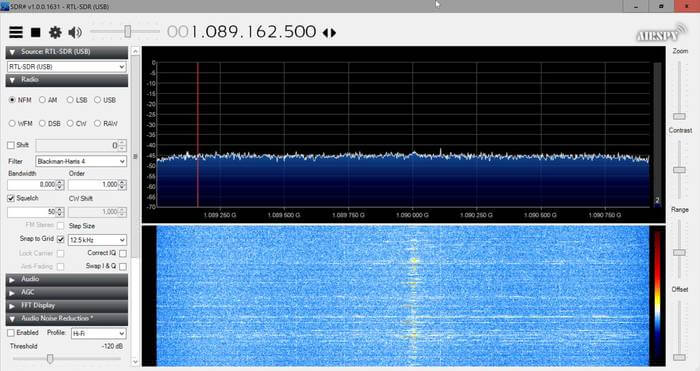
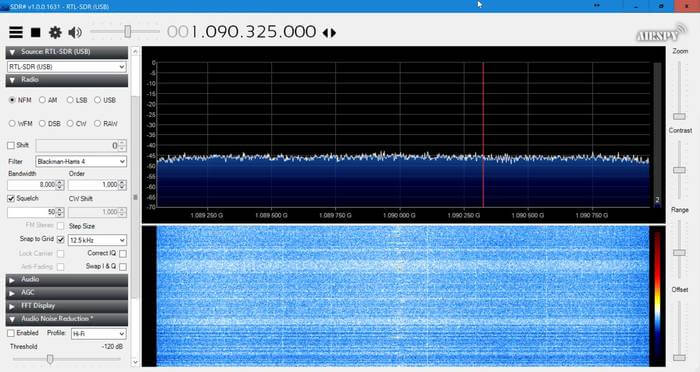
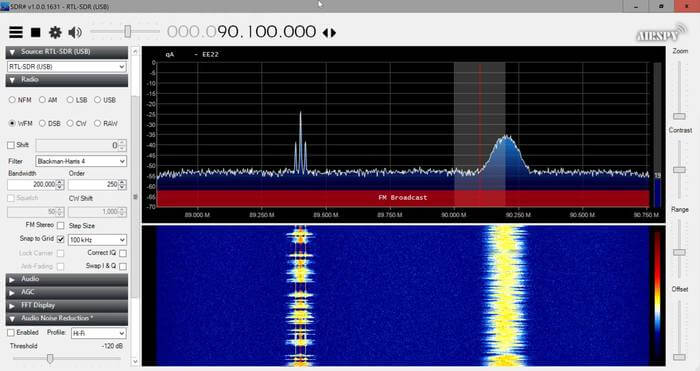
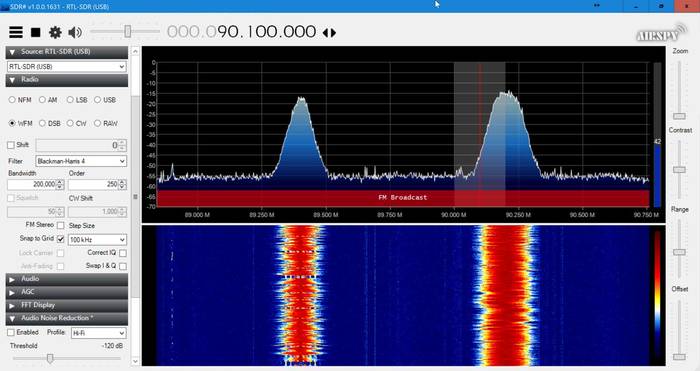
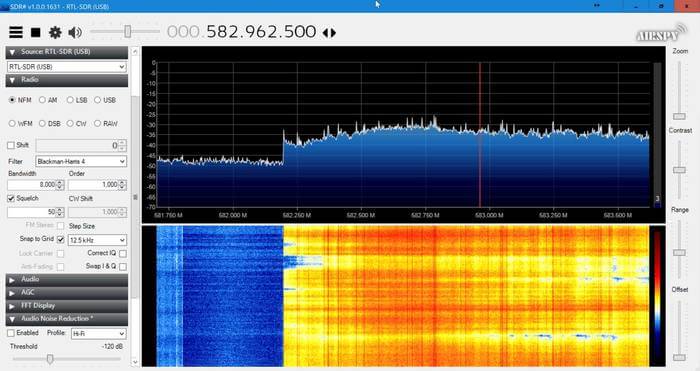
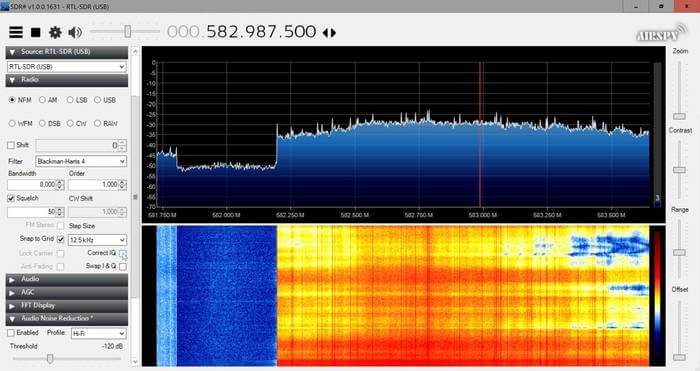
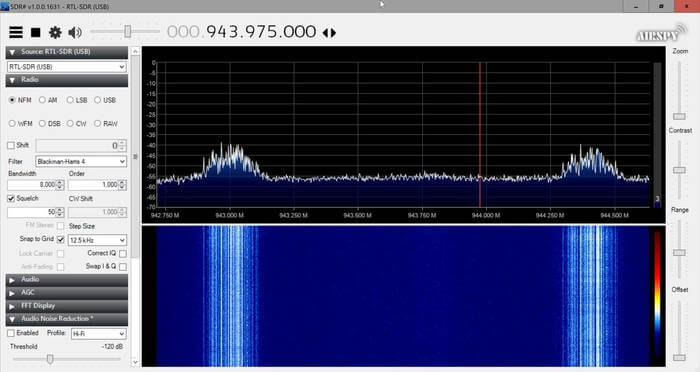
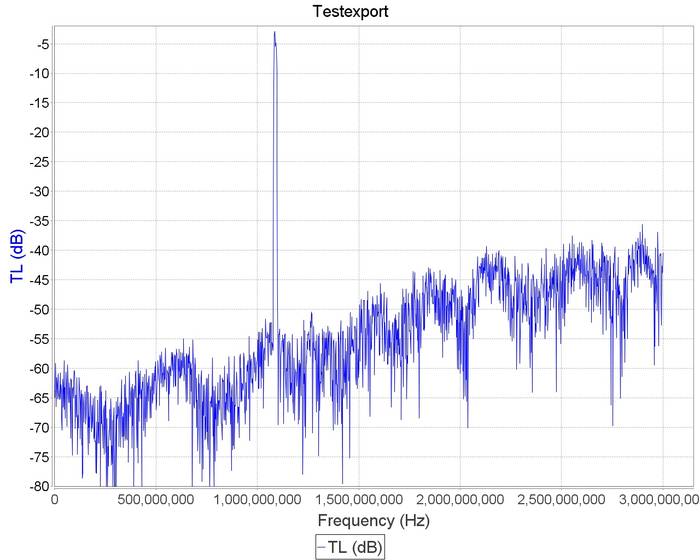
Checking in SDR# for out of band signals also showed that the RTL-SDR Blog ADS-B LNA significantly reduces those strong out of band signals, whereas the others have trouble blocking them out. Below we show the results as well as some measurements.
This RTL-SDR Blog ADS-B LNA can significantly improve ADS-B reception, especially if you are in an environment with strong out of band signals. Even if you are not, the low noise figure design will improve reception regardless.
Back in early 2016 we posted about a journalist who used an RTL-SDR to gather ADS-B data about the type of aircraft used at the world economic forum in Davos. The idea was to help highlight the vast wealth and power of the attendees by showing off their heavy use of private aircraft.
Now more recently Laurent Bastien Corbeil has published a similar article in Motherboard (a Vice News tech magazine) explaining how he tracked police and military planes at this years G7 summit which was held in Canada in early June. Laurent used an RTL-SDR Blog V3 with the small dipole antenna attached to a window to gather ADS-B data from all the aircraft activity during the summit.
ADS-B is a radio system used on modern aircraft which broadcasts the aircraft's current GPS location and other data such as aircraft identifiers. It is now used extensively by air traffic controllers as it is significantly more reliable than traditional radar. With a simple RTL-SDR it is possible for anyone to track and plot ADS-B data on a map, and this is how tracking sites like flightradar24.com and flightaware.com work.
From his collected data he was able to spot several interesting aircraft such as Canadian Air Force Chinooks, C130 Hercules', RCMP Pilatus', a military Bombardier jet, and a coast guard Bell 427. He also notes that while he was able to spot Donald Trumps Marine One helicopter with his own eyes, the ADS-B data was not present, indicating that more important military aircraft do not broadcast ADS-B for security reasons.
In the article Laurent makes estimates of the costs of operating these aircraft, and makes some guesses on the type of mission flown by some of the aircraft.
G7 Aircraft Flight Costs (Data by Laurent Bastien Corbeil, Graphics by Marvin Lau)
Inspired by a low flying aircraft that kept waking his cat in the morning, Simon Aubury decided to use an RTL-SDR and ADS-B tracking software dump1090 to determine which plane was the culprit. This is all now standard stuff, however, Simon's software implementation and management of the received ADS-B data is quite unique, as he uses Apache Kafka, KSQL and Kibana as his tools for processing and visualizing the ADS-B data.
Apache Kafka is a 'distributed streaming platform', and KSQL enables real time processing of the data from Kafka. Kibana is a data visualization tool. Essentially these technologies are just ways to manage, process and digest in a human readable way large amounts of real time data coming into a database.
So with some clever database coding Simon was able to create a constantly updating dashboard in Kibana that plots aircraft positional heat maps, displays data such as spotted airlines and destination frequencies in a text cloud, and displays aircraft height data in a line graph. Finally using a database lookup and his gathered data Simon was able to determine that an A380 aircraft flying over his house was waking his cat in the morning.
A few owners of our RTL-SDR V3 and/or our Triple Filtered ADS-B LNA (or other bias tee powered LNAs) have been having trouble getting the V3 bias tee to activate on the FlightAware PiAware Raspberry Pi image. The core stumbling point is that the PiAware image activates the dump1090 ADS-B decoder immediately upon boot. To activate the bias tee, the bias tee software requires access to the dongle which it cannot get since dump1090 is blocking it. So to get around this the bias tee must be activated first before dump1090 runs.
PiAware is FlightAware's Raspberry Pi image which feeds their flightaware.com flight tracking service using RTL-SDR dongles. By using our Triple Filtered ADS-B LNA, users can expect increased range and decoded messages, especially when using long runs of coax cable, and/or in environments with strong interfering signals.
In the instructions below we'll explain how to set up a PiAware image that automatically enables the Bias Tee upon boot.
Downloading the V3 Bias Tee Software onto PiAware
First we assume that you're starting fresh from a new PiAware image, so we need to enable WiFi and SSH connections which is part of the standard set up for PiAware. See the following links for instructions.
Download and install the RTL-SDR V3 Bias Tee software.
cd ~
git clone https://github.com/rtlsdrblog/rtl_biast
cd rtl_biast
mkdir build
cd build
cmake .. -DDETACH_KERNEL_DRIVER=ON
make
Testing the Bias Tee
Over on his blog Akos has created a short guide to activating the bias tee manually, by first stopping dump1090, activating the bias tee, then restarting dump1090. It's a simple one line copy and paste job.
So after installing the rtl_biast software above you can use the following line to test the bias tee. After running this line the FlightAware service should be up and running again, with the bias tee and LNA activated.
sudo service dump1090-fa stop && cd ~/rtl_biast/build/src && ./rtl_biast -b 1 && sudo service dump1090-fa start
Automatically Starting the Bias Tee on Boot
Ideally we don't want to have to reactivate the bias tee manually every time the Raspberry Pi reboots. To make it automatic use the following instructions:
First create a service directory and configuration file
Finally press Ctrl+X then Y to close and save. Now whenever PiAware reboots the bias tee should be automatically activated as this service runs before dump1090 is activated.
Thank you to YouTuber 'Tysonpower' who is known for making various RF related videos as he has recently reviewed our Triple Filtered ADS-B LNA on his blog and on YouTube. Note that his video is in German, but it contains English subtitles. In the review he compares our LNA against a more expensive ADS-B LNA and found that it performs just as good, if not better in some cases.
Our ADS-B LNA uses a triple filter design, as well as a two stage LNA which aims to significantly cut out interference from out of band signals which could overload the LNA and/or SDR dongle. It also has a low noise figure and high output gain of 27dB which is great for reducing losses on long runs of coax cable. More information about our LNA on the release post, and it can be purchased from our store.
[EN subs] Top ADSB LNA für nur 25€ - RTL-SDR Blog LNA
Airspy have recently released an update to their ADSBspy decoder, which is an Airspy One/R2 compatible decoder for 1090 MHZ ADS-B signals. According to 'prog', the software developer of ADSBSpy, his setup can see almost double the number of aircraft and with fewer false positives when using the updated software. Prog writes that the secret to the improvement is some reworked DSP code that aims to exploit oversampling in the Airspy to the maximum.
We compared the new (1.0.0.38/39) decoder against the old decoder (1.0.0.37) which used to get similar performance to dump1090. The test setup was two Airspy dongles connected to a dipole antenna via a splitter, with our Triple Filtered ADS-B LNA used by the antenna. One Airspy was used to power the LNA via it's bias tee, and both units received the same amplified signal. We found indeed that the new version of ADSBSpy receives a good number more aircraft in our set up, and an increased number of ADS-B messages too.
It seems that most of the additionally received aircraft must be from extremely weak signals, because when looking in Virtual Radar Server the extra aircraft usually only show their ICAO and maybe altitude and speed until they get closer.
So far this software appears to provide the best performance on ADS-B that we've seen so far, so if you are using an Airspy for ADS-B tracking we'd like to hear results from anyone who upgrades.
The New ADS-B Spy Receives More Aircraft and Messages
Akos, author of his blog 'Radio for Everyone' has recently reviewed our new RTL-SDR.com Triple Filtered ADS-B LNA. In the review he compares our ADS-B LNA against another external ADS-B LNA by Uputronics and against the FlightAware Prostick and Prostick+. The tests use the external LNA's plugged directly into the dongle in order to more fairly compare against the FlightAware dongles which have LNA's built in to the dongles themselves. From his results the RTL-SDR.com ADS-B LNA appears to have near identical results with the Uputronics LNA, and slightly better results compared to the FlightAware dongles. Akos has not yet tested the main use-case of the LNA, which is to use it at the end of a run of coax cable, however he plans to do this in a future test. Also in his second post Akos shows how to build a simple amplified Coketenna using our ADS-B LNA.
On the subject of ADS-B performance we note that there are two ways to set up a system for optimal reception (apart from the antenna). The first is to place the computing and radio devices (such as a Raspberry Pi and RTL-SDR) as close to the antenna as possible (leaving a ~1m coax run to avoid local interference from the Pi). For this type of setup it is cheaper to use a FlightAware Prostick Plus RTL-SDR dongle since this has an ADS-B LNA built into it. However, the disadvantage is that you may need to set up a Power over Ethernet system, or find a remote power source, and possibly place the Pi in a difficult to service location such as in an attic or up a mast.
The second option is to use an external ADS-B LNA close to the antenna, and run coax down to the computing device which is positioned in a more accessible location. The LNA will negate any losses in the coax cable, and with high enough gain on the LNA, using quality coax is not such a high requirement since those losses are negated by sufficient LNA gain. Both methods will yield similar excellent performance.
Most readers are familiar with the Raspberry Pi 3 and how it can be used with RTL-SDR applications such as ADS-B reception. However, one does not need to dedicate an entire Pi 3 to a single task as they are more than powerful enough to run multiple applications at once.
Over on his blog 'Radio for Everyone' Akos has uploaded a tutorial that shows how he set his Raspberry Pi 3 up as a simultaneous Network Attached Storage (NAS), Torrentbox and ADS-B server. A NAS is simply a hard drive or other data storage device that can be accessed easily over a network instead of having to be connected directly to a PC. A torrentbox is a device such as a Raspberry Pi 3 running torrent software so that you can download torrent files 24/7 without needing a PC on all the time.
Akos' tutorial shows how to set everything up from scratch, starting from writing the Raspbian SD Card and connecting to it via SSH. He then goes on to show how to install the torrent software, set up the NAS and finally set up ADS-B reception.
We're happy to announce the release of our new high performance low noise amplifier (LNA) for improving 1090 MHz ADS-B reception. The LNA uses a low noise figure high linearity two stage MGA-13116 amplifier chip and three stages of filtering to ensure that strong signals or interference will not overload either the amplifier or SDR dongle.
The LNA is currently only available from our Chinese warehouse, and costs US$24.95 including shipping. Please note that the price may increase slightly in the future, and that Amazon USA may not be stocked until March.
An LNA can help improve ADS-B reception by reducing the noise figure of the system and by helping to overcome losses in the coax cable and/or any other components such as switches and connector in the signal path. To get the best performance from an LNA, the LNA needs to be positioned close to the antenna, before the coax to the radio.
The gain of the RTL-SDR Blog ADS-B LNA is 27 dB's at 1090 MHz, and out of band signals are reduced by at least 60 - 80 dB's. Attenuation in the broadcast FM band and below 800 MHz is actually closer to over 100 dB's. In the LNA signal path there is first a low insertion loss high pass filter that reduces the strength of any broadcast FM, TV, pager or other similar signals that are usually extremely strong. Then in between the first and second stage of the LNA is a SAW filter tuned for 1090 MHz. A second SAW filter sits on the output of the LNA. The result is that strong out of band signals are significantly blocked, yet the LNA remains effective at 1090 MHz with a low ~1 dB noise figure.
The LNA is also protected against ESD damage with a gas discharge tube and low capacitance ESD diode. But please always remember that your antenna must also be properly grounded to prevent ESD damage.
Please note that this LNA requires bias tee power to work. Bias tee power is when the DC power comes through the coax cable. The RTL-SDR V3 has bias tee power built into it and this can be activated in software. See the V3 users guide for information on how to activate it. Alternatively if you don't own a dongle with bias tee built in, then an external bias tee can be used and those can be found fairly cheaply on eBay. Finally, if you are confident with soldering SMT components, then there are also pads and a 0 Ohm resistor slot on the PCB to install an LDO and power the LNA directly.
In addition please remember that this is a high gain LNA. It is expected to be used at the antenna side, with some 3+ db loss expected on the coax. However, if desired, it can still be used on the receiver side. If used on the receiver side or with a low loss run of coax, you will need to tune the RF gain on the RTL-SDR dongle. By default most software sets the RF gain to maximum. We recommend turning the RTL-SDR RF gain down to about 32 dB if connecting it directly to the dongle, otherwise the high input power may overload the dongle causing poor performance.
Specification Summary:
Frequency: 1090 MHz
Gain: 27 dB @ 1090 MHz
Return Loss: -16 dB @ 1090 MHz (SWR = 1.377)
Noise Figure: ~1 dB
Out of band attenuation: More than 60 dB
ESD Protection: Dual with GDT and ESD Diode
Power: 3.3 - 5V via bias tee only, 150 mA current draw
Enclosure: Aluminum enclosure
Connectors: Two SMA Female (Male to Male adapter included)
Dimensions:
46.5 x 32 x 15.6 mm (not including the SMA).
Including the SMA the length is 69.8 mm.
Testing
We tested our new LNA against another ADS-B LNA with filter built in that is sold by another company and the FlightAware Prostick+ dongle in an environment with strong out of band signals such as pagers, broadcast FM, DVB-T and GSM signals. The results showed that the RTL-SDR Blog ADS-B LNA gathered the most ADS-B packets. In the tests both LNA's were connected on the receiver side to be fair to the FA dongle. Improved performance could be achieved by moving the LNA to the antenna side.
Other ADS-B LNA vs RTL-SDR Blog ADS-B LNA Received MessagesFlightAware Prostick+ vs RTL-SDR Blog ADS-B LNA Received Messages
Checking in SDR# for out of band signals also showed that the RTL-SDR Blog ADS-B LNA significantly reduces those strong out of band signals, whereas the others have trouble blocking them out. Below we show the results as well as some measurements.
This RTL-SDR Blog ADS-B LNA can significantly improve ADS-B reception, especially if you are in an environment with strong out of band signals. Even if you are not, the low noise figure design will improve reception regardless.
![[EN subs] Top ADSB LNA für nur 25€ - RTL-SDR Blog LNA](https://www.rtl-sdr.com/wp-content/plugins/wp-youtube-lyte/lyteCache.php?origThumbUrl=https%3A%2F%2Fi.ytimg.com%2Fvi%2FZNaiDBHV0T8%2F0.jpg)