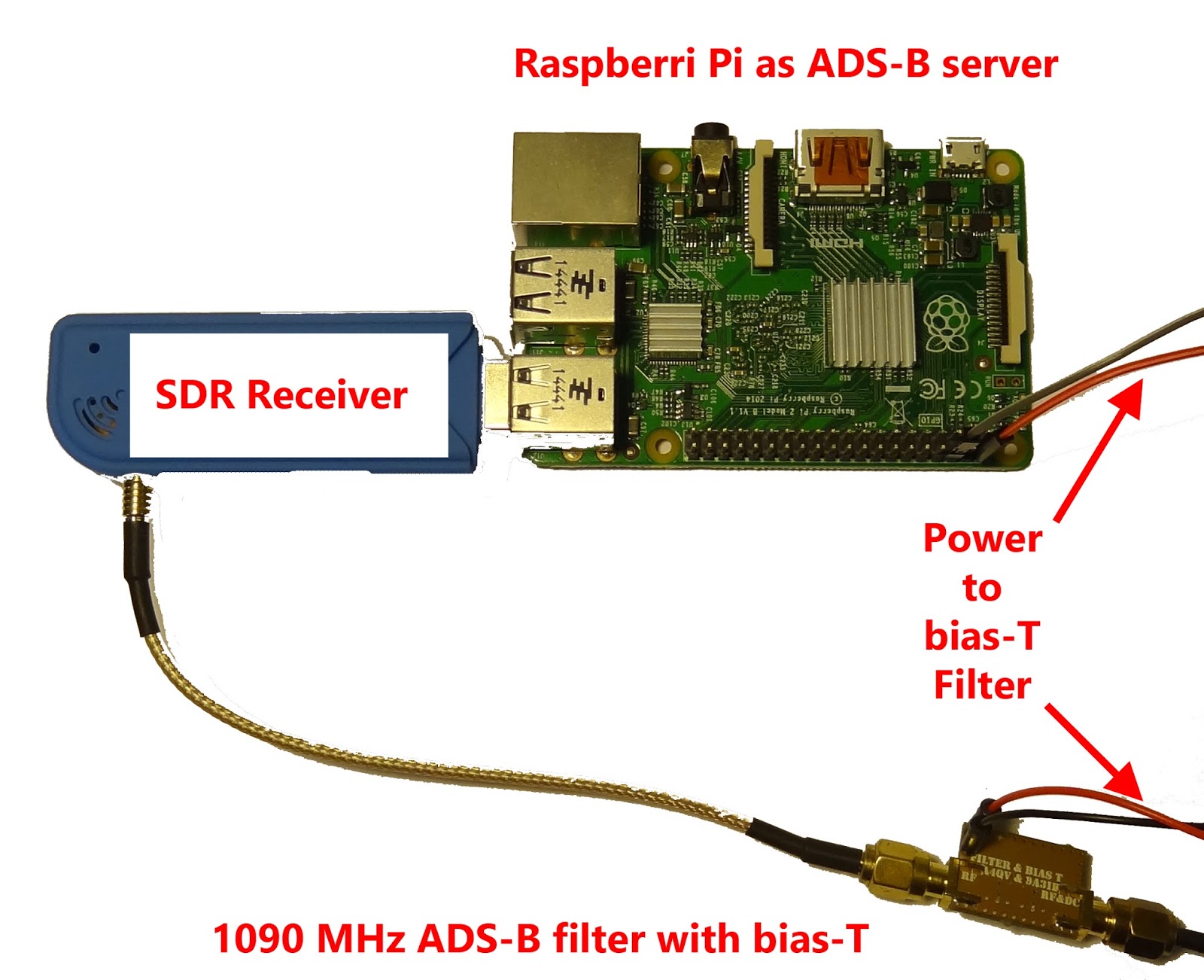
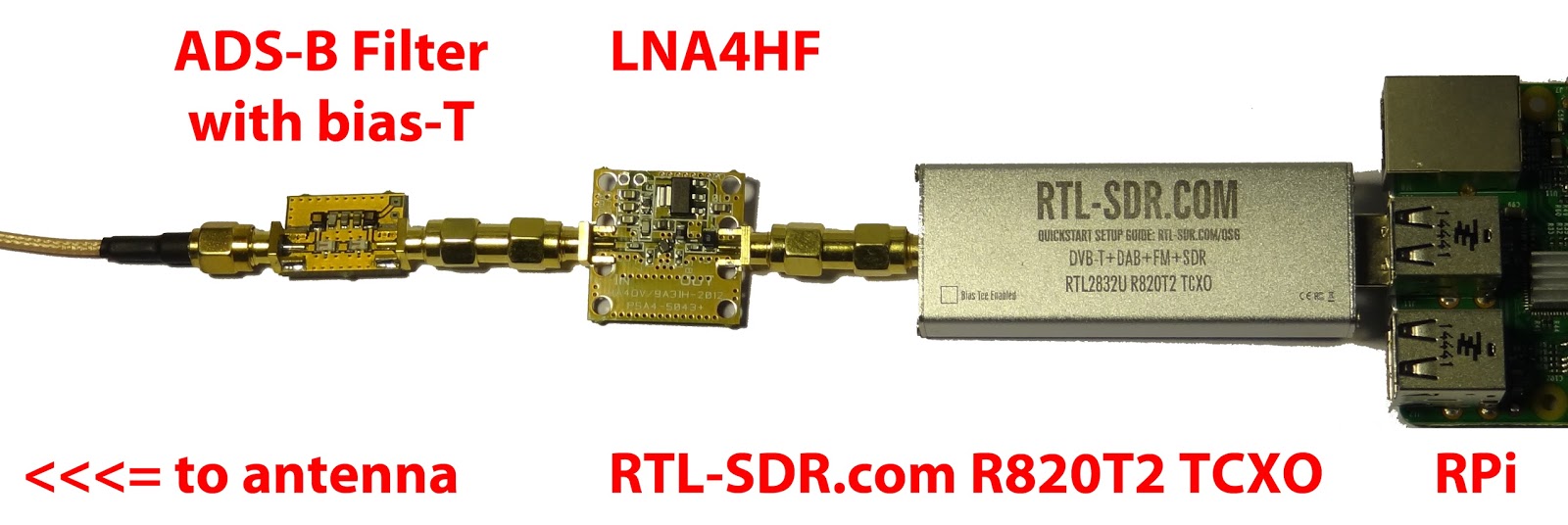
Akos from the RTLSDR4Everyone blog has recently come out with a new post where he explains how to get the best ADS-B reception with an LNA and filter. In his experiments he uses an LNA4ALL low noise amplifier and and ADS-B Filter, both of which are sold by Adam 9A4QV. New versions of the filter sold by Adam now also include a built in bias-tee circuit which allows you to easily power the LNA4ALL over the coax cable, allowing you to place it externally.
In the post Akos shows where to optimally place the LNA and how you can use your Raspberry Pi together with the ADS-B filter with bias-T in order to power an antenna mounted LNA4ALL. The post also discusses what the cheapest solution is for European customers attempting to optimize their ADS-B reception.
ADS-B Setup including a filter, bias tee, LNA and Raspberry Pi.
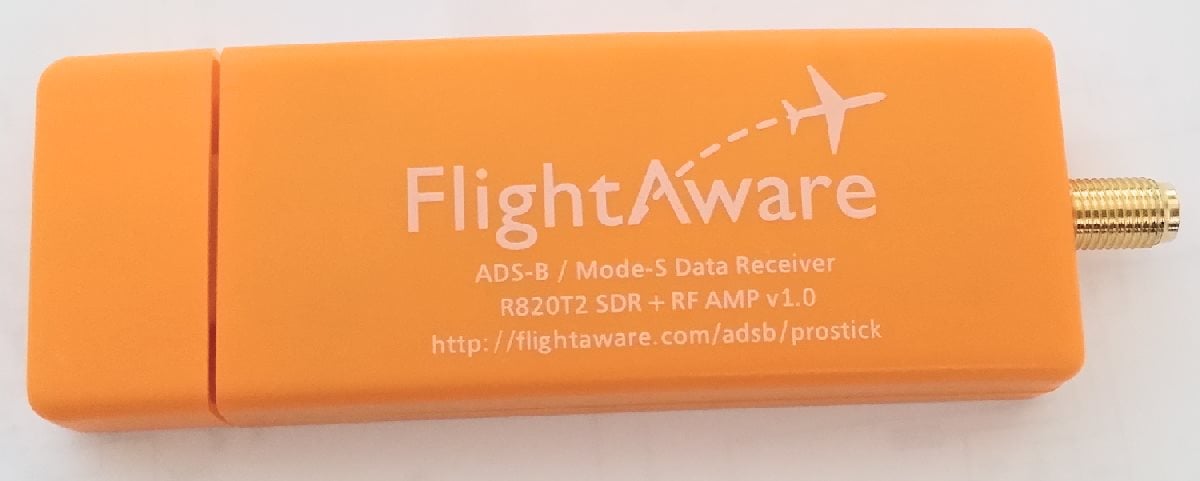
Recently FlightAware released a new RTL-SDR dongle sold at zero profit at $16.95 USD. It’s main feature is that it comes with an ADS-B optimized low noise amplifier (LNA) built directly into the dongle. FlightAware.com is a flight tracking service that aims to track aircraft via many volunteer ADS-B contributors around the world who use low cost receivers such as the RTL-SDR. In this post we will review their new dongle and hopefully at the same time provide some basic insights to LNA positioning theory to show in what situations this dongle will work well.
FlightAware Dongle Outside
A good LNA has a low noise figure and a high IIP3 value. Here is what these things mean.
Over on the RTLSDR4Everyone blog author Akos has uploaded two new posts. In the first post he discusses his opinion on the recently announced FlightAware ADS-B Optimized ProStick, which is an RTL-SDR with an 1090 MHz optimized LNA built into the front end. He writes that he believes that the claimed 30% increase is not possible with the ProStick as his own tests using an LNA4ALL at the front end only showed a 10% increase in range at most. In his post he also shows that the updated Nooelec R820T2 stick comes with a suction cup holder for it’s supplied antenna.
To add to his post, while we haven’t received the ProStick unit we bought for review yet we believe that the ProStick will improve ADS-B reception a certain amount in some situations, especially for those using the stick in such a way where it is placed right at the antenna, or with a small desktop style antenna with little coax, both with an appropriate ADS-B filter used. However, as Akos also suggests in his post we believe that the superior solution is an external type LNA, like the LNA4ALL.
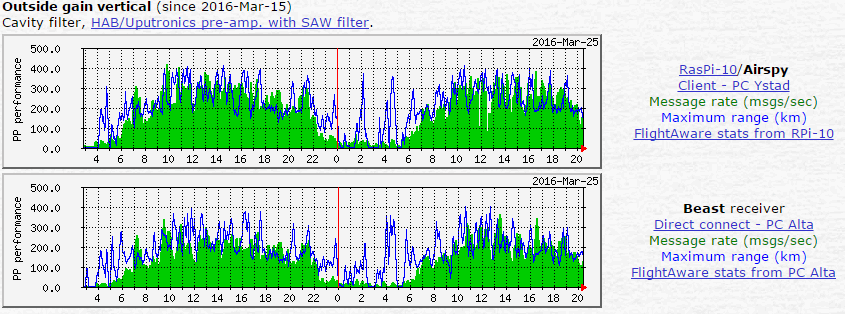
Unsurprisingly the results clearly show that the Airspy receives ADS-B signals significantly better than the RTL-SDR. However, what comes as a surprise is that it is actually appears to be outperforming the dedicated Beast receiver. In the tests with the outside vertical antenna, the Airspy running on a Raspberry Pi appears to receive a significant higher number of messages and also sees planes out to a further range.
Not too long ago the Airspy team released their ADS-B software for the Raspberry Pi 2. They write that this software uses the full 10 MHz bandwidth and can even decode messages that are overlapping one another. We’ve also been told by the Airspy team that the Airspy is already in professional use as an ADS-B receiver amongst several small airports.
In the future we hope to compare the Airspy against the RTL-SDR on ADS-B reception ourselves, and also compare it against the 8 MHz bandwidth SDRplay whose development team have also recently released a new ADS-B decoder, as well as the recently released FlightAware ADS-B Prostick RTL-SDR.
The FlightAware team have today announced the release of the "ProStick", an RTL-SDR dongle that they write has been modified for improved ADS-B reception. The new FlightAware RTL-SDR's main defining feature is that it comes with a built in low noise amplifier (LNA) on the front end. The built in LNA is optimized for the ADS-B frequency of 1090 MHz and has 19 dB of gain with a 0.4 dB noise figure and an OIP3 of +39dB. They claim that the new unit will give a 20-100% performance boost in terms of range for Mode S reception when compared to a standard RTL-SDR.
As the increased gain and amplifier non-linearities can cause overload and intermodulation to more easily occur, the FlightAware team stresses that you must use the new device with a 1090 MHz filter, such as their FlightAware filter. In a previous post we reviewed the FlightAware filter and antenna and found that they performed very well and are great value for money.
So far we haven't seen any circuit photos or news about which LNA chip has been used, but we intend buy a unit and do a review when it arrives.
One criticism about this unit that we can already see is that it should be understood that good RF design teaches us to always place the LNA as close to the antenna as possible to overcome cable loss and keep the noise figure low. Placing the LNA at the antenna vs at the receiver makes a huge difference in performance, depending on how long and lossy your coax cable run is. Furthermore, integrating an LNA into the receiver ruins the system for optimal performance with an LNA placed by the antenna due to the reduced linearity caused by the additional internal LNA. The post at http://ava.upuaut.net/?p=836 explains optimal LNA placement very well. We think that perhaps selling an external LNA and bias tee module would have been a significantly better idea to optimize ADS-B reception. However, the additional LNA should help to reduce the noise figure of the dongle by a few dBs which will result in improved ADS-B reception as long as signal saturation does not occur.
The new FlightAware ADS-B optimized RTL-SDR.The new FlightAware dongle running on a PiAware Raspberry Pi system (actual unit uses SMA).
A new ADS-B decoder for the SDRplay RSP has recently been released by the SDRplay programmers. The SDRplay is a $149 USD software defined radio with a 0.1 – 2000 MHz range, 12-bit ADC and up to 8 MHz of bandwidth. In a previous review we compared it against the Airspy and HackRF.
The SDRplay team have based their new decoder on the multi-platform compatible dump1090 code, which is an ADS-B decoder that was originally written for the RTL-SDR. The Windows version can be be downloaded from http://www.sdrplay.com/windows.html, and the code for other platforms can be downloaded from https://github.com/SDRplay.
To help with the installation procedure the SDRplay has also provided a manual (pdf) which shows exactly how to download and set up the required ADS-B software on a Windows system. They also write that the software is fairly new and is still being optimized for best performance.
In the future after the software is further optimized we hope to compare the RSP against the RTL-SDR and Airspy on ADS-B reception.
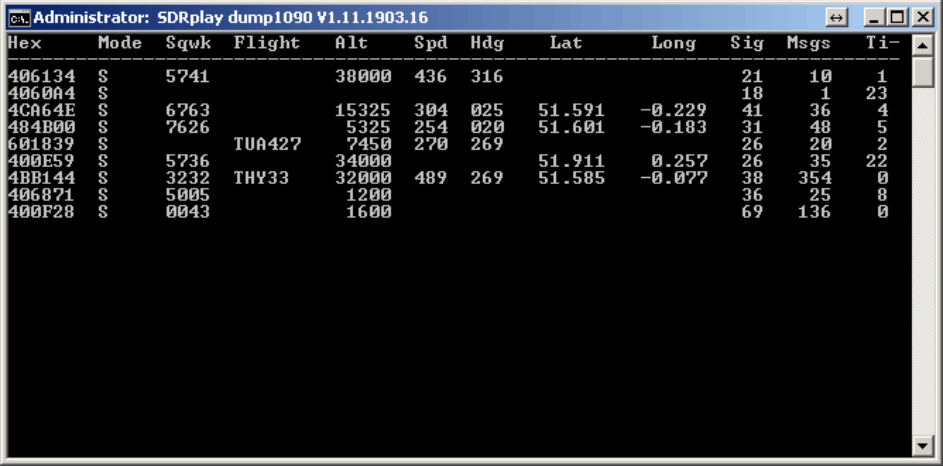
The SDRplay compatible version of dump1090 deceiving ADS-B data.
In this post we will review the FlightAware ADS-B Antenna and their 1090 MHz band pass filter. The FlightAware ADS-B antenna is claimed to have 5.5 dBi of gain, a rugged weatherproof radome and N-type female connector. It costs $44.95 USD on Amazon for US customers and $54.95 USD on eBay for international customers (plus shipping). They write that they are selling this antenna at cost in order to improve FlightAware coverage.
The FlightAware ADS-B filter is a bandpass filter with a pass range of 980MHz - 1150MHz, ~1.5dB insertion loss and more than 40dB attenuation of unwanted frequencies. It costs $19.95 USD on Amazon for US customers and $24.99 USD on eBay for international customers (plus shipping). Generally it is much cheaper than other ADS-B filter options on the market.
FlightAware.com is a company that specializes in aggregating ADS-B data from contributors around the world. People can contribute by using the FlightAware official hardware, or with a simple SDR, like an RTL-SDR dongle. They display the data on their website as it can be used to help track flight arrival times. A similar company is flightradar24.com.
If you are interested in getting started with ADS-B reception with your RTL-SDR then we have a tutorial here.
FlightAware ADS-B Antenna
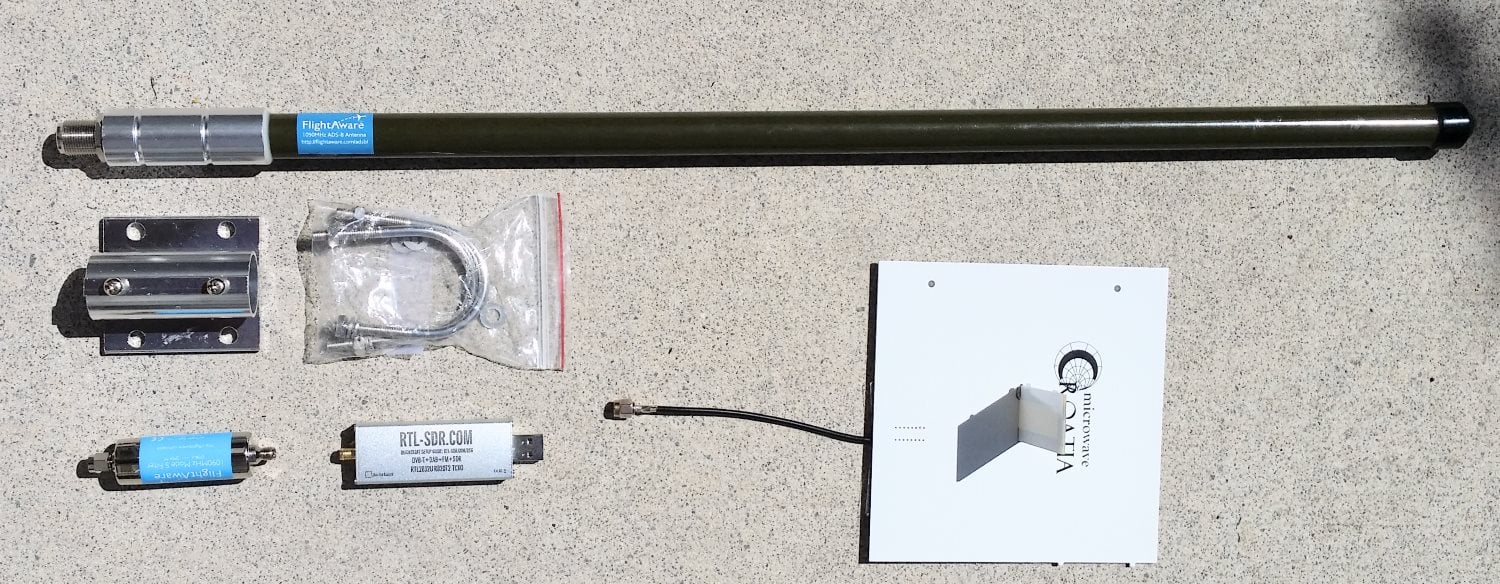
The FlightAware antenna is about 64cm in length and about 2cm in diameter. It uses an N female connector and comes included with mounting brackets and U-bolts. It is painted olive green.
In the photo below we compare the size of the antenna against a reference monopole antenna, an RTL-SDR dongle and the FlightAware ADS-B filter. The antenna appears to be very solidly built and of a high quality finish. The antenna is wareproofed with some silicon caulking used around the seams of the endcaps.
Size comparison
The FlightAware ADS-B antenna is a collinear type antenna. Collinear antennas are omnidirectional (receives equally from all directions) and have a higher gain compared to most other omnidirectional antennas, but their radiation pattern is flattened and directed more towards the horizon. This is a good thing for receiving planes that are far away as they will be at lower elevations, but aircraft at higher elevations relative to your antenna may be received poorer. Although, it is likely that any aircraft at high elevations to your position will be closer to you anyway, and thus have a stronger signal making the reduced gain at higher elevations less important. Judging by it's ~60cm length and it's specified gain of 5.5dBi, the FlightAware antenna is likely to be a 4 element collinear.
A 4 element collinear generally has positive gain from 0 - 20 degrees of elevation, whereas a simple dipole or ground plane may have positive gain from between 0 - 40 degrees of elevation. A typical commercial jet flys at about 10km. At a distance of 100km this jet would be at a 5.7 degree elevation, and at 10km 45 degrees. Smaller aircraft fly at about 3km maximum, and at 100km would have an elevation of 1.7 degrees, and at 10km 16.7 degrees, so the collinear covers most cases.
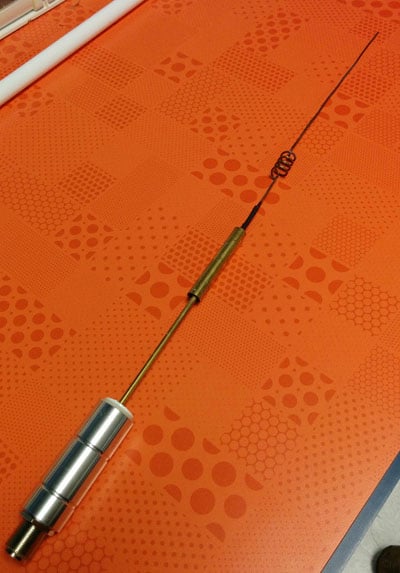
A reader wrote in to us to let us know that the internals of the FlightAware antenna had actually previously been posted in an old thread on their forums. From the image it looks like the antenna may be a sleeved dipole + whip + impedance matching design, or something similar. This design is somewhat of a collinear design thanks to the additional whip which also gives a flatter radiation pattern with more gain direction out towards the horizon. These antennas are omnidirectional (they receive equally from all directions) and have a higher gain compared to most other omnidirectional antennas, but their radiation pattern is flattened and directed more towards the horizon. This is a good thing for receiving planes that are far away as they will be at lower elevations, but aircraft at higher elevations relative to your antenna may be received poorer. Although, it is likely that any aircraft at high elevations to your position will be closer to you anyway, and thus have a stronger signal making the reduced gain at higher elevations less important.
The internals of the FlightAware antenna.
If you live in a valley, or have multiple obstacles such as trees or buildings blocking your view of the horizon then the higher gain design may work worse than a dipole/quarter wave ground plane/folded monopole type antenna. In this situation you'd mainly only be able to receive ADS-B signals from higher elevations, so an antenna with a less flat radiation pattern would work better. See the end of this post for some example radiation pattern diagrams.
For some time now, small aircraft pilots who don’t have access to expensive ~$1000+ ADS-B gear have been successfully using an RTL-SDR and Raspberry Pi combination to receive ADS-B and UAT to display aircraft and weather data on an iPad. The first time we posted about this was back in August 2015.
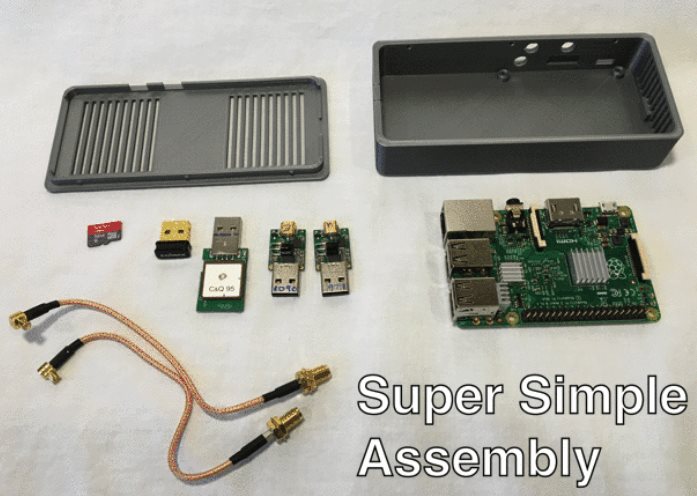
The full implementation uses two RTL-SDR dongles to receive both 1090ES aircraft position information and 978 UAT to receive weather radar information. Both dongles are used on a Raspberry Pi mini computer that runs a program called Statrux. Stratux takes the ADS-B information received by the RTL-SDR’s and re-transmits the data out via WiFi. Then an iPad running special pilot navigation aid software such as ForeFlight can interface with the WiFi signal and receive the ADS-B and weather information.
Assembly of a Stratux box requires the purchase of each individual component or a Raspberry Pi kit that includes the stratux software image on an SD card, RTL-SDR and WiFi adapter. However, setting up a Stratux box may be a little difficult for pilots who do not have any electronics DIY skills.
The FlightBox costs $200 for single band operation and $250 for dual band (1090ES and 978UAT). They are currently accepting pre-orders for delivery in late March/April.
For more information about Stratux see the active discussion forum at reddit.com/r/stratux.
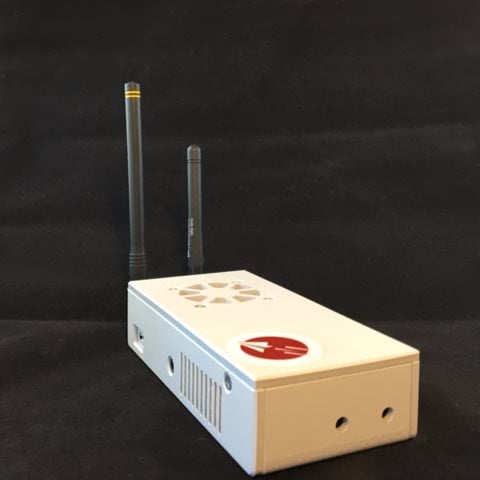
The FlightBox: An RTL-SDR based ADS-B 1090ES and 978UAT receiver for Pilots.Components used in the FlightBox, including two nano RTL-SDR dongles.