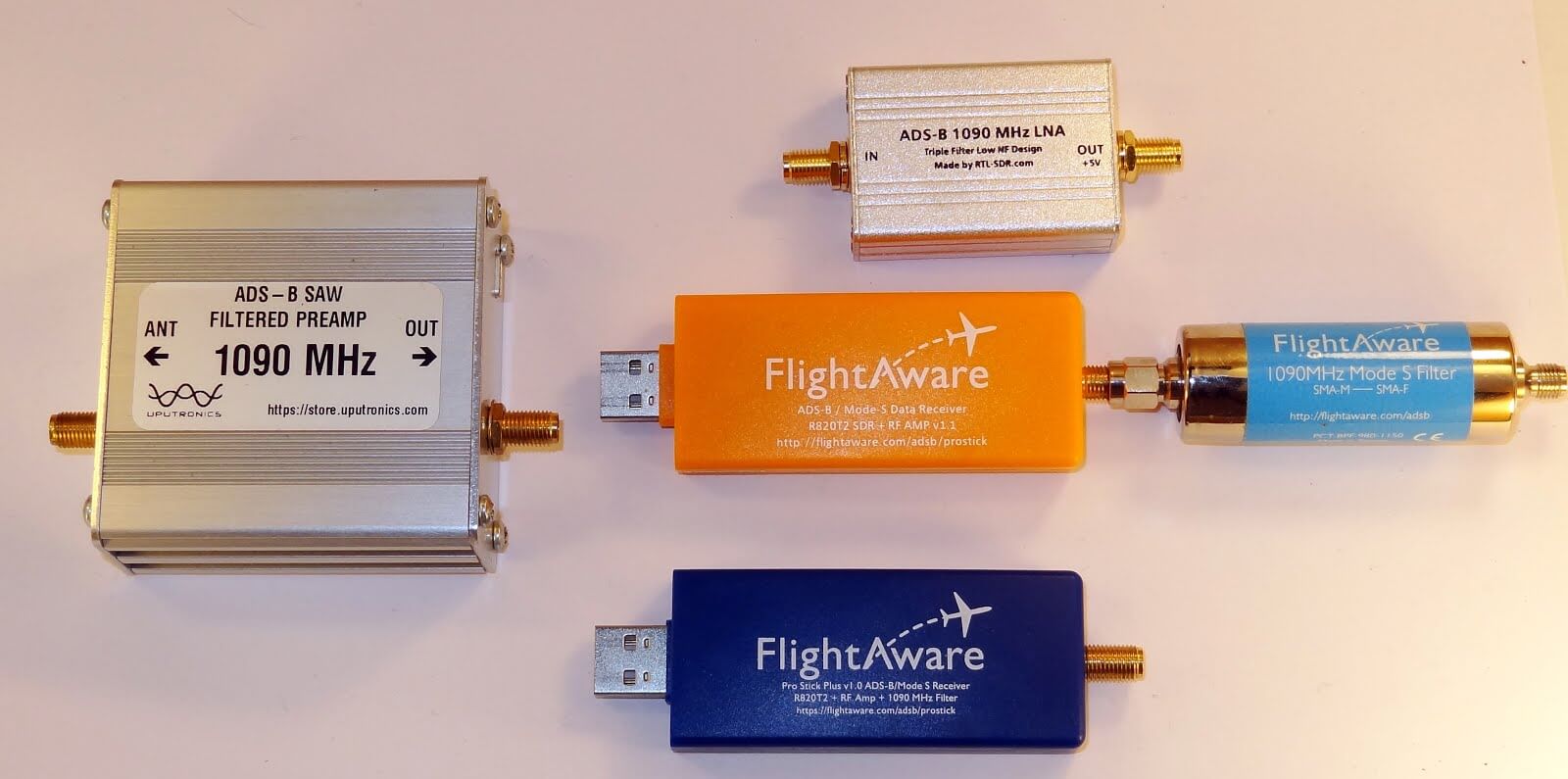
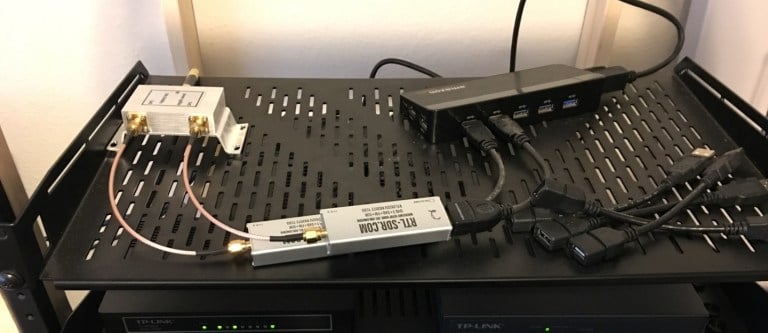
Akos, author of his blog 'Radio for Everyone' has recently reviewed our new RTL-SDR.com Triple Filtered ADS-B LNA. In the review he compares our ADS-B LNA against another external ADS-B LNA by Uputronics and against the FlightAware Prostick and Prostick+. The tests use the external LNA's plugged directly into the dongle in order to more fairly compare against the FlightAware dongles which have LNA's built in to the dongles themselves. From his results the RTL-SDR.com ADS-B LNA appears to have near identical results with the Uputronics LNA, and slightly better results compared to the FlightAware dongles. Akos has not yet tested the main use-case of the LNA, which is to use it at the end of a run of coax cable, however he plans to do this in a future test. Also in his second post Akos shows how to build a simple amplified Coketenna using our ADS-B LNA.
On the subject of ADS-B performance we note that there are two ways to set up a system for optimal reception (apart from the antenna). The first is to place the computing and radio devices (such as a Raspberry Pi and RTL-SDR) as close to the antenna as possible (leaving a ~1m coax run to avoid local interference from the Pi). For this type of setup it is cheaper to use a FlightAware Prostick Plus RTL-SDR dongle since this has an ADS-B LNA built into it. However, the disadvantage is that you may need to set up a Power over Ethernet system, or find a remote power source, and possibly place the Pi in a difficult to service location such as in an attic or up a mast.
The second option is to use an external ADS-B LNA close to the antenna, and run coax down to the computing device which is positioned in a more accessible location. The LNA will negate any losses in the coax cable, and with high enough gain on the LNA, using quality coax is not such a high requirement since those losses are negated by sufficient LNA gain. Both methods will yield similar excellent performance.
Most readers are familiar with the Raspberry Pi 3 and how it can be used with RTL-SDR applications such as ADS-B reception. However, one does not need to dedicate an entire Pi 3 to a single task as they are more than powerful enough to run multiple applications at once.
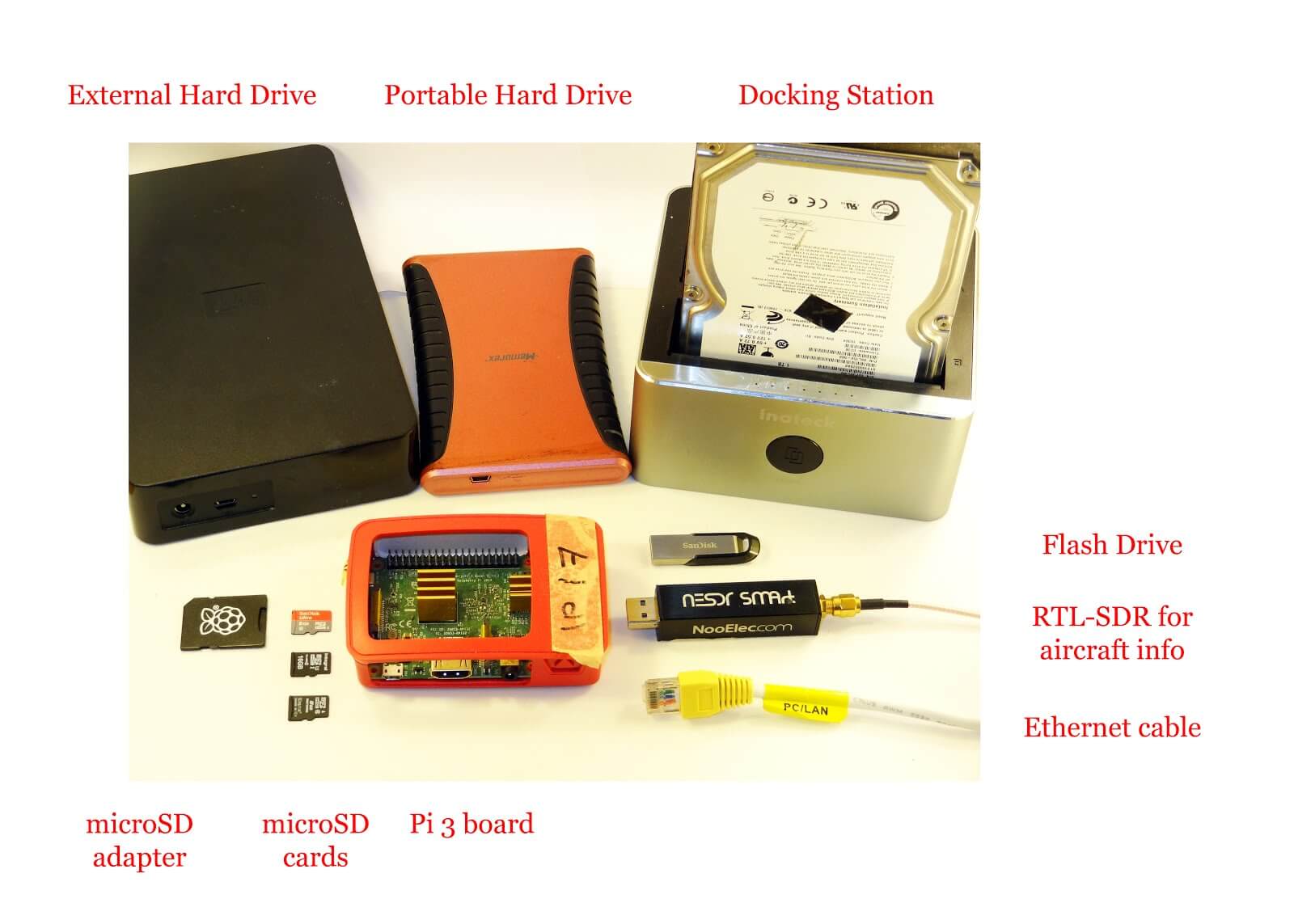
Over on his blog 'Radio for Everyone' Akos has uploaded a tutorial that shows how he set his Raspberry Pi 3 up as a simultaneous Network Attached Storage (NAS), Torrentbox and ADS-B server. A NAS is simply a hard drive or other data storage device that can be accessed easily over a network instead of having to be connected directly to a PC. A torrentbox is a device such as a Raspberry Pi 3 running torrent software so that you can download torrent files 24/7 without needing a PC on all the time.
Akos' tutorial shows how to set everything up from scratch, starting from writing the Raspbian SD Card and connecting to it via SSH. He then goes on to show how to install the torrent software, set up the NAS and finally set up ADS-B reception.
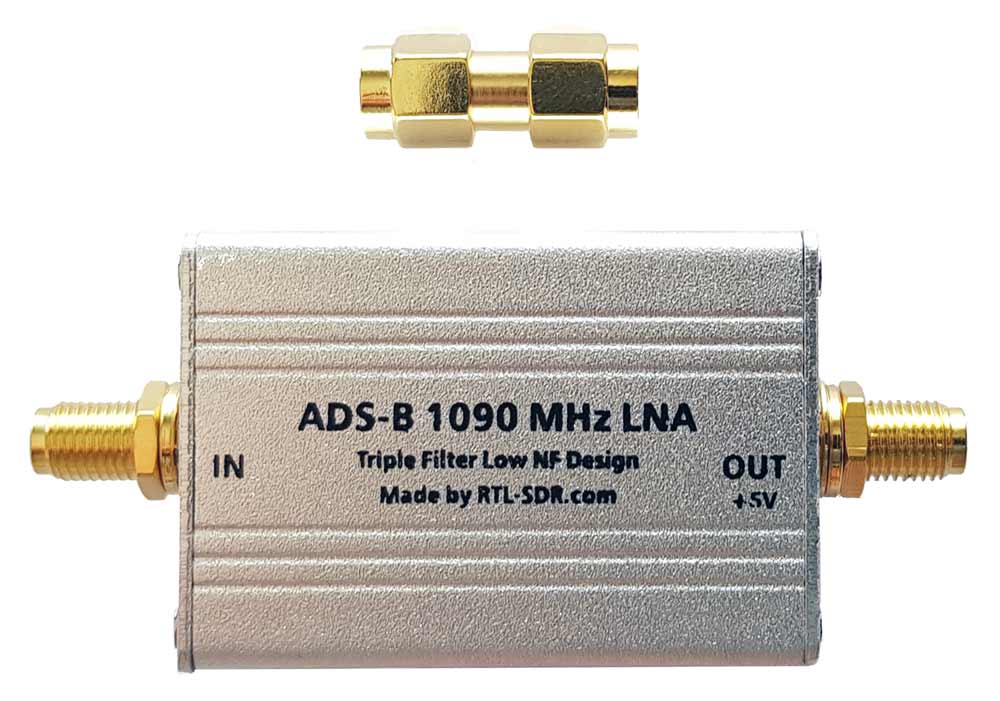
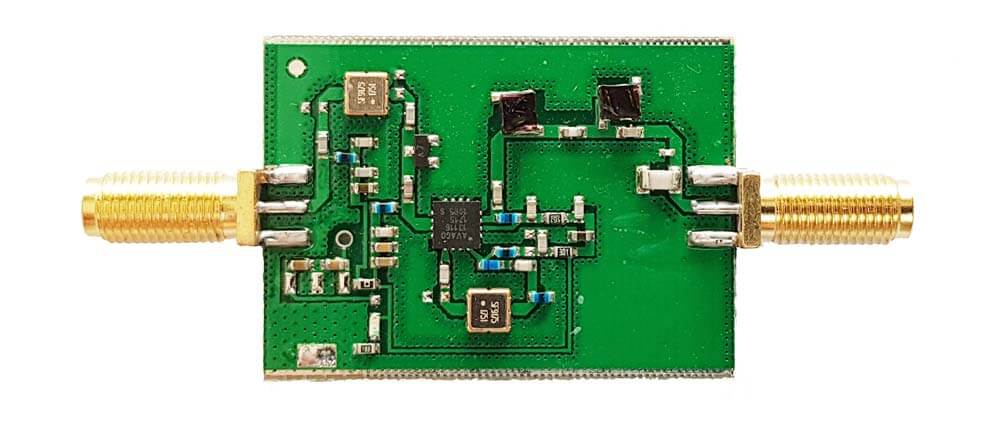
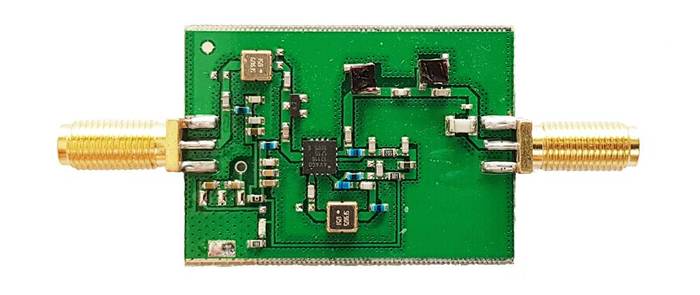
We're happy to announce the release of our new high performance low noise amplifier (LNA) for improving 1090 MHz ADS-B reception. The LNA uses a low noise figure high linearity two stage MGA-13116 amplifier chip and three stages of filtering to ensure that strong signals or interference will not overload either the amplifier or SDR dongle.
The LNA is currently only available from our Chinese warehouse, and costs US$24.95 including shipping. Please note that the price may increase slightly in the future, and that Amazon USA may not be stocked until March.
An LNA can help improve ADS-B reception by reducing the noise figure of the system and by helping to overcome losses in the coax cable and/or any other components such as switches and connector in the signal path. To get the best performance from an LNA, the LNA needs to be positioned close to the antenna, before the coax to the radio.
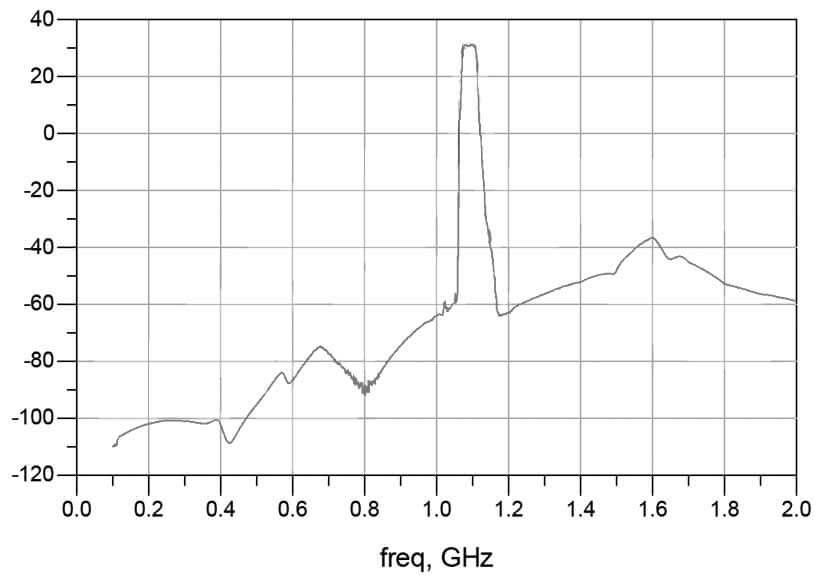
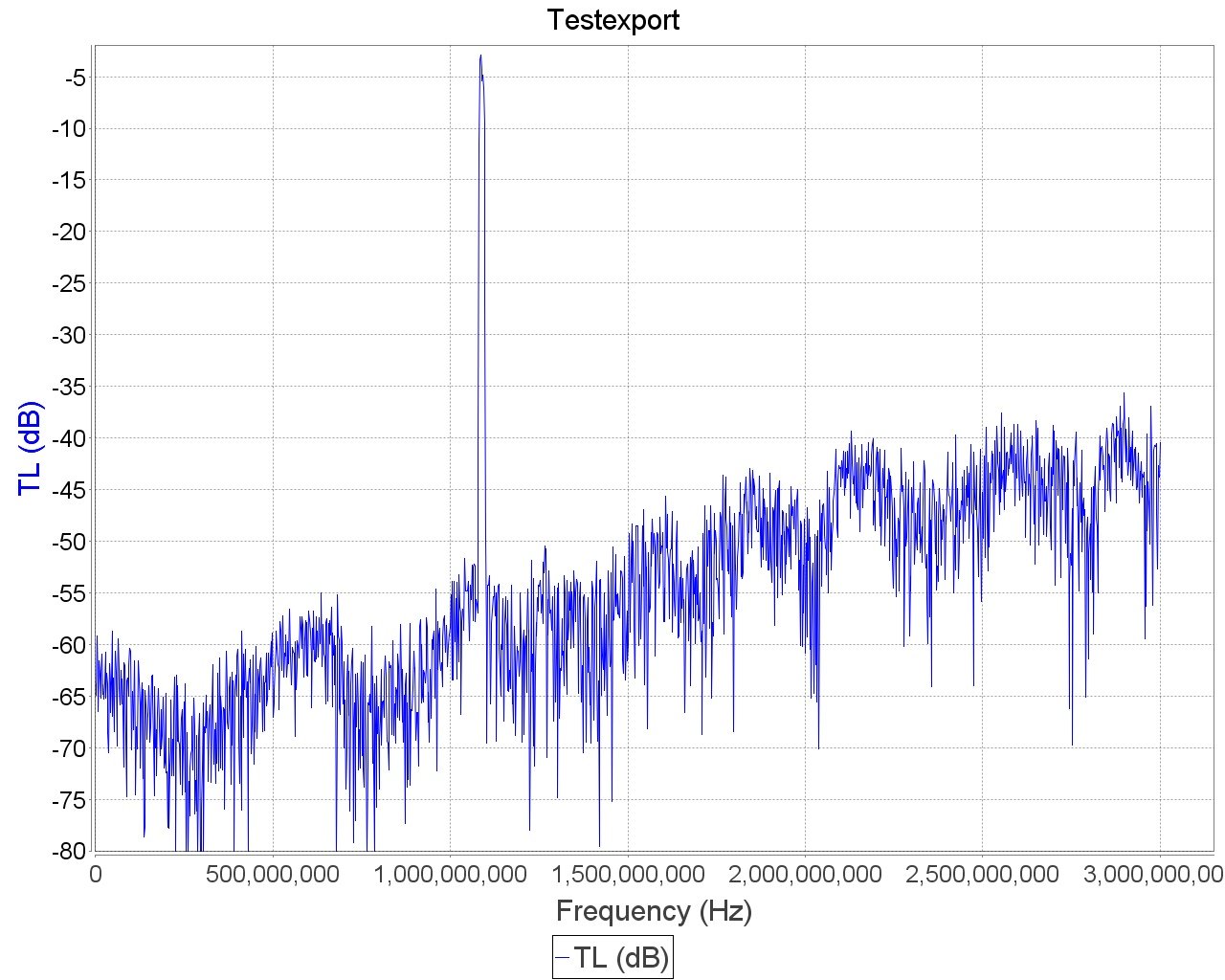
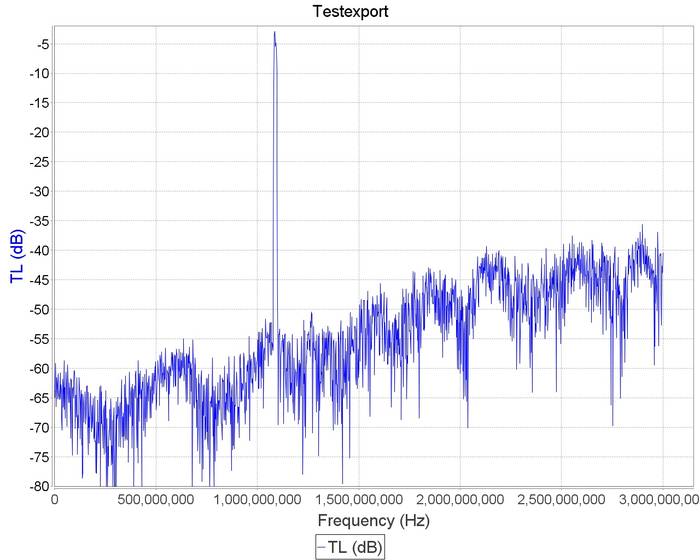
The gain of the RTL-SDR Blog ADS-B LNA is 27 dB's at 1090 MHz, and out of band signals are reduced by at least 60 - 80 dB's. Attenuation in the broadcast FM band and below 800 MHz is actually closer to over 100 dB's. In the LNA signal path there is first a low insertion loss high pass filter that reduces the strength of any broadcast FM, TV, pager or other similar signals that are usually extremely strong. Then in between the first and second stage of the LNA is a SAW filter tuned for 1090 MHz. A second SAW filter sits on the output of the LNA. The result is that strong out of band signals are significantly blocked, yet the LNA remains effective at 1090 MHz with a low ~1 dB noise figure.
The LNA is also protected against ESD damage with a gas discharge tube and low capacitance ESD diode. But please always remember that your antenna must also be properly grounded to prevent ESD damage.
Please note that this LNA requires bias tee power to work. Bias tee power is when the DC power comes through the coax cable. The RTL-SDR V3 has bias tee power built into it and this can be activated in software. See the V3 users guide for information on how to activate it. Alternatively if you don't own a dongle with bias tee built in, then an external bias tee can be used and those can be found fairly cheaply on eBay. Finally, if you are confident with soldering SMT components, then there are also pads and a 0 Ohm resistor slot on the PCB to install an LDO and power the LNA directly.
In addition please remember that this is a high gain LNA. It is expected to be used at the antenna side, with some 3+ db loss expected on the coax. However, if desired, it can still be used on the receiver side. If used on the receiver side or with a low loss run of coax, you will need to tune the RF gain on the RTL-SDR dongle. By default most software sets the RF gain to maximum. We recommend turning the RTL-SDR RF gain down to about 32 dB if connecting it directly to the dongle, otherwise the high input power may overload the dongle causing poor performance.
Specification Summary:
Frequency: 1090 MHz
Gain: 27 dB @ 1090 MHz
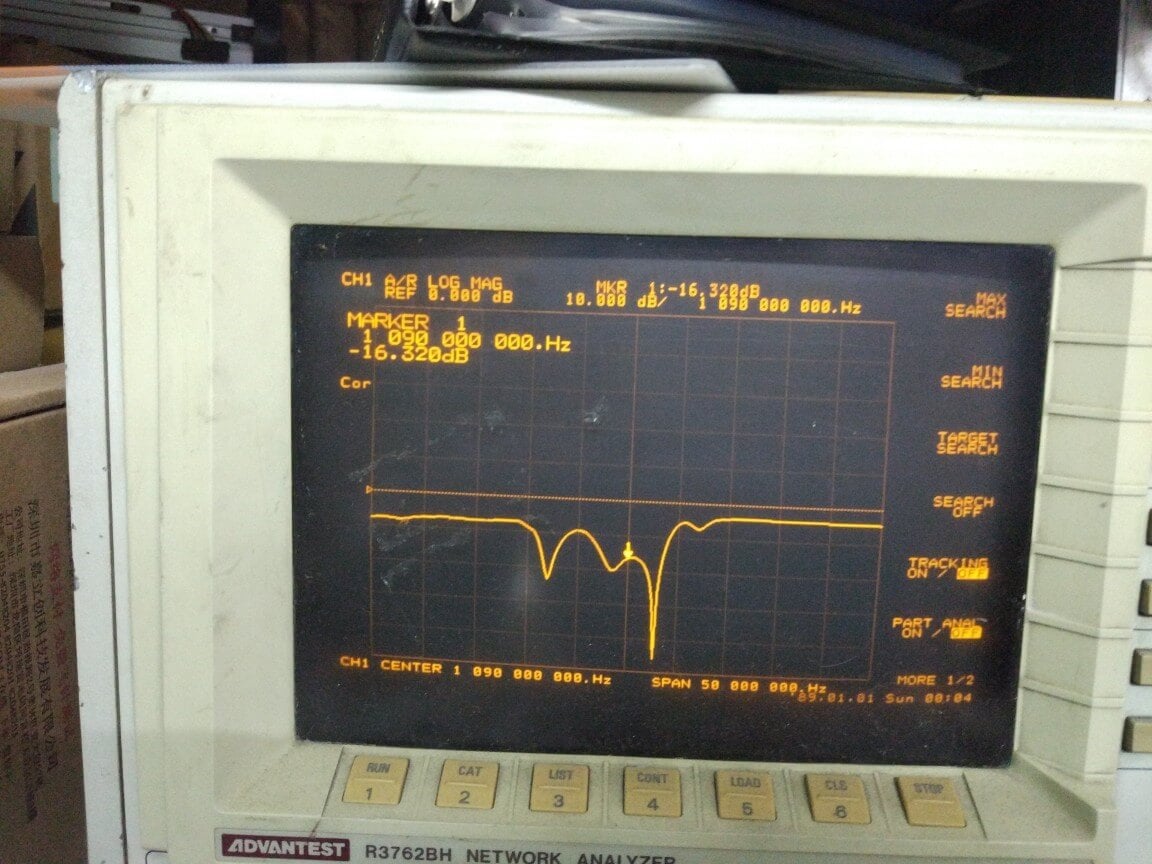
Return Loss: -16 dB @ 1090 MHz (SWR = 1.377)
Noise Figure: ~1 dB
Out of band attenuation: More than 60 dB
ESD Protection: Dual with GDT and ESD Diode
Power: 3.3 - 5V via bias tee only, 150 mA current draw
Enclosure: Aluminum enclosure
Connectors: Two SMA Female (Male to Male adapter included)
Dimensions:
46.5 x 32 x 15.6 mm (not including the SMA).
Including the SMA the length is 69.8 mm.
Testing
We tested our new LNA against another ADS-B LNA with filter built in that is sold by another company and the FlightAware Prostick+ dongle in an environment with strong out of band signals such as pagers, broadcast FM, DVB-T and GSM signals. The results showed that the RTL-SDR Blog ADS-B LNA gathered the most ADS-B packets. In the tests both LNA's were connected on the receiver side to be fair to the FA dongle. Improved performance could be achieved by moving the LNA to the antenna side.
Other ADS-B LNA vs RTL-SDR Blog ADS-B LNA Received MessagesFlightAware Prostick+ vs RTL-SDR Blog ADS-B LNA Received Messages
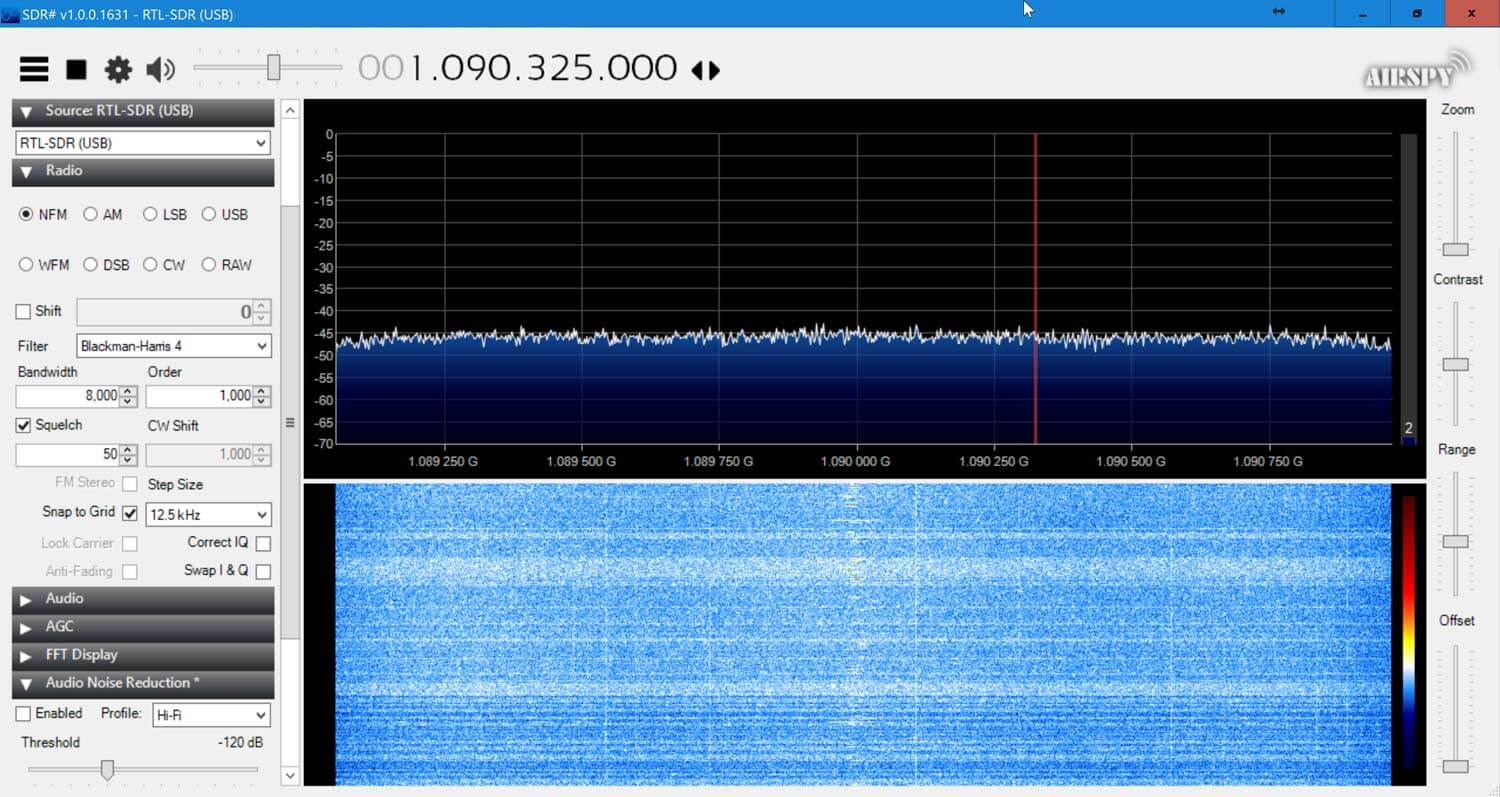
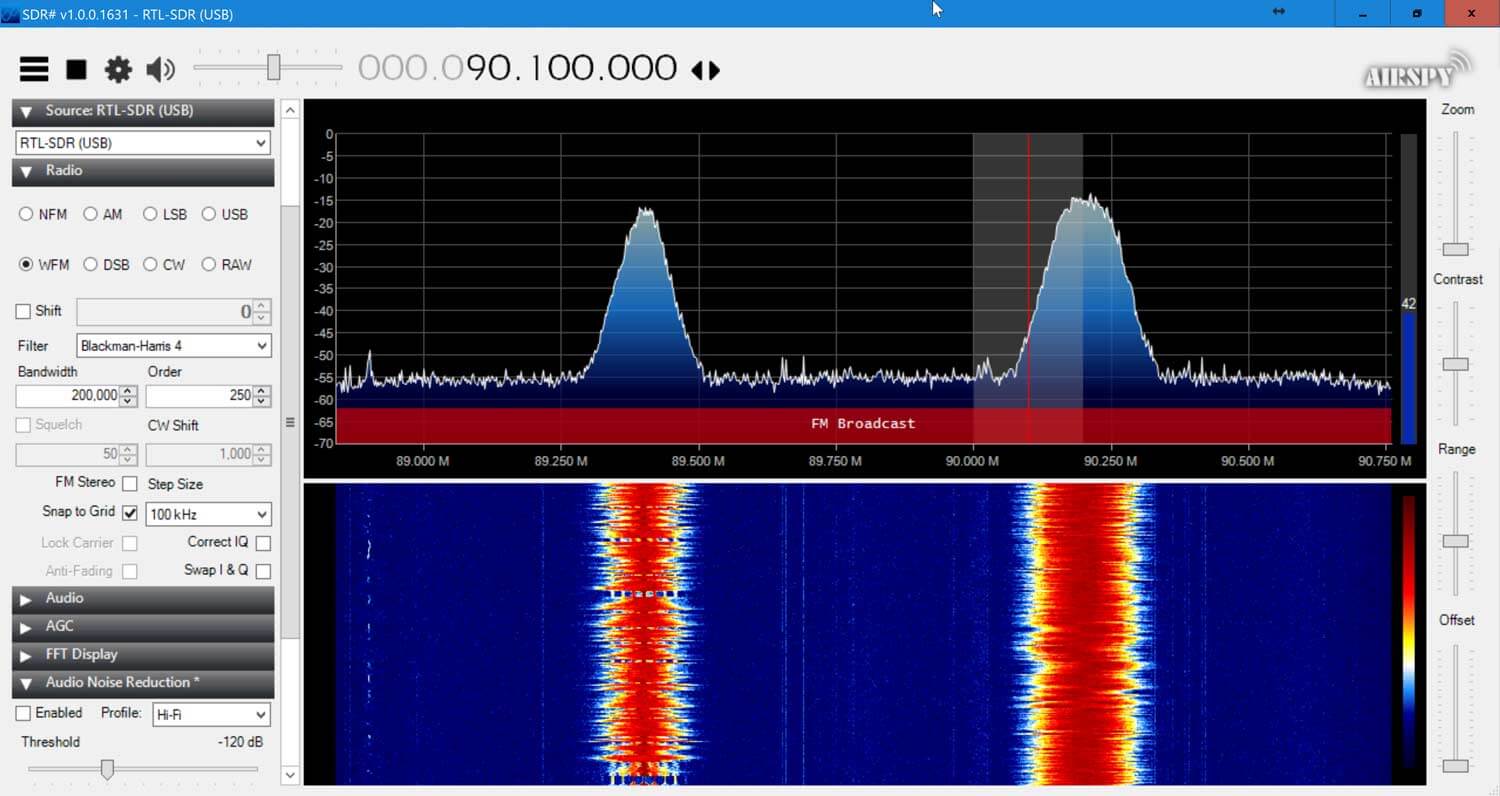
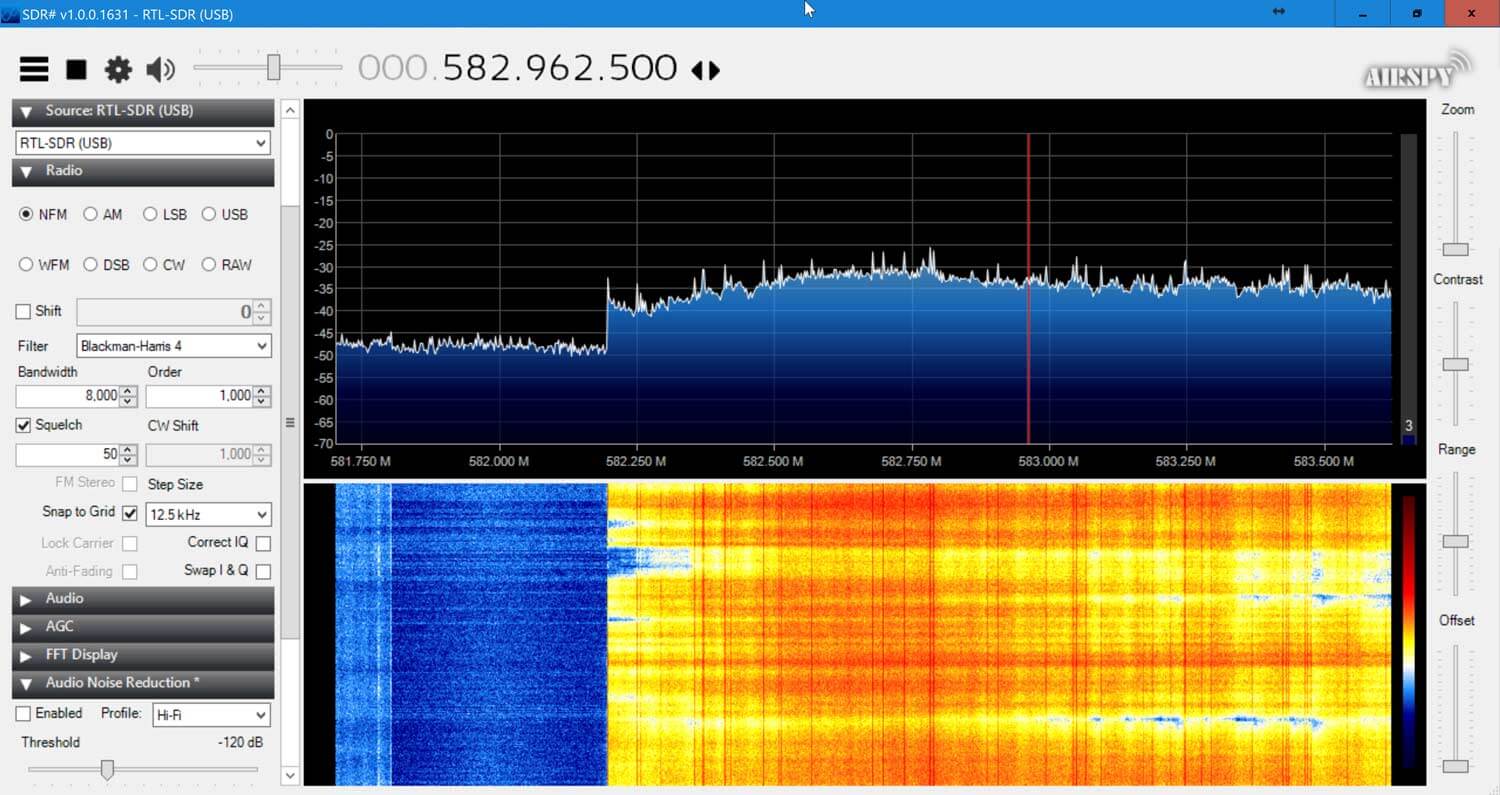
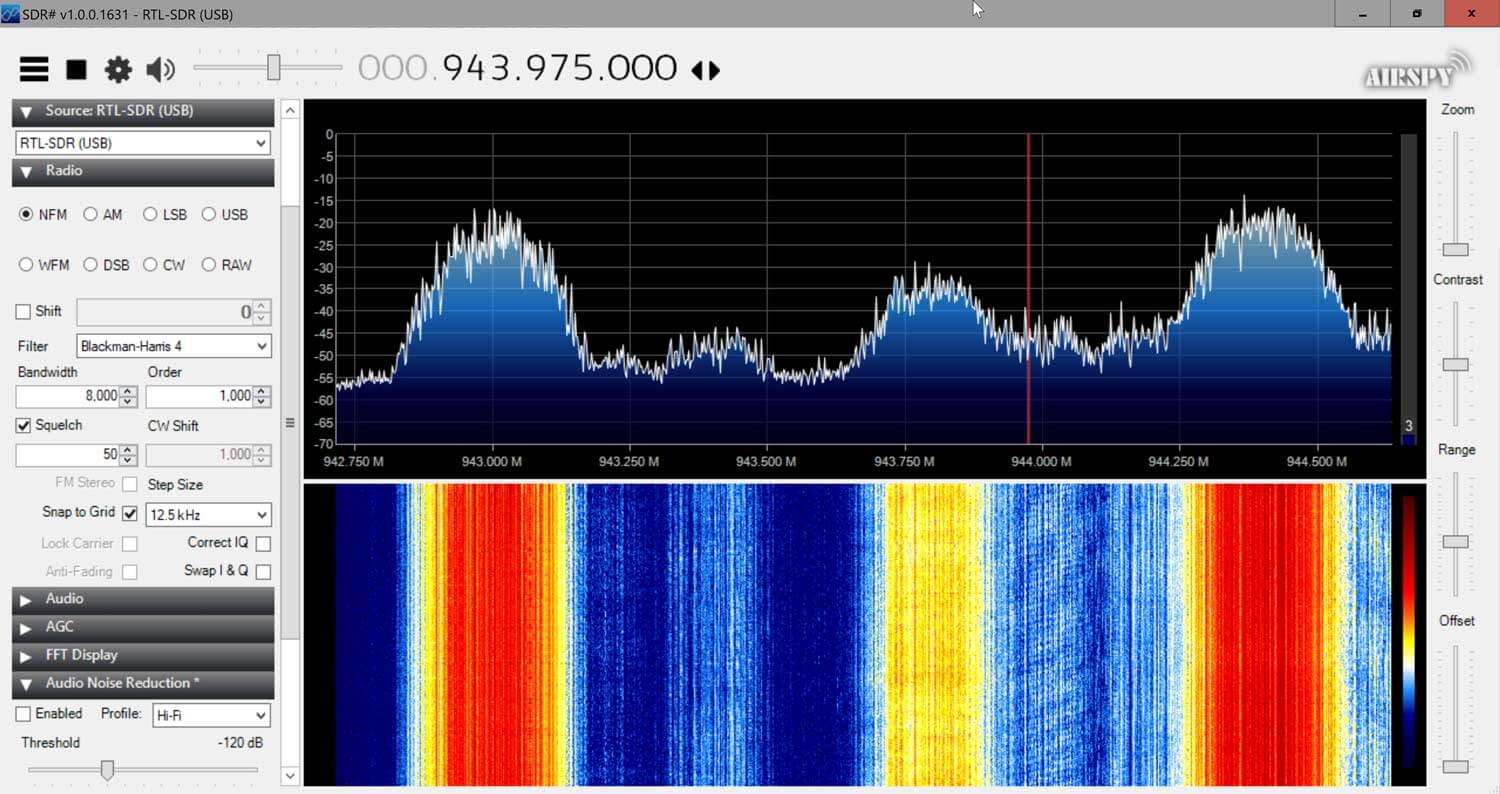
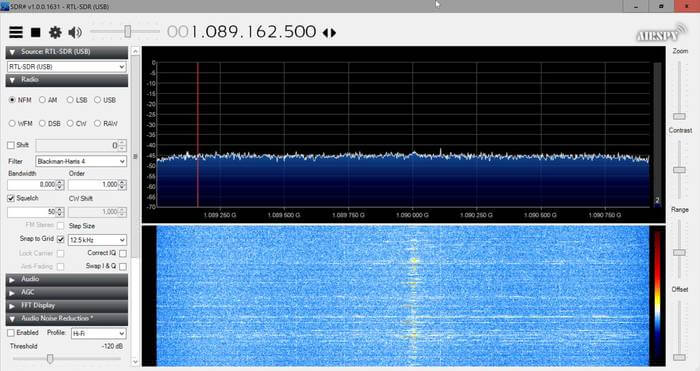
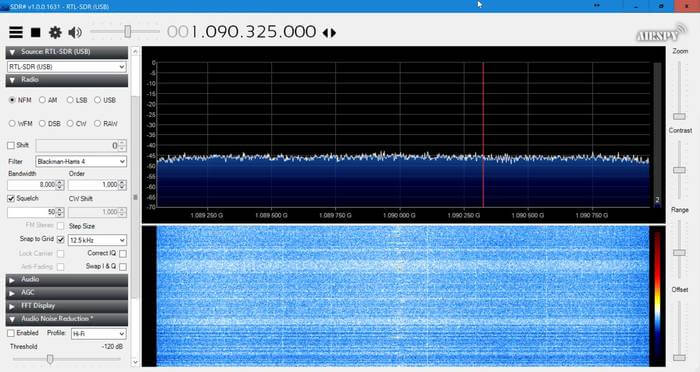
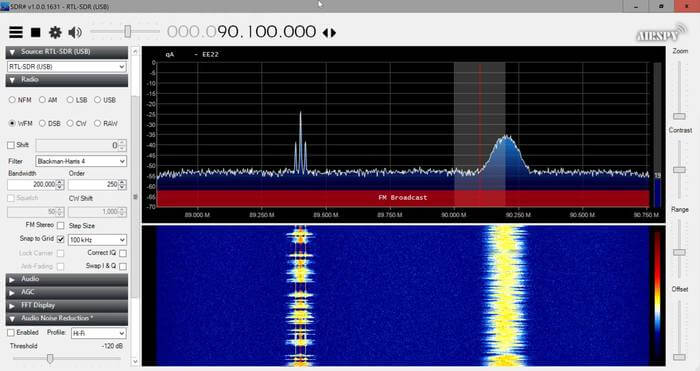
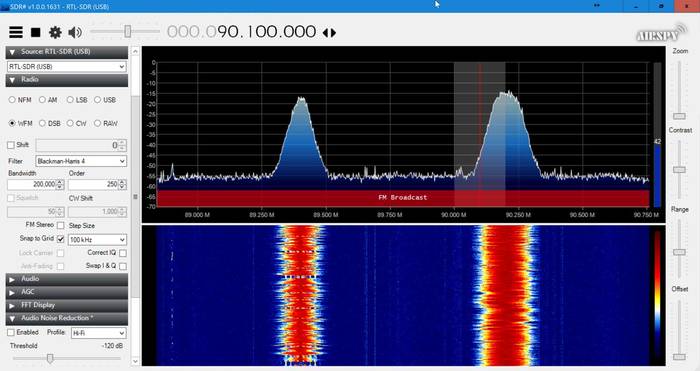
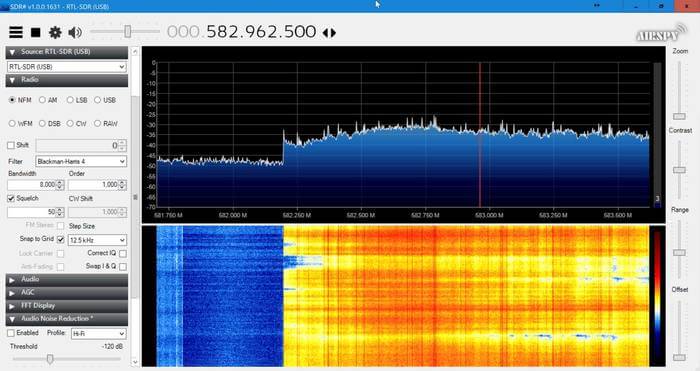
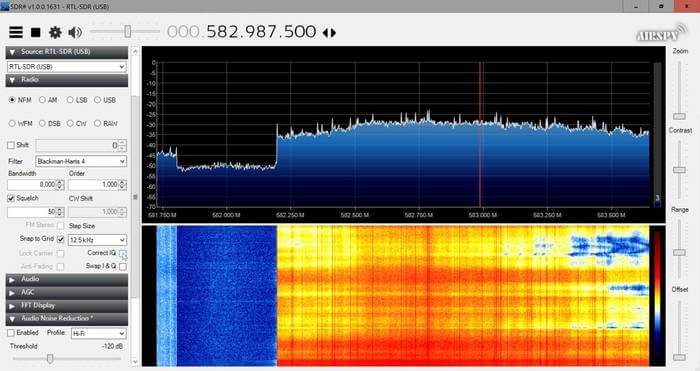
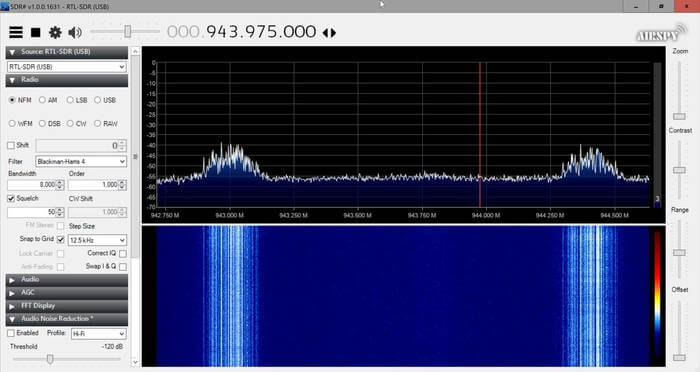
Checking in SDR# for out of band signals also showed that the RTL-SDR Blog ADS-B LNA significantly reduces those strong out of band signals, whereas the others have trouble blocking them out. Below we show the results as well as some measurements.
This RTL-SDR Blog ADS-B LNA can significantly improve ADS-B reception, especially if you are in an environment with strong out of band signals. Even if you are not, the low noise figure design will improve reception regardless.
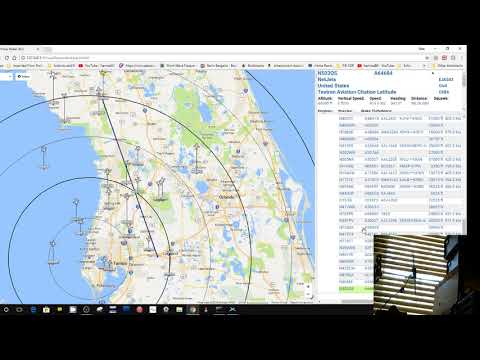
Over on his YouTube channel Tom Stiles (hamrad88) has been experimenting with and reviewing our multipurpose dipole kit. Tom is a ham radio YouTuber who runs a show that produces content often, so we encourage you to subcribe to his channel if you're interested. Tom reviewed our dipole kit over a series of 5 videos which we link here [1: Discussing the product], [2: Unboxing], [3: First ADS-B Tests], [4: Second ADS-B Tests], [5: Third ADS-B Tests]. We post have embedded video 2 and 5 below.
In his testing Tom finds that using the antenna in the vertical orientation improves ADS-B performance. This is expected as ADS-B signals are vertically polarized, and so the antenna should be too. By using the included suction cup mount Tom is able to get the antenna attached to his window which improves reception by getting the antenna as close to the outdoors as possible. This is an expected use case for the antenna, and it's good to see that good results are being had!
If you're interested in the set please see our store at www.rtl-sdr.com/store, or use the links provided in Tom's videos. We also have a tutorial and use case demonstrations for our dipole kit available at www.rtl-sdr.com/DIPOLE.
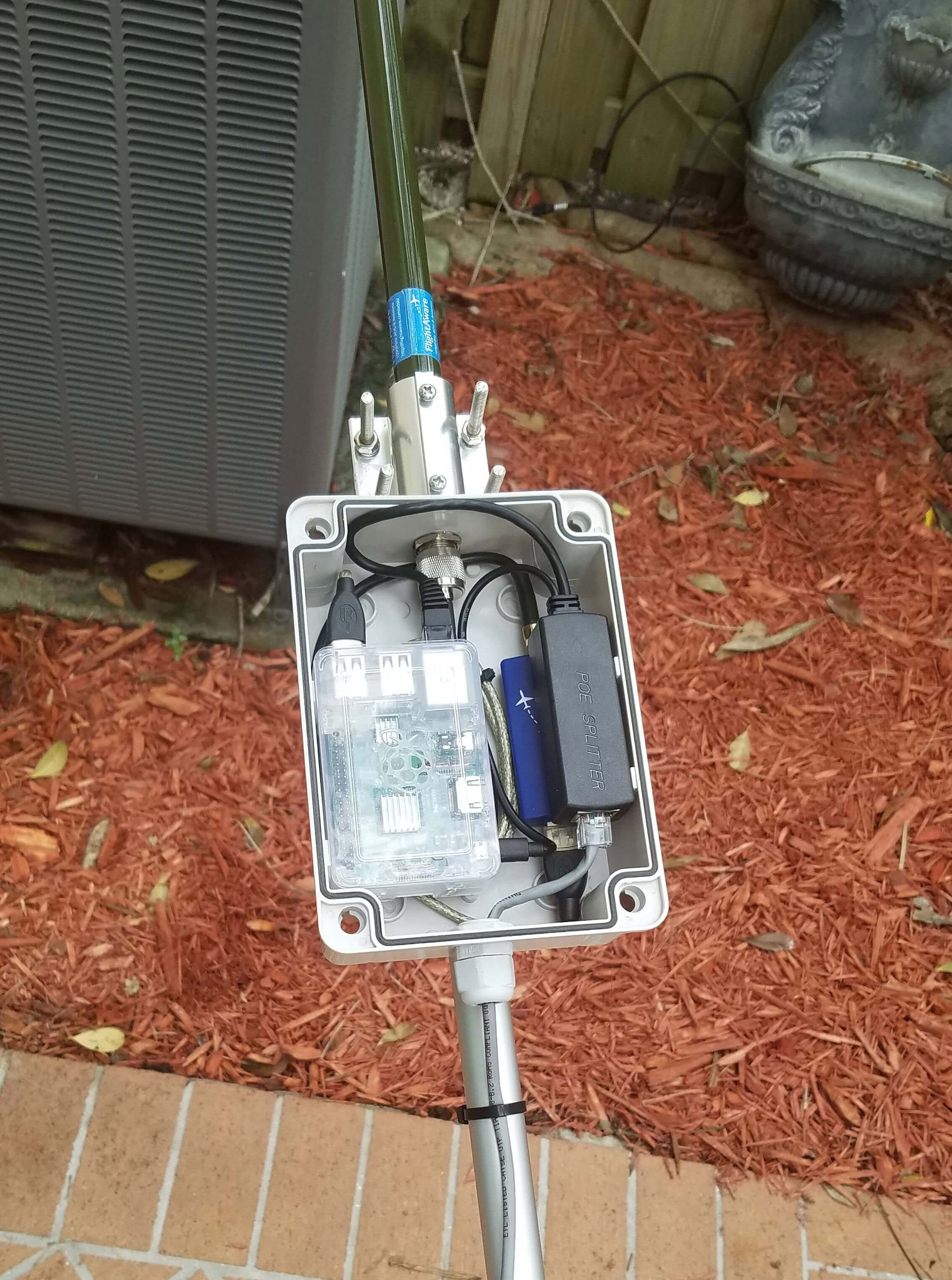
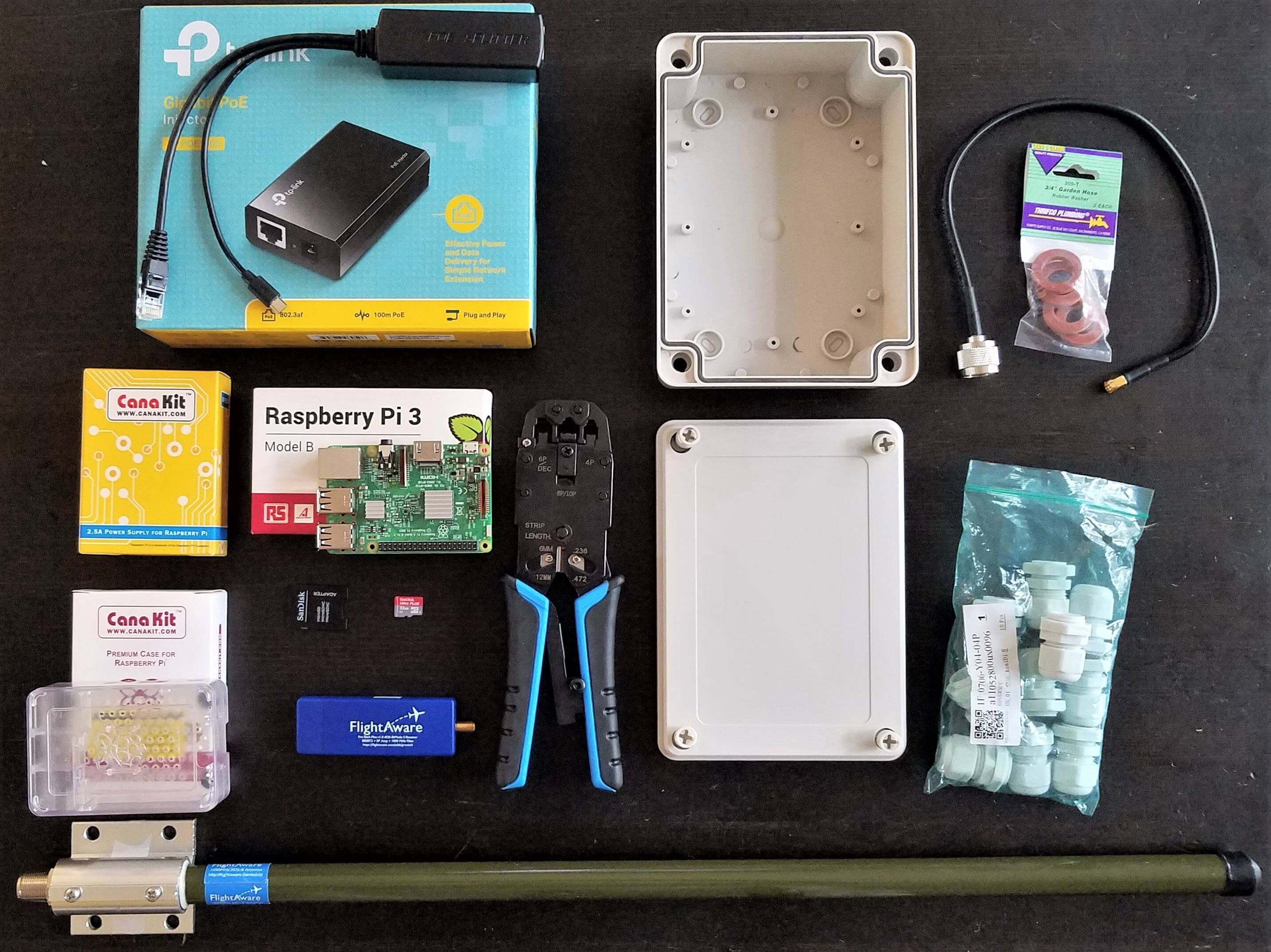
He uses a FlightAware dongle, which is an RTL-SDR optimized for best ADS-B reception when placed directly at the mast/antenna. For an antenna he uses the FlightAware ADS-B antenna, which we've reviewed in the past and found to be one of the best value ADS-B antennas available on the market. To process the data, a Raspberry Pi is used and it is powered via power over Ethernet (POE). If you didn't already know, power over Ethernet (not to be confused with Ethernet over powerline) is simply running power through unused wires inside an Ethernet cable. It is a convenient method of powering remote devices and giving them a network connection at the same time. The whole package is enclosed in a waterproof case, and the antenna attached to the top.
Putting the RTL-SDR and computing device at the antenna removes any loss from long coax runs, and the POE connection provides a tidy cabling scheme. The FlightAware dongle is a good choice for mounting directly at the mast or antenna because it has a built in low noise figure LNA. If using coax cabling instead, and keeping the RTL-SDR and Raspberry Pi inside, then it would be better to mount an LNA at the mast and power it through the coax via a bias tee.
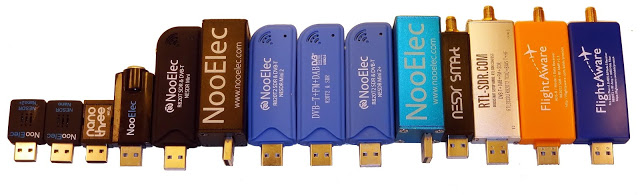
For his tests he used a Raspberry Pi 3 and compares two dongles at a time. The results are about as would be predicted. The tiny Nano dongles are usually the worst performers due to their trade off in size vs heat dissipation and internally generated noise. The standard sized dongles all perform about the same, but the dongles with heatsinking perform the best. Of course the FlightAware dongles still get the best ADS-B reception due to their significantly lower noise figure thanks to the built in ADS-B LNA.
One interesting finding is that Akos shows that heat does play a noticeable role in performance of these dongles at 1090 MHz. Akos noticed that the better heatsinking on the RTL-SDR Blog V3 or cooler days improved reception.
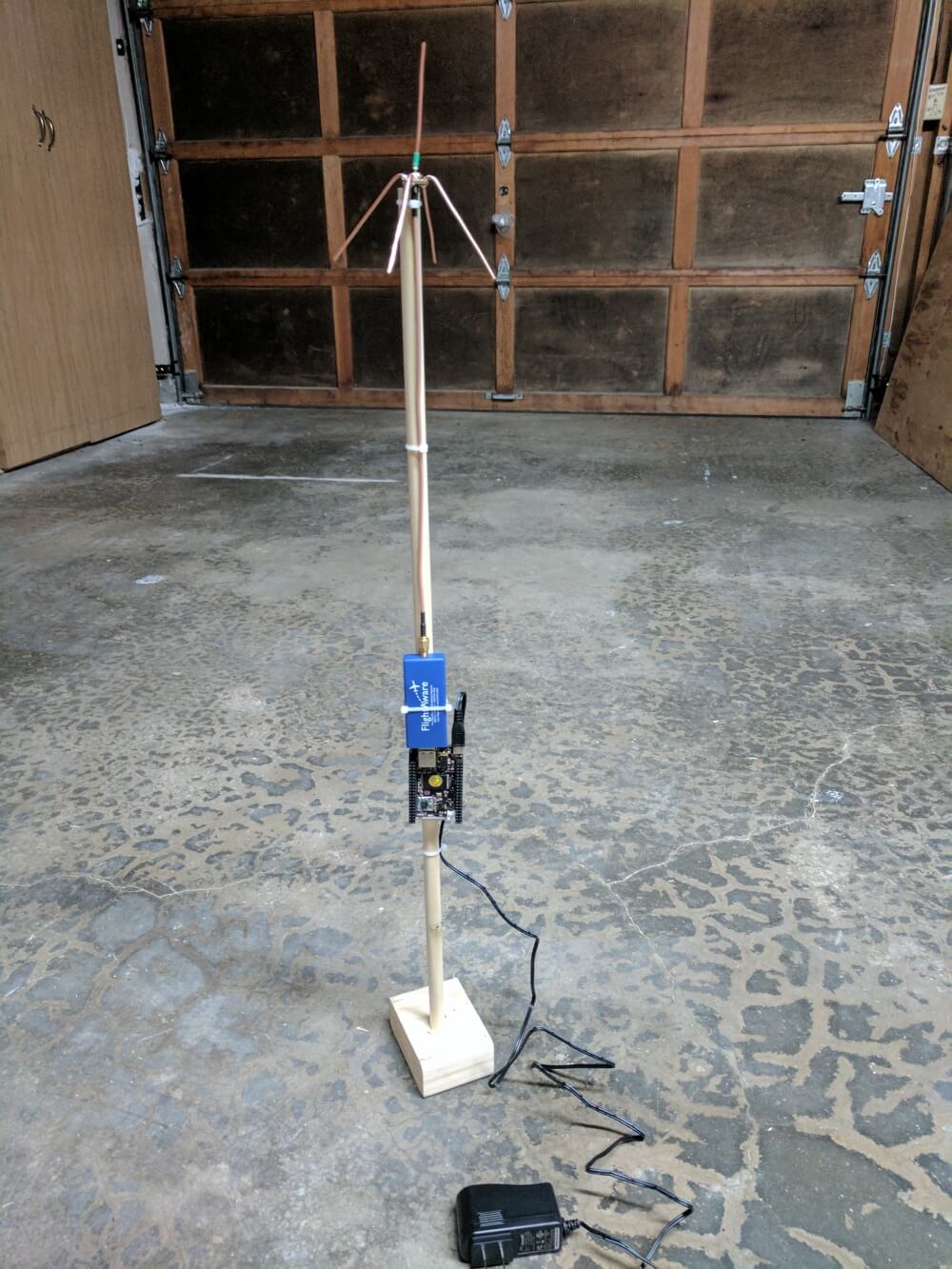
In the post he shows how to make a cheap quarter wave ground plane antenna for ADS-B and then goes on to show the installation steps required to get PiAware running on the C.H.I.P. He also mentions his Power over Ethernet (PoE) setup which allows him to power the RTL-SDR and C.H.I.P via an Ethernet cable which also provides the network connection. A power setup like this is great for getting your receiver in a remote location without coax cable losses, although you do need to watch the voltage drop on the Ethernet cable.
The C.H.I.P is a cheap $9 single board computer that had a successful Kickstarter back in 2015. Unfortunately since the Kickstarter it has been almost impossible to obtain a unit (we’ve been waiting over a year). Hopefully more will ship soon.
HamRadio360 is a bi-weekly podcast all about ham radio and related topics. On their June 13 podcast Nick, KK6LHR came on to discuss his experiences with decoding ADS-B with cheap SDR radio like the RTL-SDR. In the podcast they talk about the history of ADS-B, what it is, the difference between the 1090 MHz and 978 MHz frequencies, what all of the terms and acronyms mean, feeding sites like flightaware and flightradar24 and of course how to decode it with various forms of software packages.