Tagged: iOS

New RTL-SDR Receiver App for iOS Released

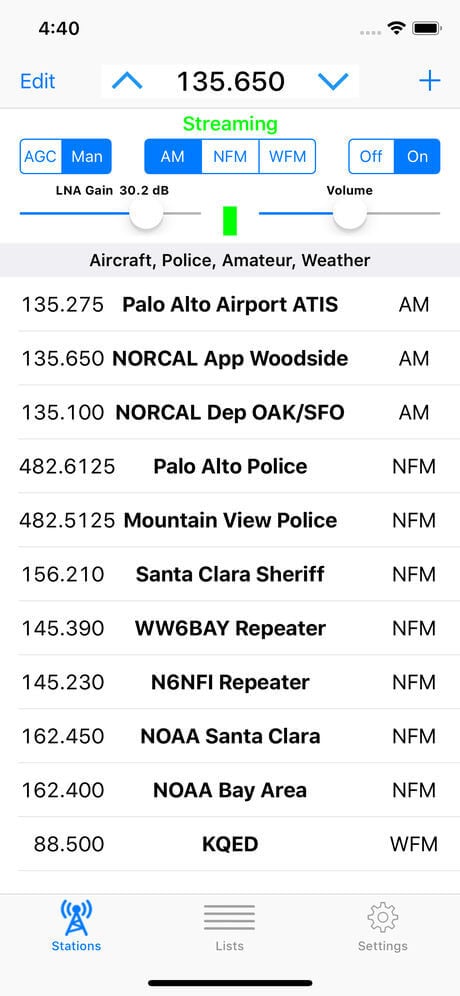
SDR Receiver on iOS Screenshot

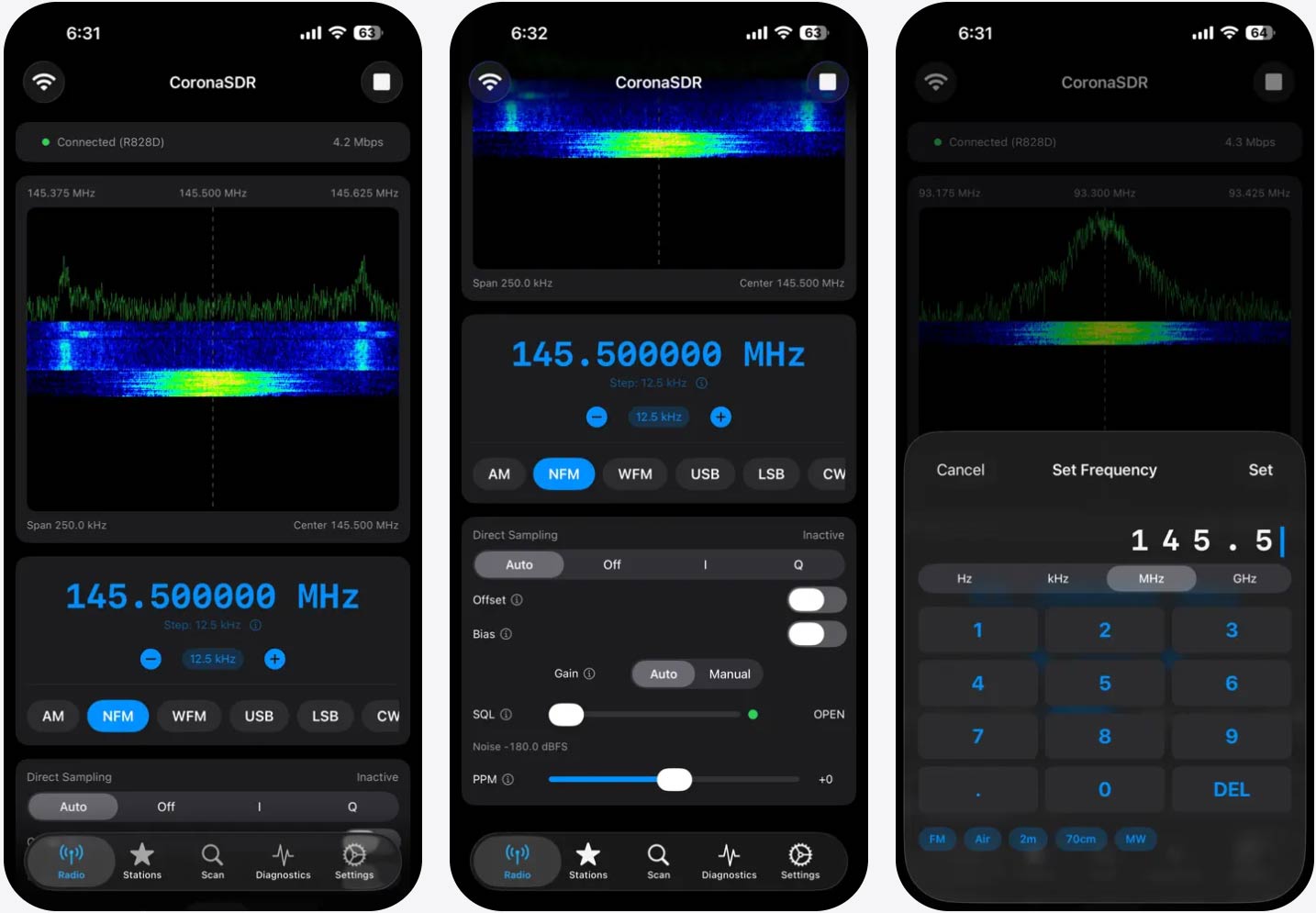
A new RTL-SDR compatible app for Apple iOS (iPhone, iPad) has recently been released on the Apple App store. The app is called "SDR Receiver", costs US$9.99, and is used together with an RTL-SDR (or Airspy HF+) server running on a separate networked device such as a Raspberry Pi or PC. Limitations by Apple mean that the RTL-SDR can not run directly on iOS  devices. The software description reads:

SDR Receiver, a new iOS app for RTL-SDR and Airspy HF+, is now available on the App Store. The app works with an RTL-SDR or Airspy HF+ that is attached to a host Mac, PC or Raspberry Pi running the rtl_tcp server or equivalent. The iOS device, which may be an iPhone or an iPad, communicates over the network with the host computer which may be anywhere on the network that is reachable by TCP/IP and that can sustain the required bandwidth. 

  • SDR Receiver demodulates AM, narrowband FM and wideband FM signals. Key features include:
  • Easily entered and managed lists of stations to simplify station selection.
  • Adjustable squelch that works for both AM and FM signals.
  • Adjustable LNA gain for RTL-SDR.
  • Adjustable audio high pass and low pass filters.
  • Signal strength indicator that shows power level in the signal passband.
  • Multiple sampling rates down to 240Ksps for RTL-SDR.
  • Sampling rate of 768Ksps for Airspy HF+.

Streaming from an RTL-SDR requires installation of the librtlsdr package including the rtl_tcp utility on the host computer. Streaming from an Airspy HF+ requires installation of server software on the host computer that supports the Airspy HF+ and that streams data according to the protocol used by the rtl_tcp utility. One such server has been made available by Ron Nicholson in source code form on GitHub.

Requires an RTL-SDR or Airspy HF+, a host computer and server software which are not provided with the application.

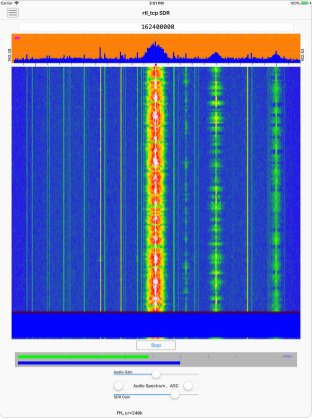
Another RTL-SDR client for iOS is "RTL_TCP SDR" by Ron Nicholson which we posted about back in March when it was still in beta testing. RTL_TCP SDR includes a spectrum analyzer and FFT display. SDR Receiver appears to have no spectrum display, so is mostly useful for listening to preset frequencies, whilst RTL_TCP SDR appears to be more useful for spectrum exploring.

New Apple iOS (iPhone/iPad) RTL-SDR rtl_tcp Client App in Beta Testing

Over on our forums poster hotpaw2 has released news about his new RTL-SDR app for iOS (iPhones/iPads). If we're not mistaken, this will be the first app that enables RTL-SDR usage on iOS. However, as iOS devices don't allow RTL-SDRs (or any arbitrary USB device) to connect directly to devices, you still need to use a Raspberry Pi or other network connected computing device as an rtl_tcp server. So the RTL-SDR does not plug directly into the iOS device. Currently he is looking for beta testers to help test a pre-release of the software. Hotpaw2 writes:

Hi. A first version of my iOS SDR app is nearing completion. So I'm interested finding a few users who would like to beta test a pre-release of the app, and provide some feedback. The beta test requirements are having a 64-bit iOS device (iPhone or iPad) running iOS 11.2.x or newer, having Apple's TestFlight app installed, having a Mac, PC, Raspberry Pi (or other Linux box) that already has rtl_tcp installed and ready to run. (And an RTL-SDR obviously.) The rtl_tcp server must be on a fast WiFi network reachable by your iOS device. Note that iOS TestFlight app distributions do have an expiration date.

iOS does not recognize arbitrary USB devices such as an RTL-SDR. This is even true when using Apple's Lightning Camera Connection kit to provide an iPhone with a wired USB port. So an adapter must be used. I use a headless Raspberry Pi 3 running rtl_tcp as the USB adapter to provide raw IQ samples from the RTL-SDR to the iOS app. A Raspberry Pi Zero W would also work. I then connect to the server either over WiFi, or via wired ethernet. 

This iOS SDR app is fairly simple. I've been experimenting with developing low-level DSP code in Swift. So this SDR app was written from scratch in the Swift programming language. Because the app is targeted for the iOS App store, it uses none of the existing SDR C++ code base. 

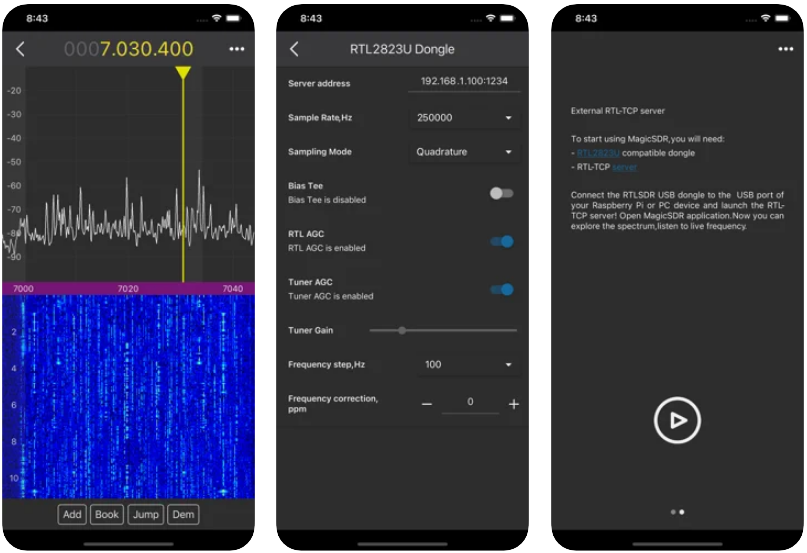
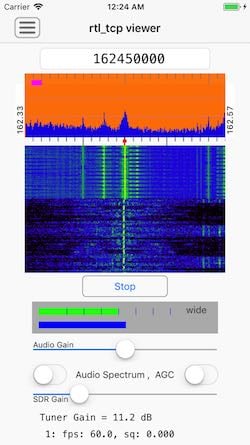
The app currently demodulates AM, N-FM, and mono W-FM. It also displays a spectrum and rudimentary waterfall, and allows one to swipe-to-tune. There are not a lot of controls, as screen real-estate on an iPhone is quite limited. But I can walk around the house and, from my iPhone, monitor if my RTL-SDR or AirSpy HF+ are picking up any interesting signals.

Contact info for beta testing can be found here: http://www.hotpaw.com/rhn/hotpaw/ 

Source code to librtlsdr and rtl_tcp can be found in many repositories on github, but zero support for finding or installing such, and/or setting up your Raspberry Pi, will be provided by me.

Screenshot of the RTL-SDR iOS app