Tagged: nrsc5

Adding HD Radio Support to FM DX Webservers with an RTL-SDR

Thank you to Ivan (NO2CW) for submitting news about how he added HD Radio decoding capability to his FM DX Webserver receiver. The FM DX Webserver is a community of worldwide FM broadcast-band online receivers that mostly use SDRs based on the TEF6686 chip, with a few also using RTL-SDR receivers. HD Radio (aka nrsc5) is a proprietary digital audio standard used by FM broadcasters in North America. It's often observed by SDR users in a waterfall as the two rectangles flanking both sides of a broadcast FM signal. Ivan writes:

A major challenge has been that up until now none of the online receivers were HD Radio capable. I have now added this capability with the help of an RTL V3. The online receiver uses a combination of two receivers: a TEF6686 which is known to be highly sensitive and, when an FM HD Radio signal is present, an RTL V3 automatically kicks in to provide HD radio capability opening up HD1, HD etc audio streams together with bundled album art, traffic and weather. The program was initially conceived by discord user seehed and then further developed by me.

The core code for this plugin was developed by GitHub user seehed and can be found here: https://github.com/Seehed/NRSC5_HDRadio. I had to make a few tweaks to get it fully working.

How the Setup Works: The hardware setup requires both a TEF6686 receiver and an RTL dongle operating simultaneously.

I tested an RTL-SDR V4 first, but the necessary DLLs worked much better with an RTL-SDR V3 in my current build.

By default, the server uses the TEF6686 for browsing the FM band for analog signals. When a user tunes to a frequency where an HD Radio signal is present, the logic switches to "HD Mode" and the RTL V3 takes over. The NRSC5 library is used to process the digital signal. In this mode, users will notice the change in audio quality and the available subcarrier streams (HD1, HD2, HD3, etc.) become visible and selectable.

How Users Can Set It Up: To replicate this, a user would need:

  • A working FM DX Webserver with a TEF6686.
  • An RTL-SDR V3 plugged into the same host.
  • The NRSC5 library installed.
  • The plugin from the GitHub link above installed and configured in the webserver directory.

Ivan also notes that currently his Miami NO2CW receiver is the only one on the network supporting HD Radio.

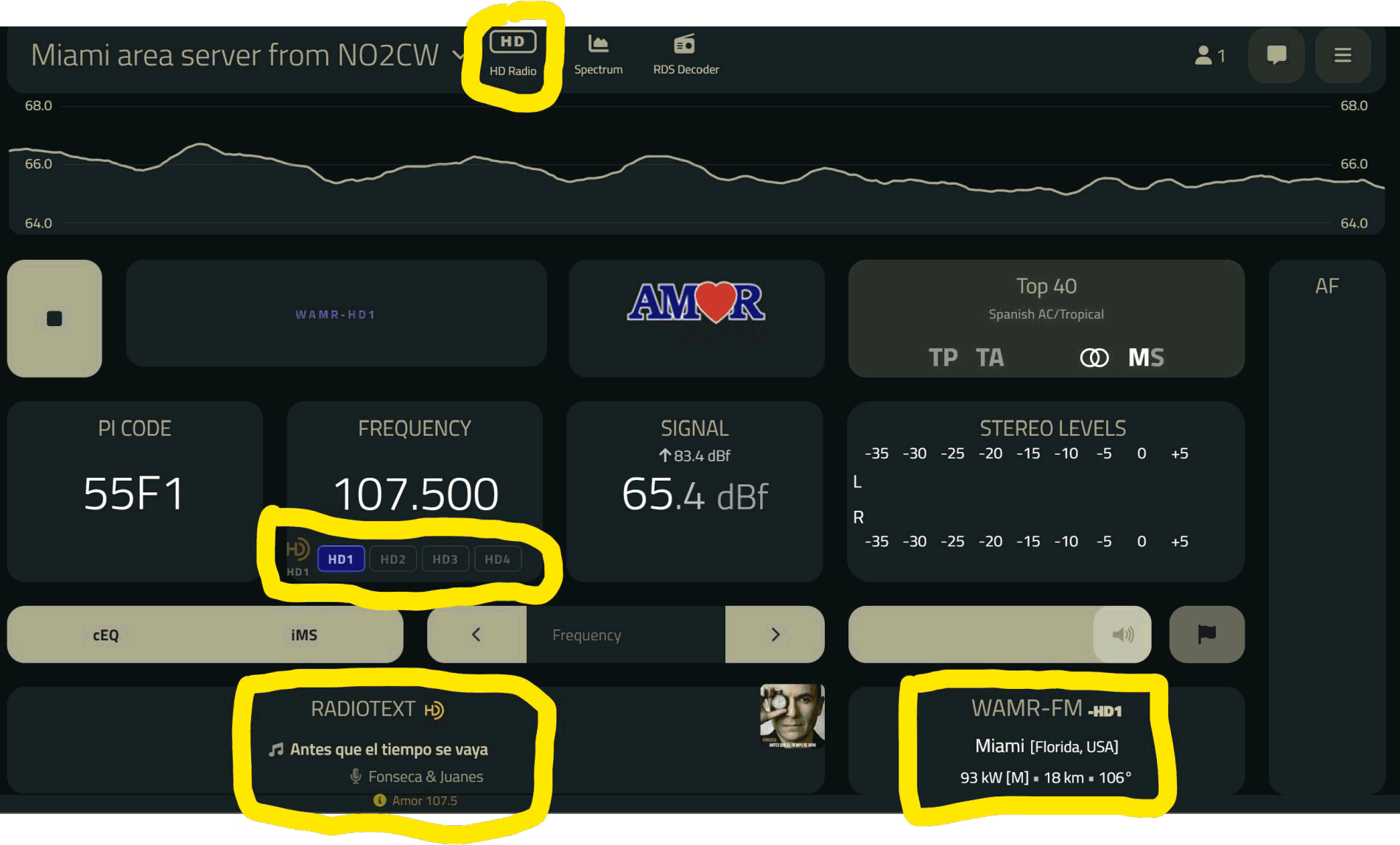
HD Radio on FM DX Webserver. Receiving HD Radio inside the fm dx webserver application.

HD Radio Added to FM DX Webservers via an RTL-SDR

NyxScope: A Windows Multi-Protocol SDR Decoder Program with Multiple Digital Native Decoders

WARNING: Multiple people have noted that this program is not working as expected and may be overly buggy.

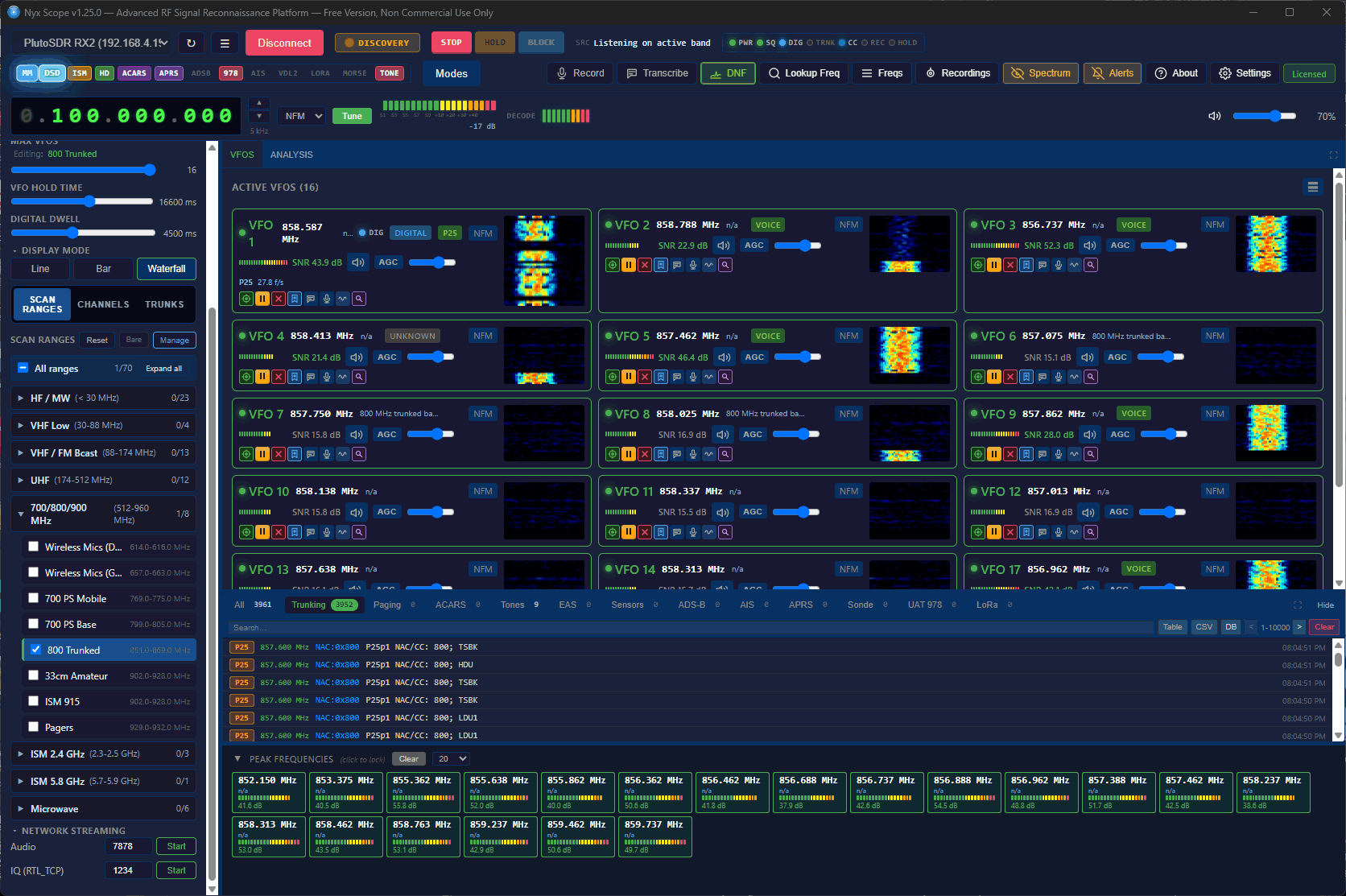
Recently, we've learned about NyxScope, a multi-protocol SDR receiver program for Windows that comes with multiple native decoders built right into the software. Their own description describes this all-in-one program best:

You get spectrum and waterfall, multiple concurrent VFOs, trunked-radio following, digital voice, aviation and marine tracking, paging, ISM sensors, HD Radio, and transcription, in one binary.

NyxScope includes decoders for P25 Phase 1 and Phase 2 voice, EDACS and NXDN control channels, ADS-B, AIS, ACARS, POCSAG, FLEX, LoRa CSS PHY + LoRaWAN MAC, Morse, RDS, CTCSS/DCS, Iridium decoding (with voice), and also includes a signal classification tool, Bluetooth LE scanner, and Whisper voice-to-text transcriber. It also outsources decoding of other protocols to mature decoding software such as multimon-ng, rtl_433, dsd-neo, nrsc5, direwolf, dumpvdl2, dump978, rs41mod where required, noting that the outsourced decoders are bundled with the software, meaning no extra installation work is required.

The software supports RTL-SDR, HackRF, Airpsy, bladeRF, SDRplay, Fobos and PlutoSDR. It also supports using multiple SDRs used in parallel.

The software does not appear to be open source, but it is provided for free with a limitation of 3 concurrent VFOs and a limitation on recording, transcribing, and pager messages. A perpetual per-machine license for $89.95 can be purchased to lift these restrictions and add access to their FCC frequency lookup database.

AI-Disclaimer: While the developers have not noted any use of AI tools, we suspect that AI was used in the creation of this software.

NyxScope Screenshot Scanning the 800 MHz Band

NRSC5 Studio: A New Feature-Rich Windows GUI for the nrsc5 HD Radio Decoder

We've recently had several submissions about the release of a new program called NRSC5 Studio, a new native open source Windows and Linux supported GUI for the nrsc5 HD Radio decoder. We note that in the past, we've posted about nrsc5 and the NRSC5-DUI interface.

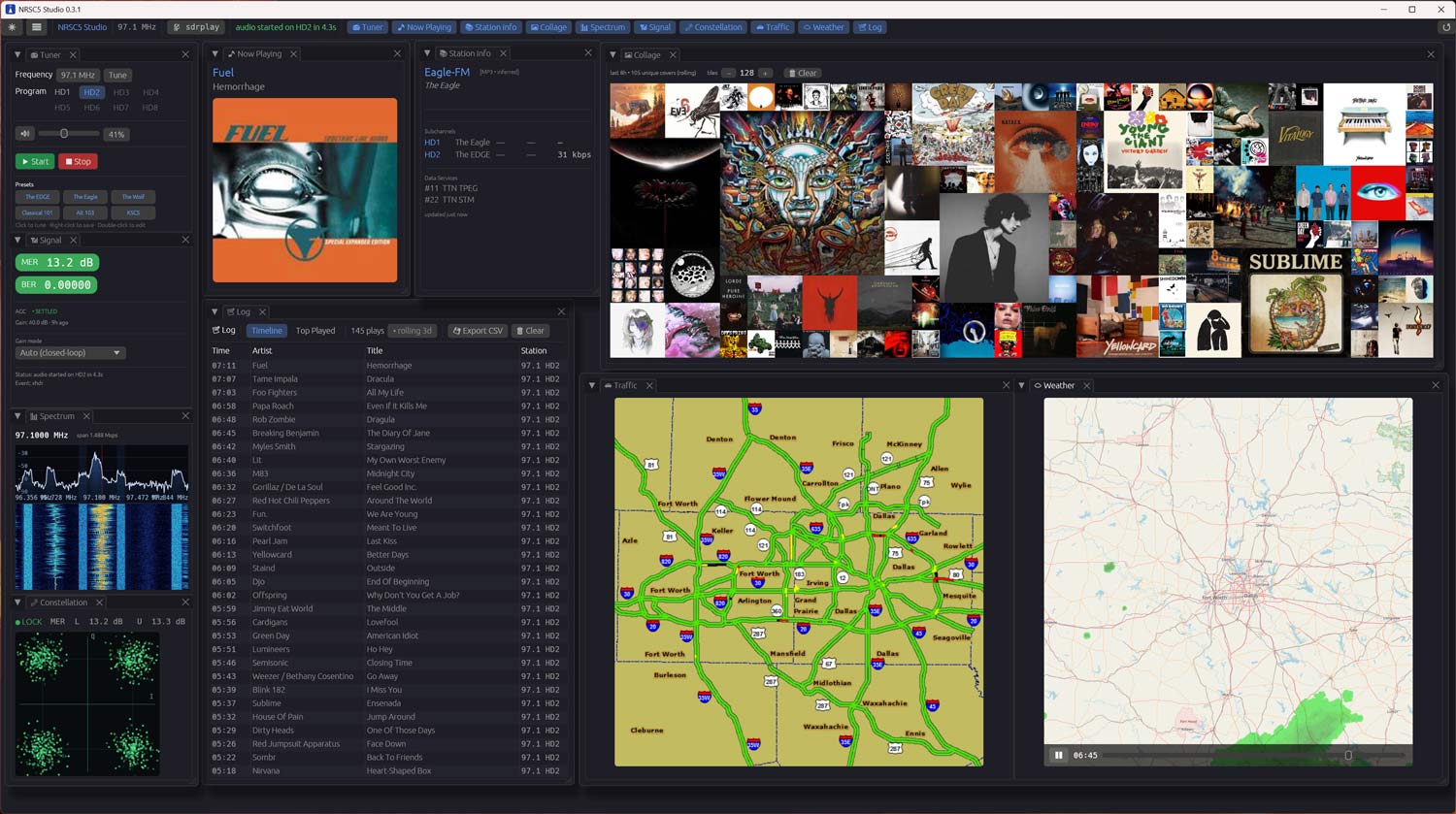
nrsc5 is an open source decoder for the proprietary HD Radio digital audio standard used by FM broadcasters in North America, and it works with low-cost RTL-SDR dongles. NRSC5 Studio is written in Rust with an egui-based dockable interface, and it wraps nrsc5 to provide tuning, HD1 to HD4 subchannel selection, station presets, and now-playing metadata with album art and station logos.

NRSC5 Studio appears to be quite feature-rich. There's a live FFT spectrum and waterfall display tapped from the same I/Q stream feeding the decoder, a QPSK constellation viewer driven by live MER readings per sideband, and a closed loop AGC that automatically tunes the R820T2 gain table to maximize MER. Other extras include a rolling 8-hour album art collage heat map, a 24-hour song log with CSV export, and TPEG traffic map and animated weather radar decoding on stations that broadcast it (currently iHeartMedia stations only).

A portable zip release is available on the GitHub releases page, requiring no installer or admin rights.

AI-Disclaimer: The software Readme credits GitHub Copilot, an AI tool.

NRSC5 Studio Screenshot

Video Tutorial: Decoding HD Radio on Windows with nrsc5-gui

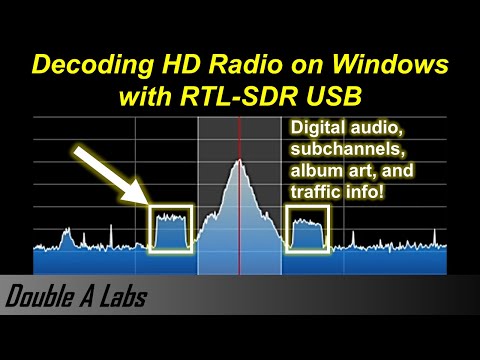
Thank you to "Double A" for submitting his video that shows how to install and run the RTL-SDR compatible HD Radio decoder nrsc5-gui on a Windows machine. We've posted about nrsc5-gui and the modified nrsc5-dui software in the past, however despite being Windows compatible, it has only been simple to run on Linux.

In his video Double A shows us how to download and extract the files, how to set up the Windows mingw environment which is required to run the software, and where to place a required dll file dependency. Finally he demonstrates the software in action, running on his Windows machine.

Decoding HD Radio on Windows with RTL-SDR USB

Decoding NRSC5 HD Radio with GNU Radio and a HackRF

Thank you to "LikWidChz" for submitting his tutorial on receiving and decoding multiple NRSC5 (HD Radio) channels with the help of GNU Radio, a HackRF and the NRSC5 decoder. He writes:

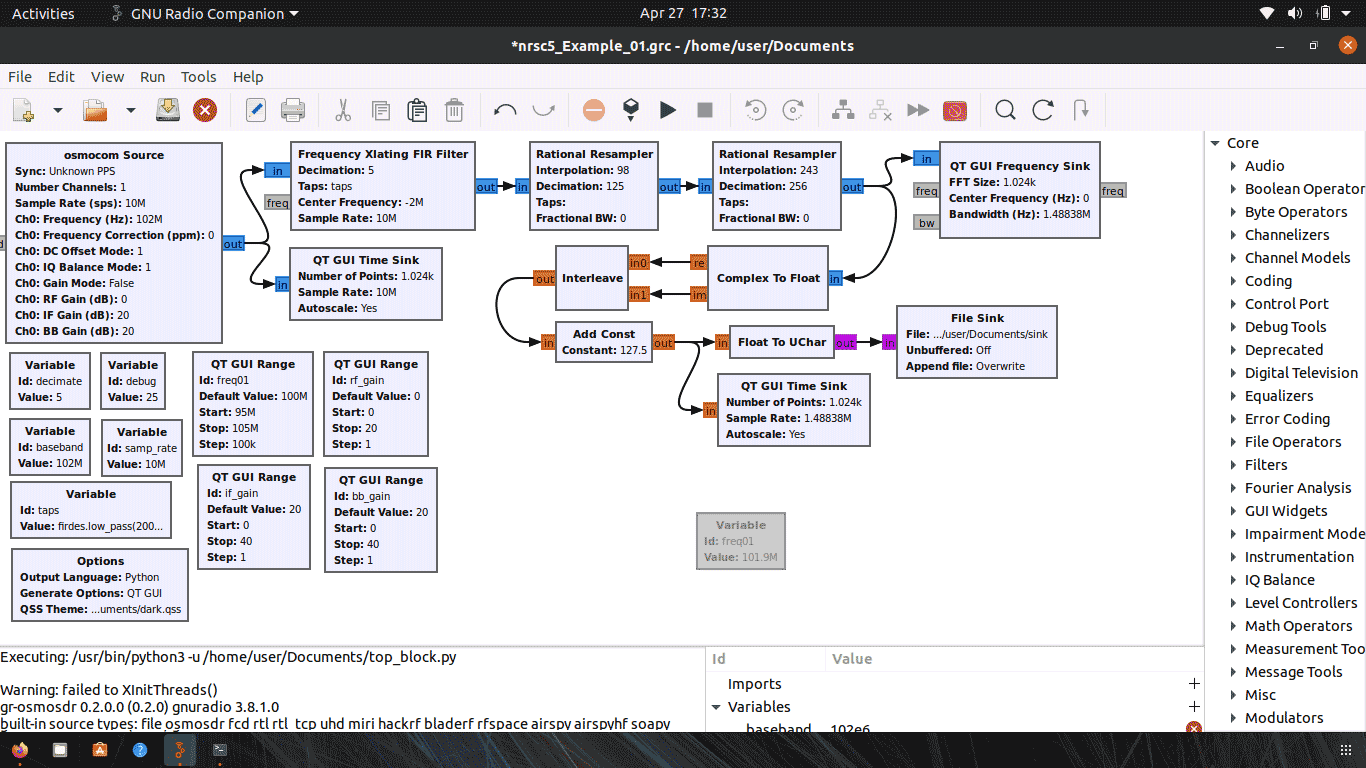
I wanted a way to utilize GnuRadio for working with HD radio. There are no decoder blocks from within GnuRadio to perform this decoding without an external application. This write up is how I was able to split up some signal and supply NRSC5 what it requires to perform the decode.

My goal was to capture some slice of spectrum and "channelize it" so I can perform multiple HD radio decodes at once.

In this linked zip file we have uploaded his GRC file, and his tutorial PDF, which fully explains each GNU Radio block used, and how to use the NRCS5 decoder along with the flowgraph. He also notes that if anyone wants to get in touch with him he is idling on IRC in #gnuradio and ##rtlsdr on freenode under the nickname "LikWidChz".

Channelizing NRSC5 in GNU Radio