Tagged: satellite

RTL-SDR Tutorial: Receiving Meteor-M N2 LRPT Weather Satellite Images with an RTL-SDR

*****************************************************

Update 29 June 2023

****************************************************

With the launch of Meteor M2-3, the loss of all prior Meteor M satellites and the release of new software, this tutorial is now outdated. We will eventually update this tutorial, but for now we will reference this post which has a brief high level overview of how to receive and decode images from the Meteor M2-3.

The current best tutorial for receiving Meteor M2-3 is available from Happysat at https://github.com/happysat/Setup-Meteor-M-N2-3-with-LRPT-Decoder-and-MeteorGIS/blob/main/README.md

*****************************************************

Update 02 August 2019: Please use Happysats tutorial which is available here. Happysats tutorial will work for Meteor M-N2-1 and Meteor M-N2-2.

Update 11 May 2015: There is now a real time method for decoding Meteor-M2 LRPT images. Please also check out the new tutorial available here. 

The Meteor-M N2 is a polar orbiting Russian weather satellite that was launched on July 8, 2014. Its main missions are weather forecasting, climate change monitoring, sea water monitoring/forecasting and space weather analysis/prediction.

The satellite is currently active with a Low Resolution Picture Transmission (LRPT) signal which broadcasts live weather satellite images, similar to the APT images produced by the NOAA satellites. LRPT images are however much better as they are transmitted as a digital signal with an image resolution 12 times greater than the aging analog NOAA APT signals. Some example Meteor weather images can be found on this page and the satellite can be tracked in Orbitron or online.

The RTL-SDR and other SDRs like the Funcube along with some free software can be used to receive and decode these images. LRPT images from the Meteor-M N2 are transmitted at around 137.925 MHz, so any satellite antenna like those commonly used with the NOAA weather satellites can be used.

NOTE: Meteor M1 has come alive, (now offline again), so the frequency of Meteor M2 was changed from 137.1 MHz to 137.9 MHz. Meteor M1 is now at 137.1 MHz and can be received using the same steps as in this tutorial, though please note that images from Meteor M1 are not perfect since the satellite is tumbling.

Happysat, a satellite monitoring enthusiast has emailed us with a comprehensive tutorial showing how the RTL-SDR can be used to receive and decode these LRPT images (pdf warning) (txt file). The procedure is not quite as simple as with the NOAA satellites as it involves first pre-recording the transmission as a baseband I/Q file in SDR#, changing the sample rate in Audacity, processing the file with the Lrptrx.exe software, and then using Oleg's LRPToffLineDecoder (now called M2_LRPT_Decoder) to finally produce the image (in case the link is down for LRPToffLineDecoder/M2_LRPT_Decoder), try mirror here or here).

The tutorial also shows an alternative and faster Linux based method using some GNU Radio scripts, but with the final processing still done with Oleg's decoder in Windows.

The tutorial can be downloaded in PDF form from this link or alternatively in a text file here.

Update: This newer post now shows a slightly faster way for receiving and decoding LRPT images on a Windows PC which does not require the use of Audacity.

Linux Meteor M2 Brief Guide

Check out the new lightweight Meteor M2 demodulator, and the meteor_decoder software.

Basic idea on Linux is to record an IQ wav file using:
rtl_fm -f 137.9M -s 140k -M raw -g <gain> -p <ppm> <output .wav filename>

Then pass the wav file into the Meteor M2 demodulator which will create a soft-QPSK file that can be passed into the meteor_decoder software. This will generate the image file.

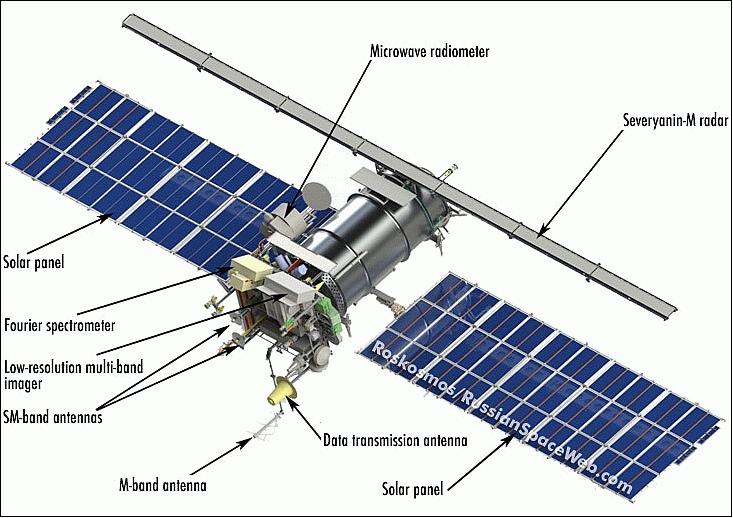
The Meteor-M2 Satellite
An Example LRPT Image Received with an RTL-SDR from the Meteor-2 M2.
Another Sample LRPT Image
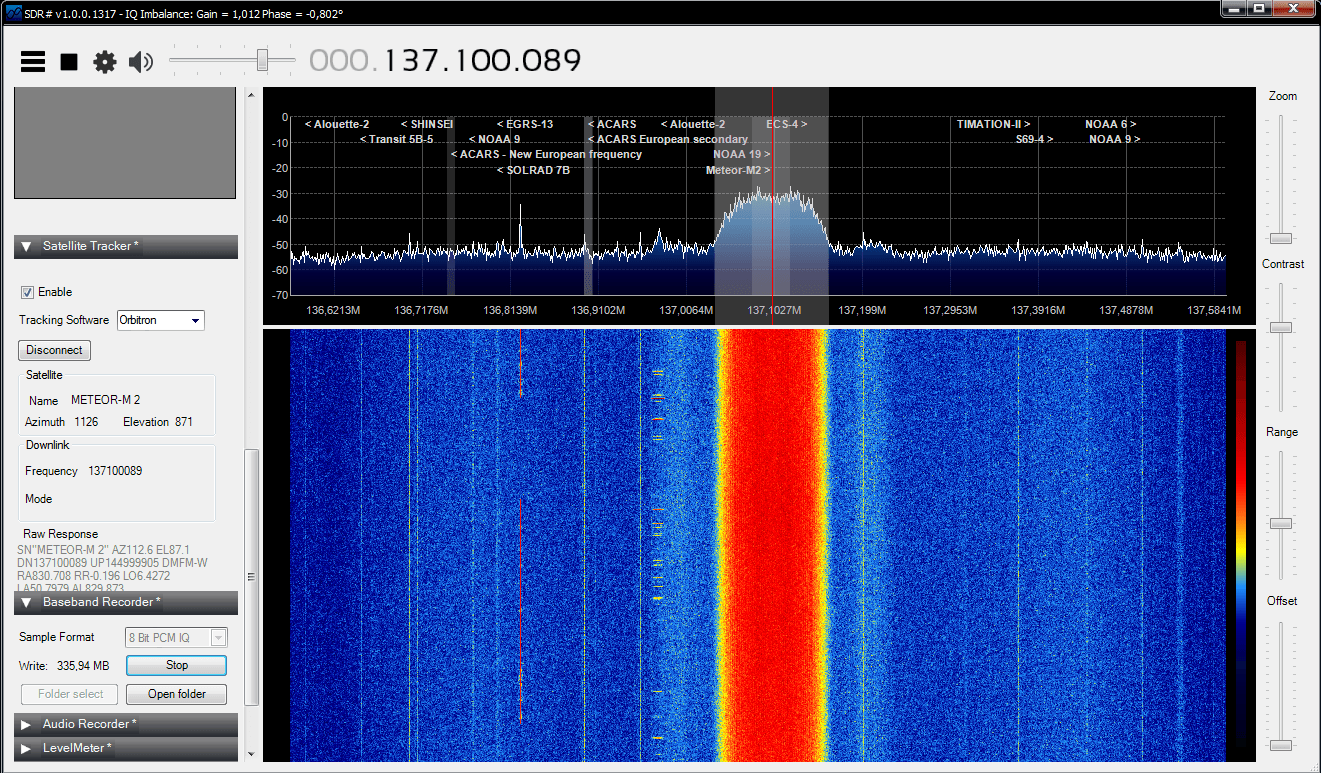
What a LRPT signal looks like in SDR#

For a comprehensive book about the RTL-SDR you may be interested in our eBook available on Amazon.

The Hobbyist's Guide to the RTL-SDR: Really Cheap Software Defined radio.

Listening to Spacewalk Communications from the International Space Station

Over on YouTube user LEGION ELMELENAS has uploaded a video showing his reception of voice communications from a Russian spacewalk on the International Space Station (ISS).

Legion used a Funcube Dongle Pro+ which is a software defined radio USB dongle similar to the RTL-SDR, but with better performance and higher cost. He also used a home made turnstile antenna, the SDRSharp software and the Orbitron satellite tracking software to automatically correct for the signals doppler shift as the ISS flies over.

International Space Station spacewalks(Russian astronauts EVA) received with Funcube Dongle Pro+

Receiving Signals from the Lunar Reconnaissance Orbiter with an RTL-SDR and WiFi Grid Antenna

Gat3way has recently posted on his blog an article showing how he was able to receive a signal from the Lunar Reconnaissance Orbiter (LRO) using only an RTL-SDR, WiFi grid antenna and a low noise block (LNB). The LRO is a NASA spacecraft which is currently orbiting and being used to create maps of the moon.

The LRO transmits a tracking, telemetry and control (TT&C) signal at 2271.125 MHz which is in the S band (2 to 4 GHz). Since the S band frequencies are commonly used for Indovision satellite TV, gat3way was able to find a cheap LNB which could downconvert the GHz level S band frequencies down into a frequency receivable by the RTL-SDR. For the antenna he used a high 22dBi gain motor controlled WiFi mesh parabolic grid antenna.

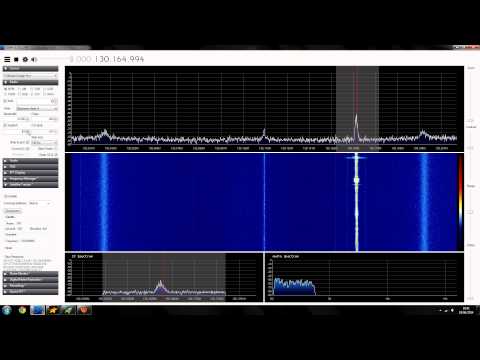
After aiming the antenna at the moon, gat3way was able to clearly see the LRO carrier signal in the RTL-SDR waterfall as shown in the image below.

WiFi Parabolic Mesh Antenna for the S Band
LRO Signal Received by RTL-SDR, LNB and WiFi antenna.

GNSS-SDRLIB: Real Time GPS Positioning with RTL-SDR

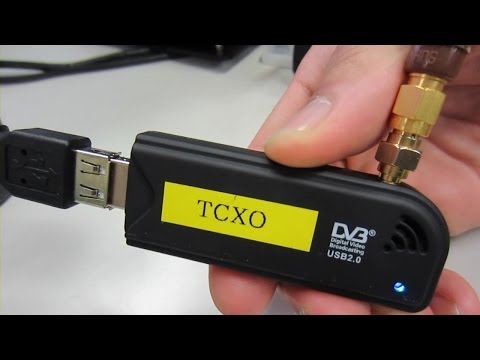
Over on YouTube user taroz1461 has posted a video showing an RTL-SDR getting a real time GPS location fix using his GNSS-SDRLIB software package. Taroz1461 used an RTL-SDR modified with a temperature controlled oscillator (TCXO) to improve the frequency stability of the dongle.

In the video description he writes that GNSS-SDRLIB will soon have RTL-SDR support in the next update.

GNSS-SDRLIB: Real-time positioning with RTL-SDR (DVB-T Dongle)

Receiving the Chinese Space Station Tiangong-1 with the RTL-SDR

Blogger gat3way has created a post on his blog showing how he was able to receive the Chinese space station Tiangong-1 with the RTL-SDR and a simple cantenna antenna.

The Tiangong-1 station transmits a signal at 2232.15 MHz. To get this signal into a range receivable by the RTL-SDR gat3way used a LNB (Low Noise Block) to downconvert the frequency into one that the RTL-SDR can receive. Using this setup he was able to get a decent signal copy.

Cantenna setup for receiving the Tiangong-1 Chinese Space Station

Receiving SO-50 Saudisat 1C with the RTL-SDR

Over on YouTube user Orlando Lima shows reception of the SO-50 Saudisat 1C satellite. Saudisat is an amateur radio satellite with an FM radio repeater. Orlando listened to the downlink frequency at 436.795 MHz using an RTL-SDR, Yagi antenna and Orbitron software to track the downlink frequency in SDR#.

Video Tutorial: Setting Up Satellite Tracking with SDRSharp and Orbitron

YouTube user HamradioSat has put up a video tutorial showing how to connect SDR# and Orbitron together. By interfacing the two, Orbitron can then be used to automatically tune to the doppler corrected frequency of a satellite passing overhead in SDR#. Orbitron is a free satellite tracking software program.

This can be useful for simplifying the tracking of NOAA weather satellites and downloading their live images.

http://www.youtube.com/watch?v=z7Ut-HvnRb8&feature=youtube_gdata

Orbcomm Reception with the RTL-SDR

YouTube user Drvarnick has uploaded a video showing how he receives Orbcomm satellite data with the RTL-SDR. To do this he uses a a homemade 1/4 wave antenna, SDR# and the Orbcomm-Plotter software by COAA.

COAA describes Orbcomm satellites as

a satellite communication system (www.orbcomm.com) providing two-way data and positioning service to small, portable user terminals in the VHF frequency bands. You can use a simple VHF radio receiver (scanner) tuned to the band between 137 and 138 MHz to pick up the strong signals from these satellites. With OrbcommPlotter you can decode the telemetry and find out the positions of the satellites, their operational status and their uplink and downlink channels. Unlike most satellite signals, there are so many Orbcomm satellites that there is likely to be one within range of almost any spot on Earth at any time of the day or night.