Tagged: YSF

GopherTrunk: A New Pure-Go Trunked Radio Scanner Supporting P25, DMR, TETRA, NXDN and More

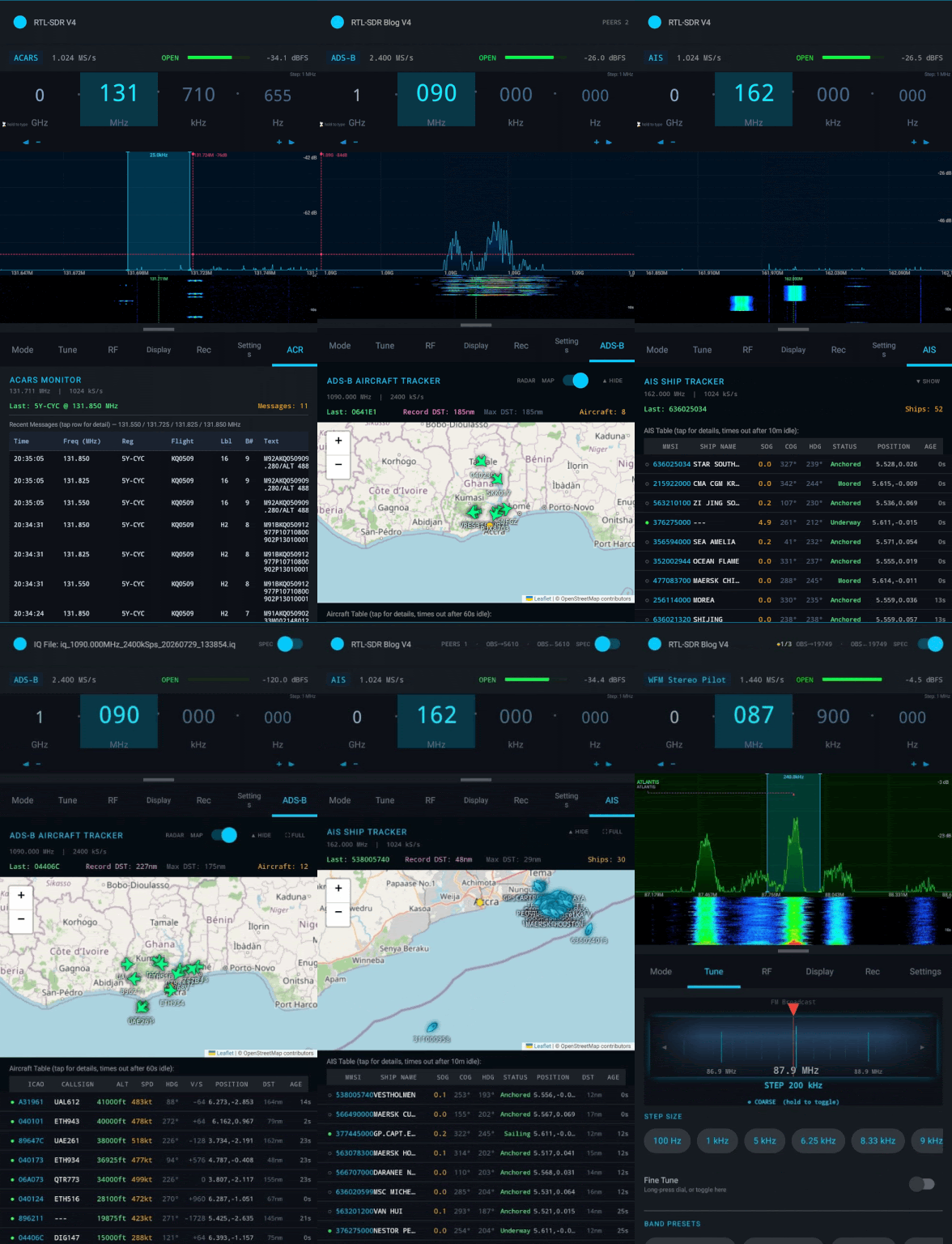
Thank you to Matt Cheramie, who wrote in to let us know about his new software called GopherTrunk, a new RTL-SDR compatible radio scanner that follows digital trunked-radio voice calls and decodes them into audio. Gopher Trunk runs on a pool of RTL-SDR dongles and ships as a single ~10 MB static binary for Linux, macOS, and Windows. There are no C dependencies, so neither librtlsdr nor libusb are required at build or runtime, which makes deployment on a fresh machine or Raspberry Pi very straightforward.

On the protocol side, GopherTrunk handles control-channel decoding for P25 (Phase 1 and 2), DMR, TETRA, NXDN, Motorola Type II, EDACS, LTR, MPT 1327, dPMR, D-STAR, and YSF. The voice path is written in pure-Go and implements IMBE and AMBE+2 vocoders directly, removing the dependency on external DVSI or mbelib. The interface is terminal-based, but also includes a full browser-based operator console. There is also a configuration importer that parses RadioReference.com PDF exports and CSV bundles straight into the daemon config.

Matt notes that while the engine is running end-to-end, he is looking for SDR enthusiasts to test it against real-air captures to help refine the on-air FEC layers and vocoder audio levels. Prebuilt releases and the quick start guide are available at gophertrunk.org/downloads, and the full source is on GitHub. Feedback and bug reports are very welcome if you give it a try.

Gopher Trunk: A New Digital Trunking Scanner for RTL-SDR written in Pure-Go
GopherTrunk: A New Digital Trunking Scanner for RTL-SDR written in Pure-Go

Creating a Multicarrier Base Station Transceiver For DMR, YSF, M17 and more with MMDVM and LimeSDR

Thank you to Adrian, creator of the QRadioLink software for writing in and sharing with us his post about how he uses a LimeSDR as an Multi Mode Digital Voice Modem (MMDVM) for various modes including DMR, YSF and M17. 

A MMDVM is usually a computing device running multiple radios, each of which is used for a separate channel with it's own filters and power amplifier hardware. Each channel can run a separate protocol if desired. 

However in order to save on radio hardware, Adrian wanted to use his LimeSDR as the radio hardware in his MMDVM system. The LimeSDR is a transceiver which has enough bandwidth to implement several channels just by itself. To do this Adrian uses his MMDVM-SDR software.

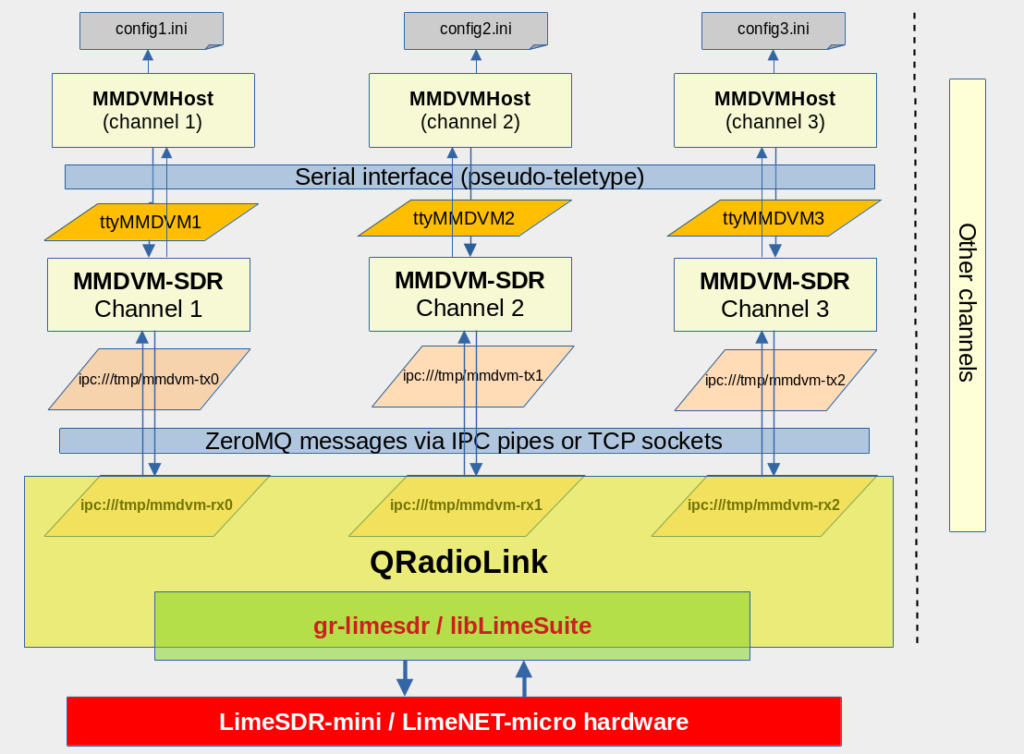
His implementation runs multiple instances of MMDVM-SDR, one instance for each channel. Then a GNU Radio flowgraph with LimeSDR block connects to each of these instances, transferring data between GNU Radio and MMDVM-SDR via ZeroMQ or TCP sockets. The bulk of Adrian's post explains the architecture in detail. Adrian writes:

The setup can transmit 7 digital carriers in 200 kHz occupied spectrum, and each radio channel can be assigned to a different mode or digital voice network as configured in MMDVMHost.

This is based on the work of Jonathan Naylor G4KLX and Rakesh Peter (r4d10n).

Adrian also notes that this is still a work in progress and there are still several limitations including high latency and issues with filtering, overload and poor channel rejection. 

Multi-Channel MMVDM LimeSDR Architecture Overview

TechMinds: OpenWebRX Feature Overview And Raspberry Pi Setup

Over on YouTube TechMinds has posted his latest video which shows an overview of the features available in OpenWebRX, and also how to set it up on a Raspberry Pi. OpenWebRX is software which allows you to access your SDR remotely via the internet or local network through a web browser. All major SDRs are supported including RTL-SDRs. The software includes a waterfall display, all the standard demodulators, as well as several digital decoders for DMR, YSF, NXDN, D-Star, POCSAG, APRS, FT8, FT4, WSPR, JT65 and JT9.

In the video TechMinds first demonstrates OpenWebRX in action, showing reception of HF SSB amateur radio signals, decoding FT8 and plotting received grids on a map, decoding and plotting APRS on a map and decoding YSF/DSTAR/DMR digital voice. After this demonstration he goes on to show how to set up the OpenWebRX server on a Raspberry Pi via the installation image.

OpenWebRX Feature Overview And Raspberry Pi Setup