Category: Airband

ADS-B Virtual Radar RTL-SDR Tutorial in the ARRL QST Magazine

The American Radio Relay League (ARRL) a.k.a The American National Association for Amateur Radio has put online a freely available ADS-B tutorial featured in their monthly QST magazine, written by Robert Nichols, W9RAN. The tutorial focuses on using an R820T RTL-SDR dongle to receive ADS-B signals, and then using computer software to decode the signals and create a virtual aircraft radar.

ADS-B is a protocol used by most modern aircraft to broadcast their position and altitude which is determined via GPS. ADS-B is intended to supplement and eventually replace traditional radar.

In this ADS-B tutorial, they show how to create a weatherproofed 1090 MHz collinear antenna from RG-6/U coax and PVC pipe and how to use the ADSB# and virtual radar server software to decode and visualize aircraft positions, like a radar.

If interested, we also have an ADS-B virtual radar tutorial that can be found here.

ADS-B Virtual Air Radar Tutorial by the ARRL

ADS-B Decoder for the RTL-SDR now available for Android

A (beta version) of an ADS-B decoder and display app for the RTL-SDR dongle for Android has been released. This app allows you to receive the ADS-B radio signals emitted by modern aircraft, which contain information such as flight number, latitude, longitude and altitude, essentially giving you a live portable aircraft radar.

To use the app, you will need an Android device that supports USB OTG, which most Android devices on Android 4.0+ should support. You will also need a USB OTG cable, and an RTL-SDR dongle. You may want to consider a USB OTG cable that has a second port for external charging capabilities, as the RTL-SDR can drain the battery quickly.

The app is cheaply priced at under $2, so give it a try!

ADS-B Decoding on Android

ADS-B Active PCB Antenna for the RTL-SDR

This ADS-B antenna by amateur radio hobbyist F5ANN combines a 30dB LNA preamplifier, bandpass filter and antenna tuned for 1090MHz together on a single PCB board. The LNA preamplifier helps boost weak signals, whilst the bandpass filter helps to remove interference from others signals such as GSM. The novel thing about this antenna is that everything is neatly packaged into a single PCB board, which makes this antenna very compact, and yet have high performance.

F5ANN uses his combined antenna together with an RTL-SDR dongle and the RTL 1090 ADS-B decoding software with PlanePlotter, and was able to receive 194 simultaneous aircraft signals with a message rate of 556 messages a second at distances of up to 250 nm.

Active PCB Antenna
Active PCB Antenna

In Car ADS-B with a Raspberry Pi and RTL-SDR

Over on YouTube user adsbrus shows us his project which is an in car ADS-B aircraft tracker using a Raspberry Pi mini computer and an RTL-SDR. The system uses an LCD screen mounted where the car radio usually is to show aircraft identifier, altitude, and speed information in text.

ADS-B in CAR (Raspberry PI & USB TV RTL2832U+R820T)

Combining Multiple RTL-SDRs for Improved ADS-B Reception

Over on Gough’s Tech Zone blog, Lui has posted a writeup about his experiences with combining multiple remote RTL-SDR ADS-B receivers to privately obtain ADS-B aircraft data from multiple antenna’s at multiple locations. His setup is shown in a diagram below. He has one remote antenna connected to a Raspberry Pi, one to a remote PC and one to his main PC.

Combining Multiple ADSB Receivers

In order to do this he used the Linux based dump1090 ADSB-B decoder and hub software on his main PC. Lui was even able to compile and run the ADS-B hub portion of dump1090 on his Windows PC using Cygwin, but was unable to get the decoder part to work. It doesn’t matter though because the dump1090 hub can receive data from any ADSB decoder, such as ADSB#. His results look very promising as can be seen by the timelapse of plane traces in the image below.

nearairport

Lui also has some other interesting ADS-B + RTL-SDR posts that you should check out where he tests ADS-B reception with a Mini R820T dongle.

rtl_acars.c Compilation Install Video

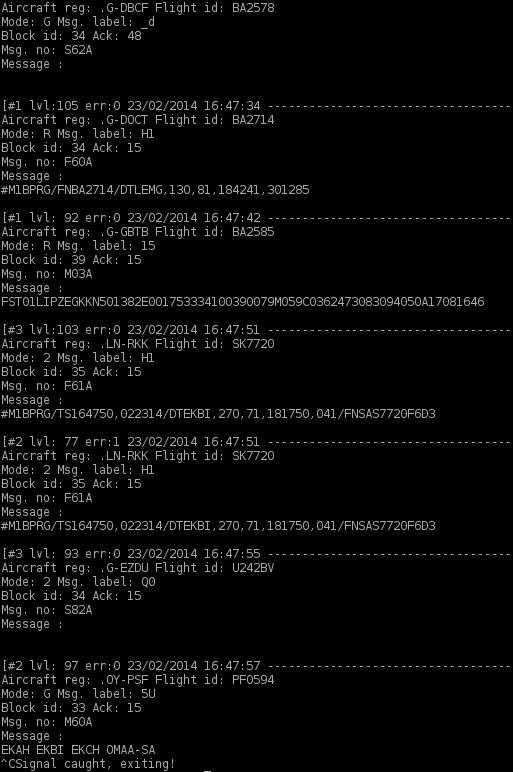
Yesterday we posted about the command line rtl_acars ACARS decoder. Today on YouTube, Pawel Janowski has posted a video showing how to download, compile and run the rtl_acars.c code on Linux.

Pawel has also posted the compilation instructions on his blog (in Polish but the console commands are easy to discern from the text).

ACARS from DVB-T (RTLSDR)

RTL_ACARS Console Acars Decoder for RTL-SDR

On the Osmocom mailing list, Andreas has posted his work on a console based ACARS decoder for the RTL-SDR. Check out the mailing list thread here, and original post here. The second post on the thread shows how to compile it under Linux. Andreas writes

I have combined “rtl_fm” with Thierry Leconte’s (GPL’ed) acarsdec library code and created “rtl_acars” which can directly decode ACARS flight info messages to the console. Confirmed to compile on OSX 10.6 (not possible for me to check if it also compiles under Windows and *nix). Feel free to add it as another proof of concept to your distro unless you consider it too much of a quick&dirty hack.

Only the source code is available, and you will need to compile it yourself. The code can be found here.


RTL1090 Beta 2 Updated to Build 102

Popular ADS-B decoding software for the RTL-SDR RTL1090 has updated it’s beta version to build 102. This new build has the following improvements

– Decoder improved by brute force 1-bit error correction and brute force DF11 and DF17 override for unknown DFs. This may be tough stuff for slow computers. If your computer slows down considerably return to a previous version please.

– Tabs introduced – List/Table selection moved to Tabs.

– Stats tab added: this brings back the previous status bar info about USB packets per second.

– II/SI tab added. This tab adds the ability to quickly scan the Mode-S interrogator codes around. A “radar1090.txt” file can be added to the rtl1090 folder that holds II/SI code decodings. A sample file is attached. The II/SI collection can be reset by a right mouse click action. The recently seen codes and the last aircraft responding with that code are display in red onwhite.

– Context menu (right mouse click) for text window, “listhold” established by menu selection, revoked by mouse click.

You can download the latest beta from http://rtl1090.com