Over on YouTube TechMinds has uploaded a video where he explores the QT-DAB software (formerly known as SDR-J), which is a program capable of decoding Digital Audio Broadcast (DAB) signals. QT-DAB is compatible with several SDRs including the RTL-SDR, HackRF, Airspy and SDRplay units.
DAB stands for Digital Audio Broadcast and is a digital broadcast radio signal that is available in many countries outside of the USA. The digital signal encodes several radio stations, and it is considered a modern alternative or future replacement for standard analog broadcast FM.
In the video TechMinds explains how to download, install and use the software on a Windows machine. He goes on to demonstrate some DAB decoding in action with various SDRs and then shows how to connect QT-DAB to a remote RTL-SDR via rtl_tcp.
DAB Radio Decoder For SDR (RTL_SDR - HACKRF - AIRSPY)
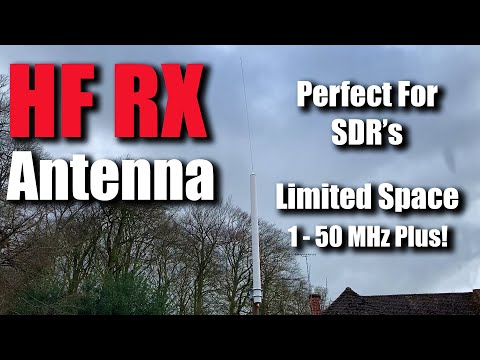
Over on his YouTube channel TechMinds has uploaded a video reviewing the X1-HF 1 - 50 MHz Trapped Coil Receiving antenna from Moonraker.eu which goes for £69.95. This is a small electrically short antenna for HF reception which is easy to setup and install, requiring no radials. However, like all short HF antennas it is a compromise.
In the review he uses an SDRplay RSP2 SDR to test HF reception with the antenna. Later in the video he also tests it outside the advertised 1 - 50 MHz range. He concludes that the antenna works very well for it's small size.
HF RX SWL Antenna For Small Spaces And Apartments RTL SDR
If you've been following KerberosSDR development (our US$149 4 channel coherent RTL-SDR), then you'll know that one interesting experiment that you can set up with it is a passive radar. Passive radar makes use of already exiting strong transmitters that broadcast signals such as FM, DAB and HDTV.
With one directional antenna pointing towards the transmitter, and one pointing in the general direction of moving objects like aircraft, it's possible to detect the transmitted signal being reflected off the aircraft's body.From the time delay and doppler shift detected in the reflected signal, a simple distance/speed plot showing the aircraft in motion can be created. This previous post shows an example of what information you could potentially collect in a range/speed graph over time. In the past we've also used passive radar to detect vehicles and measure how much traffic is in a neighbourhood.
However, with two antennas we can only get the detected object's range and distance information. If we use four antennas (one pointing towards the transmitter, and three pointing in the direction of objects), it is possible to use beam forming techniques combined to obtain an estimated map coordinate of the object. This is possible as we then we have distance information available from the passive radar algorithm, and bearing information available from the beam forming algorithm.
Tamas Peto who wrote our open source KerberosSDR code has been working on some new upcoming features for the KerberosSDR software, and beamformed direction finding of passive radar is one of them. We note that to be clear this software is not yet released, and we still expect there to be several months before it is ready. At the moment all data was processed manually offline after collecting data with a KerberosSDR as part of this early test.
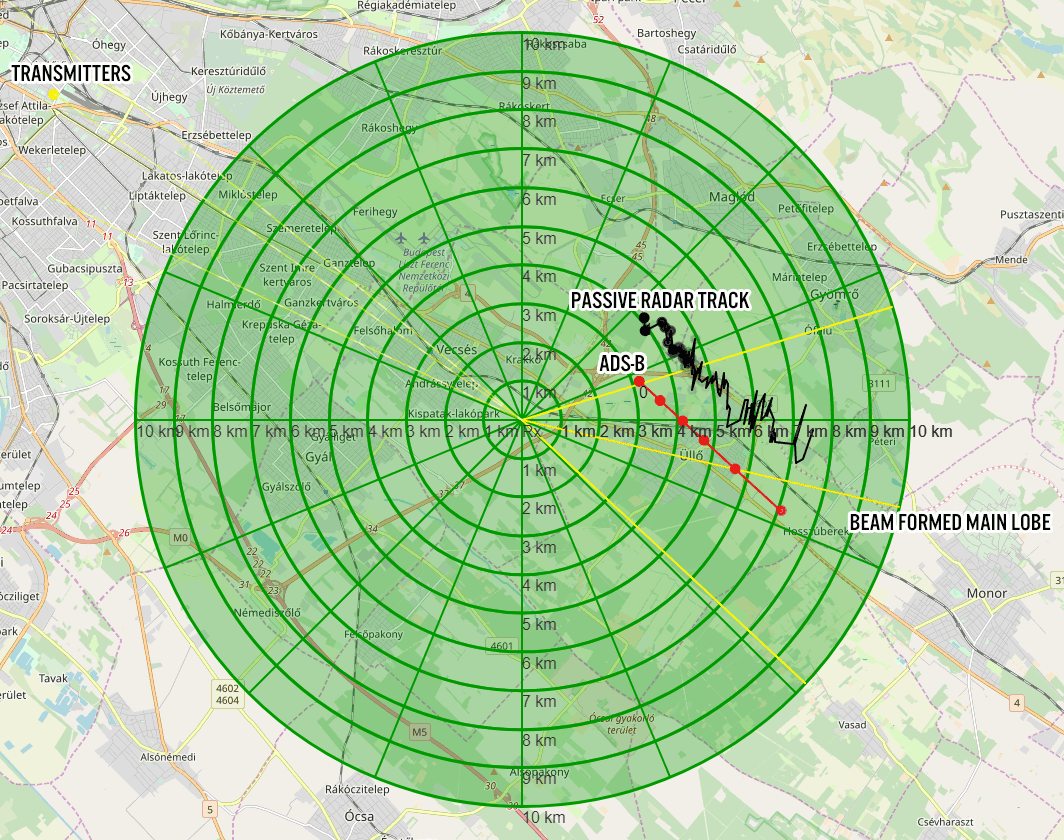
The image below shows an example of a recent measurement made from an aircraft. The red tracks show the actual ADS-B GPS coordinates of the aircraft, and the black line indicates the positional data measured from a DAB signal reflecting off the aircraft body. The orange line to the east indicates the main lobe of the three beam formed directional antennas, and the lines to the west indicate transmit towers.
The measured trajectory is only about 1-2 km off the actual one. Tamas notes that the position offset may be because at the moment altitude is not measured yet.
If you're interested in more information, Tamas created a PowerPoint presentation which can be downloaded from our Google Drive.
Passive Radar with Beamforming and Direction Finding
Other upcoming features that are planned for the KebrerosSDR code include being able to use direction finding on short bursty signals, improvements to networked direction finding and beamforming which may be useful for applications like radio astronomy and performance improvements.
KerberosSDR can be purchased from the Othernet store or Hacker Warehouse, and every purchase helps us fund development of more interesting features like passive radar beamforming!
To do this he used an Android app called "DRM+SDR Receiver" which is available for US$4.99 on the Play store. The app supports RTL-SDR and HackRF devices. So all you need to do is set the RTL-SDR Android driver to run in Q-branch direct sampling mode, then tune to a DRM signal for it to begin decoding.
A demonstration video uploaded to his Google drive account shows clean decoding of the DRM AAC audio, as well as the app displaying Journaline and live metadata. He notes that his signal was very strong, so he only required a short wire, but DXers would need an appropriate antenna.
DRM Received on an Android phone with an RTL-SDR Blog V3 running in direct sampling mode.
Thank you to Tysonpower who wanted to share his review of a cheap 15€ DAB/DAB+ receiver USB dongle that he found on eBay.de (we also found the same device on eBay.com for US$23.99). The device is not an SDR, but it receives BAND III DAB/DAB+ at 160-240 MHz and generates an MP3 stream which can be played back on any MP3 capable device such as a PC, single board computer or car head unit.
His review notes that the dongle works well. When you plug it in the device shows up as a storage device. You then simply press a button to automatically search for DAB+ channels, and then choose one of the mp3 stream files that will show up to play live DAB+ audio on your device. In his video he also gives a quick tear down, showing that it uses a FCI FC8080 demodulator and a MVSilicon 32-bit Micro with audio FFT accelerator.
While RTL-SDR dongles can also be used to receive DAB+ cheaply with software like SDR-J and welle.io, this may be a simpler method since it can be used on any device that can play MP3s.
Note that Tysonpowers video is narrated in German, with English subtitles. He also has a short blog post with images from the tear down.
[EN subs] DAB+ für nur 15€ Nachrüsten! - Digitalradio für alle MP3 fähigen Geräte mit USB
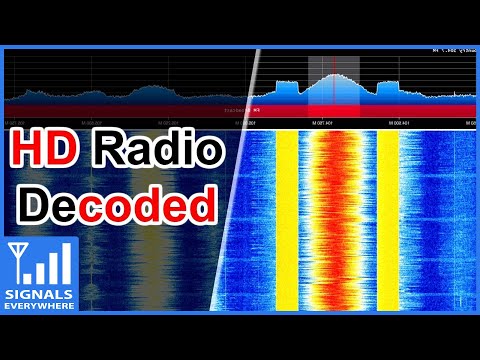
Corrosive (KR0SIV) from the SignalsEverywhere YouTube channel has uploaded a new video that explains and shows HD radio being decoded with an RTL-SDR.
If you are in the USA, you might recognize HD (Hybrid Digital) Radio (aka NRSC-5) signals as the rectangular looking bars on the frequency spectrum that surround common broadcast FM radio signals. These signals only exist in the USA and they carry digital audio data which can be received by special HD Radio receivers. Back in June 2017 we posted about how [Theori] was able to piece together a full HD Radio software audio decoder that works in real time. Later developments saw additional data such as traffic data and weather info extracted from HD Radio too.
Corrosive's video also shows a comparison between analog and HD Radio audio. We note that the "HD" doesn't stand for high definition, so audio quality is not really better than the analog stream. He also notes that the HD Radio data stream can contain multiple audio channels, and often they are not the same as the analog station it surrounds. One example he shows is a Simulcast AM radio station being rebroadcast via HD Radio.
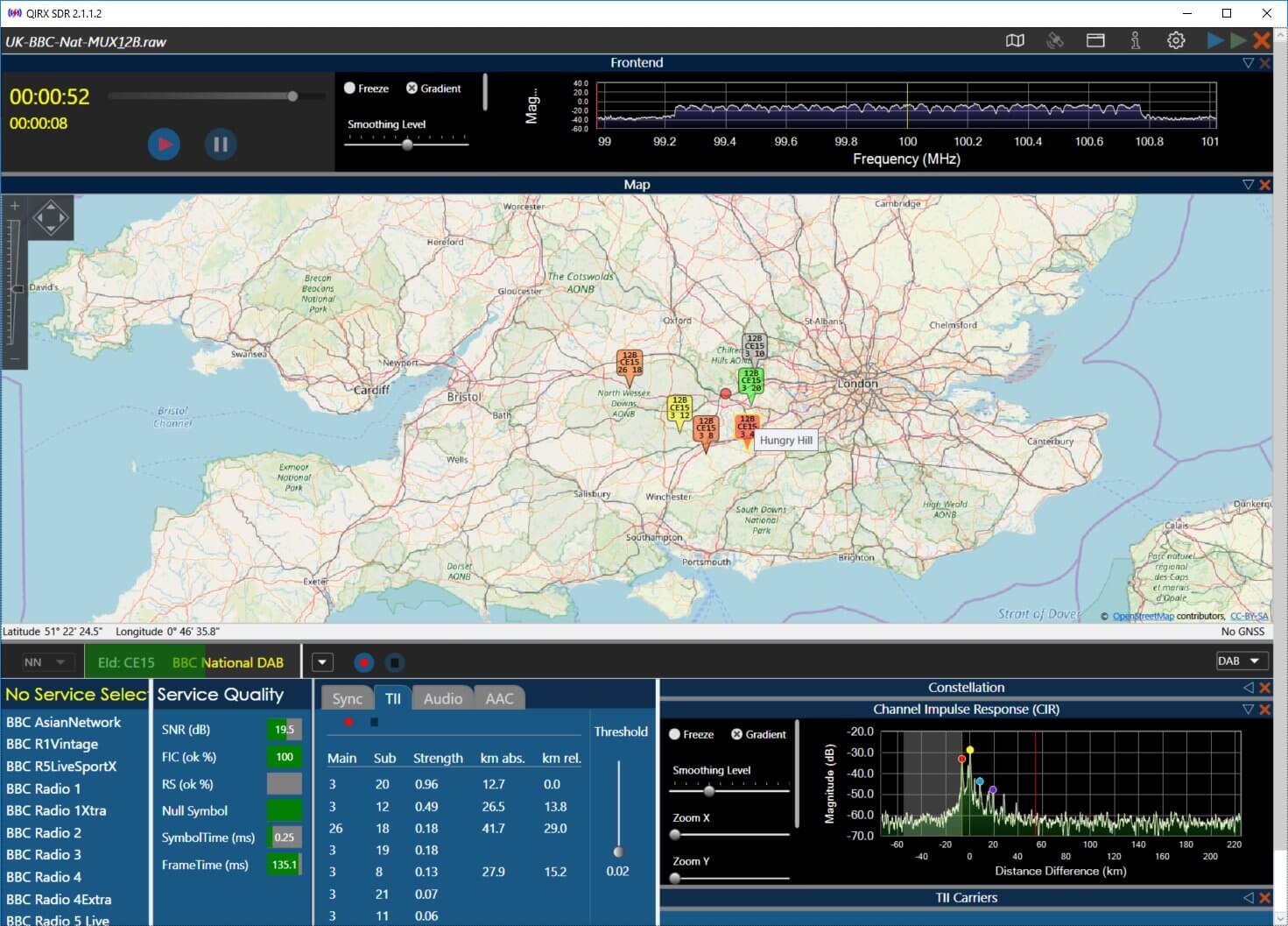
The main new feature is the integration of Openstreetmap to display the locations of DAB transmitters (please see attached picture of a raw recording from England), together with the own position of the receiver.
In case the transmitter ident code (TII) is detected and the transmitter is contained in the database, it is displayed on the map as an icon, colored according to the TII signal strength.
The "Own Position" is indicated as a red or green dot, either (without GNSS sensor) placed by dragging the red circle with the mouse to its correct position, or by attaching a GNSS (GPS or GLONASS) sensor.
When recording raw I/Q data, the GNSS positions are written into a second file, parallel with the .raw file. On replaying, the current recorded geolocation is displayed synchronously to the recorded transmitters on the map. This might be useful in a mobile environment. The distances are displayed in the TII table.
DAB stands for Digital Audio Broadcast and is a digital broadcast radio signal that is available in many countries outside of the USA. The digital signal encodes several radio stations, and it is considered a modern alternative/replacement for standard analog broadcast FM.
The tutorial is split into four parts. The first part simply explains what SDRs are and in particular discusses the LimeSDR and how it can be used with ODR-mmbTools. Part two discusses what hardware you need, and explains what each component of the ODR-mmbTools software does. Part three gets into the actual setup of the software on Linux. Part four finishes with actually transmitting the signal and decoding it with an RTL-SDR and the Welle.io DAB decoder.
The end result is a DAB radio station with three stations being broadcast.
LimeSDR Transmitting 3 DAB stations, and receiving it with an RTL-SDR and Welle.io.


![[EN subs] DAB+ für nur 15€ Nachrüsten! - Digitalradio für alle MP3 fähigen Geräte mit USB](https://www.rtl-sdr.com/wp-content/plugins/wp-youtube-lyte/lyteCache.php?origThumbUrl=https%3A%2F%2Fi.ytimg.com%2Fvi%2FiCf-Ks0hFbI%2F0.jpg)