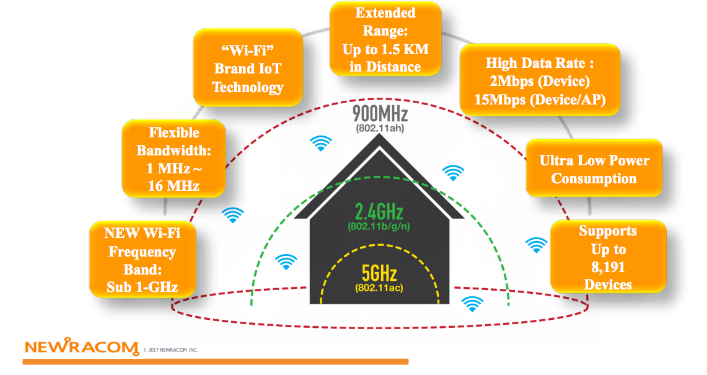
Over on GitHub we've recently noticed the release of halow_scanner, a Python script that uses an RTL-SDR to scan the 802.11ah (WiFi HaLow) channels in the sub-GHz spectrum to determined which channels have the least noise/interference.
Unlike standard WiFi, which operates outside of the RTL-SDRs range at 2.4 GHz+, 802.11ah operates in the sub-GHz ISM bands, which RTL-SDRs can easily receive.
Use of these lower frequencies gives 802.11ah HaLow excellent signal penetration, making it useful for long-range, low-power IoT devices. With 802.11ah HaLow links, several kilometers can be achieved.
The software's features include:
🔍 Scans all 802.11ah HaLow channels in the US 902-928 MHz band
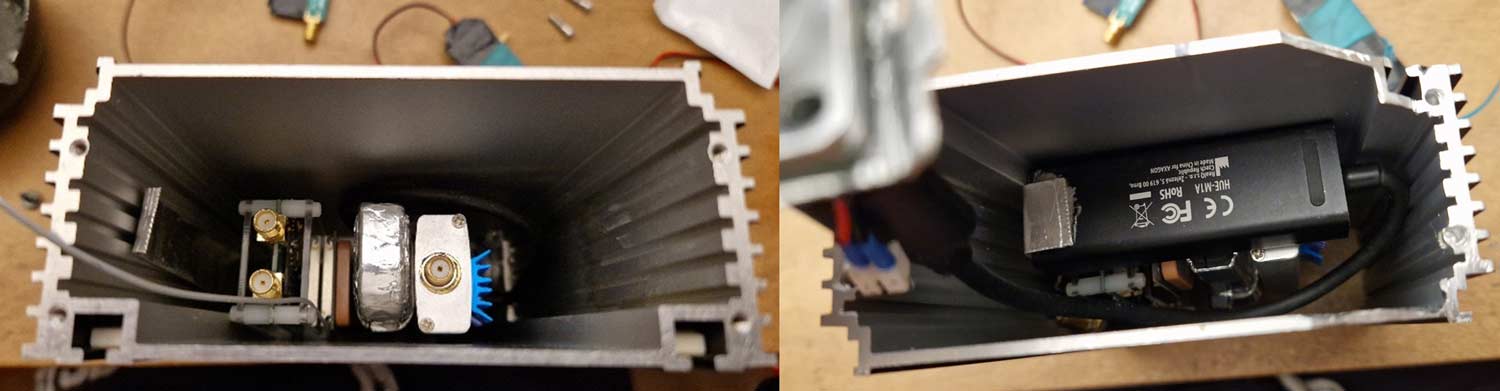
It’s a compact, field-ready SDR platform that consolidates two RTL-SDR receivers (one acquired via your site), a GPS timing/position module, an LNA with adjustable biasing, and an integrated ESP32-based ISM-band transceiver subsystem into a single rugged enclosure. The project explores how far low-cost SDR hardware can be pushed when carefully packaged, powered, filtered, and shielded as a coherent tool rather than a loose bench setup.
The design focuses on field usability: modular power distribution, fully externalized RF and antenna connectivity, thermal management for the dongles, and internal coax routing optimized with ferrite suppression. The addition of the ESP32 subsystem brings replay, sniffing, jamming, and remote-operation capabilities, extending the utility of RTL-SDR hardware in practical RF reconnaissance and experimentation.
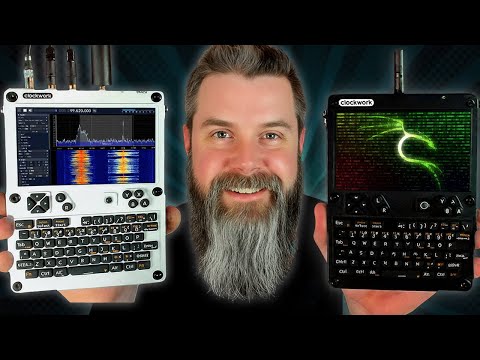
The uConsole is a portable computer system based on the Raspberry Pi CM5 module. It adds a screen, battery, and complete hardware keyboard with a mouse trackball to the CM5, while allowing for various expansion boards.
One such expansion board of interest to us is the RTL-SDR AIO V2 module, which adds an RTL-SDR, as well as adding capabilities such as LoRa, GPS, RTC, USB Hub, USB 3.0, and RJ45 Ethernet. We currently have one on order for our own review, but it is currently in pre-order status, and the V1 module has been out of stock for a long time.
Over on YouTube, Talking Sasquatch has managed to get his hands on one and has created a video about it. In the video, he shows the assembly of the uConsole and RTL-SDR AIO and how to flash the DragonOS Linux distribution, which contains many pre-installed RTL-SDR programs.
He goes on to show the system running SDR++ and receiving an FM station, as well as showing how it can connect with a Flipper Zero.
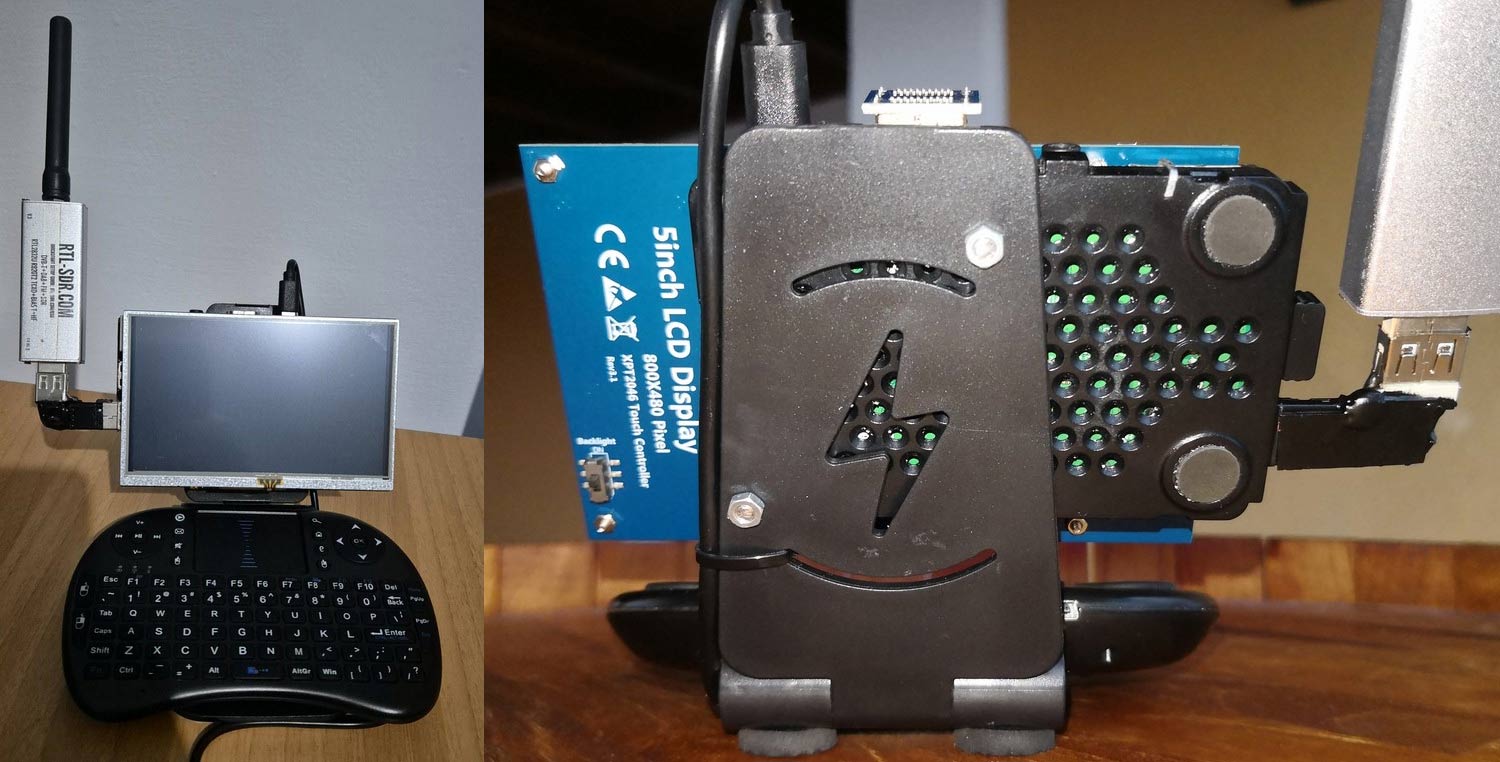
Thank you to Giuseppe (IT9YBG) for writing in and sharing with us his homemade portable RTL-SDR system made out of a Raspberry Pi 3, RTL-SDR Blog V3, 5-inch LCD screen, and a Bluetooth keyboard. Giuseppe notes that when running the system from a cell phone power bank, he only got about an hour's worth of battery life. So instead, he runs it from his motorcycle starter battery, which gives a much longer usable battery life.
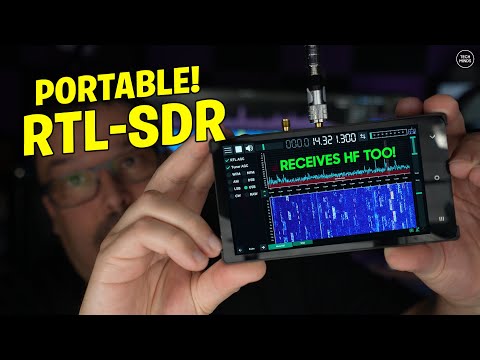
The Vivid Unit is a single-board computer with a built-in LCD touch screen. There is an optional module called the "GPSDR," which is an RTL-SDR, upconverter, and GPSDO module that, when combined with the Vivid Unit, creates a handheld, portable SDR. Last month, we reviewed the Vivid Unit and its "GPSDR" RTL-SDR add-on module on our blog.
Recently, Matt from the Tech Minds YouTube channel has also uploaded a review video of the Vivid Unit and GPSDR. In the video, Matt shows the hardware and demonstrates it in action, receiving various signals, including ADS-B and HF signals. He notes that he gets a good reception on HF even with just a telescopic antenna; however, the built-in speaker is tinny, and better audio is obtained by connecting it to a Bluetooth speaker. Matt also tests rtl_433, confirming that other RTL-SDR software works on the Vivid Unit too.
Matt also notes that you can use the code "TECHMINDS" if ordering from the UUGear site directly, and you'll get 5 Euros off each GPSDR that you order.
GPS Assisted RTL-SDR For The Vivid Unit - Runs Debian 11!
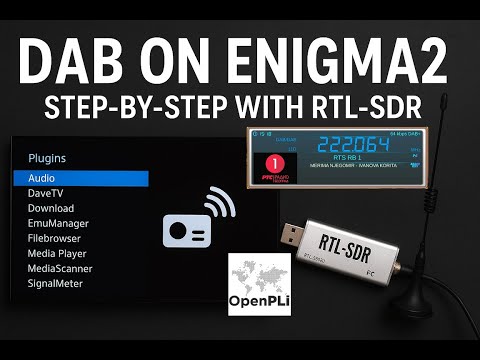
Thank you to "Radioto bg" from DXing.org for writing in and sharing with us his latest YouTube video showing how to receive DAB and FM signals with an RTL-SDR and the Enigma2 application running on OpenPLi. OpenPLi is an open-source Linux distribution for TV set-top boxes and Engima2 is a TV reception application used within the distribution.
RADIOTO shows how an RTL-SDR can be added to the system, allowing it to also receive DAB+ and FM radio. In a previous post RADIOTO also showed how the RTL-SDR could be used as a DVB-T receive in Enigma2 and OpenPLi.
Turn Your Enigma2 Receiver into a DAB+ & FM Radio with RTL-SDR v.3! 🔥 Full Tutorial with OpenPli 9.0
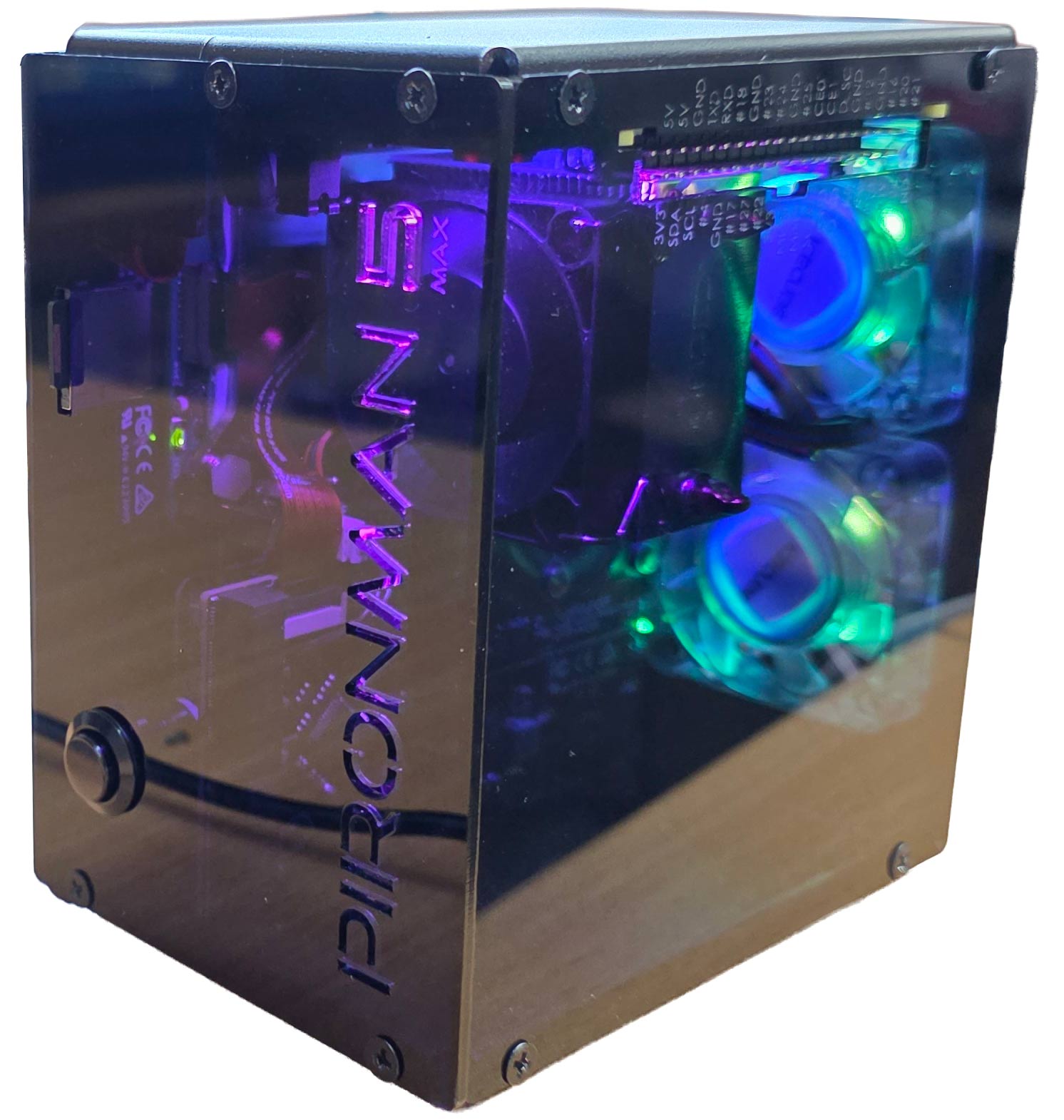
Recently, SunFounder sent us a free review unit of their latest "Pironman 5 MAX" enclosure for Raspberry Pi 5 devices. While not directly related to SDR, we thought we'd accept the unit and review this product, as RTL-SDRs are often used together with Raspberry Pi 5 single-board computers. Depending on the number of SDRs connected and the software used, SDR applications can consume a significant amount of CPU, causing heat and throttling down of CPU speeds; therefore, adequate cooling may be necessary.
The Pironman 5 costs US$94.99 if purchased directly from the SunFounder website, and they advertise that US duties and EU VAT are included in the pricing. There is also the slightly lower Pironman 5 model available for US$79.99. The main difference between the 5 and 5 MAX is that there is only one SSD expansion slot vs two on the 5 MAX, and no tap-to-wake OLED functionality.
Overview
The Pironman 5 is what we would consider a high-end enclosure for the Raspberry Pi. It includes a large CPU tower cooling heatsink with a fan, along with two case fans to keep the internal temperatures down.
It also adds a dual slot NVME M.2 expansion board to the Pi 5, so that you can install two SSDs or one SSD and a Hailo AI accelerator module. SSDs might be useful for RTL-SDR users who are recording large amounts of IQ data, or saving many weather satellite images, for example. The Hailo AI accelerator module could turn a Raspberry Pi and RTL-SDR into an RF intelligence powerhouse. One advanced AI use-case might involve running local Whisper speech recognition to log voice communications to text, followed by using a local LLM to summarize daily received data (noting that you'll need to wait for the Hailo-10H model to run local LLMs).
Finally, it also adds an OLED status display, which shows current CPU temperature and fan speeds, as well as an on off button.
Another plus is that the GPIO header remains accessible on the outside of the enclosure, thanks to an extender included in the design.
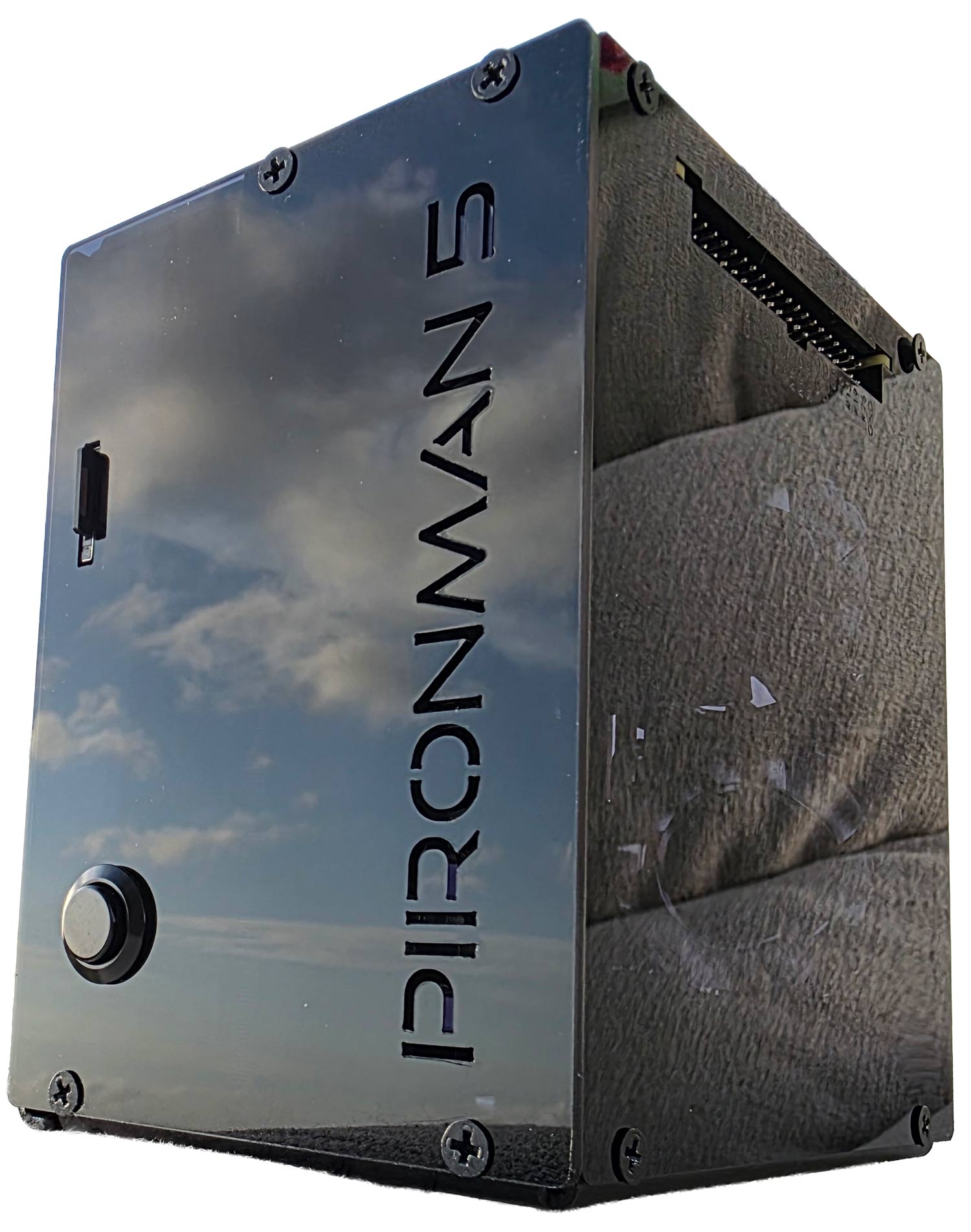
Pironman 5 Fully Assembled
Assembly
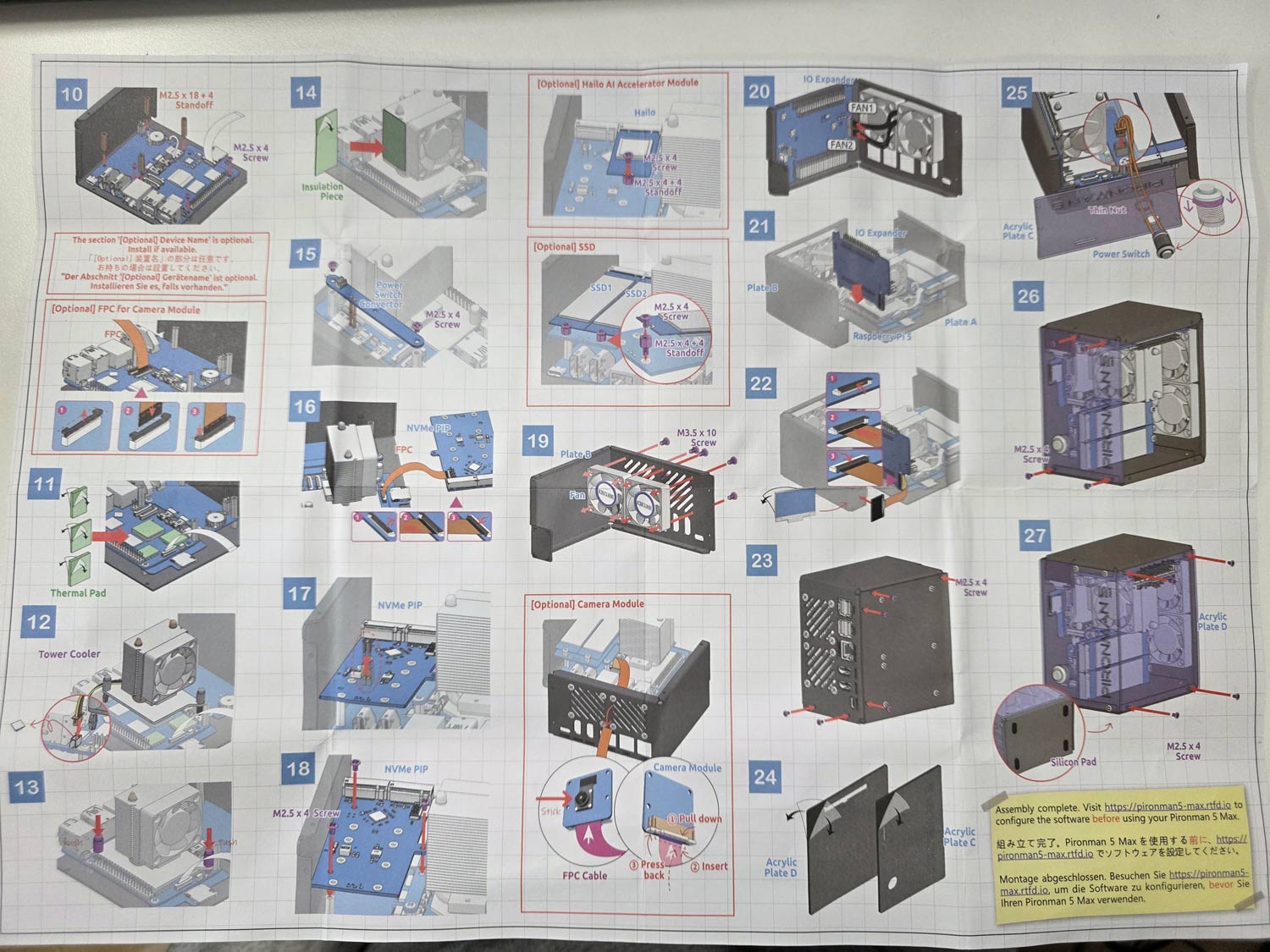
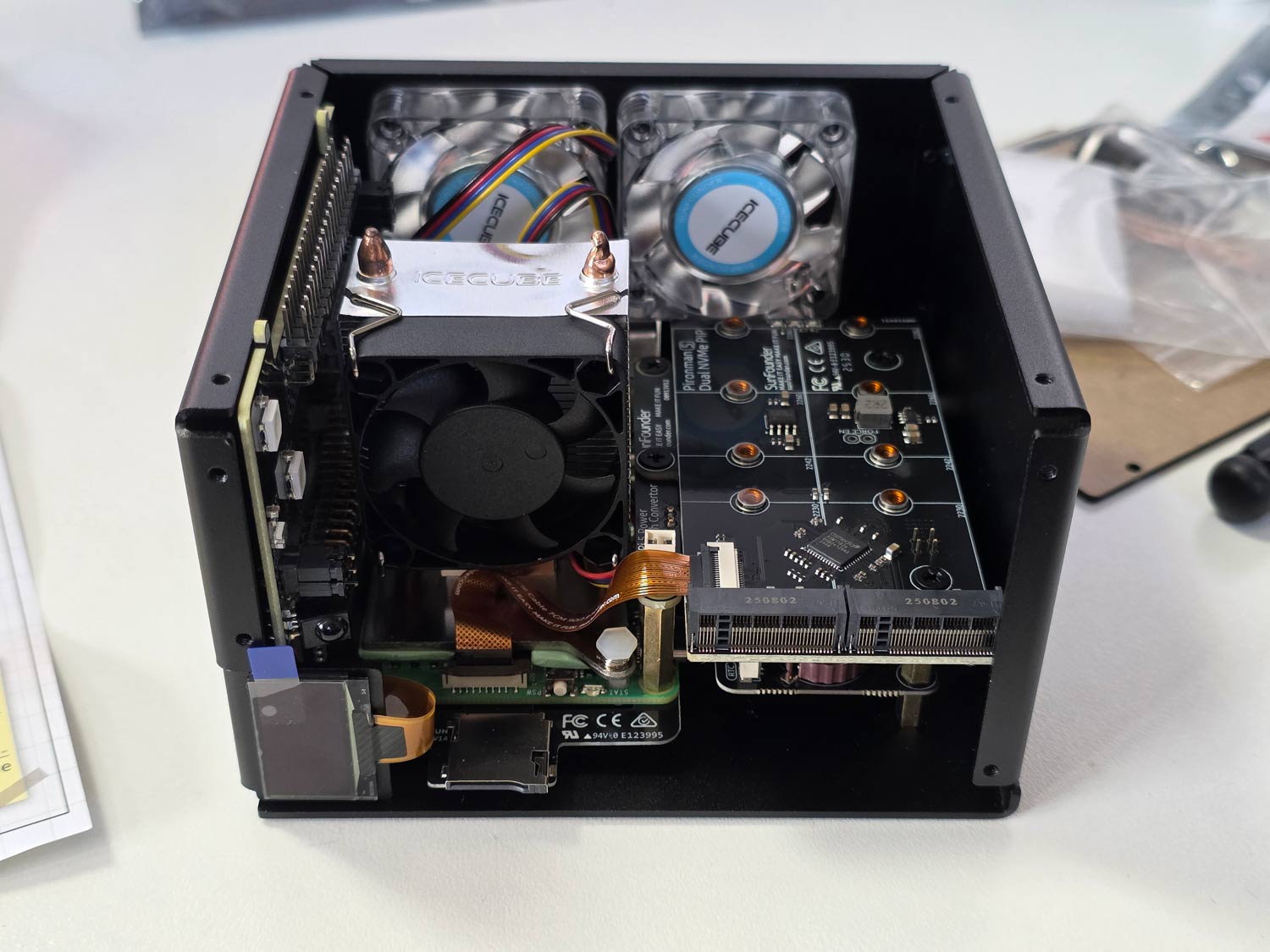
Assembly of the Pironman 5 took just over 30 minutes. It involves screwing in standoffs, seating the heatsink/fans, connecting jumpers and ribbon cables, and screwing down the panels. A nice color paper assembly manual is provided, making the installation easy to follow. Anyone who is mildly familiar with installing connectorized PC components should have no trouble.
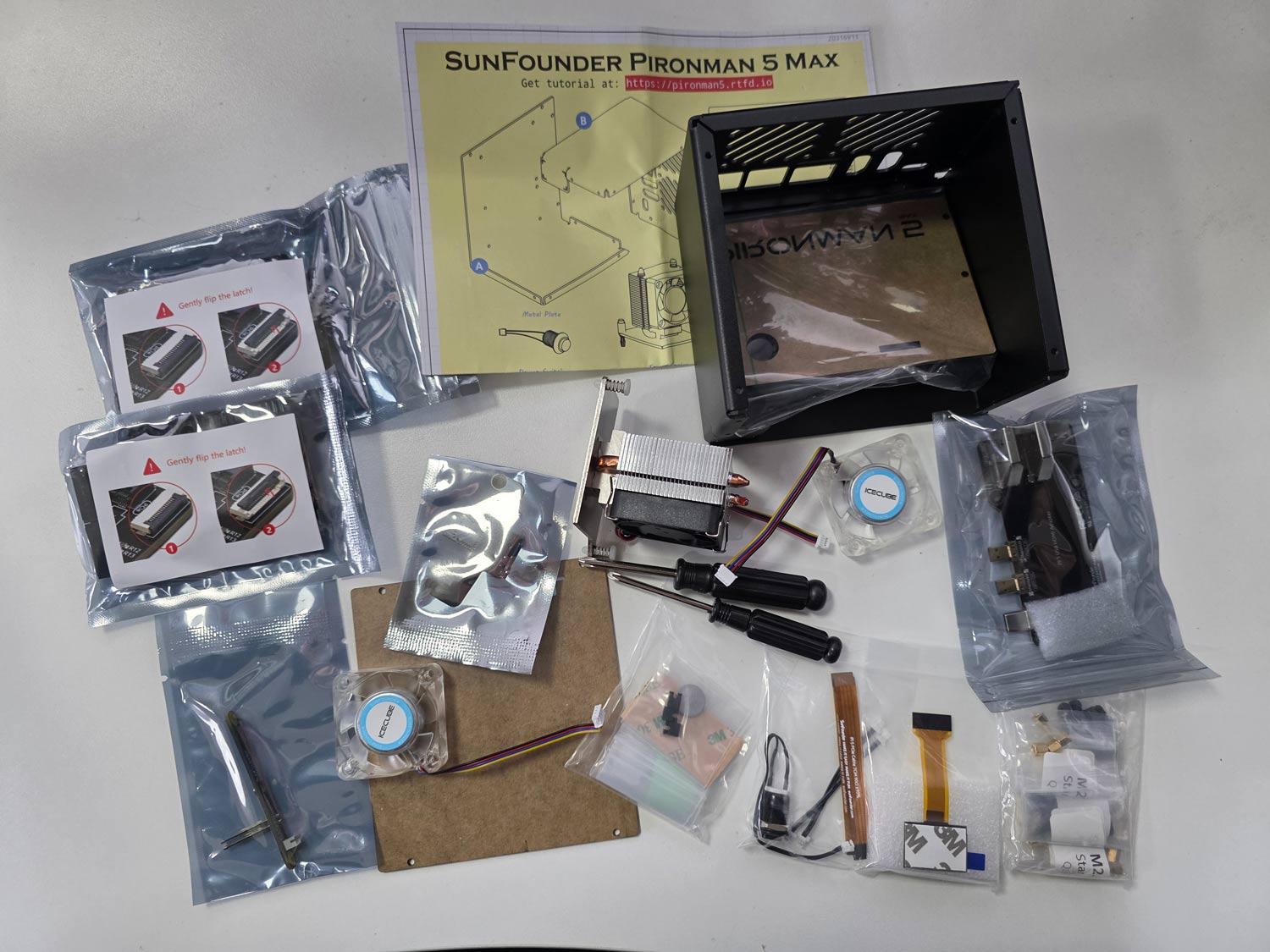
All parts included with the Pironman 5.Pironman 5 Assembly ManualPironman 5 Built (Acrylic side panels off)
Software Installation and Usage
After assembly, you can simply insert a freshly burned Raspbian image into the SD card slot and power on the unit.
At this stage, you now need to install some software to properly control the OLED, CPU fans, and case fans. This involves installing some software from their GitHub, but you can simply copy and paste the commands in the terminal one by one.
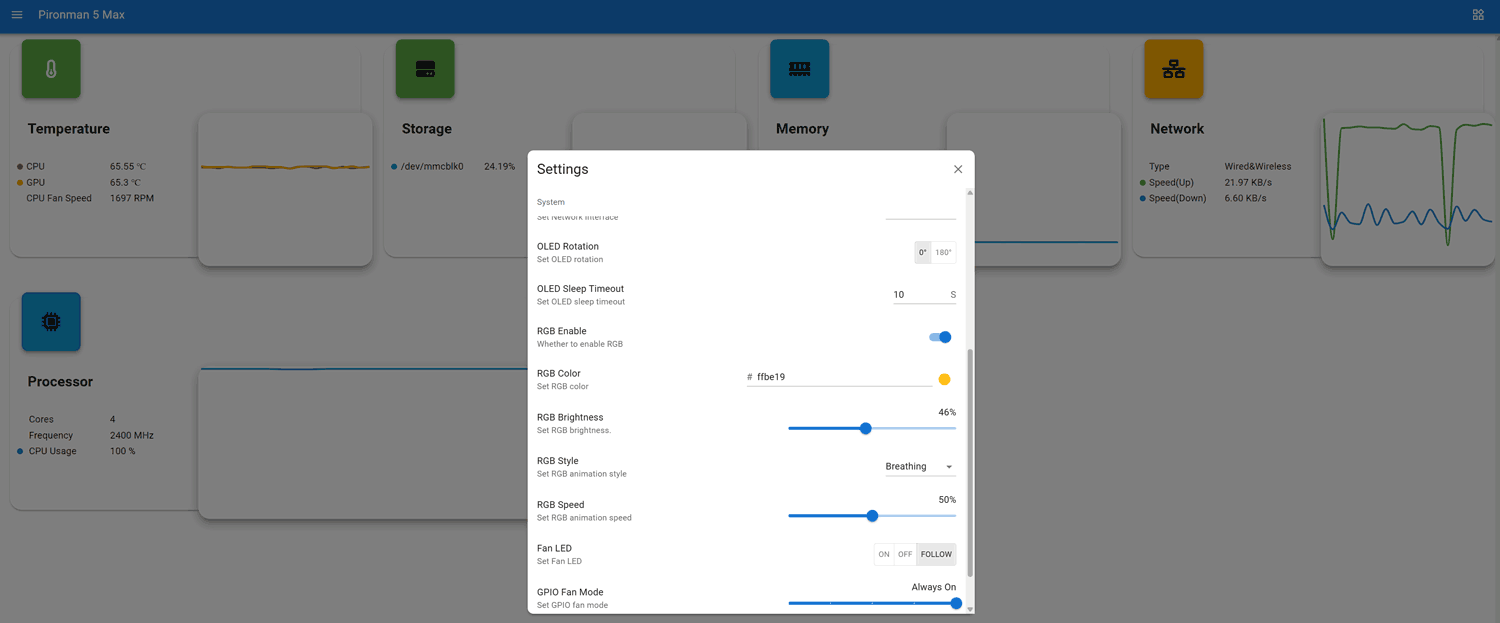
Once the software is installed a web UI is exposed at <IP_ADDR>:34001. Here you can monitor various stats including CPU temps, and make changes to the OLED, RGB and fan behaviour.
Pironman 5 Web UI
OLED QC Problems?
Unfortunately, our unit had a problem where the OLED screen wouldn't work. We attempted fresh software installs and reseated all cables and connectors, but had no luck. Upon contacting SunFounder, they immediately sent us a new OLED screen to try. But the replacement also did not work.
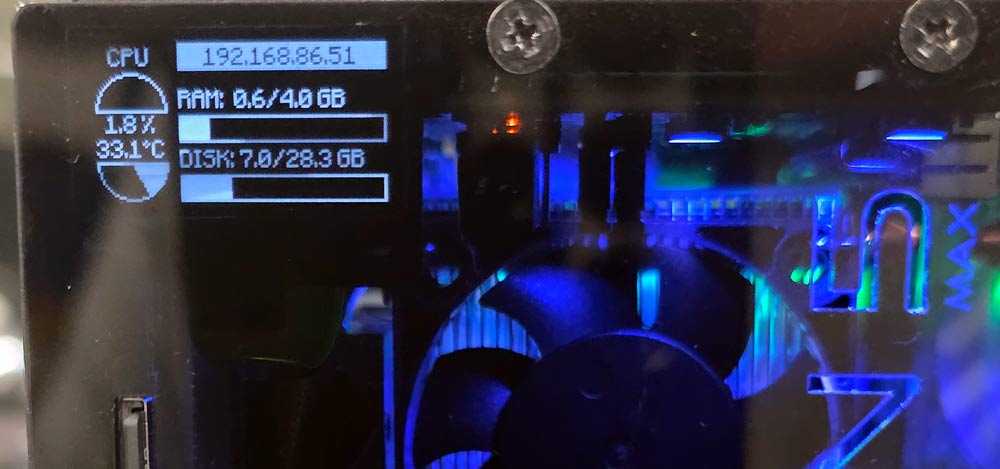
However, when trying the new screen, we noticed that the screen would briefly light up when we pressed on the FPC connector. Upon inspecting the FPC connector, we noticed that some pins on the PCB looked suspiciously low on solder compared to the others, so we applied flux and used a hot soldering iron to refresh them. After doing this, the OLED screen began working again.
Based on our dealings with SunFounder, we believe that they're support is good, and any customer facing similar issues would be supplied with replacement parts if required.
Pironman OLED Screen Working
Usage and Performance with RTL-SDR
As expected, with the great cooling in place, the Raspberry Pi 5 never throttled down when running an RTL-SDR with SDR++. We also tested it with our KrakenSDR system, which requires more CPU, and found great performance too.
The rear GPIO fans are quiet enough, and the CPU fan makes almost no noise inside the enclosure. We ran a stress test using the 'stress' Linux package, which can push all four CPU cores to 100%. With the fans running in a room with an ambient temperature of 22 degrees, we saw that the CPU temperature never went above 55 degrees C.
While still running 'stress', we manually disabled the two GPIO fans, and the temperature stabilized at around 66 degrees C. So the rear fans may only be required to be on when you have an SSD or AI module installed.
Conclusion
If you're looking for a high-quality enclosure and cooling solution for the Raspberry Pi 5, the Pironman 5 MAX is probably the best high-end solution available. Not only does the enclosure protect the Raspberry Pi 5 completely, but the cooling performance is excellent, and the ability to add SSDs and AI modules is great too.
Disclaimer: We were given a unit for free in exchange for an honest review. We received no other compensation.
Over on GitHub, user shajen has recently released a new open source program called "sdr-hub," which combines his two prior programs, called rtl-sdr-scanner-cpp and sdr-monitor, into one easy-to-launch project. The result is a powerful RTL-SDR scanner and audio recorder, with a web interface. In the past, we posted about rtl-sdr-scanner-cpp when Tech Minds made a video on it.
The scanner feature allows users to scan for active frequencies across a wide spectrum by rapidly retuning the RTL-SDR. If the transmissions are all within the same instantaneous bandwidth, the user can also record the audio.
The web interface then allows users to easily browse any created spectrum graphs and play back any audio recordings.
The software is available as a Docker image, making it easy to install and run.
SDR-Hub: RTL-SDR Scanner, Recorder and Web UI all in one.