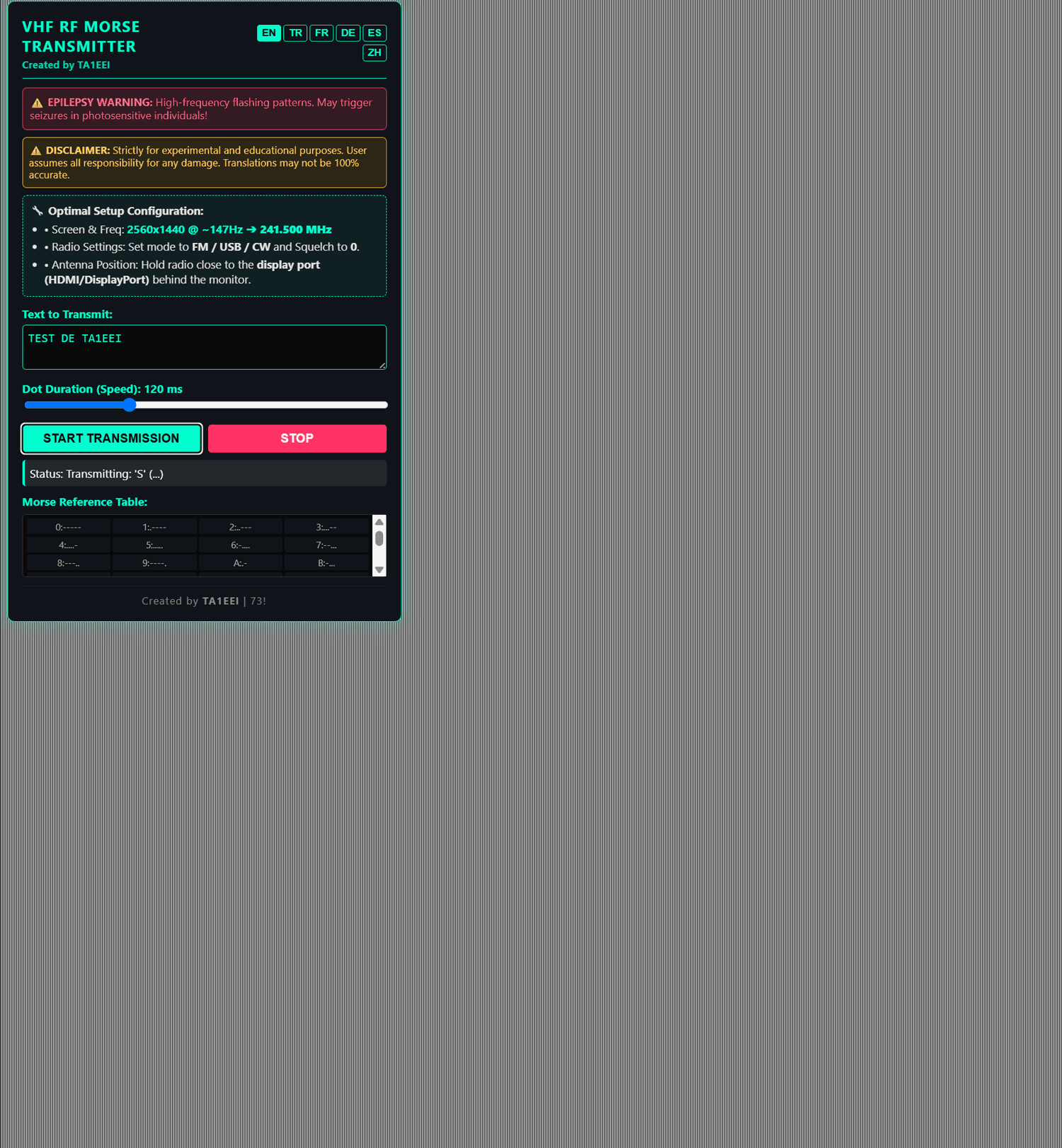
Thank you to Efe (TA1EEI) for writing in and sharing an HTML web tool he created that uses a PC monitor to transmit Morse code. The tool works by modulating the monitor's pixel clocks to intentionally generate EMI leakage in the form of a Morse code signal. It transmits at 148.5 MHz.
Efe's work appears to be a much simpler version of TrojPix, a University research project that we posted about back in July. TrojPix is a more advanced system that introduces imperceptible pixel modulations into the screen, making high-bandwidth wireless data transfer possible via monitor EMI leakage.
The GitHub project page for Efe's VHF Monitor RF Transmitter explains exactly how the project works, including the video pixel clock and how it can be modulated and transmitted wirelessly. Efe has also provided a link to a Reddit post where there is a video, and discussion.
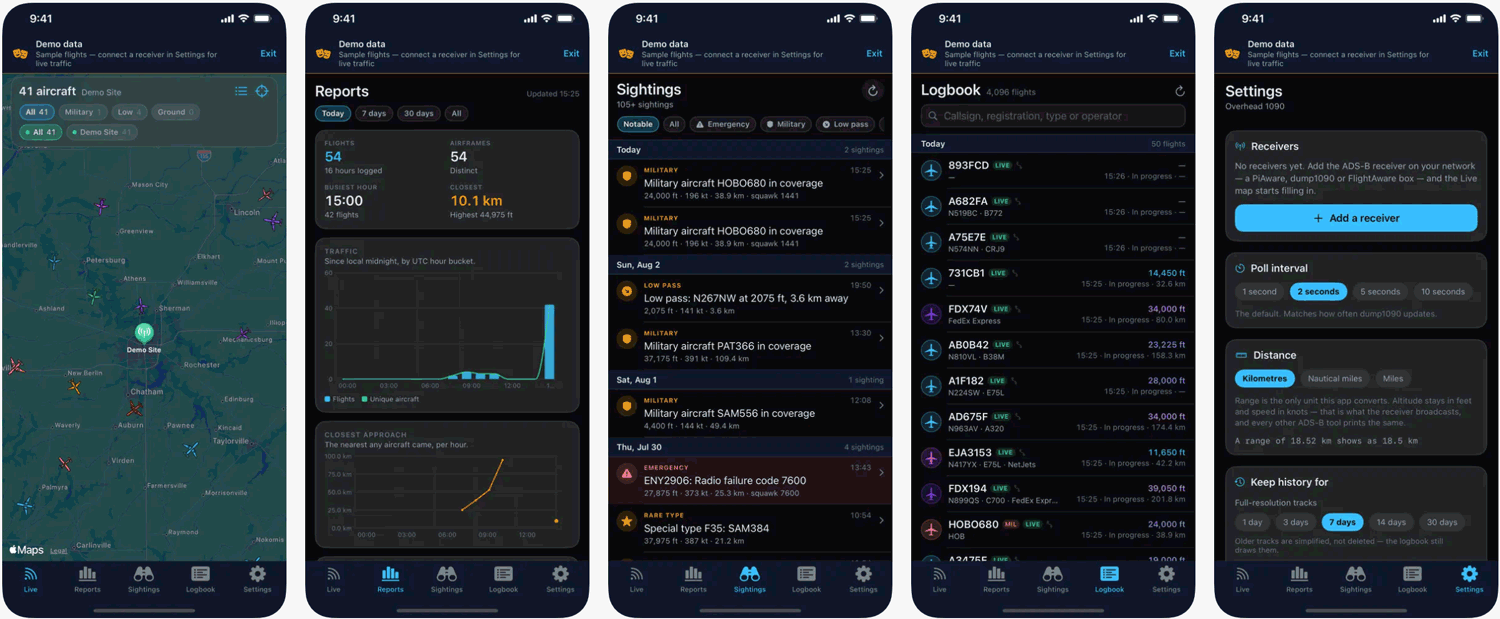
Thank you to Michael Russo for submitting news about the release of his new Apple iOS/tvOS app called 'Overhead 1090'. Overhead 1090 is an iPhone/iPad/Apple TV client for dump1090-compatible RTL-SDR-based receivers such as dump1090-fa, readsb, and PiAware builds. Michael writes:
It reads the aircraft.json feed over the LAN and adds what the stock web maps don't have: a persistent logbook of every airframe received, daily traffic reports, and a sightings feed for emergency squawks and rare types. The Apple TV version is the headline feature: a full-screen steerable radar scope for the living room.
Everything is local. No cloud, no account, no analytics (App Store label is "Data Not Collected"). It supports multiple receivers and includes a demo mode with sample traffic. One $4.99 purchase covers all three platforms.
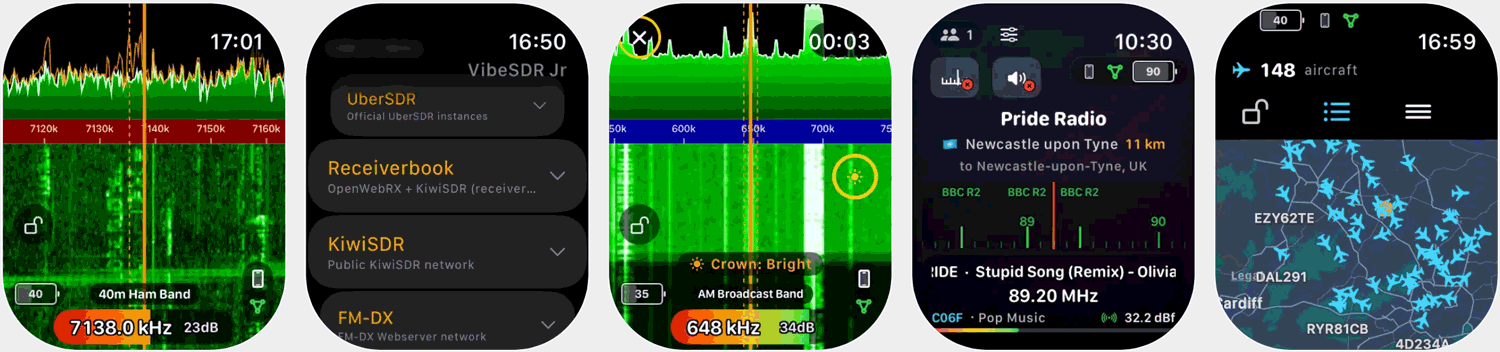
Back in July, we posted about VibeSDR, an AI vibecoded open-source mobile SDR client for rtl_tcp and UberSDR/KiwiSDR/OpenWebRX servers developed for iOS and Android. In that post, Stuart also mentioned that he was developing an Apple Watch app version of VibeSDR that runs directly on an Apple Watch, allowing you to view and listen to the spectrum on your wrist.
The Apple Watch version, called VibeSDR Jr, is now available as a full standalone Apple Watch App, meaning that no iPhone is required. The app costs £0.99 (~US$1.35). As before, Stuart has provided us with 20 free giveaway codes for the VibeSDR Jr App, so be sure to comment on either this post, the Facebook post, or the X post for a chance to win one of the codes.
Stuart has also noted that he now has a live VibeSDR demo running at demo.vibesdr.net, allowing users to see VibeSDR's DSP and server functionality in action. Stuart writes, "There is an RTL-SDR V4C, SDRPlay RSP1B, and AirSpy HF running on that demo server, all connected to the same AirSpy YouLoop with LNA antenna setup. The RSP1B is locked to 2.8MHz - 10.8MHz and can handle 10 users and the RTL-SDR & AirSpy are unlocked frequencies but 1 user at a time, each user gets a 30 minute time slot to play with. All the built in decoders are available and for the FM-DXers there is a full advanced RDS suite measured against a professional broadcast analyser too."
He also notes the following to avoid confusion with the software in the VibeSDR family:
VibeSDR + Buddy: The Main VibeSDR app and the Apple Watch Remote control companion app for that app. VIbeSDR Jr: The full standalone Apple Watch SDR client no iPhone required VibeServer: Built in to Android and standalone apps which allow you to quickly and easily share your SDR’s on a network
Use VibeServer to connect your radio and serve it and then use Jr to listen to it on your wrist, or if you don’t have your own radio Jr is compatible with almost all the same servers as the main VibeSDR app, the only thing it cannot do due to bandwidth/processing requirements is anything that is RAW IQ such as RTL-TCP or SpyServer.
Finally, Stuart notes that the Android version is coming soon and is currently just pending acceptance on the Google Play Store.
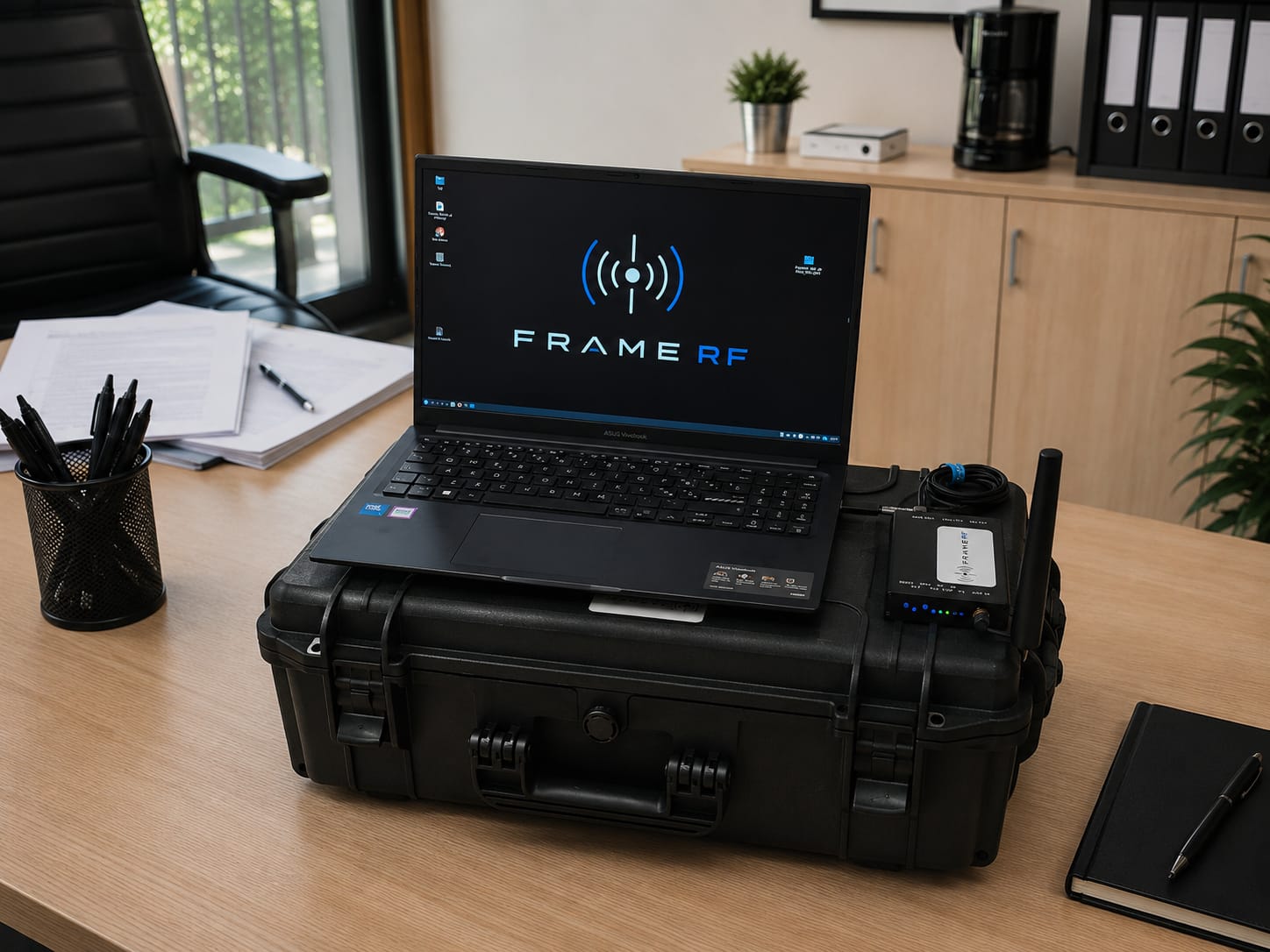
Earlier this month, we posted about Stefano Cangiano, an Italian TSCM (Technical Surveillance Counter-Measures) specialist, and his recently released FrameRF product. Stefano describes FrameRF as "a professional SDR-based TSCM analysis platform designed to help operators rapidly identify, classify, and prioritize RF signals in complex environments." Its main use case is for identifying RF bugs, corporate security audits, and finding anomalous signals.
Recently, Stefano wrote in again and wanted to share some further technical details about his product. Stefano notes that the core idea of FrameRF is to solve the TSCM question: "What happened in the RF environment over the last few hours, and how did it behave?" The system logs RF activity as timestamped events across cellular, Wi-Fi, BLE, DECT, and other signals, correlates them with physical events, and highlights anomalies and intermittent transmitters like event-triggered GPS trackers as leads for further investigation.
Stefano's full write-up is available as a PDF, which you can download here.
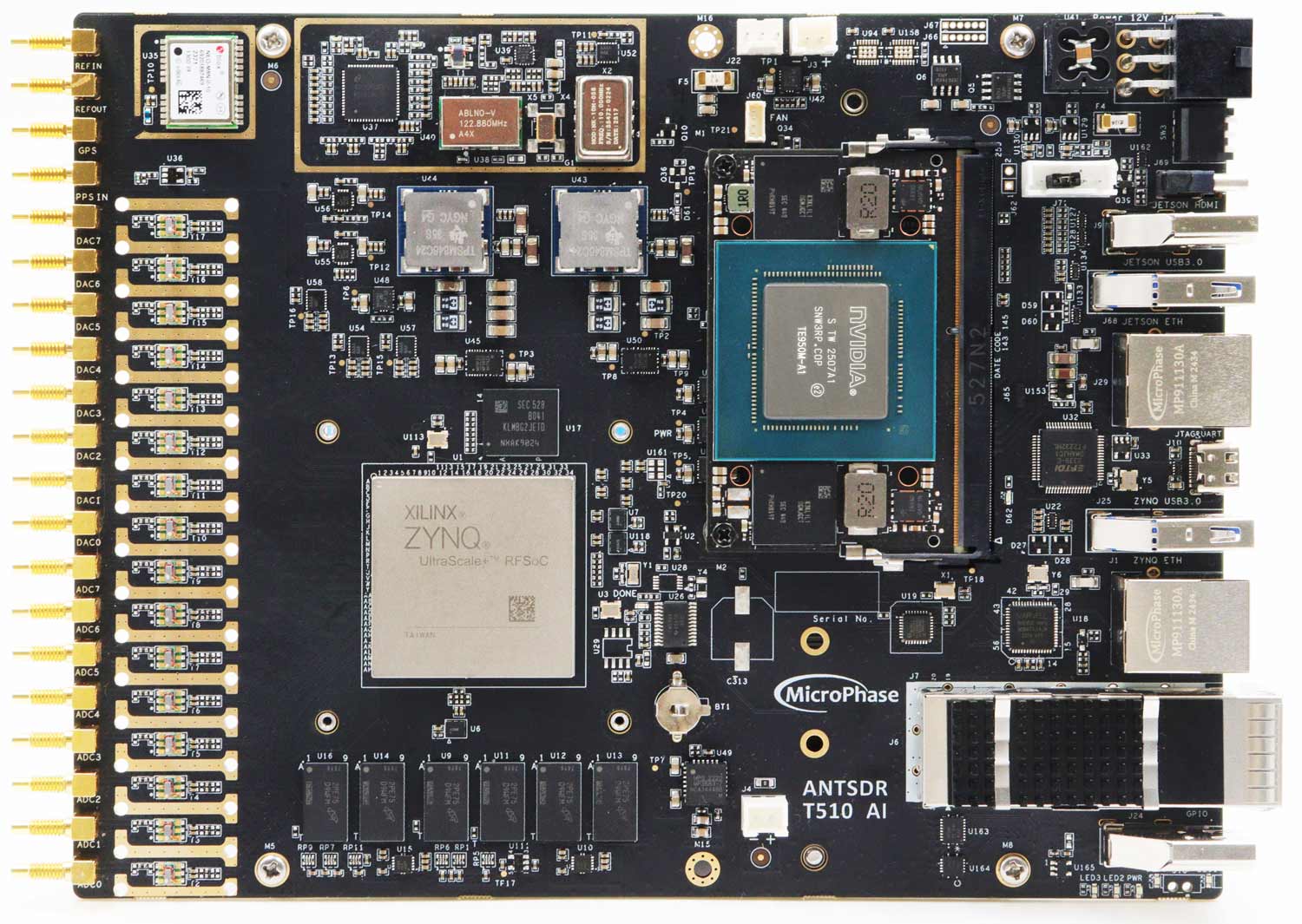
MicroPhase has just announced the pre-launch of its AntSDR T510 AI software-defined radio platform. This high-end device combines the AMD Zynq UltraScale+ RFSoC ZU47DR with an NVIDIA Jetson Orin Nano. The AMD ZU47DR RFSoC alone is already a beast, covering 1 MHz to 6 GHz, with 14-bit ADCs and 8 RX and 8 TX channels. This is a direct-sampling SDR, meaning no tuners are used, and the ADC simply samples at an extreme 5 GSPS. After the DDCs, each channel has a maximum bandwidth of up to 2 GHz, but smaller channelization can easily be achieved within the large FPGA embedded in the RFSoC.
Obviously, processing a large amount of data requires powerful computing, so the AMD ZU47DR RFSoC is combined with an NVIDIA Jetson Orin NX for real-time AI signal processing and intelligent spectrum analysis.
MicroPhase also notes that the AntSDR T510 AI will be open source, allowing developers to easily work with the hardware. It will ship with an Ubuntu 22.04 system preconfigured with CUDA, include GNURadio and SoapySDR compatibility, and include GPU-accelerated demos for real-time Wi-Fi, Bluetooth, and modulation classification using RF data captured by the platform.
This is a high-end SDR comparable to Ettus products that cost US$30k+ like the USRP X410, but Chinese manufacturers like MicroPhase may be able to bring the pricing down. The ANTSDR-T510 non-AI version without the Jetson is already available on Chinese marketplace sites for about US$5000, so with the additional $500 Jetson Orin Nano added, this version should only be a little more expensive.
KrakenSDR is our 5-channel coherent software-defined radio designed for applications such as radio direction finding. It was successfully crowdfunded on Crowdsupply back in 2021. We've recently come across a 2025 paper in the Journal of the Institute of Navigation, describing how KrakenSDR was successfully tested as a real-world GNSS jammer and spoofer localizer.
Global Navigation Satellite System (GNSS) services such as GPS are easily jammed by hostile terrestrial signals due to their low transmit power. Jamming is commonly used in modern conflict environments, and is seen heavily in use around Ukraine, Russia, and the Middle East. Similarly, spoofing, which is transmitting a fake GNSS signal to trick receivers into seeing fake locations, is also in use.
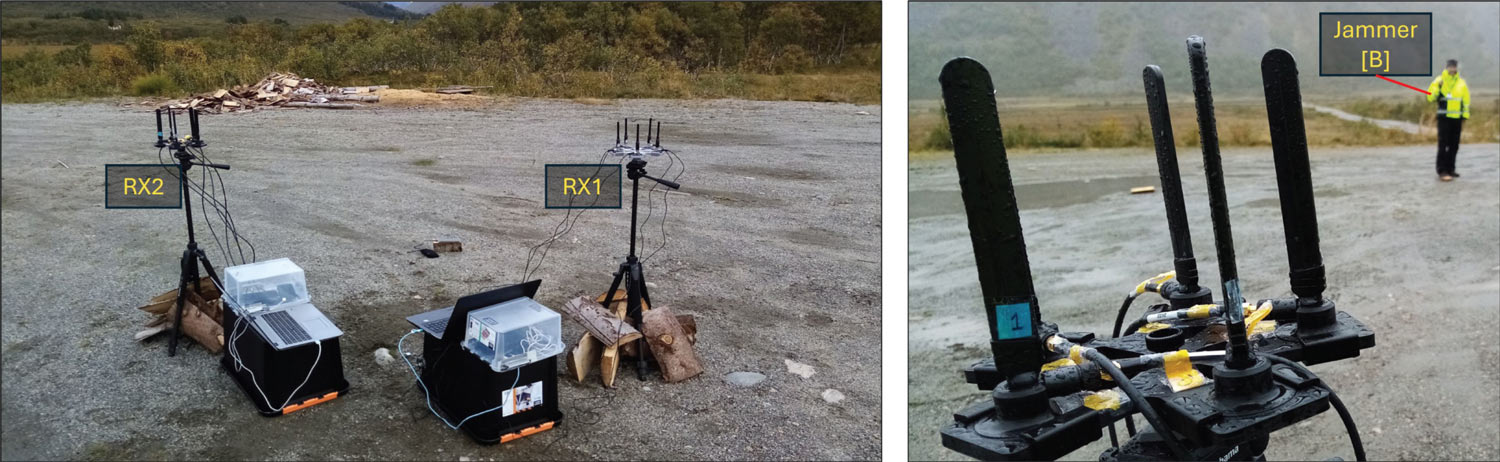
In their paper, Lasse Lehmann et al. from the Technical University of Denmark demonstrate the use of a KrakenSDR for detecting GPS L1 jammers at 1575.42 MHz. The tests were performed at Jammertest 2023, an annual event for open GNSS experiments, and they were able to locate a spoofer down to 18.1 meters via a vehicle-mounted KrakenSDR .
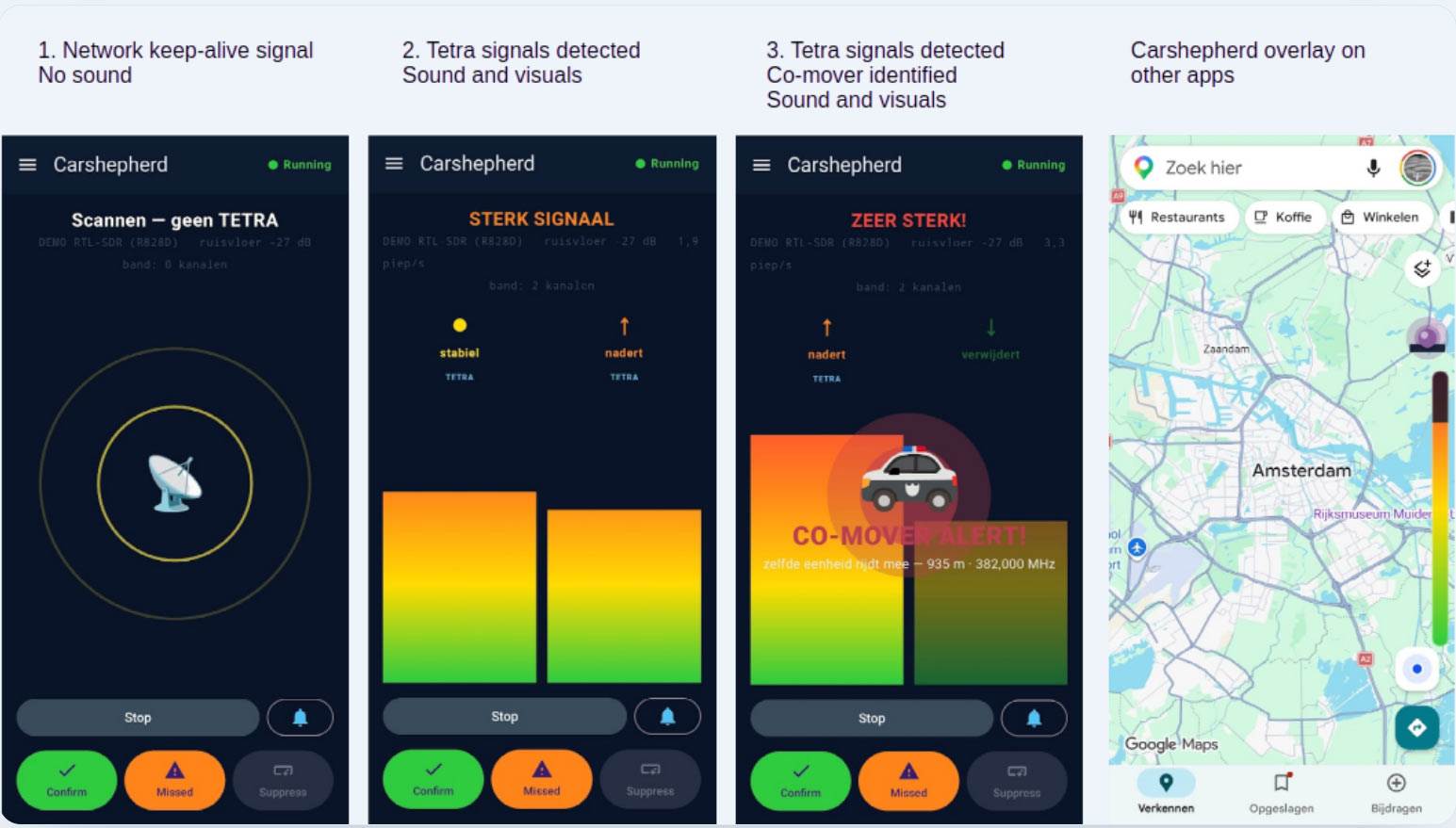
Thank you to Cees for writing in and sharing his Android app, "Carshepherd," which is currently in the pre-release stage. Carshepherd works with a connected RTL-SDR and TETRA antenna to give drivers early awareness of nearby emergency-service activity (such as police, ambulance, fire) by detecting the TETRA uplink signal.
Cees notes that this is essentially the same as what hardware devices like 'Target Blu Eye' do to detect emergency services. Laser/radar detectors are illegal in most European countries, and while not advertised as such for legal reasons, Carshepherd could be a legal alternative for detecting laser/radar speed traps, detecting ProViDa video-based pacing vehicles, or just for general awareness.
The app works by continuously sweeping the TETRA bands, looking for the signature of a TETRA carrier. Once it detects a confirmed uplink carrier, it estimates proximity, which then triggers a readout and audible alert. The TETRA uplink is not always active, but emergency service vehicles often send bursts of uplink data every few seconds with GPS position updates, and, of course, during voice PTT.
The algorithm is based on a large labeled dataset from dozens of real-world test drives. The dataset trains an AI classifier that can even tell you whether an emergency unit is keeping pace with you (e.g., traveling down the same stretch of motorway as you) or whether you are approaching a stationary unit.
Carshepherd currently only works in countries whose emergency services use the TETRA communications protocol, which includes most of Europe and various other countries, but notably not the USA. However, Cees notes that they are working on a US version that will listen to the P25 network.
While Carshepherd has not yet been released, the pricing is indicated as €3.99 per month. You can sign up for the waitlist at www.carshepherd.nl.
Based on calculations of the distribution of visible stellar mass in our galaxy, a certain galactic rotational velocity-versus-distance-from-the-center curve is expected. However, when scientists actually measure the galactic rotation, another curve is found - a curve which should result in the galaxy flying apart. This mismatch in expected vs measured data has given rise to the theory of "dark matter". The theory essentially states that to produce the measured curve, the galaxy must have more mass, and that this mass must come from non-luminous matter scattered throughout the galaxy, which is difficult or impossible to observe.
In his experiment, David uses a DIY radio telescope to measure the speed of the Milky Way's rotation at various galactic longitudes via Hydrogen line Doppler-shift analysis. After plotting the results, David confirmed that his results match professional astronomers' observations.
If you're interested, we posted about a similar experiment by Job Geheniau back in 2020.
We also want to note that we sell a ready-to-use kit called the Discovery Dish, which, with the Hydrogen Line feed, could be used for this experiment.