Creating a GOES Weather Satellite Demodulator

Last week we posted about Lucas Teske’s (@lucasteske) experience with setting up an antenna system that can receive the geostationary GOES weather satellites. He set up a dish antenna, feed, LNA and filter and was able to successfully receive the GOES signal with an RTL-SDR and Airspy.

Now Lucas has uploaded his second post where he discusses how to demodulate the GOES signal. The GOES satellites transmit a Low-Rate Information Transmission (LRIT) signal which contains full disk images of the earth as well as other weather data from the secondary Emergency Managers Weather Information Network (EMWIN) signal.

In order to demodulate the signal Lucas wrote a BPSK demodulator in GNU Radio. His post goes into good technical detail and shows exactly how the demodulator is constructed. Basically the the BPSK signal is first decimated down to 2.5e6, normalized with an AGC, then cleaned up with a Root Raised Cosine Filter. From there the signal goes through a Costas Loop PLL to receover the carrier wave, then a Clock Recovery MM block to recover the symbol clock. The data is then output to a TCP pipe for the decoder.

In the upcoming third part of his article Lucas will show us how to actually turn the demodulated data into an image of the earth.
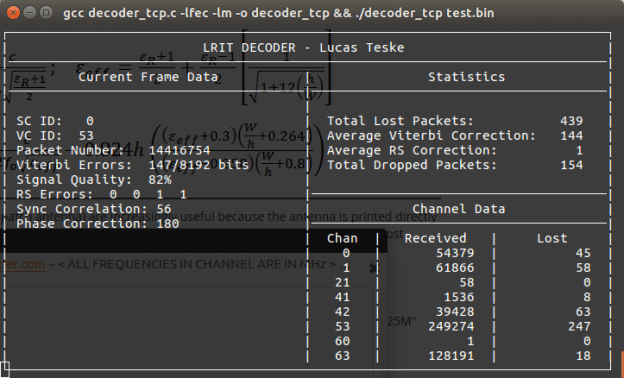
GOES LRIT Decoder
GOES LRIT Decoder

Using a 75 Year old Marconi CR100 Radio to Control an SDRplay RSP

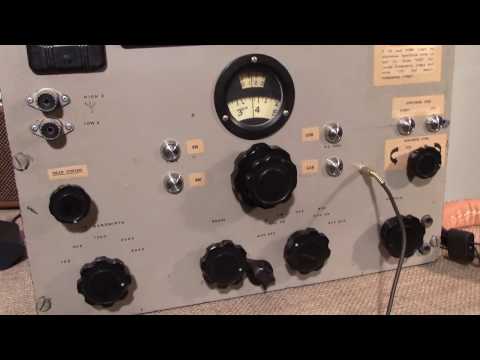
Over on YouTube Jon from SDRplay has uploaded a video showing how he’s used the knobs and interface from a 75 year old Marconi CR100 analogue radio to completely control an SDRplay SDR. This allows you have the feeling of tuning a vintage radio with the old fashioned knobs, whilst enjoying the features of a modern SDR.

Within the old radio enclosure they’ve managed to fit in a full Acer mini computer which runs the RSP on HDSDR. To allow the main tuning knob on the Marconi to tune the SDRplay they’ve used an Arduino controller, and an optical shaft encoder. As they intend for their hybrid to be completely keyboard-less, they’ve also added two UP/DOWN buttons to jump up and down the spectrum, buttons to choose the demodulation mode, and a new knob to control the zoom setting in HDSDR.

The project was sponsored by RS components and is intended to be used in the November 2016 Electronica event in Munich as an exhibit that celebrates the 80th anniversary of the expo. The idea is that the SDRplay-Marconi hybrid combines radio technology which would have been around during the first Electronica expo’s as well today’s modern SDR technology. There is a write up of the project available on the RS components designspark website.

SDRplayMarconiHybrid

GNURadio Conference 2016 Talks

Back in September the GNU Radio 2016 (GRCon16) conference was held. GRCon16 is an annual conference centered around the GNU Radio Project and community, and is one of the premier software defined radio industry events. GNU Radio is an open source digital signals processing (DSP) tool which is often used with SDR radios.

A few days ago videos of all the presentations were released on their YouTube channels, and all the slides can be found on their webpage.

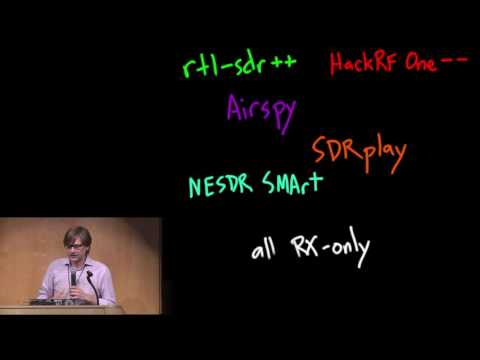
One of our favorite talks from the conference is Micheal Ossmanns talk on his idea to create a low cost $150 RX/TX radio. Micheal Ossmann is the creator of the HackRF which is a $299 USD RX/TX capable SDR. It was one of the first affordable general purpose wide frequency TX capable SDRs. Micheal also mentions his other projects including Neapolitan which will be an add on for the HackRF which will enable full-duplex communications and Marizpan which will essentially be a single board Linux SDR using the HackRF circuit.

GRCon16 - Low-Cost SDR Hardware, Mike Ossmann

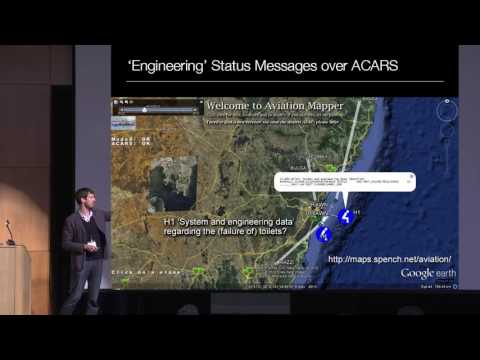
Another is Balints talk on “Hacking the Wireless World” where he does an overview of various signals that can be received and analyzed or decoded with an SDR. Some applications he discusses include Aviation, RDS Traffic Management Channel, Radio Direction Finding, OP25, IoT, SATCOM and his work on rebooting the ISEE-3 space probe.

GRCon16 - Hacking the Wireless World, Balint Seeber

GQRX-Ghostbox: Electronic Voice Phenomenon Paranormal Research Tool

With perfect Halloween timing, SDR enthusiast and ghost hunter Doug Haber has released his RTL-SDR compatible software called “gqrx-ghostbox”. This software supposedly turns your RTL-SDR into a electronic voice phenomenon (EVP) tool a.k.a a “Ghost Box”. Douglas explains what a Ghost Box is in the following blurb:

A ghost box is a device sometimes used by paranormal researchers to talk to spirits, the dead, disembodied entities, shape shifting lizard people, and other intra-dimensional fauna.

Some ghost boxes have electronics that give them distinct properties, and others are effectively radio scanners. This tool is of the radio scanning style.

Many examples of ghost box usage can be found on youtube. Generally, it involves asking questions and then listening for a response. Some people believe a medium or trance state is necessary in order for it to work. If you search for “ghost box” or “spirit box”, you will find information on different usage styles.

We’re not 100% sure if this is a late April fools joke, or a serious tool, but the code is real (it appears to just use GQRX to scan through frequencies), and at least these days when almost everything possible has already been tried with an RTL-SDR, this is something new!

ghostbox

FlightAware Release their Pro Stick Plus: An ADS-B Optimized RTL-SDR with LNA and 1090 MHz Filter Built in

Back in March of this year we posted about the release of the FlightAware "Pro Stick". The Pro Stick is FlightAware's ADS-B optimized RTL-SDR dongle. It uses a low noise figure LNA on the RF front end to reduce the system noise figure, thus improving the SNR at 1090 MHz. Because the added gain of the LNA can easily cause overload problems if there are other strong signals around, FlightAware recommend using one of their 1090 MHz ADS-B filters in front of the dongle to prevent overload.

FlightAware have just come out with the "Pro Stick Plus" which is the same as their Pro Stick, but now with the 1090 MHz filter built into the dongle itself. The Pro Stick Plus costs $20.95 USD on Amazon, which is a good deal cheaper than buying the standard Pro Stick ($16.95 USD) plus their ADS-B filter ($19.95 USD), which totals $36.90. Customers outside of the USA can purchase the Pro Stick Plus from seller "WiFi Expert" on eBay for $29.95 USD.

FlightAware.com is a company that specializes in live air travel tracking. Most of their data comes from volunteers running RTL-SDR ADS-B receivers.

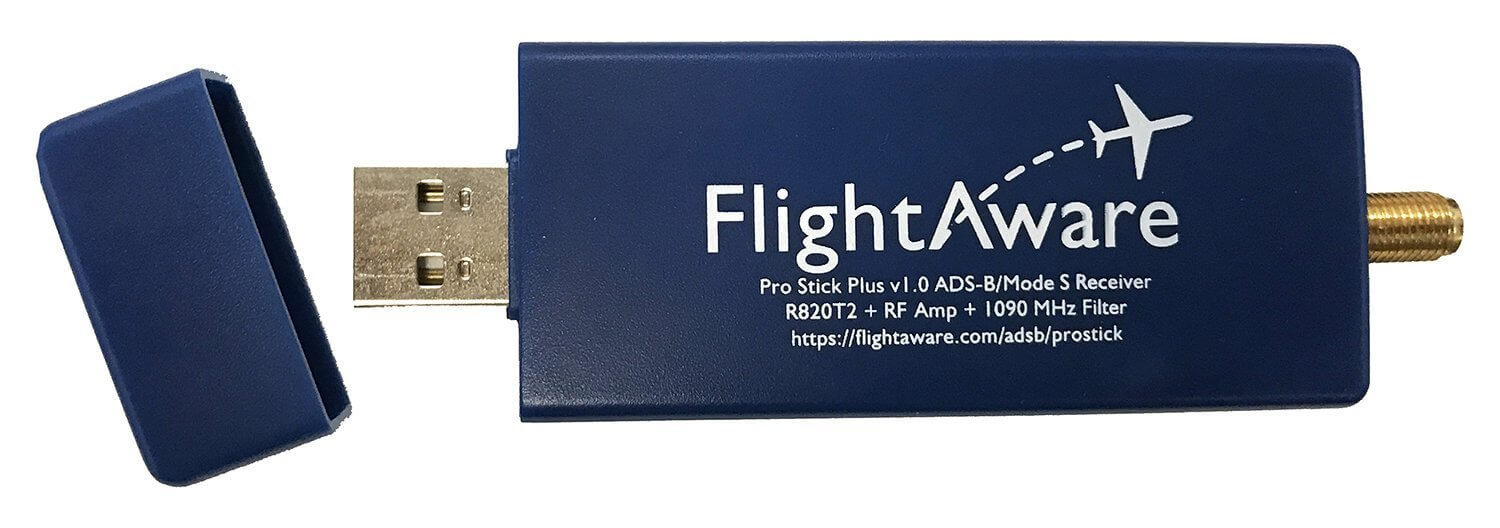
The new Pro Stick Plus RTL-SDR based ADS-B Receiver from FlightAware.

Over on their forums and on Amazon, they announced the device and specs. They wrote:

FlightAware is excited to announce the next evolution of USB SDR sticks for ADS-B reception! The new Pro Stick Plus USB SDR builds on the popular Pro Stick by adding a built-in 1090 MHz bandpass filter. The built-in filter allows for increased performance and range of reception by 10-20% for installations where filtering is beneficial. Areas with moderate RF noise, as is typically experienced in most urban areas, generally benefit from filtering. By integrating the filter into the SDR stick, we are able to reduce the total cost by more than 40% when compared to buying a Pro Stick and an external filter.

Specifications:

  • Filter: 1,075 MHz to 1,105 MHz pass band with insertion loss of 2.3 dB; 30 dB attenuation on other frequencies
  • Amp: 19 dB Integrated Amplifier which can increase your ADS-B range 20-100% more compared to dongles from other vendors which can increase range 10-20% over a Pro Stick in environments where filtering is beneficial
  • Native SMA connector
  • Supported by PiAware
  • R820T2 RTL2832U chips
  • USB powered, 5V @ 300mA

Note that this dongle is only for ADS-B at 1090 MHz, and not for 978 MHz UAT signals, as the filter will cut that frequency out.

Back in April, we did a review of the original Pro Stick. We found its performance on ADS-B reception to be excellent, but only when a filter was used. The low NF LNA theoretically improves the SNR of ADS-B signals by about 7-8 dB, but in reality there is too much gain causing signal overload everywhere, thus making reception impossible without the filter. Rural environments may not need a filter, but in a typical urban or city environment strong FM/TV/GSM/etc signals are abundant and these signals easily overloaded the Pro Stick when no filtering was used. This new Pro Stick Plus dongle completely solves that problem at a low cost with its built in filter.

Remember that if you are using a run of coax cable between the LNA and RTL-SDR, then it is more optimal to use an external LNA, like the LNA4ALL. Only an external LNA mounted near the antenna can help overcome coax, connector, filter and other losses as well as reducing the system noise figure. The FlightAware dongles are the optimal solution when they are mounted as close to the antenna as possible. This is usually the case when running the FlightAware feeder software on a Raspberry Pi.

We hope to soon review the Pro Stick Plus, however we assume it will operate nearly identically to the Pro Stick + FlightAware ADS-B filter combination.

Setting up a GOES Weather Satellite Antenna System

Many people with an RTL-SDR have had fun receiving NOAA and METEOR low earth orbit (LEO) weather satellite images. However, a step up in difficulty is to try and receive the geostationary orbit (GEO) weather satellites like GOES. These satellites are locked to a fixed position in the sky meaning there is no need to do tracking, however since they are much further away than LEO satellites, they require a 1m+ satellite dish or high gain directional antenna to have a chance at receiving the weak signal. The GOES satellites transmit very nice high resolution full disk images of the earth, as well as lots of other weather data. For more information see this previous post where we showed devnulling’s GOES reception results, and this post where we showed @usa_satcom’s presentation on GOES and other satellites.

Over on his blog and Twitter account (@lucasteske) Lucas Teske has been documenting his work in building a GOES receive system. The SDR he uses mostly is an Airspy, but recently he showed that our RTL-SDR Blog V3 dongle is also capable at receiving the GOES signal.

The nice thing about Lucas’ post is that he documents his entire journey, including the failures. For example after discovering that he couldn’t find a 1.2m offset satellite dish which was recommended by the experts on #hearsat (starchat), he went with an alternative 1.5m prime focus dish. Then after several failed attempts at using a helix antenna feed, he discovered that his problem was related to poor illumination of the dish, which meant that in effect only a small portion of the dish was actually being utilized by the helix. He then tried a “cantenna”, with a linear feed inside and that worked much better. Lucas also discovered that he was seeing huge amounts of noise from the GSM band at 1800 MHz. Adding a filter solved this problem. For the LNA he uses an LNA4ALL.

To position the antenna Lucas used the Satellite AR app on his phone. This app overlays the position of the satellite on the phone camera making it easy to point the satellite dish correctly. He also notes that to improve performance you should experiment with the linear feeds rotation, and the distance from the dish. His post of full of tips like this which is very useful for those trying to receive GOES for the first time.

In future posts Lucas hopes to show the demodulation and decoding process.

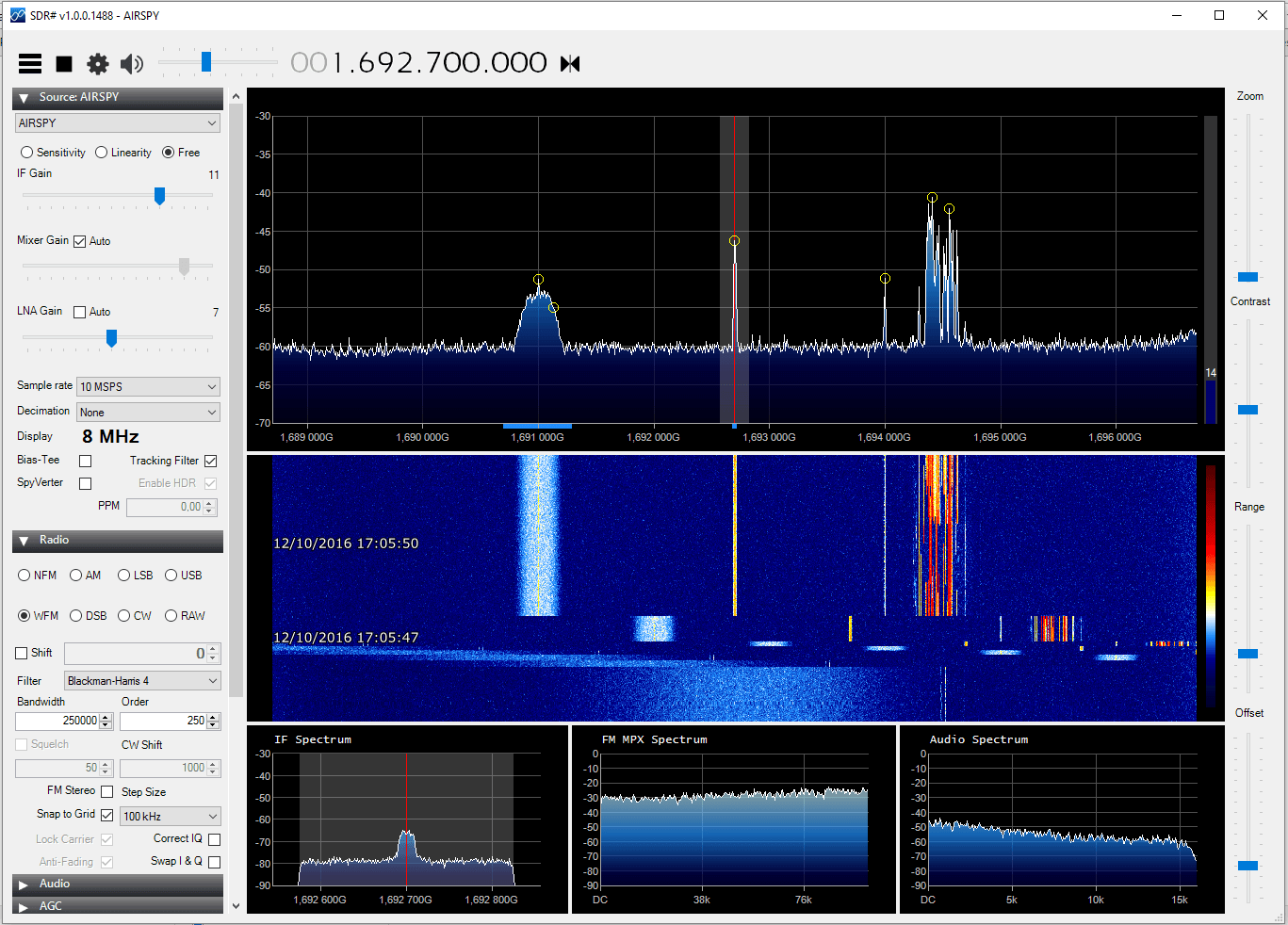
GOES received with the dish, LNA4ALL, filter and an Airspy.
GOES signals received with the dish, LNA4ALL, filter and an Airspy.

Leif (SM5BSZ) Compares Several HF Receivers

Over on YouTube well known SDR tester Leif (SM5BSZ) has uploaded a video that compares the performance of several HF receivers with two tone tests and real antennas. He compares a Perseus, Airspy + SpyVerter, BladeRF + B200, BladeRF with direct ADC input, Soft66RTL and finally a ham-it-up + RTLSDR. The Perseus is a $900 USD high end HF receiver, whilst the other receivers are more affordable multi purpose SDRs.

If you are interested in only the discussion and results then you can skip to the following points:

24:06 – Two tone test @ 20 kHz. These test for dynamic range. The ranking from best to worst is Perseus, Airspy + SpyVerter, Ham-it-up + RTLSDR, Soft66RTL, BladeRF ADC, BladeRF + B200. The Perseus is shown to be significantly better than all the other radios in terms of dynamic range. However Leif notes that dynamic range on HF is no longer as important as it once was in the past, as 1) the average noise floor is now about 10dB higher due to many modern electronic interferers, and 2) there has been a reduction in the number of very strong transmitters due to reduced interest in HF. Thus even though the Perseus is significantly better, the other receivers are still not useless as dynamic range requirements have reduced by about 20dB overall.

33:30 – Two tone test @ 200 kHz. Now the ranking is Perseus, Airspy + SpyVerter, Soft66RTL, BladeRF+B200, Ham-it-up + RTLSDR, BladeRF ADC.

38:30 – Two tone test @ 1 MHz. The ranking is Perseus, Airspy + SpyVerter, BladeRF + B200, ham-it-up + RTLSDR, Soft66RTL, bladeRF ADC. 

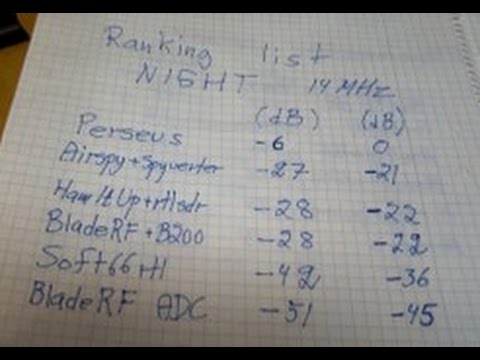
50:40 – Real antenna night time SNR test @ 14 MHz. Since the Perseus is know to be the best, here Leif uses it as the reference and compares it against the other receivers. The ranking from best to worst is Airspy + SpyVerter, ham-it-up + RTLSDR, BladeRF B200, Soft66RTL, BladeRF ADC. The top three units have similar performance. Leif notes that the upconverter in the Soft66RTL seems to saturate easily in the presence of strong signals.

1:13:30 – Real antenna SNR ranking for Day and Night tests @ 14 MHz. Again with the Perseus as the reference. Ranking is the same as in 3).

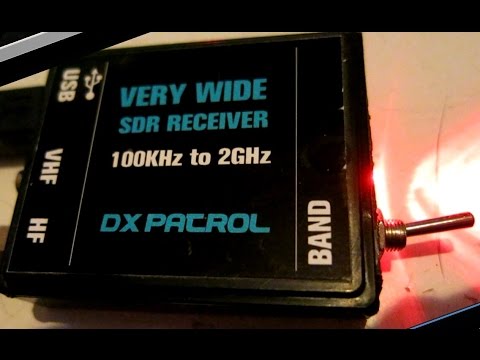
In a previous video Leif also uploaded a quick video showing why he has excluded the DX patrol receiver from his comparisons. He writes that the DX patrol suffers from high levels of USB noise.

Wintelive: Tutorial and Updates to the Windows Telive TETRA Decoder Implementation

Earlier this month we posted about “cURLy bOi”’s release of his Windows port of telive. Telive is a popular TETRA decoder created by SQ5BPF which until recently only ran on Linux systems. TETRA is a digital voice radio system used in many countries other than the USA.

Now cURLy bOi has just updated his software adding new Windows GUI features and simplifying the install process. The software and text install instructions can be downloaded from his web server, and the code can be found on GitHub.

In order to show the new features and how to use the software cURLy bOi has also created a tutorial video up on YouTube, which is shown below.

Wintelive 0.2 demo