Inspectrum is a Linux and OSX based tool that can be used for analysing captured signals. It is compatible with the IQ files generated from SDRs, such as the RTL-SDR or HackRF.
Over on YouTube user Mike has uploaded a video that demo’s the latest version of Inspectrum. He shows how the tool can be used to quickly browse the waveforms in a captured signal and how it can be used to determine various digital binary signal properties through an overlay that can be dragged to match the bit frequency of the captured signal.
This program looks like it is shaping up to be a very useful tool for those interested in reverse engineering digital signals. The Inspectrum code and installation procedure can be found at https://github.com/miek/inspectrum.
Back on February 8 we posted about the up and coming KiwiSDR, a software defined radio with 30 MHz of bandwidth and a tuning range that covers 0 – 30 MHz (VLF to HF). It is intended to be a low cost web based SDR that can be accessed from all over the world via a browser interface.
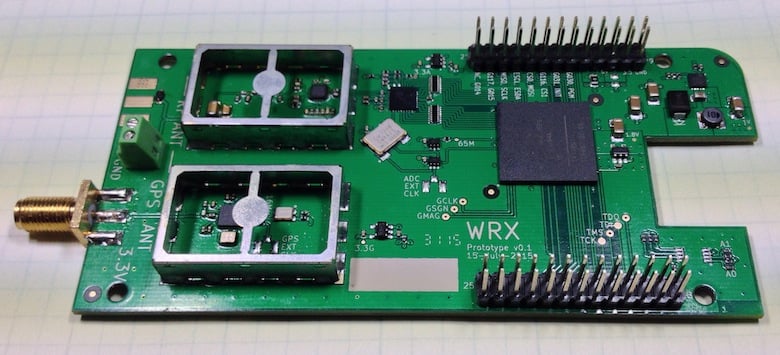
The KiwiSDR is designed as a cape for the BeagleBone Black mini embedded computer, and uses a LTC 14-bit 65 MHz ADC and Xilinx Artix-7 A35 FPGA. It also has an integrated SDR based GPS receiver which is used to automatically compensate for any frequency drift from the main 66.6 MHz oscillator. It runs on the OpenwebRX web based software, which many RTL-SDR users have already been using to stream live radio to the web.
Today the KiwiSDR started its crowd funding campaign on Kickstarter. A full KiwiSDR can be purchased for $199 USD, or for $299 including an enclosure, BeagleBone computer and GPS antenna. The fundraising goal is for $50,000 USD and if successful they estimate delivery in October 2016. The creators of the KiwiSDR write:
Sure, the world doesn’t really need another SDR. But we haven’t found one with this set of features. In cost and performance, KiwiSDR fits between RTL-SDR USB dongle-style, or fixed DDC chip devices ($20 – $400, 8-12 bit ADC, limited bandwidth), and full 16-bit SDRs ($700 – $3500) while offering better wide-band, web-enabled capabilities than the more expensive SDRs.
Our main motivation is to enable new applications which utilize a significant number of programmable, web-accessible SDRs world-wide. Direction finding remains one of the great under-solved problems of shortwave listening, particularly for utility stations. Given the GPS timing available on the KiwiSDR, could time-of-arrival techniques between cooperating SDRs be used? We’d sure like to find out.
Also, we’d like to see data decoders built directly into the web interface of KiwiSDR. There are many standalone programs that demodulate and decode data signals from SDRs. But these are computer- and OS-specific and often require a complicated interface to the data stream from the SDR. For example, we have a prototype of a WSPR decoder that is integrated into the KiwiSDR interface.
There are currently three KiwiSDR servers running publicly at the moment, and they can be accessed at:
Software defined radio's can easily be used a very wideband spectrum analyzers by quickly stepping through the spectrum at the largest stable bandwidth supported. The RTL-SDR has had this functionality for some time now through software such as rtl_power and RTL Scanner.
Now Youssef, co-creator of the Airspy and programmer of SDR# has released a similar program for the Airspy called Spectrum Spy. The software comes bundled with the latest SDR# download which can be obtained from airspy.com.
The Airspy is a $199 USD software defined radio with a similar tuning range to the RTL-SDR, but it is significantly better with its 12-bit ADC and up to 10 MHz of instantaneous bandwidth. We review the Airspy, SDRplay RSP and HackRF in this post. With its large instantaneous bandwidth and fast retuning speed the Airspy makes an excellent spectrum analyzer that refreshes very quickly.
Youssef stresses that the software is still in proof of concept stages, and various features are still to be added in the future. He writes:
A new utility app is available for download with the standard SDR# package. It allows the visualization of larger frequency spans by exploiting Airspy's fast frequency tuning capability. The scanning speed is comparable to real spectrum analyzers (may be faster even!) The project is still in a PoC state, but the basic functionality provided is fully operational.
It all started when some customer wanted an example code to implement their own SA using Airspy, so I did more than a code snippet. I hope you enjoy!
We tested the Spectrum Spy software on several bands, and recorded short videos shown below to show how fast it is.
20 MHz Bandwidth Mobile Phone Band
50 MHz BCFM Band
100 MHz Bandwidth Mobile Phone Band
Includes the uplink and downlink portions. We used our mobile phone to make a call and you can see the uplink at 895 MHz.
1 GHz Full Spectrum
Tweeted Photos
Over on Twitter @uhf_satcom has also been testing out Spectrum Spy and has got some good shots of Ku and L-band satellite bands.
@Sdrsharp Spectrum Spy + AirSpy SDR on IF of Ku-Band LNB pointed at 36E - really useful tool for satellite nerds! pic.twitter.com/dYwVJVIOz1
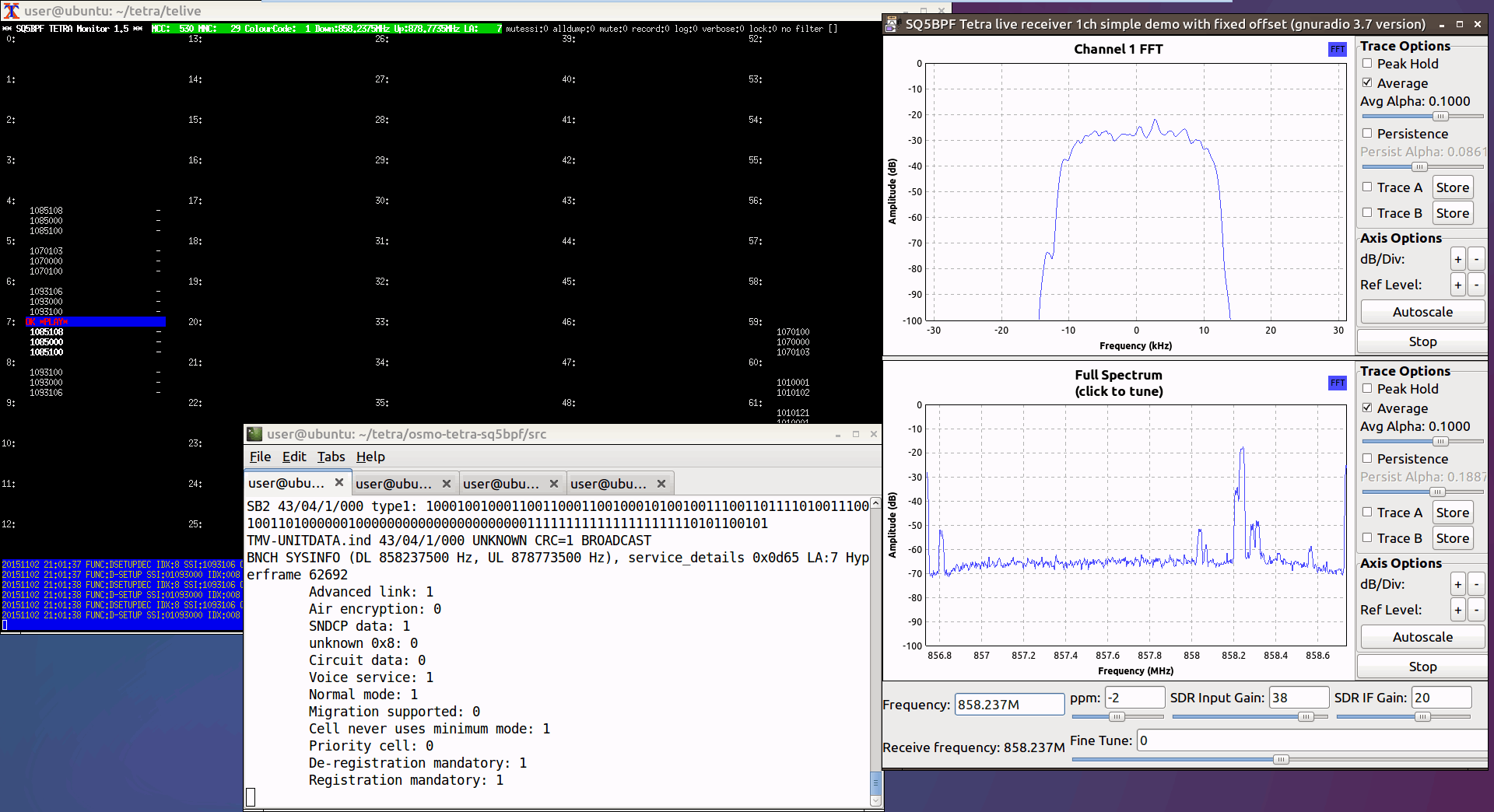
Back in 2014 the telive decoder by sq5bpf was released which allowed RTL-SDR users to decode and listen in to unencrypted TETRA radio. TETRA is a type of digital voice and trunked radio communications system that stands for “Terrestrial Trunked Radio”. It is used heavily in many parts of the world, except for the USA.
If you are interested in TETRA decoding we have a tutorial available here, which has just been made much easier thanks to this image.
Installation of the telive decoder involves simply running a script, but this can be fairly difficult for someone with no Linux knowledge to do. So to make life easier sq5bpf has recently made available for download a bootable telive Linux image. By writing this Linux image to a 16GB USB drive you can boot straight into the Linux operating system and access telive. A live image like this helps avoid the hassle of having to partition your hard drive and install Linux, or try and set up a Virtual Machine that could be slow. The image is also useful to users who want to play around with GNU Radio as it is aksi preinstalled.
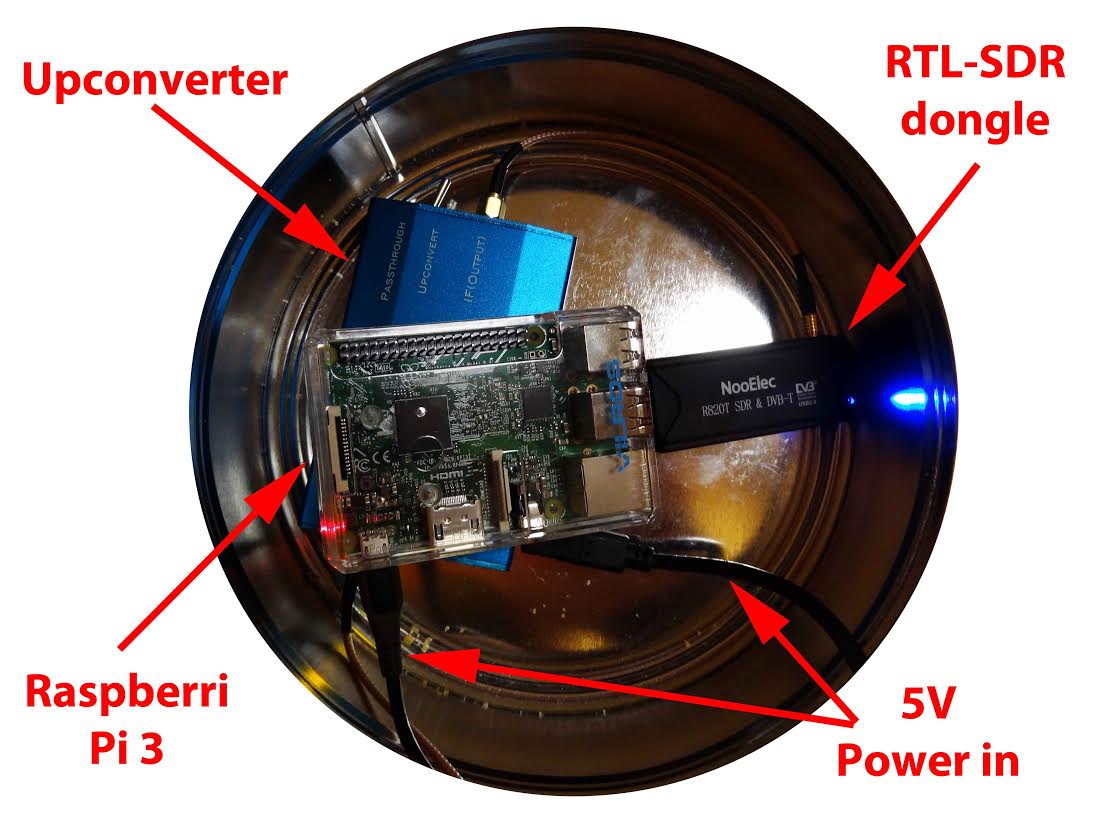
Over on his blog rtlsdr4everyone author Akos has recently uploaded three new posts. The first post is about the Raspberry Pi minicomputer and the post discusses the merits of using the Raspberry Pi with an RTL-SDR dongle. The second post provides information to help people new to RTL-SDR choose their first dongle, and weighs up options between dongles that cost $10, $20, $25, $35 and $50 dollars. Finally, the third post compares two dongles on HF performance.
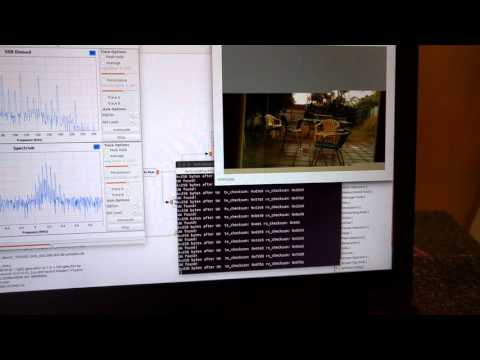
David and Mark are building a 115 kbit/s FSK SSDV (slow scan digital video) data system for high altitude balloons. In their system, on the balloon transmit side they use a Raspberry Pi, Raspberry Pi camera and a RFM22B wireless transceiver modulator board to transmit the SSDV FSK signal. On the receive side they use an RTL-SDR dongle, low noise preamplifier and a GNU Radio program to demodulate the SSDV images. The first video below demonstrates the hardware and GNU Radio program and shows them receiving the SSDV signal. In the second video they demonstrate that the images can be received at low signal levels (-106dBm) as well, by heavily attenuating the signal.
While testing the RTL-SDR for use in this system they also measured the noise figure of an R820T RTL-SDR dongle. The noise figure at maximum gain comes out at around 5.6 dB. By adding a low noise amplifier they reduce the measured noise figure down to 2 dB.
Testing the attenuated SSDV signal reception with an RTL-SDR.
In order to optimally receive NOAA weather satellite images a special satellite antenna tuned for 137 MHz should to be built. Generally either a QFH or turnstile antenna is recommended as these receive signals coming from the sky very well. If you are interested in receiving weather satellite images from NOAA satellites with an RTL-SDR dongle then we have a tutorial available here.
While QFH and turnstile antennas are not difficult or expensive to build, they still do require a small amount of electrical and construction skills. Over on YouTube user Wanderlinse shows us a possible alternative NOAA antenna that is simply made out of an old umbrella (the video is narrated in German, but it is easy to understand from the visuals). He uses a short BNC cable with crocodile clips, and connects one clip to the spines of the umbrella, and the other to the central metal shaft. For some reason this seems to create a good antenna that receives NOAA APT signals very well. To prevent wind issues he also cuts out some holes in the umbrella fabric.
Wanderlinse also shows that he can receive other signals with this umbrella antenna too, such as long wave, medium wave, shortwave, aircraft radio and ham radio.
Regenschirm Antenne NOAA APT Umbrella Antenna (quick n dirty)
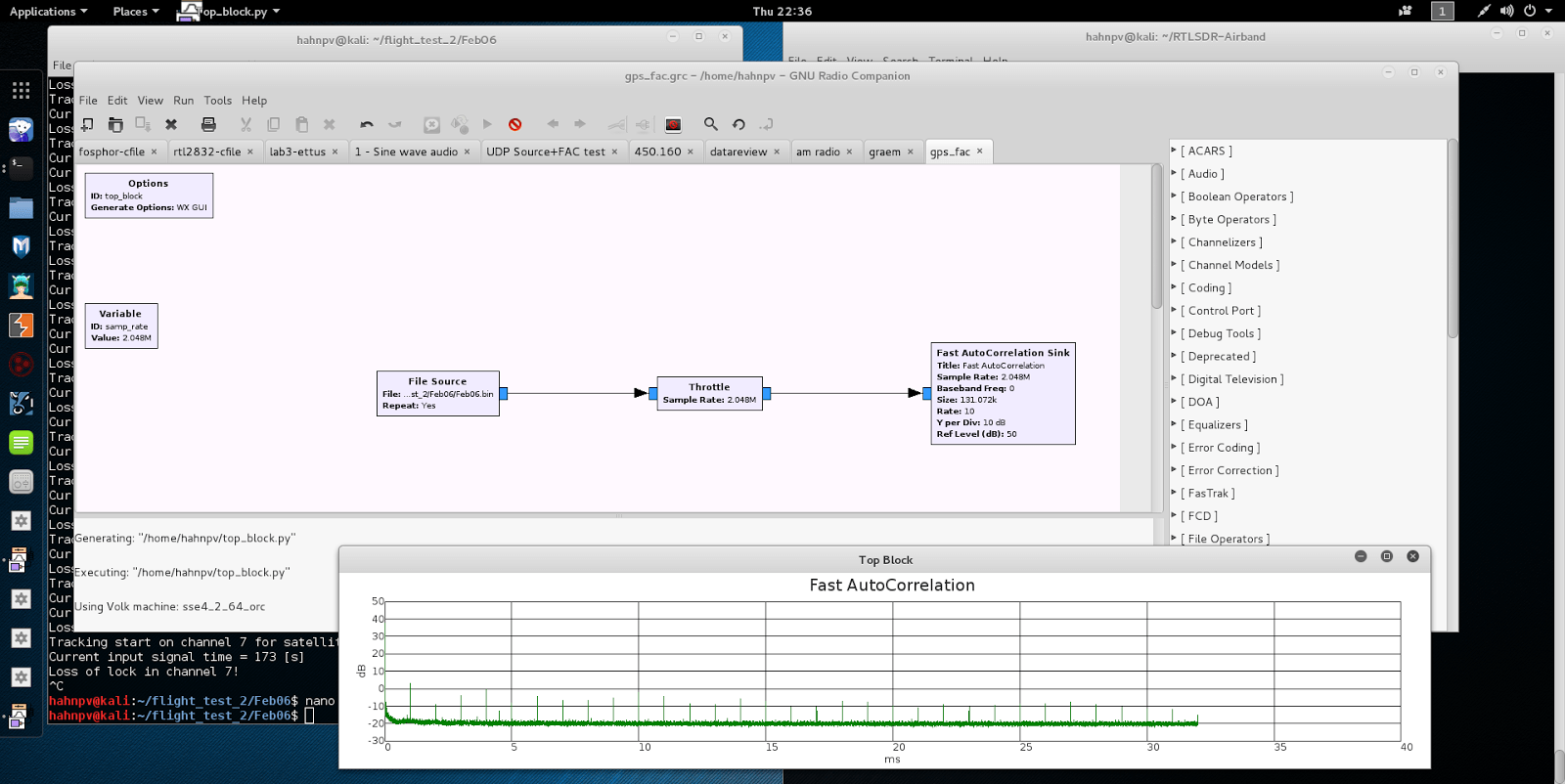
If you were to try to simply spot a GPS signal at 1.575 GHz in the spectrum on a waterfall in a program like SDR# you would probably fail to see anything. This is because GPS signals are very weak, and operate below the thermal noise floor. Only through clever processing algorithms can the actual signal be recovered.
With real data passed through the fast autocorrelation block he is able to observe GPS signal peaks that occur every millisecond. E.p. explains the reason for this:
Why every millisecond? The coarse/acquisition code for GPS (C/A) has a period of 1023 chips which are transmitted at a rate of 1.023 MBit/s. This results in period of 1 millisecond. BAM!