Tagged: acars

JAERO: A new RTL-SDR compatible decoder for Inmarsat AERO signals

Back in August of this year we showed how it was possible to use an RTL-SDR dongle, satellite antenna, LNA and decoding software to receive and decode STD-C EGC signals from Inmarsat satellites. We also showed how it was possible to modify a low cost GPS antenna to use as a satellite antenna.

Now a radio hobbyist called Jonti has released a Windows decoder for the Inmarsat AERO set of signals. AERO is a system that provides a satellite based version of VHF ACARS (Aircraft Communications Addressing and Reporting System). ACARS is typically used by ground control and pilots to send short messages and is also sometimes used for telemetry.

Jonti writes:

JAERO is a program that demodulates and decodes Classic Aero ACARS (Aircraft Communications Addressing and Reporting System) messages sent from satellites to Aeroplanes (SatCom ACARS) commonly used when Aeroplanes are beyond VHF range. Demodulation is performed using the soundcard. Such signals are typically around 1.5Ghz and can be received with a simple low gain antenna that can be home brewed in a few hours in conjunction with a cheap RTL-SDR dongle.

In the advent of MH370, Classic Aero has become a well-known name. A quick search on the net using “Classic Aero MH370” will produce thousands of results. The Classic Aero signals sent from satellites to the Aeroplanes are what JAERO demodulates and decodes.

Unlike the usual VHF ACARS, with SatCom ACARS you can not receive signals from the Aeroplane only the people on the ground talking to the people in the Aeroplane. This means you do not get the airplanes reporting their position. Instead you tend to get weather reports, flight plans, and that sort of stuff. Just like VHF ACARS they usually use cryptic shorthand notation. For example “METAR YSSY 040400Z 08012KT 9999 FEW040 SCT048 23/09 Q1024 FM0500 05012KT CAVOK=” is the weather report for Sydney Airport in Australia in a format called METAR. It tells you the time, when the report was issued, the wind direction and speed, visibility, clouds, temperature, due point and air pressure. Then it says from 5 AM UTC the wind direction and speed and that the weather will be nice. There are sites such as Flight Utilities that can decode such information and display it in a more understandable format.

In his post Jonti also shows how he uses a modified GPS antenna to receive the AERO signals.
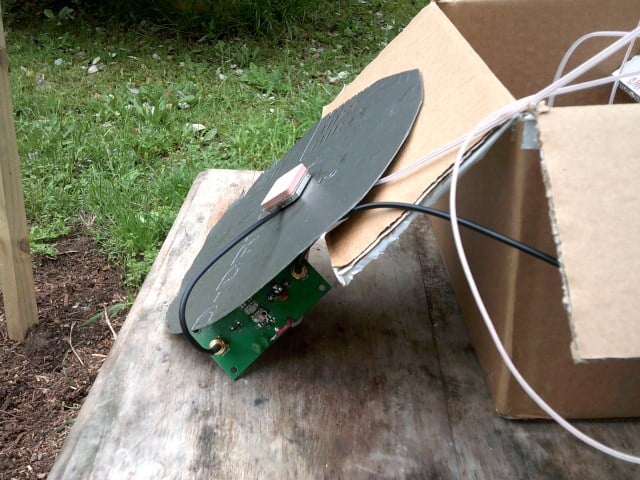
Jonti's modified GPS antenna for receiving AERO
Jonti’s modified GPS antenna for receiving Inmarsat AERO

We gave JAERO a test and found that it decoded AERO signals easily, even with low signal strength. To use JAERO tune to an Inmarsat AERO signal in SDR# or a similar program using USB mode. JAERO will listen to the audio from the sound card or from a virtual audio pipe. We recommend setting the AFC (Automatic Frequency Control) setting on on if you find that your RTL-SDR drifts too much. 

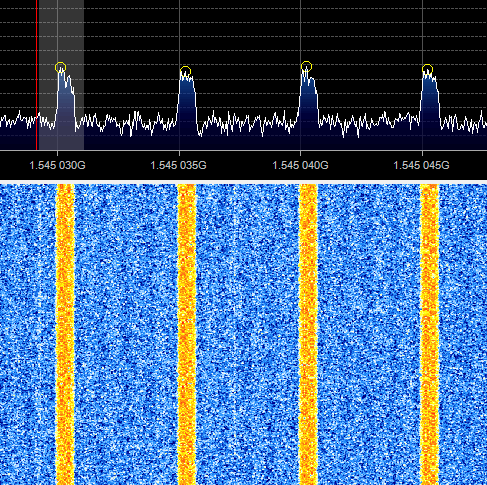
AERO signals can be found at around 1545 MHz. They only use about 800 Hz in bandwidth. See UHF satcoms page for a list of AERO frequencies.
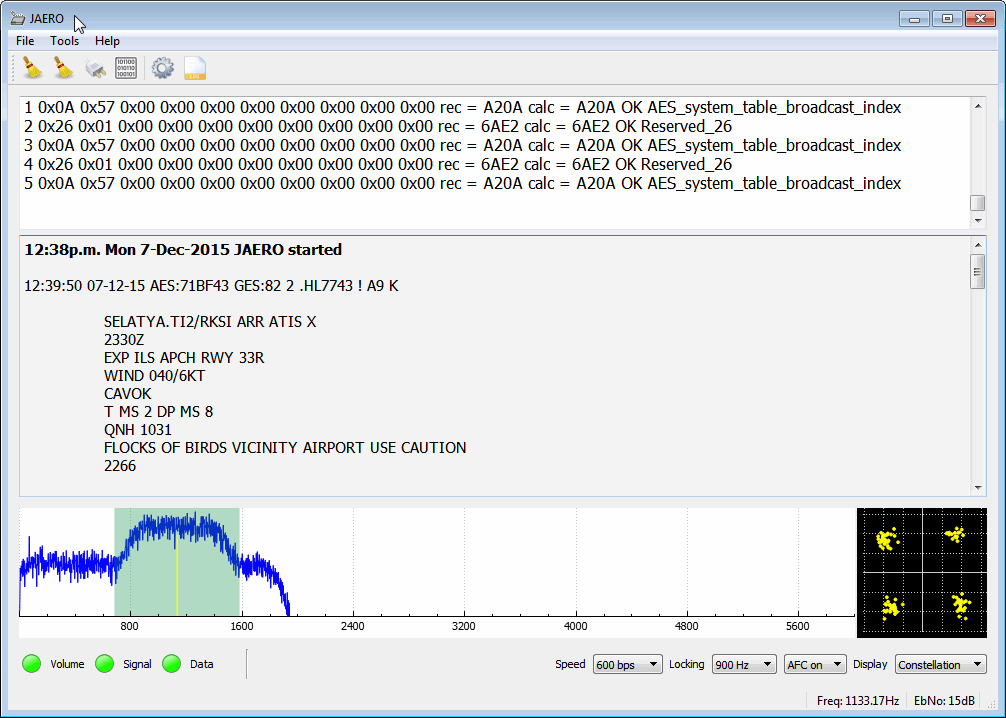
The JAERO decoder.
The JAERO decoder.
Some AERO signals.
Some AERO signals.

Remember that some R820T/2 RTL-SDR dongles can have problems when receiving this high, especially when they heat up. If you find that your dongle gets deaf at these L-band frequencies try cooling the R820T/2 chip with a heatsink or fan. The Airspy or SDRplay RSP software defined radios are better choices for decoding signals this high, but the RTL-SDR will work fine if your signal strength is decent and the R820T/2 chip is kept cool.

If you are interested in VHF ACARS as well, then we have a tutorial about decoding that here.

Aircraft Messages with HFDL, MultiPSK and the RTL-SDR

Over on YouTube user k2nccvids has posted two videos showing how he was able to decode High Frequency Data Link (HFDL) packets using the RTL-SDR, Ham-it-up upconverter, MultiPSK and HFDL Display. HFDL is a service similar to ACARS but sent over HF frequencies. It is used to sent short messages to and from aircraft and ground stations.

In the first video k2nccvids uses MultiPSK with the RTL-SDR directly and also uses the add on software HFDL Display to more clearly view received HFDL packets. In the second video he uses SDR-CONSOLEv2 to monitor three HFDL frequencies simultaneously, with MultiPSK and HFDL Display still being used for decoding and display.


Acarsdec 2.0: A Multi-Channel Realtime Linux ACARS Decoder which supports RTL-SDR

Acarsdec is a recently released open source, multi-channel realtime ACARS decoder for Linux. It supports direct input from an RTL-SDR dongle, and with the RTL-SDR can listen to four ACARS channels simultaneously. It’s official feature list includes

– up to four channels decoded simultaneously
– multithreaded
– error detection AND correction
– input from sound file , also sound card or software defined radio (SDR) via a rtl dongle

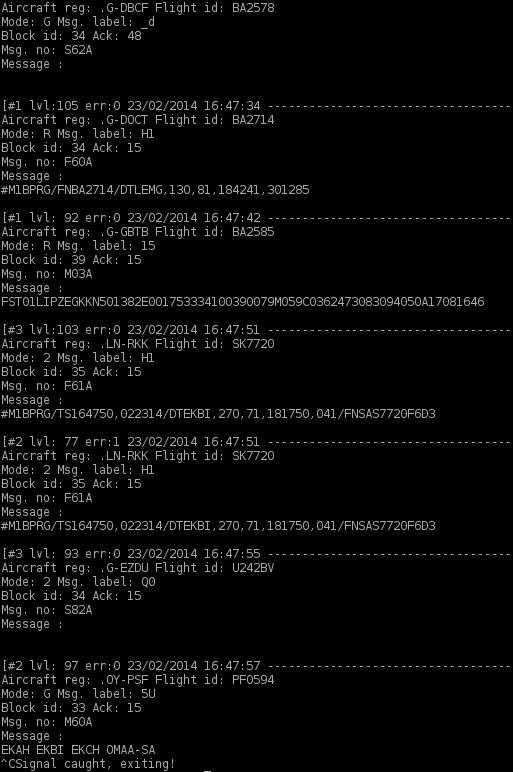
Acarsdec Terminal Output

RTL_ACARS Updated

The rtl_acars console based ACARS decoder which is based on rtl_fm has been updated by a new author, gat3way on Reddit. The new updates include decoder sensitivity improvements and the following:

  • Multiple frequencies scanning is now supported (by providing multiple -f arguments at command line and -l ). Since there is no audio output and it’s hard to determine right squelch level, a squelch debug option (-r) is implemented. Use it to experiment with squelch value, it’s simple: good squelch values flood stdout with “hopping freq!” messages yet avoid too high squelch levels. In general, values between 20-30 work good with my setup (big city, lots of radio interference, NOAA turnstile which gives -3db due to rhcp polarization).
  • Aircraft and airline databases now supported (using the acarsdec builtin ones). DBs are text files using simple format, so you may easily update them. I would very much appreciate your help to keep that up-to-date.
  • Certain improvements in frequency hopping code as compared to rtl_fm, but don’t expect wonders, it takes time to retune so data loss is not avoidable especially if you provide lots of frequencies to scan or huge ranges.
  • A simple Makefile to make it simpler 🙂

In the future gat3way hopes to support the decoding of multiple ACARS channels as well. The updated rtl_acars software can be downloaded from github here.

rtl_acars.c Compilation Install Video

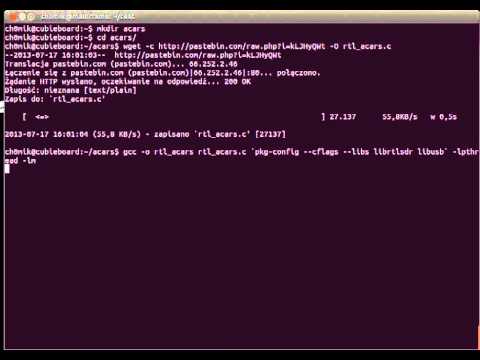
Yesterday we posted about the command line rtl_acars ACARS decoder. Today on YouTube, Pawel Janowski has posted a video showing how to download, compile and run the rtl_acars.c code on Linux.

Pawel has also posted the compilation instructions on his blog (in Polish but the console commands are easy to discern from the text).

ACARS from DVB-T (RTLSDR)

RTL_ACARS Console Acars Decoder for RTL-SDR

On the Osmocom mailing list, Andreas has posted his work on a console based ACARS decoder for the RTL-SDR. Check out the mailing list thread here, and original post here. The second post on the thread shows how to compile it under Linux. Andreas writes

I have combined “rtl_fm” with Thierry Leconte’s (GPL’ed) acarsdec library code and created “rtl_acars” which can directly decode ACARS flight info messages to the console. Confirmed to compile on OSX 10.6 (not possible for me to check if it also compiles under Windows and *nix). Feel free to add it as another proof of concept to your distro unless you consider it too much of a quick&dirty hack.

Only the source code is available, and you will need to compile it yourself. The code can be found here.


RTL-SDR Tutorial: Receiving Airplane Data with ACARS

What is ACARS?

ACARS is an acronym for Aircraft Communications Addressing and Reporting System which is a digital communications system that aircraft use to send and receive short messages to and from ground stations.

Standard ACARS transmits at a frequency of 131.550 MHz, which is in the receivable range of the RTL-SDR. The RTL-SDR software radio can be used as a radio scanner for listening to these digital messages, and with the help of some decoding software, can be used to decode and display the messages. The messages you can receive will be from nearby aircraft and ground stations. Most messages will be unreadable data intended for computers, but you can find out what is flying near you by decoding the flight number and aircraft registration details sent with every message.

There is also HF ACARS, which is used for long distance communications. In this article the focus will be on VHF ACARS, as receiving HF ACARS is a little different.

Examples of the RTL-SDR being used to decode ACARS

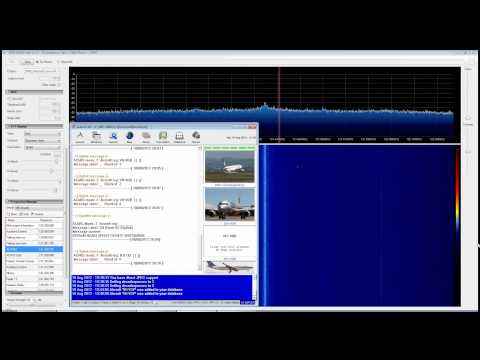
YouTube user Superphish shows a timelapse over 5 hours of ACARS traffic and decoding using SDR# and decoding program acarsd. He used a J-Pole antenna. (2021 Update: please see note regarding acarsd no longer working as expected below in the tutorial)

ACARS Decoding with RTL SDR (RTL2832), SDR Sharp and ACARSD

Continue reading →