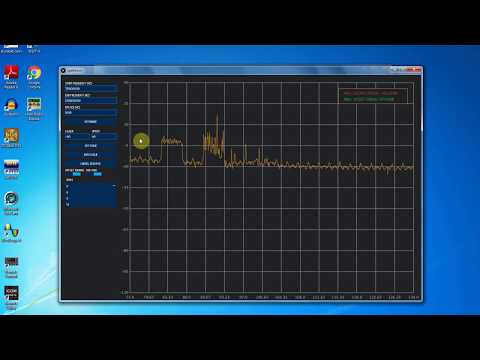
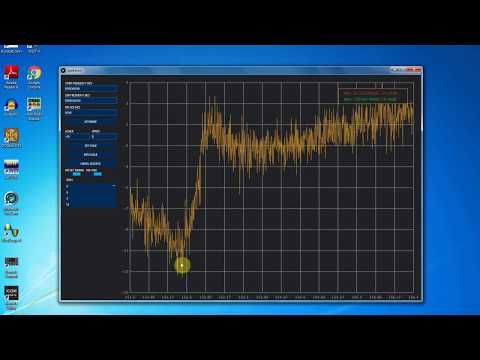
Back in March we posted about The Thought Emporium’s YouTube video that explained weather satellites and demonstrated that images could be downloaded from them using an SDR like a HackRF or RTL-SDR. Now The Thought Emporium have uploaded part two of the video series, which is a tutorial that shows exactly how to use the free software to receive, demodulate and decode NOAA and Meteor satellites.
The first part of the video shows how to use SDR#, Audacity and WXtoIMG to receive NOAA APT weather images. The second part of the video shows how to use SDR#, Audacity, LRPTrx, LRPTofflinedecoder, SmoothMeteor and LRPT processor to receive Meteor M2 LRPT images.
Receiving Images From Satellites Part 2: Decoding and Demodulating NOAA and METEOR Transmissions
DSpectrum is a reverse engineering tool that aims to make it trivial to demodulate digital RF transmissions. It is built on top of the Inspectrum tool which makes it easy to visualize and manually turn a captured digital RF waveform into a string of bits for later analysis by providing a draggable visual overlay that helps with determining various digital signal properties. DSpectrum added features to Inspectrum like automatically converting the waveform into a binary string with thresholding. RF .wav files for these tools can be captured by any capable radio, such as an RTL-SDR or HackRF.
Steve Olney VK2XV is the creator and administrator of the Neutron Star Group website which collects a listing of confirmed amateur attempts at pulsar detection, many of which have been made with a humble RTL-SDR dongle. A pulsar is a rotating neutron star that emits a beam of electromagnetic radiation. If this beam points towards the earth, it can then be observed with a large dish antenna and a radio, like the RTL-SDR.
Now after more than four years of trying, Steve has finally been able make his own confirmed pulsar detection by using a 42-elment circularly polarized Yagi antenna tuned for 436 MHz and an RTL-SDR. Typically a large dish antenna is used to receive a pulsar, but Steve has instead used a fixed position circularly polarized Yagi antenna, which he writes has an equivalent aperture to a 2.8 meter diameter dish. His antenna can point directly upwards as his target is the Vela pulsar which happens to pass almost directly overhead at his location.
Detection of a pulsar involves determining its rotational period from the regular wideband noise pulses that they produce. Pulsar detections with large aperture dish antennas can easily be confirmed due to high SNR, but smaller weaker detectors require some use of some mathematical techniques to confirm a positive detection. This is especially important as it’s possible for terrestrial signals to mimic a pulsar.
In order to detect and confirm the pulsar detection from a weak signal, Steve uses a technique called epoch folding, which makes use of the fact that the period of pulsar pulses are extremely regular. To verify the results he also makes use of techniques such as folding at the predicted period, de-dispersion and plotting daily results against the predicted results. These techniques are explained in more depth in his results post.
Steve’s Results showing the detected pulsar period and his CP Yagi Antenna
LilacSat-1 is an educational CubeSat built by students from the Harbin Institute of Technology (HIT) in China. It was recently launched from the ISS on 25 May 2017 as part of the QB50 science experiment to explore the lower thermosphere, and it is expected to stay in orbit for about 3 months. Apart from BPSK telemetry at 145.935 MHz, LilacSat-1 is interesting because it contains on board an FM to Codec2-BPSK digital voice amateur radio transponder at 145/436 MHz (uplink/downlink). It is probably the first amateur radio satellite to contain an FM to digital voice transponder.
To decode LilacSat-1 digital voice and telemetry you can use a Linux live CD provided by HIT, or download the GNU Radio decoder directly from the LilacSat-1 information page on the HIT website. The GNU Radio program can be used with any GNU Radio compatible SDR, such as an RTL-SDR.
An example of LilacSat-1 being decoded has also been uploaded by YouTube by Scott Chapman. In his test he used an RTL-SDR to work the pass live, but in the video shows an offline decoding received by his SDRplay which was also monitoring the same pass.
26 May 2017 LilacSat-1 First Try at Digital Repeater
Over on YouTube user AVT Marketing has uploaded a five part video series that very clearly and slowly shows how to use an RTL-SDR to set up trunking and digital voice monitoring. In the videos he uses SDR#, Unitrunker, DSD+ and VBCable for the monitoring.
The first video in the series shows a brief overview of the digital trunking voice set up, and explains a bit about digital voice communications. The second video shows how to install an RTL-SDR, and walks you through downloading Unitrunker and DSD+. The third video is a tutorial about SDR# and also explains how trunking radio systems works. The fourth video shows how to install Unitrunker, DSD+, VBCable, and how to configure each program. Finally the fifth and last video in the series shows the final steps in using Unitrunker and DSD+.
This looks like a very good video series, especially for those that like to see every step in the process played out in full.
Cheap Digital Trunked Scanning Using SDR for the Absolute Beginner
We last posted about Nigun back in January 2017, and at that point the schematic design had just been completed. Nigun is a downconverter which can be used to allow the RTL-SDR and other SDRs to receive frequencies above their typical maximum tuning range, which for the RTL-SDR is about 1.8 GHz. A downconverter works by taking those high frequencies and converting them down into a frequency which the SDR can actually tune to.
Dynamic LO – LO will be determined by the user and programmed by the MCU
Almost no filtering – will leave this challenge outside of this project scope
Power up and programming via micro-usb connector. Should be able to power up from a USB power-pack (but probably not from a computer port)
Highest RF frequency will be 3GHz
Product also features a VCO for signal-generation purposes. VCO support should be 200-2700MHz
Previously Outernet had been working on a downconverter design for their 1.5 GHz satellite service, but they decided that it was not economical. So it is good to see an alternative downconverter in the works. More details about Nigun are available on the GitHub page.
Back in March of this year we posted about “Welle.io”, a DAB/DAB+ decoder that supports the RTL-SDR and other SDRs like the Airspy. It was available for Windows, Linux and Raspberry Pi 2/3.
The only other app that we’ve seen which is capable of decoding DAB/DAB+ on Android is Wavesink. Wavesink costs $14.90 USD on the Google Play store, but there is a free trial version available with runtime limitations and no DAB+ support.
Albrecht notes that the app is fairly computationally intensive and will require an Android device with at least 4 cores and a clock speed of 1.3 GHz to run the app. He also mentions that they are also looking for any interested developers and translators to help with development of the app.
Welle.io on Android
welle.io on Android (DAB+/DAB software radio, RTL-SDR , RTL2832U)
During this years 2017 Hamvention convention I was invented by TAPR to present three talks about the RTL-SDR. Several people who watched the talks have requested the slides, so they are uploaded here in PDF format.
The World Of Low Cost Software Defined Radio – Presented at the TAPR Banquet. An introduction to the RTL-SDR and many of the interesting applications that it has been used for.
An Introduction to RTL-SDR – Presented at the TAPR Digital Forum. A brief introduction to the RTL-SDR and a selection of some of the most popular applications.
Introduction to Cheap SDRs for Radio Monitoring – Presented at the Digital Modes Now and In the Future Forum. A brief introduction to the RTL-SDR and a selection of some interesting digital modes that can be monitored.
The talks may be on YouTube in the future. If and when they are they will be posted here too.
A big thanks to all that came to the talks, and all the people who I met at Hamvention. It was a great event and really nice to meet everyone interested in RTL-SDRs and SDRs in general.