Over on his blog Andy writes how he wanted a smart way to control his central heating system with a Raspberry Pi and Arduino microcontroller. He discovered that if he could reverse engineer his existing wireless thermostat then he would have an easy way to control the boiler in his house and with that a smart controller could be made. By reverse engineering the thermostat he also avoids the need to rig up his own control system.
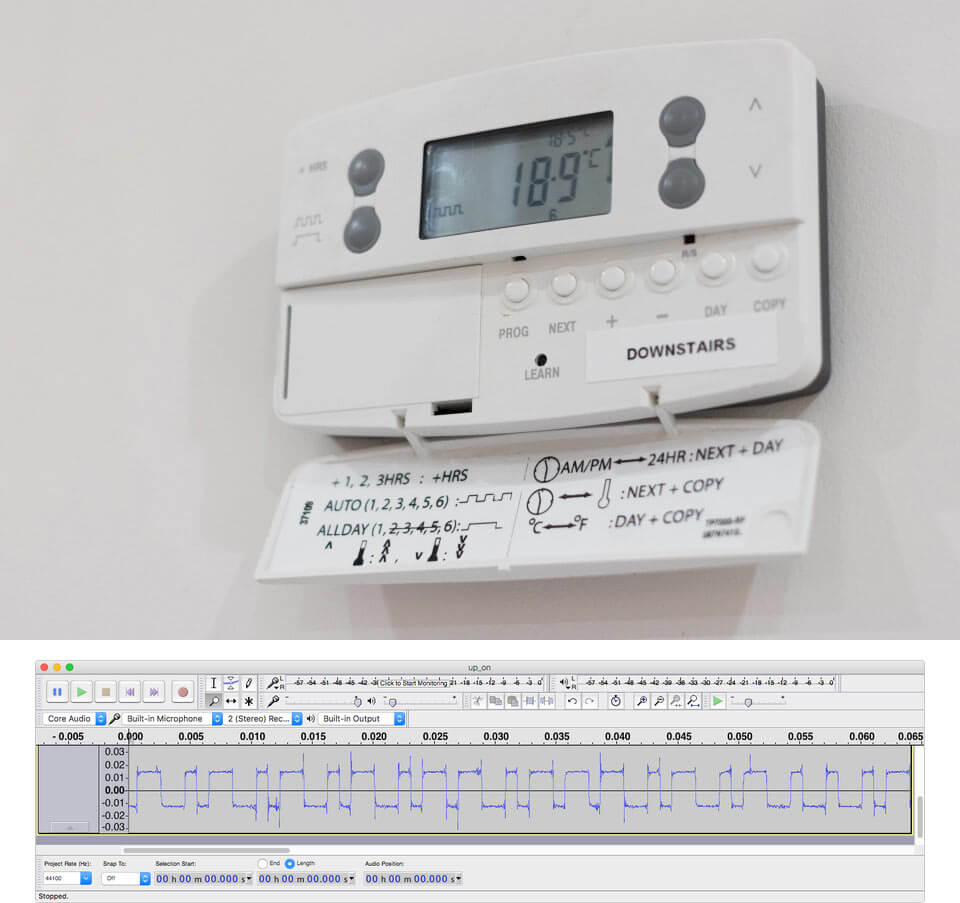
The existing thermostat wireless receiver is a Danfoss RX2. In order to reverse engineer the protocol Andy opened up an older that one he had and saw that it used an Infineon TDA5210 RF receiver chip. Armed with this part number he was able to look up the datasheet and determine the operating frequency. Then by using an RTL-SDR he captured some packets while pressing buttons on the thermostat transmitter and piped the audio file into audacity, where he was able to clearly see the digital waveform.
Andy then wrote a Python program using the ‘wave’ library, which allowed him to easily read binary values for a .wav file. With his code he was able to extract the data from the signal and determine the preamble, sync word, thermostat ID and the instruction code (on/off/learn).
In a future post Andy hopes to show us how he’ll use an RF69 module with an Arduino to actually control the thermostat using the reverse engineered packet knowledge.
Danfoss Wireless Thermostat and a Received Binary Waveform in Audacity
Over on his radioforeveryone.com blog, author Akos has uploaded three new posts. The first post briefly explains visually what is meant by line of sight when it comes to radio signals. Essentially at UHF and higher frequencies the radio antenna needs to be able to ‘see’ the transmitter, meaning that any blockages such as trees, houses etc will block the signal.
In his second post Akos briefly explains why USB cable quality can matter when it comes to SDRs. He shows that some USB cables tend to pick up more interference than others.
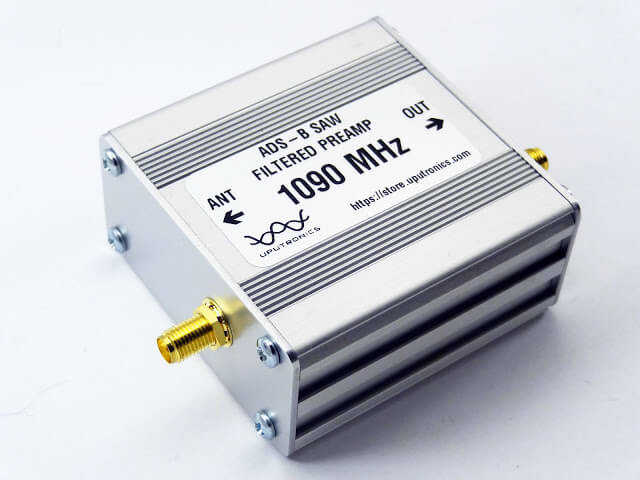
Finally in his third post Akos reviews the Uputronics 1090 MHz Filtered Preamp. Uputronics is a UK based company that sells various filtered LNA’s. Akos writes how he’s very impressed with the premium packaging, look and feel of the device and thickness of the metal case. In performance tests the preamp together with a V3 dongle with bias tee power clearly improves ADS-B position reports significantly. We note that we also have 1090 MHz filtered preamp from Uputronics (an older model), and can also highly recommend their products.
The Uputronics 1090 MHz Filtered Preamp reviewed on radioforeveryone.com
Bonito is a company that sells various products such as their own small active antennas. Some examples are the Bono-Whip (20kHz – 300 MHz), GigaActiv (9kHz – 3 GHz) and the MegaLoop (9kHz – 200 MHz).
Over on their blog they’ve uploaded a post titled “why even good antennas need good coax cable”. The post explains why high quality heavy shielded coax cable may be required to receive HF signals in noisy environments. The author writes how even placing an antenna in a quiet area outdoors may not work if the coax is still run through an high interference environment, such as through a house.
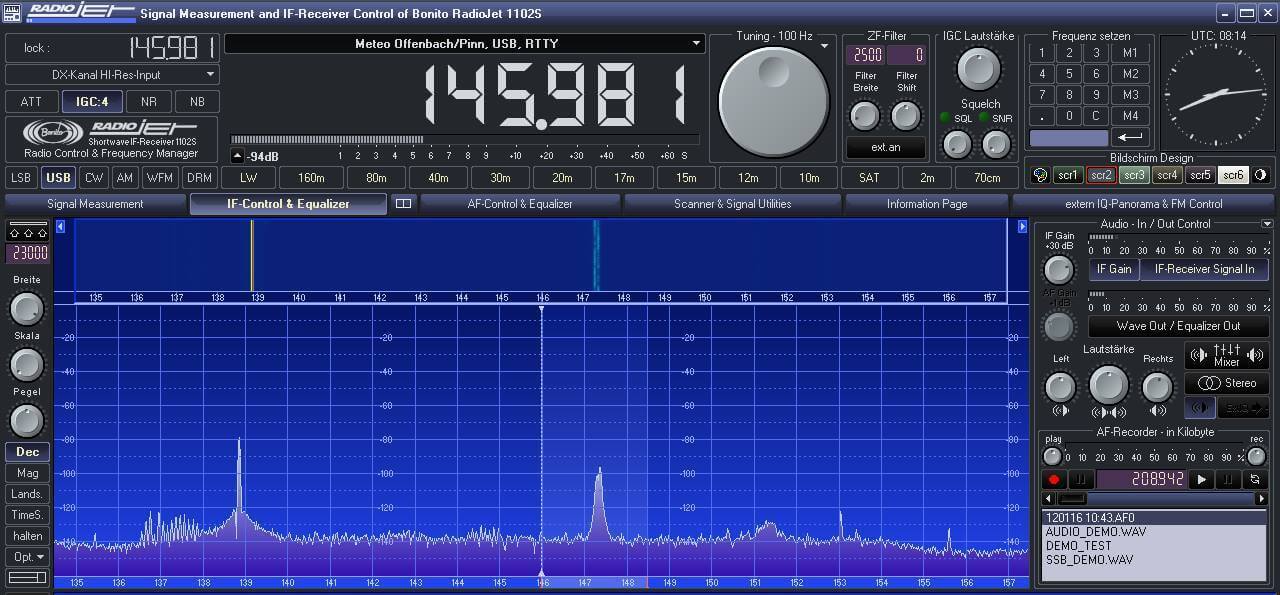
Typically RG58 cable is most commonly used with HF antennas. However, the author noticed that when using RG58 he was still receiving FM stations, even though the antenna that he was using was a MegaLoop with a built in broadcast FM filter. After switching his RG58 cable to H155 coax, the FM station disappeared. H155 coax is low loss and designed for GHz level frequencies, so it has much better shielding from its tighter braid.
The images below also show the difference in noise floor the author saw after replacing all his RG58 with H155 coax.
GOES is an L-band geosynchronous weather satellite service that can be received typically with a satellite dish. It produces very nice full disk images of the earth. In the past we’ve posted about Lucas Teske’s work in building a GOES receiving system from scratch (including the software decoder for Airspy and RTL-SDR receivers), devnullings post about receiving GOES and also this talk by @usa_satcom on decoding GOES and similar satellites.
Over on Twitter @usa_satcom has been tweeting about his experiments where he has been successfully receiving GOES L-Band weather satellite images with a small grid antenna and an Airspy Mini. In a Tweet he writes that the antenna is an $85 USD Hyperlink 1.9 GHz 22 dBi Grid Antenna made by L-com. A grid antenna may be more suitable for outdoor mounting for many people as they are typically lighter, smaller and more suitable for windy and snowy conditions. As the GOES satellite is in geosynchronous orbit, no tracking motor or tracking mount is required.
GOES LRIT on small grid antenna? Sure, works just fine! Just a test setup for now. I'll post some FFTs and actual images later. pic.twitter.com/U6fALGCHl2
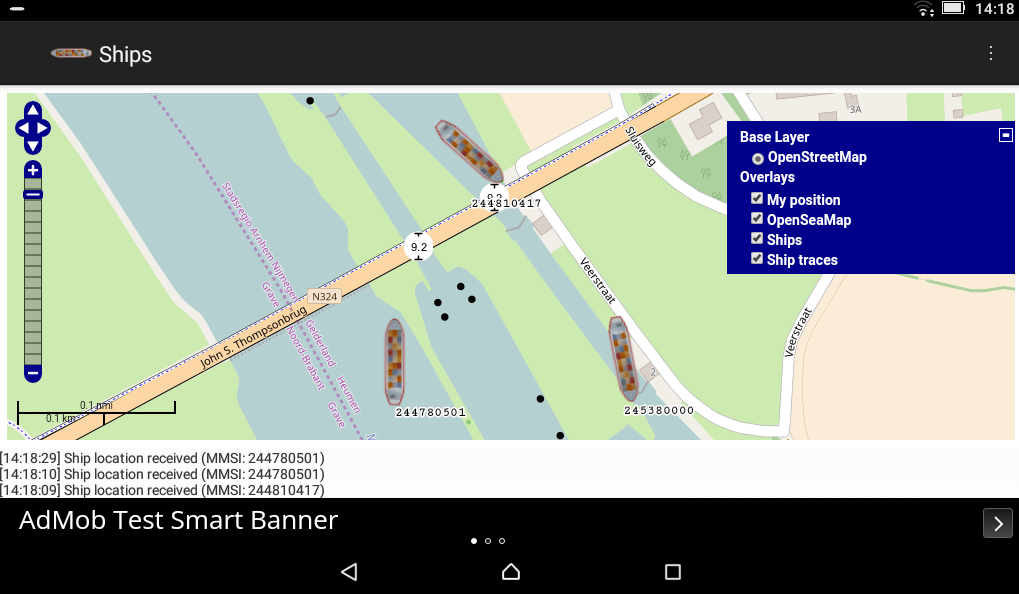
Ships also has another interesting feature which is that it will automatically determine the PPM offset of a dongle, meaning that generic dongles without TCXO’s can be easily used for AIS. It appears to do this by using the AIS signals themselves, so you will need sufficient AIS traffic in your area for the calibration to work.
AIS stands for Automatic Identification System, and is a system used to track the locations of marine vessels. It is similar to ADS-B in that nearby ships can be plotted and tracked on a map by using an RTL-SDR as the receiver. We have a tutorial for PC available here.
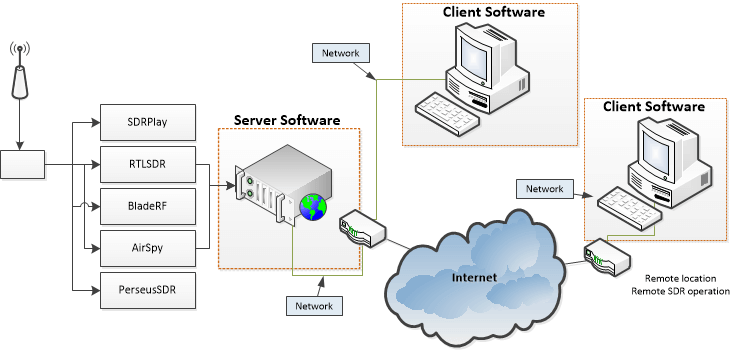
Cloud-SDR is a company that aims to make using SDR over the cloud/network/internet easier. It allows you to set up a remote SDR server that you can access from anywhere. Previously Cloud-SDR was still in development, but now we recently received mail from Cloud-SDR programmer Sylvain that the client and server software has just been released for the RTL-SDR. It appears that it also currently supports the Airspy, BladeRF, SDRplay and PerseusSDR.
The email reads:
I am pleased to inform you that we have just released two softwares compatible with your devices :
The Cloud-SDR free client, a windows + Linux (to be released soon) client able to run locally RTL-SDR devices (check the news/turorials, we have featured several times dongles from your blog)
The Cloud-SDR streaming server (codenamed SDRNode) , a windows + Linux (to be released soon) multi-user configurable streaming server.
SDRNode is a commercial software but an evaluation version is already available. Both softwares can be downloaded from our store after registration.
Source code for the drivers are already released as open source software through our GitHub repo: https://github.com/cloud-sdr
To download the software you must register an account with them at https://store.cloud-sdr.com/my-account. The client is free but the server costs 110 euros for personal and hobby usage, although a 30 day trial version is available. Currently only the Windows Client and Server are available, but they write that Linux should be available soon.
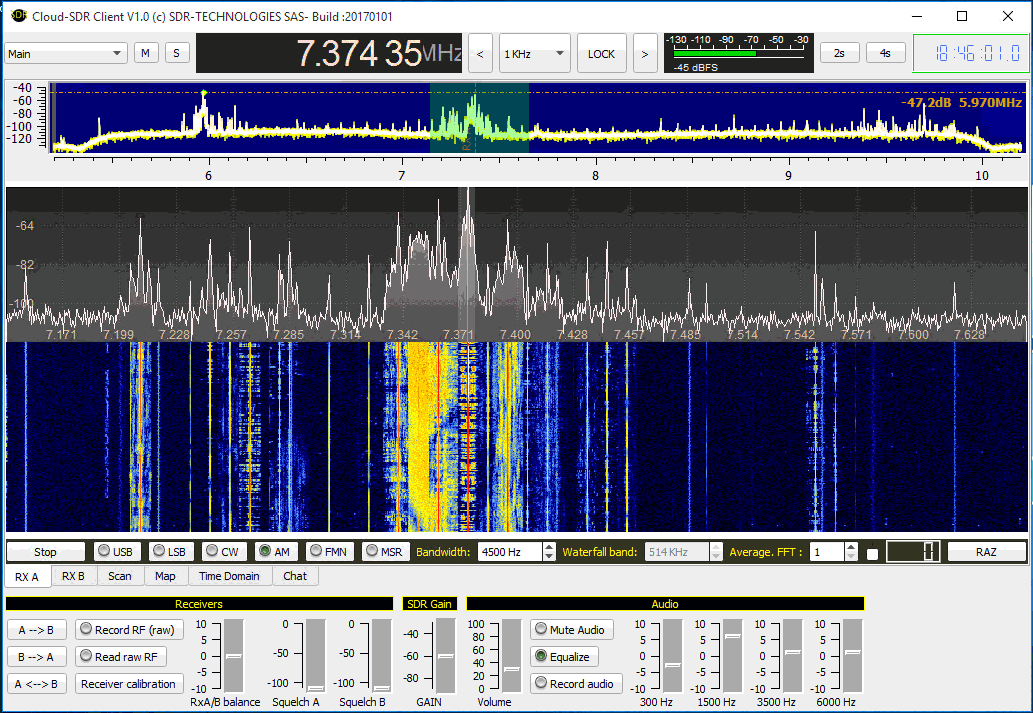
We tested the software out with an RTL-SDR V3. The client installation process was a simple wizard and after installation we launched the Cloud-SDR client by opening the shortcut “cSDRc” in the Start Menu. We found that the hardware needed to be plugged in first for the client to recognize it. The client is basic, but can already demodulate USB/LSB/CW/AM/FMN without trouble. It also has some interesting features:
Dual channel receiver: RXA and RXB are two totally independent receivers;
Geographic integration: Display on map beacons, ADS-B reported airliners, known HF broadcast stations or any geo-localized information coming from the SDRNode server;
GPS compatibility: plug a GPS receiver to your computer and track your location on the map, record signals with your position for later processing (coverage mapping etc.); display the UTC time;
Digital Terrain Elevation: See the terrain elevation around your position, or in the direction of the antenna directly on the map (requires to download the free SRTM3 files from NASA, with 90m resolution);
MP3 audio recording: record to mp3 the demodulated streams to reduce disk requirements;
Chat with other users connected to the SDRNode Group: when used as a remote client for the SDRNode streaming server, you can interact with other users with messages or station spotting;
Time-domain analysis: the MSR mode enables analysis of any sub-band and displays in real time the time domain signals of the selected spectrum portion. This sub-band can also be recorded (with geographic position if GPS is connected) and processed with provided MATLAB®.
The Cloud-SDR Client Software
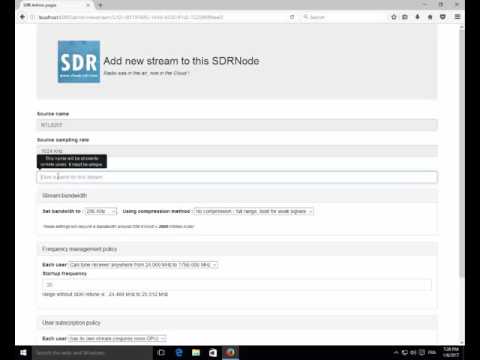
Next we tested the evaluation version of the SDR-Node server software on a remote laptop with an RTL-SDR connected. Again installation was easy, just follow the wizard after ordering the evaluation version. SDR-Node installs itself as a Windows service which starts up automatically on boot. To set up the Node we followed the guide shown in the video below. To connect with the client you need to know the IP address of the remote computer, the port is 8080, and the certificate is displayed on the server PC SDR-Node dashboard. We note that we also had to disable the Windows firewall to get it to connect, but it should be possible to also add SDR-Node to the firewall whitelist.
Using the SDRNode wizard
When streaming it appears that only 1/4 of the SDR sample rate can only be sent over the network. There are also compression options which can be used on slower networks or the internet to reduce bandwidth. Using the interface while in network mode was slightly laggy, but the waterfall and audio was smooth.
Overall everything worked as expected and it looks to be a very useful tool. More information is available at cloud-sdr.com. Some already existing alternative remote SDR streaming software that supports the RTL-SDR includes rtl_tcp, the SDR Console V2 server, OpenWebRX and ShinySDR.
Over on YouTube user Tomi Simola has uploaded a video showing his servo based Outernet satellite antenna tracker. Outernet uses L-band geostationary satellites which means that they are at a fixed position in the sky. Optimal reception of the Outernet and other L-Band satellite signals can be obtained by pointing the patch antenna towards the satellite.
Tomi wanted an easy way to remotely switch the antenna to point at one of two geostationary satellites, Alphasat at 25E which has the Outernet signal and Inmarsat at 64E which has more services like AERO and STD-C. Another potential use of his tracker might be for tracking L-Band satellite while in a moving vehicle such as a car or boat.
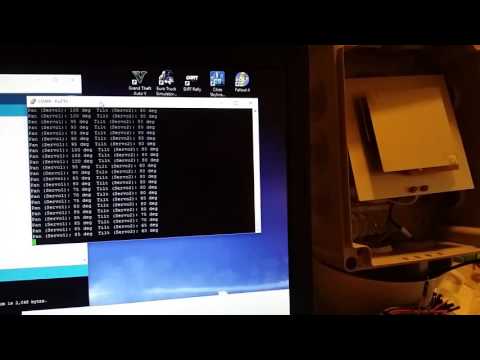
To automatically point the Outernet L-band patch antenna Tomi used a commonly found Pan-Tilt servo mounted inside an waterproof enclosure. On the servo is a 3D printed mount which the patch antenna is attached on. An Arduino Nano with Bluetooth module allows control of the servo.
A downconverter is a circuit that allows the RTL-SDR to receive frequencies above its maximum frequency range of about 1.8 GHz. It works by converting all higher frequencies down into a lower frequency which can be received by the RTL-SDR. It is the opposite of an upconverter which is used to receive HF frequencies on an RTL-SDR. In the past the Outernet project was working on a commercial downconverter product for the RTL-SDR, but they had to unfortunately put an end to that project as the costs were not economical.
But now over on GitHub Raziel Einhorn has uploaded plans for his open hardware 1.5 – 3 GHz downconverter which is code named Nigun (Melody). Currently the design has just about been completed, and he is planning to order the first prototype this January. The main component appears to be the ADRF6612 RF mixer which is controlled by an ATSAMD21E18A ARM microcontroller. On the GitHub page he explains the main properties as:
Dynamic LO – LO will be determined by the user and programmed by the MCU
Almost no filtering – will leave this challenge outside of this project scope
Power up and programming via micro-usb connector. Should be able to power up from a USB power-pack (but probably not from a computer port)
Highest RF frequency will be 3GHz
Product also features a VCO for signal-generation purposes. VCO support should be 200-2700MHz