Tagged: rtl2832u

Comparing LHCP and RHCP Reception of a Thuraya Satellite with an RTL-SDR and MIX4ALL

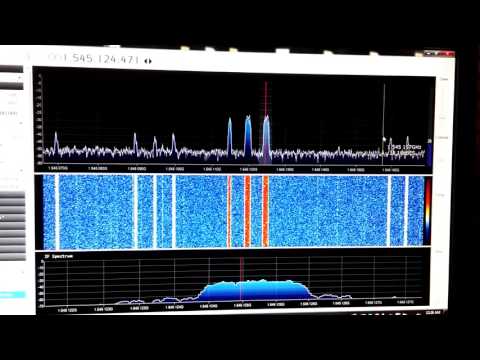
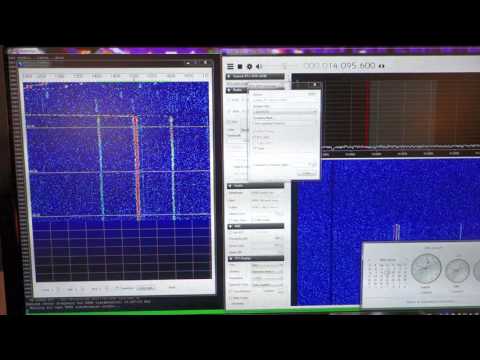
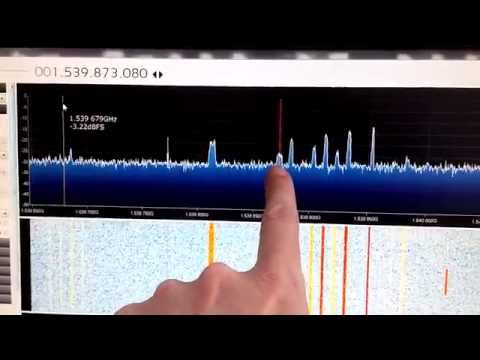
Over on YouTube Adam Alicajic 9A4QV (creator of the popular LNA4ALL) has uploaded a video showing a comparison of reception of Thuraya satellites with a LHCP (left hand circular polarization) and RHCP (right hand circular polarization) patch antennas. To receive Thuraya satellites, a LHCP antenna should be used, and Adam’s results show that using an antenna with the wrong polarization (RHCP) produces a signal that is as theoretically expected almost 20dB lower. Shortly after initially posting this Adam wrote in to comment on the following:

Thuraya LHCP original patch antenna have 2 patches stacked inside the panel antenna and the hand made RHCP patch antenna is made only of 1 patch. Theoretically, this should give the 3dB more gain for the Thuraya antenna.

The difference in the received signal due to polarization should be (theoretically) 20dB, thats RHCP vs. LHCP and I experience some 18dB of difference which is good result. Why not 20dB? First of all it is impossible to get 3dB more gain stacking the antennas, this is just the theory, more likely 2db in the practice.

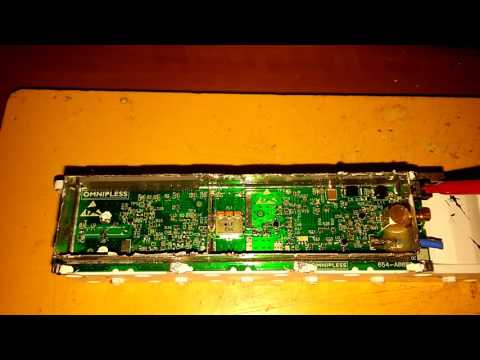
To receive the signals Adam uses the patch antennas, which are connected to the MIX4ALL (a downconverter that he is currently developing), which is then connected to a RTL-SDR dongle.

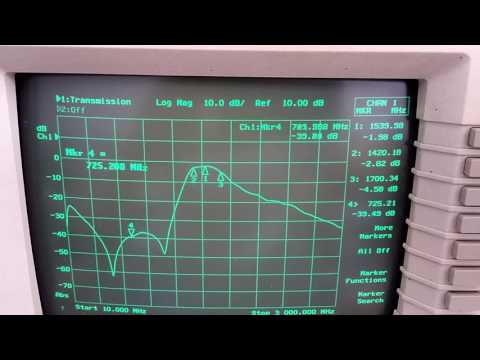
In the first video Adam shows the difference the wrong polarization makes, and in the second he shows some information about the Thuraya LCHP antenna he uses.

Receiving Thuraya sat - LHCP and RHCP comparison using MIX4ALL

Thuraya antenna L-band + GSM

RTLSDR4Everyone: Avoiding RTL-SDR Rip-Offs

Akos from the rtlsdr4everyone blog has come up with a new post that aims to help people avoid getting ripped off when trying to buy an RTL-SDR dongle. He shows that there are several sellers on eBay who sell branded products (like Nooelec and our own RTL-SDR Blog brand) for higher prices and higher shipping costs than the official manufacturer. He also notes that there are several sellers falsely advertising E4000 dongles, selling custom units that are too expensive and sellers that stuff in popular keywords to wrongly get to the top of rankings with an inflated price.

We’d like to add the following to Akos’ post: We believe these sellers offering our and other brands products at higher prices on marketplaces like eBay are simple market arbitrage bots that scrape items listed on Amazon and then list them on eBay for a higher price. They write that they can ship overseas, but they are simply using an address forwarder (like shipito, viabox or the eBay global shipping program) to forward the goods from the USA to overseas. Note that we ship overseas via our Chinese warehouse for free, so there is no need to use an address forwarder and pay high shipping costs.

We’d also like to note that we now have three companies who legitimately resell our dongle only units locally in the UKJapan and in India. They may charge higher prices as they must contend with import costs and business taxes, but the advantage is fast local shipping and local support.

Don't get ripped off by scammy sellers.
Don’t get ripped off by scammy sellers.

Getting SDR# and RTL-SDR to run on OSX El Capitan with Mono

A few weeks ago Matthew Miller showed us how it was possible to run DSD+ in OSX using a program called Wineskin. Now he’s uploaded a new video that shows how to get SDR# working in OSX El Capitan with Mono. SDR# is designed to be used in Windows, but since it is written in C# under the .NET framework, it should be possible to run it on OSX with the open source Mono .NET implementation. The overall installation is not as straight forward as simply downloading a zip file like it is on Windows, but the tutorial Matthew provides is clear and easy to follow.

The steps involve downloading SDR#, downloading Mono, installing MacPorts, installing PortAudi, installing the RTL-SDR libraries and then setting up some required symbolic links. Finally he shows that to access the RTL-SDR you must first run RTL-TCP and then connect to that using the RTL-SDR (TCP) option in SDR#.

SDR# on MAC OSX EL CAPITAN - RTL SDR - MONO

RTLSDR4Everyone: Review of 5 RTL-SDR Dongles

Over on the rtlsdr4everyone blog (previously known as the sdr4mariners blog), author Akos has uploaded a new post that compares 5 different RTL-SDR dongles against one another. He compares a Terratec R820T, Black Nooelec R820T, Blue Nooelec R820T2, our own RTL-SDR Blog R820T2 and a Nooelec Nano R820T.

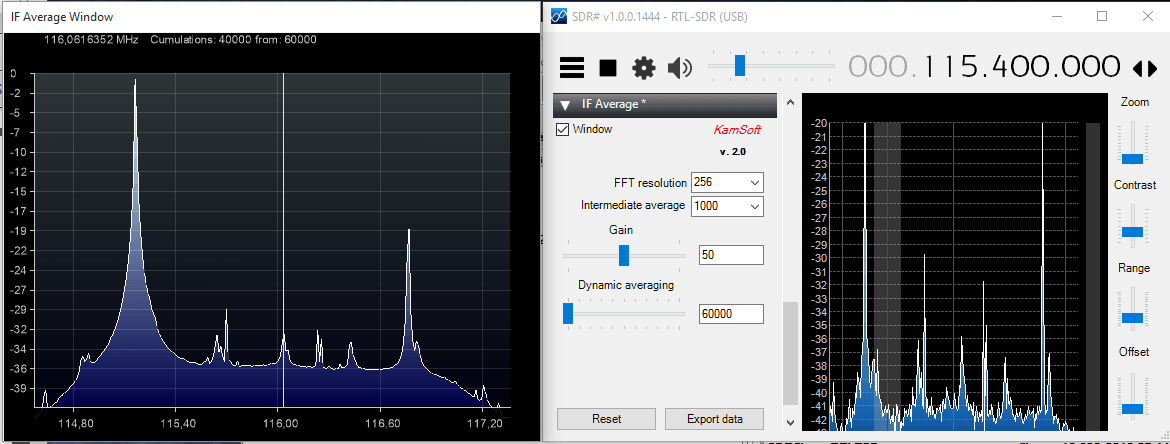
In the post Akos gives an overview of the features of each dongle, and runs tests on things like frequency drift and broadcast FM interference. He also runs SNR tests on Airband, low UHF, high UHF signals and shortwave frequencies. His tests show that the dongles with the R820T2 chip outperform the dongles with the R820T chip by about 4-5 dBs in SNR, and that the overall best dongle is our RTL-SDR Blog dongle.

In the future Akos hopes to also review the Nooelec 9:1 balun.

dongles_all
The dongles compared in Akos’ Review


Building a Wideband Helix Antenna for L/S/C Bands

Over on YouTube user Adam Alicajic (creator of the popular LNA4ALL low noise amplifier) has uploaded a video showing the performance of a home made wideband helix antenna that he has created for receiving signals such as ones from L-Band Inmarsat satellites. See our tutorial for more information on receiving Inmarsat signals.

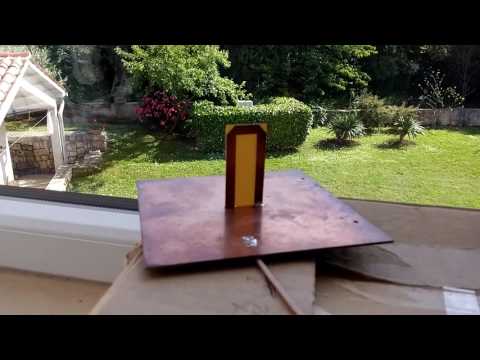
Adams helix antenna is built out of an old used can and is based on a 1.1 turn design. In the first of three videos he shows that the SWR of the antenna is all well below 2.0 from 1.5 GHz to 3 GHz. In the second video Adam shows the performance of the helix antenna on actual L-band signals being received with an RTL-SDR dongle. In the final video Adam compares the helix again a patch antenna and finds that the two receive with very similar performance.

Wideband L/S/C band helix antenna Part.1

Wideband L/S/C band helix antenna Part.2

Wideband L/S/C band helix antenna Part.3

Meteor M-N1 Still Working, Meteor M-N2 Still Down

The Meteor M N-2 is a polar orbiting Russian weather satellite that was launched in July 2014. It transmits with the LRPT protocol which allows us to receive weather satellite images that are of a much higher resolution than the NOAA APT satellites. For a while since the launch RTL-SDR users had a good time receiving beautiful images from Meteor M-N2, but unfortunately since late last year the N2 LRPT transmitter has been turned off, due to technical problems with the IR sensors as cited by Russian meteorologists.

Fortunately for Meteor N2 enthusiasts the old Meteor M N1 satellite which was thought to be dead sprung back into life around November 2015. Recently Matthew A., a reader of our blog wrote in to let us know that while N2 is still not transmitting, N1 is still transmitting, albeit with somewhat distorted images. Matthew also mentions this link: http://homepage.ntlworld.com/phqfh1/status.htm, which contains up to date info on the status of all weather satellites. He also writes: 

  • While transmissions are readily detectable and decodable at night, it seems that M N-1’s infrared sensors are not functioning. Yielding only black, with the typical noise bars of Red, Green, or Blue
  • As has been previously mentioned, Meteor MN-1’s stabilization system has obviously failed, and the horizon is clearly visible. Perhaps not of scientific value, but certainly beautiful. 

We also note that there are several comments over on the Meteor-M N2 news and support website regarding receiving images from N1 and N2. It seems that sometimes N1 also has some problems with transmission, but they are usually quickly fixed.

Meteor M-N1 Image Received by Matthew
 

Enclosing two RTL-SDRs in a metal box to reduce noise

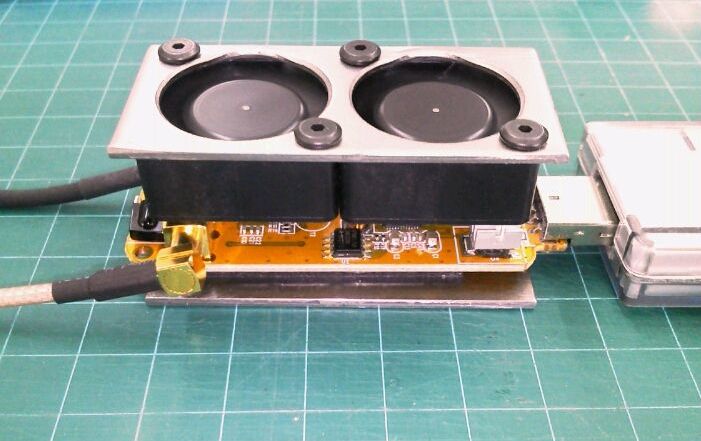
Over on his blog, Twitch has uploaded a post showing how he mounted two RTL-SDR dongles into a single metal case in order to reduce noise. Twitch used a $2 aluminium metal case that he obtained from a local surplus shop and cut it down to size and added holes for switches and BNC plugs. He then mounted two RTL-SDR dongles in the case and used two MCX -> BNC pigtails to get a case mounted coax connector.

He also removed the USB plugs on the RTL-SDR’s and wired them into a USB B plug mounted to the case, making sure to wind the USB power cables through several turns of ferrite core in order to reduce USB noise. Finally he also added a power switch to the USB connections, to be able to easily power off the units when not in use.

rtl_sdr_case
The two RTL-SDR’s placed into a aluminium case.

New Version of the Frequency Manager Suite Plugin for SDR# Released

Recently the commonly used Frequency Manager Suite Plugin for SDR# has been updated. The plugin suite works well with the RTL-SDR and includes features such as a frequency scanner and manager, a scanner metrics recorder, a scheduler, an activity logger and a frequency entry plugin. The changelog is shown below:

Frequency Manager + Scanner

  • New feature: you may now optionally display the descriptions of frequencies in your database on the spectrum window. You control the colors and transparency of the descriptions and their marker lines. 
  • New feature: the Browse window now allows you to type a frequency directly into the grid, and the grid will dynamically filter your database to matching frequencies. You may type a partial frequency and all frequencies that start with the same digits will be displayed. The more digits you type, the more specific the filtering.
  • New feature: A checkbox in Preferences lets you control whether the Last Update field is changed when performing bulk edits. When unchecked this permits you to retain the original date and time the frequency was recorded in the database. 
  • New feature: You may now change the font size in the Scanner Decisions window and plugin. The new size will be remembered and used the next time you start SDR#. 
  • New article:  User David Bunyan has provided a how-to article in the Appendix on how to use the scanner effectively for WFM DXing.  See also the WFM DXing Databases download in the Download Here section to get pre-built databases for different regions around the world, also graciously provided by David Bunyan.

Scanner Metrics

  • Bug fix: fixed error in the queue manager that prevented recording activity when the date-time format on the computer was not United States. 
  • Bug fix: fixed error that prevented SM from putting its database in the same folder as FM, if the FM database location was changed after SM was loaded.

Data Tools

  • New feature: default values for imports. Will automatically assign values when they are missing from the source import data.
  • Bug fix: Fixed culture-specific issue with Frequency values when an Eibi database is downloaded. 
  • Bug fix: Fixed bug that caused Data Tools to change the current database in Frequency Manager + Scanner. 
  • Bug fix: Importing an SDR# Frequency Manager data file now results in a prompt to add or replace existing data in the target FMSuite database.

The Pluginator

  • New feature: The Pluginator now knows many of the most popular plugins. So now you may simply select one from a list and it will be installed to Plugins.xml, as opposed to requiring you to type the configuration data for the chosen plugin.

FreqMgr