Tagged: sdrplay

Video Tutorial on Setting up the SDRplay RSP2 in Linux

Over on YouTube user Kevin Loughin has recently uploaded a video that shows a step by step guide on how to set up an SDRplay RSP2 in Linux. Setting up the RSP2 in Linux is not a simple task, but Kevin’s video walks us through the entire process step by step. At the end of the process you’ll be set up with the SoapySDR framework which is the glue software that sits between the hardware driver and SDR software. You’ll also have the CubicSDR software installed which is what you use for general browsing and listening. CubicSDR is similar to SDRuno, SDR#, HDSDR etc.

Over on his blog he’s also posted the steps in text form, and uploaded some of the scripts that he’s created to simplify the install process.
Ham Radio - How to set up the SDRPlay RSP2 under Linux. (See description below)

Decoding the LilacSat-1 FM to Digital Voice Transponder

LilacSat-1 is an educational CubeSat built by students from the Harbin Institute of Technology (HIT) in China. It was recently launched from the ISS on 25 May 2017 as part of the QB50 science experiment to explore the lower thermosphere, and it is expected to stay in orbit for about 3 months. Apart from BPSK telemetry at 145.935 MHz, LilacSat-1 is interesting because it contains on board an FM to Codec2-BPSK digital voice amateur radio transponder at 145/436 MHz (uplink/downlink). It is probably the first amateur radio satellite to contain an FM to digital voice transponder.

To decode LilacSat-1 digital voice and telemetry you can use a Linux live CD provided by HIT, or download the GNU Radio decoder directly from the LilacSat-1 information page on the HIT website. The GNU Radio program can be used with any GNU Radio compatible SDR, such as an RTL-SDR.

Over on his blog, destevez has also created a lower latency digital voice decoder for LilacSat-1 that can found in the gr-satellites GNU Radio package, which contains decoders for multiple satellites as well. Destevez has also written about the Codec2 implementation used in LilacSat-1 in one of his previous posts.

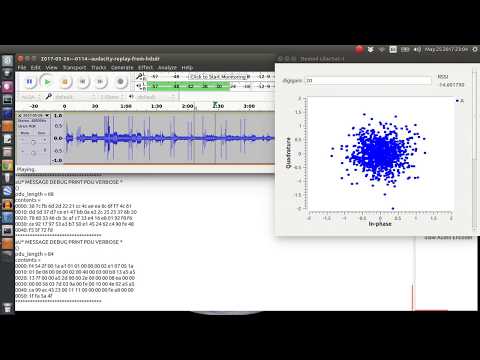
An example of LilacSat-1 being decoded has also been uploaded by YouTube by Scott Chapman. In his test he used an RTL-SDR to work the pass live, but in the video shows an offline decoding received by his SDRplay which was also monitoring the same pass.

26 May 2017 LilacSat-1 First Try at Digital Repeater

Mike’s SDRuno Tutorial Series

Mike Ladd, one of the top volunteer contributors of the SDRplay community was recently hired by SDRplay officially and has now been working on a fairly comprehensive SDRuno tutorial series over on the SDRplay YouTube channel. SDRuno is the official software for the SDRplay line of SDRs and is a slightly modified version of the ‘Studio1’ software which was previously acquired by SDRplay. SDRuno also supports the RTL-SDR.

SDRuno is a complex piece of software with many features and settings, so it’s great to see a comprehensive video tutorial like this. Mike’s tutorial series currently has 10 episodes, and discusses things like the basic layout and settings of SDRuno, using Virtual Audio Cable (VAC), noise reduction, memories, calibration, DSD, notch filters and FM broadcast with RDS. More videos are probably still on the way.

SDRuno Basic layout and settings - obsolete (MV001)

XRIT Decoder for GOES Satellites: Supports Airspy R2/Mini and SDRplay RSP2

Over on his blog USA-Satcom has released his XRIT (LRIT/HRIT) decoder for GOES satellites. The software requires a licence and costs $100 USD. GOES-13 (East), GOES-15 (West) and the new GOES-16 are geosynchronous orbiting satellites that broadcast very nice high resolution weather images of the entire visible disk of the earth. The transmit their LRIT/HRIT signals at about 1.7 GHz at fairly weak power, which means that a good LNA and dish set up is critical to be able to receive them. A dish size of about 1 meter, or an equivalent grid or Yagi is recommended as the lowest starting point.

GOES Full Disk Image of the Earth

USA-Satcom’s decoder is Windows based and comes with a nice GUI. Some portions of the code are based on the Open Satellite Project created by Lucas Teske. It currently supports the Airspy R2/Mini and the SDRplay RSP2 software defined radios.

The software is not free, it costs $100 USD for the licence. To help curb illegal distribution of his software which has been rampant in the past, USA-Satcom also requests that you show some proof of a working setup which is capable of receiving the GOES signal before inquiring about the software.

If you are also interested, USA-Satcom did an interesting talk at Cyberspectrum a few months ago, and he has also recently uploaded his slides.

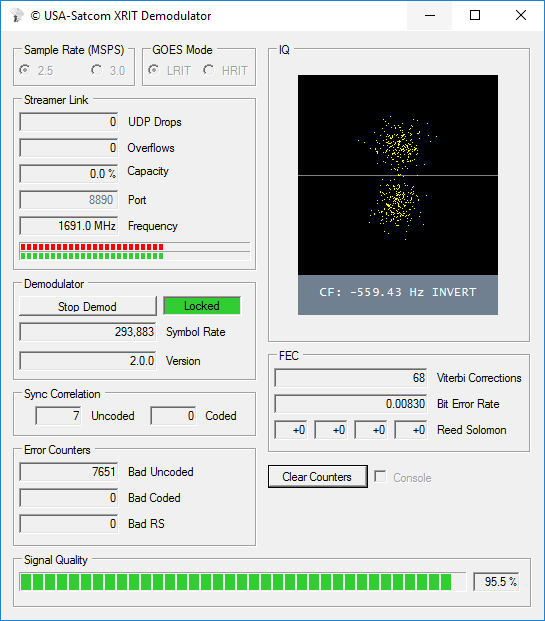
Screenshot of USA-Satcoms GOES XRIT decoder.

Instructions and a Review of the SDRplay RSP1 Metal Enclosure Upgrade Kit

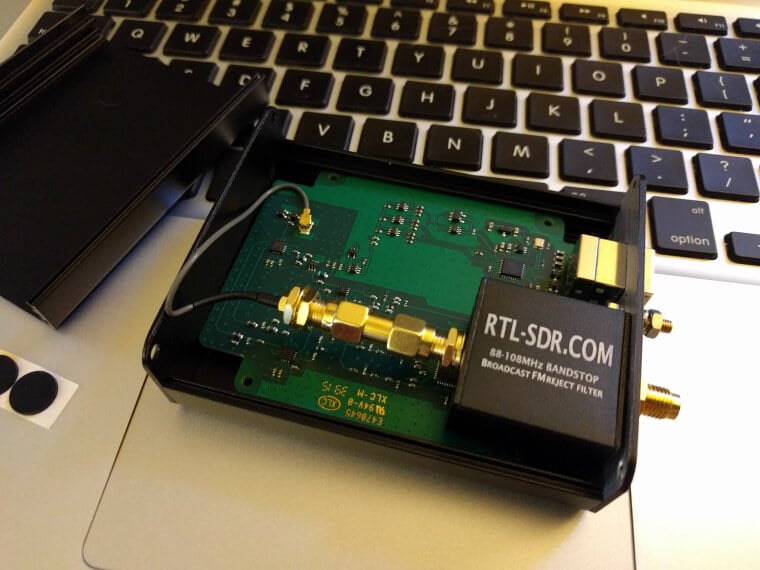
Mike (kd2kog), our partner on the SDRplay RSP1 Metal case upgrade kit has recently uploaded an instruction set that shows step by step how to perform the upgrade (pdf). It shows how to dismantle the RSP1 from the plastic case, install the included broadcast FM filter, mount the PCB and shows where all the nuts and washers go.

The metal case upgrade is something we brought out back in March. It allows owners of the SDRplay RSP1 SDR to upgrade the default plastic case to a sturdy metal one for improved ruggedness and RF shielding. It also comes with an included broadcast FM filter to help reduce strong FM images which are often a problem on some bands with the RSP1. It also comes with a handy travel case. If you want to purchase the enclosure we have it available on our store at www.rtl-sdr.com/store, and also on US Amazon, both with free shipping.

Also, over on his blog K5ACL has posted a short review of the case.

Image of the RSP1 Metal Case from K5ACL's review
Image of the RSP1 Metal Case from K5ACL’s review

Using the SDRplay with a W4OP Loop

Over on YouTube user SignalSearch has uploaded a video showing and explaining the use of a W4OP magnetic loop antenna on a SDRplay SDR. On the video he explains what the W4OP loop is, and demonstrates it’s operation in SDR-Console with his SDRplay. The video description reads:

Experiment: Hookup the SDRPlay RSP 1 (SDR receiver) to the W4OP (Small Transmitting Loop). I’ve always wanted to try hooking up a loop to my SDRPlay. Though different from an active receive loop (one that has a Low Noise Amplifier), this loop can be used for transmitting @ QRP levels – but works great for shortwave listening too! For more info. please visit my website @ www.k5acl.net!

SDRplay RSP1 & RSP2 Now Support ADS-B Decoding on the Raspberry Pi 2 & 3

Over on the official SDRplay blog, head of marketing Jon has announced that the RSP1 & RSP2 is now compatible with their dump1090 ADS-B decoders for the Raspberry Pi 2 & 3. They write:

ADS-B for both RSP1 and RSP2 now available for the Raspberry Pi 2 & 3 – you can get the software from downloads – http://www.sdrplay.com/downloads

If you are an RSP2 user, make sure you use Antenna Port B.

The RSP2
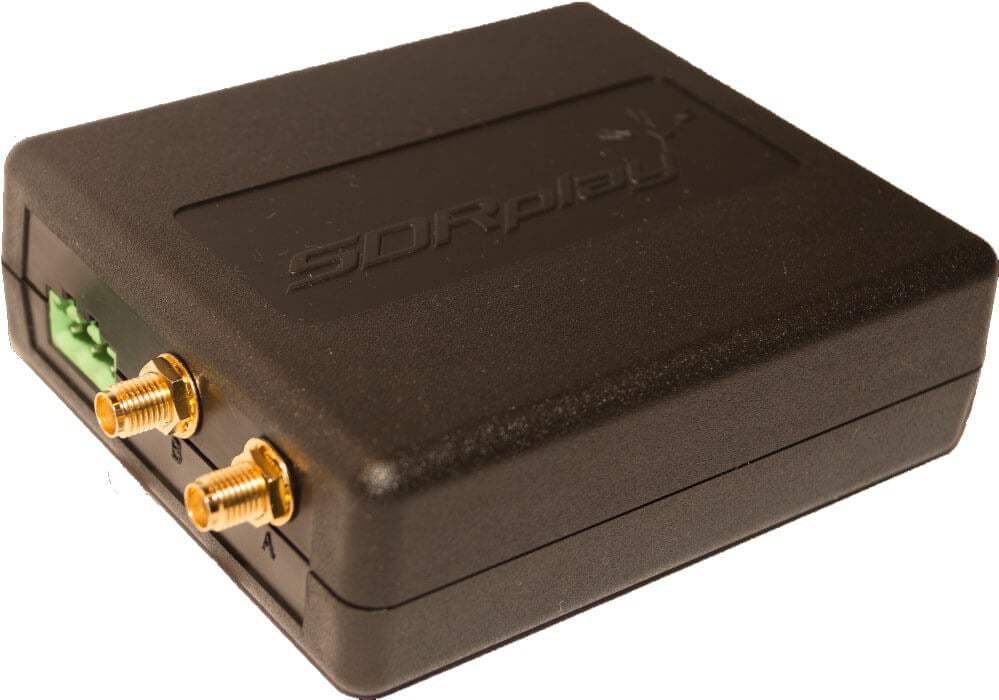
The SDRplay RSP2


New Cross Country Wireless HF Preselector

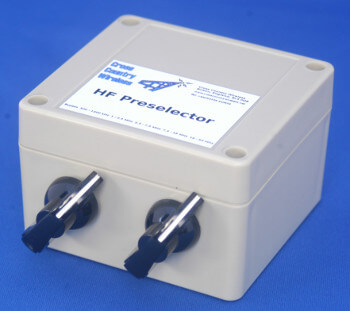
A new reasonably priced 5-band HF preselector has been released by the company Cross Country Wireless, and it looks perfect for use with SDRs. The price is $56.95 GBP, which right now is about $72 USD. They write:

This can be used to provide additional front end selectivity for HF and medium wave receivers protecting the receiver from strong out of band transmissions, wideband noise and other transmitters on multi-station field days.

As the sunspot cycle declines and more listening is done on the lower HF bands with long wire antennas and strong NVIS signals then the HF Preselector is an ideal accessory to aid receiver performance.

It is invaluable when using simple conventional superhet or SDR receivers such as RTL-SDR dongles with upconverters or SDRPlay with large HF antennas.

It is an ideal tool to reduce ADC overload on the Icom IC-7300 with the new second receiver socket modification kit.

It can also be used with other transceivers that have sockets for a separate receiver input and receive antenna output.

It also covers the medium wave broadcast band for MW DXers.

The Preselector is a passive high Q design that does not use an additional amplifier or require external power.

  • Frequency tuning range: 0.5 to 52 MHz in five bands
  • Input impedance: 50 ohms
  • Output impedance: 50 ohms
  • Bypass option on switch
  • Galvanic isolation between input and output
  • Insertion loss: 2 dB
  • Selectivity: See HP network analyser plots below
  • Connectors: BNC female (RF in 50 ohms), BNC female (RF out)
  • Tough polycarbonate case
  • CCW Z Match
    Overall dimensions: 125 mm (L) x 85 mm (W) x 55 mm (H)
  • Weight: 192 g
The Cross Country Wireless HF Preselecter
The Cross Country Wireless HF Preselector