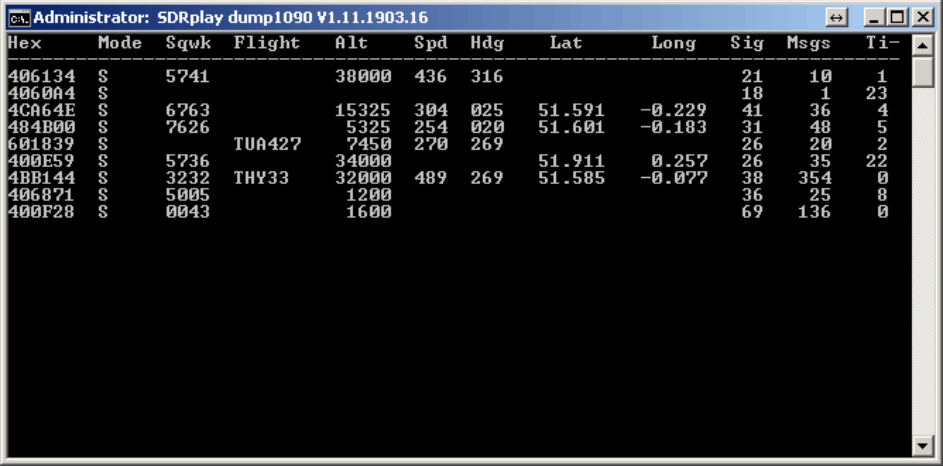
A new ADS-B decoder for the SDRplay RSP has recently been released by the SDRplay programmers. The SDRplay is a $149 USD software defined radio with a 0.1 – 2000 MHz range, 12-bit ADC and up to 8 MHz of bandwidth. In a previous review we compared it against the Airspy and HackRF.
The SDRplay team have based their new decoder on the multi-platform compatible dump1090 code, which is an ADS-B decoder that was originally written for the RTL-SDR. The Windows version can be be downloaded from http://www.sdrplay.com/windows.html, and the code for other platforms can be downloaded from https://github.com/SDRplay.
To help with the installation procedure the SDRplay has also provided a manual (pdf) which shows exactly how to download and set up the required ADS-B software on a Windows system. They also write that the software is fairly new and is still being optimized for best performance.
In the future after the software is further optimized we hope to compare the RSP against the RTL-SDR and Airspy on ADS-B reception.
The SDRplay compatible version of dump1090 deceiving ADS-B data.
In this post we will review the FlightAware ADS-B Antenna and their 1090 MHz band pass filter. The FlightAware ADS-B antenna is claimed to have 5.5 dBi of gain, a rugged weatherproof radome and N-type female connector. It costs $44.95 USD on Amazon for US customers and $54.95 USD on eBay for international customers (plus shipping). They write that they are selling this antenna at cost in order to improve FlightAware coverage.
The FlightAware ADS-B filter is a bandpass filter with a pass range of 980MHz - 1150MHz, ~1.5dB insertion loss and more than 40dB attenuation of unwanted frequencies. It costs $19.95 USD on Amazon for US customers and $24.99 USD on eBay for international customers (plus shipping). Generally it is much cheaper than other ADS-B filter options on the market.
FlightAware.com is a company that specializes in aggregating ADS-B data from contributors around the world. People can contribute by using the FlightAware official hardware, or with a simple SDR, like an RTL-SDR dongle. They display the data on their website as it can be used to help track flight arrival times. A similar company is flightradar24.com.
If you are interested in getting started with ADS-B reception with your RTL-SDR then we have a tutorial here.
FlightAware ADS-B Antenna
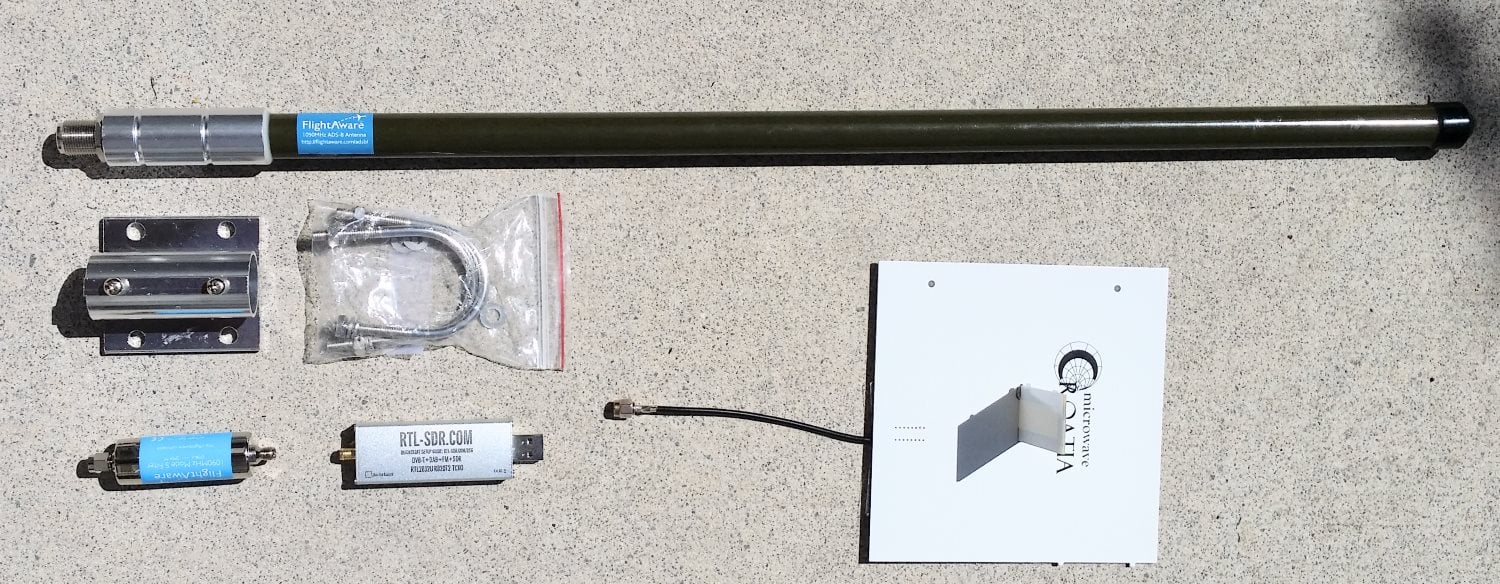
The FlightAware antenna is about 64cm in length and about 2cm in diameter. It uses an N female connector and comes included with mounting brackets and U-bolts. It is painted olive green.
In the photo below we compare the size of the antenna against a reference monopole antenna, an RTL-SDR dongle and the FlightAware ADS-B filter. The antenna appears to be very solidly built and of a high quality finish. The antenna is wareproofed with some silicon caulking used around the seams of the endcaps.
Size comparison
The FlightAware ADS-B antenna is a collinear type antenna. Collinear antennas are omnidirectional (receives equally from all directions) and have a higher gain compared to most other omnidirectional antennas, but their radiation pattern is flattened and directed more towards the horizon. This is a good thing for receiving planes that are far away as they will be at lower elevations, but aircraft at higher elevations relative to your antenna may be received poorer. Although, it is likely that any aircraft at high elevations to your position will be closer to you anyway, and thus have a stronger signal making the reduced gain at higher elevations less important. Judging by it's ~60cm length and it's specified gain of 5.5dBi, the FlightAware antenna is likely to be a 4 element collinear.
A 4 element collinear generally has positive gain from 0 - 20 degrees of elevation, whereas a simple dipole or ground plane may have positive gain from between 0 - 40 degrees of elevation. A typical commercial jet flys at about 10km. At a distance of 100km this jet would be at a 5.7 degree elevation, and at 10km 45 degrees. Smaller aircraft fly at about 3km maximum, and at 100km would have an elevation of 1.7 degrees, and at 10km 16.7 degrees, so the collinear covers most cases.
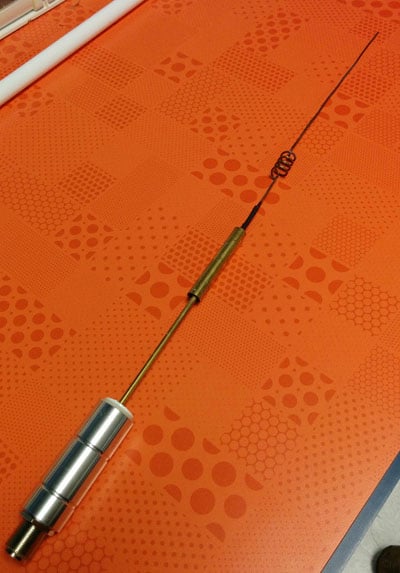
A reader wrote in to us to let us know that the internals of the FlightAware antenna had actually previously been posted in an old thread on their forums. From the image it looks like the antenna may be a sleeved dipole + whip + impedance matching design, or something similar. This design is somewhat of a collinear design thanks to the additional whip which also gives a flatter radiation pattern with more gain direction out towards the horizon. These antennas are omnidirectional (they receive equally from all directions) and have a higher gain compared to most other omnidirectional antennas, but their radiation pattern is flattened and directed more towards the horizon. This is a good thing for receiving planes that are far away as they will be at lower elevations, but aircraft at higher elevations relative to your antenna may be received poorer. Although, it is likely that any aircraft at high elevations to your position will be closer to you anyway, and thus have a stronger signal making the reduced gain at higher elevations less important.
The internals of the FlightAware antenna.
If you live in a valley, or have multiple obstacles such as trees or buildings blocking your view of the horizon then the higher gain design may work worse than a dipole/quarter wave ground plane/folded monopole type antenna. In this situation you'd mainly only be able to receive ADS-B signals from higher elevations, so an antenna with a less flat radiation pattern would work better. See the end of this post for some example radiation pattern diagrams.
For some time now, small aircraft pilots who don’t have access to expensive ~$1000+ ADS-B gear have been successfully using an RTL-SDR and Raspberry Pi combination to receive ADS-B and UAT to display aircraft and weather data on an iPad. The first time we posted about this was back in August 2015.
The full implementation uses two RTL-SDR dongles to receive both 1090ES aircraft position information and 978 UAT to receive weather radar information. Both dongles are used on a Raspberry Pi mini computer that runs a program called Statrux. Stratux takes the ADS-B information received by the RTL-SDR’s and re-transmits the data out via WiFi. Then an iPad running special pilot navigation aid software such as ForeFlight can interface with the WiFi signal and receive the ADS-B and weather information.
Assembly of a Stratux box requires the purchase of each individual component or a Raspberry Pi kit that includes the stratux software image on an SD card, RTL-SDR and WiFi adapter. However, setting up a Stratux box may be a little difficult for pilots who do not have any electronics DIY skills.
The FlightBox costs $200 for single band operation and $250 for dual band (1090ES and 978UAT). They are currently accepting pre-orders for delivery in late March/April.
For more information about Stratux see the active discussion forum at reddit.com/r/stratux.
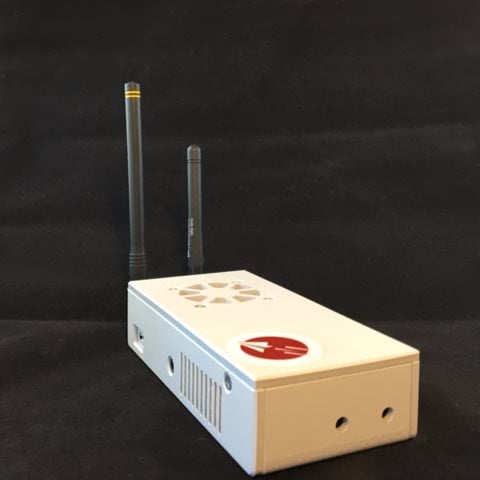
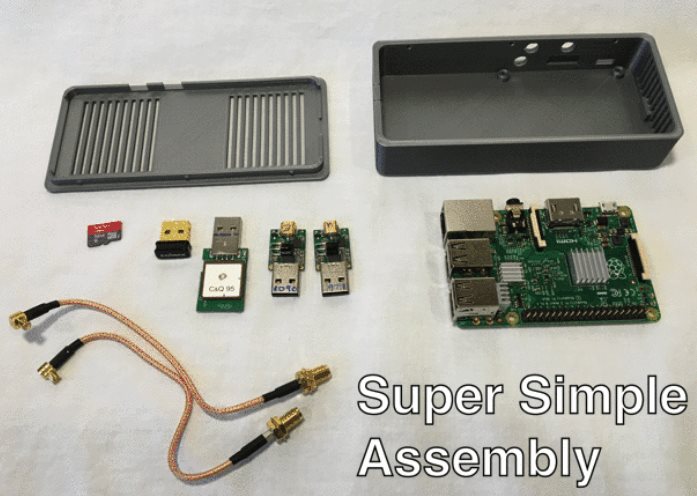
The FlightBox: An RTL-SDR based ADS-B 1090ES and 978UAT receiver for Pilots.Components used in the FlightBox, including two nano RTL-SDR dongles.
Every year politicians and business men meet at the “World Economic Forum” in the small mountain town of Davos, Switzerland to discuss various topics and create business deals. This year Quartz, an online newspaper/magazine sent a journalist to the forum. However, the journalist wasn’t tasked with writing a conventional story about the forum topics – instead he was asked to use an RTL-SDR to monitor the private helicopter traffic coming in and out of Davos using ADS-B data. They write that their reasoning for doing this as follows:
We went to all this trouble because there is perennial fascination with the flying habits of the 2,800 Davos delegates. Use of private aircraft, though often wildly overstated, highlights the vast wealth and power that descends upon this small skiing town in the Swiss Alps each year. And their transportation choices are frequently criticized for their environmental impact at a conference that seeks solutions to reducing carbon emissions, among other topics.
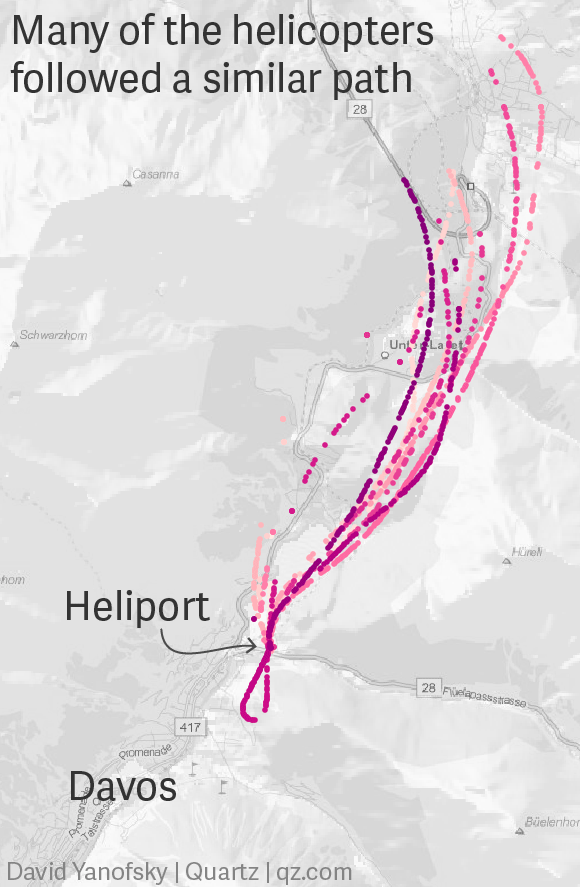
Using an RTL-SDR dongle, Raspberry Pi and ADS-B collinear antenna they monitored the flights over Davos. From the data they were able to determine the flight paths that many helicopters took, the types of helicopters used and the most popular flight times. They were able to identify 16 private helicopters that were used, although they write that some may not have had their ADS-B transponders turned on.
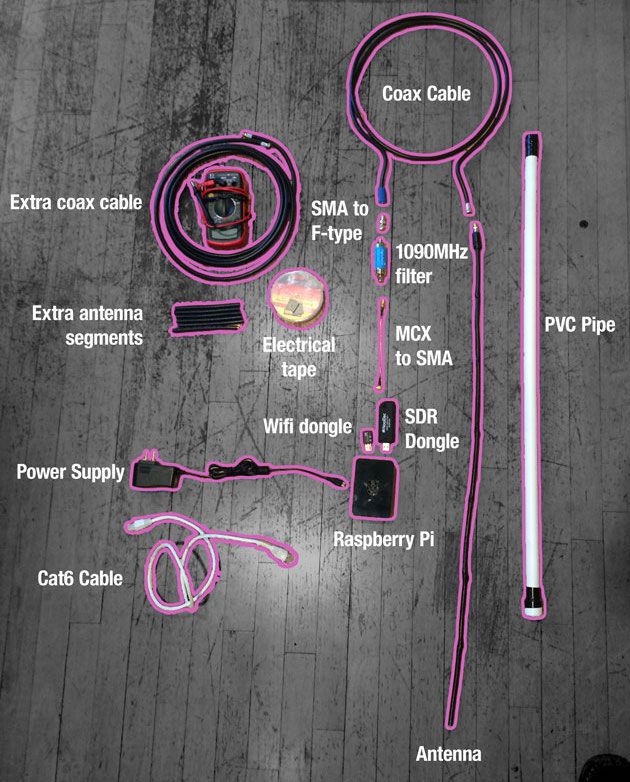
The RTL-SDR and various other components used to track the helicopters.The flight path taken by the private helicopters.
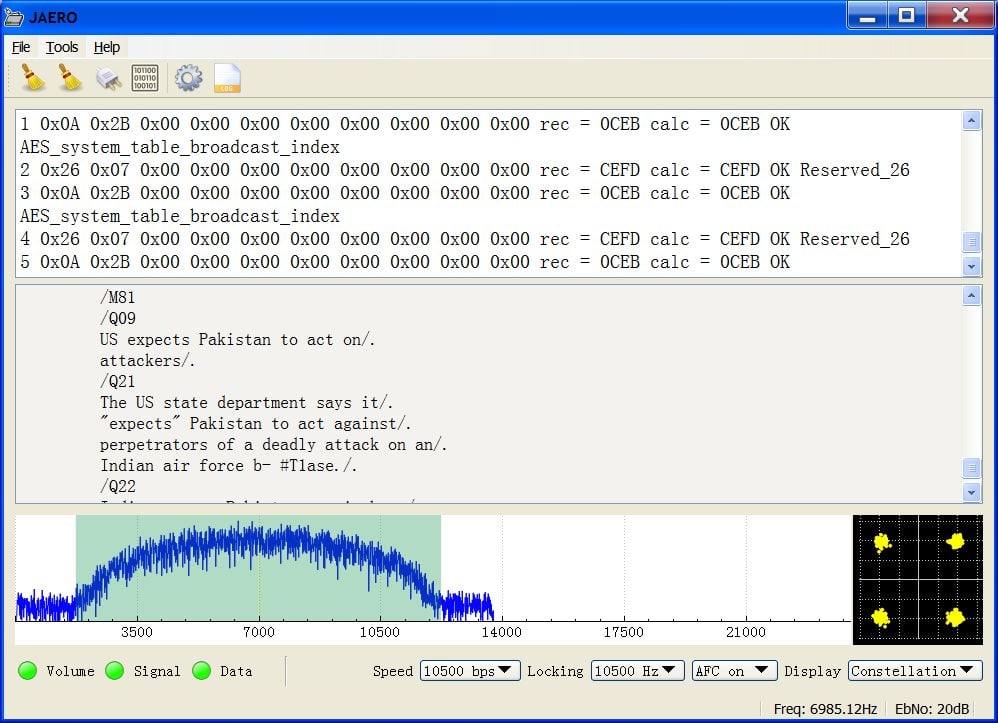
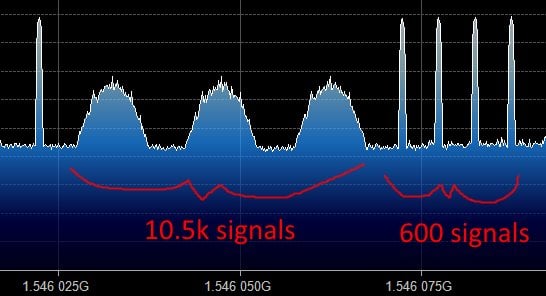
The JAERO decoder for AERO signals on Inmarsat satellites has recently been updated to version 1.03. This new version supports the decoding of 10.5k Aero-H and Aero-H+ signals. The author of JAERO Jonti writes that on these channels he’s seeing significantly more traffic than on the narrowband signals and that he was suprised to see that other non-aircraft messages such news was broadcast on this 10.5k signal. Jonti writes about his experience in developing the 10.5k decoder and his experience with receiving the messages in this post.
Jonti discovered that news updates are also broadcast on 10.5k AERO.What the 10.5k signals look like compared to the 600 signals.
If you like Jonti’s apps, then please remember to donate a small amount to him so that he can continue to work on them more. His PayPal donate button can be at the bottom of his main page.
Bob W9RAN recently wrote in to let us know about some developments he and Youssef have had with getting the Airspy to function at full speed on a Raspberry Pi 2 with ADS-B decoding. Bob and Youssef created the SpyVerter upconverter, and Youssef is the programmer of SDR#. Bob writes the following:
Airspy is a high-performance SDR that streams 12 bit samples at 20 MSPS (real, not IQ) to a PC where the real processing is done. But 20 million samples per second uses a significant fraction of the bandwidth available with USB 2.0, and has made apparent the weaknesses in USB subsytems on a number of PCs. So of course the natural assumption by "experts" has been that the Raspberry Pi 2 isn't up to the task.
As we Pi fans know, the Pi 2 has a 900 Mhz 4-core ARM Cortex A7 CPU, and the key to performance is properly implemented code that can take full advantage of the processor architecture.
Youssef Touil, author of SDR# and creator of Airspy has done that, proving first that an optimized multithreaded version of his ADSB decoder would run on a 4-core Odroid that has more CPU power than the Pi 2. But today we have proven that not only can the Raspberry Pi 2 run the optimized ADSB decoder at full speed (20 million samples per second via USB), but that it even has enough horsepower left to run the Virtual Radar Server Google map display in the Pi's Epiphany web browser!
For those not familiar, the map display is created by a program called Virtual Radar Server that runs on a PC and receives samples from the Pi over ethernet, and includes a web server that allows other computers (in my case, the Pi 2) to view the composite map display. (For more information about ADSB, see my article in QST for January 2014).
I'm really thrilled to be able to demonstrate that the Pi 2 has this impressive capability! This makes it feasible to create inexpensive high performance ADSB receiving systems, and who knows what else?
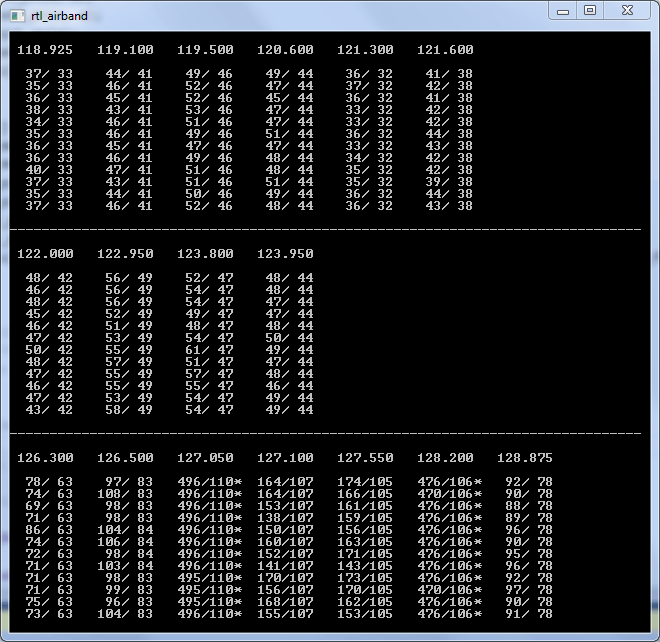
Back in June of 2014 we posted about the released of a new program called RTLSDR-Airband. RTLSDR-Airband is a Windows and Linux compatible command line tool that allows you to simultaneously monitor multiple AM channels per dongle within the same chunk of bandwidth. It is great for monitoring aircraft voice communications and can be used to feed websites like liveatc.net.
Since our post the development of the software has been taken over by a new developer szpajder, who wrote in to us to let us know that he has now updated RTLSDR-Airband to version 2.0.0. The new versions improves performance and support for small embedded platforms such as the Raspberry Pi 2, but the Windows port is now not actively maintained and probably does not work. The full list of changes is shown below:
New libconfig-style config file format
util/convert_cfg: can be used to convert old-style config.txt to the new format
Syslog logging (enabled by default)
Daemon mode
Reworked makefiles, added install rule
/dev/vcio is now used to access GPU on Raspberry Pi; creating char_dev no longer necessary
Startup scripts for Debian and Gentoo
Support for auto gain setting
Support for multiple outputs per channel
Support for recording streams to local MP3 files
Support for ARMv7-based platforms other than RPi (eg. Cubieboard)
Back in August of this year we showed how it was possible to use an RTL-SDR dongle, satellite antenna, LNA and decoding software to receive and decode STD-C EGC signals from Inmarsat satellites. We also showed how it was possible to modify a low cost GPS antenna to use as a satellite antenna.
Now a radio hobbyist called Jonti has released a Windows decoder for the Inmarsat AERO set of signals. AERO is a system that provides a satellite based version of VHF ACARS (Aircraft Communications Addressing and Reporting System). ACARS is typically used by ground control and pilots to send short messages and is also sometimes used for telemetry.
Jonti writes:
JAERO is a program that demodulates and decodes Classic Aero ACARS (Aircraft Communications Addressing and Reporting System) messages sent from satellites to Aeroplanes (SatCom ACARS) commonly used when Aeroplanes are beyond VHF range. Demodulation is performed using the soundcard. Such signals are typically around 1.5Ghz and can be received with a simple low gain antenna that can be home brewed in a few hours in conjunction with a cheap RTL-SDR dongle.
In the advent of MH370, Classic Aero has become a well-known name. A quick search on the net using “Classic Aero MH370” will produce thousands of results. The Classic Aero signals sent from satellites to the Aeroplanes are what JAERO demodulates and decodes.
Unlike the usual VHF ACARS, with SatCom ACARS you can not receive signals from the Aeroplane only the people on the ground talking to the people in the Aeroplane. This means you do not get the airplanes reporting their position. Instead you tend to get weather reports, flight plans, and that sort of stuff. Just like VHF ACARS they usually use cryptic shorthand notation. For example “METAR YSSY 040400Z 08012KT 9999 FEW040 SCT048 23/09 Q1024 FM0500 05012KT CAVOK=” is the weather report for Sydney Airport in Australia in a format called METAR. It tells you the time, when the report was issued, the wind direction and speed, visibility, clouds, temperature, due point and air pressure. Then it says from 5 AM UTC the wind direction and speed and that the weather will be nice. There are sites such as Flight Utilities that can decode such information and display it in a more understandable format.
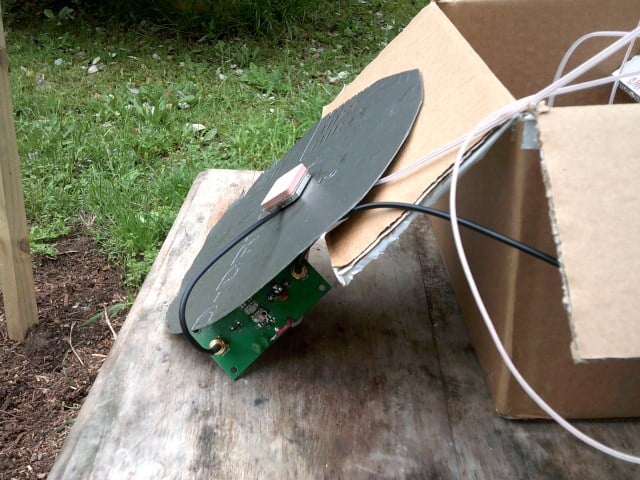
In his post Jonti also shows how he uses a modified GPS antenna to receive the AERO signals.
Jonti’s modified GPS antenna for receiving Inmarsat AERO
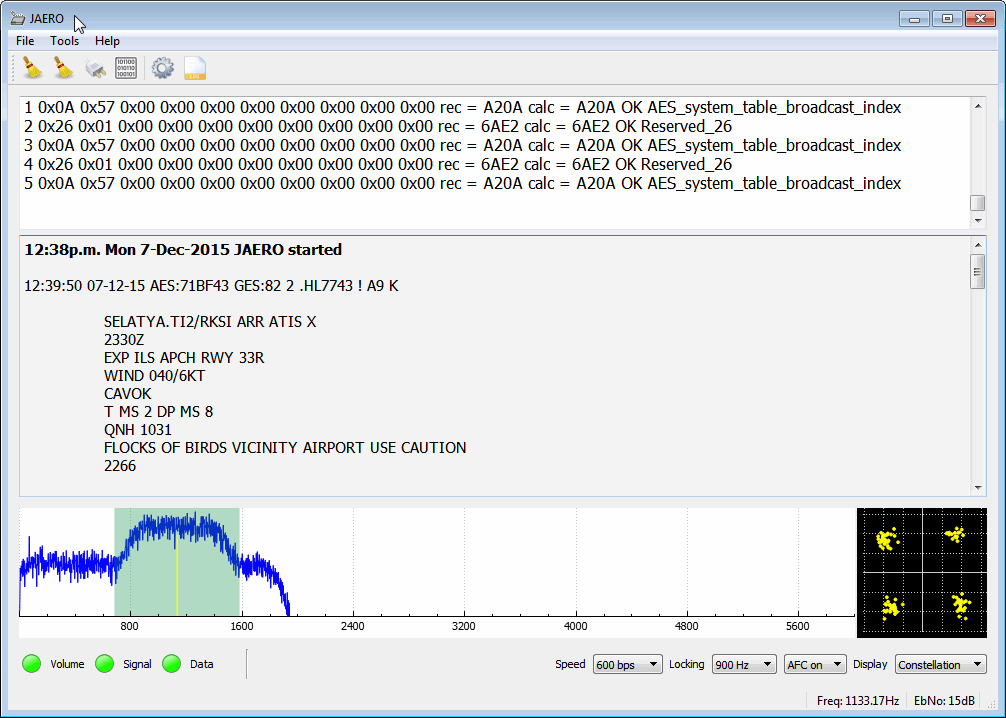
We gave JAERO a test and found that it decoded AERO signals easily, even with low signal strength. To use JAERO tune to an Inmarsat AERO signal in SDR# or a similar program using USB mode. JAERO will listen to the audio from the sound card or from a virtual audio pipe. We recommend setting the AFC (Automatic Frequency Control) setting on on if you find that your RTL-SDR drifts too much.
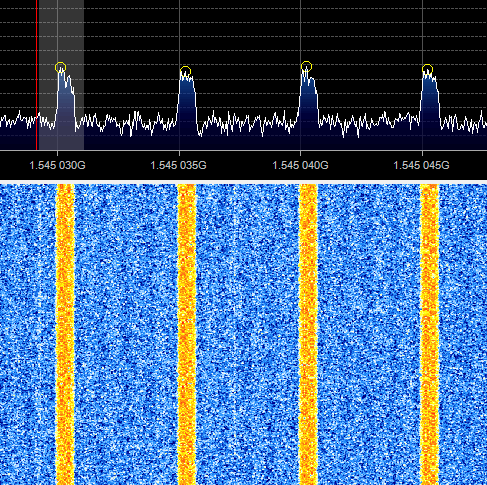
AERO signals can be found at around 1545 MHz. They only use about 800 Hz in bandwidth. See UHF satcoms page for a list of AERO frequencies.
The JAERO decoder.Some AERO signals.
Remember that some R820T/2 RTL-SDR dongles can have problems when receiving this high, especially when they heat up. If you find that your dongle gets deaf at these L-band frequencies try cooling the R820T/2 chip with a heatsink or fan. The Airspy or SDRplay RSP software defined radios are better choices for decoding signals this high, but the RTL-SDR will work fine if your signal strength is decent and the R820T/2 chip is kept cool.
If you are interested in VHF ACARS as well, then we have a tutorial about decoding that here.