Category: Applications

The PandwaRF RF Analysis Tool

Recently we heard about the PandwaRF Portable Analyzer (previously known as the GollumRF). This is not an SDR, but can probably be described as a programmable and computer controlled radio. It appears to be based on the Yardstick One design which is made by Micheal Ossmann, the creator of the HackRF. Both the Yardstick One and PandwaRF are based on the CC1111 sub-1 GHz RF transceiver chip. These types of pseudo-sdr’s can be very useful for reverse engineerin, analyzing and experimenting with simple digital signals.

For example it could be used to capture data from any ASK/OOK/MSK/2-FSK/GFSK modulation in the 300 – 928 MHz band. You can then easily analyze the data, and the restransmit the same or a modified signal. The same could be done with a TX capable SDR like the HackRF, but doing so tends to require a lot more work.

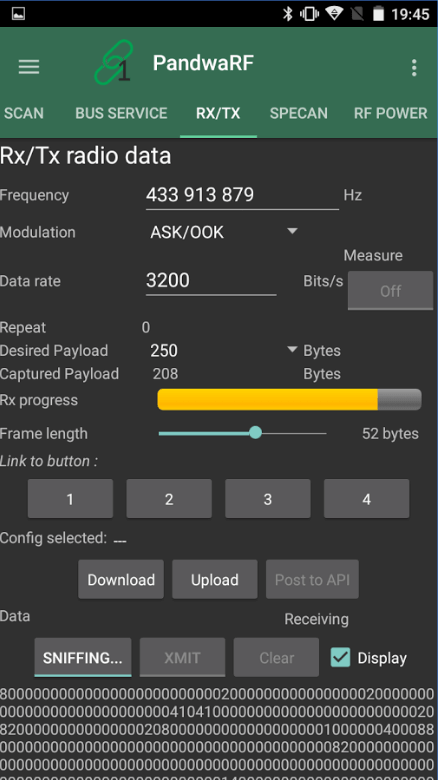
The difference between the Yardstick One and PandwaRF appears to be mainly in the connection interface. The PandwaRF is essentially the Yardstick One with a Bluetooth LE connectivity and an Android/iOS smartphone app. USB connectivity for Linux still exists. It also has an internal battery whereas the Yardstick One does not. They wrote a post comparing the RTL-SDR, Yardstick One and PandwaRF here.

The device seems to be new, as it just starting shipping in November and the first batch is still being sold. It costs 145 euros and appears to originate from the EU. There is also a ‘mini’ version in pre-order which also costs 145 euros. In comparison the Yardstick One costs about $99 – $145 USD depending on the shop you choose.
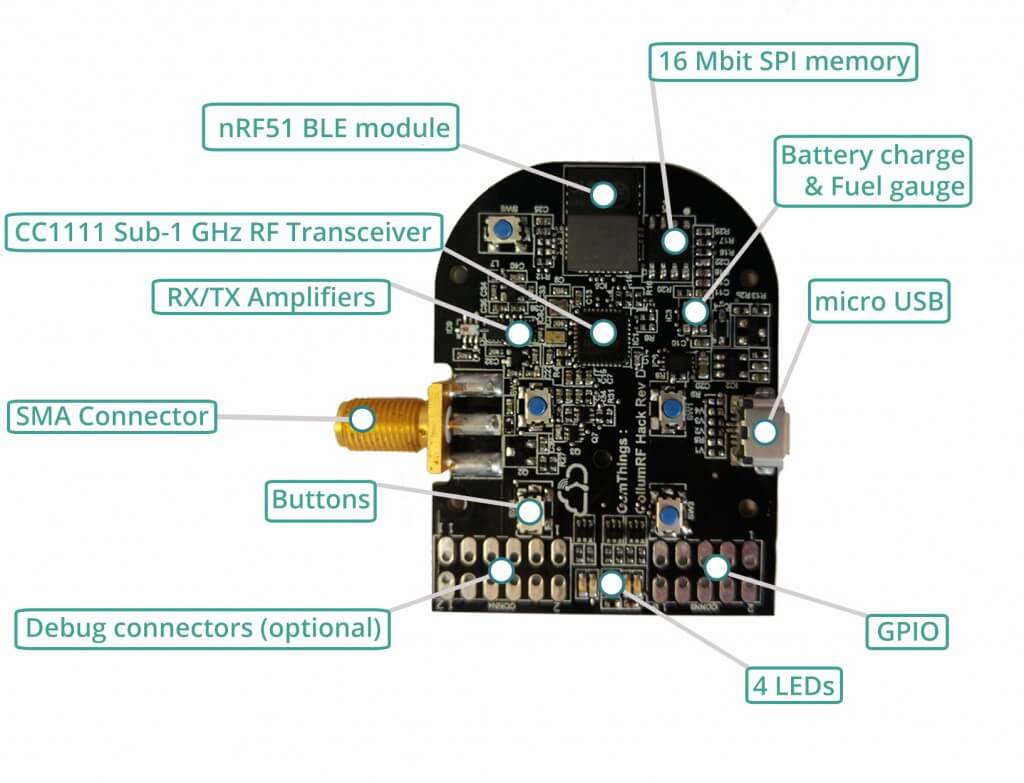
The PandwaRF
The PandwaRF
PandwaRF Android App

Outernet Patch Antenna Pan-Tilt Servo

Over on YouTube user Tomi Simola has uploaded a video showing his servo based Outernet satellite antenna tracker. Outernet uses L-band geostationary satellites which means that they are at a fixed position in the sky. Optimal reception of the Outernet and other L-Band satellite signals can be obtained by pointing the patch antenna towards the satellite.

Tomi wanted an easy way to remotely switch the antenna to point at one of two geostationary satellites, Alphasat at 25E which has the Outernet signal and Inmarsat at 64E which has more services like AERO and STD-C. Another potential use of his tracker might be for tracking L-Band satellite while in a moving vehicle such as a car or boat. 

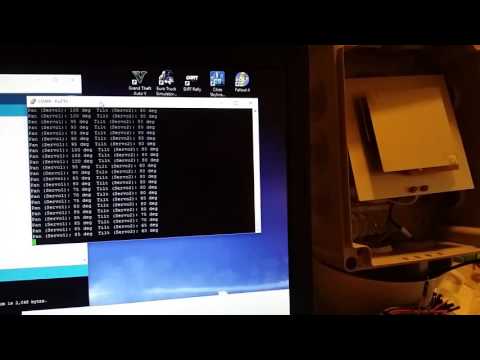
To automatically point the Outernet L-band patch antenna Tomi used a commonly found Pan-Tilt servo mounted inside an waterproof enclosure. On the servo is a 3D printed mount which the patch antenna is attached on. An Arduino Nano with Bluetooth module allows control of the servo.

The video below shows a test of the system, over on Reddit he has written a comment explaining the project and over on Imgur he’s uploaded some photos of the construction.

Outernet patch antenna project

A Guide to Using RPiTX and an RTL-SDR to Reverse Engineer and Control ASK/OOK Devices

Erhard E. has been experimenting with capturing, analyzing, reverse engineering and then transmitting new ASK/OOK signals with his RTL-SDR and Raspberry Pi running RPiTX. Erhard has written a very informative guide/tutorial (pdf) that explains how he did it for wireless doorbell and for remote control toy cars. RPiTX is software for the Raspberry Pi which allows it to transmit almost any signal via modulation of a GPIO pin. RPiTX related posts have been featured on this blog several times in the past.

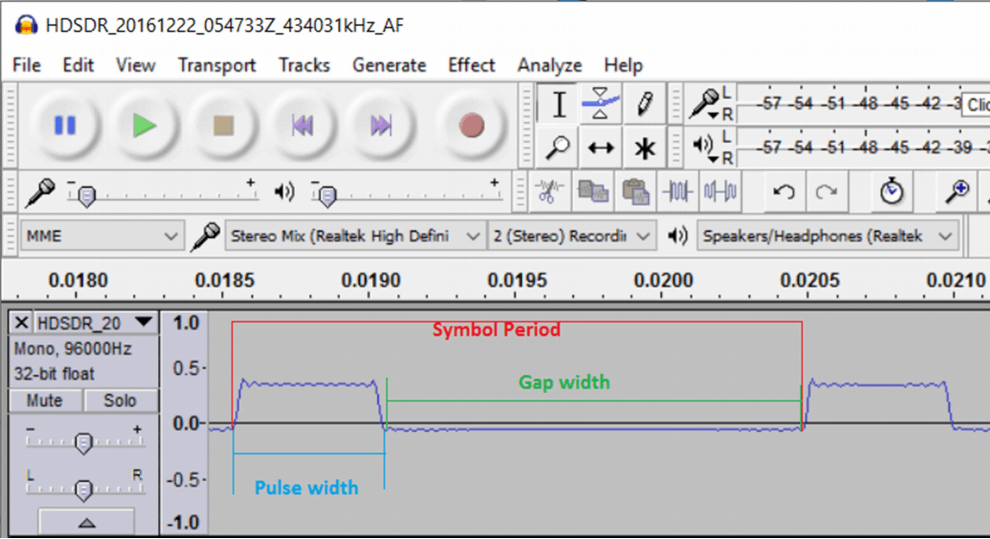
First Erhard records a copy of the doorbell signal using his RTL-SDR and then views the waveform in Audacity. He then writes that you’ll need to find the waveform characteristics either manually using Audacity, or by using the rtl_433 decoder. In the tutorial he uses rtl_433 which automatically gives his the pulse width, gap width and pulse period.

Next in order to actually generate the signal using RPiTX he uses the waveform characteristics that he found out and manually creates a .ft hex file that describes the signal to be generated. Then using using the rpitx command, the .ft file can be transmitted.

Later in the tutorial he also shows how he performed the same reverse engineering process with a cheap RC car toy (forward/reverse commands only), which uses OOK encoding on the wireless controller.

The tutorial can be downloaded in PDF form here.

Showing the Pulse Width, Gap Width and Symbol Period of a signal in Audacity.

Simulating GPS with LimeSDR and Receiving it with an RTL-SDR

In previous posts we showed how Phillip Hahn had been trying to use his RTL-SDR as a GPS receiver on a high powered rocket in order to overcome the COCOM limits which prevent commercial GPS devices from operating when moving faster than 1,900 kmph/1,200 mph and/or higher than 18,000 m/59,000 ft.

In order to test future flights with the RTL-SDR GPS receiver, Phillip has been simulating GPS rocket trajectory signals and using his LimeSDR. The RTL-SDR then receives the simulated GPS signals which are then fed into SoftGNSS for decoding. The simulation simulates the Japanese SS-520-4 rocket which is a 32′ long, 2′ diameter small high powered rocket capable of putting loads like cubesats into orbit affordably. Using the simulated data Phillip is able to calculate the trajectory and see all the motor burns in the velocity profile.

While Phillip intends to use the RTL-SDR on a similar rocket in the future, he notes that the simulation does not take into account problems such as thermal noise, or RF interference, rocket jerk, satellite occlusion and vibration problems.

LimeSDR Simulated GPS Rocket Trajectory Received with RTL-SDR.

Analyzing HF Over the Horizon Radar in GNU Radio

Over the Horizon radar is typically used at HF frequencies and is used to detect targets from hundreds to thousands of kilometers away from the radar station. On HF they are very common and can be easily heard as continuous or bursty buzzing sounds.

Over on his blog Daniel Estevez writes how he was inspired by Balint Seebers GRCon16 talk to perform his own investigations into HF OTH radar. Daniel first analyzed a recorded IQ signal of a presumed Russian radar in Audacity, and noticed that it consisted of 15 kHz wide pulses repeated at 50 Hz intervals. He then used GNU Radio and the Quadrature Demod block to FM demodulate the pulse and see how the frequency changes over time. From this he was able to determine the original transmitted radar pulse characteristics

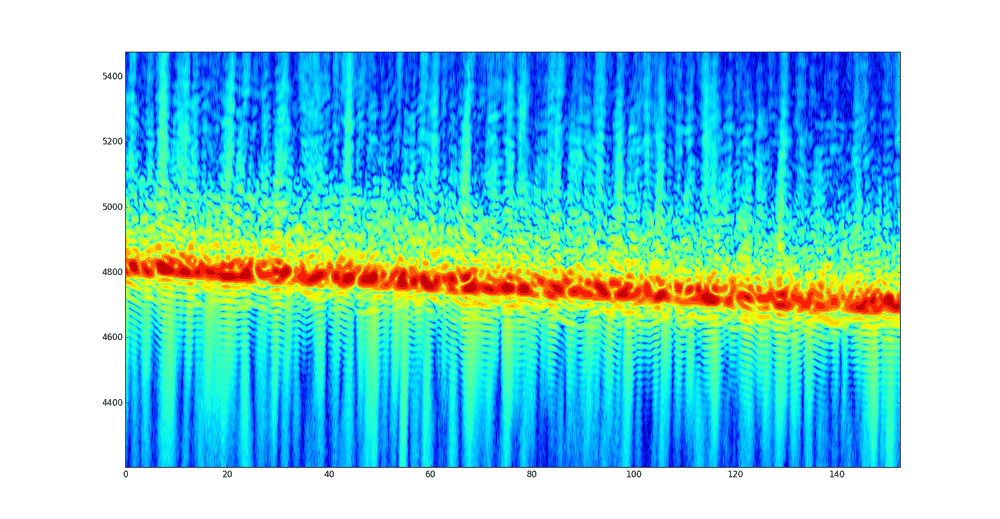
Next he performs pulse compression, which is essentially a cross correlation of the received pulse and transmitted pulse which was determined from the characteristics found earlier. The signal being received at Daniels location is distorted, because it will arrive from multiple paths, since the signal will bounce of multiple layers of the ionosphere. With this pulse compression technique Daniel is able to determine the time of flight for the different multi-path components of the received pulse. By graphing all the results over time he was able to obtain this image illustrating relative propagation distance over time.

Check out Daniels post for the full details and his code.

Ionosphere Propagation Graph

A Cooking Pot L-Band Antenna

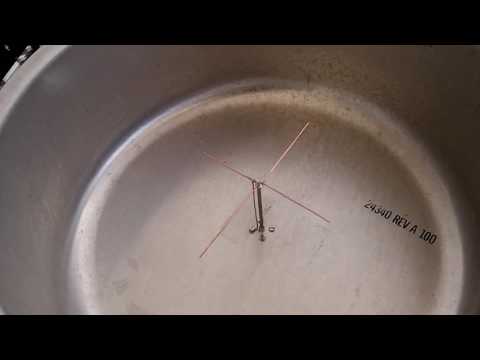
Over on YouTube Adam 9A4QV has uploaded a video showing us his home made cooking pot L-band antenna. The antenna consists of a large aluminum cooking pot which acts as a reflector and a cross-dipole inside the pot acting as the antenna.

The antenna is placed at a height of exactly 1/4 wavelength from the base of the pot, and the cross dipole wire lengths are 0.52 and 0.42 wavelengths long. They are different wavelengths as this achieves circular polarization. Adam writes that the gain should be about 4 – 5 dB’s better than a patch antenna.

The first video shows the performance of the antenna in SDR# when receiving the Outernet and Inmarsat/Alphasat L-band satellite signals indoors. Together with an LNA4ALL and RTL-SDR, Adam gets about 8 dB on the Outernet signal and 24 dB on AERO.

Cooking pot L band antenna

L band cooking pot antenna

Wireless Analysis of 868 MHz Traffic with an RTL-SDR and the Traffic Detective Software

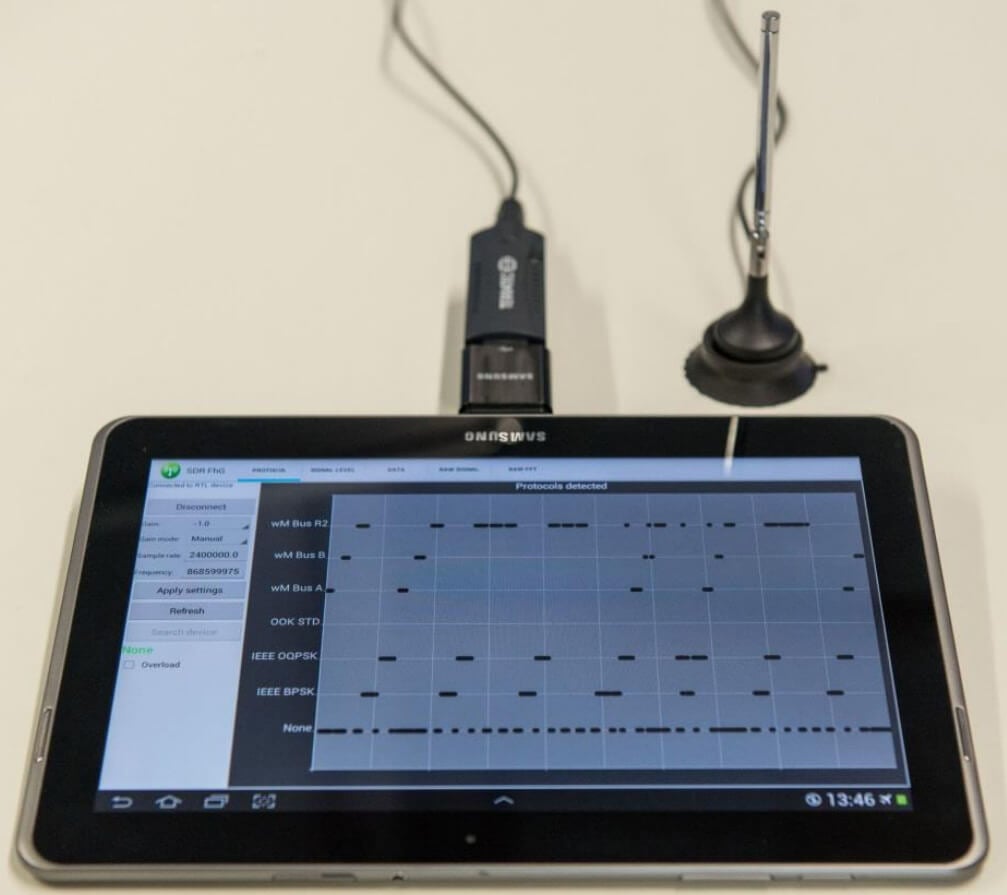
The Fraunhofer Institute for Integrated Circuits IIS has developed an Android app that allows you to analyze wireless traffic at 868 MHz using an RTL-SDR dongle. In Europe, many wireless IOT, metering and home automation radio standards operate in the 868 MHz band including ZigBee, M-Bus, KNX RF, EnOcean Radio Protocol and s-net.

The software can automatically detect and recognize the wireless protocol being received. It can then be used to catalog what protocols are operating in a network, what frequency they are on and how active they are. That information can then be used for frequency and spectrum planning for new network setups. It can also be used for error diagnosis, intrusion detection and detection of interference.

The Traffic Detective Tool

The promotional pamphlet (pdf) reads:

Numerous applications like smart metering, home automation, building automation, demand side management, ambient assisted living and industrial automation require reliable and cost effective technologies for wireless data transmission. For this purpose the license-free European 868 MHz Short Range Device (SRD) frequency band is prevalently used. Many different and incompatible communication standards and RF-protocols simultaneously occupy this part of the frequency spectrum. Possible negative effects could be interferences, over-occupancy, data collisions and as a result data loss. Special attention must be paid whenever wireless sensor networks are planned or operated. Therefore, network specialists need powerful and flexible tools that provide insights into the wireless data traffic for network planning, operation, fault detection and error diagnosis. The Traffic Detective is such a tool which is easy to use and does not need any knowledge of the different network protocols.

The 868 MHz Traffic Detective is a software-based solution with a user-friendly graphical user interface for monitoring wireless data traffic. A cost-effective and commercially available DVBT USB stick based on a Realtek RTL2832U receiver chip can be used as an analog frontend. In addition to a PC-based implementation, the monitoring software is also available as an app for Android-based mobile devices.

The researchers behind the software have also released an academic paper describing the technology used in the system.

Unfortunately it seems that the app is not actually available for public download yet as we could not see any download links, or find it on Google Play. If you are interested in the app your best bet may be to contact the researchers by email directly.

Building a Homemade FM Repeater with a Raspberry Pi, Rpitx and RTL-SDR Dongle

A radio repeater is usually a radio tower that receives weak signals from handheld, desktop or other radio, and rebroadcasts the same signal at a higher power over a wide area at a different frequency. This allows communications to be extended over a much greater area.

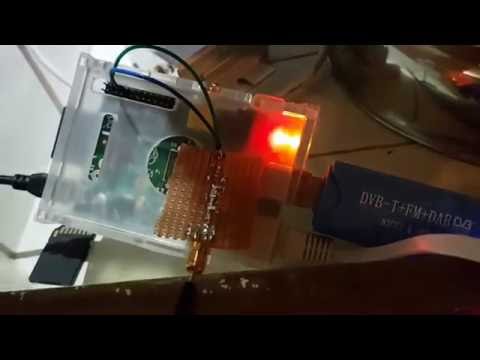
Repeaters are generally made from expensive professional grade radio equipment, however ZR6AIC has been experimenting with creating an ultra low cost repeater out of a RTL-SDR and Raspberry Pi. In his system the RTL-SDR dongle is set up to receive a signal on the 70 cm (420 – 450 MHz) amateur radio band, and then retransmit it using Rpitx on the 2M (144 – 148 MHz) amateur radio band.  He also adds a 2M low pass filter to the output of the Raspberry Pi to keep the signal clean.

RTL-SDR + Rpitx Block Diagram

Rpitx is software for the Raspberry Pi which we have featured on this blog several times in the past. We’ve also seen the qtcsdr software which also uses Rpitx and an RTL-SDR to create a transceiver. Rpitx allows the Raspberry Pi to transmit radio signals without the need for any transmitting radio hardware at all. It works by modulating signals onto a General Purpose I/O (GPIO) pin on the Raspberry Pi. If the GPIO pin is modulated in just the right way, FM/AM/SSB or other signal modulation approximations can be created at a specified frequency. The signal is however not clean, as this type of modulation generates many harmonics which could be dangerous if amplified. If you use Rpitx, always use appropriate filtering hardware.

ZR6AIC’s post goes into detail about how to install and set up the required software onto the Raspberry Pi and how to set up the script to piece all the programs together into a repeater. He’s also uploaded a video demonstrating the system in action on YouTube.

Raspberry Pi Fm Repeater