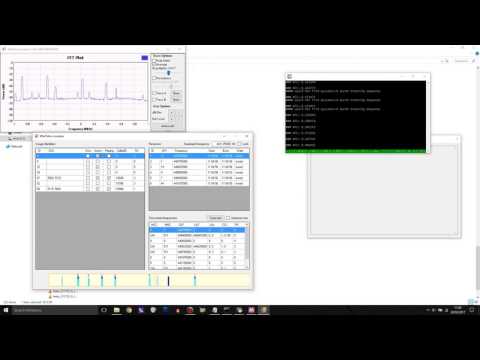
Over on YouTube use radiosification has uploaded a video showing the Windows TETRA decoder ‘wintelive’ in action. Wintelive is a Windows port of the popular RTL-SDR compatible Linux based ‘telive’ TETRA decoder. Back in October 2016 we posted about its release and we have a tutorial for telive and the RTL-SDR available here.
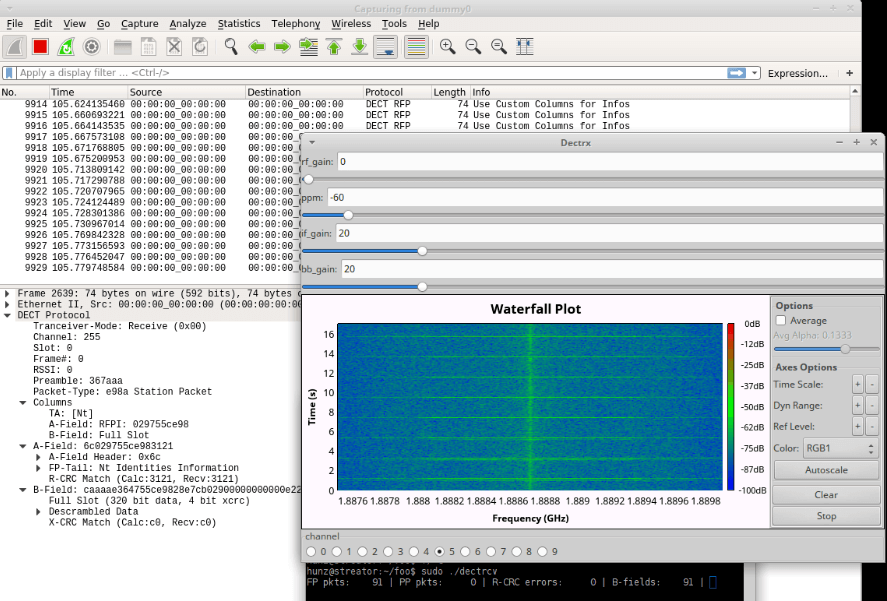
Over on GitHub programmer ‘znuh’ has uploaded a new RTL-SDR compatible GNURadio based tool for DECT decoding. DECT is an acronym for ‘Digital Enhanced Cordless Telecommunications’, and is the wireless standard used by modern digital cordless phones. In most countries DECT communications take place at 1880 – 1900 MHz, and in the USA at 1920 – 1930 MHz. So in order to receive these frequencies you’ll need an RTL-SDR with an E4000 chip, or some other compatible SDR that can tune this high.
It appears that the decoder is not actually able to decode audio (at least not yet or without extra work perhaps), but it can at least output the DECT packets to Wireshark for analysis. This may be of interest to those wanting to learn more about the DECT protocol.
Update: Over on the Reddit thread for this software the original poster ‘sanjuro’ has given a hint on how to (in theory) decode the audio, he writes:
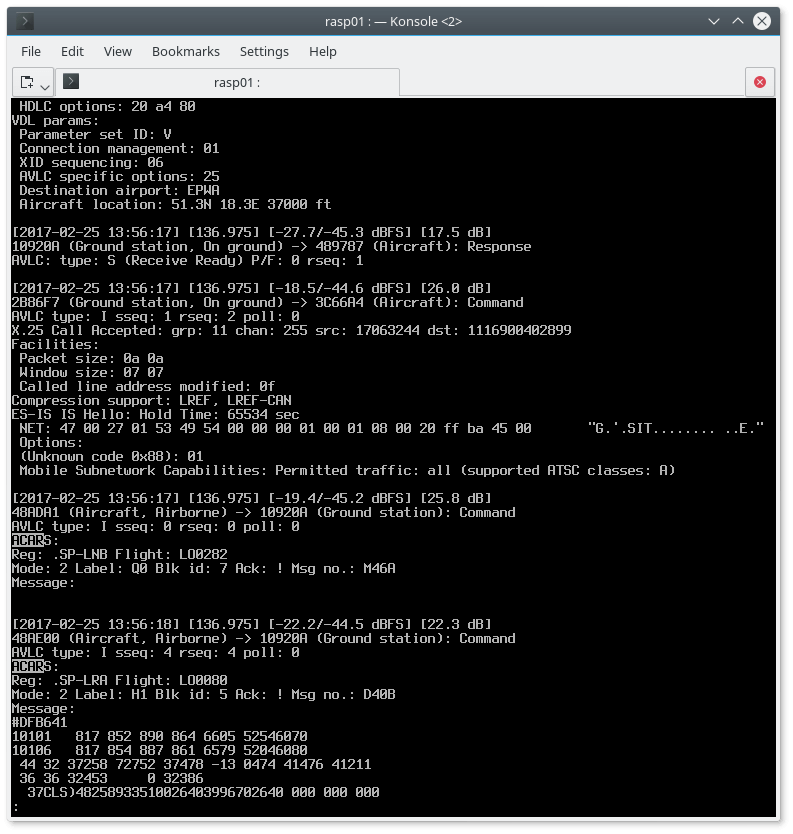
The VHF Data Link mode 2 (VDL2) is a relatively new wireless transmission mode used on aircraft for sending short messages, position data (similar to ADS-B) and also for allowing traffic controllers to communicate to pilots via text and data. VDL2 is an evolution of ACARS and is eventually supposed to replace it entirely. The advantage over ACARS is that VDL2 can transmit data 10 times faster, and supports a much wider range of services. The main default channel is at 136.975 MHz, but channels could exist on other air band frequencies too.
Over on GitHub Tomasz Lemiech (szpajder – also the author of RTL-Airband) has uploaded a new VDL2 decoder called dumpvdl2. This is a lightweight command line Linux based VDL2 decoder and protocol analyzer. The features include:
Runs under Linux (tested on: x86, x86-64, Raspberry Pi)
Supports following SDR hardware:
RTLSDR (via rtl-sdr library)
Mirics SDR (via libmirisdr-4)
reads prerecorded IQ data from file
Decodes up to 8 VDL2 channels simultaneously
Outputs messages to standard output or to a file (with optional daily or hourly file rotation)
Outputs ACARS messages to PlanePlotter over UDP/IP socket
Supports message filtering by type or direction (uplink, downlink)
Outputs decoding statistics using Etsy StatsD protocol
In a previous post we showed how VDL2 could be decoded with MultiPSK on Windows. But the advantage of dumpvdl2 is that it allows you to set up a lightweight monitoring station on something like a Raspberry Pi. dumpvdl2 can also be interfaced with PlanePlotter, and statistics can be graphed with another program such as Grafana.
The audio codec specifications are not public and is thus not implemented here, so this code has very little use outside of being a good learning tool. But Phil does write that if anyone if able to figure out how to decode the codec, then this code may be a good starting point.
Phil writes:
I wrote this because I wanted to learn about digital broadcasts. Despite the fact that the audio codec used is iBiquity’s proprietary HDC codec, I decided that writing a receiver that could decode the air interface would be a great learning experience.
iBiquity’s HDC codec is supposedly based upon some of the same technologies as HE-AAC codec so it may be possible for some audio codec gurus, given access to the raw HDC audio packets, to write a decoder for the codec.
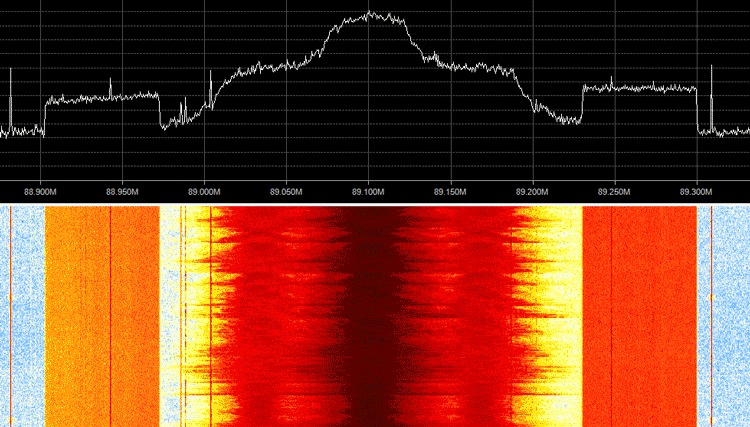
The receiver is somewhat limited. It only decodes FM MP1 profile transmissions (which happens to includes every IBOC FM transmitter in my area). It is also somewhat limited in the Layer2 packet demultiplexing. It likely needs a strong signal in order to decode signals reasonably well. However it is just enough to get access to the main program stream.
OpenHAB is an open source home automation software program which is designed to interface and manage all the various sensors and systems in an automated house. One problem however, is that many wireless sensors and actuators utilize a proprietary communications protocol that is not supported by OpenHAB.
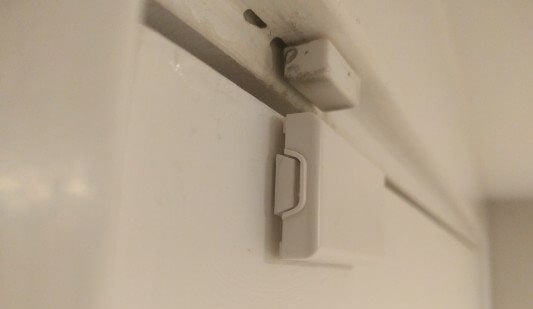
In his home, Dan Englender had several Honeywell 5800 series 345 MHz wireless security door sensors, all of which interface using a proprietary protocol that is not yet implemented in OpenHAB. In order to get around this, Dan decided to reverse engineer the protocol and implement a decoder into OpenHAB himself.
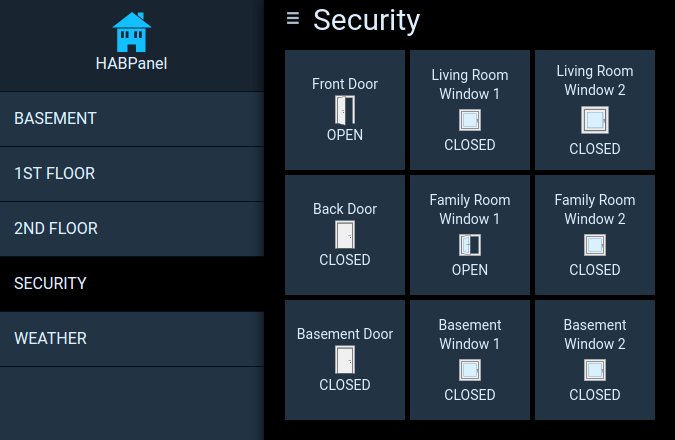
Dan’s four part write up covers the RF capture & demodulation, protocol reverse engineering and implementation into OpenHAB. First he looked up the frequency and bandwidth of the signal via the FCC filing information on fcc.io. Then he captured some packets from a door sensor using his RTL-SDR and GNU Radio, and then wrote a short Python program to decode the protocol and transmit the door open/closed information to OpenHAB. In the future he hopes to optimize the decoder so that it can comfortably run on a Raspberry Pi as the GNU Radio script uses quite a bit of computing power.
The final project is called decode345 and the code is available over on his GitHub.
Honeywell 345 MHz Door SensorCustom Door Sensor Status in OpenHAB
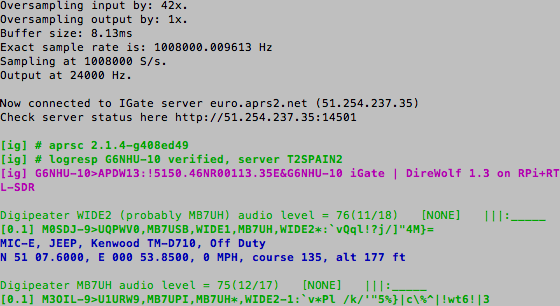
Keith Maton (G6NHU) wrote in and wanted to share his new ready to go APRS RX iGate image for the Raspberry Pi. APRS stands for “Amateur Packet Reporting System”, and is a type of packet radio communications system used by Amateur Radio operators. They often use them to transmit short mail messages, weather sensor updates, track vehicles and for various other purposes. An iGate allows APRS messages to be transmitted over the all world via the internet via a signal chain such as: RF->iGate RX->Internet->iGate TX->RF. To run an iGate you should be a radio amateur with a callsign. A global aggregation of APRS broadcasts received by iGates can be seen at aprs.fi.
An RTL-SDR can be used to receive APRS packets easily and many amateur radio enthusiasts have been setting up APRS RX only iGates using the “direwolf” decoding software. Keith’s image simplifies the process of installing and configuring software significantly by proving a plug and play image that you just burn to an SDcard and plug into your Raspberry Pi. His post also explains how to configure the iGate correctly.
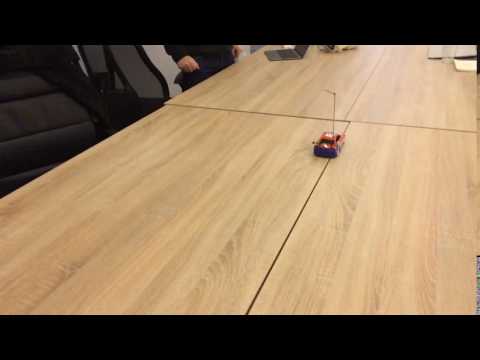
Watson has uploaded the code to GitHub under the name monster-drift. The code is based on Node.js which is an event-driven JavaScript programming environment. The software allows you use a HackRF to control any radio controlled car that uses a simple On-Off Keying (OOK) protocol and which operates at a frequency of 27 MHz. Most cheap RC cars do use this frequency and protocol, but high-end models may use something a little more sophisticated. Some information about the protocol implementation is given here. We look forward to hopefully seeing interesting projects like remotely controlled autonomous RC cars in the future.
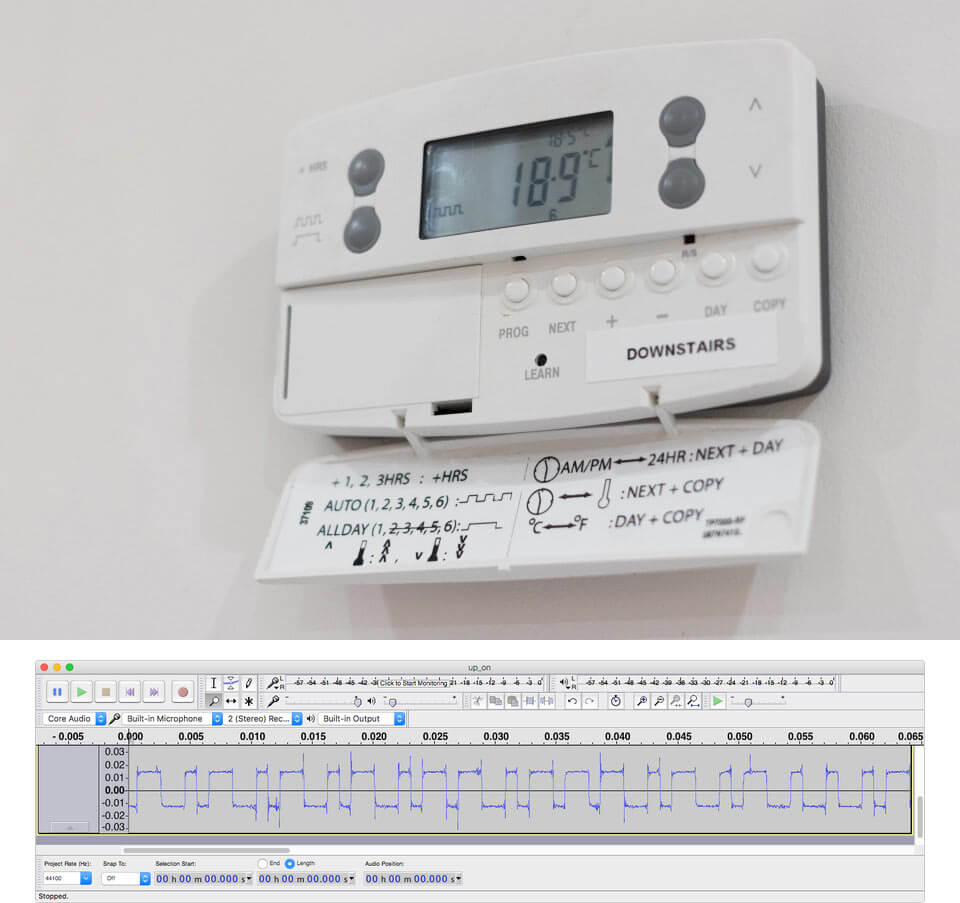
Over on his blog Andy writes how he wanted a smart way to control his central heating system with a Raspberry Pi and Arduino microcontroller. He discovered that if he could reverse engineer his existing wireless thermostat then he would have an easy way to control the boiler in his house and with that a smart controller could be made. By reverse engineering the thermostat he also avoids the need to rig up his own control system.
The existing thermostat wireless receiver is a Danfoss RX2. In order to reverse engineer the protocol Andy opened up an older that one he had and saw that it used an Infineon TDA5210 RF receiver chip. Armed with this part number he was able to look up the datasheet and determine the operating frequency. Then by using an RTL-SDR he captured some packets while pressing buttons on the thermostat transmitter and piped the audio file into audacity, where he was able to clearly see the digital waveform.
Andy then wrote a Python program using the ‘wave’ library, which allowed him to easily read binary values for a .wav file. With his code he was able to extract the data from the signal and determine the preamble, sync word, thermostat ID and the instruction code (on/off/learn).
In a future post Andy hopes to show us how he’ll use an RF69 module with an Arduino to actually control the thermostat using the reverse engineered packet knowledge.
Danfoss Wireless Thermostat and a Received Binary Waveform in Audacity