Category: Digital Signals

Broadcasting DVB-S2 with the LimeSDR

The LimeSDR is a $299 USD software defined radio that has RX and TX capabilities, a tuning range of 100 kHz – 3.8 GHz, a 12 bit ADC and up to 61.44 MHz worth of bandwidth. It is currently seeking crowdfunding over at CrowdSupply.com, and there are still 170 early bird units available at a lower price of $249 USD. The funding campaign ends in 14 days at the time of this post.

In a recent blog post on the myriadrf website, beta tester Alexandru shows how the LimeSDR can be used to transmit DVB-S2 video using GNU Radio.  Alexandru used bladeRF dvbs2_tx.grc gr-dtv example which is provided with GNU Radio and modified it for the LimeSDR. He then transmitted the video stream and used an off the shelf satellite TV receiver to display the video, and an Airspy to monitor the spectrum. The gr-dtv library can also be used to transmit other video standards such as ATSC, DVB-T, DVB-T2, DVB-C and DVB-S2.

LimeSDR DVB-S2 GNU Radio Flowgraph

LimeSDR demo: High Definition Video Transmission using GNU Radio

A Demonstration of the RTL-SDR Receiving WiFi and 2.4 GHz ISM with a Modded SUP-2400 Downconverter

Back in April we posted about how KD0CQ found that he could receive signals up to 4.5 GHz with an RTL-SDR by using a $5 downconverter for DirecTV called the SUP-2400. The RTL-SDR can only receive up to a maximum frequency of about 1.7 GHz, but the SUP-2400 downconverter can be modified to convert frequencies at around 2.4 GHz down into a range receivable by the RTL-SDR.

When we first posted the story the instructions for modifying the SUP-2400 to use as a downconverter weren’t uploaded yet, but they are now. The modification requires decent soldering skills as it involves desoldering a few small SMD components and bridging some points with wires.

Over on YouTube user T3CHNOTURK has uploaded a video showing the downconverter in action. With the SUP-2400 downconverter and RTL-SDR he is able to receive some WiFi at 2.447 GHz as well as signals from a wireless keyboard at 2.465 GHz

RTLSDR Receiveing wifi & 2.4 ghz ism band with moded SUP-2400 Downconverter

Comparing Home Made Inmarsat Antennas

Over on his blog “coolsdrstuff”, the author has uploaded a new post showing his comparisons of various home made Inmarsat antennas. In his post he tests a tin can helix antenna, a 10-turn helix antenna, and a LHCP helix feed on a 81cm DirecTV dish.

His results show that the dish outperforms the helix antennas by a significant amount, but only once he took it outdoors. The 10-turn helix antenna also worked better than the tin can helix, although he found that it required very accurate pointing.

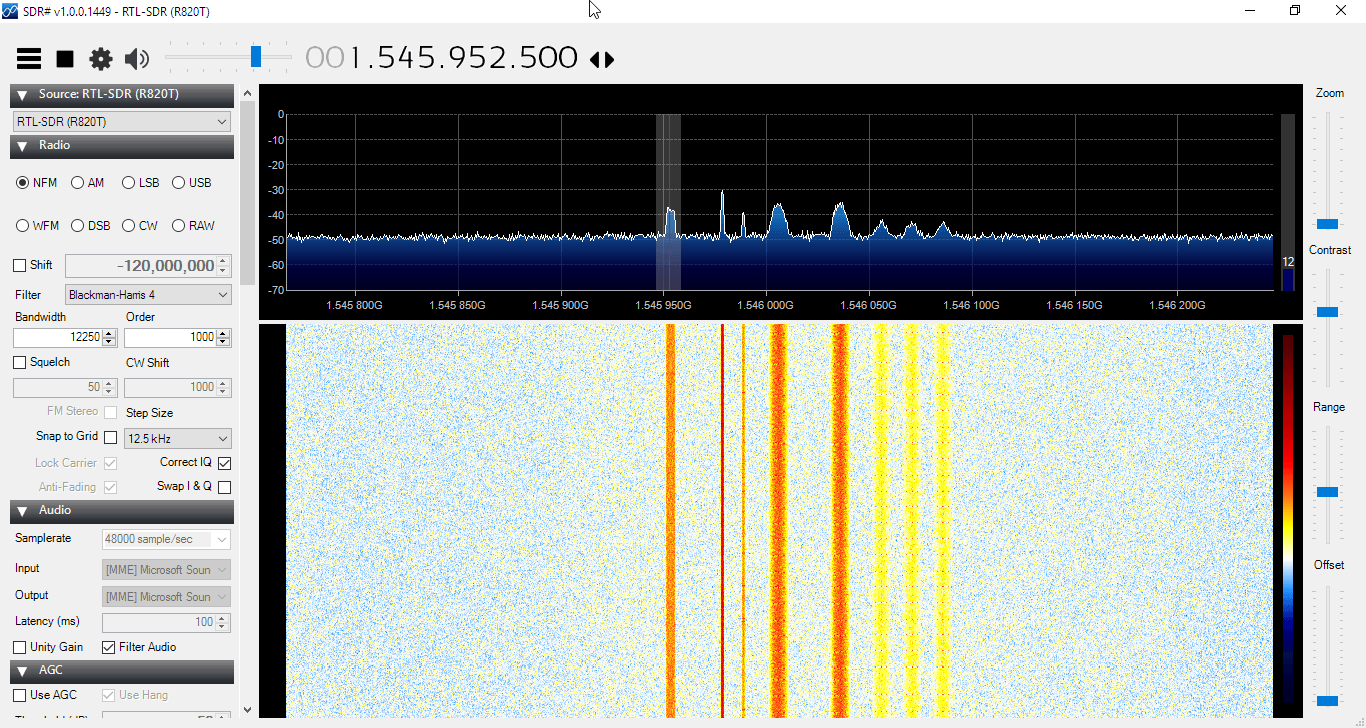
Inmarsat are geostaionary satellites that transmit signals on L-band at around 1.5 GHz. They transmit signals that can be decoded with an RTL-SDR, such as STD-C EGC (weather, messaging and safety messages for boats), as well as AERO (the satellite version of ACARS for aircraft).

Good Inmarsat reception with the dish.

Receiving Inmarsat L-Band AERO with a DVB-T Antenna, Amplifier and Airspy Mini

To show that a specialized antenna is not required to receive L-band Inmarsat AERO satellite signals, YouTube user SkyWatcher has uploaded a video showing how he was able to receive these signals with a cheap DVB-T antenna. SkyWatcher writes:

I’ve recently upgraded from my RTL-SDR sticks (E4000, R820T2) to an Airspy Mini.

I did some testing during the last week and found it very interesting that I was able to receive Inmarsat L-Band signals indoors, with just a DVB-T antenna and amplifier behind the window, no downconverter, no special antenna, no super low-noise amplifier. The window is facing south, with a few degrees to the east and the satellite I’ve received was Inmarsat 15.43W. So, angle antenna to satellite should be estimated 20 degrees.

I’ve used a 18dB DVB-T/Satellite-TV inline amplifier as a ‘LNA’ (noise < 5dB) and a VHF/UHF DVB-T antenna which seems to be a stacked dipole, and therefore should be quite wideband and should make a reasonable general purpose antenna. Anyway, I did not expect it to work on 1.5GHZ at all. Also, I want to mention that the inline amplifier is rated 5 to 18V, but it works just fine with the 4.5V from the Airspy Mini.

It seems that with 10dB S/N, Aero reception is possible and with about 12dB S/N, it is getting reliable.

In general, I am very satisfied with the upgrade to the Airspy Mini. It has a much lower noisfloor and a much cleaner spectrum, compared to my old RTL SDRs. Also, I am very happy with the CPU-usage which is only about 12% on my i5-3210M when using 2.4MHz bandwith, and 18-20% with a bandwith of 4.8MHz.

Together with the ability to use SpectrumSpy and the very useful decimation-feature, the Airspy Mini is the best option to upgrade from a RTL-SDR for me at the moment. Anyway, of course this is just my very personal opinion… 😉

AERO is essentially the satellite based version of ACARS, and the L-band signals contains short ground to air messages with things like weather reports and flight plans intended to be transmitted to aircraft. To decode it with an SDR, the JAERO software can be used.

Using Aisdecoder to decode both AIS channels simultaneously

Recently SV3EXP wrote in to let us know that he has been documenting his experiences with trying to get aisdecoder to decode both AIS channels simultaneously. AIS stands for Automatic Identification System, and is a system used to track the locations of marine vessels. With an RTL-SDR or other SDR radio, and appropriate decoder software you can plot ship positions on a map. As the AIS system uses two separate channels for redundancy, you can get a faster and more reliable update rate if you monitor and decode both channels.

On his blog SV3EXP shows how he uses Linux and the "demod" and "csdr" tools to demodulate multiple channels at the same time from IQ data generated by rtl_fm. The demodulated data is then fed to the aisdecoder software for decoding, and then fed to aisdispatcher for feeding the AISHub.net AIS data aggregation website.

Of course the easier solution to decode both AIS channels at once is to use decoding software that already supports this, such as AISdeco2 or AISrec which can be downloaded at http://xdeco.org, and https://sites.google.com/site/feverlaysoft respectively. But regardless SV3EXP's method does show an interesting way to demodulate multiple streams using only command line tools.

SV3EXP also wanted to point out that he is selling a bias tee powered PSA4-5043+ based LNA on eBay which is compatible with the bias tee on our RTL-SDR Blog SDR units.

AISHub Coverage Areas

P25 Decoding: OP25 + RTL-SDR vs a Uniden BCD996T

APCO P25 is a digital voice signal and is commonly used like public safety departments such as police and fire. With an RTL-SDR and the open source Linux based OP25 decoder these signals can be decoded, assuming they are unencrypted. Software like DSD+ can also be used, but OP25 can supposedly decode more systems. Before the RTL-SDR, hardware scanners like the $~360 USD Uniden BCD996T digital scanner radio were typically used. 

Over on YouTube user Rob Fissel has uploaded a video showing a comparison between an RTL-SDR using the OP25 decoder and a Uniden BCD996T. Both radios are used to decode a weak P25 Phase 1 LSM signal. He uses a Scantenna antenna with an antenna splitter to run both radios at the same time. His results show that even though the constellation is poor, OP25 does a good job at decoding the signal and producing voice, whereas the BCD996T doesn’t even manage to hear the control channel.

OP25 VS BCD996T - Weak Signal P25

GNU Radio for Windows + Decoding ATSC HDTV on GNU Radio for Windows

Recently an updated set of binaries and build scripts were posted for GNU Radio for Windows. GNU Radio is a graphical digital signal processing language that is compatible with many software defined radios such as the RTL-SDR. Normally it is used on Linux as the Windows builds have been known to be very buggy and difficult  to install. However the latest update appears to make it easier to install. The changes were announced on the GNU Radio mailing list by Geof Nieboer, and he writes:

An updated set of windows binaries and build scripts have been posted. Quick summary:

1- Added gqrx to package
2- Patched 2 x issues which would cause the generic version to crash on non-AVX systems (one in volk, one in FFTW)
3- Added gr-newmod to package

Plus a number of improvements to make the scripts more robust.

Binaries at http://www.gcndevelopment.com/gnuradio/downloads.htm
Scripts at https://github.com/gnieboer/GNURadio_Windows_Build_Scripts

To run GNU Radio for Windows you will need a 64-bit version of Windows 7/8/10. It appears that the installation is as easy as running the installer and waiting for it to download and install the 1.7 GB worth of files.

Also, over on his blog author designing on a juicy cup posted about how he’d been able to get the GNU Radio Windows binaries to run a ATSC HDTV decoder from a file recorded using an SDRplay RSP (ATSC is too wideband for an RTL-SDR to decode). ATSC is the digital TV standard used in North America, some parts of Central America and South Korea. He writes that one advantage to using GNU Radio on Windows is the ability to use a RAM drive for faster file processing.

GNU Radio ATSC Decoder Running on Windows.

EM-ID: RTL-SDR based Tag-Less ID of Electrical Devices via Eletromagnetic Emissions

Back in November 2015 we posted about Disney Research’s EM-Sense which was an RTL-SDR based smart watch that was able to actually sense and detect the exact (electronic) object the wearer was touching. It worked by using the RTL-SDR to detect the specific electromagnetic emission signature given off by various different electronic devices.

Now Disney research has just released a new paper titled “EM-ID: Tag-less Identification of Electrical Devices via Electromagnetic Emissions”. In this paper the authors describe an RTL-SDR based system which serves as a replacement for RFID tags and readers. RFID (Radio Frequency ID) tags can be used in place of standard barcodes when placed on items as a means for easy inventory and asset tracking. An RFID tag is faster and easier to read than a barcode, but the individual cost of the tag has prevented its widespread adoption.

The Disney research team have put forward the idea that a low cost SDR like the RTL-SDR can be used in place of RFID tags when they would have been used to identify electronic devices. The idea is that the SDR can be used to read the electromagnetic emissions of the electronic device, which can then be used to identify the item, thus eliminating the need for an RFID tag or barcode. Their abstract reads:

Radio Frequency Identification technology has greatly improved asset management and inventory tracking. However, for many applications RFID tags are considered too expensive compared to the alternative of a printed bar code, which has hampered widespread adoption of RFID technology. 

To overcome this price barrier, our work leverages the unique electromagnetic emissions generated by nearly all electronic and electromechanical devices as a means to individually identify them. This tag-less method of radio frequency identification leverages previous work showing that it is possible to classify objects by type (i.e. phone vs. TV vs. kitchen appliance, etc). A core question is whether or not the electromagnetic emissions from a given model of device, is sufficiently unique to robustly distinguish it from its peers. 

We present a low cost method for extracting the EM-ID from a device along with a new classification and ranking algorithm that is capable of identifying minute differences in the EM signatures. Results show that devices as divers as electronic toys, cellphones and laptops can all be individually identified with an accuracy between 72% and 100% depending on device type.

While not all electronics are unique enough for individual identifying, we present a probability estimation model that accurately predicts the performance of identifying a given device out of a population of both similar and dissimilar devices. Ultimately, EM-ID provides a zero cost method of uniquely identifying, potentially billions of electronic devices using their unique electromagnetic emissions.

An EM-ID use case: Identifying difference laptop assets.

In the paper we can see that the EM-ID hardware is essentially just a direct sampling modified RTL-SDR and antenna. The RTL-SDR is modified to use direct sampling as this allows it to receive 0 – 28 MHz, and thus 0 – 500 kHz where the most useful EM emissions exist. The system process is to basically scan the device using the antenna and RTL-SDR, extract features such as power peaks from the recorded EMI spectrum and then turn this data into a device signature which can then be used to compare against a database of previously recorded and known device signatures. (e.g. light bulb, iPhone).

The EM-ID Hardware: Essentially an RTL-SDR and antenna.
The EM-ID Process.
The EM-ID Process.