Category: HF

Setting up Propagation Triggered Spectrum Recording

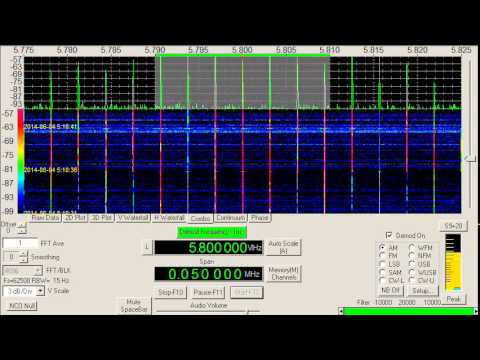
Over on the SDRplay blog and forums OH2BUA has been sharing how he has set up ‘propagation triggered recording’ by continuously monitoring JT65/JT9 signals with his SDRplay. The idea is that you leave the radio on receiving all night, and set it to automatically start recording IQ files if good propagation conditions occur as determined by the locations received from the JT65/JT9 signal. This may yield some interesting far off stations that can be listened to in the morning, whilst weeding out hours where nothing but commonplace local stations are heard. The software is a simple Windows batch file that works together to coordinate HDSDR and JTDX. It should work with any HF capable SDR.

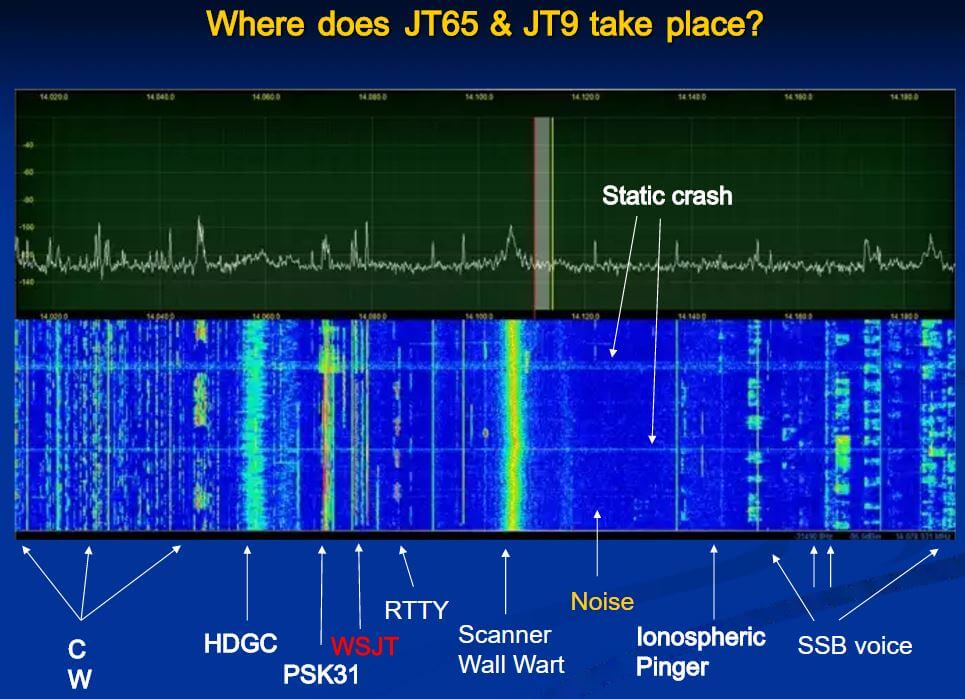
JT65/JT9 are weak signal propagation HF modes (also known as WSJT modes) that can be decoded all around the world, even with very weak reception thanks to strong digital error correction. They can often be used to determine propagation conditions by determining where successfully decoded messages are being sent from.

OH2BUA writes:

I have made a set of scripts and other files which can be used to build a system which monitors JT65/JT9 (digital modes) amateur radio traffic on 160m/1.8MHz band, and if nice propagation to area you are interested in exists, a MW-BC-band recording is started. When the conditions fall off, the recording is stopped.

There is an attached zip-file containing all the necessary stuff. Sorry this is a windows thing – but easily portable also for linux. Create C:\bat\ and drop all there. Have a look, starting from README.

The default example is to start a MW-band I/Q-recording, if North American ham signals are heard – but it is fully modifiable according to your target when in comes to areas, bands, schedules etc.

The files are available as an attachment to the forum post.

Where WSJT Modes are located (slideplayer.com/slide/4310450)

Showing the HF Interference Problem from Ethernet over Powerline Devices

Over on our YouTube channel we’ve uploaded a new video that shows how bad the interference from Ethernet over Power devices can be. Ethernet over Power, Powerline Networking, Powerline Communications or ‘HomePlug’ is a technology that allows you to use any of your household power outlets as an internet Ethernet port, completely eliminating the need for runs of Ethernet cabling. They are capable of high speeds and can be used anywhere in the house assuming the two plugs are on the same power circuit.

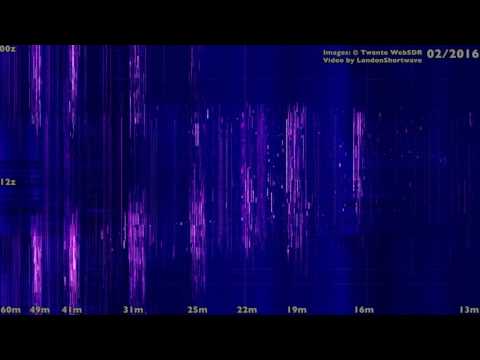
Unfortunately these devices tend to wipe out almost the entire HF spectrum for anyone listening nearby. As household powerline cables are not shielded for RF emissions they radiate in the HF spectrum quite heavily. In the video we demonstrate what the HF spectrum looks like with one of these devices used in the house. The particular device used was a TP-Link brand adapter, and a WellBrook Magnetic Loop antenna was used outdoors, with the null facing the house. An Airspy R2 with SpyVerter was used to view the spectrum.

The video shows that even when the network is idling there are several brief bursts of noise all over the spectrum. Then when a file is downloaded almost the entire spectrum is completely wiped out.

Interestingly from the video it appears that the amateur radio frequencies are actually carefully notched out and those frequencies remain relatively clean. Most manufacturers of these devices appear to have worked with the ARRL to please ham radio enthusiasts, but SWLers will likely be in trouble if any of these devices are used in your house or neighbors house.

How Ethernet/Internet over Powerline Can Wipe out the HF Band

Lowering the Noise Floor on HF with High Quality Coax

Bonito is a company that sells various products such as their own small active antennas. Some examples are the Bono-Whip (20kHz – 300 MHz), GigaActiv (9kHz – 3 GHz) and the MegaLoop (9kHz – 200 MHz). 

Over on their blog they’ve uploaded a post titled “why even good antennas need good coax cable”. The post explains why high quality heavy shielded coax cable may be required to receive HF signals in noisy environments. The author writes how even placing an antenna in a quiet area outdoors may not work if the coax is still run through an high interference environment, such as through a house.

Typically RG58 cable is most commonly used with HF antennas. However, the author noticed that when using RG58 he was still receiving FM stations, even though the antenna that he was using was a MegaLoop with a built in broadcast FM filter. After switching his RG58 cable to H155 coax, the FM station disappeared. H155 coax is low loss and designed for GHz level frequencies, so it has much better shielding from its tighter braid.

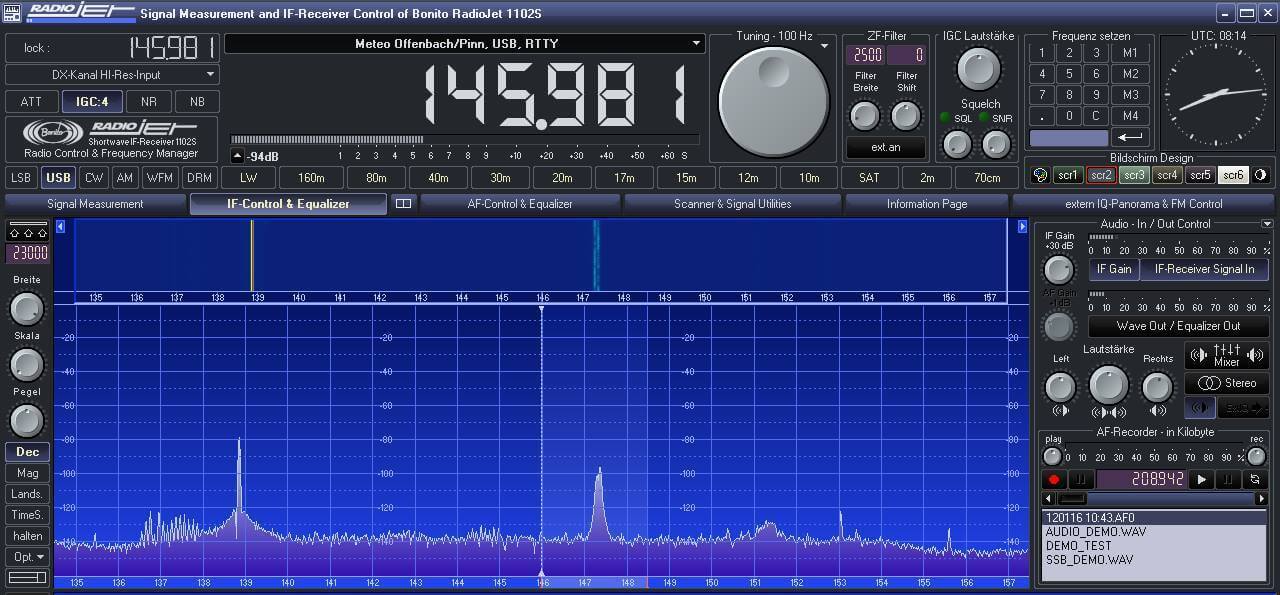
The images below also show the difference in noise floor the author saw after replacing all his RG58 with H155 coax. 

Reception with RG58 Coax
Reception with H155 Coax
Reception with RG58 Coax Reception with H155 Coax

Setting up Propagation Triggered Spectrum Recording

Over on the SDRplay blog and forums OH2BUA has been sharing how he has set up ‘propagation triggered recording’ by continuously monitoring JT65/JT9 signals with his SDRplay. The idea is that you leave the radio on receiving all night, and set it to automatically start recording IQ files if good propagation conditions occur as determined by the locations received from the JT65/JT9 signal. This may yield some interesting far off stations that can be listened to in the morning, whilst weeding out hours where nothing but commonplace local stations are heard. The software is a simple Windows batch file that works together to coordinate HDSDR and JTDX. It should work with any HF capable SDR.

JT65/JT9 are weak signal propagation HF modes (also known as WSJT modes) that can be decoded all around the world, even with very weak reception thanks to strong digital error correction. They can often be used to determine propagation conditions by determining where successfully decoded messages are being sent from.

OH2BUA writes:

I have made a set of scripts and other files which can be used to build a system which monitors JT65/JT9 (digital modes) amateur radio traffic on 160m/1.8MHz band, and if nice propagation to area you are interested in exists, a MW-BC-band recording is started. When the conditions fall off, the recording is stopped.

There is an attached zip-file containing all the necessary stuff. Sorry this is a windows thing – but easily portable also for linux. Create C:\bat\ and drop all there. Have a look, starting from README.

The default example is to start a MW-band I/Q-recording, if North American ham signals are heard – but it is fully modifiable according to your target when in comes to areas, bands, schedules etc.

The files are available as an attachment to the forum post.

Where WSJT Modes are located (slideplayer.com/slide/4310450)

Showing the HF Interference Problem from Ethernet over Powerline Devices

Over on our YouTube channel we’ve uploaded a new video that shows how bad the interference from Ethernet over Power devices can be. Ethernet over Power, Powerline Networking, Powerline Communications or ‘HomePlug’ is a technology that allows you to use any of your household power outlets as an internet Ethernet port, completely eliminating the need for runs of Ethernet cabling. They are capable of high speeds and can be used anywhere in the house assuming the two plugs are on the same power circuit.

Unfortunately these devices tend to wipe out almost the entire HF spectrum for anyone listening nearby. As household powerline cables are not shielded for RF emissions they radiate in the HF spectrum quite heavily. In the video we demonstrate what the HF spectrum looks like with one of these devices used in the house. The particular device used was a TP-Link brand adapter, and a WellBrook Magnetic Loop antenna was used outdoors, with the null facing the house. An Airspy R2 with SpyVerter was used to view the spectrum.

The video shows that even when the network is idling there are several brief bursts of noise all over the spectrum. Then when a file is downloaded almost the entire spectrum is completely wiped out.

Interestingly from the video it appears that the amateur radio frequencies are actually carefully notched out and those frequencies remain relatively clean. Most manufacturers of these devices appear to have worked with the ARRL to please ham radio enthusiasts, but SWLers will likely be in trouble if any of these devices are used in your house or neighbors house.

How Ethernet/Internet over Powerline Can Wipe out the HF Band

Lowering the Noise Floor on HF with High Quality Coax

Bonito is a company that sells various products such as their own small active antennas. Some examples are the Bono-Whip (20kHz – 300 MHz), GigaActiv (9kHz – 3 GHz) and the MegaLoop (9kHz – 200 MHz). 

Over on their blog they’ve uploaded a post titled “why even good antennas need good coax cable”. The post explains why high quality heavy shielded coax cable may be required to receive HF signals in noisy environments. The author writes how even placing an antenna in a quiet area outdoors may not work if the coax is still run through an high interference environment, such as through a house.

Typically RG58 cable is most commonly used with HF antennas. However, the author noticed that when using RG58 he was still receiving FM stations, even though the antenna that he was using was a MegaLoop with a built in broadcast FM filter. After switching his RG58 cable to H155 coax, the FM station disappeared. H155 coax is low loss and designed for GHz level frequencies, so it has much better shielding from its tighter braid.

The images below also show the difference in noise floor the author saw after replacing all his RG58 with H155 coax. 

Reception with RG58 Coax
Reception with H155 Coax
Reception with RG58 Coax Reception with H155 Coax

Analyzing HF Over the Horizon Radar in GNU Radio

Over the Horizon radar is typically used at HF frequencies and is used to detect targets from hundreds to thousands of kilometers away from the radar station. On HF they are very common and can be easily heard as continuous or bursty buzzing sounds.

Over on his blog Daniel Estevez writes how he was inspired by Balint Seebers GRCon16 talk to perform his own investigations into HF OTH radar. Daniel first analyzed a recorded IQ signal of a presumed Russian radar in Audacity, and noticed that it consisted of 15 kHz wide pulses repeated at 50 Hz intervals. He then used GNU Radio and the Quadrature Demod block to FM demodulate the pulse and see how the frequency changes over time. From this he was able to determine the original transmitted radar pulse characteristics

Next he performs pulse compression, which is essentially a cross correlation of the received pulse and transmitted pulse which was determined from the characteristics found earlier. The signal being received at Daniels location is distorted, because it will arrive from multiple paths, since the signal will bounce of multiple layers of the ionosphere. With this pulse compression technique Daniel is able to determine the time of flight for the different multi-path components of the received pulse. By graphing all the results over time he was able to obtain this image illustrating relative propagation distance over time.

Check out Daniels post for the full details and his code.

Ionosphere Propagation Graph

Receiving CB Radio with an RTL-SDR Dongle

Back in July we posted a story by Mario Fillipi (N2HUN) who wrote an article about using the RTL-SDR to receive CB radio, and how while the CB radio heyday is over, there are still opportunities for good listening available today.

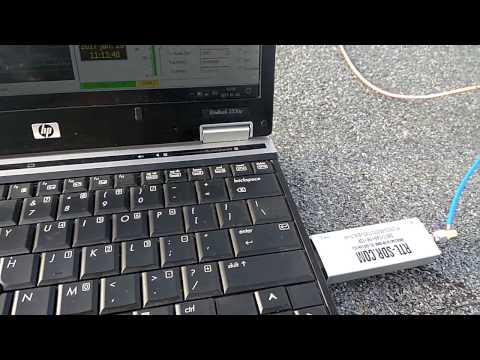
Recently Mario has posted a new article on swling.com where he discusses his CB radio listening hobby further. To listen to the CB band at 26.965 – 27.405 MHz he uses an RTL-SDR dongle together with a ham-it-up upconverter. While an upconverter is not required since most RTL-SDR dongles typically tune down to 24-25 MHz, he finds that using one helps because it can help block out interference from the strong broadcast FM band.  We note that you could also use one of our BCFM Block filters for the same purpose.

Mario notes that recently he noticed the CB band was open during the night. Usually the frequencies that CB radio uses propagate best during the daytime, and poorly at night. But on some occasions it can open up at night as well. He writes that on some occasions during a winters night during a snowstorm he has been able to receive the world on CB, from Europe, the Caribbean and Australia.

CB Band Voice in SDR# with an RTL-SDR and Ham-it-up Upconverter

New Comparison Videos from Leif SM5BSZ: Airspy vs SDRplay vs Several Other SDRs

Over on YouTube Leif SM5BSZ has uploaded two new videos. The first video shows a set up that compares the Airspy and the SDRplay RSP on several lab tests that test for dynamic range performance at various frequency offsets. The Airspy definitely shows better results, but Leif notes that the differences are fairly small. The Airspy and SDRplay are two SDRs that compete in the mid range SDR price bracket.

Smaller is better, where each value represents the amount of attenuation required before saturation
Smaller is better. Each value represents the amount of attenuation used (in dBm) that causes a 3dB loss from reciprocal mixing

As lab tests can only approximate real world performance, in the next video Leif does a HF reception comparison on a real world antenna. In this video he compares our RTL-SDR.com V3 in the special direct sampling HF mode, a Funcube Pro+, SDRplay RSP, Airspy+Sypverter, Afedri Net, and an FDM-S1. The test injects an artificial signal and combines signals from a real antenna via an adjustable attenuator. Leif adjusts the attenuator to increase the antenna signals until the test signal strength is degraded by 3dB from reciprocal mixing/overload. That attenuation setting is then recorded.

The results for the daytime and nighttime results results rank the SDR’s in order from best to worst: FSM-S1 ($400 + shipping), Afedri ($259 + shipping), Airspy+Spyverter ($218 + shipping/$149 + shipping (mini)), SDRplay ($129 + shipping), Funcube Pro+ ($155 + shipping), RTL-SDR.com V3 direct sampling ($20 incl shipping). Interestingly the performance seems to correlate nicely with the unit cost. Of course the V3 in direct sampling mode can be significantly improved by using filtering on the front end, or just by using an upconverter and quadrature mode instead.

At the end of the video Leif also shows a final ranking of the HF performance of all radios tested in his previous videos.

Night time reception SDR ranking
Daytime reception SDR ranking
Final Ranking
Final Ranking

Portable Shortwave Spectrum Capture with an Airspy + Spyverter and Tablet

Over on his blog London Shortwave writes how difficult it can be trying to listen to shortwave radio stations when you’re indoors and in a big city filled with RF noise. His solution is a portable lightweight shortwave travel kit that he can take to the park. The kit that he recommends using includes an Airspy SDR with SpyVerter upconverter, a Toshiba Encore 8″ Tablet and an OTG USB adapter. His antenna is a portable dipole made from two pieces of 6m copper wire connected to a balun, then connected to the SDR with 3m of coax. The whole kit easily fits into a small metal brief case.

For the software London Shortwave uses SDR# and he enjoys capturing large chunks of the HF spectrum for replay later using the base band recorder and file player plugins for SDR#. In his post he also shows how he runs the Airspy in debug mode to restrict it to 6 MHz which is the maximum bandwidth that his tablet’s CPU can handle.

His post shows various example videos of his setup receiving some nice shortwave signals.

London Shortwave's SDR Kit.
London Shortwave’s SDR Kit.

Leif (SM5BSZ) Compares Several HF Receivers

Over on YouTube well known SDR tester Leif (SM5BSZ) has uploaded a video that compares the performance of several HF receivers with two tone tests and real antennas. He compares a Perseus, Airspy + SpyVerter, BladeRF + B200, BladeRF with direct ADC input, Soft66RTL and finally a ham-it-up + RTLSDR. The Perseus is a $900 USD high end HF receiver, whilst the other receivers are more affordable multi purpose SDRs.

If you are interested in only the discussion and results then you can skip to the following points:

24:06 – Two tone test @ 20 kHz. These test for dynamic range. The ranking from best to worst is Perseus, Airspy + SpyVerter, Ham-it-up + RTLSDR, Soft66RTL, BladeRF ADC, BladeRF + B200. The Perseus is shown to be significantly better than all the other radios in terms of dynamic range. However Leif notes that dynamic range on HF is no longer as important as it once was in the past, as 1) the average noise floor is now about 10dB higher due to many modern electronic interferers, and 2) there has been a reduction in the number of very strong transmitters due to reduced interest in HF. Thus even though the Perseus is significantly better, the other receivers are still not useless as dynamic range requirements have reduced by about 20dB overall.

33:30 – Two tone test @ 200 kHz. Now the ranking is Perseus, Airspy + SpyVerter, Soft66RTL, BladeRF+B200, Ham-it-up + RTLSDR, BladeRF ADC.

38:30 – Two tone test @ 1 MHz. The ranking is Perseus, Airspy + SpyVerter, BladeRF + B200, ham-it-up + RTLSDR, Soft66RTL, bladeRF ADC. 

50:40 – Real antenna night time SNR test @ 14 MHz. Since the Perseus is know to be the best, here Leif uses it as the reference and compares it against the other receivers. The ranking from best to worst is Airspy + SpyVerter, ham-it-up + RTLSDR, BladeRF B200, Soft66RTL, BladeRF ADC. The top three units have similar performance. Leif notes that the upconverter in the Soft66RTL seems to saturate easily in the presence of strong signals.

1:13:30 – Real antenna SNR ranking for Day and Night tests @ 14 MHz. Again with the Perseus as the reference. Ranking is the same as in 3).

In a previous video Leif also uploaded a quick video showing why he has excluded the DX patrol receiver from his comparisons. He writes that the DX patrol suffers from high levels of USB noise.