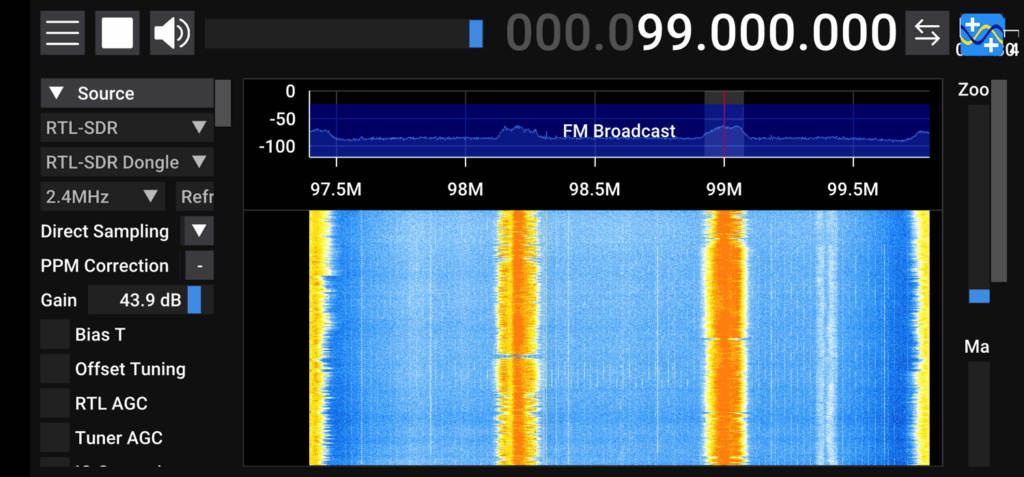
Thank you to SDR++ developer Ryzerth who has let us know that RTL-SDR Blog V4 support has recently been added to the nightly build of the APK. With this release, Android is now fully supported by the RTL-SDR Blog V4 via Martin Marinov's SDR Driver app (which many SDR applications connect to), SDRAngel and now SDR++.
A reminder: With SDR++ you may find that you will need to close (using the task manager on Android) and reopen the app a couple of times before it will detect an RTL-SDR dongle.
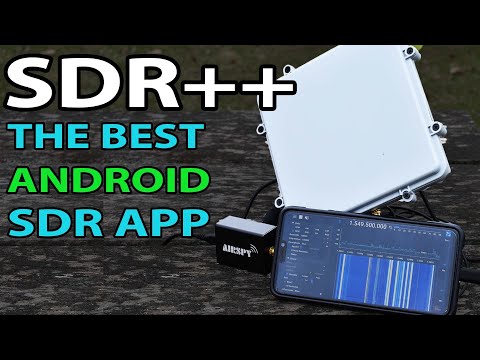
In our last post we mentioned that a 'pre-release' public version of SDR++ for Android was recently released. Now over on the SignalsEverywhere YouTube channel Sarah has uploaded a new video where she reviews and demonstrates the new SDR++ Android App.
In the video Sarah demonstrates how to connect and start a SDR, shows SDR++ in action, then tests listening to NOAA weather audio reports, Inmarsat reception via the bias tee support, P25 and broadcast FM. She also shows how it's possible to use the split screen multitasking feature on Android to send audio from SDR++ into APRSdroid for APRS decoding.
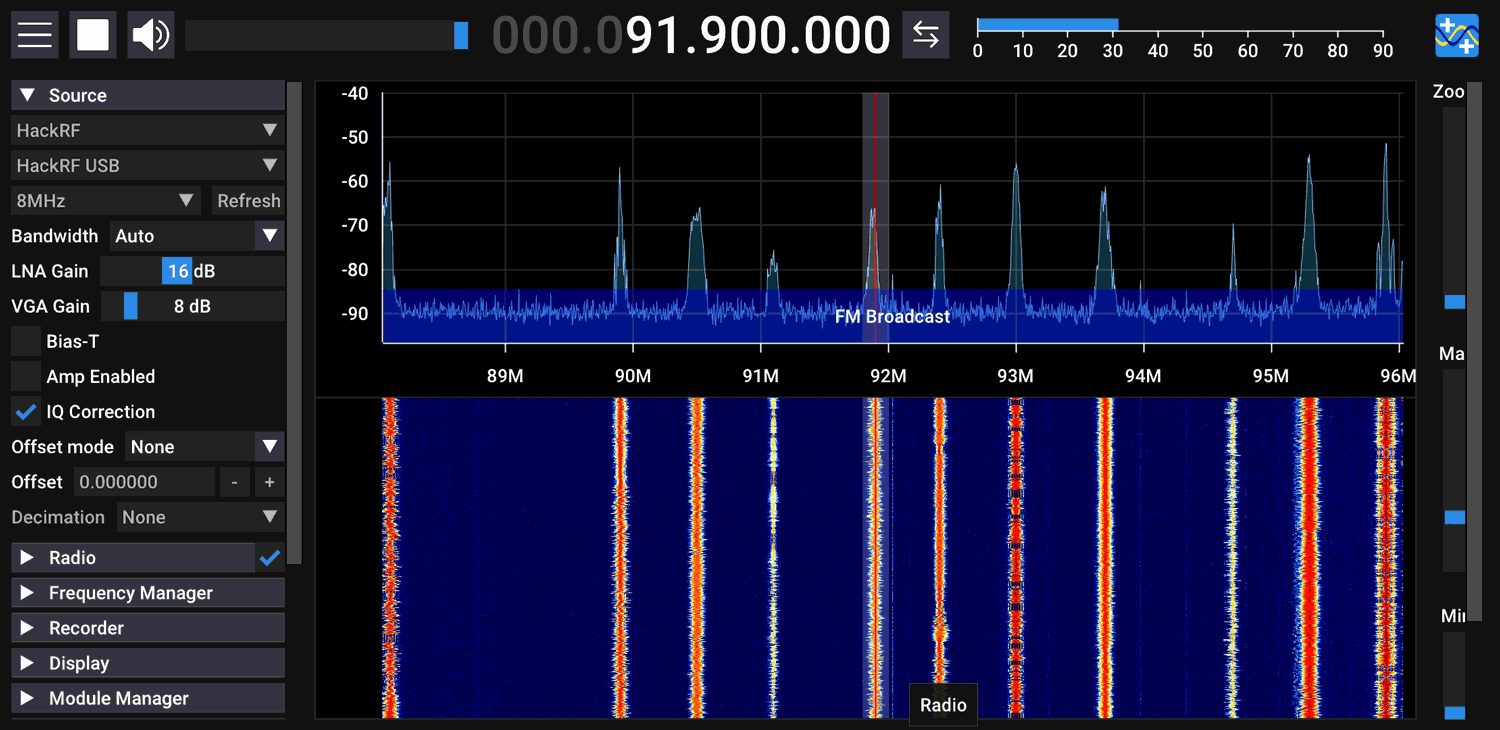
She goes on to show how to fine tune the screen PPI resolution for different sized devices, and how to set up multi-VFO listening on the HF bands. Next, she compares the audio decoding quality between SDR++, SDRTouch and RFAnalyzer. Finally she shows that a HackRF running at a wideband 20 MHz of bandwidth can run smoothly.
The Android SDR App That Beats Them All! Supports RTL-SDR Airspy HackRF and Many More!
SDR++ is an open source program compatible with most software defined radios including the RTL-SDR that has been going through rapid development making it now one of the top software choices.
Yesterday a public 'pre-release' Android version of SDR++ was made available for download. The release is announced as a 'pre-release' due to various bugs still existing. However, we note that we have been testing a private release for the past few weeks, and we can say that it is working great most of the time. The Android App replicates most of the desktop experience perfectly, and it operates very smoothly on most modern devices.
The author Alexandre Rouma writes:
I'm happy to release the first public pre-release of SDR++ for android. It's still quite early and has a few bugs and quirks that you might run into:
SDR MUST be plugged in before starting SDR++ and you MUST press refresh in the SDR source you're using before pressing play if you first plugged in the SDR or unplugged/replugged, otherwise expect a crash. The USB handling still needs some work.
There are still a few UI glitches
There is no easy way to select a path for recording or file for playback
The audio sink on Android may have higher latency
All menus sometimes close when app goes in the background.
Resizing the menu and/or waterfall is kinda fiddly, be precise when trying to grab the resize bar!!!
At some size menu sizes, the app crashes. If this happens, start in landscape
On Samsung devices, the keyboard doesn't always work for some obscure reason...
MINIMUM REQUIREMENTS:
Android 9.0
OpenGL 2.1
Since phones usually have a high screen resolution, set the DPI scaling in the Display menu or you'll have a hard time using the app.
Current Device/Protocol Support:
Airspy
Airspy HF+
HackRF
PlutoSDR (network only)
RFspace
RTL-SDR
RTL-TCP
SDR++ Server
SpyServer
In any case, I'd love to get some feedback on it, so feel free to try it out and let me know!
PS: If you like this work, feel free to support me on Patreon, since putting it on the App Store won't be cheap and I want to make sure it's completely free with no ads!
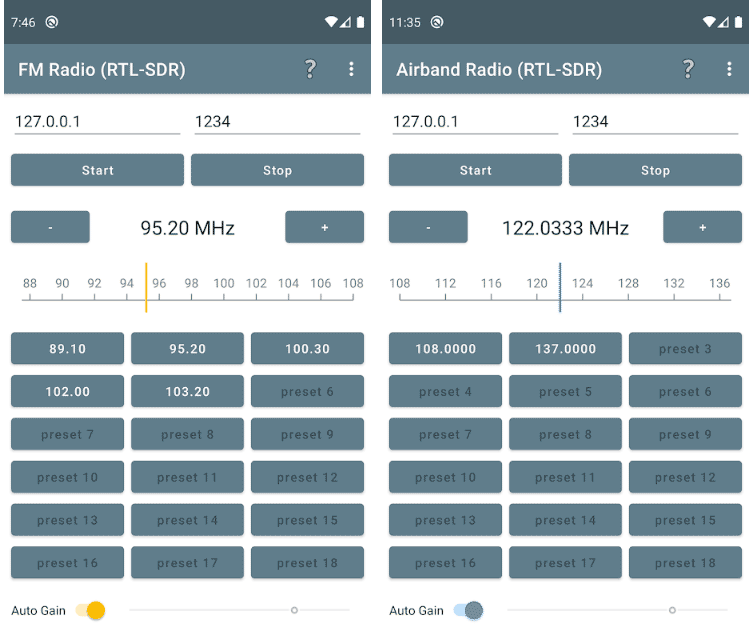
On the Google Play store developer Knowle Consultants have recently released a new free application called "FM Radio (RTL-SDR)". This is a simple app that allows you to use a connected or remotely networked RTL-SDR to tune into preset broadcast FM stations. People wishing to use an Android enabled head unit in their car may be interested in the app as it makes tuning into broadcast FM stations easy just like it is on a standard radio.
They also have a similar app called "Airband Radio (RTL-SDR)" which provides a similar simple interface for tuning into airband presets.
Knowles Consultants simple Android RTL-SDR FM and Airband Receiver Apps
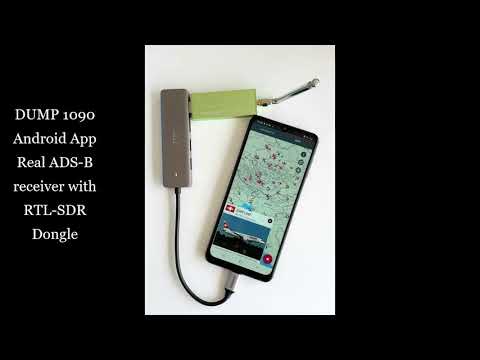
The company ebcTech who makes AIS Share for Android has recently come out with a new app which is an Android App version of Dump1090. Dump1090 is a popular command line based ADS-B decoder for RTL-SDR dongles which allows you to receive and plot the locations of nearby aircraft on a map.
The app directly accesses the RTL-SDR via a USB OTG connection and provides a list of aircraft with planespotters.net image lookup, and a Google map display. The app is free however there is a message limit on received aircraft which can be unlocked via a low cost in-app purchase.
The author also wrote in and wanted to make a note about a special feature "In the app you can add Airport layers – This consist now 4480 Airports – most of them with corresponding homepage address / or Wikipedia link."
We recently came across the LibreCellular project which is aiming to make it easy to implement 4G cellular networks with open source software and low cost SDRs. The project appears to be in the early stages, and seems to be focusing on deploying and modifying existing open source 4G basestation software known as srsRAN which will be used with a particular combination of hardware in order to create a reliable and easy to set up 4G basestation solution.
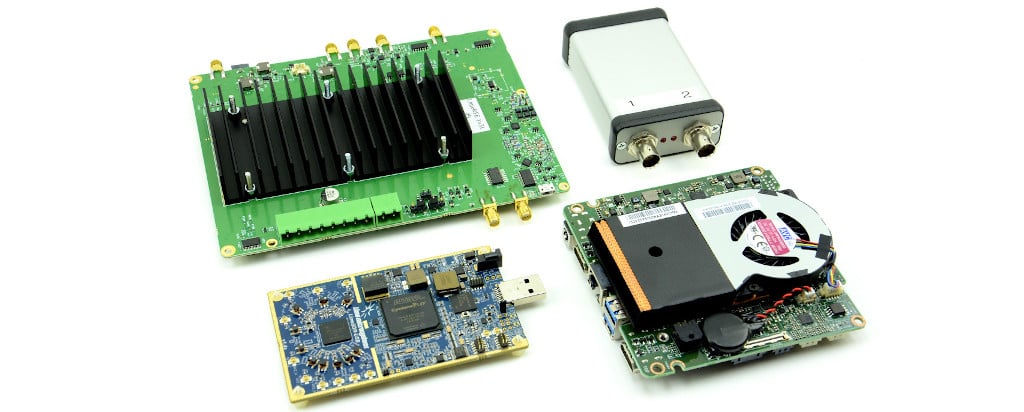
The reference hardware that they are recommending consists of an Intel NUC single board computer ($699), LimeSDR ($315), LimeRFE front end filtered power amplifier ($699), and Leo Bodnar Mini Precision GPS Reference Clock ($140). All together you can create a 4G basestation for around $1850.
LibreCellular Components for a 4G Basestation: LimeRFE, Leo Bodnar GPS Clock, LimeSDR, Intel NUC.
Thank you to José Carlos Rueda for submitting his project called "a-radio: a web virtual reality radio power spectrum analyzer". The idea behind the project is to first use an RTL-SDR together with rtl_power and heatmap.py to generate a heatmap image of the RF spectrum. This image is then projected into a 3D 360 degree view and hosted on a web server via José's script for the a-frame VR web framework, allowing the heatmap to be viewed with a virtual reality (VR) smartphone headset. José' recommends using a cheap VR headset like Google Cardboard which can be used with your Android smartphone.
José notes that the project is just a proof of concept, but he hopes to inspire future work around the combination of RF and VR.
Virtual Reality Visualization of an RF Spectrum Heatmap.
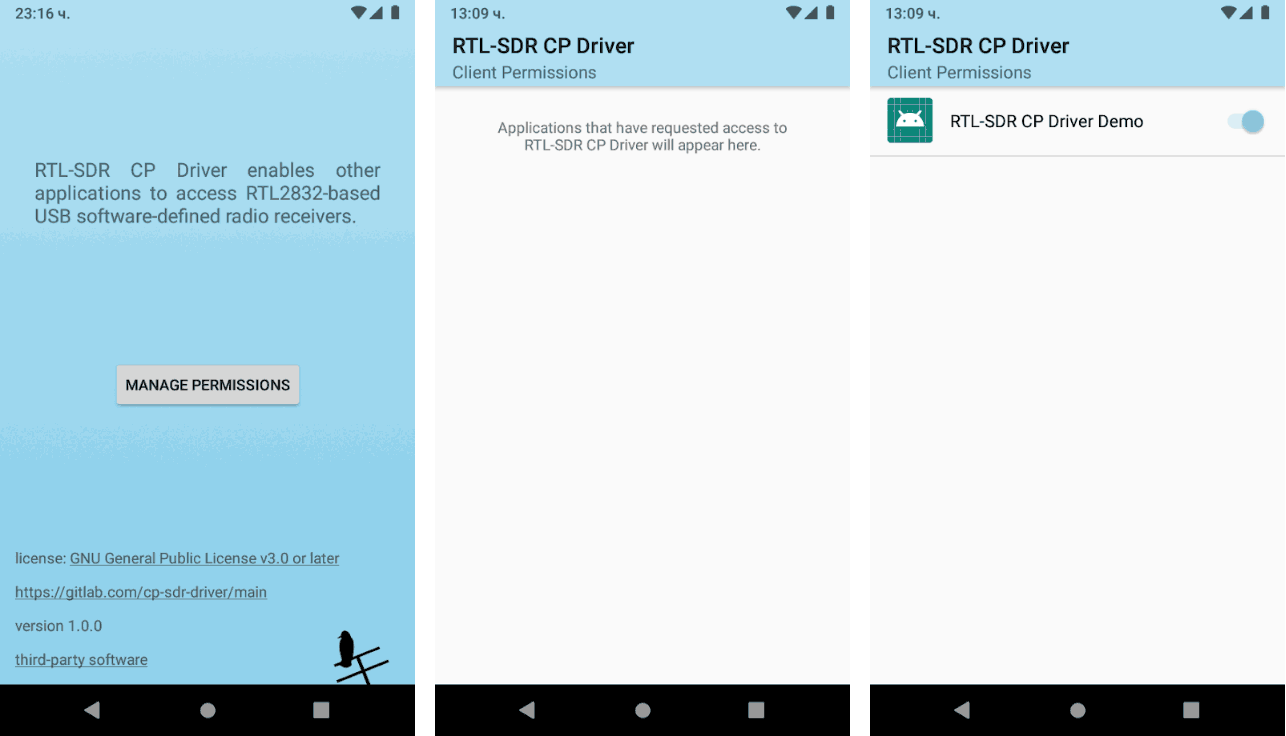
Android developers have a new RTL-SDR driver wrapper available to use called "RTL-SDR CP Driver". This driver by Evgeni Karalamov is designed to have an additional feature over the current Android RTL-SDR drivers in that it implements client application permission management. The overview reads:
RTL-SDR CP Driver utilises the rtl-sdr codebase and is meant to be kept in sync with the developments there. The provided interface mirrors the functionality of rtl_tcp in an Android way. Instead of via a TCP socket, the communication is carried out through file descriptors returned by a ContentProvider.
Since some potentially sensitive information could be captured through the SDR receivers, like indications of the device location, the RTL-SDR CP Driver implements permission control similar to that of the Android framework. Prior to accessing receivers, client applications have to ask the user for permission to access the driver by starting the driver's permission flow via startActivityForResult. Once the user grants access, their answer is remembered and they are not prompted again. The user has the ability to later revoke the permission from the driver's UI, accessible via the Android launcher.
The actual driver app can be downloaded from the Google Play Store. Note that this doesn't provide any functionality by itself. We will need to wait until apps take advantage of it.